

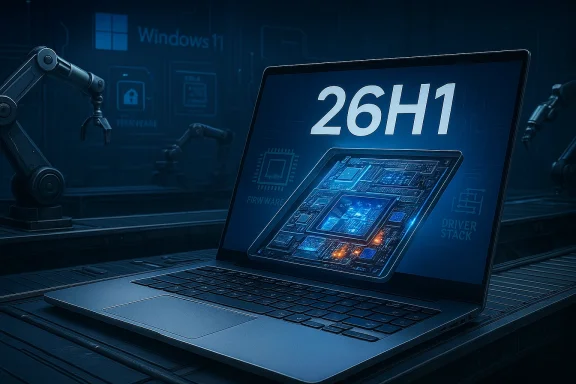
Microsoft’s brief, bureaucratic bullet points on February 10, 2026 represent more than a numbering quirk: Windows 11, version 26H1 is a purpose-built platform branch reserved for new hardware, not the next universal feature drop for the millions of existing Windows PCs. Microsoft’s support note says the release “enables the next generation of silicon” and will be available only on select new devices in the first quarter of 2026; it explicitly states it is not offered as an in-place update from Windows 11 versions 24H2 or 25H2 on existing machines. crosoft’s Insider announcement for Canary Build 28000 makes the same point plainly: “26H1 is not a feature update for version 25H2 and only includes platform changes to support specific silicon.”
This article explains what 26H1 actually is, why Microsoft created it, what it means for consumers, IT teams and OEMs, and the practical risks and mitigations you need to know before you buy or deploy a device that ships with it.
Microsoft’s Windows release cadence has centered on one annual, feature-bearing update in the second half of each year (the “H2” release). That long-standing pattern remains intact: the company continues to plan a broad consumer-facing feature update for the second half of 2026 (26H2). What changed is the emergence of a narrow, engineering-first branch — 26H1 — that exists to accommodate hardware that requires deep, low-level OS changes at factory time rather than through the regular servicing channel.
The Canary-channel Insider drop that exposed the new version string (Build 28000) makes clear that 26H1 contains platform plumbing — kernel adjustments, driver/firmware integration, power- and scheduler-tuning for heterogeneous cores and NPUs — rather than a slate of new, consumer-visible features. That is why Microsoft’s messaging is deliberately short and operational: this branch is for specific silicon and OEM factory images; most users don’t need to do anything.
For consumers, the message is straightforward: you likely do not need 26H1 unless you are buying one of the early Arm-based devices that ships with it. For enterprises, OEMs and ISVs, the message is more nuanced: treat 26H1 images as separate SKUs requiring independent validation, insist on clear OEM documentation for drivers and servicing, and plan mixed‑fleet testing now to avoid surprises later. If Microsoft and its partners execute cleanly, 26H1 will be a pragmatic engineering solution that accelerates the arrival of powerful, efficient AI‑capable PCs. If communication or servicing discipline slips, the result could be avoidable fragmentation and increased support overhead — the exact problem the platform was designed to reduce.
Be skeptical of hype and attentive to the facts: read the device’s spec sheet, ask whether it ships with 26H1, and — for fleets — pilot responsibly. The year ahead will tell whether platform‑first releases become a regular part of the Windows lifecycle or remain a targeted tool used only when silicon realities demand it.
Source: Microsoft Support Windows 11, version 26H1 - Microsoft Support
This article explains what 26H1 actually is, why Microsoft created it, what it means for consumers, IT teams and OEMs, and the practical risks and mitigations you need to know before you buy or deploy a device that ships with it.
 Background / Overview
Microsoft’s Windows release cadence has centered on one annual, feature-bearing update in the second half of each year (the “H2” release). That long-standing pattern remains intact: the company continues to plan a broad consumer-facing feature update for the second half of 2026 (26H2). What changed is the emergence of a narrow, engineering-first branch — 26H1 — that exists to accommodate hardware that requires deep, low-level OS changes at factory time rather than through the regular servicing channel. The Canary-channel Insider drop that exposed the new version string (Build 28000) makes clear that 26H1 contains platform plumbing — kernel adjustments, driver/firmware integration, power- and scheduler-tuning for heterogeneous cores and NPUs — rather than a slate of new, consumer-visible features. That is why Microsoft’s messaging is deliberately short and operational: this branch is for specific silicon and OEM factory images; most users don’t need to do anything.
What Microsoft said (and what the support note confirms)
The key points from Microsoft’s communications
- 26H1 is a platform-first release. It exists to “support specific sitly not the next general feature update for the installed base. ([blogs.windows.com](Announcing Windows 11 Insider Preview Build 28000 (Canary Channel) preinstalled on select new devices in Q1 2026.** Microsoft’s support text and partner guidance indicate OEMs will factory-image qualifying systems with 26H1 rather than distributing it broadly through Windows Update.
- It is not offered as an in-place update from current Windows 11 releases (24H2/25 should continue to receive the normal monthly security and quality updates on their current servicing branch.
- Devices shipped with 26H1 will keep receiving monthly updates, but Microsoft warns those devices will not be upgradable to the next annual H2 feature update later in 2026 because 26H1 is built on a different Windows core. Instead, Microsoft promises a future update path in a later Windows release.
Why Microsoft built 26H1: the engineering rationale
Modern system-on-chip platforms — particularly the new generation of Arm-based laptop SoCs — are not incremental upgrades to previous chips. They introduce:- Heterogeneous core topologies (varying big/efficient core mixes) that demand scheduler and telemetry changes.
- Massively larger NPUs (neural processing units) and AI-offload engines that require runtime integration, secure model attestation, and power/thermal controls.
- New firmware, boot and attestation flows that affect pre-boot security, BitLocker, WinRE, and driver signing models.
- Novel I/O and memory subsystem designs that can change performance characteristics and driver expectations.
Technical snapshot: what 26H1 will (likely) contain
Because Microsoft’s public notes deliberately avoid a long changelog, much of what follows is informed inference grounded in the nature of platform engineering and early builds observed in Canary.- Kernel and scheduler updates to handle heterogeneous clusters and avoid unnecessary wakeups or mis-scheduling across high‑performance and efficiency cores.
- Revised power and thermal policies tuned to the new SoC power envelopes and to offload work to NPUs when appropriate.
- New or updated DCH (Declarative Componentized Hardware) drivers for GPUs, displays, wireless stacks, camera ISPs and sensor hubs that match vendor firmware.
- Attestation hooks and secure runtime support for on-device AI models, including the prerequisites for hardware-backed isolation and model integrity.
- Servicing and device catalog metadata that permits targeted enablement, rollback, and factory provisioning for qualifying models.
Distribution, servicing, and upgrade paths — the practical rules
Microsoft’s support note and Insider messaging define a tidy set of operational rules you should treat as authoritative:- 26H1 will ship on select new devices in Q1 2026 and is not a general Windows Update offering for current systems. Existing devices remain on the 25H2 servicing baseline and will continue receiving monthly security and quality updates.
- Devices that ship with 26H1 will get monthly updates, just like other Windows 11 tracks. However, because 26H1 uses a different Windows core, those devices cannot be upgraded to the next annual feature update in H2 2026 through the normal in-place path — Microsoft states they will have a path to update in a future Windows release. This is important for lifecycle planning and enterprise imaging strategies.
- Insider channels remain the testing ground. Canary will host platform plumbing; Dev/Beta will continue to carry feature-first experiments and previews for broad features that will land in 26H2 or future H2 releases.
Who is affected — and who isn’t
- Affected: Buyers of first‑wave Arm64 or Copilot+ devices from OEMs that choose to factory-image with 26H1. Early adopters of Snapdragon X2 (and similar) laptops will likely encounter 26H1 on out‑of‑box systems.
- Not affected (for now): Existing Intel and AMD Windows 11 systems and most currently shipping Arm devices will remain on the standard servicing track (25H2) and will not be automatically migrated to 26H1 via Windows Update.
- IT and enterprise fleets: Mixed fleets will require careful device-model documentation and pilot testing if you plan to accept 26H1 devices into your environment, because that image will use a different Windows core and may affect management tooling, driver rollouts and compatibi## Strengths and immediate benefits
- Better day‑one reliability for complex silicon. OEMs and silicon vendors get a validated Windows image that can be factory‑flashed, reducing the chance of day‑one regressions due to missing platform work. This improves the user experience for new hardware and helps OEMs meet launch timelines.
- Enables deeper NPU and on‑device AI integration. By providing attestation hooks and runtime readiness in the platform image, Microsoft and partners can ship hardware that better leverages on-device AI for battery-efficient inference.
- Preserves mainstream feature cadence. Microsoft keeps the large‑scale feature pipeline stable on 25H2/26H2 so broad user experience work is not blocked or complicated by the platform needs of a narrow set of devices.
Risks, fragmentation points, and why administrators should care
- Fragmentation of platform baselines. Two coexisting cores for Windows 11 (the existing 25H2 lineage and the Bromine-based 26H1) create potential divergence in behavior, telemetry, driver models and update policies. That increases th ISVs and IT organizations.
- Upgrade path ambiguity. Microsoft’s note that 26H1 devices “will not be able to update to the next annual feature update in the second half of 2026” is clear, but the longer-term timeline for convergence and the operational details for enterprise imaging remain unspecified. That uncertainty complicates lifecycle planning for early‑adopter fleets.
- Tooling and driver compatibility. Management tooling, EDR agents, and vendor-supplied drivers may behave differently or require new versions for the 26H1 platform baseline. Enterprises must insist on vendor documentation and test images before approving devices.
- User confusion and messaging. A visible change in the OS version number could prompt helpdesk calls and misguided upgrade attempts if OEMs and retailers do not clearly communicate that 26H1 is device‑specific and not a mandatory upgrade for all Windows 11 users.
Practical guidance: what buyers and IT teams should do now
- If you are buying a new laptop in early 2026:
- Ask the OEM whether the device ships with 26H1 (Build 28000/Bromine) or the mainstream 25H2 image. Require explicit labeling in spec sheets and purchase orders.
- For enterprises evaluating pilot devices:
- Set up a controlled validation plan covering imaging, driver update paths, security tooling, BitLocker/WinRE workflows and firmware update processes. Treat 26H1 images as a separate SKU that must be tested independently.
- For end users upgrading existing machines:
- Do not expect 26H1 via Windows Update. Continue to follow Microsoft’s mainstream servicing cadence on 25H2 and wait for the broad 26H2 feature release in H2 2026.
- For OEMs and ISVs:
- Document the exact driver and firmware versions certified on 26H1 images and publish clear guidance about servicing, updates and expected lifecycle differences compared to 25H2/26H2 devices.
Long-term implications and strategic questions
Microsoft’s decision to produce a targeted H1 platform release signals a larger strategic reality: as on-device AI and Arm silicon diverge, operating system vendors must flex release models around hardware roadmaps. The advantages are clear — faster time to market for OEMs, better day‑one device experiences and a platform that can exploit new AI hardware — but the model raises persistent questions:- Will Microsoft standardize platform‑specific branches for every major silicon wave, or is 26H1 an exception?
- How will Microsoft ensure parity of security, management, and enterprise features across divergent cores to avoid operational headaches for large organizations?
- What are the certification and update expectations for third‑party drivers and security agents on Bromine-based devices?
Conclusion
Windows 11, version 26H1 is not a conventional feature update — it is a targeted, platform-first branch intended to let OEMs and silicon partners ship new, complex Arm-based systems without waiting for the regular H2 feature cycle. Microsoft’s support note and the Canary Build 28000 announcement are unambiguous: 26H1 is for specific silicon, will be factory‑installed on select devices in Q1 2026, is not offered as an in-place update from existing Windows 11 versions, and will follow a different servicing/upgrade path because it is based on a different Windows core.For consumers, the message is straightforward: you likely do not need 26H1 unless you are buying one of the early Arm-based devices that ships with it. For enterprises, OEMs and ISVs, the message is more nuanced: treat 26H1 images as separate SKUs requiring independent validation, insist on clear OEM documentation for drivers and servicing, and plan mixed‑fleet testing now to avoid surprises later. If Microsoft and its partners execute cleanly, 26H1 will be a pragmatic engineering solution that accelerates the arrival of powerful, efficient AI‑capable PCs. If communication or servicing discipline slips, the result could be avoidable fragmentation and increased support overhead — the exact problem the platform was designed to reduce.
Be skeptical of hype and attentive to the facts: read the device’s spec sheet, ask whether it ships with 26H1, and — for fleets — pilot responsibly. The year ahead will tell whether platform‑first releases become a regular part of the Windows lifecycle or remain a targeted tool used only when silicon realities demand it.
Source: Microsoft Support Windows 11, version 26H1 - Microsoft Support
