

If you spend any time in comment threads or scrolling social feeds, you could be forgiven for thinking that Windows 11 is an unmitigated disaster — a chunky, unstable experiment pushed out before it was ready. The louder narratives focus on printer breakages, Start menu hiccups, and extended runs of cumulative updates that feel like they create more work than they fix. But taken in context — historically, technically, and at ecosystem scale — the reality is more complicated. Windows 11 is imperfect, yes, but it is also mature in key areas, widely adopted, and actively engineered in ways that make it less fragile today than many commentators suggest.
This piece argues that the doom-and-gloom consensus is overstated. It will show why the perception of decline is driven by new feedback dynamics rather than uniquely worse engineering, why Microsoft’s servicing tools and faster telemetry are actually improving responsiveness, why gamers and performance-sensitive users are increasingly choosing Windows 11, and what Microsoft must do next to rebuild user trust. I’ll examine the facts, verify key claims, and offer practical recommendations for both Microsoft and Windows users.
Windows is no longer just an operating system installed on a carefully chosen set of hardware; it is a sprawling platform running across billions of configurations with multiple active servicing branches. That shift changed two things at once: the scale of complexity Microsoft must manage, and the speed with which problems become spectacle.
Compare the scale: a single Microsoft servicing slip affecting, say, 0.01% of installs can still translate to millions of machines. Multiply that by fast-moving commentary and repeat impressions, and you get a collective sense of failure even if most devices are unaffected.
History shows that large OS projects go through waves: rough opening, iterative fixes, and stabilization. The public critique often focuses on the opening wave and forgets how much subsequent engineering improves the platform.
Key trust levers:
The critical misalignment today is not primarily technical; it’s perceptual and procedural. Microsoft must move faster at predictable mitigation and clearer communication. That will restore trust faster than any single patch.
Users, journalists, and admins can do their part by treating high-volume anecdote networks with appropriate skepticism and by focusing on reproducible, measurable regressions instead of viral impressions. Demand and reward predictable engineering and transparent operations. That combination — improved engineering, better governance, and more constructive public discourse — is the most realistic path to a healthier Windows ecosystem.
The louder narratives obscure a quieter truth: for most users, Windows 11 works well enough to run the apps, games, and workloads that matter. For those affected by regressions, the experience is intolerable — and Microsoft must own that and respond with faster, clearer, and more predictable mitigations. The company has the technical tools to do this; what it needs now is operational discipline and better communication.
If we evaluate Windows 11 across history, adoption, engineering investments, and response mechanisms, the conclusion is not that Windows is collapsing but that it is maturing in an environment that demands new kinds of reliability assurances. It’s time to call out real problems where they exist, but also to stop equating every high-visibility glitch with systemic failure. The better conversation is about predictability, transparency, and pragmatic governance — and on those metrics, Windows 11 still has room to grow, but it’s far from a catastrophe.
Source: Windows Latest Opinion: Windows 11 isn’t the disaster some claim - and it’s time to say so
This piece argues that the doom-and-gloom consensus is overstated. It will show why the perception of decline is driven by new feedback dynamics rather than uniquely worse engineering, why Microsoft’s servicing tools and faster telemetry are actually improving responsiveness, why gamers and performance-sensitive users are increasingly choosing Windows 11, and what Microsoft must do next to rebuild user trust. I’ll examine the facts, verify key claims, and offer practical recommendations for both Microsoft and Windows users.
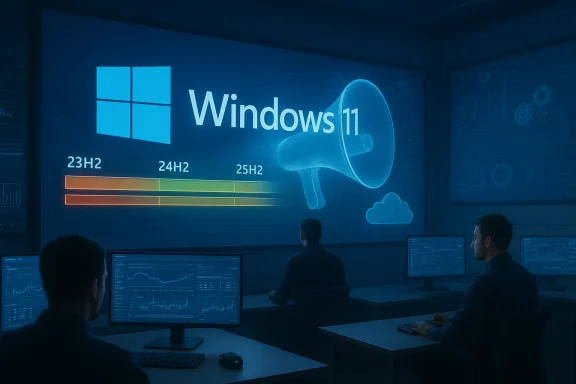 Background: What changed — the platform and the conversation
Windows is no longer just an operating system installed on a carefully chosen set of hardware; it is a sprawling platform running across billions of configurations with multiple active servicing branches. That shift changed two things at once: the scale of complexity Microsoft must manage, and the speed with which problems become spectacle.The new scale and cadence
- Microsoft now ships multiple General Availability branches in parallel, with annual feature updates and scoped releases that target new silicon. Recent servicing has included annual releases such as 23H2, 24H2, and 25H2, while 26H1 has been scoped to new devices and next‑generation Copilot+ PCs.
- Windows also runs multiple Insider channels — Canary, Dev, Beta, and Release Preview — each with experimental code paths that can surface different behaviors across test audiences.
- Enterprise customers get specialized servicing channels, including Long Term Servicing Channel (LTSC) options, creating additional parallelism in what Microsoft must maintain and secure.
The feedback megaphone
Today, telemetry data rises through Microsoft’s internal systems while blogs, forums, and social networks amplify individual user stories instantly. An issue that would once linger in a handful of support tickets becomes front-page conversation overnight. That speed is a double-edged sword: it helps engineers find and fix problems more quickly, but it also magnifies the perception of instability.Attention-grabbing headlines make Windows 11 worse than it is
There are two separate narratives conflated in most public complaints: the objective frequency and severity of bugs, and the subjective feeling of instability. The former is measurable; the latter is social.Why visibility distorts perception
A narrow hardware issue affecting a specific OEM driver or peripheral can become a viral story within hours. The modern topology of tech media and social platforms favors amplification. That’s not unique to Windows 11, but it matters more now because Windows touches more mission-critical workloads than most consumer apps.Compare the scale: a single Microsoft servicing slip affecting, say, 0.01% of installs can still translate to millions of machines. Multiply that by fast-moving commentary and repeat impressions, and you get a collective sense of failure even if most devices are unaffected.
Historical context: Windows has always been messy at launch
If we zoom out, Windows 11’s growing pains are familiar. Early Windows releases shipped with glaring instabilities — Windows 95 popularized frequent reboots, and Windows 98 required a Second Edition to shore up many early driver and USB issues. Even Windows 7, fondly remembered now, required substantial driver and networking fixes in its early life. Windows 10’s “Windows-as-a-Service” model introduced update cadence problems of its own, culminating in the infamous October 2018 Update (version 1809) that resulted in user file deletions and a paused rollout.History shows that large OS projects go through waves: rough opening, iterative fixes, and stabilization. The public critique often focuses on the opening wave and forgets how much subsequent engineering improves the platform.
Rebuilding user trust matters more than counting bugs
It’s tempting to treat reliability as a pure metric — number of bugs, number of patches — but the more consequential problem today is confidence. For many users, especially enterprise and prosumer audiences, the question is not whether Windows will eventually work but whether it will reliably behave tomorrow morning.Why predictability beats perfection
Users need predictable behavior. A single unexpected break during a deadline, a game session, or a presentation damages trust far more than months of quiet stability. Microsoft’s challenge is to translate fast engineering fixes into predictable operations and clear communication.Key trust levers:
- Clear release notes that explain risks and mitigations in plain language.
- A reliable rollback and mitigation mechanism so admins can trust updates won’t be irrevocable.
- Transparency about which devices are affected, and honest timelines for remediation.
The update cadence and OOB (out‑of‑band) fixes: apples-to-apples
One persistent claim is that Windows 11 receives more emergency patches and out‑of‑band updates than previous versions. That’s not quite accurate; the servicing model has changed, which changes visibility and response patterns.Faster detection, faster response
- Telemetry and diagnostic reporting are vastly better today than a decade ago. Microsoft detects regressions earlier because devices phone home detailed error signatures.
- Known Issue Rollback (KIR) is a modern mitigation mechanism that can disable a specific change from an update while leaving other security patches in place. That reduces the need to uninstall entire updates or wait weeks for fixes.
- In many cases, what looks like a flurry of patches is evidence of a faster response cycle: issues are found, mitigations are pushed rapidly, and rollbacks can be targeted.
Comparing across Windows generations
When Windows 7 and early Windows 10 shipped, many issues took months to diagnose and longer to remediate. Windows 10’s transition to feature-on-a-schedule increased the total number of known issues in public view — because Microsoft deliberately changed how features are introduced. Windows 11 inherits that model but pairs it with better rollback and telemetry frameworks, which often produce more visible but faster resolutions.Gaming and performance: a pragmatic bellwether
Gamers and performance-sensitive users are less swayed by marketing and more by metrics. If Windows 11 were catastrophically worse, the user base most intolerant of regressions would reject it. Instead, adoption among PC gamers has continued to climb.Why gamers are shifting to Windows 11
- Improved scheduler behavior for hybrid CPU architectures (notably Intel 12th–14th Gen and similar chips) yields better core utilization and lower latency in some workloads.
- Graphics stack improvements with newer WDDM versions and driver integrations can improve throughput and frame stability.
- Native support for features such as Auto HDR, DirectStorage, and modern DirectX 12 extensions are only fully realized on newer Windows runtimes.
- Measured reductions in input latency in specific scenarios — for users running high-refresh displays and modern mice — make Windows 11 attractive for competitive play.
Caveats for competitive players
Not every game or GPU driver behaves identically across every Windows release. For some titles, particular driver versions or anti-cheat interactions have caused regressions. Competitive players should stick to vetted driver-release pairings and test updates in off-peak windows, but the broad trend favors Windows 11 for modern hardware.Engineering at planetary scale: why oddities will happen
Microsoft manages an ecosystem that dwarfs the product portfolios of virtually every other OS vendor. That scale introduces engineering trade-offs that manifest as complexity.Multiple active branches, multiple hardware generations
- Running two or more GA branches (for example, 24H2 and 25H2) while introducing a device-scoped release like 26H1 increases combinatorial possibilities for regressions.
- OEM customizations, third‑party drivers, and firmware variations multiply the surface area for interaction bugs.
- Insider channels allow experimentation, but they also expose unfinished features to subsets of users who may be running mixed configurations.
Not a collapse of engineering, but a product-design trade-off
The counterargument is simple: Microsoft could freeze the platform and limit device permutations to make testing easier. But that approach would stifle innovation and delay security fixes. The real challenge is governance: better canarying, clearer channel separation, and faster, more visible mitigations when something slips.For most users, Windows 11 simply works
Amid the noise, the majority of consumer and enterprise systems run Windows 11 without life-disrupting issues. That’s not a comforting platitude; it’s an empirical reality.- Millions of PCs boot daily, run productivity apps, stream media, and play games with acceptable performance and security.
- Enterprise management tools — Intune, Configuration Manager, Windows Autopatch — enable administrators to stage and control updates to minimize disruption.
- The security posture has improved with modern protections and tighter sandboxing for untrusted content.
Where Microsoft has legitimately misstepped
This is not a defense of everything Microsoft has done. There are concrete areas where choices undermined trust or introduced friction.Over-enthusiastic feature pushes
- The Copilot and agentic UI experiments, while forward-looking, felt intrusive to some users and contributed to the "bloat" narrative. Microsoft’s announcement to pull back certain Copilot integrations across the OS is an acknowledgement that timing and placement matter.
- Aggressive UX changes — such as controversial taskbar constraints in early Windows 11 builds — created user resentment. Reintroducing more taskbar flexibility addressed a core user need.
Communication gaps
- Release notes and known-issue communications have sometimes lagged or lacked clarity about affected configurations. When users don’t know whether an update will break their workflows, they assume the worst.
- Mixed messaging on compatibility and forced upgrade timing (for aging 23H2 installs, for instance) created friction for admins who prefer long-term predictability.
Vendor and driver coordination
- OEMs, ISVs, and driver authors must be part of the reliability conversation. When a driver update or OEM image interacts poorly with a servicing change, blame can be diffuse and slow to resolve.
Practical recommendations: what Microsoft should do next
If Microsoft wants to shift the conversation from “Is Windows broken?” to “How will Windows improve predictably?”, the company needs to double down on predictability, transparency, and tooling.- Publish clearer, machine-readable compatibility matrices for updates. This would let admins programmatically determine whether a patch should be applied to a device class.
- Expand and universalize KIR-like mechanisms to consumer and enterprise channels with richer telemetry dashboards that indicate impact. KIR is powerful; making its activations clearer would reduce alarm.
- Guarantee a predictable cadence for critical updates with stronger rollback SLAs for high-impact regressions. Not every rollback needs to be public, but admins should get timely, actionable guidance.
- Improve pre-release testing on representative OEM images and with popular third‑party drivers. The cost of better hardware-in-the-loop test harnesses is lower than the cost of a high-profile regression.
- Make UI change opt-in for non-consumer devices. Enterprises often prefer stability over new UX; making feature toggles explicit reduces surprise.
- Communicate proactively about device-scoped releases like 26H1, with explicit lists of supported hardware and an explanation of update pathways so customers can plan.
Practical user guidance: how to manage your Windows 11 systems
Windows will continue to evolve. Users and admins can reduce risk without sacrificing the benefits of modern Windows features.- For home users who prefer stability: defer feature updates, enable system restore, and use driver-control utilities provided by OEMs. Treat major updates like significant OS upgrades and schedule them.
- For gamers: test new driver releases in low-stakes sessions and keep one known-good driver installer offline for rollbacks. Use game‑specific performance telemetry to validate updates.
- For enterprise admins: leverage phased rollouts and autopatch tooling, monitor Windows release-health dashboards, and apply Known Issue Rollback policies where appropriate.
- For power users who want bleeding-edge features: participate in Insider channels but do so on non-critical hardware. Isolate experimental machines from your main work environment.
How to interpret the metrics and claims
Some loud claims deserve nuance.- When Microsoft announces milestones such as “over one billion Windows 11 users,” that is a valid sign of adoption and implies substantial ecosystem scale. These numbers should be treated as corporate milestones, not guarantees of universal quality, but they do mean that more devices are receiving modern security updates and platform benefits.
- When Steam and other usage surveys show increasing Windows 11 share, that’s a market-level signal that gamers — a sensitive user cohort — find Windows 11 beneficial for modern hardware and software stacks.
Balancing optimism with scrutiny: the final analysis
Windows 11 is not a panacea and it is not immune to regression. It has had missteps — some avoidable, some the natural byproducts of rapid innovation. But it is also demonstrably the platform for cutting-edge PC features: optimized scheduling for hybrid CPUs, modern graphics stacks, and a suite of security and management improvements that make sense for a billion-user footprint.The critical misalignment today is not primarily technical; it’s perceptual and procedural. Microsoft must move faster at predictable mitigation and clearer communication. That will restore trust faster than any single patch.
Users, journalists, and admins can do their part by treating high-volume anecdote networks with appropriate skepticism and by focusing on reproducible, measurable regressions instead of viral impressions. Demand and reward predictable engineering and transparent operations. That combination — improved engineering, better governance, and more constructive public discourse — is the most realistic path to a healthier Windows ecosystem.
Conclusion: Windows 11 is not a disaster; it’s a complex product in transition
Windows 11 faces serious, legitimate criticisms, but it is neither uniquely broken nor evidence of an industry-wide collapse in engineering. It is a large-scale, evolving platform operating under a new set of expectations shaped by continuous delivery, a vast hardware matrix, and instantaneous public feedback loops.The louder narratives obscure a quieter truth: for most users, Windows 11 works well enough to run the apps, games, and workloads that matter. For those affected by regressions, the experience is intolerable — and Microsoft must own that and respond with faster, clearer, and more predictable mitigations. The company has the technical tools to do this; what it needs now is operational discipline and better communication.
If we evaluate Windows 11 across history, adoption, engineering investments, and response mechanisms, the conclusion is not that Windows is collapsing but that it is maturing in an environment that demands new kinds of reliability assurances. It’s time to call out real problems where they exist, but also to stop equating every high-visibility glitch with systemic failure. The better conversation is about predictability, transparency, and pragmatic governance — and on those metrics, Windows 11 still has room to grow, but it’s far from a catastrophe.
Source: Windows Latest Opinion: Windows 11 isn’t the disaster some claim - and it’s time to say so
