• Thread Author
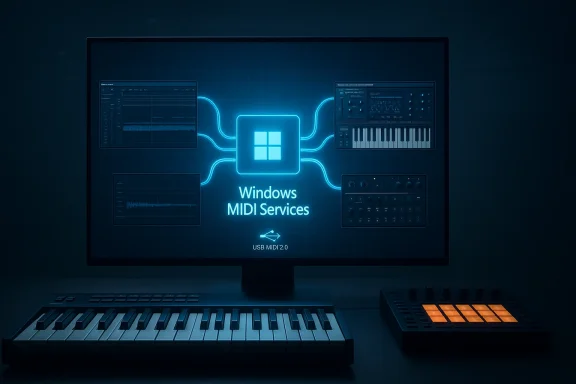
Windows 11’s new Windows MIDI Services finally delivers on promises that have been decades in the making: native MIDI 2.0 support, a reworked MIDI 1.0 stack with modern conveniences, built-in multi-client access to ports, automatic translation between MIDI 2.0 and 1.0, loopback/app-to-app routing, high-resolution timing and scheduling, and a new USB MIDI 2.0 class driver — all intended to make music creation, live performance, and hardware/software integration smoother on Windows PCs. s://www.theverge.com/news/607351/microsoft-windows-11-midi-2-0-support)

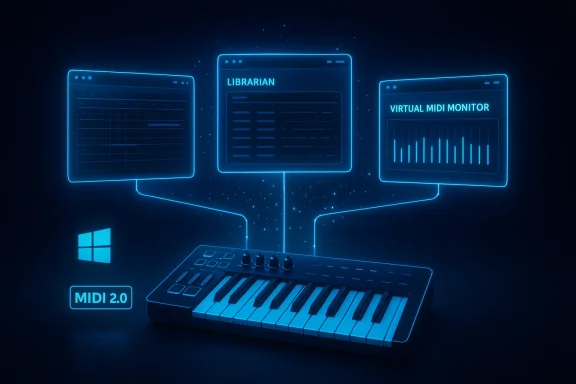
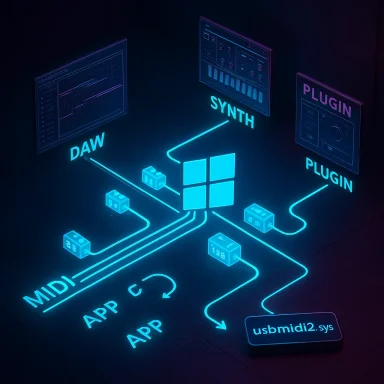
Neon diagram of a Windows-based audio pipeline linking MIDI, DAW, synth, and plugins.Background / Overview​

MIDI has been the essential language of electronic music since its standardization in 1983. That original design—simple byte-stream messages sent at DIN-cable speeds—served generations of instruments and software, but it carries inherent limits: 7-bit controllers (0–127), limited per-note expression without channel hacks, and no standard discovery, metadata, or richer device identity. MIDI 2.0 modernizes the protocol with the Universal MIDI Packet (UMP) format, higher-resolution messages, per-note articulation, bidirectional capability, and a framework for device Profiles and Property Exchange. The MIDI Association documents the core MIDI 2.0 specs, including the UMP and updated MIDI-CI/Profile rules that underpin many of the capabilities Windows is now exposing.
Microsoft’s Windows blog post and associated outreach lay out the product: Windows MIDI Services, a unified stack in Windows 11 that natively supports MIDI 1.0 and MIDI 2.0, and ships with an SDK + Tools packahardware makers can take advantage of the new features. The announcement stresses two parallel goals: make MIDI 1.0 far more usable on Windows today, and provide an infrastructure that enables MIDI 2.0 adoption without breaking existing workflows.

What Windows MIDI Services brings to the table​

Key new features at a glance​

  • Native MIDI 2.0 support (UMP-based): Windows can now expose MIDI 2.0 endpoinolution message types defined by the UMP format.
  • ack: The legacy MIDI codebase was replaced to improve compatibility, reliability, and to enable features like multi-client access.
  • Multi-client device access: Multiple applications same MIDI port simultaneously (a long-standing request from musicians and DAW users).
  • Automatic translation/scaling between MIDI 2.0 and MIDI 1.0: High-resolution MIDI 2.0 values will be downscaled for legacy apps, while new apps can receive the full-resolution data.
  • High-precision timestamps and scheduled messages: The service supports incoming/outgoing timestamps and scheduled delivery that aims for sub-microsecond accuracy in the timest exposes structures for UMP timing in the Windows driver model.
  • Built-in loopback and app-to-app endpoints: Createts for routing MIDI between applications without third-party virtual MIDI drivers.
  • New USB MIDI 2.0 class driver (usbmidi2.sys): A modern USB class driver intended to support MIDI 2.0 devices and provide a faster, better-integrated channel to the system service. The blog credits an Ame and AMEI for contribution.

Why these features matter (practical benefits)​

  • No more "single-owner" ports: Live performers and multi-application studio rigs have routinely needed hacks or vendor drivers to gram see the same hardware. Multi-client ports remove that friction for most setups.
  • Future-proofing with backward compatibility: By translating MIDI 2.0 to MIDI 1.0 automatically, Windows removes the "do I need to upgrade my DAW?" question for many users while enabling progressive adoption.
  • Better expressive control: Instrument makers can expose per-note articulation and high-resolution controllers directly to apps that support MIDI 2.0, enabling richer sounds and performance nuance. DI 2.0 protocol were designed for this.
  • Cleaner developer experience: An SDK and tools (console, settings, PowerShell projections) streamline device testing, endpoint naming, and scripting — lowering the barrier for creating MIDI-aware apps on Windows.

Technical deep dive: UMP, timing, drivers, and translation​

Universal MIDI Packet (UMP) and addressing​

The UMP specification standardizes how MIDI messages are packaged for modern transports—32/64/96/128-bit UMPs depending on payload. It introduces Groups (16 groups × 16 channels each) and groupless messages for wide-addressing and expands the addressing model beyond the old 16-channel limit. This is central to how Windows can map multiple streams and perform translations between MIDI 2.0 streams and legacy MIDI 1.0 byte streams.

Timestamps and scheduling​

Windows exposes UMP-associated timing in kernel and driver interfaces (for example, UMPDATAFORMAT structures in the Windows driver model include positioning/timestamp fields). The Microsoft documentation shows how UMP data can carry position/timestamp info for sample-accurate scheduling. While the blog claims under a microsecond timing accuracy for timestamps, the practical end-to-end timing a musician sees depends on every element in the path (device firmware, USB bus, driver implementation, the service, and the host app). The Windows driver/KS interfaces provide the structures required for high-precision scheduling, but real-world results will vary by hardware and drivers.

USB MIDI 2.0 class driver: what changes​

The announcement notes that Windows is inss driver (usbmidi2.sys) built with guidance from Microsoft and donated by AmeNote/AMEI (per the blog). The driver is described as following updated power management practices and exposing a faster communication channel to the MIDI service. By default, many legacy MIDI 1.0 devices will continue to use the older usbaudio.sys path to preserve compatibility, with an option to assign devices to the new driver when appropriate. The concept is sound: a dedicated class driver can simplify and improve end-to-eUSB MIDI 2.0 devices.

Automatic translation and scaling​

One of the most impactful plumbing choices Microsoft made was to perform protocol translation and value scaling inside the OS MIDI Service. That means a MIDI 2.0-capable keyboard in UMP mode will present high-resolution values to MIDI 2.0-aware apps while appearin–127 controller to older apps. That automatic translation is crucial for adoption: hardware vendors and musicians don’t need to choose between modern and legacy modes for each app. what Microsoft got right
  • Practical backward compatibility strategy: By placing translation in the OS service rather than relying on app-level hacks, Microsoft reduces fragmentation and the classic problem of every DAW handling things differently. Apps can be upgraded to MIDI 2.0 slowly and safely.
  • Multi-client support built into the platform: This alone will reduce a major pain point in studio/live setups and stop the proliferation of vendor-specific helper drivers.
  • **Standards-aligned implementatf UMP and explicit alignment with the MIDI Association’s updated specs (MIDI-CI, Profiles, UMP) is the right architectural choice to ensure interoperability with other platforms and devices that adopt the MIDI 2.0 specs.
  • Developer tooling and openness: An SDK plus a permissive GitHub development model accelerates ecosystem contributions, testing, and bug fixes — all critical to the health of a new platform-level feature.

Risks, limitations, and things to watch​

1) Real-world timing and latency will depend on hardware + drivers​

The blog promises timestamps accurate to under a microsecond. While Windows exposes timestamp fields in the kernel-level UMP structures, achieving that accuracy in a live performance context depends on device hardware clocks, USB controller behavior, and driver scheduling. Expect to measure pracon your gear rather than assume headline numbers.

2) Driver assignment and compatibility edge cases​

The new usbmidi2.sys driver is a positive step, but the roll-out legacy devices on the old driver by default) is wise because vendor drivers or unique hardware IDs may still require vendor-supplied drivers. There will be scenarios where a device behaves differently depending on which driver is bound; track these carefully and expect vendors to publish guidance or firmware updates.

3) Translation is necessarily lossy in some cases​

Automatic downscaling of high-resolution MIDI 2.0 values to MIDI 1.0 ranges is useful but can hide or lose nuance that a power-user might expect. For critical expression work, native MIDI 2.0-aware applications and hardware paths are still preferable.

4) Ecosystem adoption remains the gating factor​

MIDI 2.0 capabilities are only useful if device manufacturers expose them and DAW/plugin developers consume them. Microsoft’s changes make it far easier to do the right thing, but real improvements in sound design, articulation, and workflow rely on third-party adoption. The MIDI Association’s updates to the spec (2020 initial release with notable June 2023 updates) provide the baseline, but ecosystem momentum is ers the experience musicians want.

5) Some claims lack independent corroboration​

The Windows blog credits an "AmeNote-developed and AMEI-provided" USB MIDI 2.0 driver contribution. That attribution is in Microsoft’s announcement, and it’s a strong sign of industry collaboration — but independent public documentation of the driver’s p is limited outside Microsoft’s blog at the time of writing. Treat single-source claims about specific donations or implementations with caution until multiple vendors or AMEI/AmeNote post corroborating material advice for musicians, producers, and studios
  • Test before you roll it into a live setup. Install the Windows update on a test machine, and verify your DAW workflows and your hardware’s behavior with the new stack before using it onstage.
  • Keep vendor drivers available. For now, vendor kernel streaming drivers remain supported; if you rely on vendor-specific control panels or firmware, keep those drivers around in case you need to revert.
  • Measure timing with the gear you use. Use loopback endpoints and the MIDI Console tools (Microsoft’s SDK tools) to mency and timestamp behavior for your instruments and audio stack.
  • Prioritize native MIDI 2.0 paths for expressive projects. If you’re composing or performing pieces that depend on per-note expression aresolution, ensure the whole chain (keyboard -> USB class driver -> service -> DAW/plugin) is 2.0-aware to avoid lossy downscaling.
  • Use built-in loopbacks for app chaining. The new built-in loopback endpoints remove the need for third-party MIDI routing tools in many cases — useful for testing, for bridging WebMIDI pages to DAWs, or for routing a plugin host to a sequencer.

For developers and hardware vendors: a checklist​

  • Update or test drivers against the new USB MIDI 2.0 class driver (usbmidi2.sys) and ensure your device can be assigneiate.
  • Support MIDI-CI Profiles and Property Exchange to enable rich device self-description and preset/patch discovery. The MIDI Association’s updated specs (June 2023) define the rules.
  • Integrate UMP support in your audio stacks and expose timestamps for scheduled events. Microsoft’s driver model supports UMP-associated timing fields for sample-accurate scheduling.
  • Leverage the Windows MIDI Services SDK and tools for testing. The platform-provided tools and PowerShell projections simplify scripting and automated testing, and Microsoft is opening these tools via GitHub to encourage community contributions.

The roadmap: what’s next and what to watch​

Microsoft’s blog and demos at industry shows (NAMM, SuperBooth) indicate a staged rollout and a backlog of features that remain on their radar: low-latency in-box USB Audio drivers with ASIO preview, additional transports (BLE MIDI 1.0/2.0, Network MIDI 2.0), and a virtual patch bay for richer routing. The MIDI Association continues to refine and publish MIDI 2.0 specs, and the largest multiplier for success will be how quickly instrument manufacturers, DAW developers, and plugin authors embrace the expanded feature set.

Final verdict: a major, pragmatic step forward — but not a magic switch​

Windows MIDI Services is the most consequential update to MIDI on Windows in decades. It is thoughtfully designed: standards-aligned, pragmatic about backward compatibility, and developer-friendly. The combination of multi-client access, OS-level translation, loopbacks, timestamps, and a modern USB class driver addresses the most persistent pain points for musicians and producers.
That said, adoption and real-world performance are not guaranteed by the announcement alone. Achieving consistent sub-microsecond timing or unlocking transformative per-note expression in the studio requires coordinated hardware firmware updates, driver quality, and DAW/plugin support. Some claims—particularly around specific driver provenance and precise timing guarantees—should be validated in independent measurements and vendor documentation as the rollout continues.
If you’re a musician or studio owner, treat this release as a liberation from many historical compromises: test it, plan your migrations carefully, and prepare to upgrade parts of your toolchain when it makes sense. If you’re a developer or hardware maker, this is a clear invitation to move beyond MIDI 1.0 workarounds and build products that finally take full advantage of what MIDI 2.0 and the Universal MIDI Packet were designed to enable. The platform is now ready — the next step is an ecosystem that delivers.

Source: Windows Blog Making music with MIDI just got a real boost in Windows 11
 

Microsoft has quietly shipped the upgrade Windows musicians have waited decades for: a modern, multi-client MIDI stack that brings MIDI 2.0 support, faster and lower‑jitter transports, and—most importantly—the ability for one physical MIDI device to talk to multiple applications at the same time. This change, delivered as the new Windows MIDI Services suite and rolling out to retail Windows 11 24H2/25H2 via a staged Windows Update, finally removes a longstanding Windows limitation that forced MIDI users into awkward workarounds.

Futuristic neon MIDI studio with holographic screens and keyboard.Background​

Why this matters: the single-app MIDI problem​

MIDI (Musical Instrument Digital Interface) has been the control backbone for electronic instruments since 1983. On Windows, however, decades of legacy APIs and drivers created a frustrating constraint: a hardware MIDI endpoint could only be opened by one application at a time. That meant if your DAW had an exclusive connection to your controller, you couldn't simultaneously run a librarian, arpeggiator, or hardware monitor that needed the same device. Power users and live perloopback drivers and software like loopMIDI to create multiple virtual ports and “trick” apps into sharing a device — functional, but brittle and inelegant.

The evolution to MIDI 2.0​

MIDI 2.0, finalized in the late 2010s, modernizes the protocol with higher-resolution controls, two‑way device negotiation, per‑note control, and a richer property exchange for device discovery. Until now, Windows lacked a first‑class, OS‑level implementation of MIDI 2.0; Microsoft's Windows MIDI Services is meant to change that by providing an OS‑level MIDI stack that supports both MIDI 1.0 and MIDI 2.0 while preserving backwards compatibility.

What Microsoft shipped: Windows MIDI Services explained​

Two parts: in‑box components and SDK/Tools​

Windows MIDI Services is delivered as a layered product:
  • In‑box components deployed through Windows Update (the service and kernel/userland pieces that make multi‑client endpoints and routing possible).
  • A separate App SDK & Tools package that includes the MIDI Console (midi.exe), the GUI MIDI Settings app, PowerShell cmdlets, samples, and developer tooling. Microsoft intentionally separates these so the in‑box service can be updated and rolled out at Windows Update pace while the SDK/Tools iterate independently.
The service is open‑source and maintained on Microsoft's GitHub repository for the MIDI project. That repo contains SDK releases, release notes, and the console utilities you'll use to inspect endpoints and script MIDI tasks.

Backwards compatibility and WinMM/WinRT​

Microsoft repointed the existing WinMM and WinRT MIDI 1.0 APIs to the new service via a compatibility shim, so canonical MIDI 1.0 apps continue to work — and immediately benefit from multi‑client endpoints without developer changes. In other words, even older MIDI 1.0 apps will see devices become multi‑client once the service is enabled on a machine. For native MIDI 2.0 features (timestamp scheduling, per‑note controllers, property exchange), apps will need to adopt the new SDK to access the expanded feature set.

Key tools included​

  • midi.exe: command‑line console for monitoring endpoints, sending messages, capturing SysEx, and debugging.
  • MIDI Settings: GUI for renaming devices, configuring endpoints, and quick tests.
  • PowerShell cmdlets: scriptable access for session management, sending messages, and automation workflows (useful for live shows or initializing device states).

The headline: multi‑client endpoints by default​

What “multi‑client” means in practice​

Under the new stack, any endpoint—USB MIDI 1.0 devices included—can be opened by multiple applications simultaneously. That changes workflows overnight: run a DAW and a controller editor side‑by‑side; use a MIDI monitor and a step sequencer without needing virtual loopbacks; let a hardware librarian update firmware while a live set continues to receive controller input. The compatibility shim ensures MIDI 1.0 apps see the same endpoints but benefit from shared access.

Why Windows can finally do it​

The old limitation was largely a function of driver and API architecture: kernel streaming drivers and legacy WinMM behavior tended to enforce exclusive access. The new design centralizes MIDI routing into a user‑mode service that multiplexes streams, timestamps messages at the service boundary, and presents endpoints as multi‑client resources to all clients. The result is fewer hacks, cleaner routing, and less registry fiddling for third‑party driver quirks.

Performance and reliability gains​

Faster transports and lower jitter​

Microsoft's internal testing and GitHub notes report that the new infrastructure is faster at sending and receiving messages and achieves jitter in the low microsecond range depending on transport (USB vs network vs virtual). The new MIDI 2.0 driver is not limited to USB full‑speed; it supports USB 3.x speeds where hardware permits, improving throughput for large SysEx or high‑resolution data streams.

Deterministic timing and timestamp scheduling​

Windows MIDI Services timestamps incoming messages as they arrive at the service and enables timestamp‑based scheduling for outbound messages with the new API. That gives developers precise scheduling control for scheduled sends (critical for synchronized playback and low‑latency networks) and provides a deterministic platform for latency compensation. The WinMM/WinRT shim tags messages where possible but the full timestamp scheduling requires apps to use the new SDK to realize the deterministic behavior end‑to‑end.

App‑to‑app virtual MIDI 2.0​

The stack includes a built‑in app‑to‑app virtual MIDI 2.0 transport, enabling lightning‑fast communication between applications on the same PC without relying on external virtual MIDI loopback drivers. This reduces complexity and improves reliability for advanced routing scenarios.

Rollout details and how to check if you have it​

Which Windows builds and updates​

Windows MIDI Services in‑box components began hitting retail Windows 11 24H2 and 25H2 devices through an optional preview/staged rollout in late January/early February 2026 via KB5074105 and related Release Preview packages (builds 26100.7701 and 26200.7701 are used in the Release Preview channel rollouts). The feature is being delivered as a gradual rollout and may not be immediately visible on every device. Microsoft’s gradual rollout process typically includes a monitoring period of approximately 30 days before the rollout is considered complete across the eligible population.

The “checker” and the SDK/Tools package​

Microsoft and the GitHub repo publish a feature enablement checker (midicheckservice.exe) that verifies whether the in‑box components are installed and the feature is enabled on retail 24H2/25H2 systems. If the in‑box components are present and the feature is enabled, you can then download and install the corresponding SDK & Tools runtime to get midi.exe, the MIDI Settings app, and PowerShell cmdlets. Note: some SDK/Tools builds in early releases are unsigned and will show security warnings—Microsoft documents this and recommends caution.

Don’t force the service on retail installs​

GitHub release notes explicitly warn: do not install Service builds intended for Insider flights on retail Windows. Installing a preview service package on retail Windows before the staged enablement can leave your system in a broken state that may require repair or even reinstall. Microsoft advises waiting for the gradual rollout to reach your PC and then installing the SDK/Tools if needed.

What this means for users and developers​

For musicians and producers​

  • Immediate relief from virtual loopback workarounds: multi‑client endpoints let you run monitoring, editing, and production software side‑by‑side with the same hardware.
  • Better live reliability: lower jitter and timestamp scheduling improve sync for live rigs and networked setups.
  • Not all devices will be equal: class‑compliant USB MIDI devices will generally have the best experience; devices that rely on vendor kernel drivers may still exhibit quirks or need updated drivers to unlock the fastest paths. Microsoft explicitly supports both vendor kernel streaming drivers and class‑compliant devices, but performance is better when devices use the new class driver.

For developers​

  • Backwards compatibility: WinMM and WinRT MIDI 1.0 calls are forwarded to the new service, meaning legacy apps gain multi‑client behavior without changes. For full MIDI 2.0 features, app authors should adopt the new SDK and adapt to the new session/endpoint model.
  • New API and tooling: the SDK offers timestamp scheduling, property exchange, and PowerShell scripting hooks. Developers should test both the service behavior and edge cases such as SysEx routing, endpoint naming, and session lifetime.

Known issues, risks, and caveats​

Preview‑era limitations and bugs​

This rollout still has the classic preview caveats: Microsoft acknowledges that there will be bugs and is tracking known issues with published workarounds while continuing to refine the stack. Reported installation errors on early Insider flights included system update errors (e.g., 0x8007000d and .NET update failures like 0x80073712 in some scenarios), and early GitHub/issue tracker entries document additional quirks. Expect to see compatibility patches and driver updates from hardware vendors over the coming months.

Vendor drivers and legacy hardware​

While Windows MIDI Services supports existing MIDI 1.0 devices — including those using vendor‑supplied kernel streaming drivers — the best experience comes from devices using the new class driver model. Many older devices and proprietary drivers may still require vendor updates to unlock the full performance and multi‑client behavior; some devices that depend on kernel‑level behavior could remain problematic until vendors supply updated drivers. Microsoft recommends avoiding third‑party USB drivers unless absolutely necessary because many USB MIDI 1.0 devices are class‑compliant and will work without extra drivers.

Registry and system recovery concerns​

Multiple community posts and early reports flag the danger of installing preview service packages on retail systems: because the in‑box service modifies protected registry keys and is delivered via Windows Update, manually installing mismatched service versions can leave WinMM routing broken and require repair or reinstall. Microsoft and the GitHub release notes warn strongly against applying service builds not targeted for your Windows channel.

Security and unsigned packages​

Some early SDK/Tools previews are unsigned and will provoke security prompts; Microsoft notes this on GitHub and in blog posts. Exercise standard caution with unsigned binaries: validate checksums, run on test machines first, and don't install preview service components on production systems.

Practical checklist: how to adopt this safely​

  • Confirm your Windows build and update status. Look for the Release Preview KB5074105 (or the update that matches your channel) and note that staged enablement means the feature may not be present immediately.
  • Run the MIDI feature enablement checker (midicheckservice.exe) from the GitHub repo to verify whether the in‑box components are present and the service is enabled on your machine. Only install SDK/Tools if the checker indicates the service is active.
  • If you’re a developer, test your application against the SDK runtime in an isolated environment before shipping changes. Use midi.exe and PowerShell cmdlets to automate test scenarios.
  • Do not install Insider service packages onto retail Windows if you’re not in an Insider channel; doing so can break MIDI routing and may require system repair.
  • Back up configurations and instrument presets before you change drivers or install unsigned SDKs; maintain a recovery plan for live rigs.

Deeper analysis: strengths, open questions, and long‑term implications​

Strengths — a long‑overdue platform fix​

Microsoft’s approach addresses the problem at the right layer: by moving routing and multiplexing into a system service, Windows provides a deterministic, inspectable, and maintainable foundation that benefits both legacy and modern workflows. The multi‑client default alone eliminates a major friction point for end users, and the inclusion of scripting, developer tooling, and a GUI settings app shows attention to both creative and administrative workflows. The open‑source GitHub model also gives hardware vendors and third‑party developers a clear place to follow releases and report issues.

Potential risks and gaps​

  • Driver fragmentation: OEM and pro audio vendors maintain a large ecosystem of kernel drivers and custom software. Some of these drivers may not map cleanly to the new class driver model, and vendors will need to update drivers or re‑certify. Expect a transition period where some devices behave inconsistently.
  • Staged rollout and telemetry gating: Microsoft’s gradual rollout and monitoring (the usual ~30‑day period) mean not all users receive the feature at once. For musicians needing immediate access, this delay is a practical hurdle, and attempts to shortcut the rollout by installing preview service builds can create system instability.
  • Unsigned tooling and supply chain caution: Early SDK/Tools releases have been unsigned in preview; while this is typical for early builds, it raises friction for enterprise or security‑conscious environments.

Long‑term outlook​

If Microsoft follows through with driver updates and ecosystem engagement, this rewrite could settle the chronic pain points musicians have faced on Windows for decades. Built‑in app‑to‑app MIDI 2.0, deterministic scheduling, and multi‑client endpoints provide a platform that hardware vendors and DAW developers can build on without reintroducing brittle workarounds. The open‑source approach also increases transparency and may accelerate vendor adoption. In short: this is a foundational change, not a patch.

Troubleshooting quick hits (for curious power users)​

  • If a device still acts “exclusive” after the service appears enabled, check whether the device uses a legacy vendor kernel driver. If so, look for vendor firmware/driver updates or try class‑compliant mode (if the device supports it).
  • Use midi.exe to monitor endpoints and confirm that multiple clients are receiving identical messages. The tool can also inject test messages for loopback validation.
  • If you encounter installation errors with preview packages on Insider builds, consult the GitHub release notes and the known issues post on the Windows music dev blog for suggested workarounds rather than forcing installs on retail machines.

Final take: what to expect next​

Windows MIDI Services is the kind of systemic, developer‑and‑user‑facing improvement that can quietly transform workflows: no more contorting setups to satisfy an OS limitation, fewer fragile virtual loopbacks, and a clearer path to the advanced capabilities of MIDI 2.0. The rollout is gradual and cautious — for good reason — so many users will see the change in the weeks following Microsoft’s staged enablement. When the feature lands on your PC, you won’t just get new toys; you’ll get a modern, maintainable MIDI foundation that finally treats MIDI endpoints as sharable, timestamped, and scriptable resources.
For now, treat the arrival as welcome cause for optimism: Microsoft fixed one of Windows’ oldest audio annoyances at the platform level, but the ecosystem migration (vendors, DAWs, and workflows) will determine how quickly the promise is realized. Test carefully, follow the GitHub and Windows Music dev blog notes, and prepare to replan studio and live setups that previously had to work around an OS limitation.

Source: MUO Microsoft is fixing Windows' oldest audio problem and you probably didn't notice
 

Windows 11 is shipping a long-awaited overhaul of its MIDI stack: Microsoft’s new Windows MIDI Services brings native support for the MIDI 2.0 standard, modernizes MIDI 1.0 behavior, and delivers a suite of developer tools and drivers designed to make high-resolution, bidirectional musical device communication a first-class feature of the OS.

Neon-blue music production setup with Windows 11 monitor, MIDI keyboard, and DAW routing panels.Background​

MIDI (Musical Instrument Digital Interface) has been the lingua franca of electronic music since 1983. For four decades the original MIDI 1.0 specification powered synths, sequencers, lighting systems, and DAWs, but its limitations — 7‑bit controller resolution, largely unidirectional design, and limited device discovery — became increasingly apparent as musical hardware and software matured. The MIDI 2.0 specification, formalized more recently, addresses these gaps with higher-resolution messaging, per‑note expression, richer metadata and discovery mechanisms, and a new transport format called the Universal MIDI Packet (UMP).
Microsoft’s introduction of Windows MIDI Services in the Windows 11 Insider Canary build is the company’s first full‑in‑box implementation that exposes MIDI 2.0 features to applications and devices while also modernizing the legacy MIDI 1.0 plumbing. The work aims to reduce reliance on vendor-specific drivers, simplify routing and multi‑app usage, and set a consistent foundation that both DAW developers and hardware manufacturers can build on.

What Microsoft shipped (technical overview)​

Core components​

  • Windows MIDI Services — a new, in‑box system service that hosts endpoint management, scheduling, translation, and routing between hardware and applications.
  • Native MIDI 2.0 support (UMP) — Windows can surface MIDI 2.0 endpoints and handle high‑resolution messages and per‑note articulation where devices support them.
  • USB MIDI 2.0 class driver (usbmidi2.sys) — a modern class driver for USB MIDI 2.0 devices that also interoperates with many MIDI 1.0 devices to improve timing and reduce driver fragmentation. Contributions from industry partners (e.g., AMEI/AmeNote) are part of the implementation.
  • Automatic translation layer — the system will translate and scale MIDI 2.0 messages into MIDI 1.0 equivalents when older applications or devices are present, maintaining backward compatibility across an ecosystem in transition.
  • Multi‑client endpoints, loopback, and app‑to‑app routing — multiple applications can now open and use the same physical MIDI endpoint simultaneously, and developers can create internal virtual routing without third‑party drivers.
  • High‑precision timestamping and scheduling — timestamped I/O and sub‑millisecond scheduling reduce jitter and improve synchronization for live and studio use cases.
  • Open‑source SDK and tools (MIT license) — Microsoft is publishing a MIDI Services SDK, diagnostic tools, a MIDI console, and a settings app under MIT to encourage developer and OEM adoption.

Why these pieces matter​

The integration of a USB MIDI 2.0 class driver and the UMP format into Windows means devices that implement MIDI 2.0 will be able to offer higher resolution and lower‑latency performance without the end user having to install vendor drivers or complicated middleware. The automatic translation layer protects the massive existing ecosystem of MIDI 1.0 hardware and software, easing adoption for studios that can’t afford to break working setups overnight. These claims and architectural details are emphasized in the Windows 11 Canary announcements and developer notes.

What’s new for musicians and producers​

Faster, more expressive instruments​

MIDI 2.0’s higher resolution and per‑note expression let keyboards, controllers, and sound engines communicate subtle performance detail far beyond the 0–127 range of legacy controllers. In practice, this enables:
  • More natural dynamics and articulation in sampled and synthesized instruments.
  • Per‑note pitch, timbre, and pressure control rather than channel‑wide approximations.
  • Cleaner modulation and micro‑control without hacks or convoluted CC mappings.

Better live and multi‑app workflows​

The multi‑client endpoint capability means you can run several music apps (DAW, MIDI monitor, hardware control panel) against one interface at once — a longtime pain point for users forced into single‑owner device models. Built‑in loopback and app‑to‑app routing remove the need for third‑party virtual MIDI drivers in many workflows. This simplifies patchbays, live rigs, and creative experimentation.

Reduced latency and improved timing​

Windows’ new scheduling and USB class driver aim to reduce jitter and timing errors that plague complex USB MIDI setups, especially important for live performance and precise studio tracking. The high‑precision timestamping and in‑service scheduling features are specifically targeted at these problems.

What developers and hardware vendors need to know​

Developer tools and the open approach​

Microsoft is shipping an open‑source SDK and tools for Windows MIDI Services under the MIT license, along with utilities and a MIDI console for diagnostics. That lowers the barrier for DAW and plugin authors to add first‑class MIDI 2.0 support and to test devices against the platform stack. Microsoft’s strategy is clearly to invite collaboration rather than keep the MIDI overhaul closed.

Driver model and firmware expectations​

Hardware vendors who want to expose MIDI 2.0 features will either need to ship devices that implement the USB MIDI 2.0 class or provide firmware/driver updates to take advantage of the new Windows class driver. Where vendors remain on MIDI 1.0 hardware, the Windows translation layer will preserve compatibility but won’t magically add per‑note expression that the device can’t generate natively. Microsoft has included a new class driver (usbmidi2.sys) as part of the stack, which should reduce per‑device driver overhead, but vendors still control device firmware and hardware features.

Testing and CI implications​

The inclusion of a translated API surface and multi‑client semantics means developers need to re‑test timing assumptions, concurrency, and edge cases (e.g., what happens when a high‑resolution 2.0 stream is presented to an older 1.0‑only instrument). Microsoft provides tools and a diagnostic console that can help spot these problems early — and the open SDK makes it feasible to add automated test harnesses that exercise the Windows MIDI Services stack.

Strengths: why this matters now​

  • Backwards compatibility with a migration path. Automatic translation between MIDI 2.0 and 1.0 protects existing investments while allowing incremental upgrades. That’s critical in pro audio environments where stability rules.
  • Native OS support removes driver chaos. Historically, many Windows MIDI issues were caused by vendor drivers. A modern in‑box class driver and service reduce fragmentation and improve reliability.
  • Open tooling accelerates ecosystem adoption. The MIT‑licensed SDK and utilities make it easier for DAW authors and device makers to support the new features, increasing the odds of rapid, consistent adoption.
  • Real gains for performance and production. Lower jitter, precise timestamping, and multi‑app routing directly improve live performance setups and complex studio sessions.

Risks, limitations, and unknowns​

It’s a preview — expect rough edges​

The initial rollout is in the Windows Insider Canary channel, specifically noted in Build 27788. Canary builds are experimental and may contain regressions, installation errors, or driver conflicts. Microsoft and early testers have already called out known issues and the expectation of bugs; insiders should not expect production stability yet. If you depend on your rig for live shows or critical studio work, running a Canary build on a main system is not advisable.

Compatibility won’t be perfect immediately​

Automatic translation is powerful, but it isn’t a universal compatibility cure. When MIDI 2.0’s higher‑resolution semantics are downscaled into 1.0 values, the receiving application or device may not be able to express the same musical nuance. Some DAWs or plugins will require updates to meaningfully consume MIDI 2.0 features, and some legacy hardware simply won’t be able to reproduce the features even with translation. Expect a transitional period where certain workflows will benefit more than others.

Vendor adoption and firmware updates are required​

To get full value (per‑note expression, Profile/Property Exchange), hardware vendors must ship firmware that implements MIDI 2.0 features or provide class‑compliant USB descriptors that map to the UMP format. Until a critical mass of devices implement these capabilities, practical benefits will be limited to early adopters. Microsoft’s class driver helps, but it can’t change a physical device’s hardware capabilities.

Security and stability considerations​

Any new kernel or class driver (such as usbmidi2.sys) expands the attack surface and increases complexity in driver stacks. Microsoft’s public preview and open tooling mitigate this by allowing community audit and feedback, but organizations with strict security postures should review changes before deploying widely. There is also the possibility that system‑wide MIDI services interacting with network MIDI endpoints could expose new data‑flow channels that must be understood and secured. These are practical cautions rather than documented vulnerabilities at this stage.

How to test MIDI 2.0 on Windows 11 today (practical steps)​

  • Join the Windows Insider Program and opt into the Canary Channel (acknowledging you will be running experimental builds).
  • Update to the Canary build that contains Windows MIDI Services (Build 27788 was the early Canary that introduced the preview).
  • Back up your system and, ideally, test on a secondary machine or VM — do not replace a production rig used for live performances.
  • Install the preview and open the new MIDI tools and console that Microsoft provides with the SDK; use the diagnostic utilities to enumerate endpoints and inspect UMP messages.
  • Connect a USB MIDI 2.0 device (if available) or use a vendor test rig; observe whether devices enumerate as MIDI 2.0 endpoints and whether the automatic translation to MIDI 1.0 occurs when running older software.
  • Report bugs through the Windows Insider feedback channels and use the open repo for reproducible test cases — community reports will directly influence stability and priority fixes.

Guidance for studios, live performers, and OEMs​

For studios and pros​

  • Keep a production machine on a stable Windows release and test MIDI 2.0 on a separate, non‑critical system.
  • Update DAWs and plugins only after vendors officially support MIDI 2.0 features; rely on vendor documentation for compatibility matrices.
  • Use the diagnostic tools supplied with Microsoft’s SDK to validate timing, multi‑client behavior, and translation results before committing to a new workflow.

For live performers​

  • Do not run Canary builds on gig machines. Instead, test new hardware with MIDI 2.0 features in rehearsal well ahead of any show.
  • If you depend on virtual MIDI routing, evaluate Windows’ built‑in app‑to‑app routing but retain proven third‑party fallbacks during the transition.

For OEMs and hardware vendors​

  • Evaluate shipping firmware updates or new products that implement USB MIDI 2.0 class features to take advantage of the new Windows driver and services.
  • Engage with the open SDK and test suites to ensure your endpoints present correct UMP framing, Profiles, and Property Exchange metadata.
  • Communicate clearly to users which features are available via firmware and which require DAW/vendor updates.

Cross‑checks and verification​

Multiple independent previews and reporting outlets confirm the major elements of Microsoft’s plan: Windows 11 Canary builds include Windows MIDI Services; the stack supports MIDI 2.0 and modern USB MIDI 2.0 class drivers; the project is accompanied by an open‑source SDK and diagnostic tools; and Microsoft expects the new model to coexist with and translate for MIDI 1.0 devices. These points are documented across Microsoft Insider announcements and multiple news writeups and technical rundowns included in the preview materials.
A cautionary note: some deep technical claims (for example, specific microsecond timestamp resolution under particular hardware conditions or the exact behavior of third‑party proprietary drivers with the new Windows MIDI Services) depend on hardware, firmware, and application behavior that varies from vendor to vendor. Test results in real rigs will be the final arbiter of practical performance. Where direct hardware measurements or vendor‑specific firmware behaviors were asserted in early reports, we flag those as provisional until independent lab measurements and vendor statements can confirm them.

Looking ahead: adoption timeline and what to watch​

Microsoft’s Canary release signals commitment, but widespread adoption depends on a few things aligning:
  • Vendor firmware updates and new devices: expect increasing numbers of MIDI 2.0‑capable instruments over the next 12–36 months as adoption picks up.
  • DAW and plugin support: major DAWs will need to implement first‑class MIDI 2.0 handling to unlock the most compelling use cases; track vendor roadmaps and SDK updates.
  • Stable channel release: the feature must graduate from Canary to Beta and Release Preview channels before reaching general availability; Microsoft’s Insider cadence will determine the timeframe.
Even if adoption is gradual, the presence of a mature, open, OS‑level MIDI 2.0 implementation on Windows removes a major barrier to ecosystem growth and accelerates potential innovation in instruments, controllers, and software.

Conclusion​

Microsoft’s Windows MIDI Services is a substantial technical and strategic upgrade for music creators on Windows. By shipping a native MIDI 2.0 implementation, a modern USB MIDI class driver, and an open SDK, Microsoft is lowering the friction for both hardware vendors and software developers to deliver higher fidelity, more expressive musical experiences. The design choices — automatic translation for legacy compatibility, multi‑client endpoints, and open tools — show a pragmatic approach to a delicate migration.
That said, the work is in its early public preview stage and will require vendor participation, application updates, and real‑world testing before many users reap the full benefits. Early adopters should proceed cautiously, test on non‑critical systems, and participate in feedback channels. For musicians, producers, and developers, this is a momentous and promising change — one that, over the coming months and years, could reshape how expressive musical instruments and software interact on Windows.

Source: Neowin Windows 11 finally supports MIDI 2.0
Source: FoneArena.com Microsoft brings unified MIDI 1.0 and MIDI 2.0 architecture to Windows 11
 

Windows 11 now includes a native, production-grade MIDI stack — Windows MIDI Services — bringing first-party support for MIDI 2.0 while modernizing and preserving compatibility with MIDI 1.0, a move that promises to reshape how Windows hosts musical instruments, DAWs, and live-performance rigs.

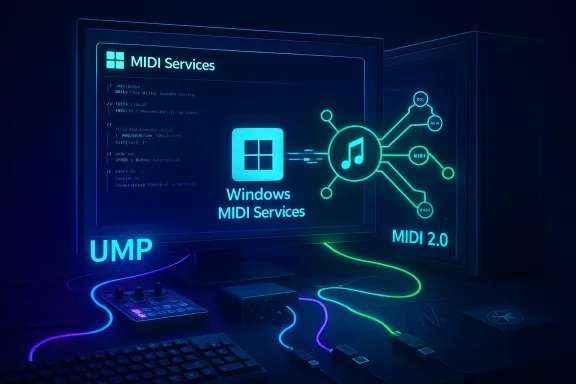
Neon-lit setup displaying Windows MIDI Services and a MIDI 2.0 diagram with glowing cables.Background​

For four decades MIDI 1.0 was the lingua franca of electronic instruments, controllers, and sequencers. The MIDI 2.0 specification, introduced by the MIDI Association and the wider industry starting in 2019–2020, defines a new Universal MIDI Packet (UMP) format, richer message types, per-note controllers, bidirectional protocol negotiation, and higher-resolution control to match modern hardware capabilities. Microsoft’s Windows MIDI Services effort is the company’s full-stack response: a new MIDI service, a UMP-centric driver model, an App SDK, developer tools, and an optional set of user-facing utilities to manage endpoints and routing.
Microsoft began previewing this work in Insider builds (notably Canary build 27788) and has moved the core service into in-box Windows 11 components as a phased rollout. The in-box components are paired with an out-of-band SDK/runtime and optional Tools package that deliver the desktop MIDI Settings app, diagnostics utilities, and developer samples.

What Microsoft shipped: the feature set, in plain terms​

The Windows MIDI Services rollout bundles several distinct changes that affect musicians, hardware vendors, and audio software developers.

Native MIDI 2.0 support and automatic translation​

  • Windows now understands UMP-based MIDI 2.0 devices natively, including protocol negotiation and discovery.
  • The service transparently translates and scales between MIDI 2.0 and MIDI 1.0, so legacy MIDI 1.0 apps can still use modern controllers while newer apps can access high-resolution data.

A new USB MIDI class driver (USB UMP)​

  • Microsoft has included a USB MIDI 2.0 class driver (usbmidi2.sys) developed by AmeNote and donated by AMEI member companies to handle both MIDI 1.0 and MIDI 2.0 devices more efficiently. This driver is designed for better power management and a faster channel to the MIDI Service. Many class-compliant devices will keep the older driver by default, but users can elect to assign devices to the new driver.

Multi-client endpoints and built-in loopback​

  • Every MIDI endpoint handled by the service is multi-client: multiple applications can open and use the same device simultaneously without vendor-specific driver workarounds.
  • The service includes loopback endpoints and app-to-app routing so software can talk to software directly on the machine (and WebMIDI can participate) without third-party virtual cable tools.

Timestamps, scheduled messages, and tighter timing​

  • Incoming and outgoing messages can be timestamped and scheduled with high-resolution timing — Microsoft claims under one microsecond accuracy for the timestamping mechanism used by the service, enabling far tighter synchronisation between apps and hardware when the new SDK is used.

Backwards compatibility and developer pathway​

  • The Windows MIDI Services team rewired the older WinMM MIDI 1.0 path so legacy applications talk to the MIDI Service instead of devices directly, restoring expected behavior (like avoiding exclusive port locks) while still allowing WinMM apps to see MIDI 2.0 devices at a MIDI 1.0 feature level. Developers who want full access to MIDI 2.0 capabilities can use the Windows MIDI Services App SDK and the samples Microsoft published.

Open-source development, community participation​

  • The MIDI Service, transports, tools, and SDK are published under an open-source license (MIT) and Microsoft has opened a GitHub repository and a Discord server to invite community feedback and contributions. Industry partners — including large instrument makers — have collaborated on drivers and tests.

Why this matters to musicians and producers​

MIDI is not audio — it’s the control layer that tells synths when to play notes, how to shape them, and how to route controllers. Improvements to this layer ripple through studios, live rigs, plugin performance, and controller design.

Better hardware utilization without vendor lock-in​

High-resolution MIDI 2.0 controllers and synths can expose far more expressive data: 32-bit controller values, per-note pitch/pressure/timbre, and richer message types. With Windows doing the heavy lifting of translation, musicians can:
  • Use new MIDI 2.0 devices with older software and have values downscaled automatically for older apps.
  • Let newer DAWs and plugins access full-resolution data without bespoke vendor drivers.
    This reduces friction for hardware adoption and should accelerate manufacturer support for MIDI 2.0 features on Windows.

Simpler routing and fewer third-party helpers​

Built-in loopback and multi-client endpoints remove the need for third-party virtual MIDI cables, aggregated audio devices, or driver hacks when you want multiple apps to listen to the same controller or to route internal signals between software. That’s practical for live performance setups, hybrid hardware+software rigs, and testing/patching workflows.

Potential for much tighter synchronization​

Scheduled messages and high-resolution timestamps give app authors tools for precise output scheduling. In contexts where timing jitter is audible — tight arpeggios, high-frequency control changes, or synchronized staging lighting — the difference can be musically meaningful. However, real-world gains depend on the entire signal chain: USB controller quality, host USB controller drivers, DAW architecture, and audio engine latencies.

Developer and vendor implications​

This is as much a platform update as it is a musician-facing feature. The new model changes how software vendors and hardware manufacturers should think about MIDI on Windows.

For DAW and plugin developers​

  • The Windows MIDI Services App SDK exposes UMP-native APIs, timestamps, scheduled messages, and more descriptive device metadata. Apps built to use the SDK will be able to access per-note articulation and high-resolution controls directly.
  • Legacy apps will keep working via WinMM compatibility, but they will be limited to MIDI 1.0 semantics even on MIDI 2.0 hardware. To fully take advantage of the new features, vendors need to integrate the SDK.

For hardware manufacturers​

  • Implementing true MIDI 2.0 features (protocol negotiation, profiles, property exchange) will deliver the richest user experience on Windows. Microsoft’s in-box USB class driver and the open-source USB UMP code lower the bar for vendors to be class-compliant and work without custom drivers. That said, some vendors may still ship custom drivers to access proprietary features or to maintain legacy workflows.

For system builders and IT​

  • The service-based architecture (midisrv.exe mediating all endpoints) simplifies driver management but also centralizes MIDI processing. This reduces per-app driver complexity but increases the criticality of the MIDI Service process on a machine. IT teams supporting rehearsal rigs, schools, or venues will need to consider service availability, permissions, and deployment of the SDK/Tools where appropriate.

Testing, rollout, and how to try it now​

Microsoft has staged this work through Insider previews and a phased retail rollout:
  • Public preview surfaced in Insider Canary builds (e.g., build 27788).
  • Core service components are being enabled in supported retail Windows 11 releases as a phased feature rollout; the out-of-band SDK/Tools package (including MIDI Settings app and diagnostic utilities) is available as an optional install for power users and developers.
If you want to experiment:
  • Install the Windows MIDI Services Tools package (when offered) to get the MIDI Settings app and loopback creation utilities.
  • Try class-compliant MIDI 2.0 devices on USB and inspect the endpoint metadata the service exposes.
  • Use the provided samples in the App SDK to explore scheduling and timestamp APIs.
    Microsoft has also provided diagnostic tools (mididiag.exe and other console tools) that help with troubleshooting and reporting.

Strengths: what Microsoft got right​

  • Comprehensive approach: Microsoft did not merely add a new driver; it rebuilt the stack from kernel driver through service to SDK, which is the appropriate scope to make MIDI 2.0 genuinely usable on a mainstream OS. This avoids the “driver plus bridge” compromises of past solutions.
  • Backward compatibility: Rewiring WinMM to talk to the service maintains support for existing apps and devices while adding multi-client behavior — a pragmatic decision that reduces breakage risk for studios and live rigs.
  • Open-source and community-first: Publishing the service, SDK, and drivers under a permissive license and inviting community contributions via GitHub and Discord accelerates testing, interoperability, and cross-vendor collaboration. The involvement of AMEI and AmeNote in donating a production USB driver is a major credibility boost.
  • Hardware-agnostic improvements: Multi-client endpoints, loopbacks, and translation/scaling mean less reliance on vendor-specific software — a practical benefit for users juggling many devices from different manufacturers.

Risks, caveats, and gaps to watch​

No platform feature is risk-free, and several legitimate caveats and potential pitfalls deserve attention.

Real-world timing is still system-dependent​

Microsoft’s claim of sub-microsecond timestamps is impressive on paper, but real-world timing accuracy depends on USB host controllers, device firmware, system CPU load, and audio engine architecture inside DAWs. Timestamps are a powerful tool, but they don’t magically remove hardware or driver-level jitter. Expect to validate timing in your specific rig before relying on it for mission-critical live performance.

Legacy drivers and proprietary features remain a concern​

Class-compliant devices will likely behave well out of the box, but many pro devices still use vendor drivers to enable proprietary features, low-latency modes, or bundled control software. Some manufacturers may be slow to expose MIDI 2.0 features publicly, keeping advanced capabilities behind their own drivers or firmware. That can limit the immediate value of the platform for certain pro workflows.

Security and network exposure​

Microsoft’s roadmap includes network transports for MIDI 2.0 (Network MIDI 2.0). Networked MIDI adds exciting possibilities, but it also raises security concerns: misconfigured endpoints or exposed discovery protocols could be vector points on shared networks. Administrators and touring techs should treat network MIDI similarly to any other networked audio/video service and disable or tightly control it until robust best practices are established.

The “full value” problem: app and vendor adoption​

MIDI 2.0’s most compelling features — per-note controllers, high-res CCs, profile/property exchange — require application and instrument vendors to update firmware and software. Windows providing the plumbing is necessary but not sufficient; the ecosystem must adopt the SDK and ship updates. Expect a multi-year transition where partial benefits are available early and full leverage of MIDI 2.0 grows over time.

Practical guidance and checklist for users​

If you’re a musician, engineer, or pro AV tech considering upgrading or testing MIDI 2.0 on Windows 11, here’s a concise checklist to make the transition smoother.
  • Confirm your Windows 11 build status and whether Windows MIDI Services is enabled or available for your machine (Insider users may get earlier builds).
  • Install the Windows MIDI Services Tools/SDK package if you plan to experiment or develop; this provides the MIDI Settings app and diagnostic tools.
  • Test devices in a controlled environment before going live: check whether a device uses the old driver or the new USB UMP driver, and verify functionality in your DAW and with loopback endpoints.
  • Evaluate timing with diagnostic tools and simple test patches; don’t assume sub-microsecond timestamps will translate to audible improvements without hardware validation.
  • For networked setups, quarantine Network MIDI 2.0 traffic to a dedicated VLAN or isolated network until you’ve validated stability and security.

What to expect in the months ahead​

Microsoft has signaled this is a long-term platform project with more features planned: a low-latency USB Audio driver with ASIO support (previewed for later in the year), additional transports (BLE MIDI 1.0/2.0, Network MIDI 2.0), a virtual patch bay for routing, and continued enhancements via the open-source repo. As these elements land, the practical utility of Windows as a first-class music creation platform will increase — especially for Arm64 laptops where Microsoft has invested additional optimization.
From an ecosystem perspective, the next big signals will be:
  • Major DAWs shipping native MIDI 2.0 support (beyond compatibility fallbacks).
  • Instrument vendors issuing firmware updates to expose true MIDI 2.0 semantics and profiles.
  • Third-party manufacturers and open-source projects building transports and utilities on top of the service.

Final assessment​

Windows MIDI Services is a significant, overdue modernization of Microsoft’s MIDI story. By bringing MIDI 2.0 support into the OS, providing a UMP-capable USB class driver, and opening the project to the community, Microsoft has dramatically lowered the friction for both users and vendors to adopt next-generation MIDI features on Windows. The architecture addresses long-standing pain points — exclusive port locking, driver complexity, and lack of multi-client routing — and it does so with an eye toward openness and collaboration.
That said, the platform shift is not a one-click fix. Real-world benefits will depend on firmware updates from instrument makers, DAWs integrating the new SDK, and careful validation of timing across heterogeneous hardware. Network transports demand caution, and some pro shops will continue to rely on vendor drivers for critical live setups. Musicians and developers should approach the rollout as an opportunity to test, contribute, and plan for gradual adoption rather than as an instant panacea.
For Windows users, the immediate takeaway is simple: if you use MIDI hardware or write music software, this is the most important MIDI platform update on Windows in decades. Try the tools, test your rig, and if you care about where expressive, high-resolution controller data goes next, engage with the open repo and developer tools — this is the point where the platform finally meets the ambitions of modern instrument design.

Contributors and acknowledgements within Microsoft and the broader industry — including AMEI, AmeNote, and multiple instrument manufacturers — played visible roles in this effort. The open approach means that the community can continue to shape how MIDI evolves on Windows, and that is alone worth watching closely as the rollout continues.

Source: Neowin Windows 11 finally supports MIDI 2.0
 

Microsoft has finally delivered native MIDI 2.0 support in Windows 11, ending a decades‑long gap between what modern musical instruments expect and what the operating system provided. This is not a tweak or a third‑party add‑on: Microsoft shipped a full Windows MIDI Services stack that implements the MIDI 2.0 standard, provides a new USB MIDI 2.0 class driver, introduces low‑jitter timestamping and scheduling, and offers multi‑client, app‑to‑app loopback routing — all designed to make Windows a first‑class platform for contemporary music production and live performance.

Futuristic music production setup with a MIDI keyboard, monitor, mixer, and neon-blue lighting.Background / Overview​

MIDI (Musical Instrument Digital Interface) has been the lingua franca of electronic music since 1983. For decades the protocol evolved slowly on the transport and device level, while instruments, controllers, and digital audio workstations (DAWs) gradually demanded more resolution, better timing, and richer device metadata. The MIDI 2.0 specification and the Universal MIDI Packet (UMP) format were developed to address those needs: higher resolution controller values, bidirectional device negotiation, discovery, and a packet format suitable for modern transports such as USB, Ethernet, and wireless.
Windows’ historic MIDI implementation relied on older WinMM APIs, OEM drivers and third‑party stacks that often left users juggling compatibility and timing issues. Microsoft’s new Windows MIDI Services reimplements the MIDI stack inside the OS, supporting both MIDI 1.0 and MIDI 2.0 while preserving backward compatibility with legacy applications. The rollout moved from Canary preview builds (where the public preview first appeared) into a phased release that has now started reaching general Windows 11 installations.

What Microsoft shipped: the Windows MIDI Services feature set​

Microsoft’s Windows MIDI Services is a substantial platform-level change. The headline features are worth unpacking individually because each addresses a long‑standing pain point for musicians, audio developers, and hardware manufacturers.

Native MIDI 2.0 and UMP support​

  • Full MIDI 2.0 implementation: Windows MIDI Services supports the core MIDI 2.0 protocol and the Universal MIDI Packet (UMP) container, enabling high‑resolution messages, expanded channels/groups, and the richer message types MIDI 2.0 defines. This is the fundamental building block that lets new instruments talk to modern apps without translation headaches.
  • Automatic translation: The service performs automatic translation and scaling between MIDI 2.0 and MIDI 1.0, allowing legacy apps to interact with modern devices at the lower resolution they expect, while MIDI 2.0‑aware apps can use the extended feature set. This reduces the need for applications to implement translation logic themselves.

New USB MIDI 2.0 class driver​

  • High‑speed USB driver: Microsoft added a new USB MIDI 2.0 class driver (developed in cooperation with industry partners) that handles USB MIDI 2.0 devices and works with many class‑compliant USB MIDI 1.0 devices too. The driver enables faster transports and improved USB timing characteristics compared with older, vendor‑specific drivers. Administrators and power users can reassign the class driver to some MIDI 1.0 devices to benefit from improved transfer mechanisms.

Timestamps, scheduling, and lower jitter​

  • Microsecond‑level timing: Windows MIDI Services exposes incoming and outgoing timestamps and supports scheduled message delivery with precision reported to be under a microsecond in Microsoft documentation. This offers significantly tighter timing guarantees than classic Windows MIDI paths, which often exhibited jitter that troubled tight live performance and sample‑accurate sequencing. Real‑world results will depend on hardware and driver chains, but the API-level support is now present.

Multi‑client endpoints and built‑in loopback​

  • Multi‑client access: Every endpoint in the new service is multi‑client, meaning multiple applications can open the same physical device concurrently without the device being exclusively locked by one app. This is a major usability improvement for musicians who want to route a single controller to multiple applications or route outputs to monitoring/analysis tools simultaneously.
  • Built‑in loopback/app‑to‑app routing: The stack includes loopback endpoints and app‑to‑app routing as first‑class features. Users can create virtual loopback ports using a MIDI Settings app or tools provided with the SDK, letting web pages (WebMIDI), DAWs, and other software interconnect without third‑party virtual cable utilities.

Rich device metadata and discovery​

  • Enhanced endpoint metadata & discovery: The service surfaces richer device information (capabilities, profiles, properties), supports in‑service endpoint discovery and protocol negotiation, and plans for network MIDI transports that will let devices advertise abilities over IP. This improves both device management workflows and the ability of apps to adapt intelligently at runtime.

App SDK, diagnostic tools, and open source components​

  • Windows MIDI Services App SDK: Microsoft ships an SDK and tooling (including a console utility, MIDI diagnostics, kernel streaming info tools, and a desktop MIDI Settings app) that developers can use to adopt the new API surface. The SDK is distributed out‑of‑band and includes unsigned preview releases during the Insiders phase.
  • Open source elements: Microsoft stated that the MIDI Service, transports, tools, tests and SDK are MIT‑licensed open source, developed with hardware and software partners. This transparency can accelerate vendor adoption and community auditing.

Why this matters: practical benefits for musicians and developers​

The Windows MIDI Services changes are not merely academic — they target real, day‑to‑day problems in music production workflows.
  • Simplified device interoperability: MIDI 2.0 introduces standardized discovery and capability negotiation (MIDI‑CI). With these features native in Windows, an advanced controller can tell a DAW exactly what expressive controls it supports; the DAW can then tailor mappings and UIs without manual configuration. This reduces setup friction and speeds creative workflow.
  • Higher expressivity, less aliasing: MIDI 2.0’s higher resolution controller values let expression pedals, high‑resolution encoders, and MPE‑style controllers convey subtler gestures with less quantization, producing cleaner automation curves and fewer artifacts when expressive controllers drive virtual instruments. Because Windows now passes those high‑resolution values through natively, developers can build plugins and apps that consume them directly.
  • Better timing for live performance: Microsecond‑level timestamps and scheduling reduce jitter and latency variability that previously forced musicians to adopt workarounds (hardware audio interfaces, dedicated MIDI routers, or special drivers). Tighter timing can improve tight quantization, low‑latency monitoring, and synchronized multi‑device setups.
  • No more "one app owns the device": Multi‑client endpoints are a game changer for live rigs and studio setups where monitoring, control surfaces, and DAWs need simultaneous access to a controller or synth. The new model eliminates many virtual MIDI cable hacks and reduces the complexity of routing.
  • Easier testing, diagnostics and recovery: Included diagnostic tools and an explicit MIDI Settings UI help troubleshoot port enumeration and driver assignment. Open sourcing parts of the stack helps third parties understand behavior and reproduce issues.

Cross‑checking the claims: authoritative sources and community reaction​

Microsoft’s own documentation and release notes provide the primary technical claims about Windows MIDI Services and its feature list. The Windows Insider announcement for Canary build 27788 laid out the initial public preview details, including the USB MIDI 2.0 class driver and the App SDK tooling.
Microsoft followed up with a general‑availability blog post that confirmed phased distribution to retail Windows 11 releases and emphasized microsecond‑level timestamps and the loopback features developers can access through the SDK and tools. Those two Microsoft posts are consistent and form the basis for the official claim set.
Independent technology outlets and reporting corroborate the significance and scope of the change. Coverage by major outlets summarized the practical benefits and contextualized the update as the most substantial MIDI work in Windows since the protocol’s origin. These outlets also noted that Windows’ update model will phase the service to devices over time.
The Windows music and developer community responded quickly in forums and Insider threads, confirming the arrival of multi‑client ports, loopback routing, and the public preview tooling — with many users reporting successful experiments, while others raised early compatibility questions tied to specific audio drivers and niche hardware setups. These grass‑roots reports are valuable for early adopters because they reflect real‑world combinations of DAWs, audio interfaces, and MIDI hardware.

Developer and vendor implications​

For instrument makers, plugin developers, and DAW vendors, Windows MIDI Services changes carry concrete engineering implications.

For hardware manufacturers​

  • Adopt UMP and MIDI‑CI: Vendors who implement MIDI 2.0 and MIDI‑CI afford their devices automatic discovery and feature negotiation with Windows apps. Where possible, shipping firmware that supports MIDI 2.0 over USB will unlock the best user experience when Windows assigns the new class driver.
  • Driver strategy: Some legacy USB MIDI 1.0 devices may benefit from being associated with Microsoft’s new class driver; vendors should test and document whether their devices should keep factory OEM drivers or leverage the OS driver for improved throughput. Microsoft noted that the USB driver will default to handling MIDI 2.0 devices and some class‑compliant USB 1.0 endpoints, with manual reassignment possible.

For DAW and plugin developers​

  • Support the new SDK: Developers who want to expose MIDI 2.0’s full fidelity (high‑resolution controls, bidirectional profiles, timestamps) should integrate the Windows MIDI Services App SDK. Even if full adoption is not immediate, the automatic translation should mean legacy behavior remains intact while developers add optional features.
  • Timing and scheduling: DAWs that rely on Windows timing sources should evaluate the new timestamp facilities to determine whether they can reduce internal latency buffering or improve sample‑accurate automation. Integrating scheduled message APIs could reduce CPU‑intensive workarounds, but changes must be validated across audio drivers and host systems.

For Web and cross‑platform developers​

  • WebMIDI interactions: Because the loopback endpoints are accessible to WebMIDI, web‑based synths and music apps gain better integration with local hardware and native apps. This opens new workflows for hybrid web/native setups, but also raises questions about permissioning and access (see Security and Privacy below).

Rollout timeline, channels, and how to try it today​

Microsoft initially exposed Windows MIDI Services via the Insider Canary build (e.g., build 27788) so early testers could validate behavior and provide feedback. Later preview and Release Preview packages rolled the service toward broader audiences and Microsoft announced phased enablement into retail Windows 11 releases. The Windows Experience Blog and release notes indicate a staged rollout during early 2026, with some elements available via an out‑of‑band SDK and tools download for Insiders and developers.
If you want to experiment now:
  • Join the Windows Insider Program and select the appropriate channel that contains the preview build (Canary/Dev/Beta depending on the test wave).
  • Install the Windows MIDI Services Tools and SDK release from Microsoft’s distribution channel and run the diagnostic utilities to confirm endpoint enumeration.
  • Test with specific MIDI 2.0 hardware (if available) and check whether Windows automatically assigns the new USB class driver or whether manual reassignment is needed.
  • Verify multi‑client behavior by opening the same endpoint in two applications and confirming simultaneous input and output flows.
Be mindful that preview builds can change frequently; always back up sessions and system images before testing on production machines. Community threads show a mix of smooth experiments and isolated compatibility cases tied to vendor drivers, so test your specific DAW + audio interface + MIDI hardware stack.

Limitations, risks, and unresolved questions​

For all the promise, there are important caveats and risks early adopters should understand.
  • Hardware and firmware adoption is uneven: MIDI 2.0 requires device firmware that supports the new protocol to unlock every feature. Many existing controllers will still operate in MIDI 1.0 mode, and vendors vary in how quickly they release MIDI 2.0 firmware or hardware. Claims about seamless high‑resolution data flows are contingent on device support. Readers should treat vendor claims about immediate MIDI 2.0 compatibility with caution until tested on specific hardware.
  • Audio driver interactions remain critical: MIDI timing and DAW performance are often dominated by the audio interface and its drivers (WASAPI, ASIO, or vendor‑specific kernels). While Windows’ MIDI stack can provide precise timestamps, actual end‑to‑end timing depends on audio driver latency, kernel scheduling, and CPU load. Expect variation across systems and continue to validate on target rigs.
  • Security and permission models: Loopback endpoints and WebMIDI access are powerful but raise potential security and privacy concerns if web pages or untrusted apps obtain unmediated access to MIDI hardware. Microsoft’s shipped diagnostics and Settings app expose device management, but application permission surfaces and sandboxing behavior should be audited — especially for shared machines or enterprise environments. The official documentation does not yet exhaustively detail permission prompts for WebMIDI or the loopback endpoints; vigilance is warranted.
  • Compatibility quirks with legacy software: Although the service provides backward compatibility with WinMM‑style MIDI 1.0 APIs, edge cases may emerge where old software expects specific device enumeration quirks or timing behaviors. Real‑world reports from Insiders show a mixture: many legacy apps work immediately, but a subset required app updates or workarounds. If you rely on niche or discontinued audio apps, test before deploying widely.
  • Open source promises need ongoing verification: Microsoft stated that many parts are open source under MIT, which is a positive step for transparency. However, the completeness of the published codebase and the cadence of updates should be monitored; open sourcing the stack reduces risk but does not absolve vendors of firmware or driver responsibilities.

Practical guidance: what musicians and IT pros should do next​

  • For studio owners and live performers:
  • Test your core rig in a controlled environment before updating production machines.
  • Keep a fallback image or a separate machine for live performance until you confirm full compatibility.
  • Work with hardware vendors to confirm firmware updates and driver guidance for specific models.
  • For DAW/plugin developers:
  • Evaluate the Windows MIDI Services App SDK and plan incremental support paths (e.g., expose high‑resolution parameters as optional features).
  • Add automated tests that exercise timestamped message scheduling and multi‑client scenarios.
  • For hardware manufacturers:
  • Prioritize firmware updates for high‑value MIDI 2.0 devices and supply clear documentation on whether to use Microsoft’s class driver or vendor drivers.
  • Collaborate with DAW partners to test profile/CI behavior and shipping defaults.
  • For IT administrators:
  • Incorporate MIDI Services testing into imaging and validation plans for creative workstations.
  • Consider permission and endpoint management policies for shared machines, especially in educational or studio lab environments.

A deeper technical snapshot: what MIDI 2.0 and UMP change under the hood​

  • Universal MIDI Packet (UMP): UMP unifies MIDI 1.0 and 2.0 messages in a container that scales to various payload sizes (32, 64, 96, or 128 bits). It supports 16 groups of 16 channels (256 channels total), embedded timestamps, and new message types for higher precision. This format is designed for modern transports (USB, Ethernet) rather than legacy 5‑pin DIN connectors and is central to how Windows handles packetized MIDI streams.
  • MIDI‑CI (Capability Inquiry): MIDI‑CI lets endpoints exchange capabilities and negotiate profiles, enabling plug‑and‑play mapping of controllers to software features. When Windows advertises native support for MIDI‑CI, it opens the door to smarter device discovery and reduced user configuration steps.
  • Timestamping model: Windows MIDI Services exposes timestamps for both incoming and outgoing traffic and allows scheduled sends at high precision. This model reduces jitter introduced by software buffering and OS scheduling unpredictability, provided the whole stack (including audio drivers) aligns with low‑latency practices.

Final analysis: strengths, risks, and the road ahead​

Windows MIDI Services is a substantive, platform‑level modernization of how Windows handles musical input and output. The strengths are clear:
  • Comprehensive support for MIDI 2.0 and UMP at the OS level removes a decades‑old bottleneck.
  • Built‑in tooling and open source components make adoption and troubleshooting easier for developers and vendors.
  • Practical features (multi‑client endpoints, loopback routing, precise timestamps) directly address day‑to‑day workflow problems for musicians and producers.
But the rollout brings measured risk:
  • Real‑world performance depends on hardware, drivers, and firmware outside Microsoft’s control. Until vendors uniformly ship MIDI 2.0‑capable devices or validated firmware updates, benefits will be patchy.
  • Compatibility edge cases will persist for legacy apps and niche audio stacks.
  • Security and permissions surrounding loopback endpoints and WebMIDI require careful attention to ensure devices aren’t inadvertently exposed to malicious content.
For most Windows‑based musicians and developers, the new stack is a long‑awaited and welcome upgrade. The prudent path is to test incrementally: try the Windows MIDI Services preview in an Insider channel or a non‑critical machine, validate your hardware and DAW chains, and coordinate with vendors for firmware or driver updates where necessary. Community threads and early reports are already showing promising results and useful troubleshooting tips, but they also remind us that platform transitions take time and measured rollout.

Conclusion​

After decades of relying on legacy APIs and third‑party drivers, Windows 11’s native adoption of MIDI 2.0 through Windows MIDI Services is a watershed moment for digital musicians, hardware manufacturers, and audio developers. Microsoft has laid the OS‑level foundation for higher fidelity, better timing, simplified device discovery, and improved routing. The outcome should be more expressive instruments, fewer configuration headaches, and smoother integration between web, native apps, and hardware.
That said, the promise will be realized only as hardware vendors update firmware, DAW and plugin authors adopt the new APIs, and administrators and artists validate their own rigs. Early adopters will enjoy the advantages and help surface the edge cases that remain. For everyone else, expect a staged migration: the platform is ready; full ecosystem maturity will follow as the industry catches up.

Source: Windows Report https://windowsreport.com/windows-11-brings-native-midi-2-0-support-after-years-of-waiting/
 

Microsoft has quietly completed one of those long-overdue but profoundly practical upgrades: Windows 11 now includes full, in-box support for MIDI 2.0 alongside a modernized MIDI 1.0 stack, giving musicians, producers, and audio developers a unified, system-level foundation to build on.

Blue neon Windows MIDI Services diagram displayed on a monitor, with keyboard and MIDI pad.Background​

MIDI — the Musical Instrument Digital Interface — has been the plumbing of electronic music since the early 1980s. The original MIDI 1.0 specification standardized how keyboards, controllers, synthesizers, and computers talk to one another, and despite numerous workarounds and device-specific drivers, its core structure has remained largely unchanged for decades. The MIDI 2.0 initiative, finalized and unveiled by the MIDI Manufacturers Association in early 2020, formally adds bidirectional communication, higher-resolution control, profiles, and property exchange to the protocol to match modern hardware and software expectations.
Microsoft’s long-gestating rework of Windows’ MIDI subsystem — now shipping as Windows MIDI Services — is the first time the company has offered a single, integrated stack that natively supports both MIDI 1.0 and MIDI 2.0, with attention paid to developer APIs, driver models, timing, and multi-client use. This change is being rolled out through Windows 11 via a phased enablement, following lengthy preview work in the Windows Insider program.

Why this matters now​

For decades Windows users have relied on a mix of OS drivers, manufacturer-supplied drivers, third-party utilities, and virtual routing tools to make MIDI workflows behave. That created several problems:
  • Single-client drivers that lock a physical MIDI port to one application.
  • Inconsistent driver quality and power/timing behavior across vendors.
  • Fragmented methods of handling device discovery and naming.
  • Limited two-way device capability and low-resolution control resolution.
Windows MIDI Services addresses these issues at the platform level, meaning the benefits apply to any application that uses the new APIs or relies on the OS MIDI routing rather than to each app having to reinvent the wheel. The update therefore reduces the need for brittle workarounds and should improve reliability for live performance, DAW sessions, and hardware control.

What Microsoft shipped (overview)​

Core components of the new stack​

  • Windows MIDI Services: A system service that centralizes MIDI routing, transformations, scheduling, and device management.
  • New USB MIDI 2.0 class driver (usbmidi2.sys): Built in partnership with third parties (AMEI/AmeNote), designed for better power management and lower latency.
  • Retained usbaudio.sys: Microsoft kept and lightly patched the legacy USB MIDI driver for compatibility with older devices.
  • Windows MIDI Services App SDK: New developer APIs for apps that want to use MIDI 2.0 features, scheduling timestamps, and richer device discovery.
  • MME/WinMM redirection: Compatibility mechanisms to support classical MIDI 1.0 applications where needed.
Microsoft’s messaging emphasizes that these components give Windows a “unified” MIDI 1.0 and MIDI 2.0 stack with the infrastructure for future expansion. The company has begun a phased rollout and notes that the service and SDK will be updated iteratively as the platform stabilizes.

Key end-user features and fixes​

Multi-client access to MIDI devices​

One of the most visible improvements is multi-client support: multiple applications can now open and use the same MIDI device and port concurrently. This eliminates a long-standing pain point where a DAW or a hardware driver would monopolize a device and force users to route signals through additional software. Multi-client handling is implemented at the service level, enabling safe, predictable multiplexing of input and output streams.

Customizable MIDI port naming and discovery​

Windows MIDI Services introduces better device discovery and allows users (and apps) to control the names assigned to MIDI ports. This makes device management clearer in systems with multiple similar controllers or complex routing setups, reducing accidental misrouting in live sessions or studio work.

Timestamps and scheduled sending​

The new stack supports timestamped outgoing messages and scheduling — crucial for deterministic timing in performance and precision recording workflows. Microsoft says it will continue to tune the scheduling algorithm to make timing as tight and deterministic as possible across various devices. These capabilities are available through the Windows MIDI Services App SDK for apps that opt in.

USB driver modernization and backward compatibility​

Microsoft has included a new USB MIDI 2.0 class driver, usbmidi2.sys, that supports both MIDI 1.0 and MIDI 2.0 devices, offers a faster communication path to the new service, and follows modern power-management expectations. Importantly, Microsoft has explicitly retained the legacy usbaudio.sys driver and applied bug fixes to ensure older hardware continues to work by default; most MIDI 1.0 devices will keep using the older driver unless manually re-assigned.

Developer perspective: APIs, SDK and migration​

New SDK and app model​

Microsoft released an App SDK for Windows MIDI Services to give developers access to MIDI 2.0 features — such as property exchange (device metadata), high-resolution controls, profiles, and timestamping — while providing compatibility layers for existing MIDI 1.0 apps. The SDK allows modern apps to take advantage of the new service while older software continues to work through redirection and compatibility shims.

Compatibility considerations​

The Windows team included WinMM redirection and other compatibility measures to avoid breaking long-established DAW workflows. Nonetheless, Microsoft warns that Insider previews are experimental and that production systems should be used cautiously until the update has settled into supported retail builds. Developers should test their applications against the new service and the various driver scenarios — particularly where proprietary drivers previously intercepted ports.

Device profiles and property exchange​

MIDI 2.0’s profile and property exchange features are a major win for device interoperability. Profiles help automate setup between hardware and software (for example, mapping a controller's faders and knobs to expected instrument controls), while property exchange allows devices to publish richer metadata about their capabilities. The Windows MIDI Services SDK surface exposes these paradigms to apps, which can reduce manual patching and scripting. This is particularly useful for complex control surfaces and modular systems.

Technical deep dive: drivers, transport, and timing​

Why a new class driver matters​

USB is the dominant physical transport for contemporary MIDI hardware. The new usbmidi2.sys driver was developed to align with the MIDI 2.0 class behaviors and to provide:
  • Lower-latency data paths to the Windows MIDI Services.
  • Modern power management and device enumeration.
  • Built-in support for MIDI 2.0 descriptors and property exchange.
The driver partnership with AMEI/AmeNote gives Microsoft a vendor-neutral driver that OEMs can rely upon, but Microsoft preserves the older driver to prevent breaking legacy devices. This hybrid approach balances modern functionality with real-world compatibility.

Scheduling, timestamps, and real-time reliability​

Scheduling messages at the driver/service level can substantially reduce jitter and timing drift compared to user-mode routing. Windows MIDI Services provides APIs for timestamped sends and, crucially, attempts to standardize timestamp semantics across different transport types. Microsoft acknowledges further tuning is required and will iterate on the algorithm to approach the deterministic behavior that professional audio applications demand. Early previews show promise, but rigorous testing — especially with live setups and multi-device configurations — remains necessary.

Real-world impact: DAWs, hardware, and workflows​

For DAW users and producers​

The practical benefits for DAW users include fewer driver conflicts, simpler multi-application setups, and the potential to use a single MIDI keyboard or controller across multiple apps simultaneously. That simplifies tasks like recording with a DAW while using a separate synth application for sound design or running parallel MIDI monitors without complex virtual routing. However, because many professional setups still rely on vendor-supplied drivers and custom audio/MIDI routing tools, some work will be required to migrate those systems cleanly.

For hardware manufacturers​

Adopting the new USB MIDI 2.0 class behavior (or at least ensuring their devices behave well with usbmidi2.sys) will be key to reaping the full benefits. The property exchange and profiles reduce the friction of device setup, but manufacturers must implement descriptors and optional MIDI 2.0 features to unlock that automation. Microsoft’s new driver gives OEMs a baseline to target, but broad adoption will depend on vendor engineering cycles and firmware updates.

For live performers​

Live performers will welcome the elimination of single-client port locking and the improved device naming and discovery. Simpler, more robust device behavior is a boon for stage setups where reliability and fast troubleshooting are paramount. That said, performers should be conservative about switching to preview builds; the GA rollout intends to reach retail Windows 11 releases, but stage-critical systems should only move after careful validation.

Adoption and rollout: Insider previews to general availability​

Microsoft previewed Windows MIDI Services to Windows Insiders in the Canary channel starting with a release on February 5, 2025, and iterated via GitHub-distributed SDK previews and follow-up Canary builds. The company then announced general availability and a phased enablement across supported retail Windows 11 builds in mid-February 2026, signaling a move from experimental to production-ready for most users. These staged rollouts allow Microsoft to collect telemetry and compatibility reports before wide deployment.

Strengths: what Microsoft got right​

  • Unified, system-level approach: Moving MIDI management into a dedicated service is the right architectural choice; it avoids brittle per-app workarounds and makes consistent timing and routing possible.
  • Multi-client capability: This alone removes one of the most persistent user frustrations on Windows MIDI — device monopolization by a single application.
  • Backward compatibility emphasis: Keeping usbaudio.sys and offering migration paths minimizes risk for users with legacy equipment.
  • Developer tooling: Shipping an SDK and releasing preview builds gives developers time to adjust and optimize for MIDI 2.0 features.
  • Modern driver design: The usbmidi2.sys driver addresses real-world power and latency concerns that affect live and studio use.

Risks and limitations to watch​

  • Driver and firmware lag among OEMs: The platform can provide the plumbing, but many devices will need firmware updates (or vendor drivers) to fully participate in MIDI 2.0 features like property exchange and profiles. Expect a transition period where some devices behave only as MIDI 1.0 endpoints.
  • Early-stage timing stability: Microsoft is explicit that scheduling algorithms will be tuned over time. Real-time audio environments are unforgiving; users should verify timing across their typical workloads before committing to the new stack in mission-critical scenarios.
  • Third-party driver ecosystems: Some pro audio vendors ship custom drivers because they bundle audio and MIDI in specialized hardware. Those vendors may delay adoption of usbmidi2.sys in favor of their own implementations, preserving fragmentation in some professional niches.
  • Migration pain for complex setups: Studios with multi-machine setups, legacy synchronization hardware, or heavily customized virtual routing may need a period of adaptation and testing to fully embrace the new model.
  • Preview instability: Canary and Insider builds are intentionally experimental; users who tried early previews reported benefits but also encountered bugs that needed addressing. Microsoft’s phased approach reduces risk, but conservative adoption is prudent.

Practical guidance: how to approach the transition​

  • Inventory your MIDI hardware and note which devices are USB class-compliant versus those that rely on vendor drivers.
  • Identify mission-critical systems (live rigs, production machines) and avoid moving them to Insider or unproven updates until proven stable on retail builds.
  • For test beds, install the Windows MIDI Services SDK and try sample property exchange and timestamp features in controlled sessions.
  • Test multi-client scenarios: run your DAW, a soft-synth host, and a monitoring application simultaneously to validate shared-port behavior.
  • If problems arise with a USB device, try switching between usbaudio.sys and usbmidi2.sys where allowed; keep driver backups and firmware update paths ready.
  • Encourage hardware vendors you rely on to publish firmware updates and to support the Microsoft-provided USB MIDI 2.0 class behaviors.

What to expect next​

The rollout of Windows MIDI Services is a platform-enabling move rather than a single feature release. Expect:
  • Incremental driver and SDK updates addressing timing edge cases and compatibility.
  • OEM firmware updates over months to years, as vendors adapt product lines.
  • Third-party audio app updates to expose MIDI 2.0 features (profiles, property exchange, high-resolution controls).
  • A gradual reduction in reliance on virtual MIDI routers and custom driver workarounds for common workflows.

Balancing enthusiasm with caution​

MIDI 2.0 is not merely a new message format — it’s a rethinking of how controllers, instruments, and software negotiate capabilities and state. Microsoft’s Windows MIDI Services gives the platform the backbone it needs to make that rethink practical for Windows users at scale. Nevertheless, this is a multi-year transition that requires coordinated work from OS vendors, DAW developers, and hardware manufacturers.
For hobbyists and developers, the new stack represents a big step forward: fewer driver headaches, richer device metadata, and the promise of higher resolution and more expressive control. For professional studios and performers, the upgrade is exciting but should be validated carefully before replacing entrenched workflows.

Conclusion​

Windows 11’s inclusion of Windows MIDI Services and built-in MIDI 2.0 support is a major, practical advancement for the platform. By solving long-standing problems like single-client locking and inconsistent device discovery while providing a forward-looking driver and SDK ecosystem, Microsoft has laid down a credible path toward modern MIDI workflows on Windows. The work is not finished — vendor uptake, timing refinements, and thorough testing across real-world configurations remain essential — but the foundation is now in place. Musicians and developers should begin planning for migration, testing in controlled environments, and nudging hardware makers toward firmware updates so that the entire MIDI ecosystem can finally move forward together.

Source: theregister.com Windows 11 finally hits right note: MIDI 2.0 support arrives
 

Back
Top