

Microsoft’s push to make Windows 11 the future of personal and enterprise computing is colliding with a stubborn, practical reality: millions of users aren’t buying what Microsoft is selling. Between strict hardware gates, a bumpy rollout cadence, and an increasingly AI‑centric product narrative that many users find intrusive or premature, the company risks not only slowed adoption but an erosion of trust that could accelerate migrations to alternatives or prolong reliance on an unsupported Windows 10. This piece unpacks the dynamics at play, verifies the technical claims and timelines, examines the user-facing gripes, and outlines pragmatic steps Microsoft should take to avoid losing the very audience it needs to keep the Windows ecosystem healthy.
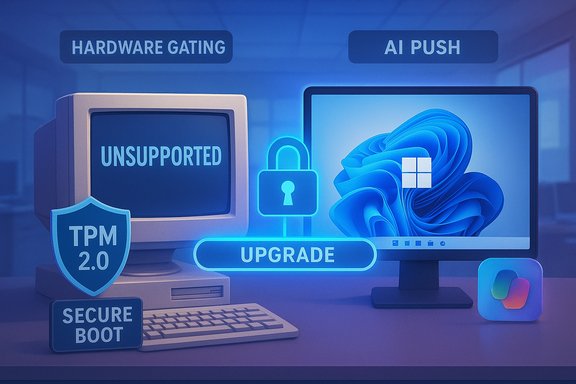
Windows 11 launched as a visual and architectural refresh, but it came with a sharply higher bar for hardware: UEFI Secure Boot, Trusted Platform Module (TPM) 2.0, and a narrower supported CPU list. Microsoft has defended those choices on security grounds, and the platform added genuinely useful features—Snap layouts, File Explorer tabs, and deeper Defender improvements. Yet many users and organizations see those gains as insufficient compensation for the loss of compatibility, reduced customization, and a perception of persistent regressions in everyday workflows. Community discussions and independent reporting coalesced around a few recurring themes: upgrade friction driven by hardware checks, perceived stability regressions after updates, privacy and telemetry concerns, and rising annoyance at in‑OS promotions and AI push‑notifications.
Microsoft’s official guidance makes the company’s stance explicit: installing Windows 11 on hardware that doesn’t meet minimum system requirements carries real consequences. The Windows support documentation warns that unsupported installs “won’t be entitled to receive updates” and that a desktop watermark may appear, formalizing what had previously been a murky risk for curious users. That language is now baked into the upgrade experience, with Microsoft requiring an explicit acknowledgement for some unsupported installations. At the same time, Windows 10 reached its official end of standard support on October 14, 2025, making the migration question urgent for many organizations and households. Microsoft has mechanisms for extended security coverage, but the interplay of deadlines and hardware constraints has created a messy handoff that continues to reverberate through industry reporting and user forums.
The company’s recent acknowledgements and process changes indicate awareness, but awareness must be matched by measurable action and transparent timelines. Otherwise, Microsoft risks three less desirable outcomes: prolonged stagnation of Windows 11 adoption, accelerated migration of disaffected users to alternatives, and a reputational hit that will make future transitions harder. The chance to get this right remains. What Microsoft does next—whether it chooses incremental fixes or meaningful concessions to user needs—will determine whether Windows 11 becomes a durable success or a cautionary tale about losing sight of the people who actually use the product.
Source: pc-tablet.com Microsoft Risks Losing Users by Ignoring Real Windows 11 Demands
 Background
Windows 11 launched as a visual and architectural refresh, but it came with a sharply higher bar for hardware: UEFI Secure Boot, Trusted Platform Module (TPM) 2.0, and a narrower supported CPU list. Microsoft has defended those choices on security grounds, and the platform added genuinely useful features—Snap layouts, File Explorer tabs, and deeper Defender improvements. Yet many users and organizations see those gains as insufficient compensation for the loss of compatibility, reduced customization, and a perception of persistent regressions in everyday workflows. Community discussions and independent reporting coalesced around a few recurring themes: upgrade friction driven by hardware checks, perceived stability regressions after updates, privacy and telemetry concerns, and rising annoyance at in‑OS promotions and AI push‑notifications.Microsoft’s official guidance makes the company’s stance explicit: installing Windows 11 on hardware that doesn’t meet minimum system requirements carries real consequences. The Windows support documentation warns that unsupported installs “won’t be entitled to receive updates” and that a desktop watermark may appear, formalizing what had previously been a murky risk for curious users. That language is now baked into the upgrade experience, with Microsoft requiring an explicit acknowledgement for some unsupported installations. At the same time, Windows 10 reached its official end of standard support on October 14, 2025, making the migration question urgent for many organizations and households. Microsoft has mechanisms for extended security coverage, but the interplay of deadlines and hardware constraints has created a messy handoff that continues to reverberate through industry reporting and user forums.
Why adoption is stalling: the technical and human factors
1. Hardware gating — security or friction?
Windows 11’s hardware baseline was described as a security-first stance: TPM 2.0, Secure Boot, and newer CPU microarchitectures enable virtualization‑based security and other protections that reduce certain classes of attacks. That’s a defensible engineering position, but it also excludes a large installed base of otherwise usable machines. Industry analyses and reporting have consistently highlighted the scale of this exclusion — estimates in the public discourse range from hundreds of millions of devices impacted to specific vendor assessments that show large segments unable or unwilling to upgrade. Recent vendor commentary suggests the figure may be even larger than early estimates. The core tension: modern hardware features materially improve security but forcing those features as an absolute requirement—without clear, low‑friction migration options—becomes a user experience and sustainability problem. Users with a secure, well‑performing older machine see a forced refresh as wasteful and punitive.2. Everyday regressions: File Explorer, taskbar, and perceived speed
File Explorer and taskbar behavior have emerged as symbolic irritants. Small regressions—context menu changes, slower folder navigation in image‑heavy directories, and the removal of flexible taskbar placement—compound into a perception that Windows 11 is more opinionated and less respectful of user workflows than Windows 10. These are not merely cosmetic complaints; they influence the day‑to‑day friction of using a machine. Multiple community threads and independent writeups point to Explorer performance as a tight litmus test for perceived polish.3. Update cadence, regressions, and loss of trust
Microsoft’s continuous delivery model—frequent feature flights and monthly security patches—can accelerate innovation but also increases the probability that a problematic change reaches users. High‑impact regressions (blocked devices, broken recovery environments, or peripheral failures) create memorable, public failures that damage confidence. The corrective cycles work, but only after users have experienced disruption. Several community and reporting threads catalogue instances where a shipped update introduced a painful regression and required an out‑of‑band fix. That sequence damages trust in a way that flashy AI demos cannot quickly repair.4. The AI narrative and “agentic” Windows
Microsoft’s pivot to integrating generative AI into the OS—Copilot, on‑device agents, and productivity automation—has been a major strategic bet. For some users, the idea of an “agentic OS” that can take multi‑step actions across apps is compelling. For many others, the rollout felt premature, intrusive, or orthogonal to the basic reliability fixes they wanted first. Public pushback to marketing language and to the first waves of agentic features prompted Microsoft to revise how some features are rolled out (more previews, opt‑ins) and to publicly acknowledge feedback. That admission from Windows leadership marks a necessary course correction, but the episode illustrates how a mismatch between product priorities and user priorities can erode goodwill.The numbers: market share, installed base, and the upgrade gap
Quantifying the upgrade opportunity—and the gap—is essential for assessing risk.- StatCounter and multiple industry trackers showed Windows 11 gradually gaining ground through 2024–2025, with snapshots in mid‑2025 showing near parity in some datasets. The numbers vary by dataset and methodology (pageview weighting vs. installed base sampling), but the directional story is clear: Windows 11 adoption is real but uneven. StatCounter’s datasets show Windows 11 advancing while Windows 10 remains significant across many markets. Interpretations of these trends must account for measurement differences.
- Vendor reporting adds color: Dell publicly stated that in late 2025 hundreds of millions of PCs either could upgrade but didn’t, or didn’t meet hardware requirements at all—figures that point to an enormous latent market for upgrades but also underscore how many devices are stranded. Those vendor estimates should be treated as directional rather than precise.
- Estimates commonly cited in forums and community analysis (240 million, 400 million, etc. trace back to early projections of devices built before TPM/CET requirements became commonplace. Such figures are useful for framing the scale but vary depending on whether they count only consumer PCs, include enterprise fleets, or use different cutoff years for “unsupported.” Treat headline numbers as order‑of‑magnitude indicators—not exact counts.
Strategic implications: why Microsoft could actually lose users
- Loss of trust compounds commercial friction. When routine updates or shipped features break workflows, users start to distrust the platform’s core promise: to be stable and predictable. That skepticism drives caution—longer upgrade deferrals, greater internal testing cycles in enterprises, and more vocal public criticism.
- Perceived monetization of the OS experience (in‑OS promotions, Microsoft 365 upsells, Copilot placements) can make paying customers feel like the product is being used as an ad vehicle. That perception leverages customer dissatisfaction into active churn risk for edge cases: privacy‑conscious users, technically fluent hobbyists, and small businesses who can tolerate alternatives.
- Environmental and cost pressures are real. Forcing hardware refreshes at scale runs into sustainability concerns and wallet fatigue. Users with functional older hardware may choose to stay on Windows 10 (with ESU if feasible), switch to Linux distributions that preserve older hardware usability, or even opt for macOS/Chromebook/other platforms on new hardware purchases. Each such shift is a user lost to the Windows ecosystem for the long term.
- Developer and power‑user alienation. Developers and power users care about control, performance, and determinism. Removing or restricting familiar affordances (taskbar behavior, context menu items, shell flexibility) reduces the appeal for that cohort and increases the likelihood they’ll champion alternatives in corporate settings.
What Microsoft is doing right (and why it matters)
Balance the criticism with real gains: Windows 11 introduced structural security improvements, tighter integration for virtualization‑based defenses, and user interface modernizations that make certain workflows more pleasant. For users who can run Windows 11 on supported hardware, the experience is often genuinely better in terms of design, native window management, and Defender enhancements. Microsoft’s public acknowledgements and promise to rely more heavily on Insider feedback and staged rollouts are the right tactical responses to the reliability criticisms. These aren’t trivial: process changes in release hygiene and opt‑in previews for risky features show the company is at least listening.Risks and unanswered questions (verified or unverifiable claims)
- Numbers about exactly how many machines are “left out” of Windows 11 vary across sources. Estimates of “hundreds of millions” are consistent directionally, but exact counts depend on the dataset used and should be treated as approximations. Industry vendor statements (e.g., Dell) offer useful scale but aren’t scientific censuses. Treat all headline figures as indicative, not definitive.
- The long‑term commercial effect of perceived over‑monetization or AI‑first UX is hard to quantify. Anecdotal evidence and forum sentiment show real discontent; however, widespread mass migration to other platforms would require sustained friction and compelling alternatives. The possibility exists and is worth monitoring, but it’s not certain.
- Microsoft’s support policy around unsupported installs is explicit: a waiver, a potential watermark, and no guaranteed updates. That is verifiable and actionable guidance users should factor into decisions. The practical impact depends on whether users accept the risk or choose to delay upgrades, pay for extended updates, or buy new hardware.
Concrete recommendations: how Microsoft can stop losing users
These steps are pragmatic, rooted in classic product management and operational hygiene, and aim to restore user trust while preserving the company’s security goals.1. Offer a tiered upgrade path that preserves security goals
- Create an intermediate compatibility program: allow certain legacy devices to run a slimmed‑down Windows 11 mode where agentic/advanced AI features are off by default but security backports (where safe) are available.
- Provide formal firmware/TPM upgrade assistance and low‑cost channels through OEM partners for devices that can be economically refreshed.
2. Prioritize “fix the basics” before feature glitz
- Fast‑track UI/UX regressions flagged by power users (Explorer performance, context menu consistency, taskbar flexibility).
- Communicate a prioritized, public roadmap that lists these everyday quality items and commits to delivery windows.
3. Rein in in‑OS upsells and make first‑run experiences respectful
- Reduce aggressive promotional nudges in first‑run and Settings. Make Microsoft 365 and Copilot clearly optional, with simple toggles and an explicit “power user” onboarding path that minimizes nudges.
4. Improve transparency and rollback tooling
- Strengthen the Windows update fallback experience (reliable automatic rollback, clearer safe‑mode behavior, and better telemetry opt‑in for update testing).
- Report metrics: publish a monthly quality dashboard with key indicators (regressions fixed, update‑related incidents, telemetry opt‑in rates).
5. Make AI features opt‑in and privacy‑first by default
- Ship Copilot and agentic features as optional packs that require explicit opt‑in during setup, with transparent local vs. cloud data flows and easy opt‑out.
6. Accelerate enterprise migration tooling and ESU options
- For businesses, provide clearer transition tools (application compatibility shrinking, virtualized compatibility layers) and competitively priced ESU for consumers who cannot immediately upgrade.
How users and IT teams should respond now
- Assess risk and timeline: inventory devices, categorize by upgrade eligibility, and plan staged migrations aligned with hardware refresh cycles.
- For short term: pause noncritical Windows feature updates in production, use staged deployments, and increase preflight testing for recoverability.
- For older home machines: weigh options—stay on Windows 10 with ESU where necessary, cautiously test Windows 11 on a secondary partition, or evaluate lightweight Linux distributions for unsupported hardware.
- Provide feedback through Microsoft’s Feedback Hub and public channels—coordinated, specific reports on regressions get attention and improve triage speed.
Conclusion
Microsoft sits at an inflection point. It can keep pressing forward on its vision of an AI‑enabled future OS—one that promises automation and new productivity models—or it can recalibrate to the pragmatic realities of its massive, heterogeneous installed base. The path to winning hearts and mind isn’t just a marketing problem; it’s an engineering, policy, and product experience problem. Fixing the basics—stability, predictable updates, respectful onboarding, and clearer hardware and migration pathways—will renew trust faster than another UI refresh or headline AI demo.The company’s recent acknowledgements and process changes indicate awareness, but awareness must be matched by measurable action and transparent timelines. Otherwise, Microsoft risks three less desirable outcomes: prolonged stagnation of Windows 11 adoption, accelerated migration of disaffected users to alternatives, and a reputational hit that will make future transitions harder. The chance to get this right remains. What Microsoft does next—whether it chooses incremental fixes or meaningful concessions to user needs—will determine whether Windows 11 becomes a durable success or a cautionary tale about losing sight of the people who actually use the product.
Source: pc-tablet.com Microsoft Risks Losing Users by Ignoring Real Windows 11 Demands
