

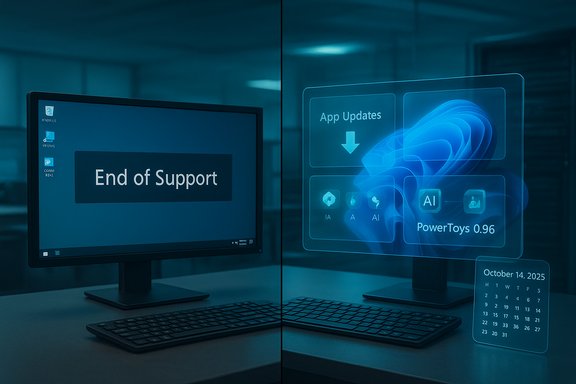
Microsoft's migration story is getting more complicated: OEM telemetry from Dell and multiple industry trackers show Windows 11 adoption lagging historical OS transitions, while Microsoft’s platform continues to evolve with targeted updates — from a new App Updates page in Settings to PowerToys releases that expand AI and device support — even as Windows 10 reaches its formal end-of-support milestone and gamers prepare for December content drops.
The last seven weeks have produced a tight cluster of developments that matter to every Windows administrator, enthusiast, and buyer: Dell told investors the Windows 11 transition is behind expectations, PowerToys shipped iterative updates that both expand AI integrations and repair compatibility regressions, Microsoft preview builds added an App Updates hook into Settings, and the calendar pressure around Windows 10’s end of servicing has crystallized upgrade and replacement choices for millions of users. Those items are reinforced by vendor briefings, community testing, and press coverage that together sketch a migration landscape that is slow, fragmented, and commercially significant. This article unpacks the facts, verifies key numbers, analyzes the consequences for enterprises and OEMs, and highlights practical takeaways for Windows power users and IT teams. Technical claims and release details have been cross-checked against multiple independent sources where possible; unverifiable assertions or ambiguous vendor phrasing are explicitly called out.
The sensible approach for organizations and power users is to treat this as a multi‑year migration exercise: inventory carefully, pilot deliberately, and choose update and application‑control strategies that balance agility with stability. For the enthusiast and gamer, the pace brings continual, digestible improvements (PowerToys refinements, new Windows features, and game updates like Minecraft’s December drop) without forcing abrupt transitions — but staying informed and testing early will minimize last‑minute surprises.
(Verified claims and specific product/release notes cited from vendor and independent reporting throughout the article.
Source: Neowin Microsoft Weekly: Slow Windows 11 adoption, PowerToys updates, and more
 Background / Overview
The last seven weeks have produced a tight cluster of developments that matter to every Windows administrator, enthusiast, and buyer: Dell told investors the Windows 11 transition is behind expectations, PowerToys shipped iterative updates that both expand AI integrations and repair compatibility regressions, Microsoft preview builds added an App Updates hook into Settings, and the calendar pressure around Windows 10’s end of servicing has crystallized upgrade and replacement choices for millions of users. Those items are reinforced by vendor briefings, community testing, and press coverage that together sketch a migration landscape that is slow, fragmented, and commercially significant. This article unpacks the facts, verifies key numbers, analyzes the consequences for enterprises and OEMs, and highlights practical takeaways for Windows power users and IT teams. Technical claims and release details have been cross-checked against multiple independent sources where possible; unverifiable assertions or ambiguous vendor phrasing are explicitly called out.Windows 11 adoption: what Dell actually said, and why it matters
The headline numbers
Dell’s Q3 fiscal commentary — given by senior channel executives — framed the market in stark numeric terms: roughly 1.5 billion installed Windows PCs, with about 500 million devices technically capable of running Windows 11 that have not yet upgraded, and another ~500 million machines too old to support Windows 11 without hardware replacement. Dell characterized the current transition as behind the pace of previous OS migrations and described the lag as a mix of challenge and opportunity for OEMs. Those figures and the assessment were discussed on the Q3 call and widely reported by industry outlets. Independent reporting and major outlets corroborate Dell’s view that the Windows 11 transition has been gradual and uneven, with some market indicators (preloads, enterprise pilots) nudging adoption up while a broad "tail" of Windows 10 devices persists globally. The Verge and Windows Central aggregated the same Dell comments and placed them in the broader context of market tracking.What's behind the slowdown
There’s no single cause; the slower shift to Windows 11 reflects a confluence of factors:- Hardware gatekeeping: Windows 11’s baseline requirements (TPM 2.0, Secure Boot, UEFI, and CPU generation checks) created a clear compatibility cliff that excluded many otherwise serviceable PCs. Replacing or retrofitting hardware for security primitives is often cost‑prohibitive for consumers and smaller organizations.
- Enterprise prudence and app compatibility: Large fleets move conservatively. Compatibility testing, vendor certification, and staged rollouts stretch migration timelines by months or years. Many organizations prefer to keep some systems on Windows 10 while validating line-of-business apps on Windows 11.
- Perceived value vs. friction: For some users, the day‑to‑day gain from Windows 11 hasn’t outweighed the effort and perceived risk of upgrade — especially when Windows 10 remained patched (via extended options) and retained the UI and workflow users trusted. Early performance and compatibility pain points in certain update waves also dulled enthusiasm.
- Refresh-cycle economics: Replacement decisions are governed by budgets and refresh cycles; customers will often defer purchases rather than pay a premium for otherwise unnecessary upgrades unless the business case (security, performance, new features) is compelling. Dell’s messaging emphasizes that OEMs can monetize the gap over multi‑year refreshes, particularly around AI-capable hardware.
Why the numbers matter for OEMs and Microsoft
Dell’s read isn’t just an observation — it’s an operational signal. If a large block of devices remains on Windows 10, OEMs face a different demand curve: flat near-term PC volumes but sustained multi-year replacement potential tied to AI and security upgrades. Microsoft, for its part, must balance nudges toward Windows 11 (policy, OEM preloads, enterprise tooling) with the optics and risk of heavy-handed coercion that alienates customers. The practical consequence is a staggered migration market rather than a clean wave.Windows 10 end of support: calendar and consequences
Dates and what they mean
Microsoft’s consumer servicing calendar is now a hard anchor in the migration story. Windows 10 consumer editions reached their primary end-of-support threshold — meaning mainstream security updates and routine servicing for many consumer builds concluded — and Extended Security Updates (ESU) programs and enterprise timelines remain as transitional mechanisms. Microsoft’s official guidance and widely cited coverage confirm the October 14, 2025 boundary as a major milestone in the lifecycle. This date is the practical deadline for many users and small organizations to either upgrade, purchase ESUs, or migrate to an alternate platform.Practical implications for administrators and home users
- Risk management: Staying on unsupported consumer builds increases exposure to newly discovered vulnerabilities. Organizations must weigh the cost of immediate hardware upgrades against the risk of running unpatched systems.
- Options: The choices boil down to (1) upgrade eligible devices to Windows 11, (2) purchase ESUs for a limited timeframe, (3) replace hardware that’s too old, or (4) transition to alternative platforms (Linux distributions, Chrome OS Flex) for certain use cases. Each path has operational and cost tradeoffs.
- Timing: The transition will be staggered by budgets and procurement windows; expect enterprise pilots to continue throughout the next 12–24 months, with consumer movement influenced by promotions and visible value propositions (e.g., AI features tied to new silicon).
PowerToys: incremental updates, AI expansion, and monitor controls
PowerToys 0.96 and the quick follow-up patch
Microsoft’s PowerToys project has taken a decidedly iterative approach in late 2025. Version 0.96 introduced notable functional expansion — especially in Advanced Paste, which now supports multiple AI providers (Azure OpenAI, OpenAI, Google Gemini, Mistral) and local model runtimes (Foundry Local, Ollama). That shift moves Advanced Paste beyond a single‑provider dependency and enables on‑device model selection for privacy‑sensitive or latency‑sensitive scenarios. The broader 0.96 stream also brought UI refinements and performance work across utilities. Shortly after, a patch release (v0.96.1) addressed regressions: Image Resizer was restored on Windows 10, and bug fixes were applied to Advanced Paste and Awake to restore expected behaviors — for example, correcting timed mode expiration in Awake, which mattered for predictable power management in managed environments. The small patch underlines the project’s dual aims: add new capabilities while maintaining cross‑version compatibility.PowerMonitor: a new monitor utility in flight
The PowerToys team is also working on a new monitor management tool often referred to as PowerMonitor. The utility aims to expose monitor controls (brightness, contrast, volume, input selection) through a lightweight flyout, providing a modern replacement for OSD controls and aligning hardware settings with Windows UI paradigms. The feature remains under development and has appeared on the Microsoft 365/PowerToys roadmap and in insider chatter; specifics and availability remain subject to shipping timelines. Treat PowerMonitor as an upcoming convenience for multi‑display users rather than a finished product.What this means for users and IT
- Expanded AI workflows: Advanced Paste’s multi‑provider support broadens scenarios where PowerToys can be integrated into knowledge‑worker workflows, such as structured paste transformations, content summarization, and on-device inference. Admins should evaluate privacy and licensing implications when enabling cloud models versus local runtimes.
- Compatibility care: Restoring Image Resizer to Windows 10 with 0.96.1 shows attention to the long tail of Windows devices still in service. For organizations with mixed Windows 10/11 fleets, keeping PowerToys stable across both OS versions is a practical win.
- Update channels: PowerToys is distributed via GitHub releases, the Microsoft Store, and winget; administrators can choose a managed install path (winget/MSI) and verify installer hashes where policy demands cryptographic verification. The project’s rapid cadence makes pinned‑version management a sensible approach for production environments.
Settings-level “App Updates”: a small UI change with big implications
What was added and how it works
Recent Windows 11 preview builds show a new App Updates page in Settings → Apps. The page surfaces a simple UI — “Last checked” timestamps and a Check for updates button — intended to orchestrate updates for apps that developers permit to be updated through Windows Update rather than the Microsoft Store. This is not a universal replacement for third‑party updaters or MSI-based installers, but it centralizes update control for Store-managed apps and other packages that opt into the Windows Update channel. Early previews are still somewhat incomplete: the Check for updates control may not yet trigger full update flows in some Insider builds, reflecting that the backend plumbing is still being finalized.Why this matters
- Enterprise utility: For locked‑down or kiosk devices where the Microsoft Store is disabled, exposing app‑update capabilities in Settings/Windows Update provides administrators an alternative channel for delivering critical app fixes without restoring Store access. This simplifies patch orchestration in tightly managed environments.
- Unified update experience: Centralizing update signals can reduce fragmentation — fewer separate dialogs, more consistent "last checked" telemetry, and clearer user controls. That aligns with Microsoft’s longer‑term goal of harmonizing updates (system, driver, and supported app updates) under cohesive management.
- Limitations and caution: This won’t replace native updaters for many Win32 apps, and developers must opt in to Windows Update delivery. Admins should not assume every application on a fleet will appear in the App Updates list. In early tests the UI is present but sometimes inert; organizations should treat it as an emerging capability rather than production-ready automation until Microsoft completes server-side enablement.
Gaming, hardware, and peripherals: curated highlights
- Microsoft and partners continue to iterate on handheld and portable gaming hardware: the ROG Xbox Ally series received a Default Game Profile enhancement to balance battery life and frame rates per title, illustrating continued firmware‑level refinement for niche hardware. That matters for mobile gamers and reviewers who value profile-based battery tuning. (Reporting summarized from platform coverage.
- The ESRB briefly listed a PC rating for Death Stranding 2: On the Beach, signaling an imminent PC announcement; industry outlets captured the appearance (and subsequent removal) of the listing. Ratings-board entries are often reliable early indicators of platform expansion, though publishing timelines are set by publishers and devs. Treat the listing as a near-term signal rather than a final release schedule.
- Mojang confirmed the Minecraft “Mounts of Mayhem” update will launch on December 9, 2025 for both Java and Bedrock. The update introduces rideable mobs, the new spear weapon, and a variety of mount-related systems that change combat and exploration dynamics. This release date is official on Minecraft’s site and corroborated by major outlets. For PC gamers and community modders, the update’s cross‑edition timing reduces fragmentation and sets a clear calendar milestone.
- Valve has teased a new Steam Machine (a Linux‑based gaming PC) positioned as a “good deal,” though the company said it does not plan to heavily subsidize pricing. The device is noteworthy because it represents another commercial push to narrow the barrier between console‑style retail hardware and PC gaming ecosystems. Expect more detail on price and specs in vendor announcements. (Coverage summarized from industry reporting.
Practical recommendations and risk checklist
For IT teams, power users, and PC buyers navigating this transitional period, here are prioritized, actionable steps:- Inventory and eligibility check:
- Run PC Health Check or vendor tooling to determine which machines can upgrade to Windows 11 without hardware replacement.
- Prioritize by risk and value:
- Move high‑risk vectors (internet‑facing, admin consoles, and devices with known vulnerabilities) to supported OS versions first.
- Staged testing:
- Pilot Windows 11 on representative device classes and validate critical LOB apps before wide deployment.
- PowerToys and third‑party tooling:
- For power users, install PowerToys via winget/MSI and pin versions in managed environments to prevent surprise feature‑driven regressions.
- Backup and rollback planning:
- Before large upgrades, ensure robust backups and recovery options; test rollback or reprovisioning procedures for failed upgrades.
- Monitor update channels:
- For environments that rely on the Microsoft Store or plan to use the new App Updates in Settings, track preview behavior and don’t assume universal coverage for all apps.
- Consider ESU and alternatives:
- If a subset of devices cannot realistically be upgraded immediately, evaluate Extended Security Updates for covered builds or plan hardware refresh financing tied to functional needs (e.g., AI capability).
Strengths, risks, and the big picture
Key strengths observed
- Microsoft and the ecosystem are converging on practical improvements rather than dramatic UI overhaul. Small wins such as Settings-level app controls, enablement-package updates like 25H2, and PowerToys enhancements deliver real productivity and security benefits without disruptive migration pressure.
- The PowerToys team’s pivot to multi‑provider AI support and local model runtimes is a pragmatic, user‑first move that supports both privacy‑conscious on‑device workflows and cloud integration for scale.
Notable risks and blind spots
- Migration friction persists: The hardware eligibility cliff and enterprise conservatism mean that many organizations will operate bimodal fleets (Windows 10 + Windows 11) for an extended period, complicating management and security posture. Dell’s numbers underscore the scale of this issue.
- Fragmented update ecosystems: New Settings controls help but won’t immediately reconcile the reality that many Win32 apps use their own updaters. Administrators cannot rely on a universal app-update mechanism until developers actually opt in and backend services are fully active. Early previews of App Updates are an indicator, not a guarantee.
- Fast cadence creates management overhead: Frequent PowerToys releases and small OS enablement packages are great for features but create complexity in managed environments that prefer predictable, longer support windows. Version pinning and controlled rollout channels are prudent mitigations.
- Unverifiable or marketing‑heavy claims: When vendors say phrases like “nearly a billion Windows 11 devices,” the underlying definitions (active installs, preloads, or unique users) matter. Dell’s field‑level numbers are operationally useful, but any single phrasing from marketing materials should be treated with caution until telemetry and definitions are clarified. Where public telemetry is opaque, assume ambiguity.
Conclusion
The current moment is a transition, not a cliff: Windows 11 is maturing with pragmatic platform moves, PowerToys is evolving into a more capable, AI‑aware toolkit, and Microsoft is experimenting with centralized app update controls that could simplify administration in narrowed scenarios. At the same time, Dell’s channel‑level data confirms what many in the field have observed — the shift from Windows 10 to Windows 11 is slower and more segmented than prior migrations, and that will shape OEM strategy, enterprise planning, and consumer buying choices across 2026.The sensible approach for organizations and power users is to treat this as a multi‑year migration exercise: inventory carefully, pilot deliberately, and choose update and application‑control strategies that balance agility with stability. For the enthusiast and gamer, the pace brings continual, digestible improvements (PowerToys refinements, new Windows features, and game updates like Minecraft’s December drop) without forcing abrupt transitions — but staying informed and testing early will minimize last‑minute surprises.
(Verified claims and specific product/release notes cited from vendor and independent reporting throughout the article.
Source: Neowin Microsoft Weekly: Slow Windows 11 adoption, PowerToys updates, and more
