

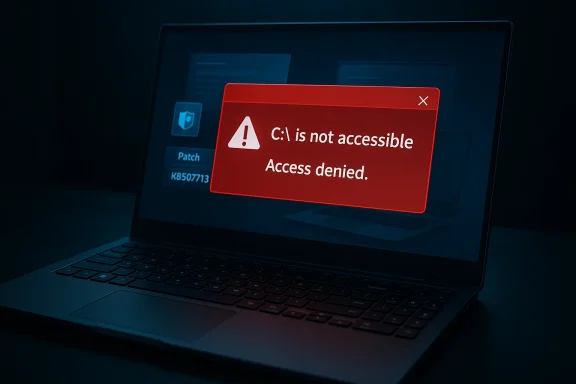
Microsoft and Samsung are jointly investigating a crippling Windows 11 problem that has left some users unable to access their C: system volume after recent cumulative updates, producing the alarming message “C:\ is not accessible — Access denied” and blocking everyday apps such as Outlook, Office, and web browsers on affected machines. ([support.microsoft.microsoft.com/en-us/topic/february-10-2026-kb5077181-os-builds-26200-7840-and-26100-7840-f0fa9e54-a22a-4a06-96b6-bf5b2aded506)
Microsoft shipped the February 10, 2026 cumulative update for Windows 11 — tracked as KB5077181 and advancing 24H2 and 25H2 servicing lines to OS builds 26100.7840 and 26200.7840 — as part of the regular Patch Tuesday cadence. The package contained security fixes and other servicing changes intended to improve system reliability.
Within days of that rollout, a cluster of field reports emerged describing a far more serious regression: some Samsung-made laptops and desktop systems began reporting that the operating system could no longer open the C: volume, showing “C:\ is not accessible — Access denied.” In practical terms this leaves affected users unable to open files, launch many applications, or perform routine administrative actions; in some cases elevatiolection also fail because permissions appear broken. Community reporting shows the problem concentrated on Samsung Galaxy Book 4 and other recent Samsung consumer systems, and Microsoft has acknowledged receiving reports and is investigating in cooperation with Samsung.
Important caveat: community lists of exact model numbers vary between reports and are compiled from user submissions; while the issue is strongly associated with Samsung-supplied systems in many reports, not every Samsung PC is affected and not all affected systems share identical hardware or software configurations. Treat model lists as “reported” rather than definitive until vendors publish exhaustive device-by-device telemetry.
Nevertheless, the episode exposes important weak points in the update and validation lifecycle: vendor apps that run with elevated access require stronger compatibility gating, and enterprises must prepare offline recovery and staged rollout plans to reduce blast radius when a widely distributed cumulative has an unexpected interaction. For end users, the safe immediate play is cautious rollback and data preservation; for organizations, the priority is containment, recovery readiness, and demanding a transparent post‑mortem from vendors so this class of regression is better prevented in future releases.
Stay alert for vendor advisories; when Microsoft and Samsung publish definitive fixes and a technical root-cause, apply the validated updates only after confirming test results on a representative subset of your devices.
Source: Daily Express Microsoft issues Windows warning as PCs hit by crippling 'access denied' bug
 Background / Overview
Microsoft shipped the February 10, 2026 cumulative update for Windows 11 — tracked as KB5077181 and advancing 24H2 and 25H2 servicing lines to OS builds 26100.7840 and 26200.7840 — as part of the regular Patch Tuesday cadence. The package contained security fixes and other servicing changes intended to improve system reliability.Within days of that rollout, a cluster of field reports emerged describing a far more serious regression: some Samsung-made laptops and desktop systems began reporting that the operating system could no longer open the C: volume, showing “C:\ is not accessible — Access denied.” In practical terms this leaves affected users unable to open files, launch many applications, or perform routine administrative actions; in some cases elevatiolection also fail because permissions appear broken. Community reporting shows the problem concentrated on Samsung Galaxy Book 4 and other recent Samsung consumer systems, and Microsoft has acknowledged receiving reports and is investigating in cooperation with Samsung.
What users are seeing: symptoms and scope
Primary symptoms
- File Explorer returns the dialog “C:\ is not accessible — Access denied” when attempting to open the system drive.
- Core Windows applications and third-party programs may fail to launch, including Microsofapplications, many web browsers, system utilities, and remote assistance tools.
- Administrative tasks — such as uninstalling updates, elevating to an administrator prompt, or collecting diagnostic logs — can be blocked by permission failures.
- In multiple reports affected systems behave as if the system-root ACLs or ownership have been altered or corrupted; Command Prompt, PowerShell, and Group Policy consoles can be inaccessible.
Who appears affected
Public reports cluster on Samsung devices — particularly Galaxy Book 4 noteb Samsung desktop models — and on Windows 11 versions 24H2 and 25H2 after installing the February 2026 servicing updates (KB5077181 and some subsequent cumulative packages). Multiple community threads and technician posts describe the same error pattern across different geographies. Microsoft’s published servicing notes acknowledge the reports and list the problem under current investigations.Important caveat: community lists of exact model numbers vary between reports and are compiled from user submissions; while the issue is strongly associated with Samsung-supplied systems in many reports, not every Samsung PC is affected and not all affected systems share identical hardware or software configurations. Treat model lists as “reported” rather than definitive until vendors publish exhaustive device-by-device telemetry.
Vendor responses and timeline
- Microsoft published the February 10, 2026 KB5077181 release note that describes the update and its targets. That page also serves as the official record for affected OS builds and the update’s intent.
- As incident reports accumulated, Microsoft acknowledged receiving reports that some Samsung device models lose access to the C: drive after installing KB5077181 and subsequent updates, working with Samsung. That acknowledgement appears in Microsoft’s servicing channels and is reflected in community-tracked release-health discussions.
- Community troubleshooting and vendor coordination led to the temporary removal or blocking of at least one Samsung-supplied application variant from distribution — community threads and vendor notes pointed at the Samsung “Galaxy Connect” / “Samsung Share / Storage Share” family of apps as associated with many of the incidents, and some OEM app packages were delisted from the Microsoft Store as a precaution while companies investigate. Theseums and vendor posts.
- Reporting and coverage from independent outlets confirmed the problem’s existence and encouraged affected users to follow defensive steps (rollback/uninstall) while vendors issue a fix.
What we know about the likely root cause (and what we don’t)
- The strongest and most consistent signal from vendor and community traces is that this is a software interaction problem between a vendor-supplied OEM app (Samsung’s Galaxy Connect / Storage Share components) and Windows’ file-system/ACL handling after certain cumulative updates were applied. Several investigation threads and vendor comments point to an OEM app update altering ACLs, ownership, or service behavior on the system root in ways that become visible after Microsoft’s February servicing.
- Microsoft’s public note is careful to frame the problem as “Micrports” and to state that investigations are ongoing; Microsoft has not published a complete technical post-mortem naming a single defective binary or a precise code path as of this writing. That means the cause is strongly suspected from telemetry and correlated reports, but not yet confirmed to the level of a program-level root-cause analysis published by Microsoft or Samsung. Treat vendor or community root-cause claims accordingly.
- The practical failure modes — inability to enumerate or open C:, apps failing to execute, elevation failing — are consistent with ACL/ownership corruption at the root of the system volume or with services that mediate access being prevented from running. Both classes of problem can manifest as “access denied” even when the disk itself is healthy. Until vendors release concrete diagnostics describing which file ACLs changed or which service calls failed, reconstruction of the exact sequence requires caution.
Confirmed scope, geography and severity
- Affected Windows builds: community and vendor notes show incidents on Windows 11 24H2 and 25H2 systems that had KB5077181 or later cumulative packages applied.
- Common symptoms include blocked app launches, an inability to access files on C:, and failures when trying to elevate privileges or uninstall updates through normal UI flows. These make the PCs effectively unusable for many desktop users, not merely inconvenient.
- Geography: Microsoft’s internal telemetry and public-facing notes indicate reports from multiple countries, including Brazil, Portugal, Korea, India and others; community threads show scattered reports in Europe, Asia, and Americas as end-users and administrators encounter the problem. The distribution appears tied to OEM app deployment rather than a pure regional rollout of the Microsoft update.
Immediate mitigations and step-by-step recovery guidance
If you believe your machine is affected, the following steps prioritize safety and data preservation. These are practical, widely reported mitigations — but proceed with caution and always verify backups before making changes that modify system ownership or permissions.Basic precautions (do these first)
- Don’t attempt risky third-party “fix” scripts posted in forums until you confirm their safety. Community-provided ACL-reset scripts can recover access but — if applied incorrectly — can further damage permissions or remove access for system services.
- If you can still interact with the machine, create a full image or at minimum copy critical personal data to an external drive before major remediation. If C: is fully inaccessible, boot the PC from a known-good recovery USB and use external imaging tools from another machine.
Recommended short-term actions (ordered)
- Pause updates. Prevent further potentially-related packages from installing until vendors release a confirmed fix. Use Settings → Windows Update → Pause updates. (support.microsoft.com)
- If the problem appeared immediately after KB5077181 or another known cumulative update, consider uninstalling that update. If you can interact with Windows:
- Settings → Windows Update → Update history → Uninstall updates → select the applicable cumulative update and remove it.
- If you cannot reach Settings, boot to Windows Recovery Environment (WinRE): on boot use the advanced startup options (or force WinRE by interrupting startup three times), choose Troubleshoot → Advanced options → Uninstall Updates. Microsoft documents these recovery flows for failed updates.
- If standard uninstall routes are blocked because of permission failures, use WinRE to access Command Prompt and the DISM or wusa utilities to attempt removal: for example, wusa /uninstall /kb:5077181 /quiet (note: availability and exact KB identifiers vary; exercise care and consult Microsoft’s official KB page before running commands). If in doubt, escalate to professional support.
- If OS-level tools cannot run and recovery of files is urgent, boot from a clean external environment (Windows PE, Linux live USB, or vendor recovery media) and copy data to external storage before attempting repairs or reinstalls.
- Until vendors publish a confiralling OEM app packages that were recently updated (Samsung Galaxy Connect / Storage Share variants). Several community reports show reinstallation of those packages correlating with new or repeated incidents; some vendors temporarily delisted the app to prevent further installations while investigating.
When to contact support
- If you cannot image or extract critical data yourself, contact professional data-recovery or the OEM’s support line immediately. Do not perform deep system-wide permission changes without a working backup and clear guidance — improper use of takeown/icacls can render a system less recoverable.
Why rollback is the safest short-term play for many users
Rollback removes the immediate variable that correlates with the issue — the cumulative update — and lets you regain a usable desktop to copy or reconfigure data. That is why both vendor guidance and community troubleshooitize uninstall/rollback as the fastest reliable remediation. However, rollback leaves machines temporarily unpatched for the security fixes delivered in the update; organizations should weigh operational continuity against short-term security exposure and take compensating controls (network isolation, endpoint monitoring) while awaiting a safe, vendor-validated reinstallation.Technical analysis: how an OEM app can make C: inaccessible
From a technical perspective, the most plausible mechanisms are:- An OEM-signed app or service that runs with elevated privileges modifies the root ACL (access control list) or ownership of the system drive (C
 incorrectly. If the system account or essential service accounts lose read/execute permissions on key system folders (for example, C:\Windows\System32), the OS will reject attempts to run binaries, elevate, or collect logs. This produces the “access denied” symptom even when the disk hardware is intact.
 - The app may install a driver or filter that intercepts file-system calls; a buggy filter driver interacting badly with a Windows servicing change can cause permission or enumeration failures. Kernel-mode behavior is particularly dangerous because it can affect early system initialization and service loading.
- A component that registers Windows Services but fails to start (or is prevented from starting because of modified ACLs) can create cascading failures: apps expect certain services to be present for activation and sandboxing; without them, app launches can fail with access or authorization errors.
Risk assessment — why this episode matters bops
- Enterprise impact: the problem can block administrators from collecting event logs or running remote remediation tools if those flows rely on normal file/ACL operations. That raises containment and forensic challenges. IT teams should plan for out-of-band recovery procedures (WinRE images, offline image capture) if remote management breaks.
- Data safety: while current reporting centers on ACL/permission failures rather than raw disk corruption, some users have reported sluggish behavior or subsequent instability after applying community fixes. Any manual permission surgery (takeown/icacls) done without full understanding risks further damage to system accounts or to boot-critical ACLs. Back up before attempting aggressive fixes.
- Supply-chain trust: incidents that trace to OEM-supplied software running as privileged components raise questions about how vendor apps are validated against Windows servicing updates. The episode underscores the need for tighter compatibility and for robust rollback/telemetry mechanisms in OEM update pipelines.
What vendors should — and must — do
- Microsoft: publish a comprehensive servicing advisory and an urgent, fully documented mitigation path for both consumers and enterprise administrators. That should include:
- the precise Windows builds and KB numbers implicated,
- recommended uninstall/rollback commands and their prerequisites,
- safe methods for log collection when typical UI flows are blocked,
- and a timeline for a validated build ession.
- Samsung: audit and, if necessary, revert the Samsung Galaxy Connect / Storage Share app packages that were recently distributed. Re-assess the privileges the app requests and the OS-level operations it performs; distribute a signed corrective update with transparent changelog and testing notes. Community reporting indicates Samsung-supplied packages were implicated and were temporarily removed from distribution pending investigation.
- OEM and app-store reviewers: strengthen compatibility testing for privileged OEM apps against current and soons servicing builds. The faster OEM apps are validated in a representative lab with the same servicing pipeline as Windows, the lower the risk of broad field regressions.
Guidance for system administrators and power users
- Create and validate offline image-based backups for devices in your fleet. The ability to restore from a known-good image is the fastest recovery when in-place repair is blocked.
- Maintain WinRE or vendor recovery media and test recovery procedures regularly.
- For managed fleets, enforce a controlled rollout of monthly cumulatives (canary stage) and require OEM app updates to be held behind enterprise approval until compatibility is validated.
- If you rely on Samsung-supplied features for device management or storage sharing, consider temporarily disabling or uninstalling those OEM components until vendors confirm a fix.
What to watch for next (and signals that a fix has arrived)
- A Microsoft servicing bulletin or update history entry that explicitly lists “Resolved — C: access denied / Samsung Galaxy Connect interaction” or similar language, with fixed OS build numbers and KB identifiers.
- A Samsung advisory or Store update noting the specific app version that caused the issue and the corrected version number. Community reports already cite temporary removal of the Samsung app from the Store while the investigation continues.
- Independent verification from multiple technical outlets and enterprise telemetry that the updated and republished packages no longer trigger the issue on previously affected models. Multiple independent sources should confirm both the fix and the absence of collateral regressions.
Critical caveats and unverifiable claims
- Some press and forum posts have listed specific model numbers and broad lists of affected hardware. Those lists are useful indicators but are compiled from voluntary user reports and may not represent complete, vendor-verified device inventories. Until Samsung or Microsoft publishes an authoritative device list, treat model enumerations as reported rather than definitive.
- Community “fixes” that involve heavy-handed ACL resets, blanket takeown/icacls commands, or unvetted registry surgery are risky and can produce side effects. They are not a substitute for vendor-provided, tested remediations.
- While several independent outlets have reported Microsoft’s acknowledgment and community evidence implicates Samsung-supplied software, a formal root-cause statement from both vendors is the only dependable route to full verification. At the time of writing, Microsoft has acknowledged the reports and described the issue as under investigation and working with Samsung.
Practical checklist — what to do now (concise)
- Pause Windows updates on machines where you cannot afford downtime.
- If you are already affected, prioritize creating an image or copying important files; if necessary, boot from recovery media to extract data.
- Attempt uninstall of the February 2026 cumulative (KB5077181) only if you can safely access Settings or WinRE; otherwise seek professional support.
- Avoid reinstalling Samsung OEM app packages that were updated around the time the issue began; wait for a vendor statement and a republished package.
- Monitor Microsoft’s release-health and Samsung’s support channels for official guidance and fixed packages.
Conclusion
This incident is a stark reminder that modern client platforms are tightly coupled ecosystems: an OEM-supplied app running with privileged hooks can, when interacting unexpectedly with platform servicing changes, produce system-level failures that are more than cosmetic. The good news is that the pattern is detectable: Microsoft has acknowledged reports, the problem’s correlation with KB5077181 and with recent Samsung OEM app packages is clear in multiple independent community and vendor traces, and practical mitigations (rollback, recovery imaging, pausing updates) exist today to limit damage.Nevertheless, the episode exposes important weak points in the update and validation lifecycle: vendor apps that run with elevated access require stronger compatibility gating, and enterprises must prepare offline recovery and staged rollout plans to reduce blast radius when a widely distributed cumulative has an unexpected interaction. For end users, the safe immediate play is cautious rollback and data preservation; for organizations, the priority is containment, recovery readiness, and demanding a transparent post‑mortem from vendors so this class of regression is better prevented in future releases.
Stay alert for vendor advisories; when Microsoft and Samsung publish definitive fixes and a technical root-cause, apply the validated updates only after confirming test results on a representative subset of your devices.
Source: Daily Express Microsoft issues Windows warning as PCs hit by crippling 'access denied' bug
