

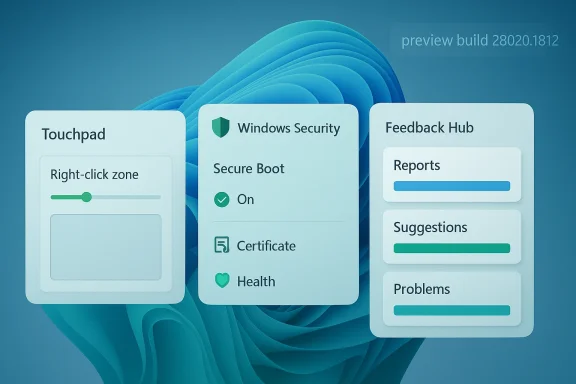
Windows 11 Insider Preview Build 28020.1812 is a classic Canary release in the best and worst sense of the term: it is small enough to look forgettable, but specific enough to reveal where Microsoft is quietly steering the platform. The build’s most visible changes focus on touchpad tuning, Secure Boot visibility, and Feedback Hub refinements, with Microsoft also continuing a broader push to make preview features easier to discover and report. In other words, this is not a flashy consumer moment; it is a signal that the Windows team is still sanding down the edges of Windows 11’s input, security, and feedback loops. That matters because the most consequential platform shifts often arrive disguised as minor quality-of-life updates.
Canary builds have always been the most chaotic part of the Windows Insider program, but they have also become the clearest window into Microsoft’s longer-term priorities. Build 28020.1812 fits that pattern neatly, because it does not introduce a headline feature like a new Start menu or a dramatic AI assistant overhaul. Instead, it focuses on the kinds of details that determine whether users trust the operating system in daily use: how a touchpad feels, how security status is communicated, and how easy it is to send Microsoft a useful bug report.
That may sound modest, but Windows history suggests otherwise. Microsoft has repeatedly learned that UI polish alone does not create confidence. Confidence comes from predictability, from settings that are clear enough to understand, and from interfaces that expose the system’s state without making users hunt for it. Build 28020.1812 continues that tradition by treating hardware input, platform security, and feedback collection as first-class product surfaces rather than afterthoughts.
The broader context also matters. Windows 11 has spent the last several development cycles balancing two competing impulses: a more curated, modern shell on one hand, and power-user demands for finer control on the other. Canary builds have become the proving ground where Microsoft tests whether those two goals can coexist. The latest touchpad setting and Secure Boot reporting update suggest the company is trying to make Windows feel more transparent without losing the simplified appearance it has been pushing since Windows 11 launched.
There is also an organizational story here. Microsoft’s preview pipeline has increasingly leaned on gradual rollouts, toggle-based exposure, and clearer paths for Insiders to react to changes. That is a meaningful shift because it changes the relationship between the company and its power users: instead of presenting previews as static snapshots, Microsoft is treating them as living experiments whose value depends on measurement, refinement, and user feedback. Build 28020.1812 is part of that larger operating model.
That kind of control matters more than it first appears. Windows laptops ship with a huge variety of touchpads, gesture engines, and OEM calibration layers, which means the “same” experience often feels wildly different across devices. By exposing right-click zone sizing directly in Windows 11, Microsoft is signaling that touch input should not be left entirely to hardware vendors and driver quirks. It is a subtle but important move toward making the OS feel more coherent across machines.
The deeper implication is that Microsoft may be slowly normalizing more per-device input tuning inside Windows itself. That would fit the direction the platform has taken in other areas, where controls that used to live in scattered OEM utilities are being pulled into the modern Settings app. For users, that is generally a win: fewer vendor-specific rabbit holes, fewer duplicate control panels, and fewer mysteries when a device behaves differently after an update.
A practical reading of the change looks like this:
This is also a signal about Microsoft’s changing security philosophy. The company has spent years trying to move Windows away from a posture where security settings were largely opaque unless you were an administrator or a specialist. Build 28020.1812 continues that trend by making a core boot-chain protection mechanism more intelligible inside the OS. It is a small interface change with potentially large diagnostic value.
That matters especially in a year when trust in PC security posture is a growing enterprise concern. Microsoft has been pushing more visible status reporting in Windows Security across multiple builds, and that pattern suggests a broader attempt to make baseline protections easier to audit without third-party tools. In a managed environment, that can help reduce confusion when a machine’s security state is technically enabled but operationally inconsistent.
A few practical takeaways stand out:
This is one of the clearest signs that Microsoft views the Insider program as part of the product lifecycle rather than a side channel. If users can file clearer reports, reproduce issues more easily, and categorize problems with less friction, Microsoft gets better data and users are more likely to feel heard. The redesign therefore has implications beyond the app window itself. It is about making the company’s internal feedback loop more scalable.
The strategic upside is obvious: better feedback can lead to faster fixes and fewer blind spots. But there is a subtler benefit too. When users feel the reporting process is efficient, they are more likely to believe their input matters. That kind of trust is essential in an Insider program built on voluntary participation and goodwill.
Key points worth noting:
The key change is philosophical as much as technical. Canary is no longer just a dumping ground for experimental ideas. It is increasingly a proving ground for whether those ideas can survive in real usage without destabilizing the platform. That means even small changes like touchpad controls or Secure Boot status views are useful because they show how Microsoft intends to ship future Windows features: gradually, visibly, and with a lot of emphasis on manageability.
The build also reinforces the idea that Microsoft is trying to reduce the gap between visible features and engineering quality. A touchpad setting may be a modest headline, but it implies platform maturity: Microsoft is paying attention to input fidelity, not just visual style. Likewise, the Secure Boot update says the company is willing to invest in making the system’s trust model more transparent rather than merely more locked down.
The emerging pattern looks like this:
For enterprises, the value is slightly different. IT teams care less about novelty and more about supportability, visibility, and consistency across hardware. Secure Boot status reporting has direct audit and troubleshooting implications, while input tuning can reduce friction on standard-issue laptops. The redesigned Feedback Hub also matters because enterprise Insiders often serve as a front line for detecting regressions before they become broader deployment problems.
The enterprise value is operational. Better boot-chain visibility can shorten incident response, and more precise feedback channels can help IT teams communicate reproducible issues to Microsoft. In a managed fleet, that can reduce support overhead and make preview testing more productive. It may not save a dramatic amount of time per case, but multiplied across dozens of machines, the savings are real.
Important distinctions include:
That matters because Windows 11 has spent years trying to reframe itself as a modern platform without alienating users who care about control. The challenge has always been that simplification can feel like restriction. By adding granular touchpad control and more readable security state, Microsoft is showing that simplification does not have to mean hiding important details from the user.
That is especially important in a Windows era defined by staged rollouts and feature flags. In such a world, the product experience is no longer just the sum of the visible UI elements. It is also the clarity of the rollout, the quality of the diagnostics, and the trustworthiness of the feedback path. Microsoft seems to understand that better now than it did a few years ago.
Takeaways from the build’s wider significance:
The next few preview flights will tell us whether the touchpad and Secure Boot additions are the start of a broader pattern. Watch for more controls that move into Windows Settings, more detailed security status surfaces, and more changes to how Insider feedback is collected and categorized. Those are the kinds of improvements that do not always dominate headlines, but often end up defining how modern Windows actually feels.
What to watch next:
Source: thewincentral.com Windows 11 Build 28020.1812: New Touchpad & Security Features - WinCentral
Source: Windows Report https://windowsreport.com/new-windo...083824-adds-new-touchpad-and-security-tweaks/
 Overview
Canary builds have always been the most chaotic part of the Windows Insider program, but they have also become the clearest window into Microsoft’s longer-term priorities. Build 28020.1812 fits that pattern neatly, because it does not introduce a headline feature like a new Start menu or a dramatic AI assistant overhaul. Instead, it focuses on the kinds of details that determine whether users trust the operating system in daily use: how a touchpad feels, how security status is communicated, and how easy it is to send Microsoft a useful bug report.That may sound modest, but Windows history suggests otherwise. Microsoft has repeatedly learned that UI polish alone does not create confidence. Confidence comes from predictability, from settings that are clear enough to understand, and from interfaces that expose the system’s state without making users hunt for it. Build 28020.1812 continues that tradition by treating hardware input, platform security, and feedback collection as first-class product surfaces rather than afterthoughts.
The broader context also matters. Windows 11 has spent the last several development cycles balancing two competing impulses: a more curated, modern shell on one hand, and power-user demands for finer control on the other. Canary builds have become the proving ground where Microsoft tests whether those two goals can coexist. The latest touchpad setting and Secure Boot reporting update suggest the company is trying to make Windows feel more transparent without losing the simplified appearance it has been pushing since Windows 11 launched.
There is also an organizational story here. Microsoft’s preview pipeline has increasingly leaned on gradual rollouts, toggle-based exposure, and clearer paths for Insiders to react to changes. That is a meaningful shift because it changes the relationship between the company and its power users: instead of presenting previews as static snapshots, Microsoft is treating them as living experiments whose value depends on measurement, refinement, and user feedback. Build 28020.1812 is part of that larger operating model.
Touchpad Control Gets More Granular
The headline user-facing addition in this build is a new touchpad setting that lets users adjust the size of the right-click zone. On the surface, that sounds like a tiny accessibility or ergonomics tweak. In practice, it addresses a real friction point for laptop users who either trigger accidental right-clicks too easily or struggle with a touchpad that is too insensitive in the default configuration.That kind of control matters more than it first appears. Windows laptops ship with a huge variety of touchpads, gesture engines, and OEM calibration layers, which means the “same” experience often feels wildly different across devices. By exposing right-click zone sizing directly in Windows 11, Microsoft is signaling that touch input should not be left entirely to hardware vendors and driver quirks. It is a subtle but important move toward making the OS feel more coherent across machines.
Why right-click tuning matters
Right-click behavior is one of those interaction details that users only notice when it is wrong. If the zone is too large, a user gets accidental menus while typing or swiping. If it is too small, context menus become awkward to invoke, especially on compact laptops or when one hand is occupied. Microsoft’s decision to surface the control in Windows rather than bury it in vendor software is an acknowledgment that consistency is part of usability.The deeper implication is that Microsoft may be slowly normalizing more per-device input tuning inside Windows itself. That would fit the direction the platform has taken in other areas, where controls that used to live in scattered OEM utilities are being pulled into the modern Settings app. For users, that is generally a win: fewer vendor-specific rabbit holes, fewer duplicate control panels, and fewer mysteries when a device behaves differently after an update.
A practical reading of the change looks like this:
- It reduces accidental context-menu activation on touchpads.
- It gives users a clearer way to adapt Windows to their habits.
- It may help standardize behavior across OEM laptops.
- It reflects Microsoft’s move toward system-level input consistency.
- It makes Windows 11 feel a little less dependent on vendor utilities.
Secure Boot Becomes More Visible
The other major theme in the build is security transparency, especially around Secure Boot. The new update gives Windows Security a more descriptive view of Secure Boot certificate status, helping users and admins understand not just whether Secure Boot is on, but what state its underlying certificate infrastructure is in. That is a meaningful distinction, because security features are only useful if people can tell when they are healthy and when they are not.This is also a signal about Microsoft’s changing security philosophy. The company has spent years trying to move Windows away from a posture where security settings were largely opaque unless you were an administrator or a specialist. Build 28020.1812 continues that trend by making a core boot-chain protection mechanism more intelligible inside the OS. It is a small interface change with potentially large diagnostic value.
Why Secure Boot visibility matters
Secure Boot is one of those features most users want to assume is working. But when it fails, gets misconfigured, or becomes relevant in a troubleshooting scenario, the typical status indicators can be too blunt. A simple on/off indicator does not help much if the underlying certificate state or firmware trust chain is the real issue. Microsoft’s more detailed reporting is therefore not just cosmetic; it is a usability upgrade for a critical security layer.That matters especially in a year when trust in PC security posture is a growing enterprise concern. Microsoft has been pushing more visible status reporting in Windows Security across multiple builds, and that pattern suggests a broader attempt to make baseline protections easier to audit without third-party tools. In a managed environment, that can help reduce confusion when a machine’s security state is technically enabled but operationally inconsistent.
A few practical takeaways stand out:
- Administrators gain better visibility into boot-chain state.
- Users get clearer clues when security status is not fully healthy.
- Troubleshooting Secure Boot becomes less guesswork-driven.
- Windows Security continues to absorb duties that previously required outside tools.
- Microsoft is making core security more legible, not just more present.
Feedback Hub Is Becoming Part of the Product
The build also continues Microsoft’s broader Feedback Hub redesign, which may sound unglamorous but is actually one of the more strategic themes in Windows 11 development. The company is not merely asking Insiders for feedback; it is trying to make the feedback mechanism itself cleaner, faster, and more useful. That matters because a feedback system is only as good as the quality and volume of reports it can collect.This is one of the clearest signs that Microsoft views the Insider program as part of the product lifecycle rather than a side channel. If users can file clearer reports, reproduce issues more easily, and categorize problems with less friction, Microsoft gets better data and users are more likely to feel heard. The redesign therefore has implications beyond the app window itself. It is about making the company’s internal feedback loop more scalable.
Why feedback tooling matters to Windows
Windows has always been too broad a platform for Microsoft to rely on intuition alone. There are too many hardware combinations, too many OEM customizations, and too many usage styles. That makes structured feedback unusually valuable, because telemetry can show what happened while user reports can explain why it happened and what the real-world impact felt like. The redesigned Hub is an attempt to close that loop faster.The strategic upside is obvious: better feedback can lead to faster fixes and fewer blind spots. But there is a subtler benefit too. When users feel the reporting process is efficient, they are more likely to believe their input matters. That kind of trust is essential in an Insider program built on voluntary participation and goodwill.
Key points worth noting:
- A better Hub can improve report quality.
- Easier categorization can reduce duplicate noise.
- More actionable reports help Microsoft prioritize engineering work.
- Insiders may engage more if the process feels polished.
- Feedback tooling is becoming part of Windows’ core operating model.
The Canary Channel Strategy Is Getting More Deliberate
Build 28020.1812 also fits a larger pattern in the Canary Channel: fewer blockbuster features, more carefully chosen refinements. That is not an accident. Microsoft has been using Canary to test not just new user-facing capabilities, but the structure of how Windows itself evolves, including rollout logic, settings exposure, and reliability tuning.The key change is philosophical as much as technical. Canary is no longer just a dumping ground for experimental ideas. It is increasingly a proving ground for whether those ideas can survive in real usage without destabilizing the platform. That means even small changes like touchpad controls or Secure Boot status views are useful because they show how Microsoft intends to ship future Windows features: gradually, visibly, and with a lot of emphasis on manageability.
What this says about Windows 11 development
This approach makes Windows feel less like a once-a-year product and more like a continuously negotiated platform. For enthusiasts, that is exciting because it means more frequent surprises. For enterprises, it is complicated because it increases the number of moving parts they must evaluate. And for Microsoft, it creates a permanent balancing act between experimentation and predictability.The build also reinforces the idea that Microsoft is trying to reduce the gap between visible features and engineering quality. A touchpad setting may be a modest headline, but it implies platform maturity: Microsoft is paying attention to input fidelity, not just visual style. Likewise, the Secure Boot update says the company is willing to invest in making the system’s trust model more transparent rather than merely more locked down.
The emerging pattern looks like this:
- Canary is used for directional testing, not random feature dumping.
- Microsoft is prioritizing actionable UI and system state visibility.
- Gradual rollout remains central to how Windows evolves.
- Small improvements are being used to validate larger platform assumptions.
- User trust is becoming a product metric, not just a support concern.
Enterprise vs Consumer Impact
For consumers, the build’s appeal is straightforward: better touchpad behavior, clearer security information, and a less frustrating feedback process. These are the sort of changes that improve everyday confidence without requiring users to learn new workflows. In consumer terms, that is a good update because it makes Windows feel more polished where it matters most.For enterprises, the value is slightly different. IT teams care less about novelty and more about supportability, visibility, and consistency across hardware. Secure Boot status reporting has direct audit and troubleshooting implications, while input tuning can reduce friction on standard-issue laptops. The redesigned Feedback Hub also matters because enterprise Insiders often serve as a front line for detecting regressions before they become broader deployment problems.
Different kinds of value
The consumer value is emotional as much as functional. A laptop that right-clicks properly feels better to use, even if the user cannot explain why. A security status page that is easier to read creates reassurance. Small quality-of-life improvements accumulate into a sense that Windows is paying attention.The enterprise value is operational. Better boot-chain visibility can shorten incident response, and more precise feedback channels can help IT teams communicate reproducible issues to Microsoft. In a managed fleet, that can reduce support overhead and make preview testing more productive. It may not save a dramatic amount of time per case, but multiplied across dozens of machines, the savings are real.
Important distinctions include:
- Consumers notice convenience and polish.
- Enterprises notice visibility and supportability.
- Consumers benefit from less friction in daily use.
- Enterprises benefit from better diagnostics and fewer unknowns.
- Both groups gain when Windows becomes more consistent across devices.
Why Small Windows Updates Still Matter
One reason Windows coverage can be misleading is that readers often look for dramatic announcements and miss the subtle architecture of change. Build 28020.1812 is exactly the kind of update that rewards closer reading. It shows Microsoft investing in the boring, durable systems that make an operating system feel trustworthy: inputs, security status, and feedback infrastructure.That matters because Windows 11 has spent years trying to reframe itself as a modern platform without alienating users who care about control. The challenge has always been that simplification can feel like restriction. By adding granular touchpad control and more readable security state, Microsoft is showing that simplification does not have to mean hiding important details from the user.
The broader platform lesson
A healthy OS does not just add features; it improves the quality of decision-making around those features. Users need to know what a setting does, what a security indicator means, and how to tell Microsoft when something is broken. Build 28020.1812 is valuable because it improves all three dimensions at once.That is especially important in a Windows era defined by staged rollouts and feature flags. In such a world, the product experience is no longer just the sum of the visible UI elements. It is also the clarity of the rollout, the quality of the diagnostics, and the trustworthiness of the feedback path. Microsoft seems to understand that better now than it did a few years ago.
Takeaways from the build’s wider significance:
- Small UI controls can solve recurring pain points.
- Security features are more useful when their status is understandable.
- Feedback systems matter when software changes continuously.
- The Windows shell is still a strategic surface.
- Platform trust is built in layers, not headlines.
Strengths and Opportunities
Build 28020.1812 is not trying to impress anyone with spectacle, and that is precisely why it is interesting. It is a disciplined update that improves important everyday surfaces while reinforcing Microsoft’s broader strategy of making Windows 11 more transparent, more manageable, and more responsive to user input.- Touchpad tuning gives users more control over a common laptop annoyance.
- Secure Boot visibility improves troubleshooting and confidence.
- Feedback Hub changes can raise report quality and Insider engagement.
- System-level consistency reduces dependence on OEM utilities.
- Enterprise diagnostics may become easier as security state becomes clearer.
- Canary discipline suggests Microsoft is testing features with more intent.
- Platform trust improves when small controls are easy to understand.
Risks and Concerns
The downside of a highly iterative preview strategy is that it can create uneven experiences and heightened expectations. Users may see a useful feature in Canary and assume it is close to release, when in reality it may still change substantially or disappear altogether. That is especially true when Microsoft is still leaning heavily on gradual rollout behavior.- Feature volatility remains high in Canary, so nothing is guaranteed.
- Uneven rollouts can make the same build behave differently across testers.
- Touchpad settings may not fully solve OEM-specific driver differences.
- Security visibility is helpful, but it can still overwhelm nontechnical users if phrased poorly.
- Feedback Hub redesigns can initially frustrate long-time Insider contributors.
- Enterprise testers may hesitate to invest in unstable preview behavior.
- Perception risk remains if users feel changes are polished but only partially finished.
Looking Ahead
The most important question now is not whether Build 28020.1812 is exciting. It is whether it is representative. If Microsoft continues shipping small, workflow-focused refinements like these, then the Canary Channel is becoming a place where the future of Windows is shaped by usability, not just novelty. That would be a healthy shift for the platform, especially as Microsoft tries to balance consumer expectations, enterprise caution, and the demands of power users.The next few preview flights will tell us whether the touchpad and Secure Boot additions are the start of a broader pattern. Watch for more controls that move into Windows Settings, more detailed security status surfaces, and more changes to how Insider feedback is collected and categorized. Those are the kinds of improvements that do not always dominate headlines, but often end up defining how modern Windows actually feels.
What to watch next:
- Whether touchpad customization expands beyond right-click zone sizing.
- Whether Secure Boot status gets even more diagnostic detail.
- Whether Feedback Hub changes become the default reporting model across Insider channels.
- Whether Microsoft continues shifting more device controls out of OEM utilities and into Windows.
- Whether future Canary flights maintain this measured, utility-first pace.
Source: thewincentral.com Windows 11 Build 28020.1812: New Touchpad & Security Features - WinCentral
Source: Windows Report https://windowsreport.com/new-windo...083824-adds-new-touchpad-and-security-tweaks/
