

Microsoft’s latest Windows 11 Canary flight is less about spectacle than about discipline, and that may be the most interesting part of the story. Windows 11 Insider Preview Build 29553.1000 arrives on the optional 29500 branch with a platform shift under the hood and a noticeably refreshed Feedback Hub on top, signaling that Microsoft is still refining not just the operating system, but the way it listens to the people testing it. The update also reinforces a long-running Windows Insider pattern: Canary is where Microsoft tries out ideas early, breaks some assumptions, and uses gradual rollout to decide what deserves to survive. In practical terms, that makes this build a useful window into the next phase of Windows 11 development, even if none of the changes should be treated as final.
Microsoft has spent the last several Windows 11 cycles making the Insider Program less like a preview download and more like a live laboratory. Canary remains the most experimental lane, and the company is explicit that features can appear, change, or disappear before ever reaching a general release. That warning is not boilerplate; it is the operating model. The 29553.1000 flight is a fresh example of how Microsoft uses the channel to validate platform direction before committing anything to a broader audience. d notable is that it arrives on an optional 29500 build series while also marking a move to a new active development build. That suggests Microsoft is not merely adding features to an existing branch, but actively repositioning the branch itself. In Insider-land, that matters because build-number transitions often reflect deeper servicing and engineering changes than the UI surface would imply. It is the kind of shift that only power users notice immediately, but it can shape everything that follows.
The headline user-faesigned Feedback Hub. That may sound humble, but Microsoft has been steadily treating feedback as a first-class engineering input rather than a side channel. Earlier Insider builds in both Dev and Canary already previewed a pattern of more structured feedback collection, tighter categorization, and a more modernized app experience. The 29553.1000 release continues that trend and makes it more visible to everyday Insiders.
There is also a broader historical context here. The Windows Insider Program has increasingly become the place where Microsoft tests not just features, but the mechanics of feature delivery itself: controlled rollout, toggle-based enablement, and branch-specific experimentation. That matters because the modern Windows 11 story is no longer just about whether a feature exists; it is about when it appears, to whom it appears, and how Microsoft gathers evidence about whether users actually like it. Canary builds sit at the front edge of that process.
Seen that way, Build 29553.1000 is part of a larger shift in Windows development culture. Microsoft is trying to make the operating system feel more intentional without becoming static, more measurable without becoming sterile, and more responsive without flooding users with unfinished surfaces. That is a delicate balance, and it helps explain why even a relatively narrow update can matter more than its feature list suggests. The redesign of Feedback Hub, in particular, is a clue that Microsoft thinks the feedback loop itself needs product design attention, not just the products being discussed in it.
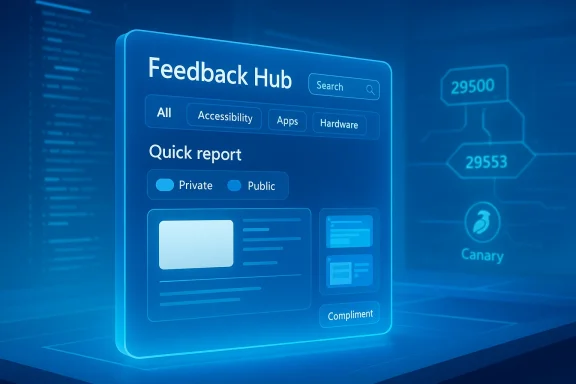
The other major change is the new Feedback Hub experience. Microsoft says it has modernized the app update for Dev and Canary Insiders, with a s, searchable categories, cleaner navigation, and a new focused mode for quick reports. That combination is telling because it reduces friction at the exact point where Microsoft wants more and better feedback. The app is no longer just a mailbox; it is being rebuilt as a workflow.
The platform shift is also a reminder that Windows 11 engineering in 2026 is increasingly iterative rather than theatrical. Microsoft is not trying to surprise users with a one-time reinvention; it is trying to make the development engine itself more flexible. That can be frustrating for people who want obvious novelty, but it is exactly how a mature operating system stays relevant. Quiet infrastructure changes often do more long-term work than flashy interface rewrites.
The new version simplifies feedback submission by using a single unified template, while also adding searchable categories. That matters because many users abandon feedback tools when categorization is too slow or too confusing. Searchable categories reduce the “I don’t know where this belongs” problem, which in turn should help Microsoft receive cleaner, more actionable submissions. In theory, that improves triage on both sides of the system.
The addition of a compliment feedback type is even more interesting than it first appears. It acknowledges that Microsoft wants to learn not only what is broken, but also what users genuinely like. That matters because positive feedback can help identify features that should be expanded, preserved, or used as patterns elsewhere in the shell. A complaint-only system is incomplete; a balanced feedback system can reveal adoption signals more quickly.
Microsoft is also adding a private-or-public choice for feedback visibility. That creates a more nuanced relationship between the individual reporter and the Insider community. Some users will want their comments to be visible and discussable; others will prefer a quieter report path. Giving that choice may raise the quality of participation, especially aming to share detailed bug reports but not necessarily to do so in public view.
Microsoft also improved screenshot capture and review tooling, which matters because image evidence can turn vague bug reports into fixable engineering tickets. In practice, the best feedback systems are the ones that make it easy to add context without making the process feel like work. This update suggests Microsoft knows that the feedback experience itself has to be *fast enough to survive a real interruptioed template** for feedback
Searchable categories are equally important. Users rarely think in the same taxonomy as the internal product team, so a searchable layer can bridge that gap. It is a small design change with big operational consequences. If the category system gets better, Microsoft can route issues more cleanly and users can spend less time guessing where their problem belongs.
The new compliment category also hints at something broader: Microsoft wants a fuller picture of the Windows experience. That includes delight, not just defectnt terms, that is useful because it can highlight sticky features and surfaces that are working well enough to warrant more investment. Good feedback is not only about bugs; it is also about signal.
The channel is intentionally unpredictable. That unpredictability is part of the value, because it lets Microsoft test the newest platform direction before polishing it for a wider audience. But it also means users need to separate “interesting experiment” from “shipping feature.” Too often, Insider chatter collapses those two ideas into one. Microsoft’s own wording is a useful brake on that tendency.
Another important detail is rollout variability. Many Canary features are not enabled for every Insider at once; they ramp up over time. That means two people on the same build can have different experiences, which complicates discussion but improves validation. It is a tradeoff Microsoft has clearly decided is worth making. The build number is not the whole story anymore.
There is also the localization caveat. Microsoft says some active-development features may not be fully localized at first, and asks Insiders to report language issues through Feedback Hub. That is another sign that the feedback redesign and the build itself are tightporting tool is especially important when interface strings, labels, and descriptions are still evolving.
are especially relevant in corporate environments where pilot users, IT admins, and solution engineers often need a structured way to report issues back to Microsoft. A simpler template and stronger category search can shorten the path from problem discovery to actionable data. That is not glamorous, but it is exactly the kind of operational improvement enterprises notice when they are evaluating rollout readiness.
There is also a second-order benefit. Better feedback tooling can improve how Microsoft interprets enterprise-relevant issues such as compatibility bugs, shell regressions, and localization faults. Enterprises do not live in the feedback app, but they do live with the consequences of how Microsoft processes what gets reportedupstream can lead to fewer surprises downstream. That is the quiet value proposition here.
It is also worth noting that Canary’s controlled rollout model mirrors the way enterprises themselves often stage changes across rings and pilot groups. Microsoft is, in effect, stress-testing a philosophy that enterprise IT already understands: smaller cohorts, measurable reactions, and staged escalation. In that sense, Insider development and enterprise deployment are becoming more conceptually aligned, even if their goals differ.
There is also something psychologically important about the new interface. When a feedback tool is easier to use, users are more likely to believe their input matters. That may sound soft, but it is not. Trust in preview programs depends on the sense that participation is worthwhile. If the reporting path is smoother, the whole Insider experience can feel more respectful.
The compliment category may also be more important than it looks. Consumers often want to praise sbut have no obvious place to do so. Giving them that option can improve product sentiment and surface features that are unexpectedly resonant. That can matter more than another complaint form ever will.
Even the private-versus-public choice is consumer-friendly in a subtle way. Some users enjoy community visibility, while others want a quieter, more direct line to Microsoft. Offering both is an acknowledgment that privacy preferences differ, and that feedback participation should not be one-size-fits-all. It is a small usability detail with broad appeal.
That matters because modern desktop users increasingly expect mobile-style responsiveness from their PC ecosystem. Whether the feature is shared audio, quick bug reporting, or a cleaner app structure, the bar ences that feel instant and coherent. Microsoft is trying to reduce the number of moments where Windows feels like a legacy desktop and increase the number of moments where it feels like a living platform.
The Canary build transition also reveals something about Microsoft’s internal confidence. When a company reorganizes its development branch while keeping visible changes modest, it is often a sign that the real competition is happening underneath the surface. Microsoft is not merely trying to look modern; it is trying to keep the pipeline modern. That is the kind of change rivals rarely advertise, but they absolutely feel.
The second question is whether the new active development build signals a deeper phase change in the 29500 series. Build-number movement in Canary can indicate architectural housekeeping, but it can also foreshadow a more substantial wave of platform changes. Watch closely for whether more shell improvements, more feedback refinements, or additional preview surfaces land quickly after this flight. Microsoft usually does not move the branch unless it intends to keep moving it.
Source: Microsoft - Windows Insiders Blog Announcing Windows 11 Insider Preview Build for Canary Channel 29553.1000
 Background
Microsoft has spent the last several Windows 11 cycles making the Insider Program less like a preview download and more like a live laboratory. Canary remains the most experimental lane, and the company is explicit that features can appear, change, or disappear before ever reaching a general release. That warning is not boilerplate; it is the operating model. The 29553.1000 flight is a fresh example of how Microsoft uses the channel to validate platform direction before committing anything to a broader audience. d notable is that it arrives on an optional 29500 build series while also marking a move to a new active development build. That suggests Microsoft is not merely adding features to an existing branch, but actively repositioning the branch itself. In Insider-land, that matters because build-number transitions often reflect deeper servicing and engineering changes than the UI surface would imply. It is the kind of shift that only power users notice immediately, but it can shape everything that follows.The headline user-faesigned Feedback Hub. That may sound humble, but Microsoft has been steadily treating feedback as a first-class engineering input rather than a side channel. Earlier Insider builds in both Dev and Canary already previewed a pattern of more structured feedback collection, tighter categorization, and a more modernized app experience. The 29553.1000 release continues that trend and makes it more visible to everyday Insiders.
There is also a broader historical context here. The Windows Insider Program has increasingly become the place where Microsoft tests not just features, but the mechanics of feature delivery itself: controlled rollout, toggle-based enablement, and branch-specific experimentation. That matters because the modern Windows 11 story is no longer just about whether a feature exists; it is about when it appears, to whom it appears, and how Microsoft gathers evidence about whether users actually like it. Canary builds sit at the front edge of that process.
Seen that way, Build 29553.1000 is part of a larger shift in Windows development culture. Microsoft is trying to make the operating system feel more intentional without becoming static, more measurable without becoming sterile, and more responsive without flooding users with unfinished surfaces. That is a delicate balance, and it helps explain why even a relatively narrow update can matter more than its feature list suggests. The redesign of Feedback Hub, in particular, is a clue that Microsoft thinks the feedback loop itself needs product design attention, not just the products being discussed in it.
What Windows 11 Build 29553.1000 Actually Changes
At the center of the release is a platform update that Microsoft describes as a move to a new active development build. In practice, that usually means more than a simple package refresh. It often signals that Microsoft is reorganizing what the Canary branch is meant to validate, even if the outwardly visible changes remain modest at first. Build numbers matter in Insider channels because they often separate “this is still the same experiment” from “Microsoft has moved the experiment onto a new foundation.”The other major change is the new Feedback Hub experience. Microsoft says it has modernized the app update for Dev and Canary Insiders, with a s, searchable categories, cleaner navigation, and a new focused mode for quick reports. That combination is telling because it reduces friction at the exact point where Microsoft wants more and better feedback. The app is no longer just a mailbox; it is being rebuilt as a workflow.
Why the platform move matters
A new active development build is the sort of change that can ripple far beyond the one announcement post. It may affect servicing assumptions, how features are staged, and which experiments can be safely layered on next. For Insiders, it also means the branch is still moving under their feet, which is why Canary remains both exciting and risky. Microsoft’s own reminder that these builds are unstable and not tied to any specific release is especially relevant here.The platform shift is also a reminder that Windows 11 engineering in 2026 is increasingly iterative rather than theatrical. Microsoft is not trying to surprise users with a one-time reinvention; it is trying to make the development engine itself more flexible. That can be frustrating for people who want obvious novelty, but it is exactly how a mature operating system stays relevant. Quiet infrastructure changes often do more long-term work than flashy interface rewrites.
- Build 29553.1000 introduces a new active development build
- The update lands on the optional 29500 series
- Canary remains a controlled experimentation lane
- Microsoft is prioritizing platform flexibility
- The visible changes are smaller than the engineering significance behind them
Feedback Hub Becomes the Story
The biggest visible change in this build is the new Feedback Hub, and that is fitting. Microsoft is not just refreshing the app; it is reshaping how Windows Insiders interact with Microsoft’s product teams. The company’s language points to a more modernized interface, a more direct feedback flow, and a smaller focused surface for reports made in the moment. That is a strong clue that the goal is not aesthetic polish alone, but higher-quality reporting.The new version simplifies feedback submission by using a single unified template, while also adding searchable categories. That matters because many users abandon feedback tools when categorization is too slow or too confusing. Searchable categories reduce the “I don’t know where this belongs” problem, which in turn should help Microsoft receive cleaner, more actionable submissions. In theory, that improves triage on both sides of the system.
Navigation, compliments, and privacy
Microsoft also moved My Feedback directly into the navigation pane and renamed Community feedback from the older All feedback concept. That small change suggests a more natural information hierarchy: your reports on one side, everyone else’s on the but important rethinking of the app’s mental model, especially for Insiders who use Feedback Hub often.The addition of a compliment feedback type is even more interesting than it first appears. It acknowledges that Microsoft wants to learn not only what is broken, but also what users genuinely like. That matters because positive feedback can help identify features that should be expanded, preserved, or used as patterns elsewhere in the shell. A complaint-only system is incomplete; a balanced feedback system can reveal adoption signals more quickly.
Microsoft is also adding a private-or-public choice for feedback visibility. That creates a more nuanced relationship between the individual reporter and the Insider community. Some users will want their comments to be visible and discussable; others will prefer a quieter report path. Giving that choice may raise the quality of participation, especially aming to share detailed bug reports but not necessarily to do so in public view.
What the focused mode changes
The new focused feedback experience is a smaller surface intended for quick, in-the-moment reporting. That design choice makes sense for a channel like Canary, where users often encounter rough edges while doing ordinary work and want to report them before moving on. A lighter capture flow can mean higher reporting rates, especially if it reduces the cognitive overhead of opening a full app and navigating multiple panes.Microsoft also improved screenshot capture and review tooling, which matters because image evidence can turn vague bug reports into fixable engineering tickets. In practice, the best feedback systems are the ones that make it easy to add context without making the process feel like work. This update suggests Microsoft knows that the feedback experience itself has to be *fast enough to survive a real interruptioed template** for feedback
- Searchable categories for faster routing
- My Feedback moved into the navigation pane
- Community feedback better surfaces shared issues
- Compliment feedback adds positive signal
- Private or public submission controls visibility
- Focused mode supports quick reports
- Better screenshot capture improves evidence quality
Why Microsoft Is Reworking the esigned Feedback Hub is not just an app story; it is a platform strategy story. Microsoft depends heavily on Insider data to decide what survives, what gets fixed, and what gets quietly abandoned. When the input mechanism is clunky, the quality of downstream decision-making suffers. So the app redesign is really about reducing friction in the company’s own information pipeline.
This is especially important in Canary, where builds can be unstable and documentation can be thin. Microsoft’s instructions repeatedly remind users that the channel is meant for experimentation, that rollout is gradual, and that some features may never ship. In that environment, the feedback tool is not an accessory. It is the main way Microsoft learns whether its experiments are worth continuing.A better report needs a better surface
The move to a unified template likely reflects a lesson Microsoft has learned the hard way: too many form variants create inconsistent data. A consistent template helps both the reporter and the triage team. It also improves the odds that repeated issues can be grouped more accurately, which is crucial when the company is trying to differentiate a real regression from an isolated glitch.Searchable categories are equally important. Users rarely think in the same taxonomy as the internal product team, so a searchable layer can bridge that gap. It is a small design change with big operational consequences. If the category system gets better, Microsoft can route issues more cleanly and users can spend less time guessing where their problem belongs.
The new compliment category also hints at something broader: Microsoft wants a fuller picture of the Windows experience. That includes delight, not just defectnt terms, that is useful because it can highlight sticky features and surfaces that are working well enough to warrant more investment. Good feedback is not only about bugs; it is also about signal.
- Better structure should improve triage
- Searchable categories should reduce misfiled reports
- A compliment type can surface *successful design choicestrol can widen participation
- Faster submission may raise report volume
- Screenshot improvements should increase diagnostic value
Canary Channel Reality Check
Microsoft’s Canary Channel reminders matter just as much as the feature list. These builds can be unstable, features may appear gradually through Control Feature Rollout technology, and the desktopMicrosoft also states plainly that some features may show up in Dev or Beta first, or never leave the Insider program at all. That is the operating environment for this update, and it is essential context for anyone treating 29553.1000 as a preview of the future.The channel is intentionally unpredictable. That unpredictability is part of the value, because it lets Microsoft test the newest platform direction before polishing it for a wider audience. But it also means users need to separate “interesting experiment” from “shipping feature.” Too often, Insider chatter collapses those two ideas into one. Microsoft’s own wording is a useful brake on that tendency.
What the warnings actually mean
The most practical warning is the clean-install requirement for leaving Canary. Microsoft says switching to a lower build-number channel requires a s a serious commitment for anyone who uses the build on a primary machine. That alone tells you the channel is meant for enthusiasts, testers, and people who genuinely want to live near the edge of Windows development.Another important detail is rollout variability. Many Canary features are not enabled for every Insider at once; they ramp up over time. That means two people on the same build can have different experiences, which complicates discussion but improves validation. It is a tradeoff Microsoft has clearly decided is worth making. The build number is not the whole story anymore.
There is also the localization caveat. Microsoft says some active-development features may not be fully localized at first, and asks Insiders to report language issues through Feedback Hub. That is another sign that the feedback redesign and the build itself are tightporting tool is especially important when interface strings, labels, and descriptions are still evolving.
- Canary builds are not release candidates
- Features can be gradually enabled
- Some features may never ship beyond Insiders
- A clean install is needed to exit the channel
- Localization may be incomplete
- Different Insiders may see different experiences
Enterprise Impact
For enterprises, the obvious temptation is to dismiss this release as Insider-only noise. That would miss the point. The redesign of Feedback Hub and the platform-level build transition both matter because they reflect how Microsoft is improving the machinery that eventually affects managed Windows estates. Even when a Canary feature never ships directly, the engineering patterns often do.are especially relevant in corporate environments where pilot users, IT admins, and solution engineers often need a structured way to report issues back to Microsoft. A simpler template and stronger category search can shorten the path from problem discovery to actionable data. That is not glamorous, but it is exactly the kind of operational improvement enterprises notice when they are evaluating rollout readiness.
Why IT teams should care
Enterprise administrators tend to care less about the complement feature list and more about predictability. A branch transition in Canary does not directly affect stable deployment rings, but it can hint at where Microsoft is steering its servicing and feature-delivery model. If the company is refining the development branch itself, the end result is often a more orderly path to release later on.There is also a second-order benefit. Better feedback tooling can improve how Microsoft interprets enterprise-relevant issues such as compatibility bugs, shell regressions, and localization faults. Enterprises do not live in the feedback app, but they do live with the consequences of how Microsoft processes what gets reportedupstream can lead to fewer surprises downstream. That is the quiet value proposition here.
It is also worth noting that Canary’s controlled rollout model mirrors the way enterprises themselves often stage changes across rings and pilot groups. Microsoft is, in effect, stress-testing a philosophy that enterprise IT already understands: smaller cohorts, measurable reactions, and staged escalation. In that sense, Insider development and enterprise deployment are becoming more conceptually aligned, even if their goals differ.
- Better reporting can support pilot testing
- Clean feedback taxonomy helps triage
- Build transitions hint at servicing direction
- Rollout logic mirrors enterprise ring management
- Localization issues matter in global deployments
- Canary learnings often influence broader reliability work
Consumer Impact
Consumer users will mostly notice the redesign of Feedback Hub as a quality-of-life improvement, but the practical effect is broader. A more approachable reporting flow can make Insiders more willing to submit useful feedback when they hit a bug or a confusing interface. That helps Microsoft, but it also helps the user by making the preview experience feel less like a burden and more like a dialogue.There is also something psychologically important about the new interface. When a feedback tool is easier to use, users are more likely to believe their input matters. That may sound soft, but it is not. Trust in preview programs depends on the sense that participation is worthwhile. If the reporting path is smoother, the whole Insider experience can feel more respectful.
The everyday user angle
The focused feedback surface is the clearest consumer-friendly addition. If a bug shows up while someone is simply trying to use their PC, a smaller capture experience is more likely to get used than a full-blown workflow. That is especially important for Canary testers who may hit issues in the middle of ordinary tasks and want to report them without breaking concentration.The compliment category may also be more important than it looks. Consumers often want to praise sbut have no obvious place to do so. Giving them that option can improve product sentiment and surface features that are unexpectedly resonant. That can matter more than another complaint form ever will.
Even the private-versus-public choice is consumer-friendly in a subtle way. Some users enjoy community visibility, while others want a quieter, more direct line to Microsoft. Offering both is an acknowledgment that privacy preferences differ, and that feedback participation should not be one-size-fits-all. It is a small usability detail with broad appeal.
- Easier reporting reduces friction
- Focused mode is better for in-the-moment bugs
- Compliments support positive engagement
- Private/public options improve comfort
- Searchable categories make submission easier
- Better screenshoty**
Competitive and Market Implications
Windows does not exist in a vacuum, and this update reflects how Microsoft is thinking about competition in 2026. A more responsive feedback system may not sound like a market weapon, but it supports faster iteration, which is a real competitive advantage in operating systems. benefit when their platforms feel polished; Microsoft is trying to make Windows feel more continuously polished rather than periodically corrected.That matters because modern desktop users increasingly expect mobile-style responsiveness from their PC ecosystem. Whether the feature is shared audio, quick bug reporting, or a cleaner app structure, the bar ences that feel instant and coherent. Microsoft is trying to reduce the number of moments where Windows feels like a legacy desktop and increase the number of moments where it feels like a living platform.
Windows as a service, not a product drop
The change to the Feedback Hub supports that service model directly. If Microsoft can capture better feedback faster, it can validate ideas more efficiently and prune bad ones sooner. That shortens the gap between prototype and polish, which is increasingly where platform competition is won. Speed of correction is becoming as important as speed of invention.The Canary build transition also reveals something about Microsoft’s internal confidence. When a company reorganizes its development branch while keeping visible changes modest, it is often a sign that the real competition is happening underneath the surface. Microsoft is not merely trying to look modern; it is trying to keep the pipeline modern. That is the kind of change rivals rarely advertise, but they absolutely feel.
- Faster iteration can become a competitive moat
- Better feedback loops support continuous improvement
- Windows is competing on platform responsiveness
- Mobile-style expectations are shaping desktop UX
- Under-the-hood changes can be more important than visual redesigns
Strengths and Opportunities
This release has more strategic upside than its small feature count suggests. Microsoft is improving the machinery that supports feature discovery, bug reporting, and platform evolution, which may not be flashy but is often the difference between a healthy Insider program and a noisy one. If the new Feedback Hub works as intended, it could improve both the quality and the quantity of actionable reports. That is the kind of change that compounds over time.- Cleaner submission flow should lower reporting friction
- Searchable categories may improve issue routing
- Private/public options broaden user comfort
- Compliment feedback captures positive product signals
- Focused mode helps quick, real-world reporting
- A new active development build signals continued platform momentum
- Canary’s rollout model supports safer experimentation
Risks and Concerns
The main risk is that Microsoft could over-design the feedback experience while still leaving users unclear about where to send what. A prettier hub is not automatically a better hub, and a more structured template can become a barrier if it feels too rigid. There is also the perennial Canary risk: features that look promising in preview may never ship, or may ship in a significantly different form. Users need to remember that nothing in Canary is guaranteed.- A modern interface could still feel overly complex
- Unified templates may reduce reporting flexibility
- Searchable categories might still be misaligned with user thinking
- Canary experiments may never reach stable builds
- Gradual rollout can create uneven experiences
- Localization may remain incomplete at first
- Branch transitions can increase confusion for less technical users
Looking Ahead
The next few Canary flights will show whether this update is a one-time modernization of Feedback Hub or the start of a broader rethink of Microsoft’s Insider tooling. The key question is whether the new app structure actually improves the quality of reports, not just the look of the app. If Microsoft sees better categorization, better screenshots, and more useful submissions, the redesign will have achieved its most important goal.The second question is whether the new active development build signals a deeper phase change in the 29500 series. Build-number movement in Canary can indicate architectural housekeeping, but it can also foreshadow a more substantial wave of platform changes. Watch closely for whether more shell improvements, more feedback refinements, or additional preview surfaces land quickly after this flight. Microsoft usually does not move the branch unless it intends to keep moving it.
- Monitor whether Feedback Hub changes again
- Watch for more platform build transitions
- Track rollout breadth under Control Feature Rollout
- Look for further localization improvements
- Observe whether Insiders submit more structured reports
Source: Microsoft - Windows Insiders Blog Announcing Windows 11 Insider Preview Build for Canary Channel 29553.1000
Last edited:
