

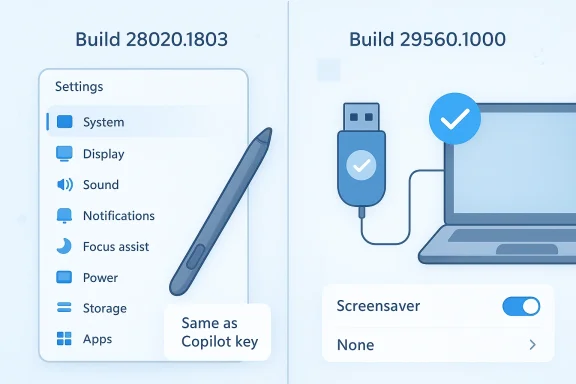
Microsoft’s latest Windows 11 Canary flights are another reminder that the most meaningful changes in Windows are often the smallest ones. Build 28020.1803 brings a subtle visual refresh to the Settings Developer Mode dialog, a new pen-tail-button option tied to the Copilot key, and a handful of reliability fixes, while 29560.1000 focuses on the sort of behind-the-scenes stability work Insiders notice only when it goes missing: freezes, USB device behavior, and screensaver settings. Microsoft is not trying to wow anyone here; it is trying to make the platform feel less brittle. That shift matters because Canary is where Windows reveals what kind of operating system it wants to become, and right now the answer looks increasingly like less spectacle, more refinement. (blogs.windows.com)
The two builds land in a moment when Windows 11 development is increasingly defined by controlled rollouts, toggles, and narrow quality-of-life changes. Microsoft’s Canary channel is explicitly a place for early platform changes that may never make it to general release, and the company continues to stress that many features arrive gradually through Control Feature Rollout rather than all at once. That means small UI tweaks and reliability fixes are not filler; they are evidence of where engineering effort is going. (blogs.windows.com)
Build 28020.1803 is especially notable because it touches one of the most visible administrative surfaces in Windows: the Settings app. Microsoft says the Developer Mode dialog is being updated to look more visually consistent with the rest of Windows 11, which is exactly the kind of move that sounds trivial until you remember how often Windows users judge the product by the polish of its system dialogs. A mismatched dialog may not break anything, but it makes the operating system feel unfinished. (blogs.windows.com)
The same build also adds a new option for pen users: “Same as Copilot key” for the pen tail button. On paper, that is a tiny addition. In practice, it is part of Microsoft’s ongoing effort to make Windows input hardware feel more integrated with the company’s current interaction model, especially as Copilot branding continues to appear in more places across the platform. For stylus users, the change suggests Microsoft wants shortcuts, accessories, and AI-era branding to feel like one ecosystem rather than separate islands. (blogs.windows.com)
Build 29560.1000, meanwhile, is the kind of flight that tells you Microsoft is still actively hardening the pipeline under the hood. Its headline fix addresses an issue that caused some Insiders’ USB devices to stop working after the latest flight, and it also improves reliability for moving Screensaver Settings back to None. Alongside those fixes, Microsoft says the build represents “platform changes in moving to a new active development build,” which is Canary-speak for a foundational transition rather than a consumer-facing feature drop. (blogs.windows.com)
The result is a release pair that looks modest in a changelog and meaningful in aggregate. Windows 11 is still evolving through the mundane: dialogs, input behavior, device compatibility, and configuration reliability. Those are the places where trust is won, and where frustrated users notice whether Microsoft is fixing the right things for the right reasons. (blogs.windows.com)
This is the sort of work that rarely earns praise outside enthusiast circles, but it has a real practical effect. Developers and power users live in these dialogs more than average consumers do, and they are also the people most likely to notice when the interface feels old, inconsistent, or lightly bolted on. If Microsoft wants Windows to feel modern to the people who build software on it, then even the small administrative screens need to look like they belong. That is not aesthetic vanity; it is platform credibility. (blogs.windows.com)
There is also a broader signal here. Microsoft has been willing to revise older surfaces across Windows 11 when they conflict with current design standards. That means the company is not just adding new capabilities; it is quietly rewriting the visual contract between the OS and the user. That is the kind of work that pays off over years, not days.
For tablet and pen users, the point is not the label itself but the consistency of action. Hardware buttons become more useful when they map to predictable system-level behavior. The more Microsoft can align pen input, keyboard keys, and Windows shell actions, the more the company can make its accessories feel native rather than optional. That matters in a market where hardware differentiation is increasingly about software integration. (blogs.windows.com)
This also suggests that Microsoft sees Copilot not just as an app or assistant, but as a mapping target for the broader Windows input stack. That is a subtle but important shift. It transforms Copilot from a visible product into a possible destination for multiple hardware pathways.
The sfc /scannow adjustment is especially worth noting because it touches one of Windows’ most recognizable repair tools. When a system file checker produces an irrelevant or unexpected error message, it damages confidence in the tool even if the underlying scan works correctly. Removing that noise helps restore the feeling that built-in diagnostics are dependable, which matters for both enthusiasts and support workflows. (blogs.windows.com)
The broader pattern is consistent with recent Insider strategy. Instead of treating quality-of-life fixes as secondary, Microsoft is folding them into the core build narrative. That suggests the company understands that preview users are not only testing features; they are testing confidence.
USB problems are also among the most trust-eroding issues a preview build can create. Unlike a missing menu item or a cosmetic glitch, a broken peripheral can affect storage devices, input devices, webcams, audio gear, and docking setups all at once. The fact that Microsoft singled this out tells you the issue was disruptive enough to warrant priority treatment. (blogs.windows.com)
It also shows how precarious preview testing can be. The Canary channel is not just where new things appear; it is where regressions can emerge from platform changes that are still in motion. Microsoft’s willingness to address the issue quickly is good, but the existence of the bug is a reminder that test builds are still a gamble.
This kind of fix matters because settings persistence is one of the quiet pillars of user trust. If Windows says a choice has been applied, users expect the system to honor it. When the interface pretends to accept a change but the result is inconsistent, the operating system starts feeling unreliable in ways that are hard to explain but easy to remember. That is often how reputations are lost. (blogs.windows.com)
Microsoft’s phrasing suggests the company is still cleaning up the edges of its newer settings architecture. That is notable because Settings has long been a work in progress, particularly where it overlaps with legacy control-panel-era concepts. The more dependable these transitions become, the less users have to wonder whether Windows actually listened.
That is consistent with the way Microsoft has been handling Insider releases across 2026: gradual features, narrow fixes, and careful phrasing about what is experimental versus what is intended for broad release. The company is trying to reduce the sense that Windows 11 is lurching from one grand redesign to the next. Instead, it wants the story to be one of accumulated improvements. (blogs.windows.com)
Microsoft seems to understand that Canary users are looking for evidence of direction, not necessarily spectacle. A better Settings dialog and a fixed USB stack may not go viral, but they do say something important about priorities. They say Microsoft is still investing in the operating system’s fundamentals.
The Settings Developer Mode refresh also has an enterprise angle, even if it is mostly visual. Administrative tools that look like they belong in the same OS family are easier to document, teach, and support. In large organizations, visual consistency is not just about taste; it helps standardize screenshots, training, and internal guidance. That reduces friction in onboarding and troubleshooting. (blogs.windows.com)
The trust angle matters too. IT teams are far more likely to tolerate experimental features if the platform still behaves predictably under normal load. Preview channels should feel like laboratories, not booby traps. Microsoft’s willingness to quickly correct peripheral breakage is a good sign, but it also underscores how much preview quality matters to the people who validate future Windows releases.
The consumer value of the USB fix is easy to understand because it reaches across a huge range of scenarios: keyboards, mice, headsets, storage drives, capture devices, hubs, and docks. When a Windows preview build interferes with attached USB hardware, the problem is not abstract. It is a direct interruption of how people work, play, and communicate. That makes the fix feel bigger than the changelog suggests. (blogs.windows.com)
Likewise, the screensaver reliability fix may look niche, but it speaks to a deeper promise: if Windows shows you a setting, changing it should mean something. That principle matters in consumer software, where user confidence often depends on whether the machine does what it says it will do.
It will also be worth watching whether the pen-tail-button/Copilot mapping expands into other input surfaces. Microsoft has a habit of introducing a tiny hook in one build and then growing it into a larger platform pattern over time. If that happens here, it could signal a broader push to make Copilot a more universal endpoint for Windows hardware shortcuts rather than just a visible app experience. (blogs.windows.com)
The biggest question, though, is whether Microsoft can keep prioritizing reliability without losing momentum on user-visible improvements. Windows needs both. It needs the polish that makes people trust what they see, and it needs the stability that makes them trust what they plug in. When Microsoft gets those two things right together, the operating system feels mature in a way that no splashy feature alone can deliver.
Source: Neowin A Windows 11 setting is getting a slight visual overhaul, and USB fixes with latest builds
 Overview
The two builds land in a moment when Windows 11 development is increasingly defined by controlled rollouts, toggles, and narrow quality-of-life changes. Microsoft’s Canary channel is explicitly a place for early platform changes that may never make it to general release, and the company continues to stress that many features arrive gradually through Control Feature Rollout rather than all at once. That means small UI tweaks and reliability fixes are not filler; they are evidence of where engineering effort is going. (blogs.windows.com)Build 28020.1803 is especially notable because it touches one of the most visible administrative surfaces in Windows: the Settings app. Microsoft says the Developer Mode dialog is being updated to look more visually consistent with the rest of Windows 11, which is exactly the kind of move that sounds trivial until you remember how often Windows users judge the product by the polish of its system dialogs. A mismatched dialog may not break anything, but it makes the operating system feel unfinished. (blogs.windows.com)
The same build also adds a new option for pen users: “Same as Copilot key” for the pen tail button. On paper, that is a tiny addition. In practice, it is part of Microsoft’s ongoing effort to make Windows input hardware feel more integrated with the company’s current interaction model, especially as Copilot branding continues to appear in more places across the platform. For stylus users, the change suggests Microsoft wants shortcuts, accessories, and AI-era branding to feel like one ecosystem rather than separate islands. (blogs.windows.com)
Build 29560.1000, meanwhile, is the kind of flight that tells you Microsoft is still actively hardening the pipeline under the hood. Its headline fix addresses an issue that caused some Insiders’ USB devices to stop working after the latest flight, and it also improves reliability for moving Screensaver Settings back to None. Alongside those fixes, Microsoft says the build represents “platform changes in moving to a new active development build,” which is Canary-speak for a foundational transition rather than a consumer-facing feature drop. (blogs.windows.com)
The result is a release pair that looks modest in a changelog and meaningful in aggregate. Windows 11 is still evolving through the mundane: dialogs, input behavior, device compatibility, and configuration reliability. Those are the places where trust is won, and where frustrated users notice whether Microsoft is fixing the right things for the right reasons. (blogs.windows.com)
Why the Settings dialog change matters
The updated Developer Mode dialog may be the most interesting cosmetic change in the report because it reflects Microsoft’s wider design discipline. Windows 11 has spent years trying to unify the visual language of legacy system surfaces with the modern Fluent-style shell, and dialog consistency is one of the last stubborn gaps in that story. When a settings page or system prompt looks out of step with the rest of the OS, it undermines the idea that Windows 11 is one coherent product. (blogs.windows.com)This is the sort of work that rarely earns praise outside enthusiast circles, but it has a real practical effect. Developers and power users live in these dialogs more than average consumers do, and they are also the people most likely to notice when the interface feels old, inconsistent, or lightly bolted on. If Microsoft wants Windows to feel modern to the people who build software on it, then even the small administrative screens need to look like they belong. That is not aesthetic vanity; it is platform credibility. (blogs.windows.com)
Consistency as a product strategy
Microsoft has increasingly treated visual consistency as part of feature quality, not an afterthought. A more coherent dialog experience reduces the impression that Windows is a patchwork of eras stitched together by a settings wrapper. In a mature operating system, that perception matters because users equate visual coherence with stability, even when the underlying behavior is unchanged.There is also a broader signal here. Microsoft has been willing to revise older surfaces across Windows 11 when they conflict with current design standards. That means the company is not just adding new capabilities; it is quietly rewriting the visual contract between the OS and the user. That is the kind of work that pays off over years, not days.
- Fewer visual seams between old and new Windows surfaces
- Better trust in system settings for technical users
- A more polished feel in administrative workflows
- Lower cognitive friction when moving between dialogs
- A stronger case that Windows 11 is still being actively refined
Pen input and the Copilot key connection
The new pen-tail-button option is small, but it is also revealing. By letting the pen tail button launch the same app as the Copilot key, Microsoft is linking handwriting hardware to the company’s broader AI and productivity strategy. That may sound like branding theater, yet it also shows a deliberate effort to standardize shortcut behavior across devices. (blogs.windows.com)For tablet and pen users, the point is not the label itself but the consistency of action. Hardware buttons become more useful when they map to predictable system-level behavior. The more Microsoft can align pen input, keyboard keys, and Windows shell actions, the more the company can make its accessories feel native rather than optional. That matters in a market where hardware differentiation is increasingly about software integration. (blogs.windows.com)
Why stylus users should care
Pen workflows have always lived at the intersection of convenience and specificity. Artists, note-takers, students, and field workers often want one-button access to a very particular action, and Windows has historically left too much of that behavior to vendors. By adding a built-in option tied to the Copilot key, Microsoft is at least acknowledging that hardware shortcuts should be first-class citizens in Windows design.This also suggests that Microsoft sees Copilot not just as an app or assistant, but as a mapping target for the broader Windows input stack. That is a subtle but important shift. It transforms Copilot from a visible product into a possible destination for multiple hardware pathways.
- More consistent mapping across Windows accessories
- Better alignment between pen input and system shortcuts
- A clearer role for Copilot in Windows hardware design
- More value for 2-in-1 and tablet-style devices
- A hint that Microsoft wants smarter default actions, not just more buttons
Reliability fixes in 28020.1803
The reliability work in 28020.1803 may be less flashy than the Settings tweak, but it is arguably more meaningful for day-to-day use. Microsoft says it improved the reliability of configuring the fluid dictation option in voice typing settings, removed an extraneous unexpected error from sfc /scannow, and made small fixes that improve the overall experience. Those are the sorts of changes that users only appreciate after they stop happening. (blogs.windows.com)The sfc /scannow adjustment is especially worth noting because it touches one of Windows’ most recognizable repair tools. When a system file checker produces an irrelevant or unexpected error message, it damages confidence in the tool even if the underlying scan works correctly. Removing that noise helps restore the feeling that built-in diagnostics are dependable, which matters for both enthusiasts and support workflows. (blogs.windows.com)
Small fixes, large trust gains
The same is true of voice typing reliability. Dictation features are increasingly important in Windows 11, both as an accessibility layer and as a convenience feature for everyday users. If the settings that control dictation behave inconsistently, users may blame the feature itself rather than the configuration path. Microsoft clearly wants that first impression to be smoother.The broader pattern is consistent with recent Insider strategy. Instead of treating quality-of-life fixes as secondary, Microsoft is folding them into the core build narrative. That suggests the company understands that preview users are not only testing features; they are testing confidence.
- Better stability for voice typing configuration
- Less confusion from misleading system errors
- Improved confidence in Windows diagnostic tools
- A cleaner experience for accessibility-adjacent features
- Fewer “paper cuts” in everyday maintenance
USB stability and the hidden cost of preview builds
If build 28020.1803 is about polish, then 29560.1000 is about damage control. Microsoft explicitly says it fixed an issue causing attached USB devices not to work for some Insiders after the latest flight. That is a serious bug in any build, but it is especially painful in Canary, where users are already accepting instability in exchange for early access. When peripherals fail, the inconvenience becomes immediate and concrete. (blogs.windows.com)USB problems are also among the most trust-eroding issues a preview build can create. Unlike a missing menu item or a cosmetic glitch, a broken peripheral can affect storage devices, input devices, webcams, audio gear, and docking setups all at once. The fact that Microsoft singled this out tells you the issue was disruptive enough to warrant priority treatment. (blogs.windows.com)
Why USB bugs hit harder than visual bugs
A visual flaw is annoying. A USB failure can halt work. That difference matters because Canary users may tolerate a rough interface if their system remains usable, but they are far less forgiving when core device support breaks. In enterprise-like home setups, USB is the backbone of everything from external drives to conferencing accessories.It also shows how precarious preview testing can be. The Canary channel is not just where new things appear; it is where regressions can emerge from platform changes that are still in motion. Microsoft’s willingness to address the issue quickly is good, but the existence of the bug is a reminder that test builds are still a gamble.
- USB regressions can affect multiple classes of hardware at once
- Peripherals often serve as the first sign of build instability
- Preview testing becomes much harder when basic I/O breaks
- Fast fixes matter because the user impact is immediate
- Canary remains a high-risk, high-feedback environment
Screensaver settings and configuration reliability
The second major fix in 29560.1000 is more obscure but still useful: Microsoft improved the reliability of setting Screensaver Settings back to None. That sounds almost comically specific, but anyone who has wrestled with a stubborn Windows configuration knows how frustrating it is when a setting refuses to stick. Small control failures tend to create outsized irritation because they make the OS feel uncooperative. (blogs.windows.com)This kind of fix matters because settings persistence is one of the quiet pillars of user trust. If Windows says a choice has been applied, users expect the system to honor it. When the interface pretends to accept a change but the result is inconsistent, the operating system starts feeling unreliable in ways that are hard to explain but easy to remember. That is often how reputations are lost. (blogs.windows.com)
Why “None” is not a trivial option
Choosing “None” in a settings dialog is often a deliberate decision to remove friction, preserve battery, or avoid distractions. If Windows cannot reliably honor that choice, it creates an annoying mismatch between user intent and system behavior. For something as old as screensavers, the issue is less about the feature itself and more about whether the configuration layer behaves properly.Microsoft’s phrasing suggests the company is still cleaning up the edges of its newer settings architecture. That is notable because Settings has long been a work in progress, particularly where it overlaps with legacy control-panel-era concepts. The more dependable these transitions become, the less users have to wonder whether Windows actually listened.
- Better confidence in applied preferences
- Less confusion around old and new settings paths
- Cleaner behavior in low-interaction workstation setups
- Fewer support issues around “why didn’t it stick?”
- A sign that settings plumbing is still being hardened
Canary build strategy and what it signals
The contrast between the two builds is instructive. 28020.1803 is a mixed bag of polish, input refinement, and minor reliability fixes. 29560.1000 is a more foundational Canary step that Microsoft describes as moving to a new active development build, while also patching regressions that surfaced in recent flights. Together, they show a development process that is still highly iterative and heavily dependent on feedback. (blogs.windows.com)That is consistent with the way Microsoft has been handling Insider releases across 2026: gradual features, narrow fixes, and careful phrasing about what is experimental versus what is intended for broad release. The company is trying to reduce the sense that Windows 11 is lurching from one grand redesign to the next. Instead, it wants the story to be one of accumulated improvements. (blogs.windows.com)
The significance of “small” releases
Small releases can still be strategic releases. In a mature operating system, the most useful updates often are not the ones with the loudest marketing copy. They are the ones that fix annoying inconsistencies, stabilize critical device paths, and modernize old surfaces just enough to make the whole system feel more finished.Microsoft seems to understand that Canary users are looking for evidence of direction, not necessarily spectacle. A better Settings dialog and a fixed USB stack may not go viral, but they do say something important about priorities. They say Microsoft is still investing in the operating system’s fundamentals.
- Canary is acting as a testbed for platform discipline
- Microsoft is prioritizing functionality over flash
- Incremental UI cleanup remains an active theme
- Foundational fixes are being surfaced alongside feature experiments
- The build cadence suggests ongoing tuning, not a finished vision
Enterprise implications
For enterprise IT, the headline is not the pen-tail-button option or the nicer dialog border. It is the fact that Microsoft is still hardening the stability layers that affect deployment confidence. USB reliability matters in managed environments because docking stations, external storage, smart card readers, webcams, and peripheral-rich workstations all depend on clean device handling. A regression in that area can create avoidable support calls very quickly. (blogs.windows.com)The Settings Developer Mode refresh also has an enterprise angle, even if it is mostly visual. Administrative tools that look like they belong in the same OS family are easier to document, teach, and support. In large organizations, visual consistency is not just about taste; it helps standardize screenshots, training, and internal guidance. That reduces friction in onboarding and troubleshooting. (blogs.windows.com)
Why IT departments should pay attention
Enterprise administrators often use Canary builds as a warning system, not a deployment target. Even when the actual features never ship as-is, the direction of the fixes can reveal where Microsoft is prioritizing engineering time. If USB reliability and settings consistency are getting attention, that suggests Microsoft is still aware that basic manageability remains a core requirement of Windows credibility.The trust angle matters too. IT teams are far more likely to tolerate experimental features if the platform still behaves predictably under normal load. Preview channels should feel like laboratories, not booby traps. Microsoft’s willingness to quickly correct peripheral breakage is a good sign, but it also underscores how much preview quality matters to the people who validate future Windows releases.
- USB stability is essential for managed workplaces
- Clearer dialogs help with training and support documentation
- Canary remains an intelligence source for future servicing direction
- Reliability fixes can reduce help desk noise
- Preview hygiene influences enterprise willingness to test
Consumer impact
For consumers, the user-facing story is simpler. The Developer Mode dialog now looks a little more in tune with Windows 11, pen users get a slightly smarter shortcut option, and the latest build no longer trips over some USB devices. Those are not blockbuster upgrades, but they do shape the everyday feel of the OS. Windows lives in these details more than Microsoft often likes to admit. (blogs.windows.com)The consumer value of the USB fix is easy to understand because it reaches across a huge range of scenarios: keyboards, mice, headsets, storage drives, capture devices, hubs, and docks. When a Windows preview build interferes with attached USB hardware, the problem is not abstract. It is a direct interruption of how people work, play, and communicate. That makes the fix feel bigger than the changelog suggests. (blogs.windows.com)
Why ordinary users should care about build polish
Even users who never touch Developer Mode benefit from its visual modernization because it reflects Microsoft’s broader commitment to shell consistency. A more coherent Settings app is easier to understand, easier to trust, and less likely to feel like an unfinished transition from the Control Panel era.Likewise, the screensaver reliability fix may look niche, but it speaks to a deeper promise: if Windows shows you a setting, changing it should mean something. That principle matters in consumer software, where user confidence often depends on whether the machine does what it says it will do.
- More polished system dialogs improve perceived quality
- USB reliability affects nearly every kind of Windows user
- Pen and shortcut integration can improve convenience
- Better settings behavior reduces everyday annoyance
- Incremental fixes often deliver the most noticeable practical gain
Strengths and Opportunities
Microsoft’s latest Canary builds have a clear strength: they focus on the fundamentals without pretending the fundamentals are unimportant. A slightly better dialog, a more coherent shortcut mapping, and a couple of hard reliability fixes may not sound thrilling, but they are the sort of changes that make an operating system feel more dependable over time. That is exactly the right place to spend effort when Windows 11 is still trying to balance modernization with familiarity.- Visual consistency in Settings makes the OS feel more finished
- USB reliability protects real-world workflows and peripherals
- Pen-tail-button integration creates a smarter shortcut ecosystem
- Voice typing reliability improves accessibility and convenience
- sfc /scannow cleanup strengthens trust in built-in repair tools
- Settings persistence fixes reduce user frustration
- Canary feedback loops let Microsoft catch regressions earlier
Risks and Concerns
The main risk is that these improvements remain too incremental to address Windows 11’s larger perception problems. Users do not experience the OS as a collection of separate fixes; they experience it as a system, and if the broader sense of inconsistency remains, a nicer dialog or a USB patch will not move the needle much on sentiment. There is also the always-present Canary risk that today’s fix can become tomorrow’s regression if the platform continues shifting under active development.- Partial progress may not satisfy users looking for broader course correction
- Canary regressions can reintroduce instability in new areas
- Visual polish does not automatically fix deeper usability complaints
- Feature rollouts may remain uneven across devices and regions
- Copilot branding could still feel intrusive to some users
- Enterprise validation can slow confidence in preview features
- Settings modernization may continue to coexist with legacy UI seams
Looking Ahead
The next few Canary flights will show whether these changes are isolated cleanups or part of a larger pattern. If Microsoft continues to smooth Settings, harden peripherals, and refine configuration reliability, then the company is effectively telling us that Windows 11’s next phase is about becoming less disruptive and more consistent. That would be a welcome shift, especially after years in which users often felt the operating system was changing for change’s sake. (blogs.windows.com)It will also be worth watching whether the pen-tail-button/Copilot mapping expands into other input surfaces. Microsoft has a habit of introducing a tiny hook in one build and then growing it into a larger platform pattern over time. If that happens here, it could signal a broader push to make Copilot a more universal endpoint for Windows hardware shortcuts rather than just a visible app experience. (blogs.windows.com)
The biggest question, though, is whether Microsoft can keep prioritizing reliability without losing momentum on user-visible improvements. Windows needs both. It needs the polish that makes people trust what they see, and it needs the stability that makes them trust what they plug in. When Microsoft gets those two things right together, the operating system feels mature in a way that no splashy feature alone can deliver.
- Watch for broader rollout of the Developer Mode visual update
- Watch whether the Copilot key mapping appears on more accessories
- Watch for more USB and peripheral stability fixes in Canary
- Watch whether Settings consistency keeps improving across system dialogs
- Watch for future changes to voice typing and other input-related surfaces
Source: Neowin A Windows 11 setting is getting a slight visual overhaul, and USB fixes with latest builds
