
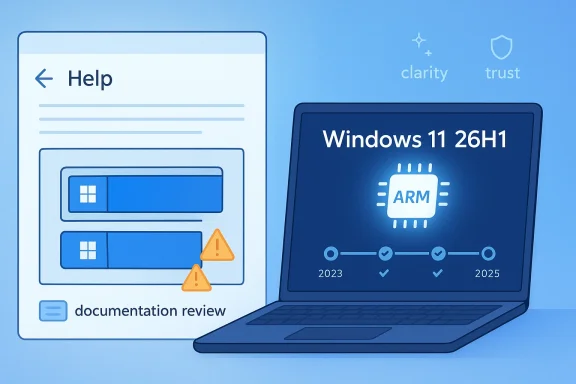
Microsoft’s latest Windows 11 AI push is colliding with a very old problem: users need tutorials to be accurate before they can be trusted, and the company’s own learning materials are reportedly showing an illustration with two Start buttons on the taskbar. That blunder has become a symbol of something bigger than a misplaced icon — namely, the tension between Microsoft’s polished Copilot messaging and the very human reality of product documentation errors. At the same time, Windows 11 version 26H1 is emerging as a distinctly different kind of release for new Arm PCs, with lifecycle dates and support expectations that matter most to OEMs, IT planners, and buyers trying to understand whether they’re getting a mainstream update or a device-specific branch.
Microsoft has spent the last two years trying to make Copilot feel less like a bolt-on chatbot and more like a native layer across Windows, Microsoft 365, Edge, and the broader device ecosystem. That strategy has included visible UI changes, experimental Insider features, and a steady stream of AI-first messaging designed to reassure investors that Microsoft is not merely dabbling in generative AI, but building a platform story around it. Yet that same ambition has also made the company more vulnerable to embarrassment when the polish slips.
The two-Start-button confusion is a perfect example of how small mistakes can land with outsized force in an AI era. A bad illustration in a random forum post would barely register, but a mistake in Microsoft-owned support or learning material becomes a credibility problem because it sits directly in the path of people trying to learn Windows 11. The error is not just visual noise; it undercuts the promise that Microsoft’s official guidance is the authoritative version of how the interface works.
At the same time, Windows 11 is no longer one monolithic product experience. Microsoft is increasingly using channel-specific releases, Arm-targeted builds, and feature gating to shape which users get what, when, and on which hardware. That is why the discussion around Windows 11 version 26H1 matters: it is not simply “another update,” but part of a release pattern that reflects Microsoft’s growing reliance on platform segmentation, especially for new Arm PCs.
The result is a strange moment for Windows. On one hand, Microsoft wants users to believe Windows is becoming smarter, more helpful, and more AI-native. On the other hand, it is still wrestling with the basics of clarity, consistency, and trust — the very qualities that make a desktop operating system feel dependable in the first place. That contradiction is now visible in both the Copilot learning-page blunder and the highly specific rollout structure around 26H1.
The irony is sharp. Microsoft has been making Copilot more central in settings, notifications, and other everyday touchpoints, only to face growing resistance when those integrations feel intrusive or unfinished. The company has reportedly already pulled back from some planned Copilot surfaces, which suggests an internal recognition that users react badly when AI appears to be stapled onto the OS rather than woven into it with restraint.
For consumers, this can translate into confusion and reduced confidence in official guidance. For enterprise admins, it creates a more serious concern: if Microsoft cannot keep a beginner-facing tutorial visually correct, how reliable are its rapidly changing AI workflows, deployment defaults, and policy surfaces? The appearance of sloppiness is often enough to trigger deeper scrutiny, even when the underlying feature set is technically sound.
Key implications:
That matters because Windows is still a precision product. Unlike many consumer apps, it sits at the center of identity, security, application launch, and system control. Even a minor interface inconsistency in an image can look like a major indictment of the platform’s reliability, especially when the rest of the company is selling the story that AI can help users navigate complexity.
The company’s AI strategy depends on confidence, and confidence erodes when users find obvious mistakes in official material. One bad image does not prove a systemic failure, but it does suggest that Microsoft’s internal quality controls need to keep pace with the speed of its content ambitions. In other words, the more Microsoft automates, the more it must prove that human editorial standards still sit on top.
A practical takeaway is that documentation teams may need stricter review loops for any content that touches core UI surfaces. The Start button is not a decorative element; it is one of the most recognizable symbols in Windows, and getting it wrong is equivalent to mislabeling the system’s front door. That is why this small mistake has traveled farther than a normal image error ever would.
That approach is not surprising. Microsoft has already established a pattern of separating broad Windows servicing from more specialized device or channel experiences, and the company has been leaning harder into feature gating, Insider validation, and platform-specific builds. 26H1 fits that pattern neatly: it sounds like a version number, but it functions more like a distribution strategy.
This is important for OEMs because lifecycle dates influence shipment planning, image management, and post-sale support commitments. It is equally important for buyers because a machine that lands on a device-specific release path may not behave like a mainstream consumer PC in terms of update cadence or feature availability. That distinction is subtle on a spec sheet but very real in operations.
In practice, the Arm focus also signals that Microsoft is refining Windows around the idea of hardware classes, not just operating system versions. The company has been doing this through Copilot+ branding, AI accelerators, and channel-specific previews, and 26H1 appears to be another step toward a Windows ecosystem where the silicon matters almost as much as the SKU.
That also means lifecycle policy becomes part of product positioning. If Microsoft is serious about pushing more premium or specialized Arm hardware, then predictable support windows are crucial to making those devices feel safe for corporate deployment. In the absence of clarity, enterprises tend to delay purchases, and OEMs lose momentum.
For enterprises, however, 26H1 is a planning artifact. It affects imaging, validation, driver readiness, security baselines, and whether a device can be safely incorporated into a managed fleet without unexpected support mismatches. That is why version branches with Arm specificity deserve more attention than their naming would suggest.
The broader lesson is that Microsoft is moving toward a support model where not all Windows 11 devices are equal in practice. Some will get broad, mainstream servicing; others will be attached to narrower hardware-specific cadences. That may be rational engineering, but it is also a more complicated story to explain to customers who expect Windows to be one platform with one rhythm.
That tension is not a disaster, but it is revealing. Microsoft is trying to modernize Windows without losing the familiarity that made it the default desktop platform for decades. Every time it introduces a new AI layer or a new specialized branch, it risks reminding users that “modernization” often means added complexity under the hood.
The trust equation also has a commercial side. If Microsoft wants organizations to invest in Copilot, new Arm hardware, and AI-enhanced workflows, it needs to prove that those investments sit on a reliable operational foundation. The worst outcome would be a perception that the AI layer is flashy while the servicing model underneath remains fragmented.
That is why Microsoft’s recent pullbacks and rebalancing moves around Copilot are worth watching. They suggest the company may be shifting from “put AI everywhere” to “put AI where it improves the experience and can be supported cleanly.” That is a healthier long-term direction, but it also acknowledges that the first wave of enthusiasm may have outpaced the product discipline needed to sustain it.
The 26H1 Arm story is competitive in a very specific way. It shows Microsoft tailoring Windows to silicon and placing strategic weight on device classes that can support its AI ambitions. That may help the company differentiate from slower-moving legacy PC narratives, but it also raises expectations that Arm Windows experiences will be polished enough to justify the segmentation.
At the same time, the tutorial blunder offers rivals a free reminder that execution still beats branding. If official documentation is visually wrong, no amount of AI hype can fully erase the embarrassment. In a market where trust is a differentiator, small failures can be surprisingly expensive.
The broader competitive implication is that Microsoft is trying to define the modern Windows value proposition before someone else defines it for them. Whether the company succeeds will depend less on slogans and more on whether everyday users encounter fewer surprises, clearer guidance, and more coherent device experiences than they did in the past.
For enterprises, the stakes are operational. Lifecycle dates for 26H1 matter because they inform device qualification, deployment windows, and support planning. Meanwhile, the broader Copilot strategy matters because IT departments have to decide where AI features fit into policy, security, and user training without creating unnecessary support overhead.
The split becomes especially important as Microsoft pushes more AI into day-to-day workflows. Consumer users may welcome convenience if it is obvious and optional. Enterprise admins, by contrast, want predictable policy controls, stable lifecycle commitments, and fewer surprises when new features arrive in the middle of a deployment cycle.
This is the central balancing act for Microsoft in 2026: make Windows feel smarter without making it feel harder to manage. The learning-page blunder and the Arm-specific lifecycle story are different symptoms of the same challenge. One is a communication failure; the other is a structural complexity that requires careful explanation.
What matters most now is coherence. Microsoft does not need every feature to be perfect, but it does need its story to feel intentional: AI should help users, not confuse them; platform branches should be explained, not obscured; and support content should reinforce the product instead of accidentally mocking it. That is a high standard, but Windows is a high-expectation platform.
Source: Windows Report https://windowsreport.com/windows-ai-photos-guides/
Source: Windows Report https://windowsreport.com/windows-11-version-26h1-lifecycle-dates-confirmed-for-new-arm-pcs/
 Background
Microsoft has spent the last two years trying to make Copilot feel less like a bolt-on chatbot and more like a native layer across Windows, Microsoft 365, Edge, and the broader device ecosystem. That strategy has included visible UI changes, experimental Insider features, and a steady stream of AI-first messaging designed to reassure investors that Microsoft is not merely dabbling in generative AI, but building a platform story around it. Yet that same ambition has also made the company more vulnerable to embarrassment when the polish slips.The two-Start-button confusion is a perfect example of how small mistakes can land with outsized force in an AI era. A bad illustration in a random forum post would barely register, but a mistake in Microsoft-owned support or learning material becomes a credibility problem because it sits directly in the path of people trying to learn Windows 11. The error is not just visual noise; it undercuts the promise that Microsoft’s official guidance is the authoritative version of how the interface works.
At the same time, Windows 11 is no longer one monolithic product experience. Microsoft is increasingly using channel-specific releases, Arm-targeted builds, and feature gating to shape which users get what, when, and on which hardware. That is why the discussion around Windows 11 version 26H1 matters: it is not simply “another update,” but part of a release pattern that reflects Microsoft’s growing reliance on platform segmentation, especially for new Arm PCs.
The result is a strange moment for Windows. On one hand, Microsoft wants users to believe Windows is becoming smarter, more helpful, and more AI-native. On the other hand, it is still wrestling with the basics of clarity, consistency, and trust — the very qualities that make a desktop operating system feel dependable in the first place. That contradiction is now visible in both the Copilot learning-page blunder and the highly specific rollout structure around 26H1.
The Copilot Messaging Problem
Microsoft’s Copilot push has always had two audiences: ordinary Windows users who need practical help and enterprise buyers who want a productivity story they can justify. Those audiences do not always want the same thing, and Microsoft’s recent Windows 11 activity suggests the company is learning that the hard way. A glitch in a learning page may sound trivial, but in a product narrative built around intelligence, guidance, and automation, it becomes a metaphor for the broader communication gap.The irony is sharp. Microsoft has been making Copilot more central in settings, notifications, and other everyday touchpoints, only to face growing resistance when those integrations feel intrusive or unfinished. The company has reportedly already pulled back from some planned Copilot surfaces, which suggests an internal recognition that users react badly when AI appears to be stapled onto the OS rather than woven into it with restraint.
Why a tutorial error matters more than it should
A support or learning page is not just content; it is a declaration of how Microsoft expects users to understand its platform. If the page shows two Start buttons, even accidentally, it tells users that the company’s own reference material is not fully aligned with the system it claims to explain. That is exactly the kind of slippage that makes people more skeptical of every other AI-generated or AI-assisted asset they encounter.For consumers, this can translate into confusion and reduced confidence in official guidance. For enterprise admins, it creates a more serious concern: if Microsoft cannot keep a beginner-facing tutorial visually correct, how reliable are its rapidly changing AI workflows, deployment defaults, and policy surfaces? The appearance of sloppiness is often enough to trigger deeper scrutiny, even when the underlying feature set is technically sound.
Key implications:
- Trust is cumulative, and support content is part of the product.
- AI branding raises the bar for correctness, not the reverse.
- Visual errors in official material can trigger wider skepticism.
- Copilot-centric UX needs consistency to avoid user fatigue.
- Small mistakes can damage the credibility of much larger initiatives.
What the Two-Start-Button Mistake Reveals
The immediate story is obvious: an official learning page seems to show the wrong UI. The deeper story is that Microsoft’s Windows content pipeline now appears to be sharing responsibility with AI-generated or AI-assisted creative processes, and that can introduce failure modes that traditional editorial review would likely catch. If the illustration was generated or heavily edited with machine assistance, then the problem is not just one of design; it is one of process and governance.That matters because Windows is still a precision product. Unlike many consumer apps, it sits at the center of identity, security, application launch, and system control. Even a minor interface inconsistency in an image can look like a major indictment of the platform’s reliability, especially when the rest of the company is selling the story that AI can help users navigate complexity.
The editorial risk of AI-assisted documentation
There is a legitimate case for using generative tools to speed up tutorials, illustrations, and support content. But Microsoft’s challenge is that every time it uses AI to explain Windows, it risks producing content that looks like it has not been fully checked by someone who actually lives inside the product every day. That is especially dangerous in documentation, where the expectation is not creativity but precision.The company’s AI strategy depends on confidence, and confidence erodes when users find obvious mistakes in official material. One bad image does not prove a systemic failure, but it does suggest that Microsoft’s internal quality controls need to keep pace with the speed of its content ambitions. In other words, the more Microsoft automates, the more it must prove that human editorial standards still sit on top.
A practical takeaway is that documentation teams may need stricter review loops for any content that touches core UI surfaces. The Start button is not a decorative element; it is one of the most recognizable symbols in Windows, and getting it wrong is equivalent to mislabeling the system’s front door. That is why this small mistake has traveled farther than a normal image error ever would.
- Review every AI-assisted screenshot or illustration against a known-good reference.
- Treat core UI elements as high-sensitivity assets.
- Require cross-checks before publication of end-user learning pages.
- Distinguish clearly between concept art and instructional material.
- Assume users will notice obvious contradictions immediately.
Windows 11 26H1 and the Arm-Powered Branch
Windows 11 version 26H1 is shaping up as a release that is less about a universal consumer milestone and more about a targeted platform event for new Arm hardware. The file evidence points to a release path whose lifecycle dates have been confirmed with new Arm PCs in mind, reinforcing the idea that Microsoft is increasingly comfortable tailoring Windows branches to specific silicon and device categories.That approach is not surprising. Microsoft has already established a pattern of separating broad Windows servicing from more specialized device or channel experiences, and the company has been leaning harder into feature gating, Insider validation, and platform-specific builds. 26H1 fits that pattern neatly: it sounds like a version number, but it functions more like a distribution strategy.
Why Arm matters this time
Arm-based Windows PCs are no longer niche curiosities. They are now central to Microsoft’s broader hardware story because they align with battery life, always-on connectivity, and on-device AI ambitions. In that context, 26H1 looks less like a generic update branch and more like a support framework for a new generation of devices that need software tuned to their architecture.This is important for OEMs because lifecycle dates influence shipment planning, image management, and post-sale support commitments. It is equally important for buyers because a machine that lands on a device-specific release path may not behave like a mainstream consumer PC in terms of update cadence or feature availability. That distinction is subtle on a spec sheet but very real in operations.
In practice, the Arm focus also signals that Microsoft is refining Windows around the idea of hardware classes, not just operating system versions. The company has been doing this through Copilot+ branding, AI accelerators, and channel-specific previews, and 26H1 appears to be another step toward a Windows ecosystem where the silicon matters almost as much as the SKU.
- Arm PCs are becoming a distinct Windows category.
- 26H1 appears to be a targeted branch rather than a broad consumer reset.
- OEM lifecycle planning will likely matter more than headline version numbers.
- Buyers should watch for device-specific support terms.
- Microsoft is increasingly shipping Windows as a family of experiences, not one flat release.
Lifecycle Dates and Support Strategy
When Microsoft confirms lifecycle dates for a Windows branch, it is not simply publishing paperwork. It is drawing a boundary around servicing, planning, and expectations, and that boundary matters most in enterprise procurement and device refresh cycles. For 26H1, those dates help define how long Arm device buyers can expect the release to be relevant before the next wave of platform changes arrives.That also means lifecycle policy becomes part of product positioning. If Microsoft is serious about pushing more premium or specialized Arm hardware, then predictable support windows are crucial to making those devices feel safe for corporate deployment. In the absence of clarity, enterprises tend to delay purchases, and OEMs lose momentum.
Enterprise and consumer implications are not the same
For consumers, lifecycle dates mostly matter indirectly through preloaded PCs and the promise of long-term updates. If a new Arm laptop ships with a version tied to 26H1, most users will never think about the branch label at all. What they will notice is whether the machine feels current, whether updates are smooth, and whether the device gets the AI features Microsoft is advertising.For enterprises, however, 26H1 is a planning artifact. It affects imaging, validation, driver readiness, security baselines, and whether a device can be safely incorporated into a managed fleet without unexpected support mismatches. That is why version branches with Arm specificity deserve more attention than their naming would suggest.
The broader lesson is that Microsoft is moving toward a support model where not all Windows 11 devices are equal in practice. Some will get broad, mainstream servicing; others will be attached to narrower hardware-specific cadences. That may be rational engineering, but it is also a more complicated story to explain to customers who expect Windows to be one platform with one rhythm.
Copilot, Windows, and the Trust Equation
The two stories together tell a coherent story about Microsoft’s current dilemma. On one side, Copilot is meant to be the interface that simplifies Windows and makes the system feel more intuitive. On the other, the company’s own learning content can still ship with a jarring mistake, while its release engineering increasingly divides users into distinct hardware and servicing lanes.That tension is not a disaster, but it is revealing. Microsoft is trying to modernize Windows without losing the familiarity that made it the default desktop platform for decades. Every time it introduces a new AI layer or a new specialized branch, it risks reminding users that “modernization” often means added complexity under the hood.
Why confidence matters more than feature count
Users usually forgive Windows for being large, messy, and sometimes inconsistent. What they do not forgive easily is a sense that Microsoft is moving too fast to keep its own story straight. That is why the Copilot documentation error and the 26H1 segmentation story belong in the same conversation: both are about whether the company can deliver a future-facing platform without losing the basics.The trust equation also has a commercial side. If Microsoft wants organizations to invest in Copilot, new Arm hardware, and AI-enhanced workflows, it needs to prove that those investments sit on a reliable operational foundation. The worst outcome would be a perception that the AI layer is flashy while the servicing model underneath remains fragmented.
That is why Microsoft’s recent pullbacks and rebalancing moves around Copilot are worth watching. They suggest the company may be shifting from “put AI everywhere” to “put AI where it improves the experience and can be supported cleanly.” That is a healthier long-term direction, but it also acknowledges that the first wave of enthusiasm may have outpaced the product discipline needed to sustain it.
- Trust depends on both UI accuracy and release clarity.
- Copilot cannot compensate for poor documentation hygiene.
- Device-specific branches require sharper customer messaging.
- Microsoft needs to balance ambition with supportability.
- The more Windows becomes AI-shaped, the more every small error matters.
The Competitive Angle
Microsoft is not building Windows in a vacuum. Apple, Google, and the broader PC ecosystem are all pushing their own AI-enabled device stories, and Microsoft wants Windows to remain the platform where AI feels both useful and practical. That is a high bar, because it requires not just feature velocity but a sense of reliability that rivals can point to as a differentiator.The 26H1 Arm story is competitive in a very specific way. It shows Microsoft tailoring Windows to silicon and placing strategic weight on device classes that can support its AI ambitions. That may help the company differentiate from slower-moving legacy PC narratives, but it also raises expectations that Arm Windows experiences will be polished enough to justify the segmentation.
Why rivals should pay attention
Competitors should notice that Microsoft is still willing to make Windows more specialized if it helps the platform move forward. That is a sign of confidence, but also of pressure: if the company believes the next wave of Windows value depends on Arm, AI, and guided experiences, then the market will increasingly judge it on whether those ideas translate into cleaner real-world usage.At the same time, the tutorial blunder offers rivals a free reminder that execution still beats branding. If official documentation is visually wrong, no amount of AI hype can fully erase the embarrassment. In a market where trust is a differentiator, small failures can be surprisingly expensive.
The broader competitive implication is that Microsoft is trying to define the modern Windows value proposition before someone else defines it for them. Whether the company succeeds will depend less on slogans and more on whether everyday users encounter fewer surprises, clearer guidance, and more coherent device experiences than they did in the past.
Enterprise vs Consumer Impact
For consumers, the immediate effect of these developments is mostly perceptual. A bad support image may create confusion, but it does not prevent someone from using Windows 11. The more meaningful consumer impact is that Microsoft’s AI-heavy messaging risks feeling less helpful if its own educational materials look sloppy or contradictory.For enterprises, the stakes are operational. Lifecycle dates for 26H1 matter because they inform device qualification, deployment windows, and support planning. Meanwhile, the broader Copilot strategy matters because IT departments have to decide where AI features fit into policy, security, and user training without creating unnecessary support overhead.
Separate outcomes, same platform
Consumers generally experience Windows through the surface layer: the Start menu, taskbar, Settings, and occasional Copilot prompt. Enterprises experience it through imaging, update rings, identity controls, and hardware refresh schedules. That is why a single Windows 11 story can look like a cosmetic problem to one audience and a governance issue to another.The split becomes especially important as Microsoft pushes more AI into day-to-day workflows. Consumer users may welcome convenience if it is obvious and optional. Enterprise admins, by contrast, want predictable policy controls, stable lifecycle commitments, and fewer surprises when new features arrive in the middle of a deployment cycle.
This is the central balancing act for Microsoft in 2026: make Windows feel smarter without making it feel harder to manage. The learning-page blunder and the Arm-specific lifecycle story are different symptoms of the same challenge. One is a communication failure; the other is a structural complexity that requires careful explanation.
Strengths and Opportunities
Microsoft still has real advantages here. It owns the operating system, the productivity stack, and the default AI narrative for much of the PC market, which gives it enormous room to experiment. If the company can tighten editorial discipline and make 26H1’s support story easy to understand, it can turn both stories into evidence that Windows is evolving responsibly rather than chaotically.- Copilot integration gives Microsoft a strong AI distribution channel.
- Arm-targeted Windows planning can create a clearer hardware story.
- Better documentation could improve user trust quickly.
- Windows 11 still has a massive installed base to absorb improvements.
- Enterprise customers may value more predictable lifecycle clarity.
- AI-assisted help content can scale support if quality is controlled.
- Microsoft can use specialized branches to optimize for new silicon.
Risks and Concerns
The biggest danger is not the single image error; it is the signal the error sends. If users conclude that Microsoft is moving too fast with AI content, too fast with product segmentation, or too fast with Copilot surfaces that are not fully mature, then every future change will face a more skeptical audience. That skepticism could be especially costly in enterprise environments where consistency is part of the purchasing logic.- Documentation errors can undermine confidence in official guidance.
- AI-generated visuals may introduce new review failures.
- Hardware-specific branches can confuse buyers and admins.
- Copilot bloat could feel intrusive if not tightly controlled.
- Fragmented support paths may increase operational complexity.
- Consumers may interpret specialization as hidden obsolescence.
- Enterprises may delay adoption if lifecycle messaging is unclear.
Looking Ahead
The next few months should show whether Microsoft treats the two-Start-button issue as a one-off embarrassment or as a warning sign that its AI-era content pipeline needs more human oversight. It will also become clearer whether 26H1 is the first visible marker of a deeper bifurcation in Windows servicing, especially for Arm devices that are expected to carry more of Microsoft’s AI future.What matters most now is coherence. Microsoft does not need every feature to be perfect, but it does need its story to feel intentional: AI should help users, not confuse them; platform branches should be explained, not obscured; and support content should reinforce the product instead of accidentally mocking it. That is a high standard, but Windows is a high-expectation platform.
- Watch for corrections or quiet edits to Microsoft’s learning content.
- Monitor how Microsoft describes 26H1 in relation to Arm PCs.
- Track whether Copilot surfaces keep being pared back or expanded.
- Look for more evidence of AI-assisted documentation workflows.
- Watch OEM messaging for signs of device-class segmentation.
Source: Windows Report https://windowsreport.com/windows-ai-photos-guides/
Source: Windows Report https://windowsreport.com/windows-11-version-26h1-lifecycle-dates-confirmed-for-new-arm-pcs/
