

Microsoft is quietly making a hard pivot on Windows 11, and the timing says almost as much as the policy shift itself. After years of trying to push Copilot into every corner of the PC experience, the company now appears to be dialing back the AI-first tone and returning to a more familiar Windows playbook: customization, core utility, and fewer intrusive prompts. That may sound like a small messaging change, but it lands as an admission that the most aggressive version of Microsoft’s AI strategy has not won over everyday users.
For Windows loyalists, the move is both encouraging and revealing. Encouraging, because it suggests Microsoft is listening to the long-running complaint that Windows 11 has become a showcase for features people never asked for. Revealing, because the company’s own recent product direction has been unmistakably AI-heavy, from Copilot placements in system apps to broader Windows 11 positioning as “the home for AI on the PC.” The reset feels less like a retreat from AI altogether and more like a recalibration after discovering that sprinkling Copilot everywhere is not the same thing as making Windows better.
Windows has always been more than an operating system. It is a platform, a distribution layer, and a psychological contract between Microsoft and the people who depend on it. For decades, the pitch was simple: Windows would give you compatibility, productivity, and control. That formula survived radical interface changes, browser wars, security overhauls, and the entire cloud era because users could still feel that the desktop belonged to them.
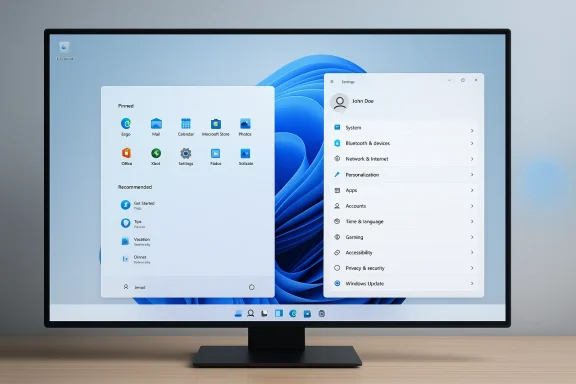
Windows 11 complicated that bargain. Microsoft tried to modernize the interface, centralize key entry points, and build a more opinionated shell around the desktop. In practice, that often meant a more polished but also more constrained experience. The Start menu became cleaner but less flexible, the taskbar lost some beloved options, and many users found themselves searching for missing knobs they used to take for granted. Microsoft did leave substantial personalization in place, with settings for the Start menu, taskbar, search, and system tray, but the emotional impression was still of a product that had been simplified at the expense of user agency. (support.microsoft.com)
Into that tension came Copilot. Microsoft spent the last few years framing Windows 11 as the natural host for AI, including on-device experiences for Copilot+ PCs and AI features inside tools like Photos, Paint, Notepad, Search, and Recall. The company’s own materials made the strategy explicit: Windows 11 was supposed to be the place where AI lived at the center of the experience, not the edge. That approach made sense in a corporate roadmap meeting. It was much less convincing on a consumer desktop where many people just wanted to rename files, pin apps, and work without being nudged toward an assistant they didn’t request. (blogs.windows.com)
The backlash has also been practical, not just philosophical. Microsoft has spent time explaining how users can personalize Start, hide taskbar items, tweak search, and even turn off some data-driven recommendations. The company also documented ways to manage or uninstall parts of the Copilot experience in certain contexts, especially on managed devices. That tells you something important: Microsoft knows that some customers see Copilot as a feature to be controlled, not a feature to be celebrated. (support.microsoft.com)
What makes the current moment noteworthy is that Microsoft’s recent AI push arrived at the same time users were already asking for a Windows cleanup. So when the company starts talking less about embedding Copilot into everything and more about improving the basics, the shift reads as both strategic and corrective. It is a response to a broader truth that feature density is not the same as product quality.
Microsoft’s own Windows documentation still shows just how deeply personalizable the shell remains. The Start menu can be reorganized, search can be configured, Widgets can be hidden, and the taskbar can be adjusted to reflect different preferences. In other words, Windows already had a path to a more user-centric experience. The problem was that the AI additions often felt additive in the least flattering sense: more stuff, more prompts, more surface area, but not necessarily more value. (support.microsoft.com)
That matters because the Windows audience is unusually heterogeneous. Enterprise IT administrators, creators, gamers, students, and hobbyists all use the same OS, but they do not want the same default behavior. Microsoft is often most successful when it preserves optionality and least successful when it acts as though one modern workflow fits everyone. Copilot’s biggest flaw in Windows 11 was not that it existed; it was that it often seemed designed as a destination rather than a tool.
There is also a subtle but important product-design issue here. Users forgive new capabilities when they feel optional and contextual. They resist them when they feel imposed and generic. Copilot inside Windows often risked crossing that line, especially when the company’s marketing tied AI to the operating system itself rather than to specific user outcomes.
There is a reason customization is emotionally powerful in Windows. It reassures users that the OS is still theirs, not merely Microsoft’s launchpad for services. The ability to pin, unpin, reorder, hide, and rearrange is not cosmetic fluff. It is a sign that the operating system respects different working styles, and that respect often matters more than novelty.
Microsoft has also been careful to keep some of that flexibility alive even as the platform evolves. The taskbar can hide Widgets, Search can be reduced to an icon, Task View can be removed, and the system tray can be simplified. That may seem mundane, but mundanity is the point: productivity software wins by disappearing into the background, not by insisting on attention. (support.microsoft.com)
Microsoft’s own support pages show a surprisingly rich matrix of existing controls. You can adjust the Start menu layout, alter Search presentation, and manage recommendations and offers in Settings. That means the company already has the raw material for a less intrusive Windows 11. The challenge is not inventing new control; it is making those controls more visible, more coherent, and less buried beneath marketing.
The company also deserves credit for understanding that some AI workloads belong on-device rather than in the cloud. Microsoft has repeatedly framed local processing as a way to improve latency, battery life, and privacy. That logic is sound, and it points toward a more sustainable AI future for Windows than cloud-only assistants that always depend on a live connection. (blogs.windows.com)
The real issue is sequencing. Microsoft moved from concept to saturation too quickly, assuming that the prestige of AI would transfer automatically to the operating system. It didn’t. Users tend to welcome AI when it is embedded in a specific workflow, not when it is plastered across the entire shell.
That distinction helps explain why some of the most useful new features have felt quieter than Copilot branding. Improved search, better image tools, on-device inference, and workflow helpers can genuinely improve Windows without demanding attention. But once a feature is turned into a philosophy, the product starts carrying the burden of that philosophy even when it would be better off just being useful.
Microsoft’s own documentation reflects this reality. Windows settings include privacy controls for app permissions, diagnostic data, and a range of security-related preferences. In enterprise environments, those settings are part of a much larger management story involving policy, compliance, and standardization. If AI features are too aggressive, they do not simply annoy workers; they complicate fleet management. (support.microsoft.com)
This is also why even small signs of control matter so much. Microsoft has published guidance around managing AI components, disabling certain settings experiences, and in some cases removing the Copilot app on managed devices. When a vendor gives administrators an escape hatch, it is usually because the vendor knows some customers will use it immediately. That is not necessarily a vote of no confidence in AI. It is a vote for governance.
The strongest enterprise AI products usually win because they are governed, auditable, and constrained. They do not show up as surprise occupants of the interface. That is one reason the current Windows reset could help Microsoft more than it hurts it: a clearer separation between core OS functions and optional AI services would make Windows feel more manageable at scale.
The support pages tell a revealing story here too. Windows already offers recommendations, suggested content, and promotional surfaces that can be controlled to some extent. Microsoft knows those touches can be useful, but it also knows they can become grating. AI is simply a more emotionally charged version of the same problem. (support.microsoft.com)
The consumer problem is amplified by expectation. People buy PCs to do ordinary things: write, browse, edit photos, game, organize files, and manage life. They may enjoy clever extras, but they expect the OS to be reliable first. If AI feels like an overlay on top of reliability rather than a reinforcement of it, users will reject the overlay and keep the reliability complaint.
Windows 11 has spent years trying to look modern, and that modernization has included a lot of aesthetic and service-layer churn. What users seem to be asking now is not for a rollback to Windows 7 nostalgia. They are asking for a version of Windows that knows when to stop talking.
The irony is that Microsoft’s AI ambitions could make this comparison worse, not better. If users already dislike intrusive Copilot placements, then every new AI surface becomes a reason to look elsewhere. That does not mean people will flee Windows in large numbers. It does mean the emotional threshold for switching gets lower when the incumbent feels noisy and over-managed.
Microsoft still has huge advantages: software compatibility, OEM reach, and entrenched enterprise adoption. Those moats matter. But the company should not confuse inertia with enthusiasm. A user who stays on Windows because they must is not the same as a user who stays because they love the product.
The challenge for Microsoft is not just avoiding defections. It is avoiding indifference. A platform can survive mild annoyance. It struggles when people stop believing the vendor understands them.
The company’s existing platform strengths give it room to maneuver. Windows already has deep personalization options, a massive software ecosystem, and a growing base of on-device AI capabilities that can be presented as tools rather than spectacle. If Microsoft gets the framing right, it can turn this reset into a credible correction.
Another risk is fragmentation. If Microsoft suppresses Copilot in some places while expanding it in others, Windows could end up with a confusing split personality. Consumers, businesses, and developers may all receive different versions of the story, which makes the platform harder to understand and support.
The real test will be whether Microsoft improves the basics with the same urgency it once reserved for AI demos. If Start, Search, the taskbar, and general system responsiveness get more attention, users will notice. If not, the reset will look like a talking point rather than a product strategy.
Source: Engadget Engadget Podcast: Can Microsoft fix Windows 11 by dumping AI?
For Windows loyalists, the move is both encouraging and revealing. Encouraging, because it suggests Microsoft is listening to the long-running complaint that Windows 11 has become a showcase for features people never asked for. Revealing, because the company’s own recent product direction has been unmistakably AI-heavy, from Copilot placements in system apps to broader Windows 11 positioning as “the home for AI on the PC.” The reset feels less like a retreat from AI altogether and more like a recalibration after discovering that sprinkling Copilot everywhere is not the same thing as making Windows better.
 Background
Windows has always been more than an operating system. It is a platform, a distribution layer, and a psychological contract between Microsoft and the people who depend on it. For decades, the pitch was simple: Windows would give you compatibility, productivity, and control. That formula survived radical interface changes, browser wars, security overhauls, and the entire cloud era because users could still feel that the desktop belonged to them.Windows 11 complicated that bargain. Microsoft tried to modernize the interface, centralize key entry points, and build a more opinionated shell around the desktop. In practice, that often meant a more polished but also more constrained experience. The Start menu became cleaner but less flexible, the taskbar lost some beloved options, and many users found themselves searching for missing knobs they used to take for granted. Microsoft did leave substantial personalization in place, with settings for the Start menu, taskbar, search, and system tray, but the emotional impression was still of a product that had been simplified at the expense of user agency. (support.microsoft.com)
Into that tension came Copilot. Microsoft spent the last few years framing Windows 11 as the natural host for AI, including on-device experiences for Copilot+ PCs and AI features inside tools like Photos, Paint, Notepad, Search, and Recall. The company’s own materials made the strategy explicit: Windows 11 was supposed to be the place where AI lived at the center of the experience, not the edge. That approach made sense in a corporate roadmap meeting. It was much less convincing on a consumer desktop where many people just wanted to rename files, pin apps, and work without being nudged toward an assistant they didn’t request. (blogs.windows.com)
The backlash has also been practical, not just philosophical. Microsoft has spent time explaining how users can personalize Start, hide taskbar items, tweak search, and even turn off some data-driven recommendations. The company also documented ways to manage or uninstall parts of the Copilot experience in certain contexts, especially on managed devices. That tells you something important: Microsoft knows that some customers see Copilot as a feature to be controlled, not a feature to be celebrated. (support.microsoft.com)
What makes the current moment noteworthy is that Microsoft’s recent AI push arrived at the same time users were already asking for a Windows cleanup. So when the company starts talking less about embedding Copilot into everything and more about improving the basics, the shift reads as both strategic and corrective. It is a response to a broader truth that feature density is not the same as product quality.
The Copilot Problem
The heart of the debate is not whether AI is useful. It clearly is, at least in some contexts. The issue is that Copilot in Windows often arrived as a layer of branding before it arrived as a layer of necessity. Many users did not object to AI in principle; they objected to AI being placed in front of them before they had developed any need for it.Microsoft’s own Windows documentation still shows just how deeply personalizable the shell remains. The Start menu can be reorganized, search can be configured, Widgets can be hidden, and the taskbar can be adjusted to reflect different preferences. In other words, Windows already had a path to a more user-centric experience. The problem was that the AI additions often felt additive in the least flattering sense: more stuff, more prompts, more surface area, but not necessarily more value. (support.microsoft.com)
That matters because the Windows audience is unusually heterogeneous. Enterprise IT administrators, creators, gamers, students, and hobbyists all use the same OS, but they do not want the same default behavior. Microsoft is often most successful when it preserves optionality and least successful when it acts as though one modern workflow fits everyone. Copilot’s biggest flaw in Windows 11 was not that it existed; it was that it often seemed designed as a destination rather than a tool.
Why “everywhere” became a liability
When AI appears in every app, it stops feeling like a feature and starts feeling like a campaign. That is especially true if the feature shows up before it has earned trust or proven speed. If the core operating system has rough edges, every AI flourish becomes evidence that Microsoft is working on the wrong layer.There is also a subtle but important product-design issue here. Users forgive new capabilities when they feel optional and contextual. They resist them when they feel imposed and generic. Copilot inside Windows often risked crossing that line, especially when the company’s marketing tied AI to the operating system itself rather than to specific user outcomes.
- Users tend to embrace AI when it saves time on a concrete task.
- Users tend to reject AI when it changes their workflow by default.
- Windows has a long memory for forced UI changes.
- The desktop still rewards direct manipulation over abstraction.
- AI features must be earned, not merely shipped.
Customization as a Counteroffer
If Microsoft is trying to repair trust, customization is the right place to start. Windows has always performed best when it lets people bend the shell around their habits. The support documentation makes that explicit: Personalization controls the appearance of the PC, including themes, backgrounds, colors, Start menu, and taskbar settings. That is the language of agency, and it stands in stark contrast to the more paternalistic feel of AI-first interface design. (support.microsoft.com)There is a reason customization is emotionally powerful in Windows. It reassures users that the OS is still theirs, not merely Microsoft’s launchpad for services. The ability to pin, unpin, reorder, hide, and rearrange is not cosmetic fluff. It is a sign that the operating system respects different working styles, and that respect often matters more than novelty.
Microsoft has also been careful to keep some of that flexibility alive even as the platform evolves. The taskbar can hide Widgets, Search can be reduced to an icon, Task View can be removed, and the system tray can be simplified. That may seem mundane, but mundanity is the point: productivity software wins by disappearing into the background, not by insisting on attention. (support.microsoft.com)
Start menu, taskbar, and the return to basics
The Start menu and taskbar remain the symbolic center of Windows. If Microsoft improves anything in the near term, it should be these surfaces. Users immediately notice when the taskbar behaves badly, when Start is cluttered, or when search becomes noisy. They also notice when those basics are polished, predictable, and fast.Microsoft’s own support pages show a surprisingly rich matrix of existing controls. You can adjust the Start menu layout, alter Search presentation, and manage recommendations and offers in Settings. That means the company already has the raw material for a less intrusive Windows 11. The challenge is not inventing new control; it is making those controls more visible, more coherent, and less buried beneath marketing.
- More obvious settings would reduce frustration.
- Better defaults would reduce configuration burden.
- Cleaner surfaces would make AI feel optional.
- Faster search would matter more than AI branding.
- Simpler taskbar behavior would rebuild confidence.
What Microsoft’s AI Strategy Got Right
It would be lazy to pretend the AI push was pure failure. Microsoft correctly identified that the future of operating systems will include more local intelligence, more semantic search, and more assistive automation. On Copilot+ PCs, the company has pushed features like Recall, Click to Do, improved search, and on-device AI capabilities that are genuinely more interesting than a generic chatbot window. Those are strategic bets, not gimmicks. (blogs.windows.com)The company also deserves credit for understanding that some AI workloads belong on-device rather than in the cloud. Microsoft has repeatedly framed local processing as a way to improve latency, battery life, and privacy. That logic is sound, and it points toward a more sustainable AI future for Windows than cloud-only assistants that always depend on a live connection. (blogs.windows.com)
The real issue is sequencing. Microsoft moved from concept to saturation too quickly, assuming that the prestige of AI would transfer automatically to the operating system. It didn’t. Users tend to welcome AI when it is embedded in a specific workflow, not when it is plastered across the entire shell.
The difference between capability and compulsion
There is a profound difference between building an AI-capable platform and making AI unavoidable. Microsoft’s strongest work is in the first category. Its weakest moments have come in the second.That distinction helps explain why some of the most useful new features have felt quieter than Copilot branding. Improved search, better image tools, on-device inference, and workflow helpers can genuinely improve Windows without demanding attention. But once a feature is turned into a philosophy, the product starts carrying the burden of that philosophy even when it would be better off just being useful.
- On-device AI can improve responsiveness.
- Context-aware help can reduce friction.
- Search improvements can deliver real value.
- Creative tools are more defensible than generic assistants.
- Invisible intelligence usually beats visible hype.
Why Enterprises See This Differently
Enterprise customers have always viewed Windows through a different lens. For them, the OS is not a lifestyle product; it is a managed platform. Every new interface change, every AI prompt, and every cloud feature raises questions about security, supportability, policy enforcement, and user training. That is why the promise of “AI everywhere” can sound less like progress and more like a support ticket generator.Microsoft’s own documentation reflects this reality. Windows settings include privacy controls for app permissions, diagnostic data, and a range of security-related preferences. In enterprise environments, those settings are part of a much larger management story involving policy, compliance, and standardization. If AI features are too aggressive, they do not simply annoy workers; they complicate fleet management. (support.microsoft.com)
This is also why even small signs of control matter so much. Microsoft has published guidance around managing AI components, disabling certain settings experiences, and in some cases removing the Copilot app on managed devices. When a vendor gives administrators an escape hatch, it is usually because the vendor knows some customers will use it immediately. That is not necessarily a vote of no confidence in AI. It is a vote for governance.
Managed devices need predictable behavior
Enterprise IT wants control, repeatability, and reversibility. Those three things are far more important than novelty. If Microsoft keeps embedding Copilot in places where it changes with every release, admins will default to suspicion, even when the feature is good.The strongest enterprise AI products usually win because they are governed, auditable, and constrained. They do not show up as surprise occupants of the interface. That is one reason the current Windows reset could help Microsoft more than it hurts it: a clearer separation between core OS functions and optional AI services would make Windows feel more manageable at scale.
- Admins need consistent policy behavior.
- Security teams need predictable data flows.
- Help desks need fewer ambiguous UI changes.
- Procurement teams need a clear value proposition.
- Rollout plans need fewer surprise dependencies.
The Consumer Trust Gap
Consumers are not against innovation. They are against being manipulated. That is the uncomfortable truth sitting underneath much of the Windows 11 debate. When people say they do not want Copilot shoved in their faces, they are often saying they do not want the interface to feel like an ad unit for Microsoft services.The support pages tell a revealing story here too. Windows already offers recommendations, suggested content, and promotional surfaces that can be controlled to some extent. Microsoft knows those touches can be useful, but it also knows they can become grating. AI is simply a more emotionally charged version of the same problem. (support.microsoft.com)
The consumer problem is amplified by expectation. People buy PCs to do ordinary things: write, browse, edit photos, game, organize files, and manage life. They may enjoy clever extras, but they expect the OS to be reliable first. If AI feels like an overlay on top of reliability rather than a reinforcement of it, users will reject the overlay and keep the reliability complaint.
The psychology of “enough”
Product teams often underestimate how quickly feature abundance turns into fatigue. Users do not evaluate software like a spreadsheet. They evaluate it like a relationship. If the software is helpful without being needy, trust grows. If it is constantly asking for attention, trust erodes.Windows 11 has spent years trying to look modern, and that modernization has included a lot of aesthetic and service-layer churn. What users seem to be asking now is not for a rollback to Windows 7 nostalgia. They are asking for a version of Windows that knows when to stop talking.
- Enough assistance beats constant assistance.
- Enough prompts beats endless nudging.
- Enough design beats over-designed noise.
- Enough AI beats AI theater.
- Enough control beats forced simplification.
Competition From macOS and Linux
If Microsoft does not deliver a more coherent Windows 11, the comparison set gets harsher. macOS offers a tightly integrated experience with less visible churn, while Linux distributions offer customization that often feels more honest about the relationship between user and machine. Neither platform is perfect, but both can now position themselves as alternatives for people tired of Windows bloat and branding.The irony is that Microsoft’s AI ambitions could make this comparison worse, not better. If users already dislike intrusive Copilot placements, then every new AI surface becomes a reason to look elsewhere. That does not mean people will flee Windows in large numbers. It does mean the emotional threshold for switching gets lower when the incumbent feels noisy and over-managed.
Microsoft still has huge advantages: software compatibility, OEM reach, and entrenched enterprise adoption. Those moats matter. But the company should not confuse inertia with enthusiasm. A user who stays on Windows because they must is not the same as a user who stays because they love the product.
Why alternatives look more attractive now
macOS benefits from coherence. Apple may not give users as many knobs, but the system generally feels internally consistent. Linux benefits from transparency. If you want to strip things down, you often can. Windows has historically offered a middle ground, but when that middle ground gets cluttered with AI messaging and half-finished experiments, both alternatives start looking cleaner.The challenge for Microsoft is not just avoiding defections. It is avoiding indifference. A platform can survive mild annoyance. It struggles when people stop believing the vendor understands them.
- macOS sells cohesion.
- Linux sells control.
- Windows must now sell trust.
- Trust is harder to market than features.
- Trust is also harder to rebuild than remove.
Strengths and Opportunities
Microsoft still has a real opportunity here, and the upside is not small. A Windows 11 that foregrounds usability, hides low-value AI noise, and preserves user choice could look much healthier than the current product narrative suggests. Better still, the company can do this without abandoning AI entirely; it just needs to make AI contextual instead of omnipresent.The company’s existing platform strengths give it room to maneuver. Windows already has deep personalization options, a massive software ecosystem, and a growing base of on-device AI capabilities that can be presented as tools rather than spectacle. If Microsoft gets the framing right, it can turn this reset into a credible correction.
- Customization can restore a sense of ownership.
- Optional AI can feel less invasive and more useful.
- On-device processing can improve speed and privacy.
- Cleaner defaults can reduce support overhead.
- Enterprise controls can make rollout easier to manage.
- Better core performance would be immediately visible.
- Search and Start improvements can deliver everyday value.
Risks and Concerns
The danger, of course, is that Microsoft misreads the feedback and makes the wrong kind of correction. If it treats the issue as merely cosmetic, it may keep the same product philosophy while changing the wording around it. Users are generally too savvy to be fooled by that, and they will notice if the AI is still there under a softer label.Another risk is fragmentation. If Microsoft suppresses Copilot in some places while expanding it in others, Windows could end up with a confusing split personality. Consumers, businesses, and developers may all receive different versions of the story, which makes the platform harder to understand and support.
- Mixed messaging can undermine the reset.
- Invisible complexity can be worse than visible clutter.
- Enterprise inconsistency can slow adoption.
- Feature churn can frustrate loyal users.
- AI overcorrection could stall useful innovation.
- Brand confusion can weaken Copilot’s value proposition.
- Trust rebuilding takes longer than a product cycle.
Looking Ahead
The next phase of Windows 11 will probably reveal whether Microsoft is executing a genuine reset or merely adjusting the presentation. The company can still be AI-forward without being AI-obnoxious, and it can still promote Copilot without making every surface feel like a sales pitch. The best outcome would be a Windows experience that treats AI as one useful layer among many, not the headline act.The real test will be whether Microsoft improves the basics with the same urgency it once reserved for AI demos. If Start, Search, the taskbar, and general system responsiveness get more attention, users will notice. If not, the reset will look like a talking point rather than a product strategy.
- Watch whether Copilot surfaces become less frequent in core UI.
- Watch whether customization settings become easier to find and use.
- Watch whether enterprise admin controls expand further.
- Watch whether Microsoft emphasizes performance and reliability in updates.
- Watch whether AI features become more contextual and less promotional.
Source: Engadget Engadget Podcast: Can Microsoft fix Windows 11 by dumping AI?
