

Microsoft’s reported decision to scale back Copilot integrations in Windows 11 is less a retreat from AI than a recalibration of where that AI should live. After a year of increasingly visible Copilot touchpoints across core Windows apps, the company now appears to be narrowing the surface area of its assistant in favor of a more deliberate, utility-driven approach. That matters because Windows has become the most important proving ground for Microsoft’s consumer AI strategy, and every change in how Copilot is embedded sends a signal about trust, product discipline, and the future shape of the platform. Microsoft has not publicly framed the move as a failure, but the timing suggests a recognition that more AI is not always the same thing as better software.
Microsoft has spent the last several product cycles trying to turn Windows 11 into the centerpiece of its AI story. The company has repeatedly positioned Windows as the natural home for Copilot, first by adding assistant entry points into the operating system and then by distributing AI capabilities through inbox apps and newer Copilot+ PC features. That strategy made sense on paper: if users already spend hours inside Windows, then the OS becomes a powerful distribution layer for AI experiences. Microsoft’s own Windows Experience posts in 2025 made that ambition explicit, tying Copilot, Click to Do, File Explorer actions, Snipping Tool, Photos, and Notepad into a broader vision of “the home for AI on the PC.”
But this expansion also created a problem Microsoft is now having to manage. Once AI features are everywhere, they stop feeling like assistance and start feeling like clutter, especially when they appear in places where users expected simple tools rather than generative features. Microsoft’s rollout of AI in Notepad, Snipping Tool, and Photos in 2025 showed how quickly the company can move from optional enhancements to a more assertive AI default. In Notepad, Microsoft added summarize and write capabilities; in Snipping Tool, it introduced AI-assisted capture and markup behavior; and in Photos, it brought Copilot into the image experience with a dedicated button and image-related suggestions.
The tension is not unique to Microsoft, but Windows makes it more visible because the platform carries both consumer and enterprise expectations. Home users may tolerate experimentation if the upside is clear, while business customers often prefer predictability, governability, and fewer moving parts. Microsoft’s own documentation around Copilot privacy and control emphasizes data boundaries, permissions, and governance precisely because AI deployment at scale raises trust questions, not just feature questions. That context helps explain why a more selective strategy would be attractive now.
A second layer is hardware segmentation. The rise of Copilot+ PCs gave Microsoft a new class of AI-tuned devices, complete with NPU-dependent features and more ambitious local processing. That made AI more powerful, but also more fragmented. Some features are available on Copilot+ PCs only, others through cloud services, and still others via app-level rollouts in Insider channels. The result is a Windows ecosystem where the promise of seamless AI often collides with the reality of uneven availability, confusing permissions, and mismatched expectations.
This kind of adjustment usually happens when a company’s product experimentation runs into user feedback that is more ambivalent than internal enthusiasm predicted. Microsoft’s broader Windows messaging has increasingly emphasized trust, transparency, and consent, which is a clue that the company knows the platform needs to be more careful about when it surfaces AI and why. The likely internal logic is simple: if a feature does not solve a clearly understood problem better than the existing UI, then it should not be front and center.
This also aligns with a broader market lesson: when AI becomes a layer on top of everything, users begin to ask whether the layer is helping or merely marketing the product. The best AI features remain legible. They have a job, they do it quickly, and they do not force the user to learn a new interaction model for basic tasks.
The issue is not that these features lack value. In fact, for certain users they can be genuinely helpful. The question is whether the value is broad enough to justify persistent exposure. A screenshot utility that becomes too smart can feel slower; a text editor that feels like a drafting assistant may be useful to some but unnecessary to many. Microsoft is now confronting the difference between capability and desirability.
Widgets, meanwhile, introduce a different challenge: they already sit at the boundary between local utility and feed-driven content. Adding AI to that space can deepen usefulness, but it can also make the experience feel more like a dashboard of Microsoft services than a tool the user asked for.
Microsoft’s February 2026 push on transparency and consent in Windows reinforces the idea that the company is thinking hard about user boundaries. In that sense, reducing Copilot’s spread across apps can be read as a trust-building move, not merely a product correction. It tells users that Microsoft is willing to constrain its own ambitions when the experience becomes too broad or too noisy. That is especially important in consumer operating systems, where people notice interface changes immediately and often interpret them as a loss of control.
At the same time, enterprise buyers will still want clarity about licensing, telemetry, data handling, and which features are local versus cloud-based. The more Microsoft trims the casual AI layer, the more it will need to prove that the remaining features are worth licensing, securing, and governing.
There is also a strategic reason to avoid over-saturating Windows with the same assistant in every app. If Copilot appears everywhere, differentiation weakens. The assistant starts to lose novelty, and the feature set risks being judged by its weakest implementation rather than by the most useful one. Microsoft may be concluding that concentration is better than dispersion, especially when users are already exposed to Copilot through the standalone app, browser integrations, Microsoft 365, and Copilot+ PC experiences.
That is why Microsoft’s apparent course correction feels plausible. It may be responding to the same subtle signal many software companies eventually see: users like AI when it saves time, and they resent it when it consumes attention. The difference between those two states is often the difference between retention and backlash.
Apple has generally favored a more measured product posture, emphasizing integration only when it can be made to feel native and controlled. Google has long leaned on assistant-like services, but its desktop footprint has always been different from Microsoft’s. Microsoft, meanwhile, has the hardest job: Windows must work for hobbyists, gamers, businesses, creatives, and legacy software users all at once. If Copilot is too aggressive, it threatens one of Windows’ oldest strengths, which is its ability to accommodate many different styles of computing.
This also affects OEM positioning. Hardware partners selling Copilot+ PCs need compelling reasons why the new devices matter. If Microsoft is reducing surface-level AI integration in standard Windows apps, the value proposition may shift further toward the hardware-specific features that remain unique to those PCs. That could be good for differentiation, but it could also make the ecosystem feel more segmented.
Casual users, by contrast, are more likely to judge the change on visibility. If AI is less obvious, they may not notice the reduction at all unless a favorite shortcut disappears. That means Microsoft can potentially reduce frustration without creating a huge backlash, provided it keeps genuinely helpful AI tools accessible through obvious, optional entry points. Optional is the key word here.
Microsoft’s challenge is to preserve helpful automation while protecting the simplicity that made those apps beloved in the first place.
That fragmentation is not necessarily bad. In fact, it can be a smart way to avoid overpromising universal AI support. But it does require discipline. If Microsoft wants Copilot to feel meaningful, it must avoid attaching the brand to every feature that merely uses AI in some incidental way. Otherwise, the term stops signaling value and starts signaling buzzword inflation.
The danger is perception. If users see AI being removed from common apps while also being told that special devices are the future of AI on Windows, they may conclude that Microsoft is confused. The company will need to show that these are not contradictory messages but two layers of the same platform strategy.
The opportunity is not just to ship less AI. It is to ship better AI.
Microsoft also has to avoid sending the message that AI in Windows was overhyped from the start.
That would be a meaningful evolution. Windows has always thrived when it balances innovation with familiarity, and the AI era is no exception. Microsoft’s challenge now is to prove that ambition and restraint are not opposites, but complementary parts of a better operating system.
Source: AI Insider Microsoft Scales Back Copilot Integration in Windows 11 to Refocus AI Strategy
 Background
Microsoft has spent the last several product cycles trying to turn Windows 11 into the centerpiece of its AI story. The company has repeatedly positioned Windows as the natural home for Copilot, first by adding assistant entry points into the operating system and then by distributing AI capabilities through inbox apps and newer Copilot+ PC features. That strategy made sense on paper: if users already spend hours inside Windows, then the OS becomes a powerful distribution layer for AI experiences. Microsoft’s own Windows Experience posts in 2025 made that ambition explicit, tying Copilot, Click to Do, File Explorer actions, Snipping Tool, Photos, and Notepad into a broader vision of “the home for AI on the PC.”But this expansion also created a problem Microsoft is now having to manage. Once AI features are everywhere, they stop feeling like assistance and start feeling like clutter, especially when they appear in places where users expected simple tools rather than generative features. Microsoft’s rollout of AI in Notepad, Snipping Tool, and Photos in 2025 showed how quickly the company can move from optional enhancements to a more assertive AI default. In Notepad, Microsoft added summarize and write capabilities; in Snipping Tool, it introduced AI-assisted capture and markup behavior; and in Photos, it brought Copilot into the image experience with a dedicated button and image-related suggestions.
The tension is not unique to Microsoft, but Windows makes it more visible because the platform carries both consumer and enterprise expectations. Home users may tolerate experimentation if the upside is clear, while business customers often prefer predictability, governability, and fewer moving parts. Microsoft’s own documentation around Copilot privacy and control emphasizes data boundaries, permissions, and governance precisely because AI deployment at scale raises trust questions, not just feature questions. That context helps explain why a more selective strategy would be attractive now.
A second layer is hardware segmentation. The rise of Copilot+ PCs gave Microsoft a new class of AI-tuned devices, complete with NPU-dependent features and more ambitious local processing. That made AI more powerful, but also more fragmented. Some features are available on Copilot+ PCs only, others through cloud services, and still others via app-level rollouts in Insider channels. The result is a Windows ecosystem where the promise of seamless AI often collides with the reality of uneven availability, confusing permissions, and mismatched expectations.
What Microsoft Appears to Be Changing
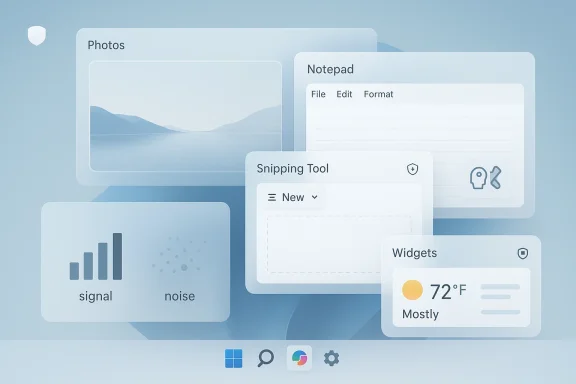
The core story here is not that Microsoft is abandoning Copilot, but that it is reportedly narrowing where and how Copilot appears across Windows 11. The reported reduction in integrations across Photos, Widgets, Notepad, and Snipping Tool suggests a shift from broad ambient presence to more targeted utility. That distinction matters because software feels different when AI is an occasional option versus a constant layer. Pervasive can become intrusive very quickly.This kind of adjustment usually happens when a company’s product experimentation runs into user feedback that is more ambivalent than internal enthusiasm predicted. Microsoft’s broader Windows messaging has increasingly emphasized trust, transparency, and consent, which is a clue that the company knows the platform needs to be more careful about when it surfaces AI and why. The likely internal logic is simple: if a feature does not solve a clearly understood problem better than the existing UI, then it should not be front and center.
Why selective AI is different from omnipresent AI
Selective AI is not a downgrade so much as a design philosophy. Instead of adding Copilot everywhere because the feature is available, Microsoft seems to be moving toward inserting AI only where it improves a workflow in a visible way. That is a healthier long-term model because it preserves user trust and avoids the impression that every app is being used as a funnel into the same assistant.This also aligns with a broader market lesson: when AI becomes a layer on top of everything, users begin to ask whether the layer is helping or merely marketing the product. The best AI features remain legible. They have a job, they do it quickly, and they do not force the user to learn a new interaction model for basic tasks.
- Less noise in everyday tools
- More obvious utility where AI remains
- Lower cognitive overhead for users
- Better trust calibration around what AI is doing
- Cleaner product boundaries between core app features and assistant features
The Apps in the Spotlight
Microsoft’s 2025 rollout shows why the named apps matter. Photos was turned into an AI-rich experience with a Copilot button and image-centric suggestions; Notepad gained summarization and drafting help; Snipping Tool evolved beyond screenshots into a more intelligent capture workflow; and Widgets became another place where Microsoft experimented with personalized content and assistant-style surfaces. Those changes are notable because they each target a classic Windows utility app, which historically succeeded by being fast, focused, and predictable.The issue is not that these features lack value. In fact, for certain users they can be genuinely helpful. The question is whether the value is broad enough to justify persistent exposure. A screenshot utility that becomes too smart can feel slower; a text editor that feels like a drafting assistant may be useful to some but unnecessary to many. Microsoft is now confronting the difference between capability and desirability.
Photos, Notepad, Snipping Tool, and Widgets
Photos is perhaps the easiest place to understand why Microsoft experimented aggressively. Image-related AI is intuitive, visually obvious, and easy to demonstrate. But the same visibility makes it vulnerable to criticism if users interpret the AI as a gimmick or as an unnecessary layer on top of a straightforward photo manager. Notepad is even more sensitive because it occupies a special place in Windows culture as the stripped-down text editor people trust precisely because it is not trying to be clever. Snipping Tool sits somewhere in between, where AI-assisted markup and capture can be useful if they stay invisible until needed.Widgets, meanwhile, introduce a different challenge: they already sit at the boundary between local utility and feed-driven content. Adding AI to that space can deepen usefulness, but it can also make the experience feel more like a dashboard of Microsoft services than a tool the user asked for.
- Photos is high-visibility but easy to overcomplicate
- Notepad is trusted because it is minimal
- Snipping Tool benefits from AI only when it speeds work
- Widgets are already context-heavy and can feel crowded
- All four apps must balance helpful against invasive
Trust, Privacy, and the Pushback Problem
The most important background force behind this shift is trust. Users do not just react to what AI can do; they react to where it appears, what data it touches, and how much control they have over it. Microsoft has repeatedly emphasized that Copilot and related AI features are governed by security, privacy, and compliance commitments, especially in enterprise settings. That messaging reflects a real concern: if users suspect AI features are harvesting too much context, or if the features feel forced, adoption stalls.Microsoft’s February 2026 push on transparency and consent in Windows reinforces the idea that the company is thinking hard about user boundaries. In that sense, reducing Copilot’s spread across apps can be read as a trust-building move, not merely a product correction. It tells users that Microsoft is willing to constrain its own ambitions when the experience becomes too broad or too noisy. That is especially important in consumer operating systems, where people notice interface changes immediately and often interpret them as a loss of control.
The enterprise angle
For enterprises, a narrower Copilot footprint may be welcome. IT leaders generally prefer fewer consumer-facing surprises and more predictable policy enforcement. If Microsoft is making Windows 11 feel less like a constantly mutating AI demo and more like a stable platform with opt-in intelligence, that will likely play well in managed environments.At the same time, enterprise buyers will still want clarity about licensing, telemetry, data handling, and which features are local versus cloud-based. The more Microsoft trims the casual AI layer, the more it will need to prove that the remaining features are worth licensing, securing, and governing.
- Better alignment with least privilege principles
- Reduced chance of accidental feature sprawl
- Easier policy enforcement in managed environments
- Fewer user complaints about unwanted prompts
- Clearer distinction between consumer and enterprise AI
- More room for admins to decide what is enabled
Why Microsoft Is Rebalancing Now
Timing matters. Microsoft has been pushing AI for more than two years, but by early 2026 it is also under pressure to mature the Windows platform in other ways. The company has recently highlighted stronger security, user transparency, and consent controls, signaling a broader platform reset around trust and usability. In that context, dialing back Copilot integrations looks like part of a larger effort to make Windows feel less chaotic and more intentional.There is also a strategic reason to avoid over-saturating Windows with the same assistant in every app. If Copilot appears everywhere, differentiation weakens. The assistant starts to lose novelty, and the feature set risks being judged by its weakest implementation rather than by the most useful one. Microsoft may be concluding that concentration is better than dispersion, especially when users are already exposed to Copilot through the standalone app, browser integrations, Microsoft 365, and Copilot+ PC experiences.
Product fatigue and AI saturation
A lot of AI fatigue is not ideological; it is ergonomic. People do not mind useful automation, but they do mind interruption, duplication, and inconsistent surfaces. Windows has enough built-in complexity already without every utility app trying to become a conversational assistant.That is why Microsoft’s apparent course correction feels plausible. It may be responding to the same subtle signal many software companies eventually see: users like AI when it saves time, and they resent it when it consumes attention. The difference between those two states is often the difference between retention and backlash.
- Feature fatigue can erode enthusiasm quickly
- Repeated prompts can feel like marketing, not help
- A narrower rollout can improve perceived quality
- Consistency matters more than raw feature count
- Users often prefer fewer, better AI touchpoints
- Trust is easier to lose than to rebuild
Competitive Implications for the PC Market
Microsoft’s recalibration has implications well beyond Windows 11. The PC market is in the middle of a platform-level arms race around AI, with Microsoft, Apple, Google, and PC OEMs all trying to define what an “AI PC” actually means. If Microsoft turns away from blanket app-level integration, rivals may interpret that as evidence that restraint is becoming more valuable than spectacle. That would be a notable shift, because the first wave of AI products often competed on breadth rather than precision.Apple has generally favored a more measured product posture, emphasizing integration only when it can be made to feel native and controlled. Google has long leaned on assistant-like services, but its desktop footprint has always been different from Microsoft’s. Microsoft, meanwhile, has the hardest job: Windows must work for hobbyists, gamers, businesses, creatives, and legacy software users all at once. If Copilot is too aggressive, it threatens one of Windows’ oldest strengths, which is its ability to accommodate many different styles of computing.
Consumer versus rival messaging
For consumers, Microsoft may have to sell a simpler story: AI should be useful, not everywhere. That is a more mature pitch than “Copilot is built into everything,” and it may actually be more persuasive. For rivals, it raises the bar. They cannot merely copy the idea of assistant integration; they have to show that the integration is respectful, contextual, and genuinely time-saving.This also affects OEM positioning. Hardware partners selling Copilot+ PCs need compelling reasons why the new devices matter. If Microsoft is reducing surface-level AI integration in standard Windows apps, the value proposition may shift further toward the hardware-specific features that remain unique to those PCs. That could be good for differentiation, but it could also make the ecosystem feel more segmented.
- Microsoft can improve its credibility by showing restraint
- Rivals may need to emphasize contextual AI
- OEMs must justify hardware-specific AI more clearly
- Consumers will judge the quality of AI, not the quantity
- The PC market may shift toward more selective assistant design
- Brand trust becomes a major differentiator
What This Means for Power Users and Casual Users
Power users are likely to have the most nuanced reaction. Some will welcome fewer intrusions and appreciate a cleaner Windows 11 experience, especially if they have no use for AI inside text editors or screenshot tools. Others will view the move as Microsoft backing away from features they were beginning to incorporate into their workflows. Both reactions are valid, which is exactly why Microsoft is likely trying to strike a middle ground.Casual users, by contrast, are more likely to judge the change on visibility. If AI is less obvious, they may not notice the reduction at all unless a favorite shortcut disappears. That means Microsoft can potentially reduce frustration without creating a huge backlash, provided it keeps genuinely helpful AI tools accessible through obvious, optional entry points. Optional is the key word here.
UX trade-offs that matter
A Windows app can be smart, but it still needs to feel instant. The moment AI creates friction, the app loses credibility. This is particularly true for utility software, where people expect muscle memory, not exploration.Microsoft’s challenge is to preserve helpful automation while protecting the simplicity that made those apps beloved in the first place.
- Power users want control, not surprise
- Casual users want clarity, not complexity
- Utility apps should remain fast first
- AI features work best when they are discoverable but unobtrusive
- Removing clutter can be a feature in itself
- The best UX often disappears into the background
The Role of Copilot+ PCs
The Copilot+ PC category complicates this story because it gives Microsoft a premium tier where AI can be more ambitious and more tightly integrated. Features like AI-powered screenshot enhancements, local NPU acceleration, and device-specific experiences create a genuine reason to buy newer hardware. But the more Microsoft distinguishes Copilot+ PCs from regular Windows 11 machines, the more it risks making AI feel like a fragmented matrix of capabilities rather than a coherent platform story.That fragmentation is not necessarily bad. In fact, it can be a smart way to avoid overpromising universal AI support. But it does require discipline. If Microsoft wants Copilot to feel meaningful, it must avoid attaching the brand to every feature that merely uses AI in some incidental way. Otherwise, the term stops signaling value and starts signaling buzzword inflation.
Hardware acceleration and product clarity
The strongest Copilot+ pitch is not “AI everywhere,” but “some AI experiences are better on this hardware.” That is much easier to defend because it ties the feature to a technical advantage users can understand. It also lets Microsoft reserve its most ambitious experiences for devices that can run them efficiently and privately.The danger is perception. If users see AI being removed from common apps while also being told that special devices are the future of AI on Windows, they may conclude that Microsoft is confused. The company will need to show that these are not contradictory messages but two layers of the same platform strategy.
- Copilot+ PCs need clear differentiation
- NPU features should map to real workloads
- Microsoft must avoid buzzword overload
- Device-tier AI can reduce cloud dependence
- The platform needs a cleaner narrative
- Technical advantages must be visible to buyers
Strengths and Opportunities
Microsoft’s apparent pullback still leaves it with several advantages. The biggest is that it can refine Windows 11 AI without abandoning the work already done, preserving the option to reintroduce features where they prove genuinely useful. If handled well, this can turn a possible product reset into a credibility win. It also gives Microsoft a chance to align AI with the company’s more recent emphasis on trust, transparency, and consent.The opportunity is not just to ship less AI. It is to ship better AI.
- Trust repair through restraint
- Cleaner UX in everyday Windows apps
- Better fit between AI and actual user needs
- Stronger enterprise acceptance if controls are clearer
- Less feature fatigue for casual users
- More room for premium Copilot+ differentiation
- Higher signal-to-noise in Microsoft’s AI messaging
Risks and Concerns
The biggest risk is that users interpret scaling back as a sign Microsoft is unsure of its direction. If the company trims features too aggressively, it could undermine the credibility of the Windows AI roadmap and frustrate users who were beginning to adopt these tools. There is also the danger of inconsistency: if some apps keep AI integrations while others lose them, the experience may feel arbitrary rather than intentional.Microsoft also has to avoid sending the message that AI in Windows was overhyped from the start.
- Perception of retreat could hurt momentum
- Inconsistent feature availability can confuse users
- Enterprise buyers may wait for a clearer policy story
- Copilot branding fatigue could persist if messaging remains broad
- Developer confidence may weaken if the roadmap seems unstable
- Consumer trust could be damaged if features disappear without explanation
- Platform fragmentation may increase across device tiers
Looking Ahead
The next phase of Microsoft’s Windows 11 AI strategy will likely be judged less by how many places Copilot appears and more by how well the remaining experiences actually work. The company has an opportunity to make Copilot feel like a precise helper instead of a universal overlay. If it succeeds, the result could be a more mature Windows platform: one that uses AI where it earns its keep and stays out of the way everywhere else.That would be a meaningful evolution. Windows has always thrived when it balances innovation with familiarity, and the AI era is no exception. Microsoft’s challenge now is to prove that ambition and restraint are not opposites, but complementary parts of a better operating system.
- Watch for which apps retain Copilot and which ones lose it
- Monitor whether Microsoft adds clearer user controls
- Look for changes in Copilot+ PC exclusives
- Track how enterprise admins respond to the new direction
- Pay attention to whether the company restates its AI value proposition
- See whether Microsoft positions the change as refinement, not retreat
Source: AI Insider Microsoft Scales Back Copilot Integration in Windows 11 to Refocus AI Strategy
