

Microsoft’s quiet retreat from some of its most visible Copilot ambitions in Windows 11 is more than a cosmetic change. It is a course correction that reflects a hard lesson Redmond has been learning for two years: users will tolerate AI when it helps, but they push back when it starts to feel like AI bloat. The shift also arrives at a critical moment for Windows, as Microsoft tries to keep the platform modern without making it feel crowded, intrusive, or harder to control. In practice, that means the company is now balancing its AI-first narrative against the older Windows promise of speed, familiarity, and user choice. os began as a bold platform play. In September 2023, Microsoft pitched Copilot as a single, unified assistant that would span Windows 11, Edge, Bing, and Microsoft 365, with AI woven into the operating system itself rather than bolted on as a separate app. That announcement framed Copilot as a companion that could understand what users were doing in the moment, use web and work context, and appear when needed across the PC experience. The ambition was unmistakable: make Copilot the connective tissue of Microsoft’s consumer and productivity stack. (blogs.microsoft.com)
That vision expanded quickly in 2024 and 2025. Microsoft pushed AI into inbox apps such as Notepad, Paint, Photos, and Snipping Tool, while also tying more Windows features to Copilot branding and assistant entry points. The company’s own messaging emphasized a more seamless, more ambient experience, but many users experienced it as persistent surface creep rather than helpful integration. The more Copilot appeared, the more it risked becoming a symbol of product marketing inside everyday workflows. (blogs.microsoft.com)
By March 2025, Microsoft’s Copilot blog and Windows Experience Blog were still expanding the AI story, yet a parallel pattern was forming: users and admins were increasingly able to disable certain Copilot behaviors, and Microsoft was already signaling that not every surface needed the assistant all the time. Support documentation also showed that Microsoft 365 apps could have Copilot turned off in some cases, and that the app itself had begun a broader naming and packaging transition. The important subtext was that Microsoft was introducing more control precisely because the original all-pervasive strategy was creating friction. (support.microsoft.com)
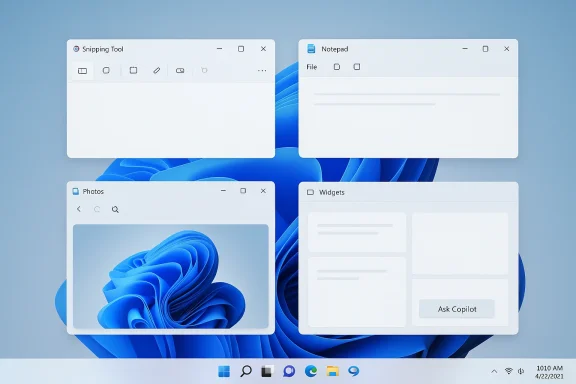
The latest Windows 11 rollback fits that same arc. According to the Windows community material surfaced here, Microsoft is reducing unnecessary Copilot entry points in apps like Snipping Tool, Photos, Widgets, and Notepad, while also restoring or improving some long-requested Windows cone more flexible shell options. That matters because it suggests the company is no longer treating ubiquity as the primary KPI for Copilot. Instead, Microsoft appears to be shifting toward selective presence, where AI shows up only when it has a clear job to do.
This is not a full retreat from Copilot, and it should not be read that way. Microsoft continues to invest heavily in the broader Copilot ecosystem, including Microsoft 365 Copilot, Copilot+ PCs, and app-level AI features across the productivity stack. The important distinction is that the company seems to be reconsidering where the assistant belongs inside Windows itself. That is a subtle but meaningful change, because operating systems are judged not just by what they can do, but by how often they interrupt the user’s flow. (blogs.windows.com)
Windows 11 has always carried a dual identity problem. On one side, Microsoft wants it to be a modern platform for AI-era hardted services. On the other, millions of users still want Windows to behave like a dependable desktop operating system, not a live advertisement for features they may never use. That tension has become more visible as Microsoft has added more AI touchpoints to common apps and system surfaces. The result is a platform that can feel polished in demos and cluttered in daily use.
The broader market context matters too. Microsoft is not alone in trying to make AI a core interface layer, but it is the only major vendor trying to do so at the operating system level for a huge installed base ofApple has been more conservative in how it introduces systemwide AI, while Google has largely concentrated its AI push in services and cloud experiences. Windows has the hardest job because it must serve consumers, enterprises, gamers, schools, and power users at once. In that environment, every extra prompt is not just a feature; it is a policy choice.
Enterprises have been particularly resistant to surprise. IT departments care about deployment timing, predictability, and the ability to opt in or out on their own schedule. Microsoft’s own support pages show that users can turn off Copilot in some Microsoft 365 apps, and that organizations may need admin intervention to manage the experience properly. The company has also documented scenarios where the Microsoft 365 Copilot app can be blocked, uninstalled, or controlled through admin tooling. That is evidence that Microsoft already knows governance is not optional in AI distribution. (support.microsoft.com)
The consumer side is different but no less important. Home users do not usually file change-control tickeout friction. If a screenshot tool turns into a Copilot entry point, or if a note-taking app starts feeling like an AI upsell, users notice immediately. This is why phrases like AI bloat have stuck: they capture the feeling that the operating system is being repurposed to serve a strategic narrative instead of the user’s immediate need. The community backlash is not anti-AI in the abstract; it is anti-overreach.
Microsoft’s recent Windows messaging suggests it has finally heard tmpany has begun highlighting broader improvements beyond Copilot, including update control, taskbar flexibility, reliability tuning, and File Explorer work. That broader scope is important because it shows Microsoft understands the annoyance problem is cumulative. Users do not resent one AI button as much as they resent a dozen little changes that make Windows feel less like their own machine.
The change also hints at a design cay be realizing that the best AI features are often the ones hidden behind deliberate invocation, not the ones shoved into every toolbar. That is why the rollback matters: it suggests the company is finally respecting the difference between a capability and a constant nudge. Ubiquity is not the same thing as utility.
A calmer shell is especially valuable because Windows has long been judged by how much it gets out of the way. If the company can reduce visible friction while preserving AI features for those who want them, it may finally achieve a better balance between novelty and predictability. That balance has been difficult to find, but it is exactly what Windows users have been asking for.
Still, the market may interpret the move as a rollback because the earlier strategy was so expansive. Microsoft spent a long stretch making Copilot feel unavoidable, then discovered that users did not necessarily want the same assistant in every corner of the desktop. When a company pulls back from a universal rollout after pushing it hard, people understandably call that a retreat. That is not a failure of language; it is a reflection of product reality.
That is a particularly sensitive issue for power users and IT administrators. These audiences do not merely prefer customization; they depend on it. For them, the presence of a Copilot icon is not just a UI detail. It signals how much authority Microsoft intends to assert over the workflow. (support.microsoft.com)
Microsoft has been trying to reframe Copilot as a practical productivity layer, but the experience of seeing AI prompts inserted into simple tools works against that message. Users who want to capture a screenshot or jot down a note are not looking for a demo of Microsoft’s strategy. They want the task finished quickly. If the assistant gets in the way, it becomes part of the problem.
The reported Windows 11 rollback suggests Microsoft understands that lesson better now. A quieter, more selective approach reduces the chance that AI feels like an imposed default. In enterprise IT, that can be the difference between a feature being piloted and a feature being blocked. Consent is deployment strategy.
That lesson translates directly to Windows 11. If Copilot feels unavoidable at the shell level, IT teams will see it as another thing to document, explain, or suppress. If it appears more selectively, Microsoft has a better chance of presenting it as an optional productivity enhancer rather than a forced platform shift.
Reducing visible Copilot surface area in Windows may therefore be as much about operational simplification as user experience. Fewer touchpoints mean fewer support calls, fewer expectations, and fewer mismatches between what people think Copilot should do and what their environment actually allows. In enterprise software, clarity is a feature.
This matters even more now that Microsoft keeps tying Windows value to AI readiness. If the company wants AI PCs to succeed in the enterprise, it has to show that the experience is governable, not merely dazzling. Otherwise, it risks turning a strategic advantage into a procurement objection. (microsoft.com)
This is why Microsoft’s recalibration may feel better even to users who like AI features. A well-placed assistant is helpful precisely because it is not always visible. When the interface breathes, the user breathes too. That is the difference between a useful enhancement and an app that feels trying too hard.
That said, Microsoft still has a branding challenge. If the company keeps renaming and repackaging every AI component under the Copilot banner, users may never fully trust that the rollback is real. The best way to prove restrs about AI; it is to make fewer parts of Windows scream about it.
That is why the rollback matters beyond the immediate Windows 11 build cycle. It suggests Microsoft is entering the second phase of the AI UI era, where placement and restraint matter as much as capability. For consumers, that is good news. It means the company may be finally learning that less AI theater can produce more genuine usefulness.
This does not mean Apple wins by default. Microsoft still has a broader enterprise footprint and a stronger legacy in productivity workflows. But it does mean Apple can frame AI as an enhancement to existing interactions rather than a reimagining of the whole desktop. That is an easier sell when users are fatigued by constant product repositioning. (blogs.microsoft.com)
For that reason, even a small rollback in Windows 11 can have outsized branding effects. If Microsoft gets the balance right, it strengthens the argument that Windows is the best place to run AI-enhanced productivity. If it gets the balance wrong, it reinforces the notion that Windows is becoming harder to trust as a daily workspace. Perception scales faster than code.
That shift could prove especially important if Microsoft wants Copilot+ PCs to feel differentiated without becoming mandatory. The hardware story is stronger when AI is associated with capability and efficiency, not with clutter and nagging prompts. The competitive upside of restraint is that it makes the next feature release easier to trust. (blogs.windows.com)
It will also be important to watch whether Microsoft applies the same discipline across the broader Copilot ecosystem. If Windows gets calmer while Microsoft 365 and other surfaces keep getting noisier, users will notice the inconsistency immediately. A successful reset will require coherence, not just a few removed buttons. (support.microsoft.com)
Source: Bitcoin world Microsoft Copilot Retreats: Strategic Rollback Addresses Windows 11 AI Bloat Concerns
That vision expanded quickly in 2024 and 2025. Microsoft pushed AI into inbox apps such as Notepad, Paint, Photos, and Snipping Tool, while also tying more Windows features to Copilot branding and assistant entry points. The company’s own messaging emphasized a more seamless, more ambient experience, but many users experienced it as persistent surface creep rather than helpful integration. The more Copilot appeared, the more it risked becoming a symbol of product marketing inside everyday workflows. (blogs.microsoft.com)
By March 2025, Microsoft’s Copilot blog and Windows Experience Blog were still expanding the AI story, yet a parallel pattern was forming: users and admins were increasingly able to disable certain Copilot behaviors, and Microsoft was already signaling that not every surface needed the assistant all the time. Support documentation also showed that Microsoft 365 apps could have Copilot turned off in some cases, and that the app itself had begun a broader naming and packaging transition. The important subtext was that Microsoft was introducing more control precisely because the original all-pervasive strategy was creating friction. (support.microsoft.com)
The latest Windows 11 rollback fits that same arc. According to the Windows community material surfaced here, Microsoft is reducing unnecessary Copilot entry points in apps like Snipping Tool, Photos, Widgets, and Notepad, while also restoring or improving some long-requested Windows cone more flexible shell options. That matters because it suggests the company is no longer treating ubiquity as the primary KPI for Copilot. Instead, Microsoft appears to be shifting toward selective presence, where AI shows up only when it has a clear job to do.
This is not a full retreat from Copilot, and it should not be read that way. Microsoft continues to invest heavily in the broader Copilot ecosystem, including Microsoft 365 Copilot, Copilot+ PCs, and app-level AI features across the productivity stack. The important distinction is that the company seems to be reconsidering where the assistant belongs inside Windows itself. That is a subtle but meaningful change, because operating systems are judged not just by what they can do, but by how often they interrupt the user’s flow. (blogs.windows.com)
 Background
Windows 11 has always carried a dual identity problem. On one side, Microsoft wants it to be a modern platform for AI-era hardted services. On the other, millions of users still want Windows to behave like a dependable desktop operating system, not a live advertisement for features they may never use. That tension has become more visible as Microsoft has added more AI touchpoints to common apps and system surfaces. The result is a platform that can feel polished in demos and cluttered in daily use.The broader market context matters too. Microsoft is not alone in trying to make AI a core interface layer, but it is the only major vendor trying to do so at the operating system level for a huge installed base ofApple has been more conservative in how it introduces systemwide AI, while Google has largely concentrated its AI push in services and cloud experiences. Windows has the hardest job because it must serve consumers, enterprises, gamers, schools, and power users at once. In that environment, every extra prompt is not just a feature; it is a policy choice.
Enterprises have been particularly resistant to surprise. IT departments care about deployment timing, predictability, and the ability to opt in or out on their own schedule. Microsoft’s own support pages show that users can turn off Copilot in some Microsoft 365 apps, and that organizations may need admin intervention to manage the experience properly. The company has also documented scenarios where the Microsoft 365 Copilot app can be blocked, uninstalled, or controlled through admin tooling. That is evidence that Microsoft already knows governance is not optional in AI distribution. (support.microsoft.com)
The consumer side is different but no less important. Home users do not usually file change-control tickeout friction. If a screenshot tool turns into a Copilot entry point, or if a note-taking app starts feeling like an AI upsell, users notice immediately. This is why phrases like AI bloat have stuck: they capture the feeling that the operating system is being repurposed to serve a strategic narrative instead of the user’s immediate need. The community backlash is not anti-AI in the abstract; it is anti-overreach.
Microsoft’s recent Windows messaging suggests it has finally heard tmpany has begun highlighting broader improvements beyond Copilot, including update control, taskbar flexibility, reliability tuning, and File Explorer work. That broader scope is important because it shows Microsoft understands the annoyance problem is cumulative. Users do not resent one AI button as much as they resent a dozen little changes that make Windows feel less like their own machine.
What Microsoft Appears to Be Changing
The clephical. Microsoft appears to be moving from “put Copilot everywhere” to “put Copilot where it belongs.” That is a meaningful distinction because it suggests the company now believes overexposure can be as damaging as underexposure. In practical terms, less visible Copilot placement should mean fewer AI prompts in ordinary workflows and a cleaner interface overall.Fewer intrusive entry points
According to the Windows 11 community material, Microsoft is reducing Copilot entry points in tools like Snipping Tool, Photos, Widgets, and Notepad. That is significant because these apps serve lightweight, fast tasks where users often want no disruption at all. A screenshot app should feel immediate, not like a sales funnel for AI.The change also hints at a design cay be realizing that the best AI features are often the ones hidden behind deliberate invocation, not the ones shoved into every toolbar. That is why the rollback matters: it suggests the company is finally respecting the difference between a capability and a constant nudge. Ubiquity is not the same thing as utility.
A calmer Windows shell
The rollback is not just about Copilot. The same Windows Insider-era changes reportedly emptions, more control over updates, and a more flexible desktop shell. In other words, Microsoft is trying to make Windows 11 feel less like an experiment and more like a stable environment again. That is a smart move if the company wants to reduce user frustration without abandoning its AI roadmap.A calmer shell is especially valuable because Windows has long been judged by how much it gets out of the way. If the company can reduce visible friction while preserving AI features for those who want them, it may finally achieve a better balance between novelty and predictability. That balance has been difficult to find, but it is exactly what Windows users have been asking for.
Why this feels like a retreat
Microsoft will almost certainly describe these changes as refinement rather than retreat. And to be fair, that is a defensible framing. The company is not abandoning Copilot, nor is it walking away from AI features in Windows. It is simply learning that not every app, pane, or sidebar needs an assistant badge. (blogs.microsoft.com)Still, the market may interpret the move as a rollback because the earlier strategy was so expansive. Microsoft spent a long stretch making Copilot feel unavoidable, then discovered that users did not necessarily want the same assistant in every corner of the desktop. When a company pulls back from a universal rollout after pushing it hard, people understandably call that a retreat. That is not a failure of language; it is a reflection of product reality.
- Fewer obvious Copilot buttons in everyday apps.
- Less visual clutter in Windows 11 inbox tools.
- More room for standard workflows to stay standard.
- A stronger emphasis on optional rather than ambient AI.
- Better alignment between user intent and feature exposure.
Why Windows Users Pushed Back
The criticism of Copilot in Windows has rarely been “AI is bad.” It has been closer to “AI is appearing in the wrong places, too often, and with too much confidence.” That distinction matters because Microsoft can solve the second problem without undermining the first. In fact, the best way to preserve demand for AI may be to stop overwhelming users with it.Control is part of the Windows brand
Windows has always succeeded, at least in part, because it gaontrol. Even when the OS was messy, users could usually tune it, rearrange it, or work around it. Windows 11’s more opinionated design often clashes with that memory. When Copilot surfaces feel mandatory, the product starts to resemble a locked-down appliance rather than a flexible desktop.That is a particularly sensitive issue for power users and IT administrators. These audiences do not merely prefer customization; they depend on it. For them, the presence of a Copilot icon is not just a UI detail. It signals how much authority Microsoft intends to assert over the workflow. (support.microsoft.com)
The bloat accusation sticks
Once users begin describing a product as bloated, it is hard to unhear. The phrase implies not just too many features, but too many features with unclear value. Copilot’s problem in Windows 11 is that it often arrived before its value was fully proven in the specific context where it appeared. That made it easy for users to treat the assistant as clutter rather than help.Microsoft has been trying to reframe Copilot as a practical productivity layer, but the experience of seeing AI prompts inserted into simple tools works against that message. Users who want to capture a screenshot or jot down a note are not looking for a demo of Microsoft’s strategy. They want the task finished quickly. If the assistant gets in the way, it becomes part of the problem.
Enterprise trust is not automatic
In corporate environments, trust is procedural. If Microsoft deploys too much too quickly, admins respond by limiting, blocking, or delaying adoption. That is one reason the company has provided explicit guidance for turning off Copilot in some Microsoft 365 apps and for managing Microsoft 365 Copilot behavior at the tenant level. The more Microsoft pushes, the more it must also give enterprises ways to say no. (support.microsoft.com)The reported Windows 11 rollback suggests Microsoft understands that lesson better now. A quieter, more selective approach reduces the chance that AI feels like an imposed default. In enterprise IT, that can be the difference between a feature being piloted and a feature being blocked. Consent is deployment strategy.
- Users want assistance, not interruption.
- Admins want control, not surprise rollouts.
- Power users want flexibility, not defaults they did not choose.
- Consumers notice clutter even when they cannot articulate it.
- Trust erodes quickly when branding outruns usefulness.
The Enterprise Angle
For businesses, the rollback is less about aesthetics and more about governance. Microsoft has spent years moving Copilot from a product feature into a platform layer, but enterprise customers evaluate platform layers through a stricter lens. They ask who can control it, what data it touches, how it is licensed, and whether it changes the support burden. That makes visible AI surfaces a risk as well as a capability. (support.microsoft.com)Admin control matters more than branding
The Microsoft 365 support pages make it clear that Copilot can be disabled in some app scenarios, that ribbon icons can be removed, and that organizations may need admin support to manage privacy and deployment settings. Those details are not incidental. They show that Microsoft knows enterprise adoption depends on granular control, not just product enthusiasm. (support.microsoft.com)That lesson translates directly to Windows 11. If Copilot feels unavoidable at the shell level, IT teams will see it as another thing to document, explain, or suppress. If it appears more selectively, Microsoft has a better chance of presenting it as an optional productivity enhancer rather than a forced platform shift.
Licensing and rollout complexity
Microsoft’s Copilot ecosystem has become fragmented across multiple products and tiers, including Microsoft 365 Copilot, Copilot Pro, Copilot+ PCs, and app-specific AI features. The more layers Microsoft adds, the harder it becomes to explain what is included, what is optional, and what requires a separate license or device class. That complexity is not just confusing; it is expensive to support. (blogs.windows.com)Reducing visible Copilot surface area in Windows may therefore be as much about operational simplification as user experience. Fewer touchpoints mean fewer support calls, fewer expectations, and fewer mismatches between what people think Copilot should do and what their environment actually allows. In enterprise software, clarity is a feature.
A better fit for controlled environments
Enterprise IT tends to prefer features that can be audited, controlled, and rolled back. That is why the reported movement away from some Windows 11 Copilot surfaces may actually help Microsoft in the long run. A restrained rollout is easier to explain to security teams, compliance officers, and desktop engineering groups than a blanket AI layer embedded in every app.This matters even more now that Microsoft keeps tying Windows value to AI readiness. If the company wants AI PCs to succeed in the enterprise, it has to show that the experience is governable, not merely dazzling. Otherwise, it risks turning a strategic advantage into a procurement objection. (microsoft.com)
- IT departments prefer predictable deployment windows.
- Security teams need to know what data features can touch.
- Compliance teams need auditability and policy controls.
- Desktop engineers want fewer UI surprises.
- Licensing teams want fewer ambiguous SKU boundaries.
Consumer Impact and Daily Use
For regular Windows users, the significance of this rollback is immediate and practical. They may not care about Microsoft’s AI strategy in the abstract, but they do care whether Notepad stays quick, whether the Photos app stays uncluttered, and whether Windows feels like it is nudging them every few minutes. Less visible Copilot should translate into a less noisy desktop.Everyday apps should feel lightweight
The apps named in the reported rollback are the sort of tools people use for brief, focused tasks. Snipping Tool is for capture. Notepad is for quick text. Photos is for viewing and basic edits. Widgets are for glances, not long sessions. In each case, Copilot can be useful, but it can also be overkill if it appears too early or too often.This is why Microsoft’s recalibration may feel better even to users who like AI features. A well-placed assistant is helpful precisely because it is not always visible. When the interface breathes, the user breathes too. That is the difference between a useful enhancement and an app that feels trying too hard.
Less pressure, more choice
Consumers generally appreciate choice more than vendors assume. They may not disable a feature immediately, but they like knowing they can. Microsoft’s broader trend toward giving users more control over update behavior and certain Copilot settings plays directly into that preference. It helps restore some of the flexibility Windows 11 lost in the eyes of longtime users. (support.microsoft.com)That said, Microsoft still has a branding challenge. If the company keeps renaming and repackaging every AI component under the Copilot banner, users may never fully trust that the rollback is real. The best way to prove restrs about AI; it is to make fewer parts of Windows scream about it.
Consumer expectations are evolving
There is also a maturity factor here. Users have had enough exposure to generative AI to distinguish between novelty and utility. Early on, AI buttons could attract attention simply by existing. Now, people expect a real payoff: time saved, friction removed, or work simplified. If Microsoft cannot deliver that payoff cleanly, the AI surface becomes decorative at best and annoying at worst.That is why the rollback matters beyond the immediate Windows 11 build cycle. It suggests Microsoft is entering the second phase of the AI UI era, where placement and restraint matter as much as capability. For consumers, that is good news. It means the company may be finally learning that less AI theater can produce more genuine usefulness.
- Everyday apps should stay fast and obvious.
- Optional AI should remain optional.
- Fewer prompts mean fewer accidental detours.
- Clearer UI reduces the sense of product overload.
- User trust improves when features appear in context.
Competitive Implications
Microsoft’s adjustment also changes the competitive landscape, even if subtly. The company spent much of the past two years trying to define Windows as the default AI PC platform. If that platform now looks less aggressive and more selective, rivals may find it harder to caricature Windows as a noisy, overdesigned AI showroom. At the same time, Microsoft risks signaling that its earlier confidence outpaced real user appetite.Apple’s restraint starts to look smart
Apple’s approach to AI has generally been more conservative in how it surfaces systemwide capabilities. That restraint now looks strategically useful, because Microsoft’s rollback implicitly validates the idea that users do not necessarily want AI everywhere. Microsoft may still be more ambitious, but Apple can point to a calmer interface philosophy as evidence that restraint is a feature, not a weakness.This does not mean Apple wins by default. Microsoft still has a broader enterprise footprint and a stronger legacy in productivity workflows. But it does mean Apple can frame AI as an enhancement to existing interactions rather than a reimagining of the whole desktop. That is an easier sell when users are fatigued by constant product repositioning. (blogs.microsoft.com)
Google’s AI story remains different
Google’s AI push is powerful, but it is less entangled with a single desktop shell. That gives Google more freedom to experiment in services without being blamed for reworking the local operating system every time it adds a feature. Microsoft, by contrast, has to defend every UI change on a platform people touch dozens of times a day. The stakes are simply higher.For that reason, even a small rollback in Windows 11 can have outsized branding effects. If Microsoft gets the balance right, it strengthens the argument that Windows is the best place to run AI-enhanced productivity. If it gets the balance wrong, it reinforces the notion that Windows is becoming harder to trust as a daily workspace. Perception scales faster than code.
The market reads restraint as learning
Investors, partners, and competitors all watch product reversals closely because they reveal where user resistance is strongest. A company that is willing to narrow a noisy rollout can be seen as pragmatic rather than stubborn. In Microsoft’s case, the rollback may help reset the story from “AI everywhere” to “AI where it matters,” which is a far more durable position.That shift could prove especially important if Microsoft wants Copilot+ PCs to feel differentiated without becoming mandatory. The hardware story is stronger when AI is associated with capability and efficiency, not with clutter and nagging prompts. The competitive upside of restraint is that it makes the next feature release easier to trust. (blogs.windows.com)
Strengths and Opportunities
Microsoft still has a strong hand here. It controls the operating system, the productivity suite, the browser, and a broad AI stack, which gives it a unique chance to integrate Copilot in genuinely helpful ways. If it uses this rollback to improve signal-to-noise, Windows 11 could become a more credible AI platform instead of a more crowded one. (blogs.microsoft.com)- Reduces clutter in everyday Windows workflows.
- Improves trust by showing more restraint.
- Gives enterprise admins a cleaner story to evaluate.
- Preserves AI for higher-value, more contextual moments.
- Aligns Windows with the user-control expectations that made the platform successful.
- Makes Copilot feel more like a tool and less like marketing.
- Lowers the risk of backlash against future AI features.
Risks and Concerns
The danger is that Microsoft may have already trained users to expect overreach. A rollback can improve sentiment, but it can also reinforce the idea that the company is experimenting on the desktop and adjusting only after complaints become loud enough. If Microsoft changes direction too often, the result could be confusion instead of relief.- Users may see the move as admission that the original rollout was too aggressive.
- Copilot branding can still feel intrusive even if the feature count drops.
- Enterprise buyers may remain wary until policy controls are clearer.
- Microsoft could underdeliver on the AI benefits it promised.
- Fragmentation across Copilot products may continue to confuse customers.
- The company risks appearing reactive rather than intentional.
- Too many partial rollbacks can make Windows strategy feel unstable.
Looking Ahead
The next phase will be about consistency. Microsoft needs to show that this is not just one more temporary correction, but part of a sustainable product philosophy that values context, restraint, and user control. If the company can pair selective AI with smoother Windows fundamentals, it may repair some of the trust it spent the last two years burning down.It will also be important to watch whether Microsoft applies the same discipline across the broader Copilot ecosystem. If Windows gets calmer while Microsoft 365 and other surfaces keep getting noisier, users will notice the inconsistency immediately. A successful reset will require coherence, not just a few removed buttons. (support.microsoft.com)
- Watch whether Copilot entry points continue shrinking in future Insider builds.
- Watch whether Microsoft expands admin controls for consumer and enterprise use.
- Watch for broader UI simplification beyond the named inbox apps.
- Watch whether the company can explain Copilot value without overbranding it.
- Watch for signs that Microsoft is prioritizing usability over AI saturation.
Source: Bitcoin world Microsoft Copilot Retreats: Strategic Rollback Addresses Windows 11 AI Bloat Concerns
