

Microsoft is pushing Windows 11 further into an AI-first direction at Ignite 2025, introducing AI agents that will live on the taskbar, a standardized Model Context Protocol (MCP) for agent-to-app integration, a controlled Agent workspace for safe background execution, new voice and writing features tied to Copilot, and a set of Windows AI APIs that — if fully delivered — will let developers run high-quality local AI tasks like Video Super Resolution and Stable Diffusion XL image generation on supported Copilot+ PCs.
Windows has never been just a collection of APIs and UIs — it's the platform where millions of users and enterprises run their workflows. Microsoft’s current strategy is to make that platform “agentic”: a place where AI agents can not only answer questions but also take multi-step actions across apps, monitor progress, and operate autonomously under user or admin direction.
This shift builds on several prior moves: Microsoft 365 Copilot as a general assistant, Copilot Studio and Copilot Actions for agent creation and automation, the earlier rollout of Copilot Vision and screen-aware capabilities, and the Copilot+ PC hardware designation that exposes richer local acceleration for on-device models. The new Ignite announcements stitch those pieces together into a single, more ambitious story: agents that are discoverable in the taskbar, standardized ways to connect agents to apps and data via MCP, and developer APIs to enable local, device-accelerated AI features.
By supporting MCP, Microsoft is trying to avoid a haphazard web-of-integrations approach and instead create a consistent mechanism where agents can:
Caveat: while multiple reputable outlets reported VSR and SDXL APIs as part of the Ignite updates, full developer-facing documentation and SDK pages were not consistently available in parallel with press write-ups at the time of the announcement. That means the functionality is being previewed and evangelized; developers should verify exact API shapes, platform requirements, and licensing through Microsoft’s official developer channels before committing to production builds.
At the time of publication, reputable press coverage widely corroborated the existence of taskbar agents, Ask Copilot preview, Hey Copilot voice activation, and the MCP initiative. However, some developer APIs (notably the exact shapes and availability of the Video Super Resolution and SDXL APIs) were being reported by multiple outlets as part of Ignite coverage while comprehensive developer SDK documentation and production-ready samples were not yet uniformly available in Microsoft’s public developer docs. These items appear to be in preview or early developer preview stages; organizations planning to integrate them should confirm availability and licensing directly through Microsoft’s developer channels and test in controlled environments.
At the same time, this is a high-stakes shift. The technical building blocks — MCP, Agent workspace, agent accounts, and local AI APIs — are the right kinds of controls and standards for such a transformation, but success hinges on implementation details: default privacy settings, secure MCP registry governance, robust auditing, clear admin controls, and transparent user consent models.
Enterprises and power users should treat this as a staged opportunity: run contained pilots, harden governance, and create clear policies before enabling agentic features broadly. Developers should embrace MCP but design connectors and agents with strict security and explainability in mind. For users, the promise is significant — but trust and control will determine whether the agentic OS becomes a productivity boon or an unwanted source of complexity and risk.
The biggest question now is less about whether Microsoft can build the technology, and more about whether it can build it in a way that preserves user trust, respects privacy, and delivers measurable productivity gains without turning Windows into an intrusive, opaque layer of automation. The coming months of previews and documentation will answer whether the technical promise becomes a practical reality.
Source: Thurrott.com Ignite 2025: Windows 11 is Getting Agents on the Taskbar and More AI Features
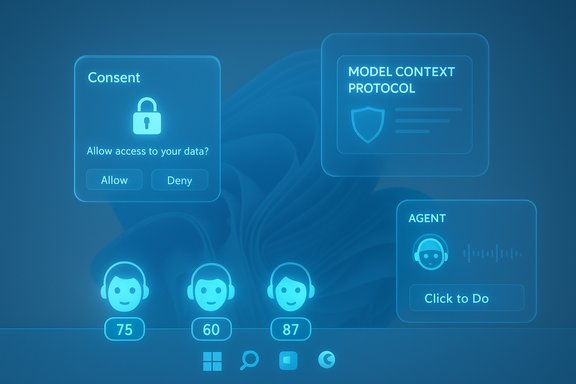 Background: why this matters
Windows has never been just a collection of APIs and UIs — it's the platform where millions of users and enterprises run their workflows. Microsoft’s current strategy is to make that platform “agentic”: a place where AI agents can not only answer questions but also take multi-step actions across apps, monitor progress, and operate autonomously under user or admin direction.This shift builds on several prior moves: Microsoft 365 Copilot as a general assistant, Copilot Studio and Copilot Actions for agent creation and automation, the earlier rollout of Copilot Vision and screen-aware capabilities, and the Copilot+ PC hardware designation that exposes richer local acceleration for on-device models. The new Ignite announcements stitch those pieces together into a single, more ambitious story: agents that are discoverable in the taskbar, standardized ways to connect agents to apps and data via MCP, and developer APIs to enable local, device-accelerated AI features.
Overview: the new features announced at Ignite
- AI agents on the Windows taskbar — Agents (Microsoft 365 Copilot, first- and third-party agents) will be invokable from the taskbar, show progress via badges and hover UX, and present floating windows so agents can run without taking over the desktop.
- Ask Copilot experience and taskbar search integration — A unified Ask Copilot composer/search experience is being previewed, replacing or augmenting the traditional taskbar search with Copilot-driven search and actions.
- Model Context Protocol (MCP) on Windows — A standardized framework that lets agents discover and connect to “MCP servers” (apps, services, system capabilities) to perform actions and access context.
- Agent workspace (private preview) — An isolated execution environment where agents can run tasks without disrupting active user work; agents operate under distinct agent accounts with minimal permissions.
- Hey Copilot voice activation and system-wide writing assistance — A wake-word experience to summon Copilot on all Windows 11 PCs, plus writing assistance surfaced across the OS on Copilot+ devices.
- Windows AI APIs for developers — New APIs intended to enable local AI capabilities on Copilot+ PCs, including reported Video Super Resolution (VSR) and Stable Diffusion XL (SDXL) interfaces for on-device media enhancement and image generation.
How taskbar agents work: UX, control, and expected behavior
Taskbar as the control plane for agents
The new taskbar integration is significant because it places agents squarely in the user’s daily flow. Rather than opening a separate app or visiting a browser-based Copilot, users will be able to:- Invoke agents with a single tap or a quick prompt from the taskbar.
- See agent state at a glance via badges, hover previews, and notifications.
- Interact with agents through a compact floating interface instead of launching a full window.
Agent identity and permissions
Each agent runs under a distinct agent account with deliberately minimal permissions. That separation is meant to reduce blast radius and make auditing simpler. The Agent workspace provides an additional containment layer where an agent can perform UI automation, access files, or call connectors without immediately elevating privileges across the whole user session.Monitoring and control affordances
Microsoft’s messaging points to familiar patterns — hover previews, badges, and notifications — so users can monitor agents without being interrupted. Admins will get allow-lists and policy controls, while users should expect per-agent consent prompts before an agent accesses data or systems.Model Context Protocol (MCP): the plumbing for agentic apps
What MCP is and why Microsoft is embracing it
The Model Context Protocol is a standard for exposing app and system capabilities to AI agents: think of MCP as a discovery and contract layer that publishes what an app or service can do (names, inputs, outputs, descriptions). On Windows, MCP lets agents discover installed MCP servers (native apps, system functions, or third-party connectors) via an MCP Registry and call actions in a predictable, documented way.By supporting MCP, Microsoft is trying to avoid a haphazard web-of-integrations approach and instead create a consistent mechanism where agents can:
- Discover available tools on the device,
- Understand capabilities (what inputs are required, what outputs can be produced),
- Keep connectors in sync as apps update.
MCP and security trade-offs
MCP’s usefulness depends on how strictly permissions and discovery are controlled. A single, system-level MCP Registry is powerful but introduces a central point where misconfigurations or malicious connectors could expose data. Microsoft’s early messaging emphasizes allow-listing and a security-first rollout, but the real-world security model will depend on:- How MCP servers are registered and validated,
- How the registry enforces signing/permissions,
- How agents are isolated from each other and from sensitive OS surfaces.
Agent workspace: isolation, visibility, and the promise of non-disruptive automation
What the Agent workspace provides
The Agent workspace is described as an isolated and controlled environment where agents can complete tasks without disrupting the user’s active work. Practically, this could mean:- Agents run in a sandboxed session with restricted network and file access unless explicitly allowed.
- On-device UI automation is mediated; agents can interact with app UIs but within a monitored environment where actions can be reviewed, stopped, or handed back to the user.
- Activity logs and an “Activity” or “Progress” tab let users and admins inspect what an agent did.
Practical implications for users and admins
For users, Agent workspace should reduce the friction of agentic automation — agents can do long-running or repetitive tasks without taking over the desktop. For IT admins, the workspace becomes an enforcement point for policies: credential management, allow-lists, and logs will be necessary to ensure agents behave within corporate rules.Copilot UX additions: Hey Copilot, Ask Copilot, and writing assistance
Hey Copilot: voice-first activation
The “Hey Copilot” wake-word extends voice activation to the full Windows experience. When enabled, it should allow hands-free prompting of Copilot across apps and contexts. Microsoft intends this to be available on all Windows 11 devices, though hardware-accelerated features will be richer on Copilot+ PCs that include NPUs or similar accelerators.Ask Copilot: a taskbar composer/search bar
Replacing or augmenting the old taskbar search, the Ask Copilot composer is positioned as the single place to search files, settings, and ask Copilot for help — combining local search with generative assistance. Copilot federation with Microsoft 365 also means that search can pull corporate content (when enabled) so knowledge worker scenarios should improve.System-wide Writing Assistance and Click to Do
- Writing Assistance will be surfaced system-wide on Copilot+ PCs, helping with grammar, clarity, and style across apps.
- Click to Do gains an “Ask Microsoft 365 Copilot” action so users can convert UI selections into Copilot queries (for example, select a table and ask Copilot to export to Excel or draft an email).
Developer-facing bits: Windows AI APIs, VSR, SDXL — what’s confirmed and what still needs proof
Microsoft announced a new suite of Windows AI APIs intended to let developers leverage local AI capabilities on Copilot+ PCs. Two items frequently mentioned in press coverage are:- Video Super Resolution (VSR) API — an API to enhance local video playback and improve low-resolution streams via on-device upscaling.
- Stable Diffusion XL (SDXL) API — an interface to run SDXL-quality image generation locally on Copilot+ hardware.
Caveat: while multiple reputable outlets reported VSR and SDXL APIs as part of the Ignite updates, full developer-facing documentation and SDK pages were not consistently available in parallel with press write-ups at the time of the announcement. That means the functionality is being previewed and evangelized; developers should verify exact API shapes, platform requirements, and licensing through Microsoft’s official developer channels before committing to production builds.
Strengths: what this roadmap gets right
- Integrated productivity model: Agents on the taskbar and Ask Copilot put AI into the user flow instead of a separate app, reducing friction for routine tasks like summarization, file manipulation, and data extraction.
- Standardization via MCP: A common protocol for agent-to-app integration could be a major win for interoperability, enabling third-party apps to safely expose capabilities to agents without bespoke connectors.
- Enterprise controls: The combination of Agent workspace, agent accounts, allow-lists, and credential management shows Microsoft is aware that governance and auditability are essential for enterprise adoption.
- On-device acceleration: Copilot+ PC features and local AI APIs are important for latency, privacy, and offline scenarios. Device-level acceleration enables richer features without full-cloud dependency.
- Developer promise: If MCP and Windows AI APIs are implemented as described, developers will have cleaner paths to create agent-aware apps and local AI experiences.
Risks and unresolved questions
- Privacy and surveillance concerns: Features like Copilot Vision and agents that can access screens or files raise legitimate privacy questions. Even with isolation and consent dialogs, users will be wary if the defaults are too permissive.
- Security surface expansion: MCP, agent connectors, and agent workspaces enlarge Windows’ attack surface. Threat models must include malicious MCP servers, credential theft during agent runs, and prompt-injection vectors.
- Performance and resource contention: Running high-quality SDXL or VSR models on-device is GPU- and NPU-intensive. Poorly constrained agents could degrade user experience, especially on mixed hardware fleets.
- User trust and adoption: Early public feedback shows a strong negative reaction from certain user groups toward the “agentic” framing. Forced or aggressive surface changes may provoke pushback and adoption resistance.
- Fragmented availability: Many advanced features appear targeted at Copilot+ PCs. Organizations and consumers on older or unmanaged hardware could be left behind, creating uneven experience and support costs.
- Ecosystem governance: MCP makes it easier to connect services, but successful rollout depends on a robust marketplace of vetted connectors and clear guidelines for secure implementation. Lax practices could lead to data leakage.
How IT admins and power users should prepare (practical steps)
- Inventory and pilot:
- Identify hardware that meets Copilot+ requirements and pilot key agent features in a controlled group.
- Update policies:
- Prepare allow-lists for MCP connectors and set defaults to require explicit admin approval for new MCP servers.
- Configure auditing:
- Enable activity logging for agent runs and integrate logs with SIEM to monitor agent behavior and detect anomalies.
- Train and document:
- Create user guidance on agent consent, how to revoke agent permissions, and how to use Agent workspace safely.
- Test resource governance:
- Validate that VSR/SDXL workloads do not interfere with critical applications; set quotas or scheduling for heavy inference jobs.
- Prepare identity/credential controls:
- Use managed credentials and avoid storing high-privilege tokens directly in agent profiles; use ephemeral tokens where possible.
- Monitor rollout channels:
- Track Microsoft update rings and insider preview releases to control when agents and MCP capabilities enter production.
Developer guidance and checklist
- Design MCP connectors with least privilege:
- Publish only the minimal inputs/outputs agents need. Avoid broad filesystem or network access unless necessary.
- Harden connectors:
- Ensure connectors are signed, use secure authentication, and validate all inputs to prevent injection.
- Support audit and explainability:
- Add logs that explain why an agent took actions and include human-readable rationale attributes where possible.
- Optimize for local inference:
- When targeting Copilot+ PCs, provide model quantization, mixed-precision, and fallback to cloud inference for lower-capacity devices.
- Participate in the registry responsibly:
- If your app acts as an MCP server, implement update mechanisms and provide clear versioning so agents can react to capability changes.
Cross-checks and verification notes
Multiple Microsoft announcements and independent reporting at Ignite and surrounding events confirm the high-level direction: taskbar agents, MCP support on Windows, Agent workspace, and new Copilot UX features were all promoted as part of Microsoft’s push toward an “agentic OS.” Microsoft’s Copilot Studio updates and developer documentation already reference Model Context Protocol support and agent components like workspace and memory, which align with the Ignite messaging.At the time of publication, reputable press coverage widely corroborated the existence of taskbar agents, Ask Copilot preview, Hey Copilot voice activation, and the MCP initiative. However, some developer APIs (notably the exact shapes and availability of the Video Super Resolution and SDXL APIs) were being reported by multiple outlets as part of Ignite coverage while comprehensive developer SDK documentation and production-ready samples were not yet uniformly available in Microsoft’s public developer docs. These items appear to be in preview or early developer preview stages; organizations planning to integrate them should confirm availability and licensing directly through Microsoft’s developer channels and test in controlled environments.
The strategic takeaway
Microsoft’s Ignite 2025 announcements make the company’s intention clear: transform Windows into an operating system that surfaces AI agents as first-class citizens — discoverable, controllable, and able to perform complex actions across apps. That vision offers compelling productivity gains for knowledge workers and enterprises willing to adopt agentic workflows, especially where on-device acceleration and offline processing matter.At the same time, this is a high-stakes shift. The technical building blocks — MCP, Agent workspace, agent accounts, and local AI APIs — are the right kinds of controls and standards for such a transformation, but success hinges on implementation details: default privacy settings, secure MCP registry governance, robust auditing, clear admin controls, and transparent user consent models.
Enterprises and power users should treat this as a staged opportunity: run contained pilots, harden governance, and create clear policies before enabling agentic features broadly. Developers should embrace MCP but design connectors and agents with strict security and explainability in mind. For users, the promise is significant — but trust and control will determine whether the agentic OS becomes a productivity boon or an unwanted source of complexity and risk.
The biggest question now is less about whether Microsoft can build the technology, and more about whether it can build it in a way that preserves user trust, respects privacy, and delivers measurable productivity gains without turning Windows into an intrusive, opaque layer of automation. The coming months of previews and documentation will answer whether the technical promise becomes a practical reality.
Source: Thurrott.com Ignite 2025: Windows 11 is Getting Agents on the Taskbar and More AI Features
