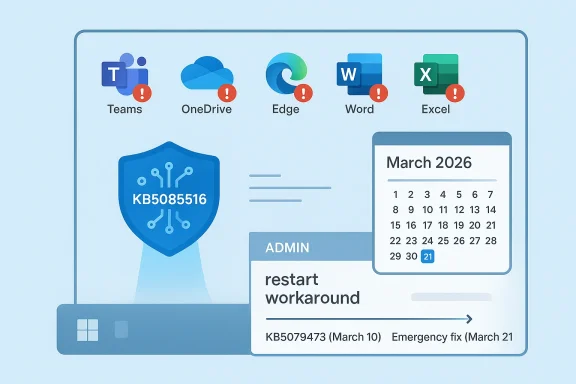
Microsoft’s latest emergency patch for Windows 11 is a reminder that the company’s monthly servicing cadence is still carrying too much risk for comfort. The out-of-band fix, KB5085516, targets a Microsoft account sign-in problem that affected Windows 11 version 24H2 and 25H2 after the March 10, 2026 update, where some users saw a misleading “no Internet” error even with a working connection. The issue blocked access to Microsoft services and apps such as Teams Free and OneDrive, which made the bug more than a nuisance: it cut directly into the everyday cloud workflows that Windows now depends on. Microsoft has also been signaling that it wants 2026 to be a year of better quality, higher reliability, and more control over updates, making this weekend patch a test case for whether those promises can survive real-world pressure.
The sign-in breakage sits squarely in the most sensitive part of Windows 11’s modern identity stack: the connection between the operating system, the Microsoft account, and cloud-backed apps. In practice, that means a failure in one layer can ripple outward into OneDrive sync, Microsoft 365 authentication, consumer collaboration apps, and the broader Windows experience. When the operating system tells the user there is no internet, but the network is actually fine, the problem becomes especially confusing because it points in the wrong direction.
That confusion matters because Windows 11 increasingly assumes that users are signed in, synchronized, and reachable by Microsoft services. A local PC is no longer just a local PC; it is a node in a broader identity and storage ecosystem. Microsoft itself has repeatedly emphasized that account-based sign-in helps restore settings and back up data through OneDrive, which makes account authentication a foundational system service rather than an optional add-on.
The timing also matters. Microsoft’s March 2026 update wave included multiple releases across Windows 11, and the company has already had to issue other out-of-band fixes in recent months for reliability issues ranging from networking to shutdown behavior. That is not unusual in itself—Windows has long used emergency patches when a defect is too disruptive to wait for the next Patch Tuesday—but the volume of such releases suggests a servicing pipeline under persistent strain. Microsoft’s own servicing documentation continues to frame these releases as part of a broader quality and reliability process, which makes repeated emergency patches look like both a safety valve and a symptom.
The company’s messaging around Windows 11 in late 2025 and early 2026 has reinforced that idea. Microsoft has been talking publicly about continuous innovation, quality validation, and improved reliability in Windows servicing, while also previewing changes intended to make updates less disruptive. But the reality is that trust is earned less by roadmaps and more by whether people can sign in, open files, and resume work after Patch Tuesday without calling IT or rebooting into troubleshooting mode.
That last detail is important because the broken surface is not a niche admin console or an obscure enterprise component. It touches the very apps people use to store files, join chats, and keep their digital life in sync. In other words, this was a usability failure first, but also a productivity failure, because the apps that failed to authenticate are the ones that make modern Windows feel useful on a daily basis.
The patch also illustrates how tightly Windows now couples local access with remote identity. If a Microsoft account sign-in flow fails, the consequences are no longer limited to a single app. They can cascade into file access, collaboration, device setup, and even the perception that the machine itself is unstable.
Out-of-band updates are not inherently a sign of failure. In a complex OS, they are part of the safety net. But when they appear repeatedly, they can become a public marker of instability, especially when the affected functions are core services like networking, shutdown, Bluetooth, or account sign-in. Microsoft had already issued other emergency patches in January and the enterprise channel saw its own urgent fixes in the prior week, which frames this latest incident as part of a broader reliability cluster rather than an isolated slip.
That does not necessarily mean Microsoft’s engineering is deteriorating. It may mean the system itself has become more interconnected and more difficult to validate exhaustively before release. The modern Windows release has to account for personal accounts, enterprise policies, consumer cloud apps, and a broad matrix of hardware and driver combinations. The more connected the platform becomes, the more likely it is that a regression can look small in code but big in impact.
This matters because servicing is no longer a single event. It is a layered process involving cumulative updates, out-of-band corrections, setup-time packages, and post-release adjustments. Users rarely see that machinery, but they feel its consequences immediately when a patch introduces a regression and the next patch has to clean it up.
For enterprises, this layered model creates an additional burden. IT teams must test more update types, track more KB numbers, and decide whether to let a patch flow through standard channels or hold it back. For consumers, the burden is simpler but more personal: if the machine is in a broken state, there is no endpoint management dashboard to hide behind.
Microsoft’s own support material underscores how central the account is to backups, cloud storage, and recovery flows. The account ties together Windows, Microsoft 365, Xbox, and OneDrive, which means a sign-in bug can spread across multiple products that users do not mentally separate. In a practical sense, the user does not experience “Microsoft account authentication”; they experience “my files are gone” or “Teams won’t open.”
That distinction does not make the issue less serious. If anything, it makes it easier to overlook at first, because consumer outages tend to be less visible than enterprise incidents. But the scale can still be enormous because Windows 11 consumer devices are used for school, home work, and small business activity where OneDrive and Teams Free are everyday tools.
The idea of letting users pause updates “for as long as needed” is especially interesting. On the surface, it sounds like a quality-of-life feature. In reality, it is also an admission that update timing can be costly enough to justify more user agency, especially for people who have just been burned by a bad patch.
Of course, more control also means more responsibility. Pausing updates can protect users from a broken patch, but it can also delay security fixes. That trade-off is not new, but it is becoming more visible as Microsoft places more emphasis on user choice.
The current emergency patch suggests that Microsoft still has work to do on the first point. The update pause discussion suggests that the company understands the second and third points better than it used to.
The broader lesson is that Windows 11 is now a service platform, not just an operating system. Users inherit the risks of that model every time a monthly update changes the behavior of account sign-in, cloud access, or networking. The upside is that Microsoft can ship fixes quickly. The downside is that users are now living in a world where a bad regression can arrive on a Tuesday and require a weekend rescue.
This is where local accounts still have a role, even if Microsoft clearly prefers cloud-connected identities. For power users, the lesson is not to avoid Microsoft services entirely, but to understand what happens when those services are unavailable. A machine that can still boot but cannot authenticate is functionally degraded.
In addition, emergency consumer fixes often reveal something about Microsoft’s broader servicing confidence. If the company is shipping multiple out-of-band updates in a short window, IT leaders have reason to question update timing, validation processes, and whether they should accelerate internal testing around monthly Windows releases. That is especially true for organizations that already deploy Teams, OneDrive, or Microsoft 365 across both managed and unmanaged endpoints.
This is also why release-health communication matters so much. When Microsoft is explicit about scope—versions, account types, and affected apps—IT teams can narrow diagnosis quickly. Without that clarity, the support burden can become disproportionate to the technical root cause.
The irony is that Microsoft’s integration strategy is supposed to be a strength. If identity, storage, and collaboration all work together, the user benefits from seamlessness. But when one layer breaks, the same integration becomes a liability because the failure is no longer contained. That is the trade-off of platform depth: more value on the good days, more damage on the bad ones.
Microsoft knows this, which is why it has been talking so much about quality, resiliency, and continuous improvement. The company is trying to defend the core argument that Windows can be both flexible and dependable. The problem is that one authentication failure can undo a lot of messaging.
There is also a more strategic question underneath the technical one. Microsoft wants Windows to remain the center of both consumer productivity and enterprise management, but that only works if the platform can consistently protect its identity layer. A sign-in bug may seem narrow, yet it strikes at the heart of the cloud-connected Windows promise.
Source: Thurrott.com Windows 11 Gets Emergency Patch to Fix Microsoft Account Sign In Issues
 Background
The sign-in breakage sits squarely in the most sensitive part of Windows 11’s modern identity stack: the connection between the operating system, the Microsoft account, and cloud-backed apps. In practice, that means a failure in one layer can ripple outward into OneDrive sync, Microsoft 365 authentication, consumer collaboration apps, and the broader Windows experience. When the operating system tells the user there is no internet, but the network is actually fine, the problem becomes especially confusing because it points in the wrong direction.That confusion matters because Windows 11 increasingly assumes that users are signed in, synchronized, and reachable by Microsoft services. A local PC is no longer just a local PC; it is a node in a broader identity and storage ecosystem. Microsoft itself has repeatedly emphasized that account-based sign-in helps restore settings and back up data through OneDrive, which makes account authentication a foundational system service rather than an optional add-on.
The timing also matters. Microsoft’s March 2026 update wave included multiple releases across Windows 11, and the company has already had to issue other out-of-band fixes in recent months for reliability issues ranging from networking to shutdown behavior. That is not unusual in itself—Windows has long used emergency patches when a defect is too disruptive to wait for the next Patch Tuesday—but the volume of such releases suggests a servicing pipeline under persistent strain. Microsoft’s own servicing documentation continues to frame these releases as part of a broader quality and reliability process, which makes repeated emergency patches look like both a safety valve and a symptom.
The company’s messaging around Windows 11 in late 2025 and early 2026 has reinforced that idea. Microsoft has been talking publicly about continuous innovation, quality validation, and improved reliability in Windows servicing, while also previewing changes intended to make updates less disruptive. But the reality is that trust is earned less by roadmaps and more by whether people can sign in, open files, and resume work after Patch Tuesday without calling IT or rebooting into troubleshooting mode.
What Microsoft Actually Fixed
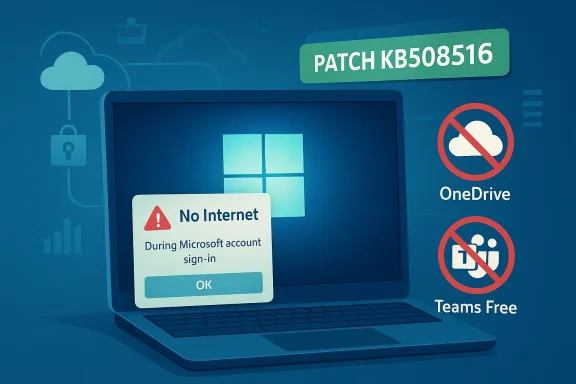
At the center of the story is a very specific failure mode: after installing the Windows update released on or after March 10, 2026, some users on Windows 11 24H2 and 25H2 could not sign into apps using a personal Microsoft account. Microsoft’s release notes say the device could still have working internet connectivity, yet the sign-in flow surfaced a “no Internet” error and prevented access to Microsoft services and apps. The company says the issue affected consumer-oriented experiences such as Teams Free and OneDrive.That last detail is important because the broken surface is not a niche admin console or an obscure enterprise component. It touches the very apps people use to store files, join chats, and keep their digital life in sync. In other words, this was a usability failure first, but also a productivity failure, because the apps that failed to authenticate are the ones that make modern Windows feel useful on a daily basis.
Why the Error Was So Disruptive
A “no Internet” error is misleading in the best of times, and especially harmful when it appears during sign-in. Users naturally reach for the wrong fix: checking their router, toggling Wi-Fi, or switching networks, when the actual issue sits inside the authentication path. That wastes time and creates uncertainty, which is exactly the opposite of what a cloud-first operating system is supposed to deliver.The patch also illustrates how tightly Windows now couples local access with remote identity. If a Microsoft account sign-in flow fails, the consequences are no longer limited to a single app. They can cascade into file access, collaboration, device setup, and even the perception that the machine itself is unstable.
- The bug affected personal Microsoft accounts, not just any login path.
- It surfaced on 24H2 and 25H2, the current mainstream Windows 11 servicing branches.
- It blocked access to cloud-connected consumer apps.
- It produced a misleading network-related error message.
- It required an out-of-band update rather than waiting for the next monthly cycle.
Why Out-of-Band Updates Keep Happening
Microsoft’s response was to ship KB5085516 as an out-of-band update, which is the company’s way of saying the fix could not wait. That decision is a signal that the issue was widespread enough, severe enough, or customer-impacting enough to justify breaking out of the normal monthly rhythm. Microsoft uses similar emergency releases for problems that are urgent, high visibility, and difficult to absorb through normal servicing.Out-of-band updates are not inherently a sign of failure. In a complex OS, they are part of the safety net. But when they appear repeatedly, they can become a public marker of instability, especially when the affected functions are core services like networking, shutdown, Bluetooth, or account sign-in. Microsoft had already issued other emergency patches in January and the enterprise channel saw its own urgent fixes in the prior week, which frames this latest incident as part of a broader reliability cluster rather than an isolated slip.
The Pattern Behind Emergency Servicing
What stands out is not just the existence of the fix, but the cadence. One emergency patch can be explained away as an unfortunate regression. Several in close succession suggest that the update pipeline is increasingly exposed to integration failures across identity, cloud, device management, and platform components.That does not necessarily mean Microsoft’s engineering is deteriorating. It may mean the system itself has become more interconnected and more difficult to validate exhaustively before release. The modern Windows release has to account for personal accounts, enterprise policies, consumer cloud apps, and a broad matrix of hardware and driver combinations. The more connected the platform becomes, the more likely it is that a regression can look small in code but big in impact.
- Emergency updates are a pressure-release mechanism.
- Repeated emergency updates erode user confidence.
- Identity-related bugs are among the hardest to diagnose.
- Cloud-first workflows amplify the blast radius.
- Validation must now cover consumer and enterprise behavior at once.
The March 2026 Servicing Context
The sign-in issue did not land in isolation. It arrived in a month where Microsoft was already shipping Windows 11 updates across multiple branches and packaging them alongside a wider message about servicing quality. Microsoft’s March 2026 update history shows a regular patch schedule, but also highlights the ongoing complexity of maintaining several Windows 11 lines in parallel. That complexity is visible in the amount of work Microsoft now puts into dynamic updates, OOBE fixes, and safe OS updates across the 24H2 and 25H2 ecosystem.This matters because servicing is no longer a single event. It is a layered process involving cumulative updates, out-of-band corrections, setup-time packages, and post-release adjustments. Users rarely see that machinery, but they feel its consequences immediately when a patch introduces a regression and the next patch has to clean it up.
A Platform That Ships in Layers
The old model of “install Patch Tuesday and move on” has given way to a more continuous model in which Microsoft may deliver fixes before, during, or after major update milestones. That is efficient when everything works. It is frustrating when it does not, because users do not experience the distinction between a preview update, a cumulative update, and an emergency update—they only experience whether their PC works.For enterprises, this layered model creates an additional burden. IT teams must test more update types, track more KB numbers, and decide whether to let a patch flow through standard channels or hold it back. For consumers, the burden is simpler but more personal: if the machine is in a broken state, there is no endpoint management dashboard to hide behind.
- Cumulative updates bundle many changes at once.
- Out-of-band fixes interrupt the normal cadence.
- Dynamic updates alter setup or recovery paths.
- OOBE updates affect first-run and provisioning behavior.
- Each layer adds another place where regressions can appear.
Why Microsoft Account Sign-In Is Such a Big Deal
Windows 11 is now deeply intertwined with Microsoft account authentication, especially for consumer users. That connection unlocks OneDrive, Microsoft Store purchases, synced settings, and app-based identity across the ecosystem. When that sign-in path fails, it is not just a login inconvenience; it can block the very services that make Windows feel coherent across devices.Microsoft’s own support material underscores how central the account is to backups, cloud storage, and recovery flows. The account ties together Windows, Microsoft 365, Xbox, and OneDrive, which means a sign-in bug can spread across multiple products that users do not mentally separate. In a practical sense, the user does not experience “Microsoft account authentication”; they experience “my files are gone” or “Teams won’t open.”
Consumer Versus Enterprise Impact
The current issue was described as affecting personal Microsoft accounts, which puts consumers squarely in the blast radius. That is a notable distinction because enterprise sign-in paths often go through Entra ID, domain services, or managed identity tooling that does not behave exactly like a personal Microsoft account flow. In other words, this was not a general corporate login outage; it was a consumer reliability failure with very real productivity consequences.That distinction does not make the issue less serious. If anything, it makes it easier to overlook at first, because consumer outages tend to be less visible than enterprise incidents. But the scale can still be enormous because Windows 11 consumer devices are used for school, home work, and small business activity where OneDrive and Teams Free are everyday tools.
What Broke in Practice
The key failure was a false negative from the operating system or app authentication path. The user had internet connectivity, but the system behaved as if it did not. That sort of mismatch is particularly dangerous because it undermines user confidence in the OS’s diagnostics.- It complicates troubleshooting.
- It encourages incorrect fixes.
- It undermines trust in status indicators.
- It can interrupt sync and collaboration.
- It makes the operating system appear unreliable even if the network is fine.
The 2026 Quality Pledge
Microsoft has been saying publicly that 2026 will bring improvements to the reliability and performance of Windows 11, and that users will gain more flexibility around updates, including the ability to pause them for longer periods. That is a meaningful promise because it acknowledges a longstanding complaint: Windows updates are necessary, but users want more control over when they happen and more confidence that they will not break critical workflows.The idea of letting users pause updates “for as long as needed” is especially interesting. On the surface, it sounds like a quality-of-life feature. In reality, it is also an admission that update timing can be costly enough to justify more user agency, especially for people who have just been burned by a bad patch.
Control Is Becoming a Reliability Feature
This is a subtle but important shift. Update pause controls used to be about convenience or bandwidth. Now they are part of the reliability story. If Microsoft can give users and IT teams better timing control, then a bad update has less chance of disrupting the entire organization at once.Of course, more control also means more responsibility. Pausing updates can protect users from a broken patch, but it can also delay security fixes. That trade-off is not new, but it is becoming more visible as Microsoft places more emphasis on user choice.
The Trust Equation
Trust in Windows servicing now depends on three things at once: whether updates are safe, whether they are understandable, and whether users can defer them when needed. Microsoft’s challenge is to improve all three without making Windows feel fragmented or difficult to manage.The current emergency patch suggests that Microsoft still has work to do on the first point. The update pause discussion suggests that the company understands the second and third points better than it used to.
- Reliability must come before speed.
- Transparency must come before surprise.
- Control must come before forced disruption.
- Recovery options must be easy to find.
- Sign-in and cloud access must remain stable.
What This Means for Windows 11 Users
For everyday Windows 11 users, the practical advice is simple: install the emergency fix once it is available through the normal Microsoft channels, especially if you depend on Microsoft account sign-in for cloud apps. When a bug hits authentication, waiting can mean living with a broken device longer than necessary, because the failure is not cosmetic. It can prevent access to files, chats, and sync services you may need immediately.The broader lesson is that Windows 11 is now a service platform, not just an operating system. Users inherit the risks of that model every time a monthly update changes the behavior of account sign-in, cloud access, or networking. The upside is that Microsoft can ship fixes quickly. The downside is that users are now living in a world where a bad regression can arrive on a Tuesday and require a weekend rescue.
Consumer Habits Are Changing
Many users have stopped thinking of Microsoft account sign-in as a one-time setup step. It is now a live dependency that affects backup, recovery, and the continuity of daily work. That means people are more vulnerable when an update breaks it, because they often do not keep robust local fallbacks.This is where local accounts still have a role, even if Microsoft clearly prefers cloud-connected identities. For power users, the lesson is not to avoid Microsoft services entirely, but to understand what happens when those services are unavailable. A machine that can still boot but cannot authenticate is functionally degraded.
Practical Takeaways
- Keep a recovery path that does not depend on the affected account.
- Avoid making major changes immediately after Patch Tuesday if you can wait.
- Check Microsoft’s release notes when authentication issues appear.
- Treat cloud sign-in failures as platform incidents, not app glitches.
- Remember that a network icon can be misleading.
Enterprise Implications Even When the Bug Is Consumer-Facing
Even though this incident centered on personal Microsoft accounts, enterprises still need to pay attention. Many organizations support a mixed environment where employees use consumer apps, personal devices, or bring-your-own-device workflows alongside managed PCs. If Microsoft account sign-in is broken on consumer Windows 11 systems, that can still affect collaboration habits, shadow IT usage, and support volume.In addition, emergency consumer fixes often reveal something about Microsoft’s broader servicing confidence. If the company is shipping multiple out-of-band updates in a short window, IT leaders have reason to question update timing, validation processes, and whether they should accelerate internal testing around monthly Windows releases. That is especially true for organizations that already deploy Teams, OneDrive, or Microsoft 365 across both managed and unmanaged endpoints.
The Hidden Support Cost
The real enterprise cost of a consumer-authentication bug is not the patch itself. It is the confusion it generates among users who assume the network is down, the account is dead, or the app is broken. Help desks then have to separate a known Microsoft issue from an actual device problem, which takes time and adds noise to support queues.This is also why release-health communication matters so much. When Microsoft is explicit about scope—versions, account types, and affected apps—IT teams can narrow diagnosis quickly. Without that clarity, the support burden can become disproportionate to the technical root cause.
- Mixed environments amplify consumer bugs.
- Shadow IT makes Microsoft account issues enterprise-relevant.
- Help desks need precise scope to triage quickly.
- Validation should include consumer workflows, not just managed ones.
- Faster patching does not eliminate support overhead.
Competitive Pressure and Platform Reputation
This patch also has a competitive dimension. Microsoft is competing not just with other operating systems, but with the expectation that modern computing should be dependable, cloud-connected, and low-friction. Every time Windows 11 stumbles on sign-in or networking, it gives rivals an opening to argue that their ecosystems are simpler or more stable. That is not necessarily a decisive advantage, but reputation matters in platform markets.The irony is that Microsoft’s integration strategy is supposed to be a strength. If identity, storage, and collaboration all work together, the user benefits from seamlessness. But when one layer breaks, the same integration becomes a liability because the failure is no longer contained. That is the trade-off of platform depth: more value on the good days, more damage on the bad ones.
Why Rivals Benefit from Windows Instability
Apple, Google, and even ChromeOS-aligned workflows can point to Windows update friction as evidence that their own ecosystems are cleaner. Enterprise buyers may not switch platforms over a single patch, but repeated reliability incidents shape perception. Over time, that perception can influence renewal decisions, refresh cycles, and default recommendations.Microsoft knows this, which is why it has been talking so much about quality, resiliency, and continuous improvement. The company is trying to defend the core argument that Windows can be both flexible and dependable. The problem is that one authentication failure can undo a lot of messaging.
Market Implications
- Reliability is now a competitive feature.
- Cloud integration raises user expectations.
- Emergency fixes are public evidence of servicing stress.
- Consumer frustration can shape enterprise opinion.
- Platform trust is cumulative and fragile.
Strengths and Opportunities
Microsoft still has several advantages here, and the fact that it can issue a targeted fix quickly is one of them. The company also has a real opportunity to turn these reliability crises into a clearer, more disciplined servicing model that users can trust. If it follows through, Windows 11 could emerge with better update controls, better rollback confidence, and stronger user perception around stability.- Fast emergency response shows Microsoft can contain issues when they surface.
- Targeted servicing lets the company fix narrow defects without waiting a month.
- Improved pause controls could give users more confidence in update timing.
- Better release-health communication can reduce support confusion.
- Cloud-first integration still offers a strong convenience story when it works.
- Enterprise visibility into update issues can help IT teams react faster.
- Reliability investments may improve the long-term Windows 11 reputation.
Risks and Concerns
The downside is equally clear. Repeated out-of-band patches can make Windows updates feel fragile, and authentication bugs are especially damaging because they affect the user’s sense of ownership and access. Microsoft also risks sending mixed signals if it promises more reliability while continuing to ship frequent emergency fixes.- Update fatigue can push users to delay patches longer than they should.
- Trust erosion is hard to reverse after sign-in and cloud access failures.
- Support burden rises when misleading errors send users down the wrong path.
- Security trade-offs become sharper if users pause updates for longer periods.
- Consumer and enterprise spillover makes “small” bugs harder to contain.
- Competitive comparisons may make Windows look less polished than rivals.
- Complexity of the platform increases the chance of future regressions.
Looking Ahead
What happens next will depend on whether this patch proves to be an isolated cleanup or part of a more substantial quality reset. Microsoft has already framed 2026 as a year of better Windows reliability, and that means users and IT leaders will judge the company by outcomes, not intentions. If the next several update cycles are calmer, this incident will fade into the background; if not, it will become another data point in a growing argument that Windows 11’s servicing story needs work.There is also a more strategic question underneath the technical one. Microsoft wants Windows to remain the center of both consumer productivity and enterprise management, but that only works if the platform can consistently protect its identity layer. A sign-in bug may seem narrow, yet it strikes at the heart of the cloud-connected Windows promise.
- Watch whether Microsoft reduces the frequency of emergency patches.
- Monitor whether update pause controls become more flexible in practice.
- Track future release notes for additional identity or networking regressions.
- Pay attention to whether enterprise and consumer servicing converge or diverge further.
- See whether Microsoft’s reliability messaging is matched by fewer user-visible failures.
Source: Thurrott.com Windows 11 Gets Emergency Patch to Fix Microsoft Account Sign In Issues