

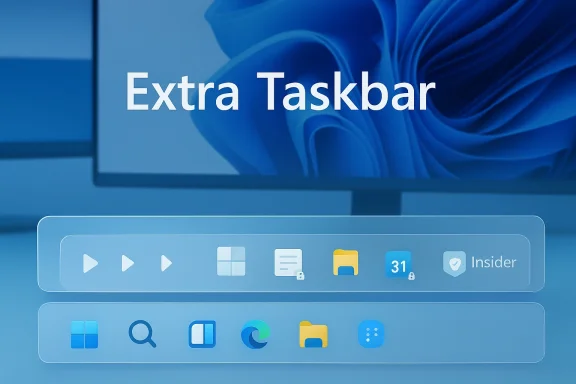
Microsoft's interface experiments rarely arrive fully formed, but this latest scoop — that Windows 11 may soon be trialing an extra taskbar surfaced in Neowin's reporting — is exactly the kind of UI experiment that could matter to both power users and the broader Windows ecosystem. The claim is simple on its face: Microsoft is prototyping a secondary taskbar surface that can host richer customization, third‑party extensions, and more granular personalization than the current, relatively locked‑down Windows 11 taskbar. If true, it would mark a notable shift in philosophy: from a tightly controlled, single‑surface taskbar toward a more modular shell that allows extensibility while keeping the primary taskbar stable for mainstream users.
This article synthesizes the available reporting, places the Neowin claim into the larger Windows Insider and third‑party‑developer context, verifies technical details against independent coverage and public Insider changelogs where possible, and explains what this could mean for everyday users, power users, and third‑party customizers. Along the way I call out which specifics are currently verifiable and which remain speculative, and I outline sensible precautions for enthusiasts who want to experiment without jeopardizing stability or security.
Windows' taskbar has been both a design anchor and a battleground since Windows 95. Every major Windows release changes how Microsoft thinks about persistent UI real estate, and Windows 11 has been no exception: the company simplified and constrained the classic taskbar model in service of a cleaner, more touch‑friendly UX. That simplification generated years of user feedback requesting features such as movable/vertical taskbars, multi‑row icons, always‑visible notification icons, and richer jump list behavior.
Microsoft has shown it will iterate on the taskbar through the Windows Insider program, rolling experiments into Canary, Dev, and Beta channels for telemetry and feedback. Recent Insider releases have trialed dynamic icon scaling, a “never combine” option, improved previews and animations, and other tweaks — proof that Microsoft still treats the taskbar as an active area for innovation. Independent coverage of those experiments and tests (and the videos and changelogs Insiders produce) make it clear Microsoft uses staged, server‑flagged rollouts and inner‑loop testing for these UI changes.
Meanwhile, the ecosystem of third‑party tools and mods — Start11, StartAllBack, ExplorerPatcher, RoundedTB, Windhawk and others — has thrived precisely because Microsoft’s native taskbar controls remain more conservative than power users want. Those community projects prove both the demand for advanced taskbar features and the difficulty Microsoft faces in balancing stability, app compatibility, and surface complexity. Neowin’s reporting (and the long tail of community discussion around these tools) documents this tension repeatedly.
If Microsoft does ship a properly sandboxed, documented extension model for a secondary taskbar, it could reduce the fragility that comes with current shell hacks and give users more power without sacrificing reliability. But the implementation choices will matter immensely: the company must balance extensibility with performance, privacy, and coherence.
For now, Insiders and enthusiasts should treat the Neowin scoop as an early preview moment: interesting and plausible, but not a final specification. Test in controlled environments, follow official Insider notes, and prepare for an evolution that could either enrich the Windows personalization story or complicate it if not thoughtfully managed.
Source: Neowin https://www.neowin.net/news/windows...skbar-with-rich-customization-and-extensions/
This article synthesizes the available reporting, places the Neowin claim into the larger Windows Insider and third‑party‑developer context, verifies technical details against independent coverage and public Insider changelogs where possible, and explains what this could mean for everyday users, power users, and third‑party customizers. Along the way I call out which specifics are currently verifiable and which remain speculative, and I outline sensible precautions for enthusiasts who want to experiment without jeopardizing stability or security.
 Background / Overview
Windows' taskbar has been both a design anchor and a battleground since Windows 95. Every major Windows release changes how Microsoft thinks about persistent UI real estate, and Windows 11 has been no exception: the company simplified and constrained the classic taskbar model in service of a cleaner, more touch‑friendly UX. That simplification generated years of user feedback requesting features such as movable/vertical taskbars, multi‑row icons, always‑visible notification icons, and richer jump list behavior.Microsoft has shown it will iterate on the taskbar through the Windows Insider program, rolling experiments into Canary, Dev, and Beta channels for telemetry and feedback. Recent Insider releases have trialed dynamic icon scaling, a “never combine” option, improved previews and animations, and other tweaks — proof that Microsoft still treats the taskbar as an active area for innovation. Independent coverage of those experiments and tests (and the videos and changelogs Insiders produce) make it clear Microsoft uses staged, server‑flagged rollouts and inner‑loop testing for these UI changes.
Meanwhile, the ecosystem of third‑party tools and mods — Start11, StartAllBack, ExplorerPatcher, RoundedTB, Windhawk and others — has thrived precisely because Microsoft’s native taskbar controls remain more conservative than power users want. Those community projects prove both the demand for advanced taskbar features and the difficulty Microsoft faces in balancing stability, app compatibility, and surface complexity. Neowin’s reporting (and the long tail of community discussion around these tools) documents this tension repeatedly.
What Neowin Reported — Clear, Concise Summary
- Neowin reported that Microsoft appears to be testing an “extra taskbar” concept inside Windows 11. The surfaced details suggest this is more than a cosmetic duplicate: the extra bar would support richer customization options and an extensions model that allows third‑party developers to place content and functionality into the bar in a controlled manner.
- The story frames the extra taskbar as a sandboxed, optional surface — analogous in some ways to browser extensions — that would coexist with the main Windows 11 taskbar. It could host widgets, app‑specific actions, or curated micro‑apps without forcing changes to the main taskbar experience.
- The article positioned this as an evolution out of ongoing Insider experiments around taskbar behavior, and as a response to both user demand and the thriving third‑party customization ecosystem.
Why this matters: the UI and ecosystem stakes
What an extra taskbar would enable
- Extensibility without fragility. A purpose‑built secondary surface could be designed with explicit extension points and sandboxing, reducing the compatibility pressure that third‑party shell injectors and mods create today.
- Personalized workflows. Power users could dedicate the extra bar to shortcuts, pinned groups, or small dashboards (music controls, quick notes, timers) without cluttering the main taskbar.
- Third‑party mini‑apps. Instead of forcing developers to create separate floating windows or rely on system trays, Microsoft could permit vetted mini‑apps that present compact UI and low‑cost interactions.
- Layered UI strategies. Microsoft could use the extra bar to trial aggressive new features (AI actions, Copilot integrations, or gaming tools) without altering the stable, primary taskbar used by most users.
What makes this different from existing hacks and third‑party tools
Third‑party solutions — Start11, ExplorerPatcher, StartAllBack, RoundedTB, Windhawk — often work by injecting code into Explorer or replacing shell components. That can produce richly customizable results but also introduces fragility risks during updates. An officially supported extra taskbar with documented APIs could give developers a safer, more resilient route for integration. Neowin’s framing implies Microsoft might be thinking along these lines; independent reporting shows Microsoft testing taskbar features regularly in Insider builds, which lends plausibility to the notion of a planned, surfaced extensibility model — though Microsoft has not yet published any official API or roadmap for such an extension platform.Technical verification: what we can and cannot confirm
Verifiable facts
- Microsoft actively experiments with taskbar changes in Windows Insider builds.
- Coverage of Insider builds shows frequent taskbar experiments: icon scaling behavior, combine/never‑combine options, and other tweaks have been reported and tested. These tests appear in official Insider changelogs and independent outlets covering Windows previews.
- There is ongoing community demand and robust third‑party development around taskbar customization.
- Stardock’s Start11, ExplorerPatcher, StartAllBack, RoundedTB and Windhawk are active projects providing taskbar functionality Microsoft hasn’t shipped or has removed. Neowin’s coverage of these projects demonstrates both feature parity attempts and user appetite.
- Microsoft has guarded the taskbar code and sometimes restricts third‑party customizers.
- Recent reporting and community discussion show Microsoft tightening the shell surface in some builds; third‑party apps have occasionally broken or been flagged incompatible in certain updates, underscoring why a supported extension model would be attractive.
Unverified / speculative points (must be treated cautiously)
- The exact implementation model of the “extra taskbar” (its process model, extension API, permission boundaries, and update/validation strategy) has not been published by Microsoft.
- There is no official announcement that an extra taskbar will ship to general customers or when it would be included in a release (Windows 11 servicing update, Moment release, or a future OS version).
- Any claims that the extra bar will permit arbitrary third‑party content or advertising controls are unverified until Microsoft publishes documentation.
A closer look: how Microsoft could architect this safely
If Microsoft intends to make the taskbar extensible, there are several engineering and policy approaches it can use to balance power and safety:- Process isolation / AppContainer style sandboxes. Extensions could run in constrained containers (similar to app containerization used for modern UWP/Win32 host processes) that limit filesystem, network, and interprocess access.
- Manifested, signed extensions. Microsoft could require extensions be signed and distributed via the Microsoft Store (or trusted catalogues) with explicit capability manifests, making vetting and consent auditable.
- UI and interaction contracts. A strict set of UI primitives and size/behavior contracts prevents extensions from hijacking focus or obscuring important system UI.
- Telemetry and feature flags. The Insider process already uses staged experiments; Microsoft could gate extra bar functionality and extension surfaces behind server‑side flags to gather telemetry before broader rollout.
- Backward compatibility layers. To avoid breaking older apps that implicitly rely on taskbar geometry, the extra surface would need to be opt‑in and gracefully degrade if absent.
Benefits to users and developers
- For power users: A secondary, customizable taskbar could restore beloved behaviors (multi‑row task lists, per‑monitor layouts, pinned micro‑toolbars) without relying on fragile shell hacking.
- For developers: A documented extension API opens new pathways for small, focused experiences — quick controls, app presence, or context‑sensitive actions — that live in a compact, visible UX surface.
- For Microsoft: A controlled extension surface reduces the number of unsupported hacks in the wild and provides a path for Microsoft to onboard vetted experiences (including Copilot‑led microapps) in a moderated fashion.
Risks and downsides
- Fragmentation. If Microsoft permits unrestricted extensions, the user experience could fragment into many competing micro‑UIs with inconsistent behavior.
- Security and privacy concerns. Extensions that display or act upon user data increase the attack surface; Microsoft would need clear confinement, permission prompts, and store review policies.
- Performance and reliability. The taskbar is central to window management and shell performance; poorly written extensions could destabilize Explorer or become a source of crashes and memory bloat.
- Ecosystem tensions. Third‑party customizers that rely on hooking and injection might be made obsolete, but blocking existing mods could alienate enthusiast communities if not handled transparently.
- Business model implications. An extension surface could be monetized (store fees, promoted extensions), which would raise questions about discoverability, curation, and potential for unwanted monetization in a critical UI area.
How to experiment safely today (for enthusiasts)
- Use Windows Insider channels (Canary/Dev) in a VM or spare device. Insider builds are the right place to test experimental taskbar features without risking your daily machine. Always back up or use snapshots.
- Prefer store‑distributed extensions when available. If Microsoft ships an official extension model, prefer extensions deployed via the Store or enterprise catalogs to reduce tampering risk.
- Avoid unsupported shell injectors on production machines. Tools that patch Explorer or replace shell components (while powerful) can be disrupted by updates and may trigger security products.
- Monitor update‑compatibility notices. If you rely on a customization tool, pay attention to the vendor’s compatibility statements for major Windows updates and the community’s experiences.
- Report bugs and feedback through Feedback Hub. If you try Insider features and see regressions, feed that telemetry back to Microsoft; that’s how feature decisions are shaped.
What to watch for next (practical signals)
- Insider build changelogs and Flight Hub notes. Microsoft usually documents major taskbar experiments in Insider release notes before wider rollout.
- Official API docs and MS developer blogs. A new extension model would likely appear in Microsoft developer documentation or be previewed at a platform event.
- Store / curated extension listings. If Microsoft wants to control distribution, early test listings might surface in the Microsoft Store for Insiders.
- Third‑party developer reaction. Established customization vendors (Stardock, Valinet, RoundedTB authors) will quickly comment or adapt; their guidance will be valuable for compatibility expectations.
- Compatibility / blocking behavior. Watch for changes to how Windows treats shell‑hooking or injection tools — Microsoft has in the past restricted or broken these behaviors in servicing updates, which would shape where third‑party vendors pivot.
Conclusion — measured optimism with an eye on the details
An extra taskbar surface that supports controlled customization and extensions would answer a long‑running pain point for many Windows power users while giving developers a stable platform to build small, useful experiences. The Neowin report is an important early flag — it aligns with what we already know about Microsoft’s continued taskbar experimentation in Insider builds and with the ecosystem dynamics around third‑party customizers. At the same time, the most consequential aspects — APIs, security model, distribution and timeline — remain unconfirmed.If Microsoft does ship a properly sandboxed, documented extension model for a secondary taskbar, it could reduce the fragility that comes with current shell hacks and give users more power without sacrificing reliability. But the implementation choices will matter immensely: the company must balance extensibility with performance, privacy, and coherence.
For now, Insiders and enthusiasts should treat the Neowin scoop as an early preview moment: interesting and plausible, but not a final specification. Test in controlled environments, follow official Insider notes, and prepare for an evolution that could either enrich the Windows personalization story or complicate it if not thoughtfully managed.
Quick takeaways (for readers who skim)
- Microsoft appears to be experimenting with a secondary, extensible taskbar surface. Neowin first reported the discovery; the idea aligns with other Insider test evidence.
- The exact technical details and release commitments are not yet publicly verified; treat this as an early preview rather than a shipping feature.
- If implemented carefully, an official extension model could provide a safer alternative to fragile third‑party shell hacks that have proliferated. It would also create new opportunities — and responsibilities — for developers and Microsoft alike.
Source: Neowin https://www.neowin.net/news/windows...skbar-with-rich-customization-and-extensions/
