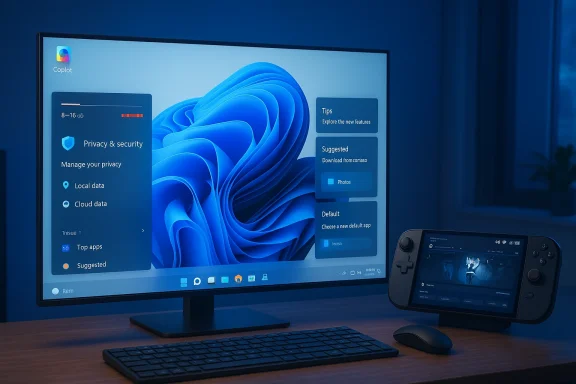
Journalists at PCMag — as relayed in an Inbox.lv news roundup — have distilled a short, blunt list of what they see as the most urgent user complaints about Windows 11, and the result is a clear signal to Microsoft: make AI features optional and transparent, stop eroding user choice, and fix the performance and usability regressions that still plague many installs. ows 11 launched with ambitions: a refreshed UI, deeper cloud and Microsoft 365 integration, and a roadmap that explicitly ties platform evolution to AI. That direction promised productivity gains, tighter security, and better support for modern hardware. In practice, however, mainstream and enthusiast reporting over the last two years shows a mixed picture: some feature wins have been overshadowed by performance complaints, usability regressions after certain updates, and a growing chorus of users unhappy with how Microsoft surfaces AI and promotional experiences inside the OS. Recent coverage and tests have crystallized those complaints into five headline problem areas that Microsoft should address.
If Microsoft does those things it will not only silence a lot of the current criticism, it will preserve Windows’ largest advantage: being the reliable, compatible home for both productivity and play. The choice is simple in principle and harder in execution: build AI and monetization into Windows in ways that feel like tools, not mandates. The community has spoken — now Microsoft needs to show it’s listening.
Source: Inbox.lv The Main Problems of Windows 11 Listed
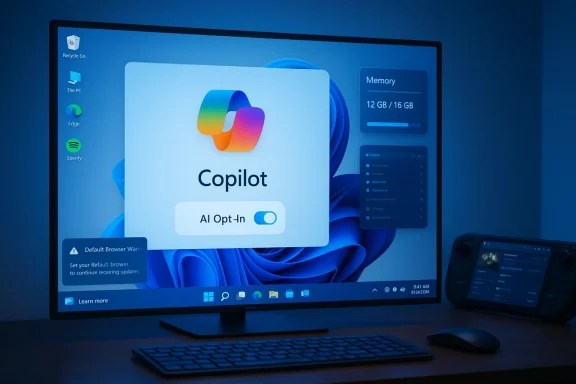 Where users say Windows 11 is failing
1) Forced or opaque AI: Copilot and the "AI everywhere" problem
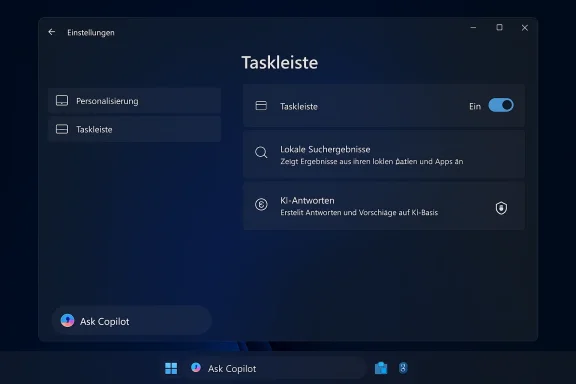
Microsoft’s push to add AI features — branded in many places as Copilot or "AI-powered experiences" — is one of the largest behavior changes in the OS. Users and journalists now regularly describe three related complaints: AI feels pushed rather than opt‑in, the operational details (what data is used and where inference runs) are unclear, and UI placements make accidental activation likely.- The root complaint is simple: many users want AI features to be optional, transparent, and trustworthy rather than imposed as a default. The Inbox.lv summary citing PCMag captures that sentiment precisely: AI options should be optional and auditable.
- Community forums and coverage show users finding Copilot icons and UI affordances taking attention away from core tasks — a design choice that feels like product placement rather than a measured feature rollout. Independent commentary and troubleshooting threads describe users disabling or uninstalling Copilot where possible.
2) Memory and performance — more RAM at idle, and heavy app behavior
A recurring technical complaint about Windows 11 is its higher baseline memory usage. Multiple independent analyses show Windows 11 typically consumes more RAM at idle than Windows 10, often in the order of roughly 1.0–1.5 GB more on a comparable system, driven by richer UI elements, background services, and more aggressive in-OS features.- The technical explanation is straightforward: a more visually rich shell, background widgets, integrated web-based components (WebView2), and extra system services all add to the idle memory footprint.
- A compounding factor is the recent proliferation of heavy Electron- or WebView2-based apps (Discord, some Microsoft wrappers, and others) that can spike RAM per process to several hundred megabytes or more. Tech reporting has repeatedly flagged these single-app spikes and occasional memory leaks as practical pain points for users on 8GB or 16GB systems.
3) Default app resets and the browser battle
One of the highest-profile friction points has been the OS behavior around choosing and keeping a default browser. Over recent years, multiple reports and user complaints described situations where the system appeared to promote Microsoft Edge or send promotional prompts when users tried to change defaults.- Microsoft’s response to regulators — notably the EU Digital Markets Act — led to tangible changes in how Edge is promoted inside Windows for users in the EEA, including rolling back some of the aggressive default prompts. Coverage confirmed those regional changes and Microsoft’s implementation steps.
- Outside the EEA the experience has been more variable historically, and community posts still surface instances where default app settings appear to revert after updates, or where taskbar-initiated web searches open in Edge/Bing despite a different system default. These reports are often configuration-dependent and can be influenced by how certain apps register their handlers.
4) Intrusive advertising and in-OS promotions
Users and reviewers consistently call out increased promotional content inside Windows 11: in-built games that push subscriptions, Store "featured apps" appearing in contexts where users expect local choices, and UI space dedicated to Microsoft or partner product marketing.- Examples include Microsoft Casual Games showing ads or gating functionality behind subscriptions, and system surfaces that promote Microsoft Bundles or Xbox subscriptions. This has created user backlash because it turns an OS session into a commerce surface.
- The tension is genuine: Microsoft monetizes some consumer experiences, but blurred lines between core OS functionality and commercial promotions create user resentment when they feel ads are intrusive or hard to opt out of.
5) Gaming and the pressure from SteamOS/Linux handhelds
Gamers have a technical gripe and a strategic one. Technically, some tests on recent handheld hardware show that a Linux-based SteamOS configuration can outperform Windows 11 for gaming on the same device, primarily because SteamOS removes Windows legacy overhead, benefits from kernel and driver optimizations for the Steam Deck ecosystem, and leverages Proton optimizations for many titles. Benchmarks on certain handhelds showed frame‑rate advantages of roughly 9–30% in real games like Cyberpunk 2077 and others under specific conditions.- The strategic worry for Microsoft is that SteamOS — and Linux gaming improvements via Proton/Mesa — are maturing fast enough to pose a credible alternative for a growing hand‑held and enthusiast market. When Valve or handheld OEMs ship devices that run longer on battery, boot quicker into games, and deliver higher frame rates for the same hardware, Windows’ "all purpose" approach looks relatively heavy.
- For PC gamers, the issues are nuanced: Windows still has advantages in driver maturity, compatibility for niche middleware, and broad tool support. But Valve’s focused effort on gaming-level optimizations (and the advantages of a lightweight gaming OS) is a competitive signal Microsoft shouldn’t ignore.
Update quality and regressions: the 24H2 / January incidents
Windows’ servicing model is central to how users experience the platform. Recent major updates and monthly patches have sometimes introduced regressions — from File Explorer UI bugs and driver-related BSODs to the January 2026 patch that caused some devices to restart instead of shutting down and broke Remote Desktop authentication for a subset of installations.- Multiple independent incident reports and Microsoft’s own out‑of‑band patches show that update-induced regressions are real and occasionally impactful; Microsoft has used rollout safeguards and emergency patches but the experience has shaken user trust.
Critical analysis — strengths, risks, and where to focus
Strengths Microsoft should keep and expand
- Security architecture and VBS: Windows 11’s hardware-assisted security stack (Virtualization Based Security, Secure Launch, TPM integration) is an important defensive step for the platform and enterprise customers.
- AI that can add real productivity: Where AI features are well-scoped and clearly opt-in (for example, local semantic search on Copilot+ devices), they can save time and improve discovery.
- Platform breadth and compatibility: Windows remains broadly compatible with a vast body of software and hardware, which is a core advantage for centuries-old productivity and gaming ecosystems.
Risks and growing user harms
- Trust erosion from forced or opaque features: Pushing AI or promotional content without clear opt‑outs risks alienating power users and enterprises. The perception of "AI being forced" is almost as harmful as poor AI outcomes.
- Performance regressions reduce platform value: If memory bloat, heavy web-wrapped apps, and update regressions continue, users on mid-range hardware will feel Windows 11 is worse than its predecessors — driving churn to Linux or delaying upgrades.
- Perception of monetization over usability: When ads and subscription prompts surface inside system apps, users feel the OS is monetizing attention at the expense of user experience.
Concrete recommendations for Microsoft
- Respect user choice: make AI features opt‑in by default and provide a single, obvious control to disable all AI integrations system‑wide. Evidence of this user desire is clear in journalistic and community reporting.
- Publish clear data-handling docs: for every on‑device and cloud AI feature, show what data is sent off‑device, how long it is stored, and how users can purge it.
- Prioritize memory and I/O optimization:
- Audit core system components for idle footprint reductions.
- Promote native, lightweight app frameworks for first‑party apps rather than WebView2 wrappers that balloon RAM.
- Respect defaults globally:
- Ensure default app choices are honored after updates and across taskbar/search flows, and keep the EU DMA improvements as a global baseline.
- Cleanly separate promotions from system UI:
- Put commercial content in an opt‑in “Discover” or “Store” area, and never inside primary workflow surfaces like File Explorer menus or Settings pages where users expect system functions.
- Make gaming first-class:
ad “Game Mode” that suspends telemetry, delays non-critical background scanning, and optimizes scheduling during gaming sessions. - Work with anti-cheat vendors and OEMs proactively to avoid driver conflicts that can produce BSODs during major updates.
- Improve update quality signals:
- Expand KIR and selective rollout safeguards, and provide clearer telemetry-driven guidance to users about whether to delay large updates based on their hardware profile. Recent emergency OOB measures show Microsoft can respond quickly — the aim should be to prevent regressions before wide rollout.
What’s verifiable and what remains fuzzy
- Verifiable: Windows 11 typically uses more memory at idle than Windows 10 by roughly 1.0–1.5 GB on many test platforms, and heavy Electron/WebView2 apps can consume hundreds of megabytes each; independent tests and reporting back this behavior.
- Verifiable: SteamOS/Valve-based handhelds can and have outperformed Windows 11 on identical handheld hardware in some third‑party benchmarks, sometimes by substantial margins in FPS for specific titles. These results are hardware- and configuration-dependent.
- Cautionary: Claims that Microsoft “resets” defaults universally after every update are too broad; while there are credible reports of defaults being reset in some circumstances and promotional prompts being shown in others, regulatory-driven changes and Microsoft’s EEA adjustments have already reduced some of thexperiencing resets should check whether specific apps or automation tools are re-registering handlers; administrators should test update behavior at scale.
For power users and IT admins: practical steps now
- Audit and tune startup/background apps: disable widgets, nonessential store apps, and heavy web-wrapped apps on systems with 8–16GB RAM.
- Use Windows’ built-in “Performance” and Task Manager tools to identify memory spikes; prefer native apps where possible.
- Defer feature updates on critical machines until vendor‑listed compatibility holds are cleared and OEM drivers are verified; Microsoft’s release health and enterprise KIR guidance can help.
- For gamers, enable manufacturer performance profiles, and test the vendor‑recommended anti‑cheat configurations before major updates.
Conclusion
The Inbox.lv summary of PCMag’s list captured a clear user demand: Windows 11 should feel like an OS that augments the user’s work and play, not one that interrupts or replaces user choice with heavy defaults and promotional content. The platform’s technical foeatures, AI ambitions, broad compatibility — remains a powerful asset. But Microsoft’s next priority must be trust and predictability: make AI visible and optional, optimize for real hardware realities (especially memory and gaming overhead), respect default app choices globally, and draw a strong boundary between commerce and core OS function.If Microsoft does those things it will not only silence a lot of the current criticism, it will preserve Windows’ largest advantage: being the reliable, compatible home for both productivity and play. The choice is simple in principle and harder in execution: build AI and monetization into Windows in ways that feel like tools, not mandates. The community has spoken — now Microsoft needs to show it’s listening.
Source: Inbox.lv The Main Problems of Windows 11 Listed