

Microsoft quietly pushed a February cumulative update that cures a painful GPU-related crash some Windows 11 gamers have been facing — the kernel stop code shown as the modernized “Black Screen of Death” — and also folds in a repair for a separate WPA3 Wi‑Fi connectivity regression introduced in recent preview packages.
Windows 11 users began reporting hard system crashes in early 2026 that manifested as a full-screen stop error carrying the KERNEL_SECURITY_CHECK_FAILURE (bug check 0x139) message. The failure traced back to a kernel component used by DirectX's memory manager, dxgmms2.sys, and appeared most often while running games or other GPU-heavy workloads. Testers and end users reported variation in the appearance of the crash screen depending on their Windows build (some saw a green or black stop screen), but the result was the same: an abrupt, system-wide reboot and lost progress.
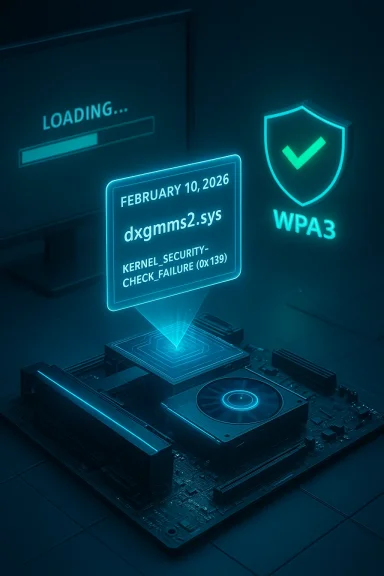
Microsoft documented the remedy in its February 10, 2026 cumulative update notes for the Windows 11 servicing branches. The change log entry is explicit: the update fixes an issue where “certain GPU configurations might recently have experienced a system error related to dxgmms2.sys, resulting in the KERNEL_SECURITY_CHECK_FAILURE error.” The same February release also includes a networking fix addressing devices that “could not connect to certain WPA3‑Personal Wi‑Fi networks” after installing an earlier optional preview.
This article explains the technical background of the bug and the patch, analyzes the risks and tradeoffs that led to the regression and its fix, and gives step‑by‑step guidance for gamers, IT pros, and enthusiasts on how to assess exposure and remediate problems.
When the memory manager or a kernel-mode driver violates expected invariants (for example, by returning corrupted state, overwriting memory, or failing sanity checks), Windows can trigger a bug check to protect system integrity. One of those bug checks is KERNEL_SECURITY_CHECK_FAILURE, which is raised when a kernel integrity check fails: inconsistent data structures, corrupted page tables, or other security-sensitive anomalies.
That makes dxgmms2.sys a high‑leverage fault domain: any regression in the way Windows validates or interacts with GPU resources — or a change in driver behavior — can surface as a kernel stop error.
Key operational details to understand:
This sequence underlines the tradeoffs Microsoft faces in update engineering:
Software ecosystems at the kernel level are complex; regressions will happen. The right posture is pragmatic: apply critical updates, validate with representative workloads, keep recovery measures ready, and work collaboratively with vendors when crashes occur. That approach minimizes downtime and preserves the primary value of updates: improved security and reliability for every Windows 11 gamer.
Source: TechRadar https://www.techradar.com/computing...staring-at-the-dreaded-black-screen-of-death/
 Background
Windows 11 users began reporting hard system crashes in early 2026 that manifested as a full-screen stop error carrying the KERNEL_SECURITY_CHECK_FAILURE (bug check 0x139) message. The failure traced back to a kernel component used by DirectX's memory manager, dxgmms2.sys, and appeared most often while running games or other GPU-heavy workloads. Testers and end users reported variation in the appearance of the crash screen depending on their Windows build (some saw a green or black stop screen), but the result was the same: an abrupt, system-wide reboot and lost progress.Microsoft documented the remedy in its February 10, 2026 cumulative update notes for the Windows 11 servicing branches. The change log entry is explicit: the update fixes an issue where “certain GPU configurations might recently have experienced a system error related to dxgmms2.sys, resulting in the KERNEL_SECURITY_CHECK_FAILURE error.” The same February release also includes a networking fix addressing devices that “could not connect to certain WPA3‑Personal Wi‑Fi networks” after installing an earlier optional preview.
This article explains the technical background of the bug and the patch, analyzes the risks and tradeoffs that led to the regression and its fix, and gives step‑by‑step guidance for gamers, IT pros, and enthusiasts on how to assess exposure and remediate problems.
Overview: what Microsoft shipped in February
- The February 10, 2026 cumulative updates for Windows 11 versions across the servicing channels (23H2, 24H2/25H2, and 26H1) all include a fix that calls out dxgmms2.sys and the KERNEL_SECURITY_CHECK_FAILURE symptom.
- The patch notes also list a separate networking fix: restoration of WPA3‑Personal connectivity for devices impacted by a January preview package.
- Microsoft distributed these fixes via the normal cumulative update channels (Windows Update and Update Catalog), and the rollouts used targeting and phased deployment mechanisms to mitigate widespread impact.
What went wrong: a deeper technical look
dxgmms2.sys and kernel‑level graphics memory management
dxgmms2.sys is a Windows kernel component used by DirectX for graphics memory management and buffer handling. It mediates interactions between user-mode graphics APIs, vendor GPU drivers (kernel-mode components supplied by NVIDIA, AMD, or Intel), and the operating system’s kernel memory manager.When the memory manager or a kernel-mode driver violates expected invariants (for example, by returning corrupted state, overwriting memory, or failing sanity checks), Windows can trigger a bug check to protect system integrity. One of those bug checks is KERNEL_SECURITY_CHECK_FAILURE, which is raised when a kernel integrity check fails: inconsistent data structures, corrupted page tables, or other security-sensitive anomalies.
That makes dxgmms2.sys a high‑leverage fault domain: any regression in the way Windows validates or interacts with GPU resources — or a change in driver behavior — can surface as a kernel stop error.
Why gaming workflows highlighted the problem
Gaming pushes GPUs into sustained, high‑throughput modes. Titles with heavy GPU memory allocation patterns or games that exercise platform-specific features (like hardware‑enforced stack protections, ray tracing, or vendor extensions) reveal timing and memory-management edge cases more readily than light desktop tasks. As a result, games and benchmarks were the most reliable symptom triggers, which is why the bug disproportionately affected gamers.The role of kernel‑mode drivers and third‑party integrations
The phrasing “certain GPU configurations” usually signals a narrow compatibility interaction. Historically, similar KERNEL_SECURITY_CHECK_FAILURE stop codes have come from:- Incompatible or buggy vendor GPU drivers.
- Kernel-mode anti‑cheat or DRM drivers that hook into graphics stacks.
- OEM-supplied firmware or microcode interactions.
- Newly introduced Windows kernel protections that collide with older driver assumptions.
How Microsoft fixed it (and why the wording matters)
Microsoft fixed the issue in the February cumulative updates for the various servicing branches. The company’s brief note — “Fixed: This update addresses an issue where certain GPU configurations might recently have experienced a system error related to dxgmms2.sys, resulting in the KERNEL_SECURITY_CHECK_FAILURE error” — indicates a code-level change in the OS-side handling of GPU memory interactions.Key operational details to understand:
- The fix is delivered as part of the cumulative update set, so installing the February package updates the kernel component and related files to the corrected version.
- Microsoft has used phased rollouts and telemetry-based targeting in recent months to reduce blast radius for risky changes; the same mechanisms likely helped limit the problem’s spread and allowed fast corrective action.
- The company previously shipped an optional January preview that included the same fix in beta form; that preview is typically where issues are caught by early-adopter testers before the stable cumulative goes broad.
The WPA3 side effect and update cadence tradeoffs
One complicating data point: the January preview that looked to carry the dxgmms2.sys fix also introduced a separate regression that blocked connections to some WPA3‑Personal Wi‑Fi networks. That networking issue was acknowledged and corrected in the February cumulative release.This sequence underlines the tradeoffs Microsoft faces in update engineering:
- Shipping a fix quickly to curb a kernel crash affecting gamers is urgent.
- Preview releases accelerate discovery, but optional updates reach a broader audience when installed and can expose new regressions.
- Fixing one regression (graphics crash) in a preview can unintentionally destabilize another subsystem (networking), which then requires a follow-up cumulative to correct.
How to know whether you were affected
- Check your installed Windows build:
- Run “winver” to view the OS build number. The February cumulative updates correspond to the builds Microsoft published on February 10, 2026 for each servicing branch.
- Look for recent bug check history:
- If your machine crashed and rebooted, Windows may have recorded a memory.dmp or mini-dump. Use Event Viewer (Windows Logs → System) to search for BugCheck events indicating KERNEL_SECURITY_CHECK_FAILURE or BugCheck code 0x139.
- Reported symptoms users saw:
- Full‑screen crash with an abrupt reboot.
- Stop-screen message showing KERNEL_SECURITY_CHECK_FAILURE.
- Crashes that consistently occur only when launching or playing specific games.
- If you installed a January optional preview and then experienced WPA3 issues (inability to connect to WPA3‑Personal SSIDs), the February cumulative should correct that regression.
What gamers should do now (recommended steps)
If you game on Windows 11, follow this practical checklist to minimize risk and restore stability.- Install the February cumulative update
- Use Windows Update and ensure the February cumulative is applied for your Windows 11 version. This is the primary remediation for the dxgmms2.sys crash and the WPA3 connectivity regression.
- Update your GPU drivers
- After installing the OS update, download and install the latest official GPU driver from your GPU vendor (NVIDIA, AMD, Intel) or OEM laptop maker. Driver updates often include stability fixes that complement OS patches.
- Reboot and validate
- Restart the PC and run a short stress test (for example, play the game that previously triggered the crash for 20–30 minutes) to confirm stability.
- If crashes persist, capture diagnostics
- Collect a memory dump and upload it to the vendor or attach it to an OS Feedback report. Use “Event Viewer” and reliability history to gather timestamps and crash signatures.
- Use a clean boot to isolate third‑party drivers
- Temporarily disable non‑essential startup items and services to see if the crash is related to anti‑cheat or DRM kernel drivers.
- Roll back only as a last resort
- If your machine becomes less stable after installing updates, use System Restore or uninstall the cumulative update, but carefully weigh the security tradeoffs. Rolling back should be a temporary troubleshooting step, not a permanent plan.
- Keep WPA3 in mind
- If you had WPA3 connectivity problems after installing January previews, ensure the February cumulative is installed. If you continue to have Wi‑Fi issues, try toggling the network adapter driver or re-joining the SSID with WPA3/IETF settings corrected on both client and access point.
Troubleshooting scenarios and advanced fixes
If you still see KERNEL_SECURITY_CHECK_FAILURE after February patch
- Reinstall or rollback GPU drivers to a vendor-recommended stable driver (use the vendor clean-install option where available).
- Check for OEM firmware/BIOS updates — GPU/PCIe firmware changes can affect driver interactions.
- Disable optional kernel protections for testing only:
- Certain kernel protections, like hardware-enforced stack protection or experimental mitigations, can interact badly with buggy drivers. Temporarily disabling them can help isolate the issue, but this reduces system hardening; re-enable them when testing is complete.
- Examine anti‑cheat and kernel‑mode modules:
- Many games install kernel drivers for anti‑cheat. Use tools to enumerate loaded drivers and test with a clean boot to identify problematic modules.
If WPA3 connectivity remains broken
- Verify the client and AP support the same WPA3 mode (transition vs. WPA3‑only).
- Update Wi‑Fi adapter drivers from the OEM.
- Recreate the wireless profile (forget network → rejoin).
- As a temporary workaround, switch AP to WPA2/WPA3 mixed mode if available while troubleshooting.
Broader implications: patch quality, tradeoffs, and reputation
This incident is part of a longer pattern where Windows 11’s monthly update cadence and the scope of kernel-level hardening have increased the chances that a change interacts with third‑party drivers in unpredictable ways. A few observations:- Rapid hardening and kernel protections are good for overall platform security, but they increase the risk of compatibility regressions when older drivers assume weaker semantics.
- The sheer number of different GPU vendors, OEMs, and driver stacks makes comprehensive testing impossible; targeted telemetry and phased rollouts are necessary but cannot catch every edge case.
- For gamers and enthusiasts, the ideal balance is fast delivery of critical stability patches with clear guidance and rollback options. Microsoft’s use of optional previews and phased rollouts attempts to strike that balance, but the public perception costs when crashes occur are real.
Risk analysis: what to watch for going forward
- Kernel-level changes will continue to produce parity issues with older or poorly maintained drivers. Users with vintage hardware or niche add-ons (legacy modems, specialized capture devices) should be cautious and test updates in a controlled manner.
- Rapid patches that fix one regression may uncover another (as happened with the WPA3 issue), so early-adopter testers must plan for follow-up remediation.
- Corporate IT and gaming cafes should stagger updates and test representative hardware configurations before wide deployment.
- Because Microsoft is increasingly removing and deprecating legacy components (for example, intentional removals of old modem drivers in January), expect functional regressions for niche hardware; those are often intentional moves for security hygiene.
Recommendations for IT pros, streamers, and PC builders
- Establish a test ring: apply Microsoft’s monthly patches to a small set of representative machines before broad rollout.
- Maintain an image and restore plan: keep recovery images and test restores after cumulative updates to speed remediation.
- Keep driver repositories: store certified GPU and networking drivers centrally so you can rollback quickly if an update causes regressions.
- Educate users: instruct gamers to save often and consider pausing non‑critical updates before major LAN events or streamed tournaments.
- Use telemetry wisely: collect crash dumps and diagnostic logs from clients to help vendors reproduce and fix obscure hardware/driver combinations.
What Microsoft and vendors should do (constructive critique)
- Increase transparency around the scope of “certain GPU configurations.” When possible, publish a short vendor or model list to help affected users triage faster.
- Improve pre-release testing collaboration with OEMs and GPU vendors for kernel-level changes that might affect graphics subsystems.
- Expand Known Issue Rollback (KIR) capabilities to more quickly flip problematic changes off while preserving security updates.
- Continue using staged rollouts but add clearer user-facing messaging when a fix covers a specific class of devices.
Final words — practical posture for gamers today
The February 10, 2026 cumulative updates for Windows 11 are the correct fix for the dxgmms2.sys KERNEL_SECURITY_CHECK_FAILURE crashes and the separate WPA3 connectivity regression. Gamers should install the update, follow it with the latest vendor GPU drivers, and run a validation session to ensure their primary titles are stable. If problems persist, gather crash dumps, try clean-boot isolation, and lean on vendor support with the specific build numbers and dump files in hand.Software ecosystems at the kernel level are complex; regressions will happen. The right posture is pragmatic: apply critical updates, validate with representative workloads, keep recovery measures ready, and work collaboratively with vendors when crashes occur. That approach minimizes downtime and preserves the primary value of updates: improved security and reliability for every Windows 11 gamer.
Source: TechRadar https://www.techradar.com/computing...staring-at-the-dreaded-black-screen-of-death/
