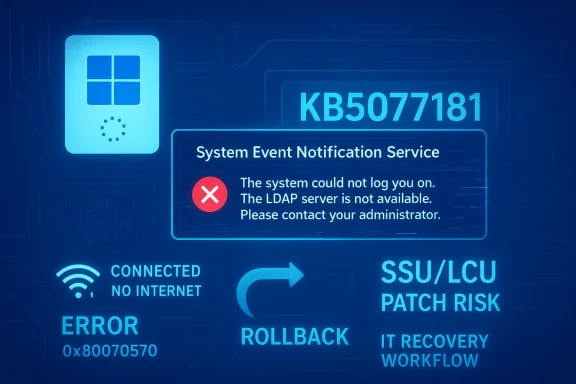
Microsoft’s February 2026 Patch Tuesday for Windows 11 arrived as a workmanlike but meaningful quality release: KB5077181 (OS Build 26200.7840 / 26100.7840) stitches together months of Release Preview testing, restores several long‑requested controls, modernizes niche platform stacks (notably MIDI), and carries servicing and AI component baggage that administrators should plan for. )
This February cumulative is unusual in tone rather than scale. After a turbulent 2025 that included emergency patches and widely publicized regressions, Microsoft appears to have prioritized reliability, usability, and selective capability rollouts over sweeping UI ambition. The update is being delivered as a standard LCU (monthly cumulative) accompanied by a Servicing Stack Update (SSU), and many of the visible features are gated behind Microsoft’s Controlled Feature Roeaning installation of the package does not guarantee immediate availability of every user‑facing change.
Why that matters: deploying the binary is the first step; Microsoft may enable functionality later via server flags or require partner app updates, OEM firmware, or specific hardware to complete the end‑to‑end experience. That split between“features enabled” is now a persistent aspect of Windows servicing.
Practical note: toggling SAC changes your security posture. Disabling SAC increases exposure to potentially harmful binaries; organizations should control SAC state through Group Policy or Intune where appropriate.
On Copilot+ PCs, the Settings Agent (the AI helper inside Settings) received expanded language support — including German, Portuguese, Spanish, Korean, Japanese, Hindi, Italian, a — improving accessibility for users outside English language regions. These are part of the gradual rollout and require Copilot+ hardware in some cases.
hentication issue (password icon disappearing on the lock screen after certain updates).
Installation checklist for IT teams:
Administrators ought to plan for increased download sizes and disk‑consumption impacts on Copilot+ capable machines, and test any workflows that rely on on‑device indexing, search, or recommendations after the update. If your deployment relies on deterministic behavior from system agents, pilot and validate before broad rollout.
For most users the recommendation is simple: install the February 2026 update when convenient, but pilot first in managed environments. If your workflow depends on signed MIDI tooling, ESS certification for peripheral fingerprint devices, or deterministic AI‑agent behavior, validate thoroughly before enabling broad deployment. In a year that demanded course corrections, Microsoft’s February patch is the kind of modat rebuilds confidence: fewer surprises, fewer regressions, and incremental features that solve real problems without introducing new ones — provided organizations adopt a measured rollout and test plan.
Conclusion: KB5077181 is the update Windary 2026 — pragmatic, repair‑oriented, and thoughtfully staged — but it still requires responsible pilot testing and attention to peripheral compatibility to extract its full value.
Source: Windows Latest I tested Windows 11 February 2026 Updates: Everything new, improved, and fixed
 Background
This February cumulative is unusual in tone rather than scale. After a turbulent 2025 that included emergency patches and widely publicized regressions, Microsoft appears to have prioritized reliability, usability, and selective capability rollouts over sweeping UI ambition. The update is being delivered as a standard LCU (monthly cumulative) accompanied by a Servicing Stack Update (SSU), and many of the visible features are gated behind Microsoft’s Controlled Feature Roeaning installation of the package does not guarantee immediate availability of every user‑facing change.Why that matters: deploying the binary is the first step; Microsoft may enable functionality later via server flags or require partner app updates, OEM firmware, or specific hardware to complete the end‑to‑end experience. That split between“features enabled” is now a persistent aspect of Windows servicing.
What’s included at a glance
- Patch: KB5077181 (Wind0 and 26100.7840 for versions 25H2 and 24H2).
- Servicing Stack Update: KB50ove update reliability.
- Primary user‑visible features rolling out (some via CFR): Cross‑Device Resume expansion, Windows MIDI Services overhaul, the ability to toggle Smart App Control, Windows Hello ESS support for external fingerprint readers, and a new Device card).
- Accessibivements: redesigned Voice Access onboarding, refined Voice Typing latency controls, and more granular Narrator reading options.
Cross‑Device Resume: finally practical continuity
What changed
Cross‑Device Resume (XDR) has been broadened from a narrow OneDrive‑centric trickle into a pragmatic activity‑handoff system. On supported Android phones (HONOR, OPPO, Samsung, vivo, Xiaomi and others), activities started on a phone can now surface on the Windows 11 PC and be continued in native desktop apps or the browser. Scenarios Microsoft and testers have highlighted include resuming Spotify playback, continuing Microsod via the Copilot mobile app, and restoring browsing sessions from certain OEM browsers such as vivo Browser.How it works (brief)
Rather than streaming a phone’s UI, Cross‑Device Resume uses a lightweight metadata handshake (sometimes referred to as an activity descriptor) that tells Windows which local app or handler should open the contep app (e.g., Word, Excel, Spotify) is available, Windows prefers it; otherwise it falls back to the system’s default browser. The feature requires Link to Windows / Phone Link setup and an online/cloud context for files — offline files stored only on the phone won’t appear.Practicg notes
- Expect variability. CFR and OEM/app partner integration mean availability varies by phone model, OEM browser, region, and the user’s Microsoft account. Installing KB5077181 male but not guaranteed to see XDR immediately.
- Security and privacy: the mechanism depends on cloud‑backed metadata and account linkage; organizations should audit telemetry and cross‑device permissions before broad deployment.
Windows MIDI Services: a professional‑grade overhaul
What’s new
This update is one of the most consequential for creators and musicians in recent Windows releases. Windows MIDI Services has been upgraded with full WinMM and WinRT MIDI 1.0 support, translation facilities for MIDI 2.0, shared ports across apps, custom port naming, loopback and ad a set of performance optimizations and bug fixes. Microsoft also publishes (or is shipping) an optional App SDK and Tools package that exposes MIDI 2.0 features such as a MIDI Console and a MIDI Settings app.Why this matters
Historically, Windows’ MIDI plumbing was serviceable but fractured: driver quirks and single‑process port locking made some workflows brittle. The new model brings modern features (MIDI 2.0 expressiveness, shared ports, app routing) that are key for both live performance. For DAW developers and hardware vendors this is a platform‑level improvement that enables richer instrument control and more robust multi‑app workflows.Risk and deployment guidance
- The release‑time SDK/tools bundle has been reported unsigned in preview; expefor early downloads. Only install preview SDKs and unsigned tooling on non‑production machines or in isolated VMs until signed packages are available.
- Driver and third‑party app compatibility will be the gating factor. Vendors must update driv exploit MIDI 2.0 features; test critical audio chains in a controlled environment before rolling out to production workstations.
Smart App Control: a long‑overdue toggle
Smart App Control (SAC) has been a pain point: previously, once it was enabled the only way to remove it was a full OS reinstall. KB5077181 removes that one‑way lock. Administrators and power users can now enable or disable SAC at will from Windows Security > App & Browser Control > Smart App Control. This makes SAC practical for environments (development machineshat need to run unsigned tools) where a single bootstrapping block previously forced disruptive workarounds.Practical note: toggling SAC changes your security posture. Disabling SAC increases exposure to potentially harmful binaries; organizations should control SAC state through Group Policy or Intune where appropriate.
Windows Hello ESS and external fingerprint readers
The update extends Windows Hello Enhanced Sign‑in Security (ESS) to support compatible external fingerprint readers. This is a meaningful expansion for desktopsat lack built‑in biometric sensors, letting IT teams and power users adopt stronger, hardware‑backed authentication on a wider set of endpoints. Enrollment flows are exposed via Settings > Accounts > Sign‑in optionsal support depends on ESS certification or vendor‑supplied drivers. If an external reader won’t enroll, verify ESS compatibility, update firmware and drivers, and test enrollment on a lab device.Settings: Device card and Copilot+ language expansion
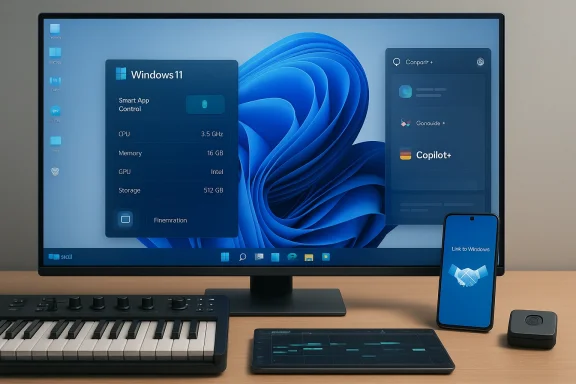
Microsoft has added a Device card to the Settings home page that shows at‑a‑glance information (processor, memory, graphics, storage) and links to About for detailed specs. At launch thisted to the United States and requires signing in with a Microsoft account. The card had been paused in a prior rollout and is now resuming via the controlled rollout channel.On Copilot+ PCs, the Settings Agent (the AI helper inside Settings) received expanded language support — including German, Portuguese, Spanish, Korean, Japanese, Hindi, Italian, a — improving accessibility for users outside English language regions. These are part of the gradual rollout and require Copilot+ hardware in some cases.
Accessibility and voice improvements
Microsoft invested in usability for assistive technologies in this release. Key improvements include:- Narrator: more granular reading controls so users can choose what details are announced and in which order.
- Voice Access: redesigned onboarding wizard for easier download of language models, microphone setup, and learning basic commands.
- Voice Typing: a new “Wait time g that controls how long Windows waits before executing spoken commands, making recognition more tolerant of varied speech patterns.
Security and low‑level fixes: the normal rollout
KB5077181’s normal rollout contains a set of important reliability and security fixes that should reach most devices quickly. Notable items called out by Microsoft and independent reporters include:hentication issue (password icon disappearing on the lock screen after certain updates).
- Black screen fixes in isolated multi‑user environments and crassys on certain GPU configurations (KERNEL_SECURITY_CHECK_FAILURE).
- File Explorer: corrections for desktop.ini LocalizedResourder names set via desktop.ini are respected.
- Fixes for startup freezes related to Boot Manager debugging components, iSCSI boot “Inaccessible Boot Device” scenarios, runtime C library compliance idbox startup failures.
Gradual rollout fixes and UX polish
In addition to the immediate fixes, Microsoft is rolling out a second wave of improvements via CFR. These include Start menu layout corrections (including fixes for Arabic/Hebrew layouts), removal of a misleading kiosk error message during multi‑app sign‑in, Windows Update reliability improvements, lock screen unresp, and fixes for Explorer.exe hangs on first sign‑in when certain startup apps are enabled. These items will appear device‑by‑device over days or weeks.Servicing stack and installation guidance
KB5077181 bundles a Servicing Stack Update (KB5077869) intended to improve the update pipeline itself and reduce installation failures. Microsoft’s official guidance for combined SSU+LCU packages remains: install the SSU together with the cumulative and follow the recommended ordering for offline MSU installs (install all MSU files together or follow the documented sequence with DISM). Administrators shoble disk space — combined packages (especially when Copilot/AI binaries are present) can be several gigabytes.Installation checklist for IT teams:
- Inventory affected endpoints and backup BitLocker keys and recovery media.
- Apply the SSU and LCU to a pilot ring first, monitor update health and app compatibility.
- Validate biometric enrollment (if using external readers), audio/MIDI workflows, and cross‑device scenarios.
- Stage wider rollouts after 72–168 hours of pilot telemetry checks.
AI components and the opaque bits
KB5077181 includes quiet updates to on‑device AI components reportedly updated to version 1.2601.1268.0 for binaries such as Image Search, Content Extraction, Semantic Analysis, and Settings Model. Microsoft does not publish exhaustive changelogs for these internal components, and the visibility into their precise behavioral changes remains limited; treatdel or logic updates rather than functionally discrete features. Because Microsoft’s published notes are brief, this claim relies on vendor and community reporting and should be treated with cautious verification in enterprise environments.Administrators ought to plan for increased download sizes and disk‑consumption impacts on Copilot+ capable machines, and test any workflows that rely on on‑device indexing, search, or recommendations after the update. If your deployment relies on deterministic behavior from system agents, pilot and validate before broad rollout.
How to approach deployment: a pragmatic playbook
This release is a model of “sensible, staged improvement” in a post‑2025 Windows servicing world. For home power users and enthusiasts the update is low risk and worth installing once you accept the CFR model: install, then wait a few days for server‑side feature gates. For IT and creators, follow this recommended phased plan:- Pilot ring (10–20 devices) — Include represenops, desktops, Copilot+ devices (if present), devices with external fingerprint readers, and at least one audio workstation. Validate Sign‑in, key business apps, MIDI workflows, and any curly Broad Rollout (10–30% of estate) — Monitor update success rates, driver crashes (dxgmms2.sys), and application telemetry. Validate Windows Update client reliability after SSU.
- Full Deployment — Expand to remaining devices after two weeks of stable telemetry and mitigations for any deMaintain a rollback plan and ensure recovery media is available in case of Secure Boot or bootloader issues introduced by firmware or certificate differences.
Notable strengths in KB5077181
- Focused stability improvements that address real, recurring pain points from the past year.
- Practical feature parity wins: reversiband wider Windows Hello ESS support materially improve usability for power users and security‑minded deployments.
- The MIDI modernization is a strategic, forward‑looking investment for creators and indows as a platform for music production.
Risks and unknowns
- Controlled Feature Rollouts mean installed binaries do not equal immediate feature availability; organizations must md support channels accordingly.
- On‑device AI component updates remain opaque. Where deterministic behavior is necessary (search, indexing, policy enforcement), changelogs requires cautious testing.
- MIDI SDK/tools unsigned during preview — early adopters must avoid production installations of unsigned tooling to mitigate supply chain a
- Firmware and Secure Boot certificate changes can surface boot violations if Secure Boot databases are reset or toggled incorrectly; ensure recovery media is readily available.
Quick troubleshooting and mitigation tips
- If Cross‑Device Resumerm Link to Windows / Phone Link is installed and the phone is listed in Mobile devices on your PC, and check Settings → Apps → Resume to enable per‑app resume.
- If Smart App Control blocks a required installer: use Windows Security → App & Browser Cntrol to set SAC to Evaluation or temporarily disable it (know the security tradeoffs). For enterprise, manage via Group Policy or Intune.
- If an external fingerprint readonfirm ESS certification/support, update firmware/drivers from the vendor, and try enrollment on a test device first.
- If MIDI tools warn about unsigned packagy in test VMs or non‑production workstations until Microsoft or vendors release signed releases.
Final assessment
KB5077181 is not a flashy springboard but a sober course correction. It leans into stability, restores important controls that were previously too rigid (Smart App Control), invests in creator tooling (MIDI), and advances practical cross‑device continuity in meaningful scenarios (media, Microsoft 365 documents, OEM browser sessions). The update also reminds administrators that modern cumulative packages can carry model payloads and servicing updatge size and complexity; plan disk space and pilot deployments accordingly.For most users the recommendation is simple: install the February 2026 update when convenient, but pilot first in managed environments. If your workflow depends on signed MIDI tooling, ESS certification for peripheral fingerprint devices, or deterministic AI‑agent behavior, validate thoroughly before enabling broad deployment. In a year that demanded course corrections, Microsoft’s February patch is the kind of modat rebuilds confidence: fewer surprises, fewer regressions, and incremental features that solve real problems without introducing new ones — provided organizations adopt a measured rollout and test plan.
Conclusion: KB5077181 is the update Windary 2026 — pragmatic, repair‑oriented, and thoughtfully staged — but it still requires responsible pilot testing and attention to peripheral compatibility to extract its full value.
Source: Windows Latest I tested Windows 11 February 2026 Updates: Everything new, improved, and fixed