

Microsoft’s latest pledge to focus on Windows 11 fundamentals is the right instinct, but it will not be enough on its own. If the company really wants to repair trust, stabilize the platform, and stop the steady drip of user frustration, it needs to change how Windows is built, tested, and explained. The four fixes outlined below are not cosmetic tweaks; they go to the heart of why Windows 11 has often felt inconsistent, opaque, and unfinished.
Windows has been here before. After Windows Vista and again after Windows 8, Microsoft found itself confronting the same basic criticism: too much disruption, too little clarity, and a sense that the company had lost sight of what made Windows dependable in the first place. The pattern is depressingly familiar, and Windows 11 has inherited many of the same complaints, even if the technical details are different.
The current debate is not just about visuals or a Start menu layout. It is about whether Microsoft’s modern Windows strategy still respects the expectations of a platform used by consumers, enterprises, schools, IT admins, and power users who all depend on predictability. That expectation is especially important for Windows 11, because the operating system is now the center of Microsoft’s AI ambitions, cloud ties, and recurring update model.
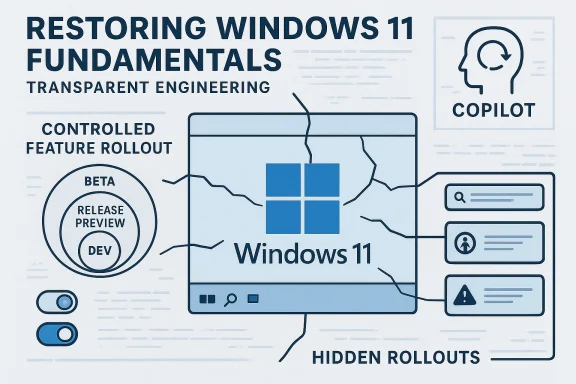
Microsoft has publicly acknowledged some of these tensions. In its own support documentation, the company explains that it uses Controlled Feature Rollout to gradually introduce new features through the existing update process, and that the Windows Insider Program also feeds into this approach. That may sound sensible in theory, but in practice it means that two devices on the same public release can behave differently, which complicates support, training, and troubleshooting.
The Insider channels themselves have also become more complicated over time. Microsoft’s recent blog posts make clear that the Dev, Beta, and Canary channels no longer map cleanly to a simple path toward the next public release. In some periods, Dev and Beta receive the same builds; in others, they diverge. Canary, meanwhile, is explicitly described as not matched to any specific Windows release. That structure may help Microsoft move faster internally, but it also makes the preview ecosystem harder to understand for the people who are supposed to help improve it.
Against that backdrop, the call for Windows 11 to “get back to fundamentals” is not nostalgia. It is a demand for coherence. Microsoft can keep adding features, but unless the plumbing becomes more visible, more consistent, and more accountable, the same cycle of enthusiasm followed by irritation will continue.
That inconsistency matters because Windows is not a single-purpose product. It is the foundation for office work, education, gaming, software development, and device management. A platform that serves so many constituencies has to be boring in the best possible way: stable, explainable, and easy to support. Novelty is not the same thing as progress.
Microsoft’s own communications sometimes undercut that goal. The company emphasizes “continuous innovation,” but continuous innovation can sound suspiciously like continuous change for its own sake when the end-user does not know what has changed, why it changed, or when it will arrive. The result is a credibility gap between Microsoft’s internal metrics and customers’ lived experience.
Microsoft’s recent release notes show that Insider channels can overlap in ways that make them feel more like parallel experiments than a coherent preview pipeline. For example, recent Dev and Beta flights have been offered as the same builds for a period of time, with Microsoft warning that the window to switch channels can close once Dev advances. That tells you the structure is fluid, but it does not tell you that it is intuitive.
That fluidity may help Microsoft internally, yet it weakens the value of the program as a public preview environment. A preview channel should help people understand what is coming next. If the channel itself is moving target territory, the feedback it produces becomes harder to interpret. That is not a small flaw; it is a structural one.
That would also make feedback more actionable. If Microsoft knows a given release is being tested as a coherent package, telemetry and comments are easier to correlate with the exact code that will go out to customers.
The problem is familiar to anyone who has spent time in the Insider ecosystem. Microsoft may document a new capability in a build announcement, but not every tester sees it. That means feedback is fragmented before the build even reaches the real world. For users who want to know whether an update is stable, hidden feature gating becomes a distraction rather than a benefit.
This is where tools like ViVeTool enter the picture, because testers have learned to enable dormant features on their own just to understand what Microsoft is actually shipping. That is a sign the official process is not serving its audience well. When the unofficial workaround becomes part of the workflow, the workflow itself has a design problem.
That would make the program more honest. It would also let Microsoft gather better signal from both groups, instead of mixing them into one noisy feedback stream.
Microsoft’s own support pages say CFR starts with optional preview updates and then gradually extends to other devices before a feature is eventually enabled by default in a later update. In enterprise documentation, Microsoft also explains that it can ship select features turned off and then let organizations manage them through policy. That may be workable for administrators, but it does not make the consumer experience any less fragmented.
The deeper issue is philosophical. Public release should mean public release. If the build number is the same, users should not need to wonder whether they have a different Start menu, a different Settings page, or a different Copilot prompt from the person sitting next to them. A stable release should be stable in more than name.
A practical policy would be simple:
That kind of transparency matters even more today, when Windows changes often feel algorithmic or opaque. A user who dislikes a design change may still accept it if Microsoft explains the tradeoff. Without that explanation, users assume the decision was arbitrary, or worse, marketing-driven. Trust is easier to preserve than to rebuild.
Microsoft has become much better at announcing features than at defending them. That is a problem because modern Windows is full of choices that deserve a real rationale: the placement of AI features, the evolution of the Start menu, the direction of Settings, and the tradeoff between consistency and experimentation. If the company does not explain those decisions, users will do the explanation for it, and the result will often be cynical.
It also gives Microsoft a way to distinguish changes that are necessary from changes that are simply fashionable. That distinction is crucial in a market where customers are increasingly wary of being forced into features they did not request.
The mistake would be to treat AI as a universal answer to every product question. Users care about search, speed, accessibility, privacy, and control. AI should support those goals, not overwhelm them. If a feature is useful, it will earn its place. If it is merely present because Microsoft wants adoption, users will notice the difference immediately.
Recent Windows messaging suggests Microsoft knows this is an issue. Its emphasis on quality and intention is a tacit admission that the company has sometimes overreached. That is a useful sign, but only if the follow-through is real.
Good candidates for AI assistance include:
This is why the public-release experience matters so much. Enterprise customers live and die by reproducibility. Training materials, help-desk scripts, screenshots, and onboarding instructions all become harder to maintain when feature exposure is fragmented. The more Windows behaves like a moving target, the more organizations will delay updates or constrain adoption.
There is also a broader strategic point. Microsoft wants businesses to embrace its ecosystem, including cloud services, device management, and AI productivity tools. But that becomes harder if the core operating system still feels like it is being changed in place without enough explanation or control. Enterprise confidence is not won through surprise.
That is why feature drift is so irritating. It erodes familiarity. A Start menu that changes shape, an update that behaves differently, or a Copilot interaction that appears one week and disappears the next all make the operating system feel less dependable. Those annoyances may seem minor in isolation, but together they create the impression that Windows is harder to trust than it should be.
Consumer sentiment matters because Windows still relies on scale and habit. Many users do not choose Windows out of enthusiasm; they choose it because it is the default, the compatible option, or the one their work requires. Microsoft should not take that inertia for granted. It should make the experience feel worth sticking with. A platform can survive disappointment for years, but not indifference.
Its support documentation also shows an awareness that organizations need some level of control over feature deployment. The enterprise feature-control model is a recognition that not every customer should be forced into the same pace of change. That is a respectable principle, even if the implementation still needs work.
The company is also still capable of shipping genuinely useful improvements through preview channels. Recent Insider releases show that new capabilities continue to arrive and that Microsoft still uses the channels as a proving ground for features that may later go mainstream. That is evidence the system can work when the goals are clear enough.
The right answer is not to freeze Windows. It is to make the release process intelligible again.
The most encouraging version of this story is not that Microsoft stops innovating. It is that Microsoft learns how to innovate in a way that feels deliberate, supportable, and respectful of the people using the product every day. That would not just improve Windows 11; it would restore some of the confidence that made Windows dominant in the first place.
Source: ZDNET If Microsoft really wants to fix Windows 11, it should do these four things ASAP
 Background
Windows has been here before. After Windows Vista and again after Windows 8, Microsoft found itself confronting the same basic criticism: too much disruption, too little clarity, and a sense that the company had lost sight of what made Windows dependable in the first place. The pattern is depressingly familiar, and Windows 11 has inherited many of the same complaints, even if the technical details are different.The current debate is not just about visuals or a Start menu layout. It is about whether Microsoft’s modern Windows strategy still respects the expectations of a platform used by consumers, enterprises, schools, IT admins, and power users who all depend on predictability. That expectation is especially important for Windows 11, because the operating system is now the center of Microsoft’s AI ambitions, cloud ties, and recurring update model.
Microsoft has publicly acknowledged some of these tensions. In its own support documentation, the company explains that it uses Controlled Feature Rollout to gradually introduce new features through the existing update process, and that the Windows Insider Program also feeds into this approach. That may sound sensible in theory, but in practice it means that two devices on the same public release can behave differently, which complicates support, training, and troubleshooting.
The Insider channels themselves have also become more complicated over time. Microsoft’s recent blog posts make clear that the Dev, Beta, and Canary channels no longer map cleanly to a simple path toward the next public release. In some periods, Dev and Beta receive the same builds; in others, they diverge. Canary, meanwhile, is explicitly described as not matched to any specific Windows release. That structure may help Microsoft move faster internally, but it also makes the preview ecosystem harder to understand for the people who are supposed to help improve it.
Against that backdrop, the call for Windows 11 to “get back to fundamentals” is not nostalgia. It is a demand for coherence. Microsoft can keep adding features, but unless the plumbing becomes more visible, more consistent, and more accountable, the same cycle of enthusiasm followed by irritation will continue.
Why Windows 11 Still Feels Unfinished
Windows 11 has plenty of polish in isolated places, but the experience often breaks down when users move between update rings, feature states, and hardware classes. That is a design problem as much as an engineering problem. When the operating system behaves differently on two nearly identical PCs, users do not see “experimentation”; they see inconsistency.That inconsistency matters because Windows is not a single-purpose product. It is the foundation for office work, education, gaming, software development, and device management. A platform that serves so many constituencies has to be boring in the best possible way: stable, explainable, and easy to support. Novelty is not the same thing as progress.
Microsoft’s own communications sometimes undercut that goal. The company emphasizes “continuous innovation,” but continuous innovation can sound suspiciously like continuous change for its own sake when the end-user does not know what has changed, why it changed, or when it will arrive. The result is a credibility gap between Microsoft’s internal metrics and customers’ lived experience.
The cost of inconsistency
The biggest damage is not one bug or one bad interface decision. It is the cumulative effect of uncertainty. When a support team cannot easily reproduce a user’s experience because the same build has different features enabled, troubleshooting gets slower and more expensive.- It weakens confidence in release quality.
- It makes enterprise training harder.
- It increases the burden on help desks.
- It creates confusion for enthusiasts who follow Windows development closely.
- It makes Microsoft’s own release notes less useful than they should be.
The Windows Insider Program Needs to Be Rebuilt
The Windows Insider Program should be a crown jewel. It is one of Microsoft’s best opportunities to test real-world behavior before features hit the broader public. In theory, it lets the company learn from experienced users who encounter edge cases that lab testing will never catch. In practice, the program has become harder to interpret and less aligned with the needs of people who actually want to help.Microsoft’s recent release notes show that Insider channels can overlap in ways that make them feel more like parallel experiments than a coherent preview pipeline. For example, recent Dev and Beta flights have been offered as the same builds for a period of time, with Microsoft warning that the window to switch channels can close once Dev advances. That tells you the structure is fluid, but it does not tell you that it is intuitive.
That fluidity may help Microsoft internally, yet it weakens the value of the program as a public preview environment. A preview channel should help people understand what is coming next. If the channel itself is moving target territory, the feedback it produces becomes harder to interpret. That is not a small flaw; it is a structural one.
Reconnecting preview to release
The best fix is to restore a clearer relationship between the preview rings and public releases. The Beta channel should point toward the next feature update, Release Preview should sit very close to what is about to ship, and Dev and Canary should be the places for true experimentation.That would also make feedback more actionable. If Microsoft knows a given release is being tested as a coherent package, telemetry and comments are easier to correlate with the exact code that will go out to customers.
- Beta should preview the next shipping wave.
- Release Preview should mirror the near-final public experience.
- Dev should remain a place for forward-looking work.
- Canary should be reserved for unstable platform changes.
- Each channel should have a plainly stated job.
Quality Testing and Feature Testing Should Be Separated
One of the strangest things about modern Windows development is that Microsoft often uses the same preview infrastructure for two very different goals: validating reliability and evaluating feature experiments. Those are not the same task. If a build is supposed to be used as a quality benchmark, then inconsistent feature exposure makes that benchmark less useful.The problem is familiar to anyone who has spent time in the Insider ecosystem. Microsoft may document a new capability in a build announcement, but not every tester sees it. That means feedback is fragmented before the build even reaches the real world. For users who want to know whether an update is stable, hidden feature gating becomes a distraction rather than a benefit.
This is where tools like ViVeTool enter the picture, because testers have learned to enable dormant features on their own just to understand what Microsoft is actually shipping. That is a sign the official process is not serving its audience well. When the unofficial workaround becomes part of the workflow, the workflow itself has a design problem.
Let testers choose their role
The cleaner solution is an opt-in split. Users who want to test core reliability should get the same feature set as everyone else in that build track. Users who want to experiment with new UI and functionality should explicitly opt into feature A/B testing.That would make the program more honest. It would also let Microsoft gather better signal from both groups, instead of mixing them into one noisy feedback stream.
- Reliability testers need consistency.
- Feature testers need explicit enrollment.
- Build notes should match what users can see.
- Experimental features should be labeled clearly.
- Opt-in experimentation should be reversible.
Controlled Feature Rollout Is Hurting the Public Release Experience
Microsoft’s Controlled Feature Rollout is a sensible idea in isolation. The company wants to avoid breaking millions of machines by exposing every new feature at once. But as implemented, CFR has a side effect that users cannot ignore: identical PCs running the same public build can still feel different. That is a serious problem for a desktop operating system whose brand promise has long been uniformity and supportability.Microsoft’s own support pages say CFR starts with optional preview updates and then gradually extends to other devices before a feature is eventually enabled by default in a later update. In enterprise documentation, Microsoft also explains that it can ship select features turned off and then let organizations manage them through policy. That may be workable for administrators, but it does not make the consumer experience any less fragmented.
The deeper issue is philosophical. Public release should mean public release. If the build number is the same, users should not need to wonder whether they have a different Start menu, a different Settings page, or a different Copilot prompt from the person sitting next to them. A stable release should be stable in more than name.
What public release should guarantee
Microsoft should treat public Windows more like a true release channel and less like another soft-preview layer. The company can still do safe deployment, but it should stop making the visible experience feel arbitrary.A practical policy would be simple:
- Every feature included in a public build should be enabled for everyone on that build.
- If a feature is not ready, it should remain in preview.
- If a feature is enterprise-controlled, that control should be documented up front.
- Feature drift between identical builds should be eliminated wherever possible.
Microsoft Needs to Explain the “Why,” Not Just the “What”
One reason Windows 7 earned so much goodwill was not just that it was better than Vista. It was that Microsoft spent more time explaining its engineering choices to the public. The old Engineering Windows 7 blog was notable because it showed its work. It was less polished, less promotional, and more credible because readers could see how decisions were made.That kind of transparency matters even more today, when Windows changes often feel algorithmic or opaque. A user who dislikes a design change may still accept it if Microsoft explains the tradeoff. Without that explanation, users assume the decision was arbitrary, or worse, marketing-driven. Trust is easier to preserve than to rebuild.
Microsoft has become much better at announcing features than at defending them. That is a problem because modern Windows is full of choices that deserve a real rationale: the placement of AI features, the evolution of the Start menu, the direction of Settings, and the tradeoff between consistency and experimentation. If the company does not explain those decisions, users will do the explanation for it, and the result will often be cynical.
Transparency is a product feature
Engineering transparency is not a public-relations luxury. It is part of the product. A clear explanation can reduce confusion, lower support friction, and help power users become allies instead of skeptics.It also gives Microsoft a way to distinguish changes that are necessary from changes that are simply fashionable. That distinction is crucial in a market where customers are increasingly wary of being forced into features they did not request.
- Explain design changes before they land.
- Describe the engineering tradeoffs behind them.
- Show how customer feedback influenced the outcome.
- Separate marketing language from technical rationale.
- Treat skepticism as feedback, not hostility.
AI in Windows Must Be More Intentional
Microsoft is clearly committed to putting Copilot and other AI features into Windows, but Windows users have repeatedly signaled that they do not want AI to be bolted on in ways that feel intrusive or incoherent. That does not mean AI has no place in the operating system. It means the company has to be much more careful about where, when, and why it shows up.The mistake would be to treat AI as a universal answer to every product question. Users care about search, speed, accessibility, privacy, and control. AI should support those goals, not overwhelm them. If a feature is useful, it will earn its place. If it is merely present because Microsoft wants adoption, users will notice the difference immediately.
Recent Windows messaging suggests Microsoft knows this is an issue. Its emphasis on quality and intention is a tacit admission that the company has sometimes overreached. That is a useful sign, but only if the follow-through is real.
Useful AI versus decorative AI
There is a meaningful line between an AI feature that saves time and one that simply consumes attention. Windows needs more of the first and less of the second.Good candidates for AI assistance include:
- search and content discovery,
- accessibility support,
- workflow automation,
- contextual help,
- and device troubleshooting.
Enterprise Users Need Predictability More Than Novelty
The enterprise case against today’s Windows update model is straightforward: predictable systems are easier to manage. If IT administrators cannot tell whether all managed devices on the same build will behave the same way, deployment becomes more complicated and support costs rise. Microsoft does provide policy controls for some features, but that does not eliminate the burden of tracking what is on by default and what is not.This is why the public-release experience matters so much. Enterprise customers live and die by reproducibility. Training materials, help-desk scripts, screenshots, and onboarding instructions all become harder to maintain when feature exposure is fragmented. The more Windows behaves like a moving target, the more organizations will delay updates or constrain adoption.
There is also a broader strategic point. Microsoft wants businesses to embrace its ecosystem, including cloud services, device management, and AI productivity tools. But that becomes harder if the core operating system still feels like it is being changed in place without enough explanation or control. Enterprise confidence is not won through surprise.
Why admins care about sameness
Administrators do not just want stability in the abstract. They want the same lock screen, the same policies, the same update behavior, and the same UI affordances across fleets of devices.- Same build should mean same experience.
- Same experience should mean easier support.
- Easier support should mean faster rollout.
- Faster rollout should mean less resistance to updates.
- Less resistance should improve patch compliance.
Consumer Users Need Simplicity, Not a Lab
For consumers, the issue is more emotional but just as real. People who use Windows at home usually do not want to feel as if they are unwitting participants in a software experiment. They want their PC to work the same way tomorrow as it does today, unless they actively choose to change it.That is why feature drift is so irritating. It erodes familiarity. A Start menu that changes shape, an update that behaves differently, or a Copilot interaction that appears one week and disappears the next all make the operating system feel less dependable. Those annoyances may seem minor in isolation, but together they create the impression that Windows is harder to trust than it should be.
Consumer sentiment matters because Windows still relies on scale and habit. Many users do not choose Windows out of enthusiasm; they choose it because it is the default, the compatible option, or the one their work requires. Microsoft should not take that inertia for granted. It should make the experience feel worth sticking with. A platform can survive disappointment for years, but not indifference.
The emotional side of reliability
There is a psychological benefit to predictability that Microsoft often underestimates. When users know what to expect, they become more comfortable exploring new capabilities.- Predictability lowers anxiety.
- Familiarity improves satisfaction.
- Clarity reduces support calls.
- Consistency makes changes easier to accept.
- Trust creates room for innovation.
What Microsoft Is Already Doing Right
It would be unfair to pretend Microsoft has done nothing useful. The company’s emphasis on quality, its continued development of the Insider pipeline, and its willingness to publicly acknowledge reliability as a priority are all positive signs. Microsoft is at least saying the right things, which is more than it has always done in the past.Its support documentation also shows an awareness that organizations need some level of control over feature deployment. The enterprise feature-control model is a recognition that not every customer should be forced into the same pace of change. That is a respectable principle, even if the implementation still needs work.
The company is also still capable of shipping genuinely useful improvements through preview channels. Recent Insider releases show that new capabilities continue to arrive and that Microsoft still uses the channels as a proving ground for features that may later go mainstream. That is evidence the system can work when the goals are clear enough.
The problem is not innovation itself
The issue is not that Windows changes too much. It is that the changes often feel poorly staged, poorly explained, or too dependent on hidden mechanisms.The right answer is not to freeze Windows. It is to make the release process intelligible again.
Strengths and Opportunities
Microsoft still has a huge opportunity here because Windows remains the most important desktop platform in the world, and users are clearly telling the company what would restore confidence. If Microsoft listens carefully, it can convert frustration into loyalty by improving the basics and making the system easier to understand. That would be a genuine competitive advantage at a time when alternative platforms are constantly trying to look simpler and more coherent.- Windows 11 can still be repaired without a reset.
- Better update predictability would immediately improve trust.
- A clearer Insider structure would improve feedback quality.
- Transparent engineering notes would calm skeptical power users.
- More consistent public builds would make enterprise deployment easier.
- A more intentional AI strategy would reduce user fatigue.
- Better documentation would lower support costs.
Risks and Concerns
The biggest risk for Microsoft is that it will treat the current criticism as a communications problem rather than a product-design problem. If the company simply rewords the messaging around Windows without changing how previews, rollouts, and feature gating work, the frustration will return quickly. There is also a risk that AI pressure will keep crowding out the careful, boring, high-value work of making the OS more predictable.- CFR can keep fragmenting the public experience.
- Insider channels may remain too confusing for practical feedback.
- AI features could continue to arrive before users want them.
- Enterprise admins may keep delaying deployment if behavior stays inconsistent.
- Consumer trust could erode further if updates remain hard to explain.
- Too much marketing language could undermine technical credibility.
- Microsoft could overcorrect and slow innovation too much.
Looking Ahead
The next few months will matter because Microsoft has already signaled that changes are coming in response to criticism around quality and consistency. The important question is whether those changes will be structural or merely cosmetic. If the company really wants Windows 11 to feel dependable again, it needs to make the experience more legible from Insider to retail, from consumer to enterprise, and from feature preview to stable release.The most encouraging version of this story is not that Microsoft stops innovating. It is that Microsoft learns how to innovate in a way that feels deliberate, supportable, and respectful of the people using the product every day. That would not just improve Windows 11; it would restore some of the confidence that made Windows dominant in the first place.
- Rebuild Insider channels around clearer release goals.
- Stop using public release as a hidden test bed.
- Explain major design decisions in technical terms.
- Let users control AI exposure more explicitly.
- Make identical builds behave identically whenever possible.
Source: ZDNET If Microsoft really wants to fix Windows 11, it should do these four things ASAP
