

Microsoft has publicly promised a coordinated, cross‑stack push to make Windows 11 “the best place to play,” spelling out a roadmap of OS‑level, graphics and driver changes aimed at delivering noticeably smoother, faster gameplay on desktops, laptops and — critically — handheld gaming PCs in 2026.
Microsoft’s year‑end and Windows Experience communications frame the effort not as a handful of incremental features, but as a platform‑level engineering program that touches multiple subsystems. At its core are four engineering pillars:
Practical effects reported by reviewers and early testers include:
Source: PCWorld Microsoft says Windows 11 will be better for gaming in 2026, pinkie swear
 Background / Overview
Microsoft’s year‑end and Windows Experience communications frame the effort not as a handful of incremental features, but as a platform‑level engineering program that touches multiple subsystems. At its core are four engineering pillars:- Background workload management — reduce or defer non‑essential system work while a game is active.
- Power and scheduler improvements — keep clocks and thermal behavior steadier, especially on battery‑constrained handhelds.
- Graphics‑stack optimizations — minimize runtime shader and driver overhead that creates micro‑stutters.
- Coordinated driver updates — ship device‑specific fixes and support precompiled shader bundles through the Agility SDK.
What Microsoft announced (the short list)
Microsoft’s public messaging and preview documentation list specific initiatives that are rolling out now or in early 2026 previews:- Xbox Full Screen Experience (FSE) — a launcher/alternate shell that boots a chosen “home app” (typically the Xbox PC app) in full‑screen, suppresses many Explorer ornaments and delays background tasks to free memory and reduce foreground interruptions. FSE shipped preinstalled on the ASUS ROG Xbox Ally and is now broadly available to Windows 11 handhelds and in preview for other PC form factors.
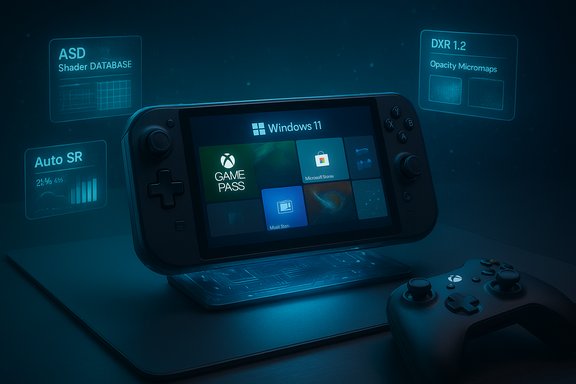
- Advanced Shader Delivery (ASD) — tooling in the DirectX Agility SDK to let stores and installers register precompiled shader databases (PSDBs/SODB) so heavy shader compilation happens at download/install time, dramatically reducing first‑run stutter. Early support is shipping on selected titles and handhelds.
- Auto Super Resolution (Auto SR) — an OS‑level, NPU‑accelerated upscaler running in the Windows rendering path so developers don’t have to integrate per‑title upscalers. Initially appeared on Snapdragon Copilot+ PCs and is planned for preview on AMD Ryzen AI NPU handhelds in early 2026.
- DirectX / DXR 1.2 enhancements — Opacity Micromaps and Shader Execution Reordering aim to make real‑time ray tracing more efficient, with developer demos showing sizable workload‑dependent gains.
- A sustained engineering push on background workloads, power & scheduling, graphics stack and driver delivery, coordinated with OEMs and GPU vendors. Microsoft states this will continue into 2026 as part of the platform effort.
Deep dive: Xbox Full Screen Experience (FSE)
What FSE does — the mechanics
FSE is not a new operating system. It’s an alternate session posture: Windows still boots the same kernel and drivers, but the user session launches into a full‑screen Xbox home app rather than Explorer. The session policy defers or suppresses many desktop UI elements and background jobs, which frees memory and reduces background CPU wakeups. That lower overhead is especially valuable on handhelds with tight RAM and thermal envelopes.Practical effects reported by reviewers and early testers include:
- Reclaimed working set on the order of gigabytes on constrained devices (observations vary by configuration).
- Measurable frame‑rate uplifts (commonly single‑digit percent improvements in real‑world tests, with larger wins in memory‑sensitive titles).
- A controller‑first navigation model that aggregates Game Pass/Xbox titles and discovered third‑party installs into a single launcher.
Strengths
- Immediate user experience improvement — FSE offers a clear, console‑like "turn on and play" flow that avoids desktop clutter and lowers incidental CPU/memory overhead.
- Configurable and reversible — because it’s a session posture, users can exit to the full Windows desktop without reinstalling or losing functionality.
- Better fit for handheld ergonomics — large tiles, controller navigation and an Xbox‑button task switch produce a more natural handheld experience than a desktop shell grafted onto a small screen.
Limits and caveats
- Not a silver bullet for performance — FSE trims userland overhead but cannot change kernel scheduling decisions, driver bugs, or runtime shader compilation behavior alone.
- Store and overlay compatibility — third‑party overlays, anti‑cheat hooks or launcher integrations can still reintroduce overhead unless they cooperate with the posture.
- OEM gating and gradual rollout — availability depends on OEM entitlement and preview rings; not all devices will see the feature at once.
Advanced Shader Delivery (ASD) — why it matters
The technical problem
Modern engines generate thousands of shader permutations for different GPUs, driver versions, feature flags and render paths. When those shaders are compiled JIT during gameplay, the result is the familiar “first‑run stutter” or periodic shader‑compile hitches as new permutations are encountered. Those stalls are highly visible on handhelds with limited thermal headroom and on systems that lack robust caching.The proposed solution
ASD standardizes precompiled shader bundles and distribution via the Agility SDK so shader compilation happens offline — at build time, store download, or install. The OS/registering runtime will then be able to match and use the correct precompiled shaders for the GPU/driver, greatly reducing in‑game compile stalls. Early examples show substantial reductions in first‑run load penalties and battery use.Benefits
- Eliminates the most conspicuous stutter on first playthroughs and new areas.
- Reduces CPU/NPU/GPU energy used at runtime because heavy compilation work moves off the device.
- Works across stores if storefronts and publishers adopt the packaging standard.
Risks and adoption hurdles
- Ecosystem coordination required — ASD requires publishers, PC storefronts, and GPU vendors to adopt the formats and distribution pipelines. Without broad buy‑in, benefits will remain patchy across titles.
- Storage and update complexity — shipping multiple precompiled shader variants (for different drivers and GPUs) increases download size unless managers selectively install the necessary sets.
- Driver‑matching pitfalls — if runtime driver versions diverge from precompiled expectations, fallback JIT compile still occurs. A good driver‑distribution story is necessary.
Auto Super Resolution (Auto SR): OS‑level AI upscaling
Auto SR brings an OS‑level upscaler that runs on device NPUs and acts transparently to games, allowing lower internal render resolutions to be upscaled to the display output. Microsoft has positioned Auto SR as a universal alternative to per‑title technologies like NVIDIA DLSS or AMD FSR, because it does not require per‑game integration.What it delivers
- Higher perceived fidelity for a lower GPU cost, translating into steady framerates on low‑power devices.
- Device‑level consistency across apps and storefronts, since the OS operates the scaler globally.
Constraints
- Hardware dependency — Auto SR is most effective when an on‑device NPU handles the work; on NPU‑less systems the CPU/GPU cost could negate benefits.
- Quality parity — developer‑tuned, per‑title upscalers can still outperform generic OS scalers in edge cases because they are trained/tuned per content type.
- Privacy/telemetry considerations — on‑device models avoid networked inference, but users and admins should still see clear transparency about model behavior and resource impacts.
DirectX advances: DXR 1.2 and the graphics pipeline
Microsoft’s DirectX updates — notably DXR 1.2 features such as Opacity Micromaps (OMMs) and Shader Execution Reordering (SER) — are intended to make ray tracing much more efficient in real workloads. Microsoft’s previews and developer demos show substantial, workload‑dependent gains (developer demos cited up to ~2.3× in specific scenes), which can make advanced rendering techniques practical on more devices. These are important because rendering innovations shape the future game experience, but they do not by themselves solve the runtime system costs like driver overhead and scheduler jitter that create micro‑stutters. That’s why Microsoft pairs these API innovations with driver and OS scheduling promises.Market context: why Microsoft is being pushed to act
The handheld market created by Valve’s Steam Deck has grown quickly but remains small; IDC estimates roughly 6 million handheld gaming PCs shipped between 2022 and 2024, with the Steam Deck capturing about half that market (roughly 3.7–4.0 million units). That dominance gives Valve a significant UX advantage: SteamOS is a single, purpose‑built posture with years of polish and Proton compatibility work that sidesteps many Windows‑specific handheld pain points. Microsoft’s FSE and the 2026 performance push are clearly responses to this competitive pressure and rising expectations from consumers. This competitive dynamic matters for several reasons:- Valve’s coherent hardware+software approach (Steam Deck + SteamOS) presents a frictionless experience that many buyers prefer to a patched‑together Windows desktop on a small screen.
- Windows device makers want to differentiate premium hardware (higher price points) and therefore rely on Microsoft to reduce the platform friction that hurts conversions.
- The arrival of NPUs and on‑device AI capabilities in newer APUs creates a new axis for differentiation (Auto SR, neural rendering), but it also requires coherent OS support to be broadly useful.
Critical analysis — strengths, weaknesses, and the realistic impact
Notable strengths
- Cross‑stack thinking is the right move. Tackling performance at the OS + driver + runtime + distribution level is the only way to reliably eliminate hard‑to‑reproduce stutters that appear across titles and hardware configurations.
- Consumer‑visible features land quickly. FSE and Auto SR give gamers concrete, usable benefits while Microsoft works on deeper plumbing.
- Developer tools are in place. The Agility SDK, ASD tooling and DirectX updates give studios a practical path to ship precompiled shaders and newer rendering features.
Practical limits and risks
- Ecosystem coordination is difficult. ASD’s effectiveness depends on publishers, storefronts and GPU vendors. If one major ecosystem actor—an engine maker, a GPU vendor, or a major storefront—lags, users will experience an inconsistent outcome across the library.
- Device fragmentation complicates rollouts. Windows runs on thousands of configurations. Ensuring driver fidelity (especially for UMAs and APUs) and scheduling behavior across all supported devices is a years‑long investment.
- Potential for fragmentation of UX. Moving to console‑like shells (FSE) while preserving desktop openness could confuse average users and fragment support expectations: which features are available in which posture? How do admin policies treat FSE in enterprise or education devices?
- Subscription and ecosystem pressure. Some gamers resent the stronger Xbox/Xbox app integration and the prominence of Game Pass — there’s political and community pushback when platform preferences are perceived to favor subscription ecosystems. That resentment could blunt goodwill if performance promises are not met.
Where measurable wins are likely
- First‑run experiences — ASD can deliver immediate, observable reductions in initial stutter for titles that adopt precompiled shaders.
- Handheld battery and thermal stability — scheduler and power profile changes can reduce the “power‑shift” stutters that make handheld sessions jarring.
- Cleaner handheld UX — FSE will provide a noticeable day‑to‑day improvement for users who primarily game on handhelds.
Where results will be slower or uncertain
- Systemic micro‑stutter elimination across the full Windows install base will take time; driver coordination and extensive testing are prerequisites.
- Large open‑world titles can still create unique runtime demands; some frame‑time variance will persist until both engines and OS/driver stacks are tightly harmonized for those titles.
- Per‑title visual fidelity will still be better served by developer‑integrated upscalers in many AAA cases, even if Auto SR provides good general improvements.
Recommendations for players, OEMs, and developers
For players (practical steps)
- Keep Windows 11, your Xbox app and GPU drivers up to date to access FSE and early ASD/Auto SR previews.
- Try FSE on handhelds if you prefer a console‑like flow — enable it via Settings > Gaming > Full screen experience and test whether memory and frame‑times feel steadier for your typical titles.
- For battery‑sensitive handheld play, prefer ASD‑enabled titles where available and consider Auto SR where an NPU is present.
For OEMs and enterprise admins
- Validate FSE and scheduler/power changes on representative hardware profiles before broadly enabling them in shipping images.
- Coordinate driver releases with Microsoft and GPU vendors to ensure ASD precompiled shader sets match driver builds.
- Provide clear documentation on FSE behavior and compatibility for enterprise deployments that may restrict alternate shells.
For developers and publishers
- Integrate ASD tooling via the Agility SDK to precompile and package shader databases — it improves first‑run user experience and reduces negative reviews tied to stutter.
- Test Auto SR interactions with game rendering paths and HUD/UI elements to ensure upscaling does not harm usability.
- Work with GPU vendors to ensure precompiled variants match driver permutations and that fallback paths are robust.
What to watch in 2026
- GDC and driver roadmaps. Microsoft promised follow‑up discussions at GDC; that conference will be a bellwether for the depth of adoption and the timeline for rolling ASD/Auto SR beyond early previews.
- Storefront adoption of ASD. Keep an eye on whether Valve, Epic and other storefronts embrace precompiled shader distribution; wide adoption is the largest multiplier for ASD’s impact.
- Driver coordination and updates. Win‑rate for the promised gains will track directly to how drivers are distributed and version‑matched with precompiled shader packages.
- Valve’s hardware plans. Valve’s continued dominance in handheld market share (IDC estimates ~50%) means competitors must deliver consistent, repeatable advantages to lure buyers away from SteamOS’s cohesive UX.
Conclusion
Microsoft’s 2026 pledge to make Windows 11 “the best place to play” is a meaningful shift in posture: rather than releasing scattered features, the company is explicitly pursuing cross‑stack engineering that addresses the systemic causes of game stutter and inconsistent frame pacing. Early consumer moves — the Xbox Full Screen Experience, ASD pilots, Auto SR previews and DirectX updates — are sensible and necessary first steps. However, the promise will only be as good as the ecosystem’s willingness to collaborate. ASD requires publishers and stores to adopt new packaging practices; Auto SR needs capable NPUs on a wide range of devices to matter broadly; and driver/firmware coordination must be rigorous to avoid mismatches that undo gains. If Microsoft can sustain the engineering coordination and shepherd broad partner adoption, 2026 could be the year when Windows closes the experiential gap on handhelds and makes lasting, measurable improvements to everyday PC gaming. If not, the work will still have produced meaningful building blocks — but gamers who expected an overnight transformation are likely to be disappointed.Source: PCWorld Microsoft says Windows 11 will be better for gaming in 2026, pinkie swear
