

Microsoft's latest Windows 11 update folds voice, vision, and agentic AI more tightly into the operating system—introducing an opt‑in wake phrase, “Hey Copilot,” and a matching conversational exit, commonly described as a semantic goodbye. The change is small in wording but huge in implication: Microsoft is pushing Copilot from a helpful sidebar companion to a persistent, voice‑activated agent embedded in the desktop, capable not just of answering questions but of seeing your screen and acting on your behalf under constrained permissions.
Microsoft has been positioning Copilot as a core part of the Windows experience for more than a year. The company’s stated ambition is to make Windows an AI operating system—one where large language models, on‑device inference, and connected cloud services combine to let the computer act like an assistant rather than merely a platform. The October 2025 feature wave formalized that push: Copilot Voice (wake‑word activation), Copilot Vision (screen and image understanding), and Copilot Actions (agentic workflows that can carry out tasks) moved from experiment to broad preview and staged rollout for Windows 11.
These changes arrive against a backdrop of operating system transition: Windows 10 reached end of mainstream support this year, and Microsoft is using Windows 11 to reframe the desktop around AI-first interactions. The new voice interface is opt‑in by default—users must enable voice activation in the Copilot settings—while enterprise controls and staged Insiders releases gate the most powerful agentic features during their testing window.
For consumers and enterprises, the immediate value is real: improved accessibility, faster micro‑tasks, and contextual help that understands what’s on screen. For security and privacy teams, the new capabilities raise important governance questions—about local vs. cloud processing, data residency, logging, and the potential for accidental triggers.
The net effect is not that Copilot is leaving the stage; it’s that Copilot is arriving. You can literally say “goodbye” to a session, but you should not be surprised if Copilot keeps coming back into more places on Windows. The future of the desktop will be judged not by wake‑words and chimes alone, but by whether these assistant features can be trusted to act safely, transparently, and in ways that genuinely reduce work for real people.
Source: Windows Central https://www.windowscentral.com/micr...bye-to-copilot-just-not-in-the-way-you-hoped/
 Background / Overview
Microsoft has been positioning Copilot as a core part of the Windows experience for more than a year. The company’s stated ambition is to make Windows an AI operating system—one where large language models, on‑device inference, and connected cloud services combine to let the computer act like an assistant rather than merely a platform. The October 2025 feature wave formalized that push: Copilot Voice (wake‑word activation), Copilot Vision (screen and image understanding), and Copilot Actions (agentic workflows that can carry out tasks) moved from experiment to broad preview and staged rollout for Windows 11.These changes arrive against a backdrop of operating system transition: Windows 10 reached end of mainstream support this year, and Microsoft is using Windows 11 to reframe the desktop around AI-first interactions. The new voice interface is opt‑in by default—users must enable voice activation in the Copilot settings—while enterprise controls and staged Insiders releases gate the most powerful agentic features during their testing window.
What Microsoft announced (the essentials)
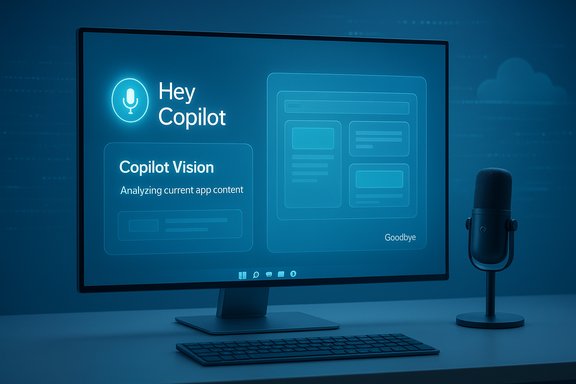
Microsoft’s public rollout and documentation spell out several tightly related features:- Hey Copilot wake word: An opt‑in wake phrase that summons Copilot hands‑free on Windows 11 devices. Once enabled, the wake‑word triggers a small on‑device spotter that listens for the phrase and signals Copilot to enter a listening session.
- Semantic goodbye: A natural language exit command—words like “bye” or “goodbye”—that will close an active Copilot voice session. Microsoft has indicated this is rolling out in preview and is expected to be broadly available in the near term.
- Copilot Vision: Expanded on‑screen and image understanding so Copilot can analyze application content, videos, screenshots, presentations, and photos to provide contextual assistance and step‑by‑step help.
- Copilot Actions / agentic capabilities: Experimental agent workflows that let Copilot take constrained actions—such as organizing files, populating calendars, or initiating web tasks—on the user’s behalf with permissioned access.
- Opt‑in and controls: Voice features are off by default; wake‑word detection runs locally as a spotter while full processing uses cloud models. Admin controls and compliance modes are part of the enterprise story.
How the voice and goodbye features work (technical snapshot)
Microsoft’s documentation and preview testing provide a reasonably clear picture of the technical model:- Local wake‑word detection: A tiny on‑device detector runs in a low‑power, local mode and buffers a short audio window waiting for the phrase “Hey Copilot.” That local spotter is intended to minimize accidental uploads of raw audio and improve responsiveness.
- Cloud processing for conversational audio: Once the wake‑word is recognized, the device opens a voice session and routes streaming audio to Copilot’s cloud models for transcription, intent parsing, and response generation. This hybrid model balances responsiveness with model scale.
- UI and feedback: When Copilot is listening after the wake word, a visible microphone overlay appears and a confirmation chime plays. Ending the session via the semantic goodbye triggers a closing chime as confirmation.
- Session closure semantics: The semantic goodbye feature understands variants—simple closers like “bye” or “goodbye”—and uses that recognition to terminate the session without needing a UI tap. The feature is previewed as being enabled in the Copilot settings and can be toggled.
- Permissioning for Actions: Agentic actions are explicitly permissioned. Copilot Actions ask for consent when a task requires access to files, apps, or external services; those connectors and permissions are managed through the Copilot UI and enterprise admin controls.
Why “say goodbye to Copilot” isn’t what it sounds like
The headline that users can “say goodbye to Copilot” invites a literal and figurative read. Literally, Microsoft has added a natural exit word so you can end sessions hands‑free. Figuratively, some readers interpret the news as a hint that Copilot is being deprecated or retired. The reality is different: Microsoft is doubling down on Copilot’s presence across Windows, not phasing it out.- The wake and goodbye words enable a complete hands‑free voice loop—start, interact, and stop—without touching the keyboard or mouse. That is explicitly the product goal.
- The goodbye phrase is primarily a convenience and accessibility enhancement. It addresses the common friction with voice sessions that must otherwise be ended by tapping an on‑screen control or waiting for inactivity timeouts.
- However, enabling conversational exits also introduces potential usability edge cases (see below). For power users who prefer manual control, the feature is togglable.
Strengths and immediate benefits
The push to a voice‑first desktop brings several tangible upsides:- Accessibility: For users with motor impairments, hands‑free voice control is transformative. A reliable wake word plus a natural exit phrase makes Copilot a usable, continuous assistant for many who previously relied on keyboard shortcuts or alternate input.
- Speed of interaction: Voice cuts friction for quick tasks—setting timers, drafting short messages, or extracting information from a document. Microsoft’s own telemetry suggests voice engagement doubles usage compared to text for Copilot interactions.
- Contextual help: Copilot Vision provides real‑time assistance that understands the app or web content you’re viewing. That contextual awareness can turn a vague help request into an actionable instruction.
- Agentic productivity: Where Copilot Actions can safely and audibly complete multi‑step tasks—organizing files, populating calendars, or drafting and sending emails—the productivity gains are tangible for routine workflows.
- Consistency across devices: By introducing a single, clearly worded wake phrase and conversational semantics, Microsoft brings Windows closer to the experience offered by voice assistants on phones and smart speakers.
Risks, pitfalls, and technical concerns
Every system that listens for natural language in an environment with human conversation brings tradeoffs. These are the most pressing concerns that customers, admins, and privacy advocates should weigh:- False positives and accidental session closes: Natural speech contains casual “bye” moments. Introducing “bye” or “goodbye” as a session terminator raises the risk that the assistant will close sessions mid‑conversation, especially in collaborative settings or background speech scenarios. This can fragment context and lead to lost progress.
- Always‑listening worry: Even with a local spotter, the idea of an on‑device process waiting for a wake word will raise discomfort for privacy‑conscious users. Clear UI signals and local processing help, but perceptions matter and can affect adoption.
- Battery and resource impact: Continuous listening, even in a low‑power mode, can impact battery life on laptops and tablets. Microsoft’s preview testing is reporting modest impact in early builds, but real‑world variety in hardware and audio environments could change that calculus.
- Security and social engineering: Voice commands can be spoofed. Attackers in proximity could attempt to trigger Copilot or craft instructions to perform unwanted actions. Given that Copilot Actions may request elevated access to apps or files, attackers could try to socially engineer approval for an agent to act.
- Data residency and compliance: For enterprise customers, especially those in regulated sectors or government environments, the cloud processing of user audio and Copilot’s access to workplace data require careful policy settings and auditing. Some deployments will need strict grounding of models or restrictions on connectors.
- Overreliance and expectation mismatch: Agentic workflows are promising, but early tests show Copilot often instructs users how to perform tasks rather than actually performing them. Users may expect the assistant to seamlessly act, and be disappointed when the end‑to‑end automation is limited by permissions, UI constraints, or third‑party site protections.
- Unclear ad messaging and public perception: A recent marketing spot that many viewers found confusing did not help build trust; reports indicate the ad was pulled after criticism that it portrayed Copilot as solving tasks it did not reliably perform. While the ad itself is a marketing issue, it underscores the danger of overpromising on early agentic capabilities.
Enterprise and admin considerations
Enterprises face a multifaceted decision tree: enable a hands‑free assistant that can increase productivity, or lock down features to protect sensitive data and workflows. Key governance considerations:- Opt‑in by default: Microsoft’s choice to make voice features opt‑in is important. Admins should evaluate how to roll out voice across an organization—pilot programs, training, and staged enablement help mitigate confusion.
- DLP and compliance integration: Copilot must cooperate with existing data loss prevention policies. Enterprises should verify how voice sessions and agentic actions interact with DLP engines, sensitivity labels, and eDiscovery processes.
- Auditing and telemetry: Administrative visibility into Copilot’s actions and voice sessions will be crucial for forensic trails. Logging should capture when agents accessed files, what connectors were used, and approvals granted.
- Regional and policy gating: Government and regulated industries will likely require restricted Copilot modes (for example, cloud grounding off by default) to prevent sensitive data from leaving jurisdictional boundaries.
- Training and governance: Organizations should prepare training materials that explain the wake word, the semantic goodbye, and the difference between guidance and action. Policy documents should define what agents are permitted to do and what approvals are required.
Privacy and security deep dive
A responsible deployment of always‑listening voice assistants depends on transparency and control. The model Microsoft is using—local wake‑word detection followed by cloud processing—minimizes raw audio upload but doesn’t eliminate privacy workstreams:- Local vs cloud boundary: The local spotter only detects the wake phrase; actual user utterances intended to be processed by Copilot are sent to cloud services. Customers must understand this boundary and have options to restrict or localize processing where needed.
- Consent and user control: End users must be able to disable voice, change the wake and goodbye behavior where possible, and see clear indications when the assistant is listening. Persistent visual cues and brief audible tones are essential.
- Data minimization and retention: Administrators should be able to set retention policies for voice transcripts and agent logs. For privacy and compliance, shorter retention windows or on‑premises processing are desirable options.
- Permission modeling for agents: When Copilot Actions request access, that access must be fine‑grained, revocable, and auditable. Agents acting with broad permissions are a critical risk vector.
- Attack surface: Attackers might attempt proximity voice attacks, replay attacks, or exploit weak speaker permissions. Hardware vendors and Microsoft will need to invest in anti‑spoofing techniques and secure microphone stacks.
Developer and partner ecosystem implications
Copilot’s agentic model and connector story open new possibilities for developers and third parties:- Connectors to third‑party services: Copilot’s ability to interact with calendars, Gmail, or other services uses connectors—API bridges that need secure token handling and carefully scoped permissions.
- Opportunity for value‑added agents: Independent software vendors and IT teams can imagine specialized agents that complete recurring tasks (e.g., expense filing, HR onboarding checklists). These agents can be productivity multipliers if built with robust safety checks.
- UI/UX expectations: Designers must account for voice UX on the desktop, including fallbacks when agentic actions are blocked or fail. Clear feedback and graceful degradation are essential.
- Monetization and licensing: Microsoft’s Copilot+ PC program and licensing tiers mean some advanced features may be gated by hardware or subscription, influencing market adoption and developer targeting.
The semantic goodbye: usability tradeoffs and suggested mitigations
Introducing a natural shorthand for ending voice sessions is clever, but it’s not risk‑free. The most salient tradeoffs and mitigations:- Problem: False termination during normal conversation. If “goodbye” is a common word in an office or meeting, sessions will be interrupted.
- Mitigation: Allow organizations and individuals to customize or disable the goodbye phrase; provide a confirmation tone and optional “are you sure?” quick prompt for mission‑critical contexts.
- Problem: Lost context when a morning stand‑up says “Goodbye.” If a collaborator says “bye” in a call, a nearby Copilot could prematurely end and lose ongoing work.
- Mitigation: Context preservation logic (e.g., session recovery or 10‑second grace period) and user control to prevent session closure when multiple speakers are detected.
- Problem: Unclear default behavior for shared devices. On family or shared devices, a single voice session’s closure might affect another user.
- Mitigation: Per‑user voice profiles and quick re‑establishment of context on recognition.
Practical steps: how to prepare and configure Copilot voice safely
For users and IT teams ready to try Copilot voice and the semantic goodbye, here’s a practical checklist:- Enable the feature in a controlled pilot group first—use Windows Insiders or small teams to evaluate behavior across real environments.
- Verify device updates and firmware: make sure microphone drivers and system firmware are up to date to minimize false activations.
- Review Copilot settings and toggle the wake‑word option to opt users in deliberately rather than by surprise.
- Configure privacy controls and DLP policies so that cloud processing complies with organizational rules.
- Train users on the difference between guidance and action—show examples where Copilot will instruct versus when it will perform an action after permission is granted.
- Define revocation procedures for agent permissions and test audit logs to ensure actions are traceable.
- Offer fallback workflows (keyboard/mouse steps) for tasks where agentic actions are not enabled or fail.
Realistic expectations: what Copilot can and can’t do today
Early experience and reporting from hands‑on previews suggest a mixed reality: Copilot is improving fast, but agentic automation remains cautious.- Copilot Vision is effective at recognizing and summarizing on‑screen content—text, images, and UI elements—but it does not yet universally perform complex web automation reliably without user assistance.
- Copilot Actions can automate locally available tasks (file handling, document summarization) when permissions are granted, but cross‑site or cross‑app automation is limited by third‑party protections and UI variability.
- Voice sessions are fluid and responsive for dictation, Q&A, and short workflows—but perfection in noisy environments and in multilingual contexts is still a work in progress.
The bigger picture: Windows as an AI platform
Microsoft’s broader strategy is clear: reimagine the operating system as a platform where human‑computer interaction is mediated by intelligent agents. This changes not only how features are delivered but how Windows will be managed in enterprises, how developers build applications, and how users perceive their device.- Making voice a first‑class input alongside mouse and keyboard shifts app design patterns, accessibility paradigms, and expectations for automation reliability.
- Agentic AI—if responsibly implemented—can eliminate repetitive tasks and accelerate common workflows, but it requires a new stack of governance, auditing, and industrial‑grade safety controls.
- The success of this pivot will depend on trust: security assurances, transparent data practices, clear admin controls, and realistic marketing.
Conclusion
Microsoft’s “Hey Copilot” and semantic goodbye features mark a pragmatic step toward a voice‑enabled, agentic desktop. They close the loop on hands‑free interactions—summon, converse, and dismiss the assistant without touching the screen—while embedding visual context and permissioned action into the workflow.For consumers and enterprises, the immediate value is real: improved accessibility, faster micro‑tasks, and contextual help that understands what’s on screen. For security and privacy teams, the new capabilities raise important governance questions—about local vs. cloud processing, data residency, logging, and the potential for accidental triggers.
The net effect is not that Copilot is leaving the stage; it’s that Copilot is arriving. You can literally say “goodbye” to a session, but you should not be surprised if Copilot keeps coming back into more places on Windows. The future of the desktop will be judged not by wake‑words and chimes alone, but by whether these assistant features can be trusted to act safely, transparently, and in ways that genuinely reduce work for real people.
Source: Windows Central https://www.windowscentral.com/micr...bye-to-copilot-just-not-in-the-way-you-hoped/
