

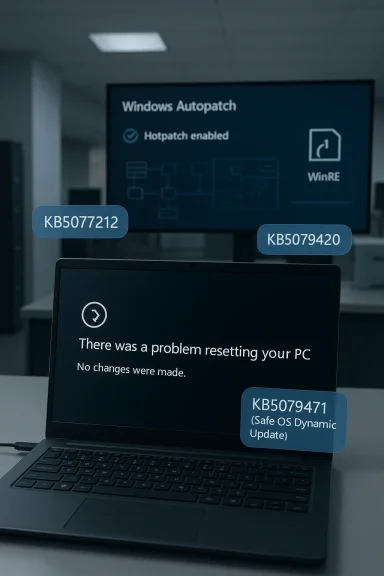
Microsoft has quietly confirmed a new Windows 11 servicing bug that matters far more to enterprise admins than to home users: on hotpatch-managed devices running Windows 11 24H2 or 25H2, the Reset this PC feature can fail after the February and March 2026 hotpatches. The affected updates are KB5077212 and KB5079420, and the documented workaround is to install the March Safe OS Dynamic Update KB5079471. In practical terms, Microsoft says the reset attempt can end at a black screen and bounce the device back to the desktop with the error that no changes were made. This is the kind of bug that rarely makes headlines outside IT circles, but it strikes at a crucial recovery path that organizations depend on when devices need to be reimaged quickly.
The issue sits at the intersection of three major Windows 11 initiatives: hotpatching, Windows Autopatch, and the modern Reset this PC recovery workflow. Hotpatch is designed to let organizations apply security updates without rebooting every device, which is a meaningful operational advantage for fleets that cannot afford frequent interruptions. Windows Autopatch, meanwhile, is Microsoft’s managed update service for commercial environments, intended to reduce the burden on IT teams by automating patch deployment and keeping machines current.
That convenience comes with a tradeoff: the more layers Microsoft adds to servicing, the more opportunities there are for a bug to surface in an edge case that ordinary consumer testing may not catch. Microsoft’s own support pages show that KB5077212 is the February 10, 2026 hotpatch for Windows 11 version 25H2 and 24H2, while KB5079420 is the March 10, 2026 hotpatch for the same releases. The company also maintains separate release notes for hotpatch on Windows 11 Enterprise, which underscore that this model is specifically intended for business-managed devices rather than broad consumer use.
The relevant fix arrives through KB5079471, a Safe OS Dynamic Update for Windows 11 versions 24H2 and 25H2 released March 10, 2026. Microsoft describes that package as improving the Windows recovery environment (WinRE), and says it can be installed automatically through Windows Update or manually through the Update Catalog. In other words, this is not a normal quality update for the live operating system; it is a recovery-layer update meant to shore up the environment used when Windows itself is being repaired, reset, or recovered.
The distinction matters because the bug affects Push Button Reset, not day-to-day desktop use. Microsoft’s own reset guidance notes that the screen can go black for a while during a normal reset and that users should not forcibly restart during the process. In this case, however, the affected devices do not complete the workflow at all. Instead, the reset fails, and Windows returns the user to the desktop. That makes the issue especially frustrating for support teams, because the failure mode looks like a stalled recovery session until the error is surfaced.
That specificity should reassure consumers, but it also highlights how targeted modern Windows issues have become. An enterprise-only bug can sit unnoticed for weeks because it affects a narrow slice of systems that do not follow the same cadence as consumer machines. For administrators, though, the impact is outsized because recovery tools are often used precisely when a device is already in trouble.
The visible symptom is a black screen followed by a return to the desktop and the message, “There was a problem resetting your PC. No changes were made.” That is a misleadingly soft failure for a process that often marks the last step before redeployment. Users are not losing data in the reported scenario, which is important, but they are also not getting the reset they requested.
There is a subtle but important operational implication here. Hotpatch is sold as a productivity and uptime win, but the reset bug exposes a blind spot in the promise of seamless maintenance. If a machine cannot be cleanly reset when needed, then the support gains from zero-reboot patching can be partially offset by an inability to recover or repurpose the device later.
That is the correct architectural response, but it also reflects a longstanding Windows reality: the operating system and its recovery environment are increasingly intertwined, yet still serviced separately. Administrators have to think not just about the current OS build, but also about the hidden recovery tooling that may be several updates behind. That complexity can be invisible until a failure like this turns it into a support incident.
The feature also occupies a strategic middle ground between a simple repair and a complete rebuild. Keep my files is meant to preserve the user’s data while restoring Windows, while Remove everything is closer to a wipe. If both paths are compromised, admins lose flexibility in how they respond to incidents. That can translate into longer downtime, more helpdesk tickets, and greater dependence on manual remediation.
This is one reason Microsoft has invested heavily in Safe OS Dynamic Updates and WinRE improvements. The company has been steadily modernizing the recovery stack so it can be serviced independently from the live OS. KB5079471 fits that pattern, and the fact that Microsoft is pushing it as the fix suggests the bug lives in the recovery layer rather than in userland applications or ordinary device drivers.
But hotpatch also changes the testing surface. A normal monthly cumulative update has a well-understood reboot-and-verify rhythm. Hotpatch, by contrast, layers updates into a more complex servicing sequence, where some components are refreshed in place and others rely on baseline alignment. That makes recovery paths and rare maintenance operations more sensitive to version mismatch.
From an admin perspective, the lesson is straightforward: a device can be fully patched and still have a broken recovery layer. That is especially relevant in hotpatch-managed fleets because the device may have been allowed to continue operating for weeks without a reboot, masking the issue until the one time a reset is required.
A short policy checklist is useful here:
The mention of Windows 11 Enterprise LTSC 2024 is especially notable. LTSC is often chosen for stability, controlled change, and predictable servicing. A bug in the reset workflow on an LTSC-adjacent enterprise servicing path is therefore more than a nuisance. It undermines the expectation that long-term servicing translates into lower operational risk.
That said, Microsoft’s fast publication of KB5079471 shows the company is treating the issue as a real servicing defect rather than a cosmetic known issue. The fix being delivered through a Safe OS Dynamic Update is also a sign that the recovery stack is being handled through the proper channel, which is what enterprises would want to see.
Still, the story is worth paying attention to outside IT departments because it illustrates how much of Windows’ recovery behavior now depends on hidden servicing details. Even if a consumer device is not affected here, the broader lesson is that Windows repair workflows are only as reliable as the last update that touched them. That is an uncomfortable truth for anyone who assumes recovery features are somehow separate from the update pipeline.
For home users, the takeaway is not panic. It is preparedness. Keep backups current, know where your BitLocker recovery key is stored, and treat recovery features as something that can depend on the quality of the last OS servicing wave.
The recovery update itself is a good example of Microsoft’s layered maintenance strategy. Instead of forcing a full OS release to solve a reset issue, the company can patch WinRE independently. That is efficient, but it also creates a more intricate dependency chain for admins to understand and maintain.
This is also why the support article update is more than a bug notice. It is a signal that WinRE should be treated as a managed component, not a static fallback. The organizations that internalize that lesson will be better positioned to avoid surprises the next time an update intersects with recovery behavior.
Administrators should also avoid treating recovery fixes as optional housekeeping. In a managed environment, a broken reset path can be just as disruptive as a broken login screen or printer driver, because it affects how quickly endpoints can be restored to service.
The broader opportunity is for Microsoft and enterprise customers to treat recovery as a first-class servicing surface. If hotpatch becomes more widespread, the company can use incidents like this to tighten validation around WinRE and reset workflows before they become customer-visible.
There is also a reputational risk for hotpatch adoption. If administrators begin to associate zero-reboot patching with edge-case recovery failures, they may become more cautious about rolling it out broadly. Microsoft will want to avoid any perception that convenience has come at the expense of restoreability.
It will also be worth watching whether Microsoft expands its warnings around recovery-layer dependencies. Windows is increasingly shipping as a service, but services need fail-safe recovery paths, not just fast updates. In that sense, this bug is a small but telling reminder that endpoint resilience is only as strong as the update layer beneath it.
In the meantime, this is a good reminder that the most important Windows features are often the ones nobody notices until they fail. Reset, recovery, and rollback may not be glamorous, but they are the safety net underneath every modern PC strategy. When that net tears, even briefly, the consequences ripple far beyond the few devices that hit the bug.
Source: Neowin Microsoft confirms Windows 11 KB5077212, KB5079420 break PC reset on 25H2 and 24H2 systems
 Overview
The issue sits at the intersection of three major Windows 11 initiatives: hotpatching, Windows Autopatch, and the modern Reset this PC recovery workflow. Hotpatch is designed to let organizations apply security updates without rebooting every device, which is a meaningful operational advantage for fleets that cannot afford frequent interruptions. Windows Autopatch, meanwhile, is Microsoft’s managed update service for commercial environments, intended to reduce the burden on IT teams by automating patch deployment and keeping machines current.That convenience comes with a tradeoff: the more layers Microsoft adds to servicing, the more opportunities there are for a bug to surface in an edge case that ordinary consumer testing may not catch. Microsoft’s own support pages show that KB5077212 is the February 10, 2026 hotpatch for Windows 11 version 25H2 and 24H2, while KB5079420 is the March 10, 2026 hotpatch for the same releases. The company also maintains separate release notes for hotpatch on Windows 11 Enterprise, which underscore that this model is specifically intended for business-managed devices rather than broad consumer use.
The relevant fix arrives through KB5079471, a Safe OS Dynamic Update for Windows 11 versions 24H2 and 25H2 released March 10, 2026. Microsoft describes that package as improving the Windows recovery environment (WinRE), and says it can be installed automatically through Windows Update or manually through the Update Catalog. In other words, this is not a normal quality update for the live operating system; it is a recovery-layer update meant to shore up the environment used when Windows itself is being repaired, reset, or recovered.
The distinction matters because the bug affects Push Button Reset, not day-to-day desktop use. Microsoft’s own reset guidance notes that the screen can go black for a while during a normal reset and that users should not forcibly restart during the process. In this case, however, the affected devices do not complete the workflow at all. Instead, the reset fails, and Windows returns the user to the desktop. That makes the issue especially frustrating for support teams, because the failure mode looks like a stalled recovery session until the error is surfaced.
Why this is an enterprise story, not a consumer one
The most important detail in Microsoft’s updated support language is that the problem affects Windows Autopatch-managed commercial devices with hotpatch enabled and monthly security updates installed without restarting. That is a very specific deployment model. It excludes the typical home PC, most small business devices, and any machine that is not enrolled in Microsoft’s commercial update workflow.That specificity should reassure consumers, but it also highlights how targeted modern Windows issues have become. An enterprise-only bug can sit unnoticed for weeks because it affects a narrow slice of systems that do not follow the same cadence as consumer machines. For administrators, though, the impact is outsized because recovery tools are often used precisely when a device is already in trouble.
What Microsoft says is broken
Microsoft’s support documentation indicates that on affected systems, the Reset this PC process can misbehave when the user chooses either Keep my files or Remove everything. Those are the two standard reset paths, which means the failure is not limited to a niche or obscure option. It directly touches the main mechanisms organizations use when a device needs to be repurposed, cleaned, or restored to a trustworthy baseline.The visible symptom is a black screen followed by a return to the desktop and the message, “There was a problem resetting your PC. No changes were made.” That is a misleadingly soft failure for a process that often marks the last step before redeployment. Users are not losing data in the reported scenario, which is important, but they are also not getting the reset they requested.
The affected update chain
The bug appears after installing either KB5077212 or KB5079420, both of which are hotpatch releases for Windows 11 24H2 and 25H2. Microsoft’s release notes describe hotpatch as a way to apply security updates without restarting, and the update calendars show that February and March 2026 were hotpatch months in the cycle. This makes sense in context: the issue is not about a single isolated patch so much as the interaction between hotpatch servicing and the recovery path.There is a subtle but important operational implication here. Hotpatch is sold as a productivity and uptime win, but the reset bug exposes a blind spot in the promise of seamless maintenance. If a machine cannot be cleanly reset when needed, then the support gains from zero-reboot patching can be partially offset by an inability to recover or repurpose the device later.
The mitigation Microsoft recommends
Microsoft says IT administrators can mitigate the issue by installing KB5079471, the March Safe OS Dynamic Update. The company says this update includes the fix and only needs to be applied once. Because it updates WinRE rather than the running OS, it is aimed exactly at the layer where the reset process is failing.That is the correct architectural response, but it also reflects a longstanding Windows reality: the operating system and its recovery environment are increasingly intertwined, yet still serviced separately. Administrators have to think not just about the current OS build, but also about the hidden recovery tooling that may be several updates behind. That complexity can be invisible until a failure like this turns it into a support incident.
Why Reset this PC matters more than it looks
For many users, Reset this PC is a convenience feature. For enterprise IT, it is a core recovery and lifecycle-management tool. When a laptop is reassigned, when a remote worker’s device becomes unstable, or when a corporate endpoint needs to be sanitized quickly, reset is often faster than a full wipe-and-reimage process. If that path fails, support teams may need to fall back to more labor-intensive repair workflows.The feature also occupies a strategic middle ground between a simple repair and a complete rebuild. Keep my files is meant to preserve the user’s data while restoring Windows, while Remove everything is closer to a wipe. If both paths are compromised, admins lose flexibility in how they respond to incidents. That can translate into longer downtime, more helpdesk tickets, and greater dependence on manual remediation.
Recovery features as part of endpoint resilience
Windows recovery is not just for disaster scenarios. It is part of the regular lifecycle of device trust, especially in environments that rotate hardware, replace staff, or enforce strict compliance baselines. A reliable reset path helps organizations retire compromised configurations without touching every file by hand. When that path breaks, recovery becomes less deterministic and more expensive.This is one reason Microsoft has invested heavily in Safe OS Dynamic Updates and WinRE improvements. The company has been steadily modernizing the recovery stack so it can be serviced independently from the live OS. KB5079471 fits that pattern, and the fact that Microsoft is pushing it as the fix suggests the bug lives in the recovery layer rather than in userland applications or ordinary device drivers.
How hotpatching changes the risk profile
Hotpatching is designed to reduce reboot fatigue. In theory, that means fewer interruptions, less scheduling friction, and faster security compliance. For organizations running large fleets, those benefits are real. Microsoft’s own hotpatch release notes emphasize that these updates allow security fixes to be applied without requiring a restart for the rest of the quarter.But hotpatch also changes the testing surface. A normal monthly cumulative update has a well-understood reboot-and-verify rhythm. Hotpatch, by contrast, layers updates into a more complex servicing sequence, where some components are refreshed in place and others rely on baseline alignment. That makes recovery paths and rare maintenance operations more sensitive to version mismatch.
The hidden dependency on WinRE
The reset bug is a reminder that WinRE is not optional plumbing. It is part of the overall patching story. Microsoft’s KB5079471 page states plainly that the update makes improvements to the Windows recovery environment, and the update is packaged for both 24H2 and 25H2. That suggests the failure was specific enough to require a recovery-environment fix rather than a generic OS patch.From an admin perspective, the lesson is straightforward: a device can be fully patched and still have a broken recovery layer. That is especially relevant in hotpatch-managed fleets because the device may have been allowed to continue operating for weeks without a reboot, masking the issue until the one time a reset is required.
What this means for patch governance
Enterprises using hotpatch need to think in terms of more than just “installed or not installed.” They need a broader state model that includes baseline updates, hotpatch deltas, WinRE state, and recovery media readiness. That sounds tedious, but it is the price of modern endpoint management. The more graceful the normal patch path becomes, the more important it is to validate the emergency path.A short policy checklist is useful here:
- Verify whether a fleet is on hotpatch-enabled servicing.
- Confirm whether WinRE updates have been deployed alongside OS servicing.
- Test Reset this PC after major servicing changes.
- Keep a known-good recovery update baseline available.
- Document fallback reimage procedures for helpdesk teams.
The enterprise impact: Autopatch, LTSC, and support load
This bug is limited to commercial hotpatch devices, but those are exactly the environments where a reset failure can hurt most. Large organizations depend on consistent device reset behavior for onboarding, offboarding, loaner pools, and incident response. If a reset path fails on a subset of managed endpoints, the helpdesk ends up absorbing the blast radius.The mention of Windows 11 Enterprise LTSC 2024 is especially notable. LTSC is often chosen for stability, controlled change, and predictable servicing. A bug in the reset workflow on an LTSC-adjacent enterprise servicing path is therefore more than a nuisance. It undermines the expectation that long-term servicing translates into lower operational risk.
Autopatch’s reputation is on the line
Microsoft Autopatch is meant to simplify life for IT teams by automating update orchestration. When a patch introduces a recovery failure, even if it is narrowly scoped, it becomes part of the service’s reputation. Organizations evaluate these tools not only on how well they keep systems current, but on how gracefully they fail. A failure in reset is a particularly sensitive one because it can arise exactly when a device is already outside the normal support path.That said, Microsoft’s fast publication of KB5079471 shows the company is treating the issue as a real servicing defect rather than a cosmetic known issue. The fix being delivered through a Safe OS Dynamic Update is also a sign that the recovery stack is being handled through the proper channel, which is what enterprises would want to see.
Where support teams will feel it
The immediate pain points are likely to be:- delayed device redeployment
- additional manual imaging work
- more troubleshooting time on broken resets
- confusion around whether data was preserved
- uneven behavior across managed and unmanaged devices
- pressure to install the recovery update everywhere
Consumer impact: mostly none, but a useful warning
Microsoft says consumer systems are not affected, and that is the headline most Windows users need to hear. The bug appears to live in a commercial hotpatch and Autopatch path rather than on ordinary consumer PCs. That means the typical home Windows 11 machine should not encounter the problem under normal circumstances.Still, the story is worth paying attention to outside IT departments because it illustrates how much of Windows’ recovery behavior now depends on hidden servicing details. Even if a consumer device is not affected here, the broader lesson is that Windows repair workflows are only as reliable as the last update that touched them. That is an uncomfortable truth for anyone who assumes recovery features are somehow separate from the update pipeline.
Why consumers should still care
The reset path is one of the first tools users reach for when Windows becomes unstable. Microsoft’s support documentation continues to frame it as a standard troubleshooting step, and the company explicitly warns that black screens can occur for long periods during a legitimate reset. That means users need to understand the difference between a normal long-running operation and an actual failure.For home users, the takeaway is not panic. It is preparedness. Keep backups current, know where your BitLocker recovery key is stored, and treat recovery features as something that can depend on the quality of the last OS servicing wave.
Microsoft’s release cadence and the value of the fix
The timing of this issue fits a broader pattern in Microsoft’s 2026 Windows servicing story. February and March were active months for hotpatch updates, and Microsoft also published the Safe OS Dynamic Update around the same time. That cadence matters because it shows how recovery, servicing, and feature updates are now braided together rather than shipped as isolated events.The recovery update itself is a good example of Microsoft’s layered maintenance strategy. Instead of forcing a full OS release to solve a reset issue, the company can patch WinRE independently. That is efficient, but it also creates a more intricate dependency chain for admins to understand and maintain.
Why one-time remediation is important
Microsoft says KB5079471 only needs to be applied once. That matters because recurring recovery updates add friction to already busy patch calendars. A one-time fix is much easier to justify and deploy, especially when the affected issue is confined to a narrow hotpatch-managed population.This is also why the support article update is more than a bug notice. It is a signal that WinRE should be treated as a managed component, not a static fallback. The organizations that internalize that lesson will be better positioned to avoid surprises the next time an update intersects with recovery behavior.
What administrators should do now
The immediate action for IT teams is to determine whether affected devices have installed KB5077212 or KB5079420 and whether KB5079471 is present on those systems. If the estate uses hotpatch and Autopatch, recovery validation should be added to the normal post-patch checklist. That is especially important for devices that may need to be reset as part of onboarding or reissue workflows.Administrators should also avoid treating recovery fixes as optional housekeeping. In a managed environment, a broken reset path can be just as disruptive as a broken login screen or printer driver, because it affects how quickly endpoints can be restored to service.
Practical response steps
A sensible response plan would include:- confirming whether the fleet is in the hotpatch program
- checking for KB5079471 on impacted devices
- testing Reset this PC on a small pilot group
- documenting alternate wipe-and-reimage procedures
- notifying helpdesk staff about the failure mode
- watching Microsoft’s support pages for a broader resolution
Strengths and Opportunities
Microsoft’s handling of the issue shows the advantage of modern servicing when it works as intended. The company identified the affected population, published a mitigation, and tied the fix to the recovery environment rather than forcing organizations to guess. That is a solid response, and it highlights why businesses continue to invest in managed Windows update tools even when bugs appear.The broader opportunity is for Microsoft and enterprise customers to treat recovery as a first-class servicing surface. If hotpatch becomes more widespread, the company can use incidents like this to tighten validation around WinRE and reset workflows before they become customer-visible.
- Targeted scope reduces disruption for consumers and most non-hotpatch devices.
- KB5079471 offers a direct, one-time mitigation path.
- WinRE servicing is modular, which makes focused fixes possible.
- Autopatch visibility can help administrators move faster than with ad hoc patching.
- Reset workflow testing can be folded into normal endpoint governance.
- Commercial documentation is clear enough for IT teams to act on quickly.
- Recovery-layer updates create room for finer-grained resilience improvements.
Risks and Concerns
The biggest concern is not the bug itself, but what it reveals about the complexity of Windows servicing in enterprise environments. A device that looks healthy from the perspective of monthly patch compliance may still have a broken recovery stack, and that gap can go unnoticed until the worst possible moment. That is the sort of problem that makes incident response harder than it needs to be.There is also a reputational risk for hotpatch adoption. If administrators begin to associate zero-reboot patching with edge-case recovery failures, they may become more cautious about rolling it out broadly. Microsoft will want to avoid any perception that convenience has come at the expense of restoreability.
- Recovery failures are high-friction because they appear during already stressful incidents.
- Enterprise trust can erode if hotpatch is seen as destabilizing recovery paths.
- Testing gaps may persist because consumer devices are not affected.
- WinRE mismatch can remain hidden until a reset is attempted.
- Helpdesk load can spike if users encounter the black-screen failure.
- Documentation drift may confuse admins who rely on older support notes.
- Remediation timing matters because devices may already be in production use before the fix is deployed.
Looking Ahead
The most important question now is whether Microsoft will fold this fix into broader servicing guidance so administrators can verify recovery readiness more systematically. If the company makes WinRE validation part of future hotpatch documentation, it would help turn a one-off issue into a repeatable operational check. That would be a meaningful improvement for enterprises with large managed fleets.It will also be worth watching whether Microsoft expands its warnings around recovery-layer dependencies. Windows is increasingly shipping as a service, but services need fail-safe recovery paths, not just fast updates. In that sense, this bug is a small but telling reminder that endpoint resilience is only as strong as the update layer beneath it.
- Deployment of KB5079471 across hotpatch-managed fleets
- Any broader known issues updates from Microsoft support
- Whether Microsoft adds more explicit WinRE validation guidance
- Reaction from enterprise admins managing Autopatch rollouts
- Follow-on fixes that may bundle recovery and servicing improvements together
In the meantime, this is a good reminder that the most important Windows features are often the ones nobody notices until they fail. Reset, recovery, and rollback may not be glamorous, but they are the safety net underneath every modern PC strategy. When that net tears, even briefly, the consequences ripple far beyond the few devices that hit the bug.
Source: Neowin Microsoft confirms Windows 11 KB5077212, KB5079420 break PC reset on 25H2 and 24H2 systems
Last edited:
