

Windows 11’s year of technical chaos has left many users wondering whether the platform they once trusted is now more of a liability than an asset, and the signs are hard to ignore: a pileup of high‑visibility bugs, a relentless monthly feature churn, and an AI strategy that feels rushed and omnipresent rather than helpful.
Windows 10 reached end of support on October 14, 2025, pushing millions of users and organizations toward Windows 11 or into extended security programs. That deadline should have been a rallying point for stability: an opportunity for Microsoft to make Windows 11 the reliable, polished successor that enterprises and consumers can roll out with confidence. Instead, 2025 became a year where feature deployments, AI experiments, and patch regressions dominated headlines more than meaningful improvements to reliability or performance.
The broader context is critical. Microsoft is simultaneously launching a push to make Windows a first‑class platform for AI agents and Copilot experiences, while evolving its delivery model into what it calls “continuous innovation.” The combination—aggressive cloud‑powered features plus server‑side toggles that enable, disable or A/B test behavior—has produced inconsistent user experiences across what should be identical installs. For many users that inconsistency feels like instability.
The effect is twofold:
There are bright spots to this strategy—on‑device AI can speed tasks and improve productivity—but the execution left many users cold:
Microsoft can recover by choosing stability and predictability as strategic differentiators. That means slowing down certain experiments, reintroducing clearer release boundaries, and offering honest, controllable opt‑ins for features that touch privacy, security, or the core user experience.
In short: if Windows is to remain the safe default for enterprises and the default choice for mainstream users, reliability must once again become the company’s strongest marketing message. The architecture for the future—AI, agents, and seamless cloud‑assisted workflows—can coexist with that promise. But only if the company accepts that trust is built through predictable, well‑tested releases and transparent governance, not by layering novelty on top of a system riddled with regressions.
There’s still time to correct course. Quarterly feature cadences, clearer CFR governance, optional AI defaults, stronger agent isolation, and renewed focus on fundamentals would not only reduce the number of headline‑grabbing failures—they’d also restore confidence for the millions of users and IT teams that rely on Windows every day.
Windows can be modern, AI‑capable, and bold—but it must first be stable and trustworthy. The next 12 months will decide whether Microsoft chooses that path.
Source: Windows Central https://www.windowscentral.com/micr...uriating-bugs-and-constant-unwanted-features/
 Background
Windows 10 reached end of support on October 14, 2025, pushing millions of users and organizations toward Windows 11 or into extended security programs. That deadline should have been a rallying point for stability: an opportunity for Microsoft to make Windows 11 the reliable, polished successor that enterprises and consumers can roll out with confidence. Instead, 2025 became a year where feature deployments, AI experiments, and patch regressions dominated headlines more than meaningful improvements to reliability or performance.The broader context is critical. Microsoft is simultaneously launching a push to make Windows a first‑class platform for AI agents and Copilot experiences, while evolving its delivery model into what it calls “continuous innovation.” The combination—aggressive cloud‑powered features plus server‑side toggles that enable, disable or A/B test behavior—has produced inconsistent user experiences across what should be identical installs. For many users that inconsistency feels like instability.
What went wrong in 2025: anatomy of a meltdown
A relentless monthly cadence: Continuous Innovation and Controlled Feature Rollout
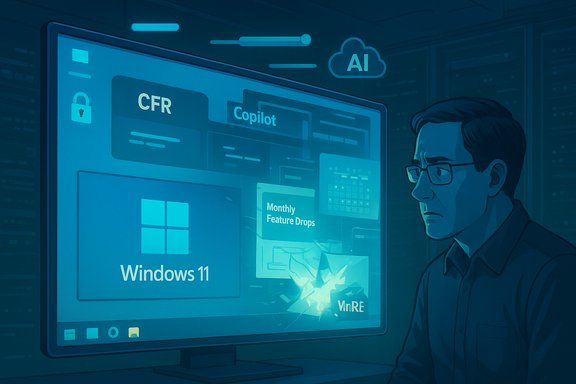
Microsoft’s shift away from the classic once‑a‑year major Windows release model toward a Continuous Innovation cadence is the single most consequential operational change of the past two years. The company now pushes new features, UI changes, and experience tweaks on a monthly rhythm, and it layers server‑side gating—called Controlled Feature Rollout (CFR)—on top of that.The effect is twofold:
- Two physically identical machines, running the same Windows build and patches, can present different UIs and capabilities because Microsoft can flip server‑side feature switches at will.
- The monthly cadence compresses testing windows for complex UI and subsystem changes, increasing the chance of regressions landing in production.
High‑impact regressions: WinRE, file explorer, and more
Quality control issues in 2025 weren’t hypothetical—they hit critical areas of the OS.- Windows Recovery Environment (WinRE): An October cumulative update caused USB input (keyboard and mouse) to fail inside WinRE, rendering the recovery interface unusable for affected machines. Microsoft had to ship an out‑of‑band emergency patch to restore WinRE functionality. A broken recovery environment isn’t just an annoyance; it’s a threat to system resilience.
- Dark‑mode “flash” in File Explorer: A preview update intended to make dark mode more consistent instead produced a jarring white flash when users opened File Explorer in dark theme. Visual regressions like this may seem cosmetic, but they harm accessibility and trust—especially for users sensitive to bright flashes.
- Server‑side rollbacks and hidden fixes: Several “silent” fixes were applied server‑side to roll back problematic feature toggles, which repaired some issues but left users confused about why an update “did nothing” until a change appeared days later.
AI first—or AI everywhere?
Microsoft’s Copilot and agent strategy reshaped product priorities this year. Copilot is being integrated into more native apps and shell surfaces than ever before: from a Copilot button in Notepad to Copilot‑driven actions in File Explorer, and an emerging “agent workspace” architecture that allows AI agents to run semi‑autonomously on behalf of users.There are bright spots to this strategy—on‑device AI can speed tasks and improve productivity—but the execution left many users cold:
- Perceived prioritization: The rollout of Copilot everywhere gives the impression that AI is being prioritized above stability, customization, and even basic usability.
- Privacy and telemetry concerns: Many AI features require cloud connectivity and data transmission to be useful; even on‑device options are often tied to specific hardware tiers (NPUs and Copilot+ PCs) or subscriptions. That raises privacy and deployment questions for businesses and privacy‑sensitive users.
- Agentic features and security tradeoffs: Microsoft introduced an “agent workspace” model that scopes agent access to user folders and introduces agent accounts, but the architecture is not a full sandbox or VM. That design choice creates real security tradeoffs—agents with elevated access to files or with connectors to external services expand the attack surface.
Where Microsoft’s approach helped—and where it failed
Notable improvements and wins
Even amid the chaos, there were genuine product wins worth acknowledging:- Dark mode consistency: While the rollout had regressions, the long‑overdue focus on fully theming legacy dialogs and Explorer elements is a legitimate quality improvement for users who prefer dark themes.
- Small UX polish: Reintroducing smooth Taskbar animations, restoring an Agenda view to the calendar flyout, and adding conveniences like the share drag tray are the kind of refinements that materially improve day‑to‑day experience.
- Gaming: Windows 11 continued to advance as a gaming platform—with tighter Xbox integration, controller‑friendly UI paths, and ongoing optimizations that make Windows the practical choice for many PC gamers.
Where reliability and consistency broke down
The failures were systemic and predictable once you examine the architecture:- Too many moving parts: Server‑side toggles, ramped up AI features, and frequent code pushes multiply potential failure points. Debugging a problem that appears only for a subset of CFR‑enabled users is harder, slows fixes, and frustrates QA and community alike.
- Experience fragmentation: CFR means the concept of a “released version” is softer than it used to be. Administrators cannot reliably certify a build that will behave the same for every user; that undermines enterprise deployment practices and update confidence.
- In‑box app inconsistency: Microsoft’s native apps sometimes use web technologies, sometimes WinUI, and sometimes legacy UI stacks—producing inconsistent performance and memory profiles (Outlook’s native app being a common complaint). This inconsistency damages the perception of a unified platform.
Security, privacy, and the agent problem
Agentic features are the headline risk for 2026 and beyond. The idea—systems that can autonomously perform complex tasks—is compelling. But practical deployment exposes several hazards:- Elevated privileges and access: Agents need access to user files and services to be useful. Even if scoped, those permissions can be abused by compromised modules or malicious connectors.
- Supply‑chain and data‑exfiltration threats: An agent with cloud connectors could become an exfiltration channel. The more tightly AI fabrics are woven with OS services, the harder it becomes to reason about data flows.
- Complexity vs. isolation: Microsoft’s “agent workspaces” are designed to limit agents’ reach, but they are not equivalent to strong isolation techniques like hypervisor‑backed VMs. That tradeoff favors performance and UX—but at elevated risk.
Competition is circling: ChromeOS/Android PCs, Valve’s SteamOS, and Apple’s pressure
Microsoft’s missteps opened windows of opportunity for competitors:- Android/ChromeOS convergence: Google and silicon partners are actively working to bring Android‑first experiences to PC form factors. The promise is a leaner, more efficient OS for low‑end hardware, with faster updates and tighter battery profiles—areas where Windows historically struggles on lower‑tier devices.
- Valve’s SteamOS: Valve’s renewed push into living‑room devices and SteamOS hardware positions Proton as a viable compatibility layer for games, blunting Windows’ gaming moat. Valve’s hardware announcements and developer investment make SteamOS an increasingly practical alternative for focused gaming boxes.
- Apple’s low‑cost Mac rumors: If Apple ships a competitively priced Mac that undercuts entry‑level Windows laptops on price and battery/performance, Microsoft could lose churn‑prone users who prefer a frictionless ecosystem.
What Microsoft should do next (a practical playbook)
The platform needs strategic course corrections—fast. Here’s an actionable roadmap that balances business goals with user trust.1. Rebalance release cadence: quarterly feature drops, monthly security only
- Move to a rhythm where security updates remain monthly but feature drops are grouped into quarterly bundles, with one major annual feature wave timed with the version update.
- Benefits: longer bake time, predictable enterprise rollouts, easier testing and validation.
2. Retire or restructure CFR
- Replace the current opaque CFR with a transparent staged rollout system that:
- Lets admins opt into or opt out of CFR.
- Provides precise telemetry and server‑side control visibility.
- Guarantees that major UX changes require explicit consent for production machines.
- Benefits: restores predictability, reduces surprise surface for support teams.
3. Make AI optional, not omnipresent
- Ship Copilot and agentic features as clearly labeled, opt‑in experiences; avoid injecting AI buttons into every legacy app without user consent.
- Offer robust offline/local AI alternatives for privacy‑sensitive workloads and for devices without Copilot+ hardware.
- Benefits: less perception of forced monetization; better privacy posture.
4. Harden agent architecture
- Prioritize strong isolation (sandboxing/VM options) for third‑party and high‑privilege agents.
- Provide enterprise controls for agent installation, permissions, telemetry, and audit logs.
- Benefits: reduces exploitation risk and makes agent use viable for regulated environments.
5. Fix fundamentals before feature glitz
- Invest engineering cycles in reliability—WinRE, update rollback pathways, and UI consistency across native/legacy stacks.
- Publish a public roadmap with realistic timelines for quality milestones.
- Benefits: improves brand trust and reduces support costs.
Risks of inaction
If Microsoft continues on the current path, several concrete risks amplify in 2026:- Enterprise friction: IT teams may delay upgrades, avoid new versions, or carve out groups of devices to remain on older, patched builds—reducing the coherence of Windows in corporate environments.
- Consumer churn: For basic productivity and education segments, Chromebooks and Android PCs will look increasingly attractive if Windows cannot prove a stable low‑end story.
- Reputation damage: Repeated regressions and perceived pushiness around AI features erode goodwill that takes years to rebuild.
Short‑term mitigations for users and IT
While Microsoft sorts its strategy, here are practical steps to reduce risk:- Defer optional preview updates and preview channels on production machines.
- Enforce staged rollouts internally: test quarterly feature bundles in pilot groups before broad deployment.
- Tighten agent governance: disable experimental agentic features by default and only enable them in controlled test environments.
- Maintain robust backups and recovery media—don’t rely solely on WinRE until recent out‑of‑band fixes are widely validated.
- Consider alternative platforms for low‑cost fleets (ChromeOS/Android PC) if device manageability and update speed are priorities.
A partial recovery is possible—but it requires humility
Windows 11’s problems in 2025 are not unfixable. Many of the capabilities Microsoft is pursuing—on‑device AI, deeper assistant integration, agentic automation—have legitimate value. The trouble has been one of prioritization and execution: feature velocity without adequate gating, and AI ubiquity without clear user consent patterns.Microsoft can recover by choosing stability and predictability as strategic differentiators. That means slowing down certain experiments, reintroducing clearer release boundaries, and offering honest, controllable opt‑ins for features that touch privacy, security, or the core user experience.
In short: if Windows is to remain the safe default for enterprises and the default choice for mainstream users, reliability must once again become the company’s strongest marketing message. The architecture for the future—AI, agents, and seamless cloud‑assisted workflows—can coexist with that promise. But only if the company accepts that trust is built through predictable, well‑tested releases and transparent governance, not by layering novelty on top of a system riddled with regressions.
Conclusion
2025 exposed a painful truth: achieving technological leadership is not the same as delivering a dependable platform. Microsoft’s ambitious pivot to make Windows the centerpiece of a new AI era collided with a release model and testing approach that amplified regressions and fractured the user experience.There’s still time to correct course. Quarterly feature cadences, clearer CFR governance, optional AI defaults, stronger agent isolation, and renewed focus on fundamentals would not only reduce the number of headline‑grabbing failures—they’d also restore confidence for the millions of users and IT teams that rely on Windows every day.
Windows can be modern, AI‑capable, and bold—but it must first be stable and trustworthy. The next 12 months will decide whether Microsoft chooses that path.
Source: Windows Central https://www.windowscentral.com/micr...uriating-bugs-and-constant-unwanted-features/
