

Microsoft’s latest promise to improve Windows quality in 2026 is the sort of announcement that should inspire hope, but it arrives with a problem: Windows users have heard variations of this tune before. The difference this time is that Pavan Davuluri is not talking about abstract aspirations; he is signaling a more disciplined, quality-first phase for Windows 11 after years of complaints about clutter, friction, and overreach. Yet the details matter just as much as the promise, and the most important detail may be what Microsoft did not say.
The company’s message, as reflected in the recent discussion around Davuluri’s remarks, points to performance, reliability, update control, and a calmer Windows Insider process as the new priorities. That is meaningful, especially because Microsoft has also been trying to rebuild trust after a long stretch of controversial defaults, aggressive Copilot placement, and user-hostile update behavior. But a promise to improve is not the same as a correction of the practices that created the frustration in the first place. The key question for 2026 is whether Microsoft is truly changing how Windows behaves, or merely changing how it talks about behavior that users already dislike. ows 11 has spent most of its life caught between two identities. On one side, Microsoft has marketed it as a cleaner, more modern, more secure operating system built for a new era of devices, cloud services, and AI. On the other, users have experienced it as a system that often feels more opinionated, less flexible, and more eager to impose Microsoft’s priorities than previous versions did. That tension has only become sharper as the OS accumulated Copilot, web-driven search surfaces, recommendations, and background services that some users view as genuine improvements while others see them as bloat.
The roots of this moment go back to the Windows 10 era, when Microsoft embraced Windows as a Service and normalized frequent, often disruptive changes. The logic was defensible: keep the platform current, secure, and continuously evolving. But the lived experience for many users was less elegant. Updates became more frequent, feature churn became normal, and the OS increasingly behaved like a moving target rather than a stable desktop. Once that perception took hold, every new change was judged through the lens of skepticism.
That skepticism was reinforced by Microsoft’s move toward more aggressive defaults. Recall is the obvious example. In 2024, Microsoft originally planned to ship Recall broadly and later shifted it to the Windows Insider Program first, emphasizing security, privacy, and user choice after criticism. That change mattered not because the technical architecture suddenly became perfect, but because Microsoft recognized that opt-in was more acceptable than opt-out for a feature that touched sensitive user data. The Recall episode became a template for how Microsoft can regain trust: not by insisting users are wrong, but by altering defaults and process.
Another major part of the backdrop is the growing importance of reliability and security work lower in the stack. Microsoft’s Secure Future Initiative and later Windows Resiliency Initiative have placed new emphasis on hardening the platform, improving recovery, and reducing system-level fragility. That is real work, and it matters. But it also creates a complicated picture. The company can be making deep architectural improvements while simultaneously making the user interface feel more intrusive, noisy, or self-serving. In other words, Windows can be getting better and more irritating at the same time.
That contradiction is why the current 2026 message lands so sharply. Microsoft is not just asking for patience; it is asking users to believe that the next phase of Windows will be different in the ways that most visibly affect daily life. That is a hard sell when the same users remember years of forced suggestions, confusing update behavior, and a growing sense that the desktop was becoming a vehicle for Microsoft’s broader platform ambitions rather than a neutral tool.
Davuluri’s central message, as reported in the recent Windows commentary, is that Microsoft wants to improve Windows in ways that are meaningful to customers, with a focus on system performance, reliability, and the overall experience. That sounds modest, but the implications are broad. A promise to improve the fundamentals is more important than another flashy feature launch because the fundamentals are exactly where Windows 11 has drawn the most criticism.
What also stands out is that Microsoft is not talking about a rollback to some golden age of Windows. That would be unrealistic. Instead, it appears to be saying the company will try to make Windows feel less disruptive, more reliable, and less crowded by unnecessary surface area. That is a subtle but important distinction. Users do not need Windows to become boring in the absolute sense. They need it to become predictable in the right sense.
The risk, of course, is that quality-first messaging can become a euphemism for delay. If everything is “coming,” “improving,” or “being refined,” users may never see a line they can point to and say, “That fixed the thing that annoyed me.” Windows trust is rebuilt in visible increments, not in broad claims.
This matters because it suggests Microsoft may still think of quality work as something to discuss with testers rather than something to explain to everyone who pays for Windows devices. That can be a smart engineering strategy, but a limited communications strategy. If the goal is trust repair, the company should probably be talking more plainly to the mainstream audience that experiences the OS as a daily utility.
It is also worth noting that the Insider audience has historically been both indispensable and frustrating. Insiders are supposed to help shape Windows, but the program often feels inconsistent and overly theatrical. If Microsoft is serious about rebuilding confidence, it needs to make the Insider process feel more like a real development pipeline and less like a preview showroom.
This is one of the clearest areas where Microsoft can demonstrate sincerity. If users can defer non-urgent changes more easily, manage restarts more predictably, and avoid feeling ambushed during setup or active work, the company earns practical goodwill. That goodwill would be especially valuable in enterprise environments, where administrators care less about marketing and more about the daily cost of interruption.
The challenge is that Microsoft must preserve security while loosening the user experience. That is not easy, but it is possible. The best outcome is not a free-for-all; it is a smarter model that distinguishes between truly urgent patching and the slower, more flexible handling of less critical changes.
That distinction matters because the update process is part of the user’s mental model of Windows. When the system calls a feature-dense package a “security update,” it creates confusion and erodes trust. Even if the intent is operational simplicity, the effect is often the opposite. Users sense when language is being stretched to fit product strategy. That is exactly the kind of thing people remember.
A better approach would be to preserve the mandatory nature of critical security work while making feature delivery more transparent and more deferable. Microsoft doesn’t need to stop shipping features. It needs to stop pretending every monthly package is the same kind of thing.
This is where Microsoft has an opportunity to be smarter. An AI feature that helps a user once in a while can be useful. An AI badge or button that constantly occupies attention can become exhausting. The difference between those two states is not technical power; it is restraint. In product terms, restraint is often the harder design skill.
If Microsoft is serious about reducing friction, it should treat AI entry points as contextual tools, not as permanent billboards. That means fewer prompts, fewer redundant buttons, and more room for the user to work without being gently cornered into trying something new.
The same applies to browser-related behavior. Windows has long been accused of nudging people toward Edge in subtle and not-so-subtle ways. When users already distrust Microsoft’s defaults, every web handoff becomes politically loaded. The company can argue that web integration is useful, and often it is. But usefulness is not the same as respect. If Microsoft wants users to feel Windows is theirs, it has to stop acting as though every default surface is an opportunity to redirect attention to Microsoft services.
The taskbar and Start menu are prime examples. People do not need endless customization, but they do need enough control to make the desktop fit their workflows. When Microsoft reduces flexibility, it is not only changing a UI preference. It is asking people to adapt their habits to the OS, rather than making the OS adapt to them. That is backwards.
The ideal path is not radical openness. It is sane configurability. Users should be able to restore familiar behavior without hunting through obscure settings or relying on workarounds from the community. That would immediately make Windows feel less combative.
That is why Microsoft’s focus on responsiveness matters more than it would on a platform where the UI is secondary. The shell is the operating system in the user’s mind. If Explorer feels slow, the whole platform feels slow. If Start feels delayed, the OS feels dated. If widgets or recommended sections feel forced, the whole product feels cluttered.
The good news is that Microsoft has room to improve without reinventing the entire interface. Cleaner defaults, more consistent behavior, and fewer surprises would go a long way.
The current model often leaves enthusiasts feeling like they are participating in a moving puzzle rather than a disciplined release process. If Microsoft wants to restore confidence, it needs to make the channel logic visible and predictable. The point is not to eliminate experimentation. It is to make experimentation feel intentional.
A good Insider process would also reduce the sense that features arrive from nowhere. The right sequence is simple: test early, validate thoroughly, explain clearly, and ship only when the work is ready.
This is where Microsoft has a real opportunity. If it can make the feedback loop cleaner, more transparent, and more obviously influential, the Insider community becomes a strategic asset rather than a noisy side channel. That would help the company ship better software and also help users feel respected in the process.
This is the kind of work that rarely makes headlines but defines the user experience. If File Explorer launches faster, if the Start menu feels lighter, and if everyday interactions stop hesitating, most users will not care whether the culprit was legacy code, framework overhead, or some hybrid approach. They will only care that the computer feels less sluggish.
Still, there is a reason to be cautious. Platform refactoring is hard. It can break compatibility, expose hidden dependencies, and create temporary instability before the gains are fully realized. That is why the next year should be judged on outcomes, not on technical buzzwords.
That creates a delicate balance. Microsoft cannot simply promise “more secure” and expect users to be grateful if the experience becomes more constrained. Security has to feel like a platform benefit, not a tax. If the company can align security improvements with smoother performance and better control, that becomes a genuine advantage.
That is why Microsoft’s current position is so precarious. If the company gets a few important things right, it can begin to repair that story. If it overpromises and underdelivers, the damage will deepen. The worst outcome is not anger; it is resignation. Users stop expecting Windows to improve in meaningful ways, and that is much harder to reverse than a simple complaint.
The company therefore needs to think less about applause and more about consistency. Small, reliable improvements build credibility faster than grand narratives.
That means fewer dark-pattern defaults, fewer ambiguous prompts, fewer unnecessary AI entry points, fewer update surprises, and better daily responsiveness. It is not glamorous work. But for Windows, it may be the most important work the company can do.
A good sign would be visible, incremental progress in the areas that matter most: update control, shell responsiveness, AI restraint, and Insider transparency. A bad sign would be a burst of language about quality followed by the same old pattern of noisy releases and partial rollbacks. Microsoft has enough scale and engineering talent to make the difference. What it needs now is discipline.
Source: Thurrott.com Trust But Verify ️
️
The company’s message, as reflected in the recent discussion around Davuluri’s remarks, points to performance, reliability, update control, and a calmer Windows Insider process as the new priorities. That is meaningful, especially because Microsoft has also been trying to rebuild trust after a long stretch of controversial defaults, aggressive Copilot placement, and user-hostile update behavior. But a promise to improve is not the same as a correction of the practices that created the frustration in the first place. The key question for 2026 is whether Microsoft is truly changing how Windows behaves, or merely changing how it talks about behavior that users already dislike. ows 11 has spent most of its life caught between two identities. On one side, Microsoft has marketed it as a cleaner, more modern, more secure operating system built for a new era of devices, cloud services, and AI. On the other, users have experienced it as a system that often feels more opinionated, less flexible, and more eager to impose Microsoft’s priorities than previous versions did. That tension has only become sharper as the OS accumulated Copilot, web-driven search surfaces, recommendations, and background services that some users view as genuine improvements while others see them as bloat.
The roots of this moment go back to the Windows 10 era, when Microsoft embraced Windows as a Service and normalized frequent, often disruptive changes. The logic was defensible: keep the platform current, secure, and continuously evolving. But the lived experience for many users was less elegant. Updates became more frequent, feature churn became normal, and the OS increasingly behaved like a moving target rather than a stable desktop. Once that perception took hold, every new change was judged through the lens of skepticism.
That skepticism was reinforced by Microsoft’s move toward more aggressive defaults. Recall is the obvious example. In 2024, Microsoft originally planned to ship Recall broadly and later shifted it to the Windows Insider Program first, emphasizing security, privacy, and user choice after criticism. That change mattered not because the technical architecture suddenly became perfect, but because Microsoft recognized that opt-in was more acceptable than opt-out for a feature that touched sensitive user data. The Recall episode became a template for how Microsoft can regain trust: not by insisting users are wrong, but by altering defaults and process.
Another major part of the backdrop is the growing importance of reliability and security work lower in the stack. Microsoft’s Secure Future Initiative and later Windows Resiliency Initiative have placed new emphasis on hardening the platform, improving recovery, and reducing system-level fragility. That is real work, and it matters. But it also creates a complicated picture. The company can be making deep architectural improvements while simultaneously making the user interface feel more intrusive, noisy, or self-serving. In other words, Windows can be getting better and more irritating at the same time.
That contradiction is why the current 2026 message lands so sharply. Microsoft is not just asking for patience; it is asking users to believe that the next phase of Windows will be different in the ways that most visibly affect daily life. That is a hard sell when the same users remember years of forced suggestions, confusing update behavior, and a growing sense that the desktop was becoming a vehicle for Microsoft’s broader platform ambitions rather than a neutral tool.
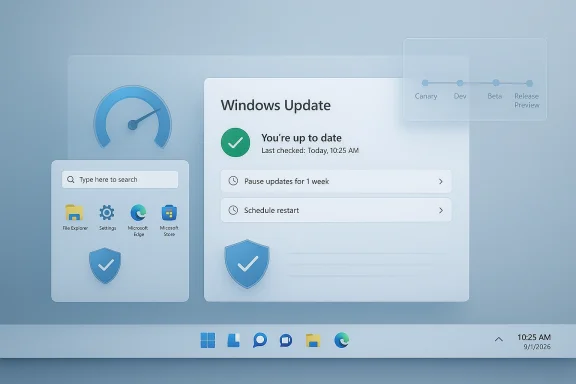 What Microsoft Actually Promised
Davuluri’s central message, as reported in the recent Windows commentary, is that Microsoft wants to improve Windows in ways that are meaningful to customers, with a focus on system performance, reliability, and the overall experience. That sounds modest, but the implications are broad. A promise to improve the fundamentals is more important than another flashy feature launch because the fundamentals are exactly where Windows 11 has drawn the most criticism.A quality-first reset
The most encouraging part of the message is that Microsoft appears to be acknowledging the problem without pretending it can be fixed with one heroic patch. Davuluri’s remarks suggest a year-long push, not a one-week PR cycle. That is the right framing because Windows problems are layered: some are UI issues, some are servicing issues, some are architectural, and some are policy decisions that could be reversed much faster than they were created. The promise matters most when it is understood as a program, not a slogan.What also stands out is that Microsoft is not talking about a rollback to some golden age of Windows. That would be unrealistic. Instead, it appears to be saying the company will try to make Windows feel less disruptive, more reliable, and less crowded by unnecessary surface area. That is a subtle but important distinction. Users do not need Windows to become boring in the absolute sense. They need it to become predictable in the right sense.
The risk, of course, is that quality-first messaging can become a euphemism for delay. If everything is “coming,” “improving,” or “being refined,” users may never see a line they can point to and say, “That fixed the thing that annoyed me.” Windows trust is rebuilt in visible increments, not in broad claims.
- Performance is only meaningful if it is noticed on ordinary machines.
- Reliability matters only if regressions become rarer, not merely different.
- Quality must show up in daily tasks, not just benchmark slides.
- Trust depends on consistency over multiple releases.
Why the audience matters
One of the more revealing parts of the current conversation is that the message was aimed at Windows Insiders rather than the broader Windows customer base. That makes sense if Microsoft is using the Insider community as a proving ground. But it also narrows the political meaning of the announcement. Enthusiasts are the loudest critics, but they are not the only users who suffer from poor defaults and awkward behavior.This matters because it suggests Microsoft may still think of quality work as something to discuss with testers rather than something to explain to everyone who pays for Windows devices. That can be a smart engineering strategy, but a limited communications strategy. If the goal is trust repair, the company should probably be talking more plainly to the mainstream audience that experiences the OS as a daily utility.
It is also worth noting that the Insider audience has historically been both indispensable and frustrating. Insiders are supposed to help shape Windows, but the program often feels inconsistent and overly theatrical. If Microsoft is serious about rebuilding confidence, it needs to make the Insider process feel more like a real development pipeline and less like a preview showroom.
- Microsoft is signaling change to the test audience first.
- The broader market will still judge by shipping behavior.
- The quality reset only matters if it reaches stable builds.
- Insider feedback has to influence product direction visibly.
The Update Problem
Windows Update remains one of the most emotionally loaded parts of the operating system. Microsoft has good reasons to keep patching aggressive: security, stability, compliance, and supportability all depend on timely updates. But users experience the system differently. They experience it as surprise reboots, awkward timing, confusing naming, and a sense that Windows often decides when the computer is available rather than asking.Better control, less coercion
The current quality push reportedly includes mohavior, including the ability to pause updates for longer and reduce disruptions from reboots. That is a genuine improvement if it lands as described. More importantly, it would signal that Microsoft finally understands that the problem is not updates themselves but the loss of agency users feel when updates take over at the wrong moment.This is one of the clearest areas where Microsoft can demonstrate sincerity. If users can defer non-urgent changes more easily, manage restarts more predictably, and avoid feeling ambushed during setup or active work, the company earns practical goodwill. That goodwill would be especially valuable in enterprise environments, where administrators care less about marketing and more about the daily cost of interruption.
The challenge is that Microsoft must preserve security while loosening the user experience. That is not easy, but it is possible. The best outcome is not a free-for-all; it is a smarter model that distinguishes between truly urgent patching and the slower, more flexible handling of less critical changes.
The naming problem
There is also a credibility issue around how Microsoft labels updates. The company’s recent tendency to bundle features into monthly security releases blurs a line that users actually care about. Security updates and feature changes should not be treated as the same kind of event. They have different urgency, different risk profiles, and different tolerance windows.That distinction matters because the update process is part of the user’s mental model of Windows. When the system calls a feature-dense package a “security update,” it creates confusion and erodes trust. Even if the intent is operational simplicity, the effect is often the opposite. Users sense when language is being stretched to fit product strategy. That is exactly the kind of thing people remember.
A better approach would be to preserve the mandatory nature of critical security work while making feature delivery more transparent and more deferable. Microsoft doesn’t need to stop shipping features. It needs to stop pretending every monthly package is the same kind of thing.
- Security patches should stay mandatory.
- Feature changes should be easier to defer.
- Restarts should be less disruptive.
- Language should match the actual behavior.
Copilot, AI, and the Friction Problem
Microsoft is not abandoning Copilot, and it would be unrealistic to expect that it would. AI remains central to the company’s broader strategy. But the criticism around Windows 11 has never just been about AI as a concept. It has been about the way AI is placed, promoted, and surfaced in places where users often did not ask for it. That is a UX problem as much as a strategy problem.More selective, less loud
The current messaging suggests Microsoft wants to reduce unnecessary Coppps such as Snipping Tool, Photos, Widgets, and Notepad. That is more meaningful than it might sound at first. The issue is not whether these apps can support AI features. In some cases they can and should. The issue is whether the AI layer becomes a persistent piece of visual clutter.This is where Microsoft has an opportunity to be smarter. An AI feature that helps a user once in a while can be useful. An AI badge or button that constantly occupies attention can become exhausting. The difference between those two states is not technical power; it is restraint. In product terms, restraint is often the harder design skill.
If Microsoft is serious about reducing friction, it should treat AI entry points as contextual tools, not as permanent billboards. That means fewer prompts, fewer redundant buttons, and more room for the user to work without being gently cornered into trying something new.
The browser and search issue
One especially notable part of the recent discussion is that Microsoft appears unwilling to reduce web-based results in Windows Search. That is revealing. Even if Microsoft quietly trims some Copilot presence, the broader strategy still depends on cross-linking the OS to online experiences. That is not surprising, but it is exactly the sort of thing users notice when they feel they cannot make a local experience stay local.The same applies to browser-related behavior. Windows has long been accused of nudging people toward Edge in subtle and not-so-subtle ways. When users already distrust Microsoft’s defaults, every web handoff becomes politically loaded. The company can argue that web integration is useful, and often it is. But usefulness is not the same as respect. If Microsoft wants users to feel Windows is theirs, it has to stop acting as though every default surface is an opportunity to redirect attention to Microsoft services.
- Copilot can stay, but it must be less intrusive.
- AI features should be contextual, not omnipresent.
- Search should be more transparent about web results.
- Web integration should feel like a choice, not a trap.
Taskbar, Start, and Everyday Control
The shell is where trust is won or lost because the shell is where users live. When people complain about Windows, they are often complaining about the taskbar, Start, Settings, File Explorer, or some other front-end surface they touch dozens of times a day. Microsoft can talk about architecture all it wants, but if the desktop feels inconsistent, the whole OS feels unfinished.The importance of defaults
A lot of frustration in Windows 11 comes down to the fact that Microsoft made choices users dade it difficult to reverse them. That is why the discussion around opt-in versus opt-out matters so much. The company has already shown, with Recall, that it can move a feature from default-on to opt-in when the criticism becomes impossible to ignore. That same instinct needs to be applied more broadly.The taskbar and Start menu are prime examples. People do not need endless customization, but they do need enough control to make the desktop fit their workflows. When Microsoft reduces flexibility, it is not only changing a UI preference. It is asking people to adapt their habits to the OS, rather than making the OS adapt to them. That is backwards.
The ideal path is not radical openness. It is sane configurability. Users should be able to restore familiar behavior without hunting through obscure settings or relying on workarounds from the community. That would immediately make Windows feel less combative.
Why shell responsiveness matters
Performance complaints often show up first in the shell. File Explorer opens slowly, search hesitates, Start lags, or the desktop flashes an extra beat before responding. These delays may be small in isolation, but they add up emotionally. A desktop operating system must disappear into the workflow. Every bit of lag reminds users that it is still a work in progress.That is why Microsoft’s focus on responsiveness matters more than it would on a platform where the UI is secondary. The shell is the operating system in the user’s mind. If Explorer feels slow, the whole platform feels slow. If Start feels delayed, the OS feels dated. If widgets or recommended sections feel forced, the whole product feels cluttered.
The good news is that Microsoft has room to improve without reinventing the entire interface. Cleaner defaults, more consistent behavior, and fewer surprises would go a long way.
- Taskbar control should be more flexible.
- Start should be less cluttered.
- Explorer needs visible speed gains.
- Settings should be easier to navigate and reverse.
Windows Insider and the Quality Pipeline
The Windows Insider Program is supposed to be the proving ground where features get tested, problems are caught, and feedback shapes the product before it ships broadly. In practice, it has often felt uneven, confusing, and occasionally random. That is a problem because Microsoft relies on the program not just as a technical feedback loop but as a trust-building mechanism. If the testing pipeline looks disorganized, the release pipeline inherits that aura.A better channel structure
Davuluri’s comments reportedly point toward clearer channel definitions, more transparency, better validation, and easier access to new features for Insiders. That is exactly the kind of housekeeping the program needs. Insiders should understand why a feature is in Canary, Dev, Beta, or Release Preview, and they should understand what kinds of risks each channel is meant to represent.The current model often leaves enthusiasts feeling like they are participating in a moving puzzle rather than a disciplined release process. If Microsoft wants to restore confidence, it needs to make the channel logic visible and predictable. The point is not to eliminate experimentation. It is to make experimentation feel intentional.
A good Insider process would also reduce the sense that features arrive from nowhere. The right sequence is simple: test early, validate thoroughly, explain clearly, and ship only when the work is ready.
Feedback that leads somewhere
A quality-focused Insider program also has to prove that feedback is not just collected but acted upon. That means better visibility into how reported issues translate into changes. Users can accept rough edges if they believe the rough edges are being sanded down for a reason. What they cannot tolerate is the feeling that they are merely unpaid reviewers for a process that was already decided.This is where Microsoft has a real opportunity. If it can make the feedback loop cleaner, more transparent, and more obviously influential, the Insider community becomes a strategic asset rather than a noisy side channel. That would help the company ship better software and also help users feel respected in the process.
- Channel definitions should be clearer.
- Feature progression should be more logical.
- Feedback should visibly change shipping decisions.
- Validation should happen earlier and more consistently.
Refactoring the Platform
One of the most interesting parts of the current Windows story is that Microsoft seems to be looking below the surface again. That matters because many of Windows 11’s complaints are rooted in the way different layers of the system interact. A prettier shell does not help much if the underlying framework is still causing delays, instability, or awkward transitions between old and new code.Why architecture still matters
Microsoft has talked about moving more core experiences to WinUI 3 and improving the shared UI infrastructure that Windows experiences rely on. In theory, that should help reduce interaction latency and make the platform feel more cohesive. In practice, the success of that effort will depend on whether Microsoft can untangle performance bottlenecks without introducing new ones.This is the kind of work that rarely makes headlines but defines the user experience. If File Explorer launches faster, if the Start menu feels lighter, and if everyday interactions stop hesitating, most users will not care whether the culprit was legacy code, framework overhead, or some hybrid approach. They will only care that the computer feels less sluggish.
Still, there is a reason to be cautious. Platform refactoring is hard. It can break compatibility, expose hidden dependencies, and create temporary instability before the gains are fully realized. That is why the next year should be judged on outcomes, not on technical buzzwords.
The lower-level security connection
The quality conversation is also tied to security hardening. Microsoft’s recent security work has been more serious than many users realize, especially in response to the broader reliability concerns exposed by real-world incidents in the ecosystem. Deep changes like the Windows Resiliency Initiative, kernel hardening, and other security-by-default moves can improve trust if they are paired with better user experience. If they are not, users may only notice the inconvenience.That creates a delicate balance. Microsoft cannot simply promise “more secure” and expect users to be grateful if the experience becomes more constrained. Security has to feel like a platform benefit, not a tax. If the company can align security improvements with smoother performance and better control, that becomes a genuine advantage.
- WinUI 3 may help if the migration is careful.
- Kernel work is important but largely invisible.
- Security must not come at the cost of usability.
- Refactoring is promising, but risky.
Trust, Not Excitement
The most revealing thing about the current Windows quality push is that it is not really about excitement. It is about credibility. Microsoft does not need users to cheer every release. It needs them to believe that the operating system is being managed with competence and restraint. That is a different and more difficult standard.Why trust is fragile
Trust is easy to damage because users form it from a long memory of small disappointments. A forced suggestion here, a confusing update there, a slow Explorer launody wanted, an AI prompt in the wrong place, a reboot at the wrong time. None of those events alone destroys confidence. Together, they create a story. And once a story forms, every new promise is filtered through it.That is why Microsoft’s current position is so precarious. If the company gets a few important things right, it can begin to repair that story. If it overpromises and underdelivers, the damage will deepen. The worst outcome is not anger; it is resignation. Users stop expecting Windows to improve in meaningful ways, and that is much harder to reverse than a simple complaint.
The company therefore needs to think less about applause and more about consistency. Small, reliable improvements build credibility faster than grand narratives.
What “less bad” really means
There is a temptation to treat a quality reset as a demand for perfection. That is unrealistic. Windows does not need to become flawless in one year. It needs to become less adversarial. If Microsoft can reduce the number of moments when the system feels like it is pushing back against the user, that will count as progress.That means fewer dark-pattern defaults, fewer ambiguous prompts, fewer unnecessary AI entry points, fewer update surprises, and better daily responsiveness. It is not glamorous work. But for Windows, it may be the most important work the company can do.
- Trust comes from consistency.
- Credibility comes from visible follow-through.
- Restraint is a product feature.
- Less friction may matter more than more features.
Strengths and Opportunities
Microsoft still has a real opening here because Windows remains the dominant desktop platform, and even modest improvements can affect millions of users quickly. The company has also shown that it can make meaningful policy changes, as with Recall’s move to opt-in, which proves that user pressure can alter product direction. If Davuluri’s team stays focused, 2026 could become a year when Windows finally feels more respectful and less chaotic.- Improved trust if Microsoft actually reduces disruptive behavior.
- Better productivity if the shell becomes faster and more consistent.
- Cleaner AI positioning if Copilot is used more selectively.
- Stronger enterprise confidence if validation becomes more rigorous.
- More predictable updates if users gain real scheduling control.
- Healthier Insider feedback loops if the program becomes more transparent.
- Competitive improvement if Windows feels calmer than rival desktop experiences.
Risks and Concerns
The biggest risk is that Microsoft promises more coherence than it can realistically deliver in a single year. Windows is enormous, layered, and full of legacy dependencies, so even good intentions can collapse into partial fixes, temporary regressions, or cosmetic improvements that do not touch the deeper problem. Users are no longer inclined to give the company the benefit of the doubt.- Overpromising could make delays feel worse.
- Partial fixes may not satisfy skeptical users.
- Surface polish without system-level change will feel hollow.
- AI retreat could become inconsistent across apps and surfaces.
- Update flexibility could conflict with security messaging if handled poorly.
- Driver and OEM dependencies may limit how much Microsoft can control.
- Credibility fatigue is real; repeated “we heard you” messages can lose power.
Looking Ahead
The next phase will be judged less by rhetoric than by measurable results. Users will not care much about a polished manifesto if File Explorer still hesitates, updates still interrupt at the wrong moment, or Copilot still appears in places that feel unhelpful. What they will care about is whether the OS starts to feel calmer, more predictable, and less eager to surprise them. That is the real test of the 2026 quality push.A good sign would be visible, incremental progress in the areas that matter most: update control, shell responsiveness, AI restraint, and Insider transparency. A bad sign would be a burst of language about quality followed by the same old pattern of noisy releases and partial rollbacks. Microsoft has enough scale and engineering talent to make the difference. What it needs now is discipline.
- Watch for longer update pauses and better reboot control.
- Watch for fewer Copilot entry points in inbox apps.
- Watch for faster shell interactions in Start and File Explorer.
- Watch for clearer Insider channel definitions.
- Watch for more opt-in behavior across controversial features.
Source: Thurrott.com Trust But Verify
️