Microsoft’s latest Insider preview lands as a targeted, practical release: Windows 11 Insider Preview Build 26220.7535 (delivered as KB5072046) expands Copilot’s accessibility reach by integrating Copilot-powered image descriptions into Narrator across more devices, and it gives IT administrators a cautious but supported way to uninstall the consumer Copilot app on managed endpoints via a new Group Policy—while also adding a developer option for Cross‑Device Resume and a handful of modest UI polish and bug fixes.
Background
Windows Insiders in the Dev and Beta channels are receiving Build 26220.7535 as part of Microsoft’s ongoing 25H2 enablement‑package strategy. Microsoft is distributing identical binaries while server‑side flags control which features appear on which devices; installing the KB is necessary but not sufficient to see every capability immediately. The Dev and Beta channels are currently aligned on this build, and Microsoft has warned that a temporary window to switch from Dev to Beta will soon close. This flight centers on three practical themes:- Accessibility — richer, Copilot‑assisted image descriptions integrated into Narrator.
- Enterprise governance — a new Group Policy to remove the consumer Copilot app under strict conditions.
- Developer flexibility — an additional Cross‑Device Resume path using the Windows Notification System (WNS).
What shipped in Build 26220.7535
Narrator: Copilot‑powered image descriptions
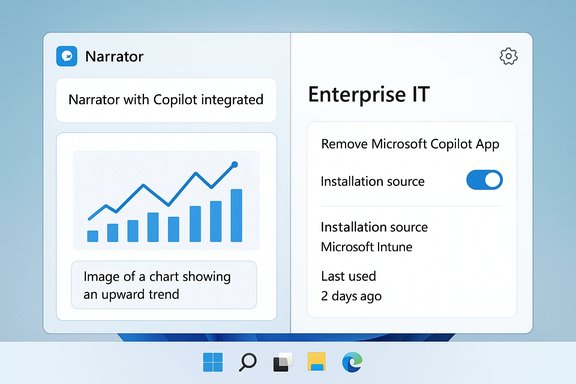
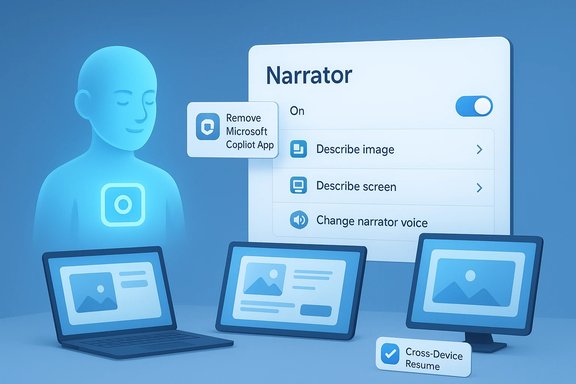
- Narrator can now invoke Copilot to describe a focused image or the entire screen.
- Two keyboard shortcuts are called out: Narrator key + Ctrl + D to describe the focused image, and Narrator key + Ctrl + S to describe the full screen.
- When a user requests a description, Copilot opens with the image preloaded and prompts the user to confirm sharing; image data is only sent after explicit confirmation, and users can ask follow‑up questions through Copilot for additional detail.
RemoveMicrosoftCopilotApp: a targeted admin uninstall policy
- A new Group Policy named RemoveMicrosoftCopilotApp appears at:
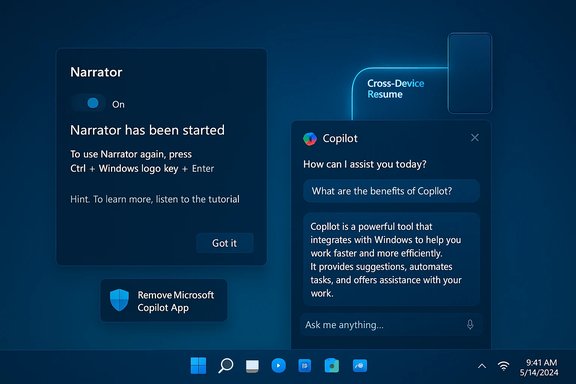
User Configuration → Administrative Templates → Windows AI → Remove Microsoft Copilot App. - The policy performs a one‑time uninstall of the consumer Microsoft Copilot app for a targeted user only when all these conditions are met:
- Microsoft 365 Copilot (tenant‑managed) and the consumer Microsoft Copilot app are both installed on the device.
- The consumer Copilot app was not installed by the user (it was provisioned, pushed, or OEM‑preinstalled).
- The consumer Copilot app has not been launched in the last 28 days.
- The setting is available on Windows 11 Pro, Enterprise, and Education SKUs in the Insider Dev and Beta channels.
- The policy is conservative by design: it is a cleanup tool for provisioned, unused installs, not a fleet‑wide ban. Users can reinstall the consumer Copilot app later if allowed by tenant or store policies.
- Microsoft documents complementary enforcement approaches (AppLocker, Intune/CSP settings, PowerShell) for administrators who need durable blocking or scripted removal at scale.
Cross‑Device Resume: WNS integration
Developers now have a second integration path for Cross‑Device Resume (handing off activities from phone to PC) using the Windows Notification System (WNS). This supplements the Link to Windows / Continuity SDK path and can lower the onboarding barrier for apps that already use WNS for actionable notifications.Polishes, fixes, and known issues
- Minor UI polish: a refreshed Windows Spotlight desktop icon among small visual tweaks.
- Bug fixes: Start menu reliability improvements, File Explorer context‑menu crash fixes, printing dialog inconsistencies, pen‑input flashes in Snipping Tool, and Windows Update hang fixes.
- Known issues remain: Start menu interaction problems for some Insiders, system tray inconsistencies, taskbar auto‑hide behavior, and crashes in Settings when working with certain audio devices. Microsoft reiterates that controlled rollouts mean features may change or be removed before a general release.
Why these changes matter
Accessibility: tangible gains for screen‑reader users
The Narrator + Copilot integration is a clear accessibility win. Many web pages, documents, and applications still lack accurate alt text for images, charts, and diagrams. AI‑generated descriptions can reduce that immediate access gap by converting visual content into natural‑language explanations and enabling follow‑up Q&A (for example: “How many items are in this chart?”). The result is a more interactive screen‑reader workflow where a description can be refined conversationally rather than relying solely on static alt text.Strengths:
- Interactivity: Follow‑up questions let users probe charts and screenshots beyond a single static caption.
- Broader availability: Expanding beyond Copilot+ hardware gives more users early access to the capability.
- User consent: Narrator prompts for confirmation before image sharing, which is an important privacy control.
- Cloud dependency: On non‑Copilot+ devices, description requests route to cloud models after user confirmation. That introduces questions around telemetry, retention, and cross‑border data flows; Microsoft’s short announcement does not publish a complete data‑retention breakdown in the preview post. Treat claims of “privacy by default” cautiously until full Copilot privacy documentation is reviewed and tested in real workflows.
- Regulatory exclusion: The feature’s absence in the EEA indicates unresolved compliance questions about image processing and potential biometric inference; accessibility teams should plan for regional availability differences.
Enterprise governance: a pragmatic but limited tool
The new RemoveMicrosoftCopilotApp Group Policy is a pragmatic response to longstanding admin demand for a supported removal path for the consumer Copilot front end. It recognizes two realities: administrators need deterministic controls, and Microsoft also needs to preserve tenant‑managed Microsoft 365 Copilot workflows.Strengths:
- Supported path: Provides an official Group Policy for removal rather than relying solely on third‑party or ad hoc scripts.
- Safety gates: The three gating conditions are deliberately conservative to avoid surprising active users or removing tenant‑critical Copilot functionality.
- One‑time uninstall only: This action does not create a persistent block—users may reinstall the consumer Copilot app later and tenant provisioning can reintroduce it. For organizations that must ensure Copilot never returns, the recommended approach remains a layered one: the RemoveMicrosoftCopilotApp policy as a cleanup step combined with AppLocker/WDAC blocking, Intune policy management, and a provisioning plan that prevents reinstallation at image/app delivery time.
- 28‑day inactivity gate: The uninstall requires the Copilot app not have been launched in the last 28 days. Because Copilot integrates into many parts of the shell and may be invoked by background events or first‑boot flows, achieving that inactivity state can be operationally awkward in real fleets; community reporting flags this as a practical hurdle. Administrators should validate the behavior in a controlled pilot before mass deployment.
Developer flexibility: lower friction for Cross‑Device Resume
Adding WNS as an onboarding vector for resume flows is a tactical win for developers. Many mobile‑to‑PC handoff scenarios already use push notification infrastructure; enabling WNS to serve as a resume trigger reduces the engineering surface area required and broadens device coverage, particularly for apps that do not want to rely on the Continuity SDK. The change is incremental but lowers friction for a useful cross‑device UX pattern.Technical verification and cross‑references
The build announcement and specifics were verified directly against Microsoft’s Windows Insider Blog post for Build 26220.7535 (published January 9, 2026), which documents the rollout, the Narrator changes, the new Group Policy path, the WNS integration, bug fixes, and known issues. Independent technology outlets reviewed and reproduced the policy and the Narrator behavior in community testing. Windows Central describes the Narrator expansion and the controlled rollout behavior for Insiders, while Tom’s Hardware reproduces the Group Policy’s gating conditions and flags practical operational concerns such as the 28‑day inactivity requirement. Both outlets align with Microsoft’s documented behavior, providing cross‑validation from two independent sources. Microsoft’s Copilot+ PC pages confirm the hardware threshold for on‑device inference: Copilot+ devices are defined by NPUs capable of 40+ TOPS, which is the baseline for many local AI experiences. That specification explains why on‑device Narrator descriptions remain limited to Copilot+ hardware for instant, private inference while broader Copilot integration relies on cloud processing when users opt in. Where claims remain tentative or context‑sensitive:- Any suggestion that the new policy is a fleet‑level blocker is inaccurate; Microsoft explicitly characterizes RemoveMicrosoftCopilotApp as a one‑time, conditional uninstall and documents AppLocker/Intune as complementary enforcement methods. The “permanent removal” narrative should be treated as an overstatement unless combined with additional blocking measures at the enterprise policy layer.
Practical guidance for IT, accessibility teams, and Insiders
For IT administrators (concise checklist)
- Back up test devices and create restore points before trialing the preview.
- Pilot RemoveMicrosoftCopilotApp in a small ring to observe the 28‑day inactivity gate and its interaction with tenant provisioning.
- Combine the Group Policy with AppLocker/WDAC rules or Intune device configuration profiles if a durable block is required.
- After the uninstall runs, verify that Microsoft 365 Copilot tenant functionality remains intact where required.
- Document and monitor for re‑provisioning triggers (imaging, staging scripts, tenant auto‑provisioning) that might reintroduce the consumer Copilot app.
For accessibility teams and screen‑reader users
- Test the Narrator + Copilot workflow with representative content: charts, annotated screenshots, photographs, and UI screenshots. Evaluate description fidelity, clarity, and follow‑up Q&A usefulness.
- Pay attention to whether the device runs on Copilot+ hardware (on‑device inference) or routes descriptions via cloud—this affects latency and data residency expectations.
- If operating inside the EEA, note that the feature is not available in this rollout; plan alternate accommodations accordingly.
For developers
- Consider WNS as an alternate onboarding/activation vector for Cross‑Device Resume when building handoff/continuity scenarios for Android apps.
- Validate resume flows with WNS in real notification conditions and ensure secure identity validation before resuming authenticated sessions on the PC.
For Windows Insiders
- If aiming for Beta‑channel stability, use the temporary Dev→Beta switch window while Dev and Beta share the same build. Once Dev moves ahead, switching back may require a clean reinstall. Act now if channel choice matters.
- Expect server‑side gating: installing KB5072046 may not immediately surface every feature; the “Get the latest updates as they are available” toggle can influence rollout timing.
Critical analysis — strengths, trade‑offs, and risks
What Microsoft did well
- The update focuses on practical, real‑world issues: improving accessibility for screen‑reader users and giving IT a supported, documented removal path for a preinstalled consumer app. These are concrete responses to user feedback and regulatory pressure.
- The feature design emphasizes consent and control for Narrator users: images are only shared after explicit confirmation, and on‑device inference remains the privacy‑friendliest path on Copilot+ hardware.
- The Cross‑Device Resume WNS integration is a low‑friction, developer‑friendly extension of existing notification infrastructure that should broaden cross‑device continuity reach with minimal complexity.
Where the approach falls short or introduces risk
- The RemoveMicrosoftCopilotApp policy’s conservative gates make it less useful as a proactive enforcement tool and more useful as a cleanup mechanism. Organizations that require strict non‑presence guarantees must implement layered controls beyond this single policy. Treat the Group Policy as one piece of a broader enforcement strategy, not a silver bullet.
- Cloud reliance on non‑Copilot+ devices raises privacy and compliance questions. Microsoft’s announcement does not publish comprehensive retention or telemetry details in the preview post; enterprise privacy teams should require full Copilot privacy and data‑retention documentation before broadly enabling cloud‑backed image descriptions. Testing in a privacy review sandbox is recommended.
- The 28‑day inactivity requirement for uninstall could be difficult to satisfy in modern provisioning flows where background launches or first‑login triggers occur automatically. That operational friction was explicitly flagged by independent reporters.
Final assessment and recommended next steps
Build 26220.7535 is a conservative, useful step forward: it meaningfully broadens accessibility, provides IT with a documented cleanup mechanism, and gives developers more integration options. For Insiders, accessibility testers, and admins the build is worth installing into test rings now to validate the experiences on representative hardware and imaging pipelines. For production deployments, wait for Microsoft to graduate the features out of Insider preview and for accompanying enterprise documentation and privacy detail to mature.Recommended immediate actions:
- Accessibility teams: validate narrative quality and follow‑up Q&A workflows on both Copilot+ and standard devices.
- IT teams: pilot RemoveMicrosoftCopilotApp, verify the 28‑day gate behavior, and prepare complementary AppLocker/Intune controls to enforce desired long‑term posture.
- Developers: evaluate WNS‑based Cross‑Device Resume for apps already using push notifications and document identity/authorization flows to avoid accidental session resumption.
Conclusion: Build 26220.7535 is a pragmatic update that advances accessibility and admin control without pretending to be a sweeping OS overhaul. It supplies valuable, testable features for Insiders and administrators while leaving the heavier policy enforcement and privacy guarantees to layered enterprise controls and forthcoming documentation.
Source: gHacks Technology News Windows 11 Insider Build 26220.7535 Adds Narrator Copilot Features and Removal Policy - gHacks Tech News