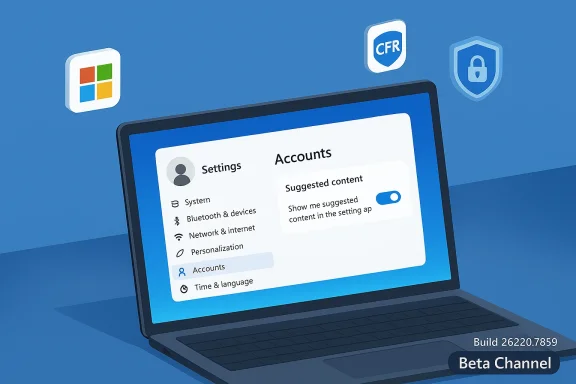
Microsoft has started rolling out Windows 11 Insider Preview Build 26220.7859 (KB5077223) to the Beta Channel, delivering a small but focused set of reliability fixes and a single new account-related suggestion that will be gradually enabled for Insiders who opt in to receive the fastest preview updates. This flight is distributed as an enablement package on top of Windows 11, version 25H2 (Build 26200.x), and continues Microsoft’s pattern of using controlled feature rollouts to surface new experiences to a subset of testers before widening the release. For Windows Insiders, the visible changes in this build are modest — improved system-tray icon behavior, File Explorer stability work, better Nearby Sharing for large files, a Settings reliability fix, and a Microsoft 365 Family subscription upgrade prompt on the Accounts page that can be turned off. What’s notable is the method and messaging: Microsoft is emphasizing incremental quality improvements and experimentation rather than sweeping new features in this Beta-channel flight.
Windows Insider Preview builds now frequently arrive as enablement packages that increment a base release’s major build number while keeping the underlying servicing baseline intact. In this case, the Beta Channel flight is distributed on top of Windows 11, version 25H2 using Build 26220.xxxx as the visible build family. That packaging model lets Microsoft toggle features on and off server-side for targeted groups, test compatibility, and deliver feature-enabled builds without the heavier process of a full feature-update install for every device.
Microsoft’s Insider posts for builds in the 26220 family routinely break changes into two buckets: (1) new features or experiences being gradually rolled out to Insiders who have turned on the “Get the latest updates as soon as they’re available” toggle in Settings > Windows Update, and (2) improvements and notable fixes that are rolling out to everyone in the channel. This dual-track disclosure is significant: it signals that some items you see in this blog post might land on your PC immediately only if you’ve opted into the faster preview toggle, while other fixes will appear broadly to Beta Insiders over time.
The Build 26220.7859 announcement follows that pattern. The new Microsoft 365 Family subscription prompt is being introduced as an opt-in server-side experiment for Insiders who have allowed the rapid rollout toggle; reliability fixes are being pushed to the whole Beta cohort in a staggered manner. The release messaging also reiterates that features may never ship beyond Insiders, and some previewed functionality may be incomplete or not fully localized.
Key points about CFR for Insiders:
What the announcement reveals:
Expect the following in the coming weeks:
Source: Microsoft - Windows Insiders Blog Announcing Windows 11 Insider Preview Build 26220.7859 (Beta Channel)
 Background / Overview
Windows Insider Preview builds now frequently arrive as enablement packages that increment a base release’s major build number while keeping the underlying servicing baseline intact. In this case, the Beta Channel flight is distributed on top of Windows 11, version 25H2 using Build 26220.xxxx as the visible build family. That packaging model lets Microsoft toggle features on and off server-side for targeted groups, test compatibility, and deliver feature-enabled builds without the heavier process of a full feature-update install for every device.Microsoft’s Insider posts for builds in the 26220 family routinely break changes into two buckets: (1) new features or experiences being gradually rolled out to Insiders who have turned on the “Get the latest updates as soon as they’re available” toggle in Settings > Windows Update, and (2) improvements and notable fixes that are rolling out to everyone in the channel. This dual-track disclosure is significant: it signals that some items you see in this blog post might land on your PC immediately only if you’ve opted into the faster preview toggle, while other fixes will appear broadly to Beta Insiders over time.
The Build 26220.7859 announcement follows that pattern. The new Microsoft 365 Family subscription prompt is being introduced as an opt-in server-side experiment for Insiders who have allowed the rapid rollout toggle; reliability fixes are being pushed to the whole Beta cohort in a staggered manner. The release messaging also reiterates that features may never ship beyond Insiders, and some previewed functionality may be incomplete or not fully localized.
What’s included in Build 26220.7859 (KB5077223)
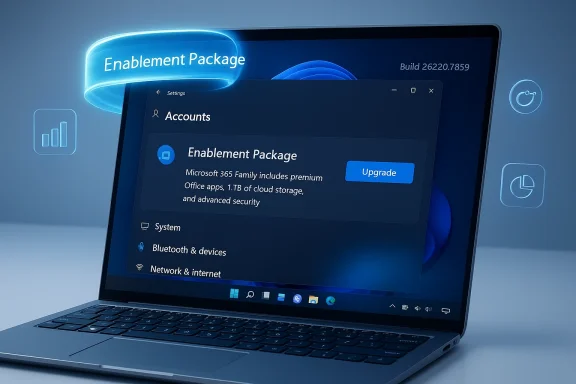
New (gradual) — Accounts: Microsoft 365 Family upgrade option
- Microsoft 365 Family subscribers who are part of the gradual rollout may see an option to upgrade to a different Microsoft 365 plan on the Accounts page in the Settings app.
- The prompt is surfaced as suggested content inside Settings, and Microsoft has built an explicit opt-out: users can remove the upgrade suggestion by turning off suggested content in Settings.
- This is a soft commercial nudge rather than a system-level change; it is opt-in via the Controlled Feature Rollout and can be disabled locally if you don’t want promotional suggestions shown in Settings.
Improvements & fixes (rolling out)
- Taskbar / System Tray: Improved reliability for showing app icons in the system tray when the taskbar is set to autohide. This resolves a flaky behavior where icons would sometimes not appear immediately after the taskbar was revealed.
- File Explorer: Addressed an issue where all open File Explorer windows and tabs could unexpectedly jump to Desktop or Home. This fix targets the increasingly common annoyance of window focus or navigation state being lost.
- Nearby Sharing: Improved the reliability of sending larger files using Nearby Sharing. This should reduce file transfer failures or stalls when moving big media or collections between nearby PCs.
- Settings: Improved reliability configuring options in Settings > Bluetooth & Devices > Wheel, helping users who customize mouse-wheel behavior or wheel-based gestures avoid configuration errors.
How this is packaged and delivered
This flight is provided as an enablement package applied to Windows 11, version 25H2. Enablement packages are small updates that flip feature flags to move a device from one build label to another (for example from 26200 to 26220) without replacing the whole OS image. The enablement model allows Microsoft to:- Activate new features more quickly for targeted test groups.
- Reduce install friction compared with a full feature upgrade.
- Use server-side controls and Controlled Feature Rollout to expand or revoke features dynamically.
Controlled Feature Rollout — what it is and why it matters
Microsoft continues to rely on Controlled Feature Rollout (CFR) technology to stage features. CFR is a deliberate, risk-managed process where features are enabled for a small subset of users initially, then ramped up as telemetry and feedback indicate stability and acceptance.Key points about CFR for Insiders:
- If you have the “Get the latest updates as soon as they’re available” toggle ON in Settings > Windows Update, you’ll be in the pool that receives features earlier.
- Features rolled out via CFR may appear for only a fraction of Insiders at first, and there’s no guaranteed date for wider availability.
- CFR allows Microsoft to disable a feature quickly if it causes regressions, minimizing exposure compared with a mass release.
Why these changes matter (and to whom)
At first glance, Build 26220.7859 appears incremental: a small set of fixes and a non-invasive product-suggestion experiment. But the collection of changes reflects two broader priorities that matter to both end users and IT professionals:- Polishing reliability — The taskbar icon, File Explorer, and Settings fixes target everyday UX irritants that erode confidence in the OS. Small reliability wins translate into perceptible quality improvements for daily productivity workflows.
- Monetization/engagement experiments inside Settings — Surfacing a Microsoft 365 upgrade prompt within the Settings Accounts page extends Microsoft’s ongoing experiment with contextual, product-driven suggestions inside system UI. The presence of a clear opt-out shows Microsoft is attempting to balance product engagement with user control.
- Windows Insiders and enthusiasts who want to test small feature experiments and help surface regressions should install the build and use Feedback Hub to report issues.
- IT professionals and admins should be aware of the enablement-package model and CFR behavior when advising Insider participation in managed environments — toggling the preview fast-rollout option could change what features appear on test devices.
- Everyday users who do not opt into rapid preview rollouts are unlikely to see the Microsoft 365 prompt immediately; they’ll see the broader fixes as they roll out.
Practical guidance: should you install Build 26220.7859?
If you are an Insider on the Beta Channel, consider these points before installing:- Turn the “Get the latest updates as soon as they’re available” toggle ON only if you want to be among the first to see server-side experiments. This toggle increases the chance of early feature exposure — and the chance of encountering early-stage bugs.
- Back up important data before applying preview builds. Even minor reliability updates can trigger driver or app compatibility issues on certain hardware combinations.
- If you use your PC for production work, wait until fixes land more broadly. The Beta Channel is more stable than Dev, but controlled rollouts still carry risk.
- Use Feedback Hub (WIN + F) to report regressions, especially for the fixes listed in the announcement (taskbar behavior, File Explorer jumps, Nearby Sharing issues, Settings Wheel).
- Create a system restore point and/or full backup.
- Ensure critical drivers (graphics, storage) are updated to the vendor-recommended versions.
- Verify you have adequate free disk space and that Windows Update is enabled.
- If you are in a managed enterprise environment, consult IT policy before enabling rapid preview toggles.
Risks and potential downsides
Even small preview builds can surface non-obvious problems. Here are realistic risks to consider:- Installation failures or rollbacks. Some Insiders in past flights have reported update loops or failed installs. While not ubiquitous, these problems exist and are often hardware- or driver-specific.
- Driver incompatibilities. Updates that touch underlying platform behavior or enable new flags can expose latent driver bugs, especially with older peripherals or third-party tooling.
- Inconsistent experience across devices. Controlled rollouts mean features are unevenly distributed. That’s great for experimentation but frustrating if you want a consistent test baseline across multiple machines.
- Privacy and suggestion UX. The Microsoft 365 upgrade prompt represents a soft commercialization of Settings. While an opt-out is available, some users and administrators object to promotional content appearing in system settings by default.
- Localization and accessibility gaps. Microsoft specifically calls out that previewed features may be incompletely localized and that some accessibility features may not work across experimental features. For users who rely on localized strings or assistive technologies, that’s an important caveat.
- If your device runs critical workloads or is managed by enterprise policy, defer installation until the fixes are broadly released.
- If you have mission-critical peripherals with limited driver support, wait for vendor-certified updates.
The Microsoft 365 prompt: nuance, UX, and controls
The Microsoft 365 Family upgrade suggestion is worth a closer look because it illustrates how Microsoft is experimenting with commercial prompts within system surfaces.What the announcement reveals:
- The prompt will appear on the Accounts page in Settings for Microsoft 365 Family subscribers, offering an option to upgrade to a different 365 plan.
- The experience is delivered as suggested content and can be disabled by turning off suggested content in Settings.
- The prompt is designed to be contextual: Microsoft assumes users with a Family subscription may want to move to a different plan (for example, to switch between Family and Personal or to trial Copilot-enabled tiers).
- The presence of an opt-out respects user control, but the default state for Insiders in the experiment may be opt-in to suggested content — an important distinction for privacy-minded users.
- Whether Microsoft personalizes the suggestion beyond a generic upgrade offer (for example, showing feature differences or compatibility hints).
- Whether the suggestion integrates billing flows or opens web-based portals when users accept — the in-app direction of those flows is important for user trust.
- Whether similar suggestions expand into other Settings surfaces over time.
How to report problems and what to include in Feedback Hub
If you install this build and encounter issues, Microsoft’s Feedback Hub is the primary channel for reporting. Helpful reports accelerate triage and increase the chance of a fix:- Reproduce the issue and collect exact steps to reproduce it.
- Include system details: Windows build number (Settings > System > About), device model, and driver versions for relevant hardware (graphics, network).
- Attach screenshots, logs, or a screen recording when possible.
- For File Explorer or taskbar bugs, note whether the issue occurs with third-party shell extensions or after connecting specific peripherals.
- Mark the feedback category accurately (e.g., Settings > Settings Homepage; File Explorer; Taskbar; Nearby Sharing).
Critical analysis: strengths, limitations, and communication
Strengths- The build targets practical reliability issues that impact daily usability. Fixing taskbar icon visibility and File Explorer focus behavior are small wins that have disproportionate user impact.
- Microsoft provides an opt-out for suggested content, which is an important privacy and UX control when introducing in-system product nudges.
- Delivering this flight as an enablement package is efficient and minimizes installation overhead while enabling server-side control of features.
- The list of changes is narrow and largely incremental; Insiders seeking major new capabilities will find this build underwhelming.
- Controlled rollouts create fragmentation: different Insiders will see different features, complicating coordinated testing across multiple machines.
- Microsoft’s announcement text in the public blog has occasional redundancy and slightly awkward phrasing in the Reminders section; clearer, more concise communication would help Insiders understand exactly when and how features are applied.
- The blog post reiterates the same toggle instructions multiple times in slightly different wording, which may create confusion for less-technical Insiders. A single, crisp paragraph describing how CFR works and what the toggle controls — paired with a short FAQ on toggles, rollback, and reporting — would increase clarity.
- Microsoft’s transparency about which features are telemetry-driven versus opt-in could be improved; Insiders benefit from precise details about whether a listed item will appear on a device or only if the server-side flag flips.
Recommended checklist for Insiders and admins
For Insiders who want to participate:- Ensure you are on the Beta Channel and verify build number after the update (Settings > Windows Update > View update history).
- Decide whether to enable the latest updates toggle — enabling it puts you in the CFR pool but increases variance across your machines.
- Back up important files and optionally create a system restore point before installing.
- Keep driver packages up to date from OEMs (graphics, storage, network), especially if you rely on older peripherals.
- Use test devices or virtual machines rather than production endpoints.
- Turn off the fast rollout toggle on managed devices unless you have a specific test plan.
- Track Flight Hub and official Insider posts to map which builds and features you want to validate.
- Document and automate rollback and recovery steps in case a preview build affects developer tooling or imaging workflows.
What to expect next
This build continues a broader pattern: Microsoft is iterating on Windows 11 through a sequence of targeted, small updates that focus on stability and experimentation. The presence of a Microsoft 365 suggestion inside Settings indicates an ongoing trend toward more context-aware product prompts, while the commit to fixing day-to-day UI reliability shows Microsoft is listening to pain points reported by Insiders.Expect the following in the coming weeks:
- Wider rollout of the listed fixes if telemetry and feedback are positive.
- Further enablement-package updates in the 26220 family that enable or disable experimental features.
- Additional tweaks to Guided rollout behavior where Microsoft refines which devices see new content based on telemetry and compatibility signals.
Conclusion
Build 26220.7859 (KB5077223) is an example of the current Windows Insider cadence: modest, targeted updates that prioritize reliability and controlled experimentation over headline features. For Insiders, the build brings useful fixes to the taskbar, File Explorer, Nearby Sharing, and Settings that should improve daily stability — and an optionally surfaced Microsoft 365 upgrade prompt that underscores Microsoft’s increasing interest in contextual product suggestions inside system UI. If you’re running Beta-channel preview builds for testing and feedback, this update is worth installing and monitoring. If your PC is a production machine, the safer choice remains to wait for broader rollout and cumulative validation. Regardless, this release is a reminder of how Microsoft is balancing incremental polish with live experimentation as Windows 11 evolves.Source: Microsoft - Windows Insiders Blog Announcing Windows 11 Insider Preview Build 26220.7859 (Beta Channel)