

Microsoft pushed another Friday drop of Insider builds to the Canary, Dev, and Beta channels, delivering a mix of practical quality-of-life features, enterprise-facing tweaks, and staged experiments that illustrate how Microsoft is using the Insider rings as a laboratory for both user-facing polish and deep platform work. The Canary Channel received Build 28020.1673 with new tools such as a taskbar network speed test, Camera pan/tilt settings, RSAT support on Arm64, and Quick Machine Recovery adjustments; Dev and Beta testers are seeing corresponding enablement updates (Dev build 26300.7939, Beta build 26220.7934) focused on Bluetooth LE Audio shared-audio refinements, Narrator shortcuts, secure batch-file processing, and a Paint update in Beta that brings Freeform rotate to the app. erview
Microsoft continues to operate multiple Insider streams—Canary, Dev, Beta—each serving distinct roles: Canary for the most experimental platform work, Dev for active feature development that may map to upcoming releases, and Beta as a nearer-to-release preview. Flight Hub and the Windows Insider blog show how build numbering maps to different Windows versions and how Microsoft sometimes delivers the same 25H2/24H2-based packages across Dev and Beta to align testing windows. This sequencing matters because the same bits can appear in multiple channels when Microsoft is staging a broader, optional rollout.
The latest Friday rollout is a typical example of Microsoft’s layered approach: small, targeted improvements arrive in Canary first and then propagate (sometimes as the same build number series) into Dev and Beta. Many of the changes are gradually rolling out and gated via server-side feature flags or a Windows Update toggle that opt-in Insiders can enable to “get the latest updates as soon as available.” That staged delivery is the reason you may see features on one machine but not another, even when running the same build number.
Camera pan/tilt controls are an incremental but welcome improvement for hybrid-workers using conference-room PTZ cameras or higher-end webcams. Surfacing PTZ controls in Settings reduces the need for vendor apps and helps standardize an experience that previously required proprietary software. Expect OEMs to expand driver/firmware support to expose PTZ to the OS.
RSAT on Arm64 is the most consequential enterprise-facing change in this Canary flight. Historically, RSAT tooling was largely a x64-first feature set; community threads and troubleshooting guides have long noted RSAT’s absence on Arm64 builds. The Canary announcement explicitly adds RSAT components as optional features for Arm64 devices—this signals Microsoft’s intent to broaden admin tooling parity for Arm hardware. Practical caveats apply: not every RSAT subcomponent may be fully ported yet, and some PowerShell modules or MMC snap-ins may still behave differently on Arm64. IT organizations should pilot thoroughly before broad deployment.
Quick Machine Recovery (QMR) continues to mature. Microsoft’s recovery feature can connect a device in Windows RE to cloud-hosted remediation logic, download a fix via Windows Update, and apply it—potentially avoiding time-consuming reimaging. The official documentation describes how QMR works and how admins can configure cloud and auto remediation; the latest Insider update tweaks when QMR runs and which Pro configurations enable it automatically. That makes QMR more resilient but also raises questions about telemetry, network dependencies in WinRE, and enterprise controls. We unpack those trade-offs below.
The Narrator shortcut is a small but strategiReading status-bar data (page counts in Word; sum/average in Excel) without changing focus reduces friction for screen-reader users and benefits productivity. That said, its utility depends on apps exposing status-bar text via accessibility APIs; third-party apps may need adjustments.
The batch-file locking registry control targets a subtle but real security/performance problem: when code integrity is enforced, script processing might redundantly re-validate file signatures on every command inside a batch file. Locking the batch file while it runs reduces repeated validation overhead and the attack surface for in-flight alterations—important for managed environments enforcing strict execution policies. IT teams and App Control authors should test existing automation and deployment scripts against this behavior change.
Additionally, Microsoft has started offering optional alternate platform streams within Canary (e.g., an opt-in 29500-series platform-development path) so some Canary devices may diverge on platform-level changes. That split is important for hardware partners and developers testing deep platform changes versus feature-level previews.
A note on unverifiable or early claims: some Canary-level items (particularly the RSAT Arm64 reach and the exact list of RSAT components available) are announced at the preview level and may vary across devices and over time. Community troubleshooting posts and legacy reporting show that RSAT support on Arm64 has been incomplete historically, so administrators should treat the current claim as promising but to-be-validated in-place. We flagged this earlier and recommend hands-on verification before production rollout.
If you’re an Insider: expect variability, test in safe environments, and file feedback to the Feedback Hub. If you’re an IT admin: pilot RSAT on Arm64 cautiously, audit QMR settings for compliance with your telemetry policies, and test the new batch-file locking behavior against existing automation. For everyone: these builds are a reminder that Windows’ feature work is increasingly iterative—small moves, closely observed, with big implications when they reach general availability.
Source: Thurrott.com Microsoft Does Another Friday Drop Canary, Dev, and Beta Insiders
Microsoft continues to operate multiple Insider streams—Canary, Dev, Beta—each serving distinct roles: Canary for the most experimental platform work, Dev for active feature development that may map to upcoming releases, and Beta as a nearer-to-release preview. Flight Hub and the Windows Insider blog show how build numbering maps to different Windows versions and how Microsoft sometimes delivers the same 25H2/24H2-based packages across Dev and Beta to align testing windows. This sequencing matters because the same bits can appear in multiple channels when Microsoft is staging a broader, optional rollout.
The latest Friday rollout is a typical example of Microsoft’s layered approach: small, targeted improvements arrive in Canary first and then propagate (sometimes as the same build number series) into Dev and Beta. Many of the changes are gradually rolling out and gated via server-side feature flags or a Windows Update toggle that opt-in Insiders can enable to “get the latest updates as soon as available.” That staged delivery is the reason you may see features on one machine but not another, even when running the same build number.
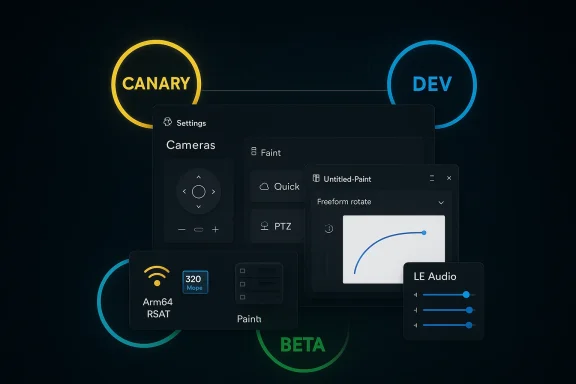 What landed in Canary: Build 28020.1673
Quick summary of the headline items
- Taskbar network speed test accessible from Wi‑Fi/Cellular Quick Settings or via right-click on the network icon; opens in the default browser and tests Ethernet, Wi‑Fi, and cellular throughput.
- Camera Settings: new pan and tilt (PTZ) controls in Settings > Bluetooth & devices > Cameras for supported UVC/PTZ webcams.
- RSAT on Arm64: optional-features availability for Remote Server Administration Tools on Windows 11 Arm64 devices, a notable change for IT pros using Arm-based hardware.
- Quick Machine Recovery (QMR) behavior tweaks: QMR’s auto-enable behavior for certain Windows Pro devices has been adjusted, continuing Microsoft’s effort to improve recovery from boot failures.
- Emoji 16.0 entries and BitLocker responsiveness fixes, plus continued dark-mode and File Explorer polish.
Deeper look: the features that matter
Network diagnostics moved where many power users have long wanted them: into the taskbar. The new speed-test quick path reduces friction for triaging slow network connections, especially on laptops using cellular or public Wi‑Fi. Because the test opens in the default browser and relies on Microsoft’s chosen test endpoints, results will be easy to share and reproduce—useful for support teams. That said, differences in ISP routing, VPNs, or captive portals mean results should be interpreted alongside traditional diagnostics like ipconfig, tracert, and third-party speed tests.Camera pan/tilt controls are an incremental but welcome improvement for hybrid-workers using conference-room PTZ cameras or higher-end webcams. Surfacing PTZ controls in Settings reduces the need for vendor apps and helps standardize an experience that previously required proprietary software. Expect OEMs to expand driver/firmware support to expose PTZ to the OS.
RSAT on Arm64 is the most consequential enterprise-facing change in this Canary flight. Historically, RSAT tooling was largely a x64-first feature set; community threads and troubleshooting guides have long noted RSAT’s absence on Arm64 builds. The Canary announcement explicitly adds RSAT components as optional features for Arm64 devices—this signals Microsoft’s intent to broaden admin tooling parity for Arm hardware. Practical caveats apply: not every RSAT subcomponent may be fully ported yet, and some PowerShell modules or MMC snap-ins may still behave differently on Arm64. IT organizations should pilot thoroughly before broad deployment.
Quick Machine Recovery (QMR) continues to mature. Microsoft’s recovery feature can connect a device in Windows RE to cloud-hosted remediation logic, download a fix via Windows Update, and apply it—potentially avoiding time-consuming reimaging. The official documentation describes how QMR works and how admins can configure cloud and auto remediation; the latest Insider update tweaks when QMR runs and which Pro configurations enable it automatically. That makes QMR more resilient but also raises questions about telemetry, network dependencies in WinRE, and enterprise controls. We unpack those trade-offs below.
What landed in Dev and Beta: Builds 26300.7939 and 26220.7934
Headline features and improvements
- Shared audio (LE Audio) improvements: per-listener volume sliders, persistent taskbar indicator, and expanded accessory compatibility including Samsung Galaxy Buds 4/Buds 4 Pro, Sony WF‑1000XM6, and Xbox Wireless Headset.
- Narrator upgrade: new Narrator key + \ shortcut to read status-bar contents in apps like Word, Excel, and PowerPoint—targeted accessibility enhancement.
- Batch file processing security: a new administrative control (LockBatchFilesInUse) and an App Control manifest option to make batch/script execution more predictable and secure when code integrity policies are enforced.
- Paint update in Beta: Freeform rotate (rotate shapes, text, selections to any angle) arriving via Store update in Beta after Canary/Dev exposure.
Why the shared-audio work matters
Bluetooth LE Audio and modern codecs like LC3 enable multi-stream and broadcast-style scenarios that weren’t practical with classic Bluetooth A2DP. Microsoft’s shared audio preview is a real-world use case: two listeners can connect their LE Audio devices to one PC and listen independently. The addition of individual volume sliders is the kind of UX polish that turns novelty into a usable feature in classrooms, media sharing, or bedside setups. The taskbar indicator is an important privacy/usability affordance—users need a clear, persistent UI that informs them audio is being broadcast to other devices. Accessory compatibility will remain a moving target because it depends on vendor firmware, not just Windows support.The Narrator shortcut is a small but strategiReading status-bar data (page counts in Word; sum/average in Excel) without changing focus reduces friction for screen-reader users and benefits productivity. That said, its utility depends on apps exposing status-bar text via accessibility APIs; third-party apps may need adjustments.
The batch-file locking registry control targets a subtle but real security/performance problem: when code integrity is enforced, script processing might redundantly re-validate file signatures on every command inside a batch file. Locking the batch file while it runs reduces repeated validation overhead and the attack surface for in-flight alterations—important for managed environments enforcing strict execution policies. IT teams and App Control authors should test existing automation and deployment scripts against this behavior change.
How these updates are being rolled out (and why you may not see them immediately)
Microsoft continues to rely on a mixture of enablement packages, control feature rollout, and server-side flags to gate features. Flight Hub documents how multiple build series (e.g., 28000-series for Canary, 26300-series for Dev) relate to planned Windows versions. Microsoft often ships a build that contains the plumbing for a feature, then enables the actual functionality selectively. That staged approach reduces blast radius but increases variability across devices. If you want the earliest visibility, enable the “Get the latest updates as soon as available” toggle—understanding that toggling moves you into a more experimental sub-path.Additionally, Microsoft has started offering optional alternate platform streams within Canary (e.g., an opt-in 29500-series platform-development path) so some Canary devices may diverge on platform-level changes. That split is important for hardware partners and developers testing deep platform changes versus feature-level previews.
Critical analysis: strengths, practical benefits, and real risks
Strengths and practical wins
- User-focused polish continues: small additions—taskbar speed test, Camera PTZ controls, Paint Freeform rotate—deliver immediate daily value without large UI upheavals. These incremental wins matter for adoption because they reduce friction in common workflows.
- Accessibility improvements are thoughtful: Narrator’s new shortcut and the per-user volume controls in shared audio demonstrate Microsoft’s attention to inclusive design and multi-user scenarios.
- Enterprise tooling progress: RSAT support on Arm64, if robust, is a long-awaited improvement for organizations evaluating Arm-based laptops and tablets; batch-file processing controls give IT teams finer-grain enforcement for code integrity scenarios.
- Recovery resilience: QMR’s evolution is a direct response to the operational pain of large-scale boot failures; cloud remediation can prevent costly reimaging or onsite interventions. Official Microsoft docs make clear how to configure or disable QMR for managed fleets.
Risks, limitations, and cautionary notes
- Staged rollouts create inconsistent experiences: Because features are often server-gated or toggle-gated, Insiders (and later customers) will see inconsistent behavior across devices and regions. That variability complicates testing and creates support overhead for teams trying to reproduce issues.
- Quick Machine Recovery privacy and control concerns: QMR uploads diagnostics and reaches out to Microsoft’s cloud to obtain remediations. For enterprises with strict data governance, that cloud interaction and automatic remediation pathway must be carefully governed. Although QMR can be disabled or controlled via Intune/CSP, the fact that Microsoft auto-enables QMR for some Pro configurations in Insider builds is a sensitive change for some IT policies. Administrators should review QMR settings and test behavior in their environment.
- RSAT on Arm64 may not be feature-complete yet: Community threads and earlier reporting stressed that RSAT tooling historically lacked ARM support—some RSAT modules and PowerShell cmdlets may not be fully functional or ported. Administrators should treat the Canary announcement as promising but not yet a green light for full Arm64 RSAT deployments. Validation against Get-WindowsCapability and Microsoft Learn guidance is essential.
- Batch-file behavior change can break scripts: Locking batch files during execution is a secure default for some environments but could break edge-case automation that edits or replaces scripts on the fly. Before enabling LockBatchFilesInUse widely, test scheduled tasks, installer scripts, and wrapper scripts in a controlled environment.
- Accessory dependence for LE Audio: Shared audio’s usefulness relies on both Windows support and device firmware updates from headset makers. Expect fragmentation during the rollout as vendors ship varied firmware and OEM drivers.
Practical guidance: what Insiders, IT admins, and everyday users should do next
- Back up and snapshot before installing preview builds. If you run Insiders on primary devices, create a system image or ensure file-level backups—rolling back from a Canary or Dev build often requires more work than a Beta update.
- If you’re an IT admin evaluating RSAT on Arm64:
- Test RSAT components with Get-WindowsCapability -Online -Name "RSAT*" and validate the specific tools you need (e.g., Group Policy Management Tools, AD DS Tools).
- Pilot on a small Arm64 fleet before broad rollout and keep Windows Admin Center and remote management fallbacks handy.
- For QMR-sensitive environments:
- Review Quick Machine Recovery settings at Settings > System > Recovery and consult Microsoft’s QMR docs to configure cloud vs auto remediation behavior. Use Intune/CSP to enforce your organizational policy. Test in WinRE with reagentc.exe test modes before trusting auto-remediation on production devices. (support.microsoft.com)
- When testing shared audio / LE Audio:
- Ensure headset firmware is up to date, use the latest Bluetooth stack/drivers from OEMs, and test per-listener volume behavior with real users to evaluate latency and sync. Do not assume legacy A2DP behavior matches LE Audio.
- For batch-file/script-heavy environments:
- Locate and test any automation that modifies running batch files. Use the LockBatchFilesInUse registry control in a staged test and document any script failures or performance changes before enabling organization-wide.
Cross-checks and sources: how we verified these claims
This feature set and the build numbers were verified by cross-referencing multiple reporting and primary release discussions. Flight Hub documents current build serigs for Windows 11. Official Windows Insider blog posts describe prior Canary/Dev releases and Microsoft’s staged-rollout approach. Independent community mirrors and discussion threads (including the Windows Insider subreddit and Windows Forum posts) posted the Build 28020.1673, Dev build 26300.7939, and Beta build 26220.7934 notes and their KB identifiers shortly after Microsoft’s announcement. Microsoft Learn pages document Quick Machine Recovery and administrator controls for recovery behavior. We also cross-referenced community and technical coverage about RSAT on Arm64 and LE Audio accessory compatibility to provide balanced context and caveats.A note on unverifiable or early claims: some Canary-level items (particularly the RSAT Arm64 reach and the exact list of RSAT components available) are announced at the preview level and may vary across devices and over time. Community troubleshooting posts and legacy reporting show that RSAT support on Arm64 has been incomplete historically, so administrators should treat the current claim as promising but to-be-validated in-place. We flagged this earlier and recommend hands-on verification before production rollout.
The bigger picture: what this Friday drop tells us about Microsoft’s Windows strategy
Microsoft’s current cadence underscores three persistent signals about Windows development:- Microsoft is shipping incremental polish aggressively. Taskbar diagnostics, minor File Explorer dark-mode fixes, and app-level feature improvements like Paint’s freeform rotate are low-risk, high-frequency wins that sharpen the daily user experience.
- The company is balancing platform hardening and enterprise tooling with consumer-facing UX. QMR, RSAT on Arm64, and batch-file code-integrity controls are representative of Microsoft working both ends of the stack simultaneously.
- Microsoft is doubling down on staged experimentation—server-side gating and optional Canary paths (including the emerging 29500-series platform stream) let engineering teams test platform-level changes without destabilizing the broader Insider or retail populations. That’s healthier for long-term stability but more opaque in the short term for testers and IT pros who need deterministic behavior.
Conclusion
Friday’s Insider drops are exactly the kind of incremental, mixed-audience update that characterize the current Windows development rhythm: modest but useful user-facing enhancements, paired with substance for IT and accessibility teams. The taskbar network speed test, Camera PTZ controls, and Paint’s Freeform rotate make everyday workflows smoother. At the same time, RSAT on Arm64 and Quick Machine Recovery changes hint at deeper platform parity and operational resilience goals—both of which deserve careful validation by administrators before trust is placed in production.If you’re an Insider: expect variability, test in safe environments, and file feedback to the Feedback Hub. If you’re an IT admin: pilot RSAT on Arm64 cautiously, audit QMR settings for compliance with your telemetry policies, and test the new batch-file locking behavior against existing automation. For everyone: these builds are a reminder that Windows’ feature work is increasingly iterative—small moves, closely observed, with big implications when they reach general availability.
Source: Thurrott.com Microsoft Does Another Friday Drop Canary, Dev, and Beta Insiders
