Windows 11 Insider Preview 26220.7344 MCP UOP MIDI and QMR

  • Thread Author
A person wearing headphones plays a keyboard before a glowing Windows-inspired digital interface.
Microsoft has published Windows 11 Insider Preview Build 26220.7344 (KB5070316) to both the Dev and Beta channels — a matched 25H2 preview that bundles new agent and update orchestration plumbing, a production push of Windows MIDI Services to Insiders, expanded Quick Machine Recovery behavior on non‑domain Pro devices, and a series of staged UI and quality fixes and known issues that Insiders and IT pilots need to evaluate before installing.

Background​

Windows 11’s 25H2 preview stream has been delivered as a series of small enablement-style cumulative packages in the 26220.xxxx family. Microsoft is deliberately shipping the same binaries to both the Dev and Beta channels for a limited window, enabling a short migration path for Dev Insiders who want to move to Beta while the two streams remain aligned. That temporary parity means the same build number may be offered as a recommended update to Beta, but visibility of specific features is controlled independently via server-side gating, hardware entitlements, and the Insider toggle that lets users “get the latest updates as they are available.”
This release follows the company’s recent pattern of staging larger platform capabilities (on‑device AI plumbing, recovery tooling, and update orchestration) while rolling out user‑facing bits and quality fixes to subsets of Insiders first. The result: a matched build that contains many potential features but may look different from machine to machine depending on hardware (for example Copilot+ / NPU presence), region, and account entitlements.

What’s new: the essentials​

Native MCP support: Model Context Protocol on Windows​

  • Windows is delivering a public preview of native Model Context Protocol (MCP) support, integrating an on‑device registry (ODR) so agent connectors can be discovered, identity‑scoped, and audited by the operating system. Two built‑in agent connectors ship with this preview: File Explorer and Windows Settings. The File Explorer connector enables agentic access to local files (consent required) and — on Copilot+ hardware — natural‑language file search, image classification search, and metadata‑aware retrieval. The Settings connector lets Copilot+ devices change or navigate directly to specific Settings pages using natural language.
  • Why this matters: MCP (originating as an open standard to let LLMs and agents connect to tools and data) is increasingly treated as the “universal connector” for agent ecosystems. Microsoft’s OS‑level MCP support is an important step toward system‑managed agent-tool integration, providing discoverability and a centralized point to enforce identity, permissions, and auditing. Independent industry reporting documents MCP’s growing adoption and the security debates around it.
  • Practical caveats: OS integration reduces friction, but it also centralizes a powerful attack surface. MCP’s flexibility (agents composing multiple tools and data sources) amplifies the importance of robust authentication, permission revocation, and auditing controls. The preview’s default containment model is reassuring, but enterprises will need to test governance controls before enabling agentic features broadly.

Windows MIDI Services — production push to Insiders​

  • This flight promotes Windows MIDI Services (originally previewed earlier in the Canary stream) toward general availability by shipping a production release to Dev and Beta Insiders, with retail rollout planned in the coming months. The new service modernizes Windows’ MIDI stack with broad MIDI 2.0 support, WinMM/WinRT compatibility modes, app‑to‑app loopback, multi‑client MIDI ports, custom port names, and performance improvements for musicians and DAW authors. The App SDK and tools remain a separate download (currently unsigned preview artifacts available on the project repo).
  • Impact: musicians and audio software developers get native MIDI 2.0 plumbing on Windows, which should simplify hardware compatibility and enable richer instrument control and low‑latency workflows. The separate SDK approach means app teams can adopt the new features at their own pace.

Quick Machine Recovery (QMR) behavior change​

  • Quick Machine Recovery will now be automatically enabled for Windows 11 Professional devices that are not domain‑joined, bringing them in line with Windows Home behavior for cloud‑guided remediation in WinRE. Domain‑joined enterprise devices remain off by default and under IT control. This change shortens recovery time for single‑user Pro devices while preserving enterprise choice for managed fleets.
  • How QMR works in practice:
    1. If a device repeatedly fails to boot, Windows boots to WinRE and connects to the network.
    2. The system queries Microsoft’s remediation service (Windows Update) for applicable fixes.
    3. If a remediation is found it downloads and applies it; if not, other recovery options are surfaced.
  • Operational guidance: IT teams should validate their Intune/Autopatch policies if they require or prevent QMR usage. For unmanaged Pro devices this change reduces the likelihood of in‑field reimaging, but organizations that need full offline control should verify device enrollment and policy state before assuming QMR will be active.

Update Orchestration Platform (UOP)​

  • Microsoft is rolling out the Unified Update Orchestration Platform (UOP) to Insiders. UOP is an OS‑level coordination service intended to make app updates more consistent and less intrusive by registering apps with a central orchestrator and allowing the OS to trigger scans/downloads/installations based on system state and user activity. Insiders will see a new Settings page at Settings > Apps > App Updates to view and manage app update activity.
  • Why it’s significant: UOP aims to solve fragmentation in app updating (store vs custom installers vs third‑party updaters) by providing a single observability and scheduling plane. Adoption depends on developer integration — at launch there are no apps yet using UOP, but APIs and documentation are expected to follow.

Smaller UX and quality changes​

  • “Open With” will show Store app suggestions inline to make it faster to install a missing app.
  • File Explorer AI Actions: the AI Actions context will not appear if there are no enabled actions.
  • Fixes for search window floating, fingerprint recognition issues, WIN+P project pane, Xbox full‑screen virtual keyboard behavior, and a number of controller/elevation edge cases. Known regressions include Start menu click unreliability, File Explorer flashes in dark mode, and a newly reported context‑menu crash for some Insiders.

Deep dive: what these platform additions mean for users and IT​

MCP on Windows — capabilities and risks​

Native MCP support means Windows is now a first‑class host for agent connectors. That enables scenarios such as:
  • Natural language file search within File Explorer, including image classification and metadata queries (on Copilot+ hardware).
  • Agents that can adjust Settings pages for you (e.g., “turn off haptics for the trackpad” and be taken directly to the right toggle).
  • Discovery of third‑party tool connectors via the OS registry with identity and audit trails.
But there are real governance concerns:
  • MCP allows agents to compose actions across multiple connectors (files → apps → network), which can inadvertently create exfiltration chains or enable privilege escalation if connectors are not strictly sandboxed.
  • Prompt injection and malicious connector spoofing remain practical threats unless Windows enforces strict attestation, cryptographic signing, and revocation of connectors.
  • Organizations must evaluate MCP-enabled workflows against DLP, endpoint monitoring, and least‑privilege principles before flipping agentic toggles at scale. Independent reporting and analysis show industry momentum for MCP while cautioning about prompt‑injection and tool‑permission vectors.
Actionable recommendations for administrators:
  1. Treat MCP-enabled capabilities as opt‑in features during pilot phases.
  2. Validate connector signing and audit trails on pilot devices.
  3. Update DLP/EDR playbooks to detect unusual inter‑tool activity patterns.
  4. Deploy agent features only after confirming logging and revocation hooks meet governance needs.

UOP: centralizing app update telemetry and control​

UOP’s goals are sensible: fewer interruptions, coherent update state, and user visibility. But adoption will be slow unless major app vendors register with the platform.
  • Short term: UOP provides visibility and a single UX surface for app update status, but app vendors must implement UOP APIs to benefit.
  • Long term: UOP could reduce reliance on multiple update mechanisms, making Windows a central control plane for app health and update scheduling — a win for IT and users if the ecosystem adopts it.
For IT teams:
  • Begin inventorying crucial line‑of‑business apps and watch for UOP SDK documentation and developer adoption guidance.
  • Test UOP behavior on pilot machines to understand how OS scheduling may affect bandwidth, battery, and interactive sessions.

Quick Machine Recovery — resilience vs policy​

Automatic enabling of QMR for unmanaged Pro machines is a strong usability win: fewer devices permanently offline after a bad update. However:
  • Enterprise policy control remains intact for domain‑joined devices, but organizations using Autopatch or Intune should confirm desired QMR settings and retention behavior.
  • QMR performs a cloud‑based scan for remediation and may send diagnostic signals to Windows update services — privacy and telemetry implications should be reviewed by security/privacy teams. Microsoft’s documentation explains the flow and the ability to configure QMR via CSP and reagentc for management scenarios.

Developer and creative implications​

  • Audio developers and musicians: Windows MIDI Services brings native MIDI 2.0 and improved MIDI 1.0 handling to Windows, enabling multiple applications to open a MIDI port simultaneously, custom named ports, loopback routing, and lower jitter. App developers should evaluate the separate SDK and tooling package to adopt the new APIs and test compatibility with legacy drivers. The move to ship the service in preview to retail later means an adoption window to update DAWs and MIDI utilities.
  • App developers and vendors: UOP is an invitation to integrate update telemetry with the OS. Developers that enroll and support UOP can produce a more unified update experience for customers, but they will need to adopt the new registration APIs and test for potential interactions with existing updaters.
  • Tool builders and security researchers: MCP on Windows creates a new platform surface to explore — both for building useful agent connectors and for evaluating the security model. Early participation in the Insider preview will help shape guardrails and attestation policies.

Known issues, regressions, and install guidance​

Known issues called out in this build​

  • Start menu may not open on mouse click for some Insiders (works with Windows key).
  • System tray and notification center inconsistencies for some apps.
  • File Explorer dark‑mode copy dialog may show a white block or missing scrollbar when text scaling is applied; occasional white flashes when navigating Explorer pages.
  • New context‑menu crash for some Insiders reported after the previous flight; Microsoft is investigating.

Who should install this build​

  • Install if:
    • You are an active Windows Insider and accept preview instability for early access.
    • You manage test labs or dedicated pilot hardware where you can validate MCP, UOP, MIDI, and QMR behavior.
    • You're a musician or audio developer curious to test Windows MIDI Services.
  • Avoid installing on production machines if:
    • You require stable, uninterrupted uptime or depend on mission‑critical third‑party integrations that might be impacted by staged feature rollouts.
    • Your organization has not evaluated MCP and QMR telemetry/policy implications.
Practical pre‑flight checklist:
  1. Back up device or take an image/snapshot.
  2. Record BitLocker and recovery keys.
  3. Pilot the build on a small set of devices with diverse hardware (Copilot+ vs non‑Copilot, NPU vs CPU‑only).
  4. Verify domain/enrollment status for QMR policy expectations.
  5. If you rely on File Explorer cloud provider integrations, verify whether those provider integrations have been gated in this flight.

Strengths and limitations — critical analysis​

Strengths​

  • Microsoft is moving platform primitives (MCP, UOP, QMR) forward in a cautious, staged manner that balances innovation with incremental testing.
  • On‑device agent plumbing and MCP integration will reduce friction for natural‑language interactions that need access to local apps and settings, and provide a standardized way for third‑party tools to expose capabilities to agents.
  • Windows MIDI Services addresses a long‑standing gap for creative professionals by bringing MIDI 2.0 support and modern multi‑client semantics to Windows in a single, supported stack.
  • Quick Machine Recovery’s wider enablement for unmanaged Pro devices will reduce recovery costs for consumer and small business users who lack managed IT help.

Potential risks and unanswered questions​

  • MCP’s power and flexibility make it a challenging security problem: prompt injection, connector spoofing, and multi‑tool exfiltration are realistic threats until signing/attestation, permissioning, and revocation are rock solid. Enterprises should not enable agentic features without validated audit and revocation controls.
  • UOP’s benefit depends entirely on ecosystem adoption. Without broad dev support the new App Updates page may remain informational and not materially change update fragmentation.
  • Windows MIDI Services rely on driver and third‑party app compatibility; legacy, unsigned drivers or poorly authored MIDI devices could still present friction. The separate, unsigned SDK artifacts will reduce friction for devs but must mature to signed releases for mainstream trust.
  • QMR’s cloud‑assisted remediation necessarily involves telemetry and network access during recovery. Organizations should validate privacy and compliance implications and ensure policy alignment for managed devices.
Flagging unverifiable claims
  • Any assertion that “all agent connectors are completely safe by default” is unverifiable at preview stage; the implementation’s security properties should be validated by independent audits and penetration testing before wide deployment. Treat claims about perfect containment as aspirational until independently confirmed.

How to test these features as an Insider (step‑by‑step)​

  1. Enroll a non‑production test device into the Dev or Beta channel via Settings > Windows Update > Windows Insider Program.
  2. Confirm the device is running Windows 11, version 25H2 and that Windows Update shows Build 26220.7344 (KB5070316).
  3. Turn on the “get the latest updates as they are available” toggle in Settings if you want to increase the chance of seeing staged features.
  4. For QMR: verify Quick Machine Recovery settings under Settings > System > Recovery; test the Recovery test mode with reagentc commands in a controlled lab environment.
  5. For MIDI: download the App SDK/Tools package from the official repo (expect unsigned warnings in preview) and test with your DAW or MIDI utility to validate multi‑client behavior and loopback.
  6. For MCP/UOP: look in Settings for new App Updates pages and in System/AI components for agent toggles; use the Feedback Hub to report behavior under the appropriate categories.

Final assessment​

Build 26220.7344 is less a single feature release than a platform‑level realignment: Microsoft is landing agentic plumbing (MCP), a platform orchestrator for app updates (UOP), a production push for Windows MIDI Services, and a pragmatic expansion of Quick Machine Recovery for unmanaged Pro hosts — all while continuing a staged, telemetry‑driven rollout model. For enthusiasts, audio creators, and developers, this flight offers meaningful new capabilities and early access to systems that could reshape how Windows interacts with agentic AI and app updates. For IT and security teams, the preview raises immediate governance, telemetry, and compatibility questions that require testing and updated operational playbooks.
Install only on pilot or lab hardware, exercise the new controls, and validate attestation, logging and policy hooks before enabling agentic features or depending on UOP ties for critical update workflows. The architecture is promising, but safe adoption depends on careful testing and conservative rollout plans.
Conclusion
Windows 11 Insider Preview Build 26220.7344 is a consequential preview that emphasizes foundational platform services over a single blockbuster UI change. It demonstrates Microsoft’s strategy to modernize Windows around on‑device AI integration, resilient recovery, and coordinated update orchestration — and it sets a clear rule for pilots and IT: test early, validate governance, and proceed deliberately.
Source: Microsoft - Windows Insiders Blog Announcing Windows 11 Insider Preview Build 26220.7344 (Dev & Beta Channels)
 

Microsoft's newest Insider preview build sharpens recovery, updates, and on-device AI plumbing while pushing key developer and musician tooling into broader preview—delivered as Windows 11 Insider Preview Build 26220.7344 (KB5070316) to both the Dev and Beta channels and announced by the Windows Insider team today. The release bundles three platform-level moves—native Model Context Protocol (MCP) support, the Unified Update Orchestration Platform (UOP), and an expanded Quick Machine Recovery (QMR) rollout—alongside the production push of Windows MIDI Services and a handful of UI fixes and known issues Insiders should expect while features stage out gradually.

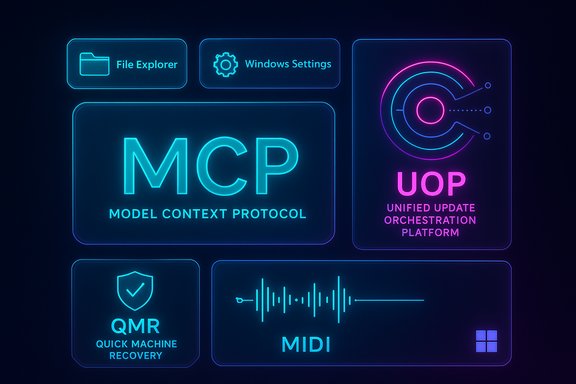
A neon, tile-based dashboard showing MCP, UOP, QMR, MIDI, File Explorer, and Windows Settings.Background​

Windows 11’s 25H2 preview stream is being delivered as a series of small enablement packages in the 26220.xxxx family. Microsoft continues to ship the same build binaries to both Dev and Beta channels during short parity windows, then enable or gate specific features server‑side using Controlled Feature Rollout (CFR) mechanics. This means a single machine may or may not see particular capabilities depending on entitlements, hardware class (for example Copilot+ devices), and the user's “get the latest updates as they are available” toggle. The blog post announcing Build 26220.7344 explicitly frames these changes as gradual rollouts and preview-only experiments. The build is packaged as KB5070316 and contains both immediately visible fixes and deeper platform plumbing intended for developers, IT professionals, and creative users testing on non-production hardware. Early reporting and community summaries show the same themes Microsoft highlighted—agent plumbing, update orchestration, recovery behavior, and MIDI modernization—while reminding readers that many features remain behind flags and are still maturing.

What’s new at a glance​

  • Model Context Protocol (MCP) — public preview: Windows now includes native MCP support with an on‑device registry and two built-in agent connectors (File Explorer and Windows Settings). On Copilot+ PCs the File Explorer connector can perform natural language file search and image-aware retrieval; the Settings connector can navigate or change settings by natural language.
  • Quick Machine Recovery (QMR) expanded: QMR will be enabled automatically on Windows Professional devices that are not domain joined, bringing Pro non-domain systems parity with Home recovery experience. Domain‑joined enterprise devices are unchanged by default.
  • Unified Update Orchestration Platform (UOP) — rollout begins: A system-level orchestrator for app updates that lets apps register with UOP, report status, and have their updates coordinated to avoid interruptions. The Settings > Apps > App Updates page will let Insiders inspect and manage app update progress once apps adopt the UOP APIs. Microsoft notes no apps use UOP yet but the platform is being partially enabled for Insiders.
  • Windows MIDI Services — production push to Insiders: Full support for MIDI 1.0 and MIDI 2.0 stacks, multi-client port semantics, loopback and app‑to‑app support, and a separate App SDK/Tools package (currently unsigned releases available via GitHub). Microsoft says the retail rollout will follow in the coming months.
  • UI improvements and fixes: ‘Open with’ integration with the Microsoft Store, fixes for search and File Explorer SMB searches, Windows Hello fingerprint fixes, and multiple bug fixes and known issues that Microsoft and reporters detail for Insiders.

Deep dive: MCP (Model Context Protocol) on Windows​

What Microsoft shipped​

Build 26220.7344 introduces native OS-level support for MCP, an open standard intended to let agentic LLMs discover and connect to tools, apps, and services through a secure Windows on‑device registry (ODR). Two agent connectors are built in:
  • File Explorer connector — lets consented agents manage and retrieve local files; on Copilot+ devices it adds natural language search that understands content, metadata, descriptions, and uses image classification for image searches.
  • Windows Settings connector — enables natural language navigation and direct setting changes on Copilot+ devices.
Microsoft emphasizes containment: connectors in the ODR are executed in secure environments with dedicated identities and audit trails to support enterprise-grade manageability.

Why this matters​

MCP aims to standardize how LLM-based agents interact with local resources. By baking MCP into the OS, Windows becomes a sanctioned discovery and policy enforcement point for agentic workflows, reducing integration friction for developers and improving enterprise oversight possibilities.
For end users on Copilot+ hardware, MCP promises smoother, more powerful natural‑language interactions—e.g., asking an agent to “find the screenshot with the error message mentioning DNS” and having the File Explorer connector retrieve it precisely.

Risks and caveats​

  • Centralized attack surface: MCP centralizes tool discovery and connector invocation. If connectors or agent attestation are misconfigured, attackers could chain tools to exfiltrate data or perform actions under the guise of an agent.
  • Permissions and revocation maturity: The preview provides containment and auditing, but enterprise deployments will need robust signing, attestation, and revocation workflows. Claims about perfect containment are aspirational at this stage and should be treated cautiously until audited by independent security teams.
  • Prompt-injection and composition risk: Agent orchestration can amplify classic prompt-injection attacks into multi-tool exploit chains; thorough threat modeling and runtime guardrails will be required.
Insiders should test MCP in isolated environments and validate connector behavior, audit trails, and enterprise policy controls before enabling agentic workflows on production endpoints.

UOP: Taming fragmented app updates​

The problem UOP addresses​

App update behavior on Windows is fragmented: different apps use different update backends, schedules, and UI behaviors, producing unpredictable interruptions and poor visibility for users. UOP is Microsoft’s attempt to create a central coordination plane to orchestrate app update activity without forcing apps to change their backends.

How UOP works (simplified)​

  • Apps register with the Unified Update Orchestration Platform via published APIs.
  • UOP triggers registered apps to scan, download, and install updates based on user activity and system state to reduce interruptions (for example, deferring updates during active foreground work).
  • Apps continue to use their own update backends to fetch packages.
  • Apps report status back to UOP so users can view progress in Settings > Apps > App Updates.

Practical implications​

  • Users will eventually get one place to see app update progress and to act when something stalls.
  • UOP reduces redundant, concurrent update downloads and helps avoid restarts or resource contention during active sessions.
  • UOP’s value is ecosystem dependent—it requires app developers to adopt the APIs to be effective. Microsoft acknowledges no apps yet use UOP; adoption is the gating factor.

What to watch​

  • Will major desktop app ecosystems (Electron apps, Steam, Adobe, gaming clients) adopt UOP? Broad vendor buy-in is essential if UOP is to meaningfully reduce fragmentation.
  • Will UOP integrate with enterprise update controls (WSUS, Intune) in a predictable way for managed fleets? Enterprises should test pilot scenarios before enabling UOP‑coordinated update behavior widely.

Quick Machine Recovery: simpler recovery for more PCs​

Microsoft is enabling Quick Machine Recovery (QMR) automatically for Windows Pro devices that are not domain joined. This increases the baseline of recoverability for small businesses and home‑style Pro users, offering the same recovery assistance Home users already receive. Domain‑joined enterprise PCs remain under organizational policy control. Why this matters:
  • Faster, clearer recovery flows reduce downtime and support cost for small businesses and tech‑savvy home users.
  • QMR’s one‑time diagnostic scan behavior eliminates prior looping scan states that confused users and prolonged recovery. Early community analysis confirms this UX change and frames it as a practical, low-friction improvement.
Caveats:
  • QMR may surface network-assisted remediation suggestions that involve telemetry and connectivity during recovery; organizations should validate privacy and compliance requirements before enabling on managed endpoints.
  • In enterprise-managed fleets, QMR remains off by default for domain‑joined devices—admins retain control, but should plan helpdesk guidance if they enable it selectively.

Windows MIDI Services: a long overdue modernization​

Windows MIDI Services advances the MIDI story on Windows by providing:
  • Full WinMM MIDI 1.0 and WinRT MIDI 1.0 support, with in‑service translation enabling apps to work with both MIDI 1.0 and MIDI 2.0 devices.
  • Multi-client port semantics (multiple apps can open the same MIDI port).
  • Loopback and app‑to‑app MIDI, improved performance, and updated tools including a MIDI Console and Settings app via a separate App SDK/Tools package (currently unsigned releases available on GitHub).
Impact:
  • Musicians and audio developers will appreciate modern features like multi-client access and MIDI 2.0 support; older applications will automatically benefit through translation without rework in many cases.
  • The separate tooling package (SDK) allows faster updates to MIDI tooling independent of Windows servicing cadence—but unsigned artifacts mean teams should treat the initial SDKs carefully until signed releases appear.

UX, fixes and known issues: what Insiders will see​

Microsoft lists multiple incremental fixes and a set of known issues for Insiders, including:
  • Store integration improvements for “Open with” that show installable apps directly in the file-open list.
  • Fixes for search floating above the taskbar, context-menu behavior, Windows Hello fingerprint issues, and an SMB search fix.
  • Known issues including Start menu not opening on click for some Insiders, File Explorer white flashes in dark mode, context-menu crashes in some cases, and missing system tray icons for some apps.
Insiders should expect staged rollouts and toggle-controlled availability: the presence of the build on a device does not guarantee immediate exposure to every feature or fix because many items are gated by CFR.

Critical analysis: strengths, weaknesses, and adoption hurdles​

Strengths​

  • Platform-first approach to agent plumbing: Native MCP support places Windows ahead as an OS that can mediate agent-tool interactions with centralized identity and audit capabilities—useful for enterprise governance and developer convenience.
  • User-focused recovery improvements: QMR refinements and broader Pro enablement reduce user friction during crisis scenarios and lower support overhead for small businesses.
  • Developer- and ecosystem-aware upgrades: UOP is a pragmatic, non-invasive orchestration layer that preserves app developer backends while offering centralized coordination—an approach likely to meet developer resistance more easily than a heavy-handed replacement.
  • Addressing creative pro needs: Windows MIDI Services finally modernize a long-neglected part of the audio stack, improving compatibility with the modern MIDI ecosystem.

Weaknesses and risks​

  • Adoption dependency: UOP’s success depends entirely on app vendor adoption. Without broad buy-in from major desktop ecosystems, UOP will remain an informational layer rather than a true orchestration engine.
  • Security surface enlargement: MCP’s power requires correspondingly rigorous signing, attestation, and runtime protections. The preview’s default containment is promising, but enterprises should require independent audits before enabling agentic features at scale.
  • Preview fragmentation: Controlled Feature Rollout creates inconsistent experiences across devices; IT teams must not assume uniform behavior even with the same build number. This complicates testing and helpdesk guidance.
  • Unsigned tooling risks: The initial Windows MIDI Services SDK and tools are unsigned; early adopters and studios should treat them as preview artifacts and wait for signed releases for production use.

Enterprise considerations​

  • Inventory and pilot: Identify a pilot fleet that represents Copilot+ and non‑Copilot hardware, domain-joined and unmanaged Pro devices.
  • Policy mapping: Confirm how MCP connectors map to existing DLP, EDR, and MDM controls; validate audit and revocation flows.
  • Update management: Test how UOP interacts with existing WSUS/Intune policies to ensure no conflict with enterprise update cycles.
  • Backup and recovery: Update recovery runbooks to include new QMR and PITR behaviors where present; never rely on preview recovery features as a replacement for tested backups.

How to test Build 26220.7344 as an Insider (concise steps)​

  • Enroll a test device: Settings > Windows Update > Windows Insider Program and choose Dev or Beta as appropriate.
  • Ensure Windows Update shows Build 26220.7344 (KB5070316) after updates are applied.
  • Turn on the “Get the latest updates as they are available” toggle if you want to maximize early feature exposure.
  • Test MCP connectors in isolated accounts or VM images, monitor audit trails, and attempt controlled revoke scenarios.
  • Install the unsigned Windows MIDI Services App SDK only on test devices; validate device/driver compatibility and multi-client behavior.
  • Exercise QMR flows on a non-domain Pro test machine and verify guidance and one-time diagnostic scan behavior.
  • Provide detailed feedback via Feedback Hub (WIN + F) under the categories Microsoft specified (Developer Platform, Recovery and Uninstall, Windows Update).

What to tell end users and helpdesk teams​

  • The build is preview-quality: expect staged rollouts and gaps in feature exposure even with the KB installed.
  • Quick Machine Recovery is expanding to more Pro devices, but domain policy remains authoritative for managed endpoints.
  • Agentic features (MCP) should be treated with caution—do not enable broad agent access on production machines until governance and auditing are fully validated.
  • Musicians can test Windows MIDI Services now, but treat SDK tooling as preview until signed releases are available and third‑party drivers are validated.

Final verdict​

Build 26220.7344 (KB5070316) is a developer-and-admin-forward update that focuses less on flashy consumer UI and more on plumbing that will determine how Windows handles agents, updates, recovery, and creative workflows going forward. Native MCP support and UOP are strategic moves aimed at reducing friction for agentic workflows and app updates respectively, but both hinge on ecosystem adoption and mature security controls. Quick Machine Recovery’s broader enablement is a clear, user-facing win that reduces recovery friction for many Pro users. Windows MIDI Services addresses a long-standing pain point for creators and should be welcomed—so long as studios treat the initial SDKs as preview artifacts. For Insiders and IT pilots: test carefully, validate policies and telemetry, and update recovery and update runbooks before assuming preview behaviors will appear consistently across fleets. Treat MCP and UOP as promising frameworks that require vendor and enterprise investments to realize their full potential—and expect Microsoft to iterate quickly as feedback and telemetry arrive from the Insider community.

Conclusion
Windows 11 build 26220.7344 is less about immediate consumer-facing bells and whistles and more about building the scaffolding for an agentic, better-orchestrated future on Windows. The balance Microsoft is striking—incremental UX fixes, stronger recovery for unmanaged Pro devices, and platform-level frameworks for agents and updates—reads as pragmatic and future-aware. The payoff will depend on the broader ecosystem: developer adoption of UOP, careful enterprise governance around MCP, and the maturation of MIDI tooling into signed, production-ready packages. Until then, Insiders and IT teams should pilot, monitor, and feed observations back to Microsoft through the formal channels the company outlined.
Source: Neowin Microsoft making app updates and recovery better with Windows 11 build 26220.7344
 

Microsoft has quietly pushed another preview-level servicing package into the Windows Insider stream: Windows 11 Insider Preview Build 26220.7344, delivered as KB5070316 to both the Dev and Beta channels, and it bundles a mix of platform plumbing (agent protocols and update orchestration), recovery improvements, modern MIDI services, and a short but focused set of UI and stability fixes that address recent pain points in File Explorer, Search, Windows Hello, and related areas. The update is explicitly staged — several features are being rolled out behind server-side toggles and hardware entitlements — and the official Windows Insider announcement frames many of the changes as gradual, meaning what you see on one device may not appear on another even with the same build installed.

Blue neon diagram showing a secure on-device registry connected to apps, settings, and AI agent.Background / Overview​

Windows Insider servicing for the 25H2 preview stream continues the enablement-package model: Microsoft ships a common binary across channels and selectively enables or gates features via server-side flags and device entitlements. That approach reduces the number of separate builds Microsoft must maintain, but it also increases the variability of the experience for Insiders and testers. The build number to watch is 26220.7344 (the package name KB5070316), and the official release notes list both immediately available fixes and a set of features that are being gradually rolled out with the “get the latest updates as they are available” toggle enabled. This flight is not a sweeping consumer feature release. Instead it’s a pragmatic mix: under-the-hood investment in on-device agent management and update orchestration, targeted recovery improvements for Windows Professional devices, a modern rework of the MIDI stack, and a collection of user-facing bug fixes to improve day-to-day reliability — particularly around Search, File Explorer, and sign-in flows. Independent coverage and community summaries confirm those themes and describe the same fixes being pushed to Insiders.

What’s in KB5070316: At a glance​

  • Native support for the Model Context Protocol (MCP) on Windows — public preview with two built-in agent connectors (File Explorer and Windows Settings) that enable agentic workflows while containing connectors in a secured on-device registry.
  • Quick Machine Recovery (QMR) expansion — QMR is now enabled automatically on non-domain‑joined Windows Professional devices, giving Pro unmanaged systems the Home-like quick recovery options.
  • Unified Update Orchestration Platform (UOP) — a new system orchestrator for app updates that exposes an App Updates page in Settings and coordinates app update behavior; adoption depends on third‑party apps calling UOP APIs.
  • Windows MIDI Services — modern MIDI 1.0 and MIDI 2.0 support, loopback and app-to-app routing, and an SDK/Tools package (initial releases are unsigned).
  • Practical fixes: multiple small but high-impact fixes for File Explorer, Search flyouts, Windows Hello fingerprint issues, Project pane (WIN + P), Xbox full-screen virtual keyboard for controller users, and a handful of crash/bugcheck and elevated privilege freezes noted by Insiders.
These items reflect a release that mixes platform enablement (MCP, UOP) with user-facing reliability touches. Microsoft’s blog explicitly calls out that many items are staged and that some require Copilot+ hardware or other entitlements to be visible.

Deep dive — Model Context Protocol (MCP) on Windows​

What MCP is and why Microsoft added it​

The Model Context Protocol is an open standard designed to let AI agents discover and securely connect to tools, services, and data sources. On Windows, MCP is implemented as an on‑device registry that exposes agent connectors with identity and audit controls. Microsoft’s implementation builds two first-party connectors:
  • File Explorer connector — lets agents retrieve and manage local files (with user consent). On Copilot+ PCs this connector can perform natural language searches, including content- and image-aware retrieval.
  • Windows Settings connector — allows agent-driven navigation and adjustments in Settings via conversational commands on supported devices.
The core promise here is standardized discoverability and manageability for agents so that apps and AI assistants have a consistent, auditable plumbing layer. This reduces the need for ad-hoc integrations and provides centralized policy, identity, and revocation controls. Microsoft positions MCP as contained by default — each connector runs in a secure environment with its own identity and audit trail.

Why this matters (and what to watch)​

  • For enterprises, MCP introduces a new surface that needs governance: connectors expose access to files and settings, so IT pros should validate how connectors interact with existing DLP, EDR, and MDM tooling.
  • For developers, MCP offers an opportunity to build agents that integrate with the OS in a standardized way — but success depends on ecosystem adoption and clear API docs and sign-in/consent models.
  • For privacy-focused users, Microsoft’s containment and audit trail claims are good practice, but independent validation (security reviews, third‑party audits) will be essential before broad deployment.
Takeaway: MCP is a foundational change that can simplify agent integration if implemented and governed correctly — but it raises legitimate security and governance questions.

Quick Machine Recovery (QMR) expanded — practical implications​

QMR now enables Home-style quick recovery features on non-domain-joined Windows Professional devices automatically. The main practical outcomes are:
  • Faster on-device diagnostic flows for Pro users who don’t have domain policies — QMR will surface a one-time diagnostic scan and present alternate recovery options more quickly than older recovery flows.
  • Domain-joined enterprise machines remain unchanged unless administrators explicitly enable QMR, preserving enterprise policy certainty.
Administrators and helpdesk teams need to update recovery runbooks for pilot groups: do not rely on QMR as a substitute for disciplined backup policies or tested system restore procedures during a wider rollout. This change is intended to reduce end-user friction during boot or stability problems on unmanaged Pro machines, but enterprises should validate behavior in a controlled pilot.

Unified Update Orchestration Platform (UOP) — an attempt at sane app updates​

UOP aims to coordinate app updates system-wide to reduce interruptions. Key points from Microsoft’s description:
  • Apps register with UOP via APIs and report status back to the orchestrator.
  • UOP triggers app updates taking system activity and state into account, while apps continue to use their own backends for acquisition.
  • Settings will show a new Apps > App Updates page where Insiders can inspect update progress.
This is a pragmatic, low‑intrusive approach: UOP does not replace existing update servers but provides an orchestration layer to reduce overlapping update operations and provide visibility to users. However, no apps use UOP yet (Microsoft’s blog and community threads explicitly say adoption will be needed). That means UOP is a platform plumbing change that delivers immediate administrative and telemetry benefits only once app vendors adopt the APIs.

Windows MIDI Services — what’s new for creators​

Windows MIDI Services modernizes a long-neglected audio subsystem:
  • Full MIDI 1.0 and MIDI 2.0 support with in-service translation.
  • Multi-client port semantics, loopback, and app-to-app routing.
  • A separate App SDK/Tools package (initial releases are unsigned and available on GitHub).
Musicians and producers will welcome multi-client and loopback features — the updated stack enables more flexible routing and simultaneous port access. The warning here is pragmatic: the first SDK/tools releases are unsigned preview artifacts, which should be treated as test-only until signed and validated for production workflows.

The fixes that matter to everyday users​

Microsoft’s release notes and community reporting highlight a short list of fixes that should improve everyday reliability for Insiders. These were also summarized in community coverage and the WindowsReport excerpt the community circulated. Highlights include:
  • Search: Fixed an issue where the search window could float above the taskbar unexpectedly. This was an annoying UI regression for taskbar/search users and is now corrected.
  • File Explorer:
  • If no AI Actions are available or enabled, that section will no longer appear in the context menu — reduces context-menu clutter and confusion.
  • Fixed an issue where File Explorer might not search certain SMB shares after recent updates — important for users who rely on network shares.
  • Windows Hello: Fixed an issue where fingerprint recognition stopped working for some Insiders after recent flights — a high-impact fix for biometric users.
  • Display/Project: Fixed an issue which could cause the Project pane to not appear after pressing WIN + P. This improves multi-display workflows and presentation mode reliability.
  • Xbox full screen experience for PC: Virtual keyboard for controller users on devices without touch should now show properly — important for controller-driven sign-in or text entry.
  • Stability:
  • A prior flight introduced a bugcheck (DRIVER_IRQL_NOT_LESS_OR_EQUAL) when using controllers; that crash was addressed.
  • Fixed an underlying issue that could freeze a PC when attempting to run Windows Terminal elevated from a non-admin account.
Those are precisely the kinds of fixes that matter in day-to-day use: search reliability, network share indexing, sign-in biometrics, and projection/UX flows. Independent coverage and the official blog both list these items, confirming Microsoft’s targeted remediation work.

What’s staged or requires specific hardware​

Multiple items are explicitly staged or hardware-gated:
  • MCP connectors expose richer Copilot+ behaviors (natural language file search, Settings navigation) only on Copilot+ hardware or where Microsoft flips the server-side toggles.
  • Some UI polish and agent-driven experiences require the “Get the latest updates as they are available” toggle to be enabled for early exposure.
  • UOP will only show real utility once third‑party apps adopt the UOP APIs.
This staged model is useful for incremental validation but complicates testing and acceptance criteria for IT teams because two devices on the same build can show different capabilities.

Strengths, limitations, and risk assessment​

Strengths​

  • Platform-first approach: Native MCP support and UOP show Microsoft is preparing Windows to host richer, managed agent experiences and to orchestrate app-level updates without replacing app vendors’ backends.
  • Targeted reliability work: The fixes in File Explorer, Search, Windows Hello and display projection are high-value and address frequent user friction.
  • Modern MIDI stack: The MIDI improvements are overdue and provide real value for audio professionals and hobbyists.

Limitations and risks​

  • Adoption dependency: UOP’s practical benefit depends entirely on app vendor adoption. Without broad buy-in, it remains an informational orchestration layer.
  • Security surface enlargement: MCP introduces a new class of privileged connectors; independent audits and stricter signing/revocation policies are prudent before enterprise enabling.
  • Preview fragmentation: Controlled feature rollouts mean inconsistent experiences across identical builds, making support and testing more complex.
  • Unsigned tooling: The initial Windows MIDI Services SDK and tools are unsigned — a sensible caution for production use.
Where Microsoft claims containment and audit for MCP, those assurances are positive but need external validation. Flag any large-scale enablement for enterprise until independent security reviews and policy mappings are complete.

Enterprise considerations — a practical checklist​

  • Inventory and pilot:
  • Identify a pilot fleet that includes Copilot+ devices and non-Copilot hardware, as well as domain-joined and unmanaged Pro machines.
  • Policy mapping:
  • Map MCP connector capabilities to existing DLP, EDR and MDM policies. Confirm consent flows, audit logs, and revocation behavior.
  • Update management:
  • Test UOP interactions with WSUS and Intune. Confirm whether UOP attempts to coordinate updates that might conflict with existing enterprise schedules.
  • Backup posture:
  • Do not substitute QMR for tested backups. Update runbooks to include QMR behavior only as a complement to established recovery strategies.
  • Tooling validation:
  • Treat the unsigned Windows MIDI SDK as preview-only; only install in isolated creative workstations until signed releases appear.

How to test Build 26220.7344 as an Insider (concise steps)​

  • Enroll a test device: Settings > Windows Update > Windows Insider Program; select Dev or Beta (this build is distributed to both).
  • Enable the “Get the latest updates as they are available” toggle to maximize early feature exposure.
  • Apply updates and confirm the installed build shows 26220.7344 (KB5070316).
  • Exercise the new flows in isolated test accounts or VMs:
  • Test MCP connectors only with explicit consent and monitor audit logs.
  • Exercise QMR flows on a non-domain joined Pro test device and confirm the one‑time scan behavior.
  • Install the Windows MIDI Services SDK/tools only on test machines and validate multiprogram MIDI port behavior.
  • Verify the specific UI fixes: search behavior around the taskbar, SMB searches from File Explorer, and fingerprint sign-in flows.
  • Log any regressions or telemetry anomalies to Feedback Hub and coordinate validation artifacts with helpdesk teams.

Known issues and caveats​

Microsoft’s announcement (and community reporting) lists ongoing known issues that Insiders should expect: Start menu opening issues for some users, File Explorer white flashes in dark mode under certain conditions, context-menu crashes in some edge cases, and missing system tray icons for certain apps. Because this is a preview release, expect additional fixes to follow in subsequent flights. The staged approach means some fixes may appear gradually rather than immediately.

Final analysis — adoption guidance and recommended timeline​

KB5070316 is a measured release: important platform groundwork (MCP, UOP), concrete recovery and MIDI improvements, and targeted reliability fixes for components that users touch every day. For Windows enthusiasts and creators, the MIDI changes and MCP previews are the headline items to evaluate in test environments. For enterprises, this update should be treated as a pilot candidate — useful to test in controlled rings but not ready for broad rollout without careful governance and independent verification of MCP and connector behaviors.
Recommended timeline:
  • Short term (now–30 days): Install on isolated Insiders and pilot machines; validate critical sign-in, search, and SMB share behaviors.
  • Medium term (30–90 days): Monitor UOP adoption signals from major app vendors and assess MCP audits/attestations; re-evaluate pilot deployments.
  • Long term (90+ days): Consider phased enablement for non-critical Copilot+ scenarios after independent security validation and signed tool releases for MIDI services.
Caveat: Some claims (notably around containment and audit trail guarantees for MCP connectors) are Microsoft’s assertions in this public preview. Organizations should treat those claims as vendor statements until independent security reviews and third‑party audits confirm the implementation details.
KB5070316 is a tidy example of how Microsoft is balancing platform investment with incremental user-facing polish: it prepares Windows for richer, agent-driven experiences while quietly strengthening everyday reliability. For Insiders and IT pilots, the immediate task is practical validation — confirm the fixes that affect your environment, test MCP connectors and QMR in isolated conditions, and treat UOP as a promising coordination layer that will only pay dividends if the broader app ecosystem signs on. The build is worth testing now, but it should be adopted cautiously outside of controlled labs until the staged features and security claims have been validated.
Source: Windows Report KB5070316 Released With Key Fixes for File Explorer, Search, Windows Hello & More
 

Microsoft’s latest Insider flight, Build 26220.7344 (KB5070316), plants three ambitious seeds in Windows 11 25H2: native support for the Model Context Protocol (MCP) with built‑in agent connectors, a new Unified Update Orchestration Platform (UOP) for app update coordination, and the production rollout of Windows MIDI Services—plus a behavior change for Quick Machine Recovery (QMR) on Professional devices. Each of these moves is significant in its own right: MCP touches how on‑device AI will reach apps and data, UOP attempts to tame app update fragmentation, and Windows MIDI Services finally delivers modern MIDI 2.0 plumbing for musicians and pro audio developers. This article walks through the changes, explains what they mean for users, IT, and developers, and weighs the practical benefits against the privacy, security, and deployment risks that deserve attention.

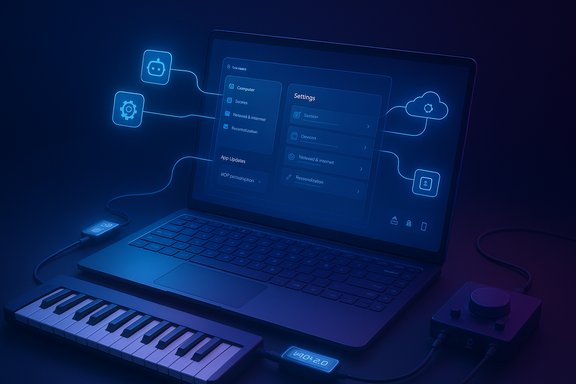
Futuristic laptop with neon blue UI showing settings, linked to cloud and a connected synth keyboard.Background​

Windows 11 Insider Preview Build 26220.7344 is a Dev/Beta release (delivered as KB5070316) that Microsoft is using to trial new platform plumbing and user‑facing features prior to broad retail rollout. The company is distributing the same binaries to both Dev and Beta channels for a limited window while gating features via server side controls, hardware entitlements, and Insider toggles. That approach lets Microsoft ship platform capabilities broadly while enabling gradual, controlled exposure of individual features. The build’s public changelog highlights five headline items that will be of interest to different audiences: MCP native support with File Explorer and Settings connectors, Quick Machine Recovery behavior changes for Windows Pro, the Unified Update Orchestration Platform, Windows MIDI Services moving toward production, and several smaller UI and reliability fixes.

Overview: What Microsoft shipped in KB5070316​

  • Public preview of native MCP (Model Context Protocol) support on Windows, including a Windows on‑device registry (ODR) and two built‑in connectors (File Explorer and Windows Settings).
  • Quick Machine Recovery (QMR) automatically enabled for Windows Professional devices that are not domain joined, aligning Pro devices with Home behavior for cloud‑guided recovery paths.
  • The Unified Update Orchestration Platform (UOP) begins a staged rollout, exposing a new Settings > Apps > App updates page and APIs for apps to register with a system orchestrator.
  • Windows MIDI Services promoted to a production release for the Dev/Beta channels (retail coming in months), with full MIDI 1.0 and 2.0 support, multi‑client ports, loopback/app‑to‑app MIDI and separate SDK/tools downloads.
  • Numerous small fixes and UI adjustments for File Explorer, Search, Windows Hello, and display/graphics functional regressions.
Each of those features reflects Microsoft’s platform strategy for 2025: provide OS‑level plumbing and centralized controls so new capabilities (on‑device AI, update orchestration, richer MIDI) can scale with consistent controls and enterprise manageability. The practical reality, however, will depend on developer adoption, enterprise policy decisions, and careful design around identity, telemetry, and consent.

Native MCP on Windows: what it is and why it matters​

What is MCP?​

The Model Context Protocol (MCP) is an open standard for exposing structured context, tools, and resources to AI agents and LLM‑based assistants. MCP defines servers, tools, and resources that agents can discover and call to retrieve context or execute actions in a controlled way; it’s intended to solve the “M×N” integration problem by standardizing how models and tools talk to each other. Microsoft’s Windows implementation adds OS‑level discovery, identity, and a managed on‑device registry (ODR) so agents running on a device can locate and request access to registered connectors and services.

What Microsoft included in the preview​

Two built‑in agent connectors ship with the preview:
  • File Explorer Connector — allows agents, with explicit user consent, to enumerate, manage, and retrieve local files. On Copilot+ PCs the connector can perform natural language search over descriptions, file content and metadata, and enhanced image search using image classification.
  • Windows Settings Connector — on Copilot+ devices enables agents to check and change system settings or navigate the Settings UI using natural language (for example: “Set display to 150%” or “Open Touchpad sensitivity”).
The platform promises that connectors registered in the ODR will run in a secure, identity‑scoped environment with audit trails and OS‑enforced controls—effectively centralizing discovery, permissions, and logging for agentic workflows.

Why this is a major platform change​

  • Centralized discoverability and control: rather than each assistant or agent integrating with apps individually, Windows becomes a central broker: agents query the ODR and the OS enforces identity and consent boundaries.
  • Developer opportunity: third‑party apps can register MCP servers to expose tools and resources, which — if widely adopted — reduces integration costs and encourages richer, composable agent workflows.
  • User convenience: natural‑language file retrieval and Settings control on Copilot+ hardware could significantly simplify everyday tasks for non‑technical users.

Notable strengths​

  • Consistent audit and identity model at the OS level reduces the risk of fragmented permissions and inconsistent UX across assistant implementations. This is particularly helpful for enterprises that need logging and governance.
  • Extensible architecture: MCP itself is already an established open standard and has multiple SDKs and community implementations, so Microsoft’s adoption can accelerate a broader ecosystem.

Risks and caveats​

  • Trust and consent are central but complex. Microsoft’s statement that connectors “will be contained in a secure environment with their own identity and audit trail” is a positive claim, but it is fundamentally an implementation promise—its effectiveness depends on the exact sandboxing, privilege separation, and telemetry controls. Independent security audits will be needed to verify that agents cannot circumvent or escalate privileges. Treat platform containment as aspirational until independently confirmed.
  • Privacy implications of local file access. The File Explorer connector gives agents a pathway to index and retrieve local content. While the SDK/ODR model requires consent, the UX design for those prompts and the granularity of consent controls will determine real‑world privacy risk.
  • Attack surface expansion. Any new OS‑exposed IPC surface (registration endpoints, ODR, agent connectors) increases the potential attack surface. Enterprise defenders will want clear documentation on authentication, RBAC, telemetry opt‑out, and remediation processes.
  • Copilot+ hardware entitlements. Several advanced experiences are limited to Copilot+ PCs (hardware with on‑device NPU/entitlements), raising compatibility and expectations gaps across the Windows device fleet.

Practical takeaway​

MCP on Windows could meaningfully accelerate agentic workflows by standardizing discovery and controls. But organizations should treat this as a platform capability to be evaluated: pilot on test devices, insist on granular consent controls for file access, and validate the promised identity/audit features before broad deployment.

Unified Update Orchestration Platform (UOP): one place to watch app updates​

What UOP does​

The Unified Update Orchestration Platform (UOP) is Microsoft’s attempt to make app updates more consistent by adding an OS‑level orchestrator that apps can register with via APIs. The OS will call registered apps to scan, download, and install updates based on system state and user activity, while apps continue to use their own backends for acquiring update payloads. Windows exposes an App Updates page (Settings > Apps > App updates) where users can view update progress and take action.

Benefits Microsoft highlights​

  • Fewer interruptions and more predictable update scheduling.
  • Centralized visibility for update status, enabling a single UI to show app update health.
  • An OS‑level coordination plane that can consider battery, network, and user activity when deciding when to run updates.

Why it matters​

Windows has long suffered fragmentation of update mechanisms: Store apps, MSIX packaged apps, vendor updaters, and bespoke update services all coexist. A successful UOP would lower the operational burden and reduce update blind spots for both consumers and IT admins by giving the OS an orchestrator and a single place to check update state.

Hurdles and real‑world constraints​

  • Developer adoption is required. UOP only provides coordination; apps must register and implement the UOP APIs to gain the benefits. Many large third‑party updaters (Steam, Chrome, Adobe) are unlikely to adopt UOP early. That means UOP’s impact will ramp slowly and primarily help Store‑integrated and cooperative app vendors.
  • Fragmentation remains for Win32/MSI ecosystems. UOP will not instantly control every updater on every Windows machine; the legacy ecosystem still dominates in many environments.
  • Policy and enterprise controls. Enterprises that rely on custom update flows or network scheduling should evaluate how UOP interacts with management tooling (SCCM, Intune, Autopatch) and whether any telemetry or scheduling choices align with policy.
  • Transparency and control UX. How much control users and admins have over the orchestrator’s decisions (e.g., “defer updates during presentations”) will determine acceptance.

Practical guidance for admins and developers​

  • For IT: inventory which applications are critical and watch for UOP API documentation and SDK samples. Pilot UOP on a subset of devices to measure bandwidth and scheduling behaviour.
  • For developers: evaluate the UOP APIs as a way to provide a better, less intrusive update experience for users; prioritize apps where centralized scheduling reduces user churn.
  • For power users: the new App Updates page is currently informational; expect it to gain capabilities as vendor adoption grows.

Windows MIDI Services: MIDI 2.0 finally arrives in Windows​

What’s included​

Windows MIDI Services is Microsoft’s long‑anticipated overhaul of Windows MIDI that provides an in‑box MIDI service mediating devices and apps, full support for MIDI 1.0 and MIDI 2.0, multi‑client access to physical ports, loopback and app‑to‑app MIDI, improved latency and timestamping, and a separate out‑of‑band SDK/tools package that includes the MIDI Console (midi.exe) and a MIDI Settings GUI. The runtime is now rolling to Dev and Beta Insiders and will reach retail Windows in coming months; SDK and tools are published on the Microsoft MIDI GitHub repo (preview/unsigned artifacts for now).

Why this matters to musicians and developers​

  • MIDI 2.0 features and UMP support let modern MIDI hardware expose significantly richer metadata (Function Blocks, Articulation maps, profiles) and improve expressive control. For instrument builders and DAW developers, the unified service simplifies driver complexity and enables multiple apps to access the same device simultaneously.
  • App‑to‑app MIDI and loopback reduce reliance on ad‑hoc virtual MIDI drivers and lower the friction for complex routings between software instruments, DAWs, and utilities.
  • Developer tooling (midi.exe console, PowerShell cmdlets, SDK runtime) gives debugging, scripting, and automation primitives that previously required third‑party utilities.

Deployment notes and risks​

  • Out‑of‑band SDK/tools are currently unsigned for preview: users installing preview artifacts will see warnings; production apps should wait for signed and stable SDK releases. The GitHub releases page documents preview builds and caveats.
  • Compatibility testing is essential. Some classes of audio gear (DJ controllers, hardware that relies on specific driver behaviors) required fixes during preview testing—Microsoft acknowledged partner testing found device‑specific issues that were addressed in subsequent preview updates. Expect device vendors to release firmware or driver updates for full MIDI 2.0 compatibility.
  • Latency and jitter claims warrant measurement. Microsoft documents low‑microsecond jitter in some transports, but real‑world performance will vary by USB host controller, kernel drivers, and audio stack choices.

Recommended adoption path​

  • Musicians and studios: pilot the Windows MIDI Services runtime on non‑production machines and test with your DAW and hardware; use the MIDI Console to validate endpoints and loopback behavior before switching workflows.
  • Software vendors: track the SDK ABI changes and target the stable, signed runtime for production builds; engage with the GitHub repo and Discord for issues and feature requests.

Quick Machine Recovery (QMR): resilience for Pro devices — and privacy questions​

What changed​

Microsoft will automatically enable Quick Machine Recovery on Windows Professional devices that are not domain‑joined. The feature will remain off for domain‑joined enterprise devices unless the organization explicitly enables it. QMR leverages WinRE and Microsoft’s remediation services to detect boot failures, connect to the network, query Microsoft for targeted remediation, and apply fixes—reducing the need for manual reimaging in many cases.

Strengths​

  • Faster recovery for single‑user Pro devices: fewer bricks and less time lost to reimaging.
  • Lower support overhead for small business and consumer devices that lack managed imaging infrastructure.

Risks and enterprise considerations​

  • Telemetry and cloud‑guided remediation imply diagnostic data transmission to Microsoft’s services. Organizations with strict data control requirements should confirm what data is sent, retention policies, and how QMR interacts with existing Autopatch/Intune policies.
  • Default behavior matters: enabling QMR by default for unmanaged Pro devices is a strong usability win, but for organizations that depend on air‑gapped or offline recovery processes, admins must confirm device enrollment and policy state to ensure QMR is not active when undesired. Guidance and CSPs are available for administrators to control QMR behavior on managed fleets.

Practical guidance: how to approach KB5070316 as an Insider, dev, or IT admin​

For early adopters and Insiders​

  • Install the flight on a test PC only; do not deploy preview builds to production endpoints.
  • Turn on the “get the latest updates as they are available” toggle if you want the highest probability of seeing staged features.
  • For MCP testing: examine the ODR surfaces and test the File Explorer connector with non‑sensitive sample files; validate consent prompts and audit logs.
  • For MIDI: download the SDK/tools from the Microsoft MIDI GitHub page, test with hardware using the MIDI Console, and report device‑specific bugs to GitHub.

For IT admins and security teams​

  • Inventory unmanaged Pro devices and decide whether the QMR default change aligns with policy; prepare Intune/SCCM knobs if you must enforce different behavior.
  • Pilot UOP behavior on endpoints with critical LOB apps to observe any scheduling or bandwidth scheduling interactions.
  • Build test plans for MCP: review the ODR registration model, inspect audits, and validate that privilege boundaries cannot be escalated by agents.
  • Update endpoint‑security playbooks to include MCP surfaces and the new UOP app update flows for triage and incident response.

For developers​

  • Review and adopt MCP server patterns if your app exposes useful tools or resources to agents; follow security best practices for authentication and least privilege.
  • If you ship apps that update themselves, evaluate UOP registration to improve the UX and reduce interruptions for users.
  • For audio/musical instrument software, prioritize compatibility testing with Windows MIDI Services SDK and the multi‑client model.

Risks, open questions, and what to watch next​

  • Independent verification of Windows’ MCP sandboxing and audit claims is essential before enterprises allow broad agent access to local data. Microsoft’s containment promises need technical scrutiny (sandboxing boundaries, IPC hardening, and telemetry controls).
  • UOP success hinges on developer buy‑in. Without broad uptake, UOP will be a helpful orchestration plane for Store‑managed apps but will not displace dominant third‑party updaters in the short term. Monitor SDK availability and early adopter case studies.
  • MIDI adoption depends on hardware/vendor alignment. While the platform now includes modern MIDI 2.0 plumbing, full ecosystem benefit requires firmware/driver updates from instrument manufacturers.
  • Privacy and telemetry: both MCP (file access) and QMR (cloud remediation) involve diagnostic or content signals that users and enterprises will want to understand granularly. Expect questions from privacy teams and regulators in sensitive industries.
  • User education and UX: consent prompts, audit logs, and Settings controls must be discoverable and understandable. If the UX fails to communicate risk, users may inadvertently expose data to agents.

Conclusion​

KB5070316 (Build 26220.7344) is less a single feature update than a showcase of Windows’ next chapter as a platform: OS‑level service surfaces for agent discovery (MCP), coordinated app management (UOP), resilient recovery (QMR), and modern multimedia plumbing (Windows MIDI Services). Each of these initiatives addresses a longstanding platform gap and, if implemented with transparent controls and robust developer tooling, can materially improve user experience and manageability.
At the same time, the changes raise legitimate security, privacy, and deployment questions that require attention from security teams, developers, and regulators. Organizations should pilot features in controlled environments, evaluate privacy and telemetry flows, and prioritize independent validation before enabling broad deployments. For musicians and audio developers, Windows MIDI Services is the long‑awaited upgrade that warrants hands‑on testing. For anyone who cares about how AI agents will interact with devices and data, MCP on Windows is an architectural shift worth following closely.
Expect iterative changes to these features over the coming months as Microsoft ramps the rollout to retail Windows and vendors and developers begin to adopt the new APIs and services.
Source: Windows Report KB5070316 Adds Native MCP, Smarter App Updates, and MIDI 2.0 Tools to Windows 11 25H2
 

Microsoft has pushed a consequential Insider preview—Windows 11 Insider Preview Build 26220.7344 (KB5070316)—into both the Dev and Beta Channels, and this release is less an ordinary quality rollup than a platform‑level reset that adds native agent plumbing, a unified app update orchestrator, a modernized MIDI stack, and widened recovery behavior while still carrying the usual preview caveats and known instabilities.

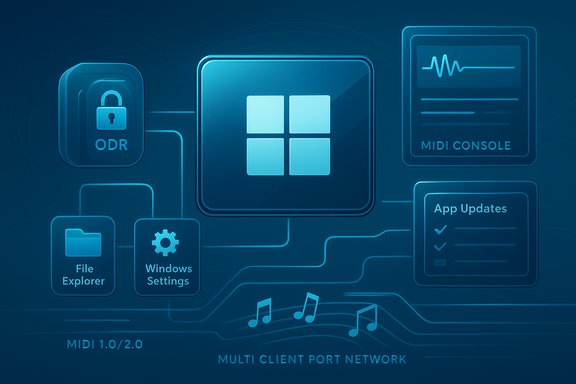
Blue tech schematic showing Windows icons linked in a multi-client MIDI network.Background​

Windows Insiders are receiving Build 26220.7344 as part of the 25H2 preview stream; Microsoft is temporarily shipping the same binaries to Dev and Beta channels while gating individual features server‑side and by device entitlements. This “single binary, staged enablement” approach means one machine may see certain capabilities while another with the identical build will not—the visible feature set depends on Controlled Feature Rollout settings, Copilot entitlements, hardware class (for example, Copilot+ NPUs), and the user’s Insider toggle. That delivery model matters: Microsoft can iterate quickly and enable services broadly without shipping separate code branches, but it also increases variability in testing and complicates deployment validation for administrators and power users alike. The company explicitly frames many of the new items in the release notes as gradual rollouts, so expect staggered visibility over time.

What landed in KB5070316 — the headline items​

  • Native Model Context Protocol (MCP) support: Windows now includes a public preview implementation of MCP with an on‑device registry (ODR) and two first‑party connectors—File Explorer and Windows Settings—that allow consenting agents to discover and interact with local files and system settings. On Copilot+ hardware, the File Explorer connector can perform advanced natural‑language file search and image‑aware retrieval.
  • Unified Update Orchestration Platform (UOP) and App Updates page: a system orchestrator for app updates that exposes a Settings > Apps > App Updates surface. Apps will register with UOP via APIs so the platform can coordinate update timing and report progress to the user. At the time of the preview, no third‑party apps yet use UOP, so the new settings page appears empty pending developer adoption.
  • Windows MIDI Services production push to Insiders: a replacement for legacy MIDI components that adds native MIDI 1.0 and MIDI 2.0 support, genuine multi‑client port semantics (multiple apps can open the same hardware port simultaneously), loopback and app‑to‑app routing, and a separate SDK/Tools package for developers and musicians. Initial SDK/tool releases are unsigned and distributed via GitHub during preview.
  • Quick Machine Recovery (QMR) behavior change: QMR will now be enabled by default on Windows Professional devices that are not domain‑joined, bringing Pro devices parity with the Home recovery experience. Domain‑joined enterprise PCs remain unchanged unless administrators opt in.
  • Open With / Microsoft Store integration: the Open With dialog will now surface direct Microsoft Store suggestions when no suitable local app is present—reducing friction for users who previously had to manually open the Store to search.
  • Quality and stability fixes: the build includes fixes for an isolated floating Search window, fingerprint recognition regressions after hibernation, and issues where pressing WIN + P could fail to show the Project pane. At the same time, Microsoft lists multiple known issues—including Start menu or Notification Center unresponsiveness on click, File Explorer crashes when opening context menus, and Bluetooth battery levels not reporting correctly for some devices.

Deep dive: Model Context Protocol (MCP) — what Microsoft added and why it matters​

What MCP is, in plain terms​

The Model Context Protocol (MCP) is an open protocol that standardizes how AI agents and LLM‑powered assistants discover and interact with tools, services, and data sources. The protocol defines a client/server exchange, common transport options (stdio, HTTP/SSE), JSON‑RPC message shapes, and SDKs in multiple languages so models can call functions, read files, or execute actions with predictable, auditable behavior. Anthropic introduced MCP and the standard saw fast adoption across toolmakers and platform providers.

Microsoft’s implementation in Windows​

Microsoft’s preview integrates MCP natively via an on‑device registry (ODR) that exposes connectors (MCP servers) to agents while providing identity, containment, and auditing by default. Microsoft shipped two built‑in connectors:
  • File Explorer connector — lets an authorized agent request scoped access to known folders (Documents, Desktop, Downloads, Pictures, Music, Videos) with explicit user consent. On Copilot+ PCs with on‑device capabilities, agents can perform natural language file search using descriptions, metadata, and image classification.
  • Windows Settings connector — enables agentic navigation and changes to Settings pages using conversational language on supported hardware.
Microsoft positions OS‑level MCP support as infrastructure for future agent‑driven workflows—allowing developers and IT to build agentic experiences with consistent controls and audit trails. The ODR, Agent Workspace containment model, and per‑agent low‑privilege accounts are intended to reduce risk while enabling capability at scale.

Benefits​

  • Lower integration friction for developers building agents: a standard protocol means agents can plug into system connectors with less bespoke glue.
  • Faster, richer agent experiences for end users on capable hardware (natural language file search, conversational settings control).
  • Centralized controls and auditing for enterprises: an OS registry provides a single place to enforce policies and monitor agent behavior.

Risks and unknowns​

  • Expanded attack surface: standard agent hooks at the OS level concentrate high‑privilege capabilities in one place. That centralization is powerful but also attractive to attackers if policy boundaries or consent flows are misconfigured. Security researchers have already flagged potential prompt‑injection and tool‑permission risks with MCP‑style integrations.
  • Telemetry and data flows: while Microsoft emphasizes local, on‑device operation for many actions, MCP connectors may interface with cloud components depending on agent/server implementations. Administrators must evaluate what metadata and prompt content leave devices and how to log or block unwanted flows.
  • Policy and compliance: enterprises will need to update DLP, e‑discovery, and regulatory reviews to cover agent access to files and settings. The centralized registry simplifies enforcement in principle, but real‑world policy changes and test coverage will be required.

Windows MIDI Services: modern audio for musicians and DAWs​

What changed​

The preview promotes Windows MIDI Services to Dev/Beta Insiders as the OS‑level replacement for legacy MIDI plumbing. Key improvements include:
  • Full support for WinMM MIDI 1.0 and WinRT MIDI 1.0, with in‑service translation so older APIs can access MIDI 2.0 devices.
  • Multi‑client port semantics, enabling multiple applications to open the same MIDI port without external driver workarounds.
  • Loopback and app‑to‑app routing, and improved naming and port management via a new MIDI Console and Settings app.
  • A separate App SDK / Tools package is available for developers; early previews are unsigned and return warnings when installed.

Why this matters​

Musicians and audio professionals have long relied on third‑party virtual drivers and routing tools to work around Windows’ older MIDI stack limitations. Native multi‑client support and MIDI 2.0 functionality simplify common workflows (controllers, DAWs, librarian tools) and reduce the need for fragile driver chains. For developers, an official SDK should accelerate adoption by audio apps and hardware vendors.

Practical caveats​

  • The new SDK/tools are unsigned during preview, and Microsoft currently warns users about installing those packages—so musicians and studios should treat this as an experimental environment until retail releases and signed drivers are available.
  • Some legacy apps may require updates to take full advantage of MIDI 2.0 features; compatibility testing is essential before migrating production systems. Community discussions indicate good progress but also the need for continued tuning.

Unified Update Orchestration Platform (UOP) and App Updates page​

What UOP aims to do​

The Unified Update Orchestration Platform is Microsoft’s attempt to centralize and coordinate app updates across the OS, drivers, and third‑party updaters. The concept: apps register with UOP via APIs, UOP triggers scans and installations based on system state and user activity, and apps report status back so users can inspect progress in Settings > Apps > App Updates. The goal is to reduce update interruptions and fragmentation caused by disparate proprietary updaters.

Current status​

  • UOP is partially enabled in the Dev/Beta preview; however, no apps yet use it, so the App Updates page is initially empty. Microsoft plans to publish API documentation and expects gradual adoption by app vendors over time.

Opportunities and friction​

  • Benefit for IT and users: a single orchestrator simplifies lifecycle management and reduces noisy update popups from multiple updaters.
  • Adoption depends on developers: UOP is a platform play; its value increases as major app vendors register and report status. Enterprises with in‑house update tools will need an integration plan or choose to continue existing updaters.
  • Policy considerations: admins should evaluate how UOP interacts with existing management tools (WSUS, Intune, SCCM) and whether policies will let UOP trigger updates automatically.

Stability fixes, known issues, and the broader reliability context​

KB5070316 addresses several painful regressions seen in recent preview updates—fixing issues such as a floating search window, Windows Hello fingerprint failures after hibernation, and WIN + P display projection problems. These specific stability fixes are useful and targeted. However, the broader preview cycle has been bumpy: recent optional preview updates (other KB packages) introduced disturbing regressions such as brief white flashes when opening File Explorer in dark mode and invisible lock‑screen sign‑in icons—issues that prompted Microsoft to document mitigations and, in some reporting, advise rolling back problematic previews. That context matters because it demonstrates preview updates can sometimes introduce user‑facing regressions that affect day‑to‑day productivity. The build also ships with several known issues that Insiders should expect: Start menu clicks may not open the menu (keyboard opens it), Notification Center or Quick Settings may be impacted, File Explorer can crash when opening context menus in some cases, and Bluetooth device battery reporting may not show correctly. Microsoft lists these as active investigations.

Security and privacy analysis — MCP and agentic Windows​

Native MCP support is strategically important but also raises security and privacy questions that demand scrutiny.
  • Prompt injection and tool‑chaining risks: MCP allows agents to orchestrate multiple tools. Without strict permission, a malicious agent or compromised tool could chain actions to exfiltrate files or escalate operations. Security researchers have already demonstrated scenarios where MCP-style tool combinations can be abused. Administrators should treat MCP connectors as sensitive assets and require robust consent, auditing, and attestation.
  • Local vs cloud execution tradeoffs: Microsoft emphasizes local execution for many operations (improving privacy and latency), but MCP servers and agents can still involve cloud components. Organizations must map data flows and enforce DLP policies to avoid unintended data egress.
  • Auditability and containment: Microsoft’s on‑device registry, Agent Workspace, and per‑agent low‑privilege accounts are positive controls; they give IT the tools to log and contain agent interactions. However, operationalizing those controls across fleets will require new playbooks and testing.

Practical guidance — who should install this preview and how to test safely​

This release is explicitly preview quality. The safe, responsible approach is:
  • Do not deploy to production or primary work devices. Use secondary test machines, lab VMs, or pilot groups.
  • For IT pilots:
  • Register a controlled pilot group, enable the Insider toggle only on test devices, and monitor support queues for regressions.
  • Test recovery workflows end‑to‑end (QMR, WinRE), validate BitLocker key escrow procedures, and confirm imaging pipelines handle the new enablement packaging model.
  • For developers and app vendors:
  • Evaluate UOP APIs when documentation appears and plan how to report update status and integrate without conflicting with existing updaters.
  • Test MIDI support with the App SDK/Tools in a safe environment—the preview SDKs are unsigned and primarily intended for development and validation.
  • For musicians and audio professionals:
  • Test hardware and DAW compatibility in a non‑critical session and avoid replacing a production rig with preview drivers or unsigned SDKs. Expect iterative fixes and eventual retail sign‑off.
  • Security teams:
  • Map MCP connector impact, update DLP rules, and design consent flows and audit dashboards before enabling agentic features broadly. Consider blocking or tightly scoping MCP connectors in enterprise images until policy frameworks are in place.

Strengths, weaknesses and overall assessment​

Strengths​

  • Forward‑looking platform plumbing: native MCP support and UOP represent foundational investments that can make agentic features and app updates more consistent and manageable across the OS.
  • Real improvements for creators: Windows MIDI Services finally addresses long‑standing limits in Windows’ MIDI implementation, promising cleaner workflows for musicians and app developers.
  • Recovery parity: expanding Quick Machine Recovery to unmanaged Pro devices reduces friction for individual power users and small businesses during device recovery scenarios.

Weaknesses and risks​

  • Preview instability: the preview cadence has shown regressions in recent optional updates, reinforcing that these builds are not ready for production systems.
  • Security exposure from agent plumbing: MCP centralizes powerful capabilities that must be governed carefully; prompt injection and tool‑permission chaining are realistic threats if left unmanaged.
  • Adoption dependency: UOP’s utility depends on app vendors adopting the APIs; the App Updates page will remain functionally empty until the ecosystem integrates.

Conclusion and recommendations​

KB5070316 / Build 26220.7344 is an important architectural preview for Windows 11. Microsoft is baking in the plumbing necessary for a more agent‑centric, orchestrated future—native MCP support, a Unified Update Orchestration Platform, and a modern MIDI stack address long‑standing integration and manageability gaps and will enable richer capabilities on Copilot+ devices and beyond. At the same time, the build underlines the persistent tradeoff in Microsoft’s staged rollout model: rapid innovation plus variable device experiences and occasional regressions. For enthusiasts, audio professionals, and developers, this preview offers compelling early access to transformative features—but it should be installed only on non‑critical hardware and within controlled test plans. For IT and security teams, the update is a prompt to update governance playbooks: plan for MCP policy controls, test UOP interactions with existing management tooling, and validate recovery and imaging workflows before broader deployment. Until Microsoft completes wider testing and app‑vendor adoption, the balanced path is cautious pilot testing and measured integration rather than broad rollouts. Overall, Build 26220.7344 is technically ambitious and strategically coherent: it prepares Windows for agentic interactions and centralized update management while modernizing media pipelines. The foundations are promising; the real work now is operationalizing security, developer adoption, and stability before these platform changes become everyday features for the broader Windows user base.

Source: igor´sLAB Windows 11 receives new preview update: Microsoft is working on this | igor´sLAB
 

Back
Top