

Microsoft has pushed a matched Insider preview—Windows 11 Insider Preview Build 26220.7523 (KB5072043)—to both the Dev and Beta channels, packaging a focused set of AI-first experiences, accessibility refinements, File Explorer reliability work, and a raft of bug fixes and known issues that Insiders should weigh before upgrading.
Microsoft continues to deliver the Windows 11, version 25H2 preview stream using an enablement-driven model: the same cumulative binary can be offered across multiple Insider channels while specific features are gated server-side by region, entitlement, hardware class, or the user’s Insider settings. That model is central to understanding why installing Build 26220.7523 may not expose every feature on every device—feature visibility is often controlled separately from the build itself.
For a brief window the Dev and Beta channels are temporarily aligned on this 26220.xxxx family, giving Dev Insiders a short chance to switch to Beta without a reinstall while parity exists. When Dev advances to a higher build number, that shortcut closes. Administrators and testers should confirm on-device build and feature-state in Settings before making any channel or deployment decisions.
Practical takeaways are straightforward: this build brings useful polish and a clear direction for future OS-level AI integrations, but the presence of persistent known issues and entitlement/hardware gating means most users and organizations should treat it as a preview for evaluation rather than a drop‑in feature release. Pilot on test hardware, validate the scenarios you care about, and use Microsoft’s Insider feedback channels to surface regressions so the features can safely mature.
Windows 11 Insider Preview Build 26220.7523 (KB5072043) tightens the Copilot-first story while fixing several high-friction issues; it is a useful preview for anyone tracking the agentic future of the desktop, but the practical advice remains conservative: test first, enable selectively, and verify recovery and activation outcomes before wider rollout.
Source: Technetbook Windows 11 Insider Build 26220.7523 (25H2) Released to Dev and Beta Channels with New Features and Fixes
 Background / Overview
Microsoft continues to deliver the Windows 11, version 25H2 preview stream using an enablement-driven model: the same cumulative binary can be offered across multiple Insider channels while specific features are gated server-side by region, entitlement, hardware class, or the user’s Insider settings. That model is central to understanding why installing Build 26220.7523 may not expose every feature on every device—feature visibility is often controlled separately from the build itself.For a brief window the Dev and Beta channels are temporarily aligned on this 26220.xxxx family, giving Dev Insiders a short chance to switch to Beta without a reinstall while parity exists. When Dev advances to a higher build number, that shortcut closes. Administrators and testers should confirm on-device build and feature-state in Settings before making any channel or deployment decisions.
What arrived in Build 26220.7523
This is a pragmatic build: it consolidates platform plumbing for agentic AI experiences while also delivering several usability and reliability fixes. The most visible additions and refinements include:- Ask Copilot on the Taskbar — a compact, opt‑in taskbar composer that blends local Windows Search results with Microsoft 365 Copilot chat, voice, and vision inputs for commercial customers with Copilot entitlements. The toggle appears at Settings → Personalization → Taskbar → Ask Copilot. Rollout is staged and initially focused on eligible commercial Insiders in the United States.
- Agents on the Taskbar — running AI agents (for example, Researcher) can appear as visible taskbar entities with hover previews and progress indicators; hovering shows status updates so users can monitor long-running agent tasks. This too is being staged for commercial Insiders.
- Agent Launchers framework — developer-facing registration and discovery plumbing that lets apps register AI agents so they become discoverable and invocable across Windows surfaces, including Ask Copilot and Search. This is the platform-level work that makes “agentic” workflows possible.
- Narrator personalization — per-control announcement settings let users change what Narrator speaks for UI elements (name, role, state) and reorder those properties, giving screen‑reader users finer control over verbosity and context.
- Enhanced Voice Typing on the Touch Keyboard — the touch keyboard’s dictation has been made less intrusive with inline animations on the dictation key rather than a full-screen overlay, improving continuity for tablet and 2‑in‑1 users.
- Discovery Widget — a widget under development that surfaces quick tips about Windows features; it can be placed on the Widgets Board or the Lock Screen as Microsoft experiments with in‑context learning prompts.
General changes and polish
Beyond the headline AI surfaces, Build 26220.7523 includes a set of broader updates aimed at internationalization, input, and auxiliary experiences:- The Settings agent language coverage has been expanded to include German, Portuguese, Spanish, Korean, Japanese, Hindi, Italian, and Simplified Chinese.
- Click to Do (the prompt box) now supports Microsoft 365 Copilot analysis of on‑screen content, enabling faster contextual prompts for Copilot when available. This is an opt‑in function and is subject to app and entitlement checks.
- The Arabic 101 keyboard layout now exposes an AltGr layer to reach additional symbols, improving typing ergonomics for Arabic-language users.
- Voice Access setup has been streamlined with an easier on‑ramp so voice-first control is quicker to enable for first-time users.
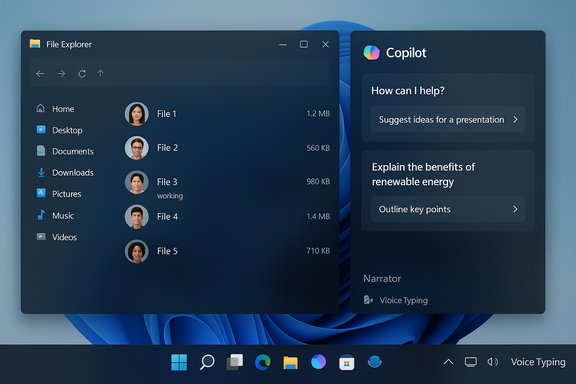
- File Explorer activity cues: for Microsoft accounts, people icons will be visible under the Activity column to show recent collaborators and enable quick contact actions via the Windows People Card. This is targeted at consumer Microsoft account workflows and is part of a phased rollout.
Key fixes in KB5072043 (practical highlights)
This update bundles a number of reliability and UX fixes that materially affect daily use:- Taskbar: fixes for app window grouping not working in the overflow area and labels for apps with multiple windows not showing correctly.
- File Explorer: removal of the prominent white flash when navigating (a long-standing dark-theme regression), improved search performance, and a fix for not being able to open OneDrive files through RemoteApp sessions. These changes are notable for users who rely on dark mode and cloud file workflows.
- Windows Update: mitigation for an increase in error 0x800F0922 that some Insiders observed while updating.
- Login/Lock screen: fixes for hangs that could occur at the login screen.
- Activation: repair for a bug that could cause invalid migration of a valid license during upgrades. Administrators should confirm activation status after major preview upgrades.
Known issues to watch
Insider previews ship with an explicit list of things still under investigation. The most notable known issues in this flight include:- Start menu / Taskbar: Some Insiders report the Start menu not opening on click (the Windows key still works). Certain apps may not be visible in the system tray when expected. A new known issue: the autohiding taskbar may unexpectedly activate and block the bottom of the screen.
- File Explorer stability: explorer.exe may crash for some users when opening context menus. Until fixed, users who rely heavily on shell context menus should be cautious.
- Bluetooth battery reporting: inaccurate or missing battery level transmission for some Bluetooth devices; a fix is in progress.
- Click to Do / Copilot prompt box: the image prompt box may not function if the Copilot app is not running; Microsoft is tracking this as a newly reported limitation.
- Agents on Taskbar: the Researcher agent may sometimes appear unresponsive if clicked while already performing work.
Paint update: small, useful UI tweak
Separately from the OS flight, the classic Paint application received a targeted usability update: Paint 11.2511.281.0 introduces a collapsible (auto‑hide) toolbar so the ribbon can shrink away and maximize canvas real estate. This auto‑hide option is exposed via a chevron on the ribbon and is particularly helpful on small screens or for users doing fine-grained editing. The change is modest but practical and is already rolling out to Insiders.Technical verification and cross‑checks
Key technical details and numbers in this article were cross‑checked against multiple independent Insider summaries and community mirrors to reduce single‑source bias:- The build number and KB package (Build 26220.7523, KB5072043) are consistently reported across community briefings and internal summaries for the Dev and Beta parity window.
- Feature gating and the server-side enablement model (why features may not appear on all devices) are documented repeatedly in Insider guidance and coverage of the 26220.xxxx family. Administrators should treat visibility as entitlement- and telemetry-controlled.
- The File Explorer white‑flash fix and the Windows Update 0x800F0922 regression mitigation are called out in several independent notes and are confirmed as part of this KB rollup. However, real-world confirmation (for example, observing the fix on a specific device) will vary by hardware and installed drivers; test deployments are recommended before broad rollouts.
Practical implications — benefits and immediate value
- Faster access to Copilot workflows
- Ask Copilot on the taskbar reduces friction for users who already have Microsoft 365 Copilot entitlements by consolidating local search, generative responses, and agent launching into a single, discoverable surface. For business users this can shorten task flows that require contextual summarization.
- Developer enablement for agentic apps
- The Agent Launchers framework gives ISVs and in‑house dev teams a path to register agent capabilities that the OS can surface systemwide. Over time this could create a richer ecosystem of agent-driven automations that integrate with Windows Search and Copilot.
- Accessibility improvements that matter
- Narrator personalization and more approachable Voice Access setup are welcome for assistive tech users. These are not cosmetic updates: they reflect an investment in giving users control over verbosity and ease of voice onboarding.
- Usability fixes that restore trust
- Fixes like the removal of the File Explorer white flash and search performance improvements restore confidence for users relying on dark mode and frequent Explorer interactions. These fixes are day‑to‑day tangible improvements.
Risks, trade‑offs, and what to watch
- Privacy and governance surface: Making agents discoverable and enabling Copilot deep links into the shell increases the attack surface if not properly permissioned. Enterprise IT should evaluate telemetry, consent models, audit logs, and Data Loss Prevention (DLP) settings for agentic workflows before turning them on broadly. The staged rollout helps mitigate immediate risk, but long‑term governance is essential.
- Hardware and entitlement gating: Many Copilot+ experiences are hardware‑gated (NPU/ML hardware) and entitlement‑gated (Microsoft 365 Copilot licenses). This creates fragmentation where identical binaries may expose different behaviors on different machines. For IT pilots, this complicates validation matrices.
- Known stability issues: The current known‑issue list includes shell‑level problems (Start menu click failure, autohide taskbar misbehavior, Explorer context menu crashes). These can materially affect desktop usability and should temper any decision to run the build on mission‑critical machines.
- Licensing and activation edge cases: The activation migration bug fixed in this build indicates that preview upgrades can still affect licensing state in edge scenarios; always verify activation post-upgrade in pilot groups.
- Staged rollout opacity: Because many features are enabled server-side, it’s not always possible to deterministically test a feature on every device in a fleet. IT organizations should plan for feature-gating variability and maintain rollback and imaging options.
Recommended actions for enthusiasts, IT pilots, and admins
- For enthusiasts: Try the build on a spare test device to experience Ask Copilot and the Agents framework, and provide focused feedback via Feedback Hub when you encounter edge cases. Do not install preview builds on daily-driver or production machines.
- For IT pilots and administrators:
- Validate core workflows on representative hardware, especially productivity apps that integrate with File Explorer, RemoteApp, and OneDrive.
- Check license and activation status after upgrade—document any anomalies and report them.
- If you plan to test Copilot-linked features, ensure you have the appropriate Microsoft 365 Copilot entitlements and prepare a matrix for hardware classes (standard vs Copilot+ with NPUs).
- Maintain recovery images and rollback plans: preview builds can introduce shell instability that affects end-user productivity.
- For developers and ISVs: Review the Agent Launchers developer guidance and test how registering an agent affects discoverability and lifecycle. Consider privacy, consent flows, and graceful degradation when the agent runtime is not present.
Final analysis — where this flight fits in Microsoft’s strategy
Build 26220.7523 is a measured step in Microsoft’s ongoing strategy to embed AI and agentic capabilities into Windows itself. The combination of a visible taskbar composer (Ask Copilot), a developer plumbing layer (Agent Launchers), and incremental accessibility gains shows the company is treating Windows as a managed host for interactive agents rather than merely a container for standalone assistant apps. That strategic shift promises significant productivity gains when well-governed and properly consented, but it also raises legitimate questions about management, security, auditability, and deterministic testing in enterprise environments.Practical takeaways are straightforward: this build brings useful polish and a clear direction for future OS-level AI integrations, but the presence of persistent known issues and entitlement/hardware gating means most users and organizations should treat it as a preview for evaluation rather than a drop‑in feature release. Pilot on test hardware, validate the scenarios you care about, and use Microsoft’s Insider feedback channels to surface regressions so the features can safely mature.
Windows 11 Insider Preview Build 26220.7523 (KB5072043) tightens the Copilot-first story while fixing several high-friction issues; it is a useful preview for anyone tracking the agentic future of the desktop, but the practical advice remains conservative: test first, enable selectively, and verify recovery and activation outcomes before wider rollout.
Source: Technetbook Windows 11 Insider Build 26220.7523 (25H2) Released to Dev and Beta Channels with New Features and Fixes
