

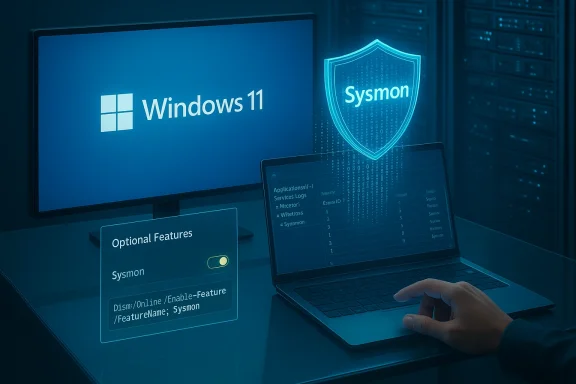
Microsoft’s Canary channel just received another terse but consequential preview: Windows 11 Insider Preview Build 28020.1611 lands with a small set of visible fixes and a major operational shift for defenders — Sysmon (System Monitor) is now available as a built‑in, optional Windows feature — alongside a nicety for OneDrive sharing and a corrected desktop watermark. The new Sysmon experience is disabled by default and must be explicitly enabled by administrators; once activated it behaves like the Sysinternals Sysmon tool you already know, writing high‑fidelity events to the Windows Event Log for SIEM/EDR consumption.
Microsoft stages experimental platform work in the Canary Channel to test early platform changes; these flights can be gated by server toggles and may not be fully documented at release time. Build 28020.1611 is a Canary flight (KB 5077221, per the release notice) that bundles targeted fixes and feature rolls that are being gradually enabled for subsetsuilds are intentionally experimental — expect partial exposure, missing docs, and rapid iteration.
On the user‑visible side this flight highlights three items worth attention:
Risks/notes:
However, the change is not without cost. The real work for organizations begins after enabling: ingestion planning, config hardening, noise reduction, privacy review, and careful migration. Rushing to flip the switch fleetwide without these guardrails will produce alert fatigue, unexpected storage costs, and potential compliance concerns. The migration requirement to uninstall existing Sysmon instances is a clear operational detail that will be non‑trivial for large estates with bespoke deployment automation.
In short: the technical capability is unchanged — the delivery model is the story. That delivery model matters a lot to IT and security teams. If you operate Windows at scale, treat this as a powerful new tool in the toolkit — but one that needs careful onboarding and capacity planning.
For Insiders who want to experiment, follow Microsoft’s documented enablement path and keep Canary machines isolated. For SOC teams and IT pros, schedule a measured pilot with clear success criteria: manageable event volumes, working SIEM parsers, and a tested rollback/migration plan. The inbox Sysmon is a welcome operational advancement; used wisely it will strengthen detection posture across Windows endpoints.
Source: Windows Blog Announcing Windows 11 Insider Preview Build 28020.1611 (Canary Channel)
 Background / Overview
Microsoft stages experimental platform work in the Canary Channel to test early platform changes; these flights can be gated by server toggles and may not be fully documented at release time. Build 28020.1611 is a Canary flight (KB 5077221, per the release notice) that bundles targeted fixes and feature rolls that are being gradually enabled for subsetsuilds are intentionally experimental — expect partial exposure, missing docs, and rapid iteration.On the user‑visible side this flight highlights three items worth attention:
- Built‑in Sysmon as an optional inbox feature that integrates the Sysinternals Sysmon capability with Windows servicing.
- A tweak to Windows Share behavior so that copying a OneDrive link exposes “Share using” options that allow sending that link througout outside the EEA to Microsoft account users).
- A cosmetic desktop watermark fix (the watermark had been showing an incorrect build number and has been corrected).
What Microsoft shipped: Built‑in Sysmon — the facts
What it is now (in this build)
- Sysmon (System Monitor) is now delivered as an optional Windows feature that can be enabled through Settings or via DISM/PowerShell. The binary and driver are supplied as part of the OS servicing pipeline rather than a separate Sysinternals ZIP deploy.
- Enabled by default? No — the inbox Sysmon is disabled by default and must be explicitly activated by an administrator.
- How to enable (supported paths):
- GUI: Settings > System > Optional features > More Windows features → check Sysmon and apply.
- Command line (admin):
Dism /Online /Enable-Feature /FeatureName:Sysmon(or use the PowerShell equivalent). - Complete installation / start monitoring: run the familiar Sysmon installer command in an elevated shell:
sysmon -i(with optional config file). - Compatibility note: If you already installed the standalone Sysmon from Sysinternals, you must uninstall that copy before enabling the built‑in variant to avoid conflicts.
- Where events go: Sysmon events are written into the Windows Event Log under Applications and Services Logs → Microsoft → Windows → Sysmon → Operational (the same channel classic Sysmon uses). This preserves the ingestion model used by SIEMs and collectors.
What has not changed
- The feature is an operational shift, not a new detection product: Sysmon’s capabilities — event IDs, configuration model, and telemetry types — remain the same as the established Sysinternals tool. That means existing Sysmon XML configs should still apply. Microsoft’s notes and multiple independent reports emphasize parity with the standalone Sysmon functionality.
Why this matters: benefits and strategic implications
Bringing Sysmon into Windows as an optional inbox feature is a practical, operational change with immediate benefits — especially for medium and large organizations with security operations teams.- Operational simplicity and lifecycle integration
- Sysmon updates and distribution can now align with Windows servicing and Windows Update, reducing the operational overhead of distributing and updating a separate binary across thousands of endpoints. This reduces version drift and eases management at scale.
- Supported configuration model
- Because the built‑in Sysmon uses the same command and XML configuration model (
sysmon -iand XML filters), defenders can reuse existing deployment artifacts and configuration practices. That preserves established detection engineering investments and allows a smoother migration path. - Consistent ingestion path
- Sysmon events will continue to flow into the same Event Log channel, simplifying SIEM collection, retention policies, and correlation rules. Teams don’t need to rework their log collection architecture when switching to the inbox feature.
- Potential for vendor and Microsoft support
- Having Sysmon inside Windows opens the possibility of stronger, platform‑level support commitments (through OS servicing structures) compared with the previous community‑distributed binary. That may reduce risk in enterprise managed environments.
Practical risks and caveats — what to watch for
The inclusion of Sysmon inside Windows is a net positive for defenders, but it raises several concrete operational risks and management concerns that teams must plan for.- Log volume and storage pressure
- Sysmon can produce high volumes of events when configured aggressively (process create, network connect, file create, image load, etc.). Uncontrolled enabling across many endpoints without tuned configs or retention policies will increase event ingestion, storage costs, SIEM licensing consumption, and potential performance impact on collectors. Teams should plan capacity and retention changes before wide enablement.
- Configuration and noise
- The power of Sysmon comes from tuned XML configs that exclude noisy events and match threat models. Enabling inbox Sysmon with default settings on enterprise fleets will likely generate noise until detection engineering produces a conservative, tested baseline config. Use iterative rollout and sampling.
- Migration friction with existing deployments
- The requirement to uninstall any existing Sysmon installations adds a migration step and potential for error. Organizations with automation that deploys the standalone package must account for that removal step and for any differences in file paths, service names, or configuration pipeline. Test migrations in lab environments before mass enablement.
- Regulatory and privacy considerations
- Sysmon captures detailed command lines, process trees, network endpoints, and other potentially sensitive data. In regions with strict privacy or workplace monitoring rules (and in organizations bound by tight data‑handling agreements), teams must validate local compliance before broad enablement. The rollout itself may be regionally staged (Insider notes show gating by market/entitlement); policy owners should review.
- Partial exposure and gating
- Canary/Dev/Beta flights use Controlled Feature Rollouts and server gating; installing the build does not automatically guarantee that every machine will see the feature. That complicates validation: enablement may require both the local optional feature toggle and a Microsoft server‑side flag to be set for your device. Expect variability during early rollouts.
- Potential EEA or account restrictions
- Some share features and potentially feature exposures are limited by account type or region. The OneDrive Share UX updates were explicitly noted as rolling out to Microsoft accounts not in the EEA; similar regional gating could affect the rollout cadence for other features.
Step‑by‑step: enabling built‑in Sysmon (recommended safe path)
If you are a defender or IT admin who wants to evaluate the inbox Sysmon, follow a disciplined testing path. The commands below reflect Microsoft’s published enablement flow and established Sysmon usage.- Prepare a lab or VM that mirrors a representative endpoint (OS image, installed apps, security agents).
- If you already have standalone Sysmon installed, remove it:
- Stop the service and uninstall the Sysmon package according to your automation. (The inbox feature will refuse activation if the standalone instance is present.)
- Enable the optional feature:
- GUI: Settings > System > Optional features > More Windows features → check Sysmon.
- Or CLI (elevated):
Dism /Online /Enable-Feature /FeatureName:Sysmon. - Install and initialize Sysmon (elevated shell):
sysmon -i -accepteula -h sha256 -n(orsysmon -i -accepteula -h sha256 -n -c <your-config.xml>), using your hardened XML config file. Do not rely on default config except for baseline tests.- Verify:
- Check service status and configuration:
sysmon -cto print the active config. - Confirm logs appear in Event Viewer under Applications and Services Logs → Microsoft → Windows → Sysmon → Operational.
- Monitor and tune:
- Collect a week of representative telemetry, tune the XML filtern noise), and validate SIEM parsers and retention policies.
- Plan for long‑term management:
- Integrate Sysmon config updates into your configuration management (e.g., Intune, SCCM) and monitoring runbooks to avoid config drift.
Best practices and migration guidance for enterprises
- Treat the inbox Sysmon as an operational tool, not a plug‑and‑play panacea. Prioritize controlled rollout, conservative default configs, and telemetry budgeting.
- Use a staged approach:
- 1) Lab validation with a full config
- 2) Pilot on a small, representative set of endpoints
- 3) Ramp to security‑critical endpoints (server class or SOC‑monitored hosts)
- 4) Fleetwide rollout when collection, retention, and alerting pipelines scale reliably
- Retain strict change control for Sysmon XMLs. Because Sysmon filters dictate both security coverage and noise, push config changes only after testonfigs and rollback plans.
- Update SIEM ingest pipelines and license planning. Expect event volumes to increase; evaluate costs and throttling behavior in your log‑management stack.
- Document the uninstall/migration path for existing Sysmon deployments to avoid service conflicts. Automate the uninstall of the legacy standalone package if you plan an automatic enable across many endpoints.
- Revisit privacy and policy: validate what fields are captured by your config (command line, hashes, network details) and align with legal/compliance requirements.
The other changes in Build 28020.1611 — Windows Share and watermark fix
Windows Share: share OneDrive links through other apps
Microsoft is continuing to iterate on the Windows Share UX: when you right‑click a OneDrive cloud file and use Copy link, the share UI will now show “Share using” choices that let you send that link via other apps — making it easier to drop a OneDrive share into an installed mail client, chat app, or other target without extra copy/paste steps. This behavior has been rolling out to Insiders signed in with Microsoft accounts outside the EEA and was previously introduced in earlier Dev flights. While a small polish, it reduces friction for quick sharing workflows.Risks/notes:
- A convenience feature like this increases the chance of inadvertently forwarding a link with overly perage users to review link permissions (Anyone vs. Specific People) and expiry/password controls when sharing sensitive content. OneDrive’s sharing documentation still applies.
Desktop watermark corrected
Some Insiders saw a cosmetic issue where the desktop watermark displayed the wrong build number; Build 28020.1611 includes a correction for that cosmetic inconsistency. The watermark is a normal artifact in Insider pre‑release builds but should now reflect the correct string. If you still see a mismatch, confirm the build string withwinver (Win + R → winver) rather than relying solely on the watermark.Verification, documentation, and what remains unverified
- The core, load‑bearing technical claims about enablement commands, uninstall requirements, and event destination are documented in Microsoft’s Insider notes and corroborated by multiple independent outlets reporting on the Dev/Beta/Canary preview waves. See Microsoft’s Insider flight notes and contemporary editorial coverage for the same enablement steps.
- What is not yet fully documented or verifiable publicly:
- If the build you install is identified as KB 5077221, Microsoft may not have published a fully indexed KB entry for that package at the moment of release; Flight Hub remains the canonical place to confirm which KB package maps to which channel/build. Treat community KB identifiers as provisional until Microsoft’s Update Catalog or KB index confirms them. (If you need the exact KB details for compliance or automation, check Flight Hub or the Windows Update history when Microsoft publishes the canonical KB entry.)
- Microsoft stated that documentation will be added to Windows soon for the inbox Sysmon; until that official doc set is posted in the Microsoft Learn / Sysinternals pages, specific enterprise guidance (e.g., recommended default XMLs shipped with the inbox feature) may be incomplete. Flag any gaps you find and report them to Microsoft through Feedback Hub.
Recommendations for Insiders, security teams, and power users
- For hobbyists and Insiders: install Build 28020.1611 on a test machine or VM only. If you want to try the inbox Sysmon, do so on a disposable environment and practice enabling, configuring, and collecting telemetry. Use the
sysmon -i -c <config.xml>pattern and reuse community configs (SwiftOnSecurity, etc.) as starting points, but tune them for your environment. - For security operations teams:
- Start with lab validation and a conservative config that focuses on high‑value events (process create with command line, network connect, driver loads, image loads relevant to your threat model).
- Budget SIEM ingest and storage; measure event rates before any large‑scale rollout.
- Automate the uninstall of legacy Sysmon binaries to prevent enablement conflicts.
- Integrate Sysmon config management into your configuration management tooling and maintain an audit trail for changes.
- For IT administrators:
- Do not deploy Canary builds to production hardware. Use Canary for exploratory testing only.
- Where possible, prefer the Beta or Release Preview channels for more validated pre‑release exposure if you need to test at scale. Canary is explicitly unstable and may change rapidly.
Final analysis: a pragmatic, security‑first shift with operational trade‑offs
Turning Sysmon from a separately distributed Sysinternals tool into an optional, supported Windows feature is a pragmatic win for enterprise defenders. It reduces distribution friction, aligns updates with OS servicing, preserves existing config paradigms, and maintains the event model SIEMs expect. Those are tangible operational dividends that simplify the defender’s life and make high‑fidelity endpoint telemetry easier to roll out.However, the change is not without cost. The real work for organizations begins after enabling: ingestion planning, config hardening, noise reduction, privacy review, and careful migration. Rushing to flip the switch fleetwide without these guardrails will produce alert fatigue, unexpected storage costs, and potential compliance concerns. The migration requirement to uninstall existing Sysmon instances is a clear operational detail that will be non‑trivial for large estates with bespoke deployment automation.
In short: the technical capability is unchanged — the delivery model is the story. That delivery model matters a lot to IT and security teams. If you operate Windows at scale, treat this as a powerful new tool in the toolkit — but one that needs careful onboarding and capacity planning.
For Insiders who want to experiment, follow Microsoft’s documented enablement path and keep Canary machines isolated. For SOC teams and IT pros, schedule a measured pilot with clear success criteria: manageable event volumes, working SIEM parsers, and a tested rollback/migration plan. The inbox Sysmon is a welcome operational advancement; used wisely it will strengthen detection posture across Windows endpoints.
Source: Windows Blog Announcing Windows 11 Insider Preview Build 28020.1611 (Canary Channel)
