

Microsoft released a trio of Windows 11 Insider updates today, pushing small-but-important feature expansions and quality polish across the Canary, Dev, and Beta Channels. The changes are focused, practical, and in many cases are continuations of work Microsoft has been rolling out since last year: expanded cross‑device handoff for Android apps and sites, finer control for accessibility tools like Narrator, broader support for Windows Hello Enhanced Sign‑in Security (ESS) with external fingerprint hardware, and a long‑requested editing control in Paint. These builds are intentionally incremental — a mix of controlled feature rollouts and smaller UX fixes — but they matter because they continue to shape how Windows 11 handles cross‑device continuity, device security, accessibility, and day‑to‑day polish.
Microsoft continues to use its multi‑channel Insider model to test platform changes at different maturity levels. The three builds rolling out today are:
Implication: staying in Canary doesn’t necessarily mean you’ll see every experimental platform change unless you opt into the new path.
If you run Insider builds: enable the “get the latest updates” toggle only on devices you can afford to troubleshoot, verify peripheral compatibility before enabling ESS in production, and test Cross‑Device Resume scenarios with supported phones. If you manage fleets: watch for vendor guidance on ESS‑capable hardware and plan a measured pilot. Microsoft’s CFR approach will expand availability over time — the feature list you see today is the start of a wider roll‑out, not the final state.
These builds illustrate Microsoft’s layered approach: lift the platform with guarded enablement packages, add incremental user value, and let telemetry guide what gets broadly released. The result is less drama and more deliberate change — a healthier approach to OS evolution, provided the fragmentation tradeoffs are managed thoughtfully.
Source: Thurrott.com New Windows 11 Builds Are Available for Canary, Dev, and Beta Testers
 Background
Microsoft continues to use its multi‑channel Insider model to test platform changes at different maturity levels. The three builds rolling out today are:- Canary Channel: Build 28020.1619 — focused on platform testing for Windows 11 version 26H1 features and experimental experiences.
- Dev Channel: Build 26300.7877 — small UX and reliability improvements layered on top of the 26300 series work.
- Beta Channel: Build 26220.7872 — quality and polish updates closer to what general customers will see.
What’s new at a glance
- Cross‑Device Resume: Expanded Android-to‑PC handoff (browsing, Spotify, Microsoft 365 Copilot mobile files) for selected OEMs (HONOR, OPPO, Samsung, vivo, Xiaomi), with Vivo Browser specifically supported for browsing handoffs.
- Narrator improvements: More granular control over what details Narrator speaks and the order of those details to better match user navigation.
- Windows Hello ESS: ESS is being extended to support certain external fingerprint sensors on desktop and Copilot+ PCs, allowing peripheral biometric hardware to participate in the ESS trust model where supported.
- Settings and Device info: A refined Device info card on Settings Home and reworked System > About that surfaces key hardware specs and adds easier copy/paste for support scenarios.
- Paint: A freeform rotate tool arrives via a Paint app update, enabling arbitrary rotation of shapes, text, and selections.
- Taskbar and File Explorer polish: Subtle animation and reliability improvements (taskbar app group hover, fix for Explorer tab jumps, improved Nearby Sharing reliability).
- New Agent languages: The AI Agent in Settings gains additional languages (German, Portuguese, Spanish, Korean, Japanese, Hindi, Italian, Simplified Chinese).
- Second Chance OOBE: A refreshed “Second Chance Out of Box Experience” (SCOOBE) screen for recommended settings in select Insiders.
Cross‑Device Resume: closer to seamless mobile‑to‑PC handoff
What’s changed
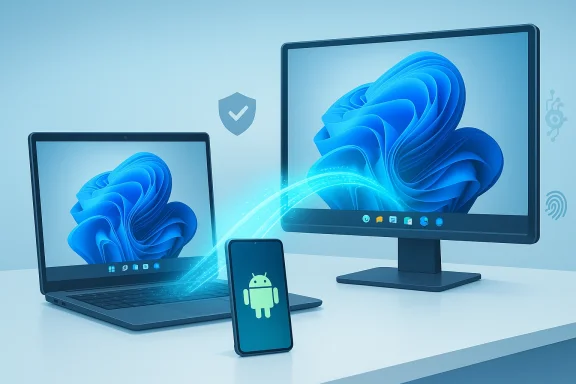
Microsoft continues to build a phone‑to‑PC “handoff” experience that resembles Apple’s Handoff in intent, if not in implementation. Cross‑Device Resume now:- Surfaces taskbar alerts on the PC that allow you to continue activities started on an Android phone.
- Supports resuming Spotify playback, continuing work in Word/Excel/PowerPoint opened through the Copilot mobile app, and resuming browsing sessions (explicitly calling out Vivo Browser as a supported path).
- Maps a phone activity to a best local handler on the PC: if the native desktop Office app is installed, the file opens in it; otherwise the file opens in your default web browser. Local files stored only on the phone are intentionally not supported.
Why it matters
This expands Windows’ cross‑device narrative from simple file sharing to an orchestration layer that understands app context and can surface actionable continuations on the desktop taskbar. For mobile‑heavy workflows — research, reference browsing, audio playback, quick edits — the switch should feel less disruptive.Technical mechanics and limitations
- The handoff transmits a compact context packet describing the activity, not a streamed UI. The PC chooses the appropriate handler based on available native apps or falls back to web.
- The feature relies on OEM and app integration on Android — it’s not universal for every Android app. Microsoft is explicitly working with several OEMs (HONOR, OPPO, Samsung, vivo, Xiaomi) to enable richer mappings.
- Offline/local phone files do not work. Handovers require an addressable URI (cloud or web‑based content) so the PC can open it.
- Availability is gated and phased; not every Insider will immediately see the feature.
Practical implications and privacy notes
Cross‑Device Resume prioritizes convenience but raises reasonable questions about data handling. The implementation claims to limit transfer to metadata/context rather than raw content, and many flows require user interaction (tap the taskbar alert) to complete the handoff. Still, enterprises and privacy‑conscious users should validate telemetry, consent prompts, and administrative controls in their environment before enabling broad rollout.Windows Hello ESS: peripheral fingerprint sensors enter the trust model
The headline
A notable security expansion: Windows Hello Enhanced Sign‑in Security (ESS) — Microsoft’s stronger, hardware‑anchored biometric protection — is being extended to select external fingerprint sensors. This change opens the door for desktop systems and docked machines to enjoy ESS protections without requiring built‑in sensors.Why this is significant
ESS provides a hardened pathway that keeps biometric templates and matching inside protected hardware domains, leveraging TPM and Virtualization‑Based Security (VBS) to reduce the local attack surface. Historically, ESS enumerated only built‑in match‑on‑sensor devices; external USB fingerprint readers were blocked when ESS was enabled. Extending ESS to certified external sensors means:- Desktop users can get the same phishing‑resistant biometric sign‑in guarantees previously limited to laptops and Copilot+ PCs.
- Organizations can consider peripheral ESS devices for shared desktops or kiosks where built‑in sensors are absent.
Compatibility and caveats
- Not every external fingerprint reader will be ESS‑capable. Vendors must ship firmware and drivers that include the appropriate certificates and match‑on‑chip behavior required by the ESS model.
- ESS still depends on underlying platform prerequisites: TPM presence, VBS capability, and driver/firmware attestation.
- The rollout is phased — device, region, and driver availability all matter. Some devices will only appear once the vendor updates firmware or provides drivers certified for ESS.
- Microsoft’s own support documentation notes the dependence on device/driver support and previously flagged peripheral ESS support as a future enhancement before this wider rollout — administrators should validate device compatibility with vendor documentation.
Guidance for admins and power users
- Check Windows Update and ensure you have the relevant cumulative updates applied before assuming peripheral ESS support is present.
- Verify the external device vendor explicitly states ESS or “match‑on‑sensor” support.
- In Settings > Accounts > Sign‑in options, look for the ESS toggle under Additional settings; if present, it’s an initial indicator your platform is ESS‑capable.
- For fleets, coordinate with peripheral vendors and test firmware/driver updates in a staging ring before mass deployment.
Accessibility: Narrator gets more granular control
What changed
Narrator now allows users to customize which details are spoken and the order in which items are announced, across apps. That refinement should help people who rely on screen readers tailor spoken output to their navigation patterns and reduce extraneous or repetitive speech.Why it matters
Accessibility changes that reduce noise and let users control the verbosity and sequencing of information materially improve productivity for users with visual impairments. Rather than one‑size‑fits‑all announcements, this update supports finer tuning to match real workflows and mental models.Practical testing notes
- These settings apply systemwide to Narrator; test them with frequently used productivity apps and in complex UI patterns (e.g., spreadsheets, multi‑pane apps).
- If you rely on image descriptions, remember that separate Copilot/Narrator interactions (image/graph description) may prompt additional privacy consent flows.
Paint: freeform rotate — small feature, disproportionate delight
The change
The Paint app received a long‑requested edit control: freeform rotate. With the update, you can drag a rotate handle to arbitrarily rotate shapes, text, and selections, or enter a precise angle via a Custom rotate option.Why it matters
Paint remains the lightest, fastest tool for quick image tweaks and markup. Freeform rotation closes a common friction point for layout and composition tasks that previously required external tools or awkward workarounds. For casual creators, teachers, and quick documentation producers, this is one of those small features that changes day‑to‑day convenience.Release mechanics
- The change is rolling via a Paint app update to Insiders in Canary and Dev first, with Beta likely following. Because it’s an app update, rollout cadence is governed by the Microsoft Store/app package distribution rather than OS servicing alone.
Settings and device info card: support made easier
The interface change
Microsoft refined the Device info card on the Settings home page and reorganized Settings > System > About to place key hardware details (CPU, RAM, graphics, storage) prominently with copy/paste support for sharing with support teams.Why this matters
This is a pragmatic, low‑risk UX change that reduces friction when diagnosing issues or when helpdesk workflows require system specs. For IT staff, a clearer About page and easy copy/paste reduce back-and-forth and support call time.Taskbar, File Explorer, Nearby Sharing: polish and reliability
- Taskbar animations for hovering over app groups were smoothed, and autohide reliability for system tray icons was improved.
- File Explorer received a fix preventing windows/tabs from jumping unexpectedly to Desktop or Home.
- Nearby Sharing reliability for larger files was improved.
The Canary Channel split and the optional 29500 path
Microsoft also signaled a subtle Canary Channel bifurcation: Insiders can optionally opt into a new 29500‑series Canary path for earlier platform experimentation, while the Canary branch that continues to track 26H1 remains in the 28000 series. The optional path is manual and intended for more experimental platform work. This split resembles “Skip Ahead” in spirit: early platform testing in parallel with ongoing feature work.Implication: staying in Canary doesn’t necessarily mean you’ll see every experimental platform change unless you opt into the new path.
Controlled Feature Rollout and fragmentation: a practical risk assessment
Microsoft’s CFR approach reduces deployment risk but creates short‑term testing headaches:- Inconsistent UX: different devices, regions, or even two machines on the same account may show different capabilities simultaneously. That complicates triage and reproducible bug reports.
- Timing uncertainty: product managers and IT pros can’t rely on a fixed date for feature availability. This makes pilot planning and documentation more complex.
- Driver/vendor coupling: platform features like peripheral ESS rely on third‑party hardware firmware/driver readiness. If a vendor doesn’t produce a compatible driver, the feature remains unavailable even if the OS enables it.
- Privacy/security and governance concerns: features that exchange metadata across devices (Cross‑Device Resume, Copilot-driven workflows) require administrators to review data‑handling flows, consent prompts, and policy controls before enabling widely.
Recommendations: how to test and adopt safely
If you manage Insiders or want to try these builds yourself, follow a staged approach:- Create a controlled test ring:
- Use a small set of non‑production devices that mirror your fleet’s hardware mix.
- Maintain image backups and recovery plans; Insider builds can break workflows.
- Enable the Get the latest updates as they are available toggle on devices you want to receive CFR gated features early. Keep production and pilot rings separate.
- For Windows Hello ESS peripheral adoption:
- Confirm vendor firmware/driver support and ESS certification claims.
- Validate Platform prerequisites (TPM, VBS enabled where required).
- Pilot enrollment and lock down policies in managed devices before broad rollout.
- For Cross‑Device Resume:
- Test scenarios with supported OEM phones and apps (Spotify, Copilot mobile, Vivo Browser).
- Confirm that offline or locally stored phone files remain isolated (they should not hand off).
- Validate privacy prompts and ensure users understand when context/metadata is shared.
- Accessibility testing:
- Run Narrator customizations across common apps and workflows to confirm expected behavior.
- File detailed, reproducible Feedback Hub reports if announcements are missing or out of order.
- Monitor telemetry and community feedback:
- Track Insider forums and official blog notes for known regressions and follow‑up builds.
- Use controlled rollouts and feature gates to scale adoption.
What IT admins and security teams should watch
- ESS adoption: confirm vulnerabilities mitigated by ESS vs. residual risks from driver stacks or peripheral firmware. ESS improves local authentication security but does not remove the need for device management or endpoint protection.
- Policy controls: check Intune/Group Policy settings for toggles that control Cross‑Device Resume and Copilot-related features, especially in regulated environments.
- Update cadence: plan for cumulative updates and enablement packages. The new servicing approach uses small enablement packages, meaning capability binaries can be present before features are flipped on — validate update sequencing in your deployment pipelines.
- Audit and consent: when Copilot or cross‑device handoff features involve cloud interaction, ensure appropriate audit trails and user consent flows are documented for compliance teams.
Strengths and limits of today’s updates
Strengths:- Practical, incremental improvements that address real user friction points (device info visibility, rotate control in Paint, Narrator customization).
- Security‑centric extension of ESS to peripherals broadens availability of phishing‑resistant sign‑in.
- Cross‑device continuity gains ground, moving Windows closer to an integrated multi‑device experience.
- CFR gating means inconsistent availability and makes deterministic testing harder.
- Peripheral ESS depends heavily on vendor cooperation; not all third‑party sensors will become ESS‑capable immediately.
- Cross‑Device Resume’s reliance on app/OEM integration limits universality and keeps local phone files intentionally inaccessible.
- Dev and Canary channels remain inherently unstable; these builds are not suitable for production machines or critical workflows.
Final takeaways
Today’s Insider builds are evolutionary rather than revolutionary, but they are important. Microsoft is tuning the details — user‑facing polish, accessibility adjustments, and practical app updates — while simultaneously expanding security primitives and multi‑device continuity. For end users the most tangible wins will be the ability to pick up phone activities on the desktop more reliably, rotate elements in Paint without switching tools, and customize how Narrator speaks. For IT professionals and security teams, the extension of ESS to external fingerprint sensors is the most consequential change, provided peripheral vendors ship compatible firmware and drivers.If you run Insider builds: enable the “get the latest updates” toggle only on devices you can afford to troubleshoot, verify peripheral compatibility before enabling ESS in production, and test Cross‑Device Resume scenarios with supported phones. If you manage fleets: watch for vendor guidance on ESS‑capable hardware and plan a measured pilot. Microsoft’s CFR approach will expand availability over time — the feature list you see today is the start of a wider roll‑out, not the final state.
These builds illustrate Microsoft’s layered approach: lift the platform with guarded enablement packages, add incremental user value, and let telemetry guide what gets broadly released. The result is less drama and more deliberate change — a healthier approach to OS evolution, provided the fragmentation tradeoffs are managed thoughtfully.
Source: Thurrott.com New Windows 11 Builds Are Available for Canary, Dev, and Beta Testers
