

Windows 11 is heading into a familiar but strategically important phase: Microsoft is finally preparing to test one of the most-requested desktop tweaks in years, while also narrowing some of the company’s more aggressive Copilot insertions and promising broader quality-of-life fixes across the shell. The timing matters because this is not just a cosmetic update. It is a signal that Microsoft is listening to long-running user complaints about performance, reliability, and the everyday ergonomics of Windows 11, even as it continues to push AI deeper into the platform. For Insiders, the next few weeks could be a preview of a more flexible Windows — and a more cautious Microsoft. (blogs.windows.com)
The Windows 11 story has always been shaped by a tension between design ambition and user habit. When Microsoft launched the operating system, it reset the taskbar in a way that looked cleaner, but also removed long-standing customization behaviors that many power users considered basic. The taskbar’s fixed bottom alignment became a symbol of Windows 11’s broader philosophy: simplified, opinionated, and more tightly controlled than its predecessors. (support.microsoft.com)
That tradeoff created a persistent backlash. For many desktop users, the loss of a movable taskbar was not a minor annoyance; it was a workflow regression. People who had spent years arranging their screens around vertical displays, ultrawide monitors, or multitasking-heavy setups felt that Microsoft had taken away a core element of Windows as a personal computing platform. The taskbar debate became shorthand for a deeper complaint: Windows 11 often felt designed around Microsoft’s goals rather than the user’s preferences. (support.microsoft.com)
At the same time, Microsoft has been trying to reframe Windows as a service that evolves in response to feedback. That became especially visible in 2025 and 2026 as the company emphasized the Windows Insider program as a lab for testing platform changes, shell improvements, and AI integrations. In theory, that model lets Microsoft validate changes before they reach the broad consumer base. In practice, it also exposes just how much friction still exists between Microsoft’s roadmap and what users actually want from Windows day to day. (blogs.windows.com)
Pavan Davuluri’s comments earlier this year fit squarely into that narrative. Microsoft’s Windows leadership has increasingly spoken in the language of pain points, reliability, and responsiveness, which is notable because those are the exact areas where many Windows 11 users have been most critical. The company is not merely adding features; it is trying to rebuild confidence that Windows can feel stable, predictable, and configurable again. That makes the Insider changes more consequential than they may first appear. (blogs.windows.com)
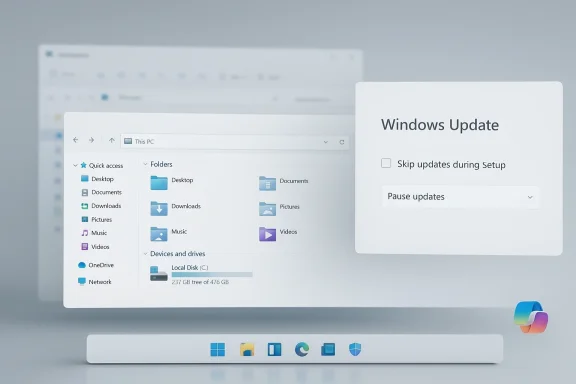
Microsoft is also preparing File Explorer improvements, including faster launch times, reduced flicker, and smoother navigation. That may not sound as flashy as a taskbar revival, but File Explorer is one of the most frequently used Windows components in both consumer and enterprise environments. Small reductions in latency and visual instability matter here because they shape the perceived quality of the entire OS. (blogs.windows.com)
A third pillar is Windows Update flexibility. Microsoft plans to let Windows 11 users skip updates during device setup and pause updates for longer when needed. That is a meaningful usability adjustment because setup is where first impressions are made, and update interruptions during onboarding can feel intrusive or even risky for time-sensitive users. It also suggests Microsoft is acknowledging that update control is not just an IT policy issue; it is a user-experience issue too. (blogs.windows.com)
For power users, a top or side taskbar can make the desktop feel more efficient, particularly on ultrawide monitors and multi-monitor rigs. These users often build entire workflows around screen geometry, and Windows 11’s fixed taskbar had forced them into compromises that felt unnecessary. Reintroducing placement options does not reinvent the shell, but it removes a point of friction that had become surprisingly emotional. (support.microsoft.com)
For Microsoft, the significance is reputational. This is one of those changes that will be read less as a product feature and more as a correction. When a vendor restores a feature users believed should never have been removed, it can improve goodwill more than adding something brand new, because it shows the company can reverse course when the evidence is clear. (blogs.windows.com)
The word flicker is doing a lot of work in this context. Visual instability makes software feel unfinished even when it is technically functional, and that perception matters in an OS that has already been criticized for polish issues. Smoother navigation and fewer redraw artifacts are exactly the sort of quality improvements users notice subconsciously before they can even articulate them. (blogs.windows.com)
This is also where Microsoft’s broader reliability narrative matters. The company has been talking more publicly about Windows resiliency, platform health, and better collection of performance signals, which suggests it wants a more systematic approach to reducing slowness and instability. That is a much more sustainable strategy than chasing isolated bugs, even if the result is less dramatic in headline form. (blogs.windows.com)
The longer pause option is equally interesting because it acknowledges that update timing is not always under the user’s control. People travel, work offline, manage bandwidth constraints, or simply need to avoid disruption during critical periods. Microsoft has historically favored strong update enforcement for obvious security reasons, but this tweak suggests the company wants more flexibility without abandoning patch hygiene. (blogs.windows.com)
That balance is hard to get right. Too much control and users can drift into unsafe configurations; too little and Windows feels paternalistic. The new approach seems to move in the direction of informed choice, which is smarter for a platform that serves everyone from casual home users to tightly managed enterprise fleets. (blogs.windows.com)
The more surprising move is the plan to remove “unnecessary Copilot entry points” from apps such as Snipping Tool, Photos, Widgets, and Notepad. That is a notable pivot because Microsoft has spent the last couple of years pushing Copilot branding across Windows experiences. If the company is now trimming some of those touchpoints, it likely means it has concluded that AI branding is most effective when it appears in context rather than everywhere. (blogs.windows.com)
This is not necessarily a retreat from AI. It may instead be a correction from broadcasting Copilot to embedding it more thoughtfully. That matters because users tend to accept AI features more readily when they feel like tools instead of marketing. A less cluttered Windows shell may ultimately help Microsoft’s AI ambitions more than a noisier one would. (blogs.windows.com)
A more understandable Insider structure could improve participation quality. When people know what kind of risk they are signing up for, they are more likely to file useful feedback and less likely to treat preview builds like stable releases. That benefits Microsoft because better feedback is only helpful if it comes from users who understand the experimental context. (blogs.windows.com)
The redesigned Feedback Hub rolling out to Canary and Dev Channel Insiders fits neatly into that goal. Microsoft clearly wants feedback collection to feel more visible and more consequential, not like a black hole where bug reports disappear. That is a smart move if the company truly intends to use Insider data to shape product decisions rather than merely validate them after the fact. (blogs.windows.com)
File Explorer performance improvements are particularly relevant in managed environments because file operations remain central to knowledge work. Even in cloud-centric workplaces, users still interact with local folders, network shares, and project directories. If the core shell feels faster and less visually unstable, help desks and endpoint teams may see a measurable reduction in nuisance complaints. (blogs.windows.com)
The update changes are also enterprise-friendly, though with caveats. IT departments want users to stay patched, but they also know that intrusive update experiences create resistance. Better timing controls can make compliance easier by reducing the instinctive urge to postpone or avoid updates, especially among users who feel ambushed during setup or after reboot cycles. (blogs.windows.com)
This also gives Microsoft a chance to win back some goodwill from users who have felt alienated by Windows 11’s stricter design language. Familiarity matters more than some product teams like to admit, and when users can return to a layout that matches their habits, they often experience the OS as their computer again. That emotional reset can be surprisingly valuable. (support.microsoft.com)
At the same time, Microsoft has to be careful not to oversell a relatively modest set of changes. Consumers who have spent years asking for broader customization, better responsiveness, and fewer distractions will notice if the company delivers only partial relief. The safest path is to frame these updates as the start of a longer repair effort rather than a final answer. (blogs.windows.com)
The bigger question is whether this marks the beginning of a broader redesign of the Windows experience philosophy. Microsoft clearly wants Windows to feel more performant, more reliable, and less cluttered, but it also wants to keep pushing AI into the platform. The challenge will be balancing those two goals without making Windows feel like a demo for Microsoft’s latest priorities. (blogs.windows.com)
Source: Thurrott.com Windows Insiders Will Soon Get to Test Vertical Taskbar and More
 Background
The Windows 11 story has always been shaped by a tension between design ambition and user habit. When Microsoft launched the operating system, it reset the taskbar in a way that looked cleaner, but also removed long-standing customization behaviors that many power users considered basic. The taskbar’s fixed bottom alignment became a symbol of Windows 11’s broader philosophy: simplified, opinionated, and more tightly controlled than its predecessors. (support.microsoft.com)That tradeoff created a persistent backlash. For many desktop users, the loss of a movable taskbar was not a minor annoyance; it was a workflow regression. People who had spent years arranging their screens around vertical displays, ultrawide monitors, or multitasking-heavy setups felt that Microsoft had taken away a core element of Windows as a personal computing platform. The taskbar debate became shorthand for a deeper complaint: Windows 11 often felt designed around Microsoft’s goals rather than the user’s preferences. (support.microsoft.com)
At the same time, Microsoft has been trying to reframe Windows as a service that evolves in response to feedback. That became especially visible in 2025 and 2026 as the company emphasized the Windows Insider program as a lab for testing platform changes, shell improvements, and AI integrations. In theory, that model lets Microsoft validate changes before they reach the broad consumer base. In practice, it also exposes just how much friction still exists between Microsoft’s roadmap and what users actually want from Windows day to day. (blogs.windows.com)
Pavan Davuluri’s comments earlier this year fit squarely into that narrative. Microsoft’s Windows leadership has increasingly spoken in the language of pain points, reliability, and responsiveness, which is notable because those are the exact areas where many Windows 11 users have been most critical. The company is not merely adding features; it is trying to rebuild confidence that Windows can feel stable, predictable, and configurable again. That makes the Insider changes more consequential than they may first appear. (blogs.windows.com)
What Microsoft Is Changing
The headline change is the return of taskbar customization options, specifically the ability to move the taskbar to the top or sides of the screen. For Windows veterans, this is one of those features that sounds almost comically overdue, because it once existed as a normal part of Windows behavior. Bringing it back is less about innovation than restoration, but restoration can be powerful when the lost feature was central to how people worked. (support.microsoft.com)Microsoft is also preparing File Explorer improvements, including faster launch times, reduced flicker, and smoother navigation. That may not sound as flashy as a taskbar revival, but File Explorer is one of the most frequently used Windows components in both consumer and enterprise environments. Small reductions in latency and visual instability matter here because they shape the perceived quality of the entire OS. (blogs.windows.com)
A third pillar is Windows Update flexibility. Microsoft plans to let Windows 11 users skip updates during device setup and pause updates for longer when needed. That is a meaningful usability adjustment because setup is where first impressions are made, and update interruptions during onboarding can feel intrusive or even risky for time-sensitive users. It also suggests Microsoft is acknowledging that update control is not just an IT policy issue; it is a user-experience issue too. (blogs.windows.com)
The bigger pattern
Taken together, these changes show a company trying to rebalance Windows 11 around familiarity and trust. The taskbar change addresses a visible symbolic wound, while File Explorer and Windows Update changes target the daily irritants that accumulate into dissatisfaction. Microsoft appears to be betting that a quieter, more dependable OS will create more goodwill than a louder one packed with marginally useful new surfaces. (blogs.windows.com)- The taskbar move is about restoring lost flexibility.
- File Explorer work targets speed and stability.
- Windows Update changes reduce onboarding friction.
- The combined effect is a stronger message about listening.
- The rollout through Insiders reduces the risk of broad backlash.
- Each change speaks to a different category of complaint.
Why the Taskbar Move Matters
The return of a movable taskbar is not just about personal taste. It affects how people physically use displays, especially on setups where vertical screen space is scarce or where side-mounted taskbars can better suit document work, coding, or web browsing. In other words, this is an accessibility and productivity issue as much as a design issue. Microsoft is effectively admitting that one size did not fit all. (support.microsoft.com)For power users, a top or side taskbar can make the desktop feel more efficient, particularly on ultrawide monitors and multi-monitor rigs. These users often build entire workflows around screen geometry, and Windows 11’s fixed taskbar had forced them into compromises that felt unnecessary. Reintroducing placement options does not reinvent the shell, but it removes a point of friction that had become surprisingly emotional. (support.microsoft.com)
For Microsoft, the significance is reputational. This is one of those changes that will be read less as a product feature and more as a correction. When a vendor restores a feature users believed should never have been removed, it can improve goodwill more than adding something brand new, because it shows the company can reverse course when the evidence is clear. (blogs.windows.com)
Consumer and enterprise implications
Consumers are likely to respond with enthusiasm, especially longtime Windows users who value control over aesthetics. Enterprises may care less about taskbar placement on the surface, but they will still appreciate any move that makes Windows feel less rigid and less likely to generate support complaints. A seemingly small shell adjustment can have outsized value in help desks where user frustration often starts with interface surprises. (blogs.windows.com)- Better support for ultrawide monitors.
- Improved fit for vertical workflows.
- More comfort for users migrating from earlier Windows versions.
- Lower frustration for users who felt Windows 11 was too restrictive.
- Potentially fewer support tickets about basic layout preferences.
- Stronger perception that Windows is regaining configurability.
File Explorer and the Case for Quiet Fixes
File Explorer is the kind of app that rarely gets applause when it works, but generates immediate criticism when it doesn’t. Microsoft’s plan to make it launch faster and reduce flicker is therefore strategically smart, because it focuses on an app that every Windows user touches and that every complaint-driven reviewer notices. A small performance gain here can color an entire review of the operating system. (blogs.windows.com)The word flicker is doing a lot of work in this context. Visual instability makes software feel unfinished even when it is technically functional, and that perception matters in an OS that has already been criticized for polish issues. Smoother navigation and fewer redraw artifacts are exactly the sort of quality improvements users notice subconsciously before they can even articulate them. (blogs.windows.com)
This is also where Microsoft’s broader reliability narrative matters. The company has been talking more publicly about Windows resiliency, platform health, and better collection of performance signals, which suggests it wants a more systematic approach to reducing slowness and instability. That is a much more sustainable strategy than chasing isolated bugs, even if the result is less dramatic in headline form. (blogs.windows.com)
Why this is more important than it sounds
Users tend to judge operating systems by a handful of highly repetitive actions. Open a folder, drag a file, switch views, right-click, navigate somewhere else — if those loops feel snappy, the OS feels modern. If they feel sticky or visually noisy, the entire platform loses credibility, even if benchmark numbers look fine. (blogs.windows.com)- Faster launch times improve first impressions.
- Reduced flicker increases the sense of polish.
- Better navigation makes Windows feel more responsive.
- Small shell fixes can yield large perception gains.
- File Explorer issues are highly visible to everyday users.
- Better Explorer performance benefits both consumers and IT staff.
Windows Update Gets More User-Friendly
Microsoft’s move to let users skip updates during setup is one of the clearest signs that the company is trying to reduce friction at the exact moment where frustration is most dangerous. Setup is a high-stakes part of the Windows experience: people are often in a hurry, devices may be new, and any extra step feels like interference. Giving users a clearer path through that process is a practical win. (blogs.windows.com)The longer pause option is equally interesting because it acknowledges that update timing is not always under the user’s control. People travel, work offline, manage bandwidth constraints, or simply need to avoid disruption during critical periods. Microsoft has historically favored strong update enforcement for obvious security reasons, but this tweak suggests the company wants more flexibility without abandoning patch hygiene. (blogs.windows.com)
That balance is hard to get right. Too much control and users can drift into unsafe configurations; too little and Windows feels paternalistic. The new approach seems to move in the direction of informed choice, which is smarter for a platform that serves everyone from casual home users to tightly managed enterprise fleets. (blogs.windows.com)
Security versus convenience
Microsoft still has strong reasons to push updates quickly, especially in a threat environment where patching matters. But a more humane setup flow and longer pause windows may reduce the number of users who postpone updates out of irritation rather than strategy. That is a subtle but important distinction, because people are often more willing to stay current when they feel in control. (blogs.windows.com)- Skipping updates during setup reduces onboarding annoyance.
- Longer pause windows help in travel or low-bandwidth scenarios.
- Greater flexibility may improve update acceptance overall.
- Microsoft still retains strong security incentives to patch aggressively.
- Better timing controls can reduce user resentment.
- Enterprise admins will likely welcome clearer policy alignment.
Widgets, Copilot, and the Push to De-Clutter
Microsoft’s widget changes are smaller in scale but reveal a lot about the company’s evolving product instincts. Users will reportedly get more control over when and how widgets appear, plus more personalization for the Discover feed. That suggests Microsoft recognizes that ambient content is only useful when it feels chosen, not imposed. (blogs.windows.com)The more surprising move is the plan to remove “unnecessary Copilot entry points” from apps such as Snipping Tool, Photos, Widgets, and Notepad. That is a notable pivot because Microsoft has spent the last couple of years pushing Copilot branding across Windows experiences. If the company is now trimming some of those touchpoints, it likely means it has concluded that AI branding is most effective when it appears in context rather than everywhere. (blogs.windows.com)
This is not necessarily a retreat from AI. It may instead be a correction from broadcasting Copilot to embedding it more thoughtfully. That matters because users tend to accept AI features more readily when they feel like tools instead of marketing. A less cluttered Windows shell may ultimately help Microsoft’s AI ambitions more than a noisier one would. (blogs.windows.com)
What this says about Microsoft’s AI strategy
The company seems to be learning that branded entry points are not automatically the same as useful integration. In mature software, users often prefer fewer obvious launch surfaces and more intelligent behavior inside the app they are already using. If Microsoft trims the wrong Copilot hooks while preserving genuinely helpful ones, Windows could feel less pushy and more competent. (blogs.windows.com)- More widget control can reduce accidental distractions.
- Discover feed personalization may improve relevance.
- Removing redundant Copilot buttons could reduce visual clutter.
- AI features may work better when hidden in context.
- This signals a shift from branding to utility.
- The risk is that Microsoft may overcorrect and hide useful functionality.
Insider Program Reform and Transparency
Microsoft also says it wants to make the Windows Insider program more transparent, with clearer channel definitions, easier access to new features, higher-quality builds, and better visibility into how feedback shapes Windows. That is important because the Insider ecosystem has often been powerful but confusing, especially for users who do not closely track the differences between Canary, Dev, Beta, and Release Preview. (blogs.windows.com)A more understandable Insider structure could improve participation quality. When people know what kind of risk they are signing up for, they are more likely to file useful feedback and less likely to treat preview builds like stable releases. That benefits Microsoft because better feedback is only helpful if it comes from users who understand the experimental context. (blogs.windows.com)
The redesigned Feedback Hub rolling out to Canary and Dev Channel Insiders fits neatly into that goal. Microsoft clearly wants feedback collection to feel more visible and more consequential, not like a black hole where bug reports disappear. That is a smart move if the company truly intends to use Insider data to shape product decisions rather than merely validate them after the fact. (blogs.windows.com)
Why transparency matters now
Windows 11 is in a phase where trust is as important as novelty. If Microsoft can make preview channels easier to navigate and feedback easier to see, it may reduce the sense that Windows development happens behind a curtain. Transparency also gives the company some protection against criticism when features are delayed, modified, or removed during testing. (blogs.windows.com)- Clearer channel definitions reduce confusion.
- Better build quality should improve Insider satisfaction.
- Feedback visibility can increase participation.
- A redesigned Feedback Hub can modernize the process.
- Transparency helps Microsoft defend feature decisions.
- A more legible Insider program supports better testing outcomes.
Enterprise Impact: Stability, Control, and Support Costs
For enterprise administrators, the most interesting part of this story is not the taskbar at all. It is Microsoft’s broader attempt to reduce low-level friction while preserving management control. Businesses care deeply about uptime, predictable behavior, and fewer user complaints, and all three are served by a Windows shell that behaves more consistently. (blogs.windows.com)File Explorer performance improvements are particularly relevant in managed environments because file operations remain central to knowledge work. Even in cloud-centric workplaces, users still interact with local folders, network shares, and project directories. If the core shell feels faster and less visually unstable, help desks and endpoint teams may see a measurable reduction in nuisance complaints. (blogs.windows.com)
The update changes are also enterprise-friendly, though with caveats. IT departments want users to stay patched, but they also know that intrusive update experiences create resistance. Better timing controls can make compliance easier by reducing the instinctive urge to postpone or avoid updates, especially among users who feel ambushed during setup or after reboot cycles. (blogs.windows.com)
The administrative angle
Microsoft’s challenge is to make Windows feel more accommodating without weakening enterprise policy. If it succeeds, admins get a platform that is easier to support, and users get a system that feels less coercive. That is a rare alignment, and it is one reason these changes matter beyond the enthusiast community. (blogs.windows.com)- Fewer shell complaints can lower support volume.
- Better update timing may improve compliance behavior.
- Faster Explorer interactions help productivity.
- Clearer Insider channels improve internal testing models.
- Reduced Copilot clutter may lower user confusion.
- Enterprises value predictability more than novelty.
Consumer Impact: Freedom, Familiarity, and Frustration Relief
Consumers, on the other hand, are likely to focus most on the taskbar and Copilot changes. Those two areas sit closest to the emotional center of Windows usage, because they affect what people see every time they log in. Restoring choice here is a strong signal that Microsoft understands how small interface decisions can carry disproportionate weight. (support.microsoft.com)This also gives Microsoft a chance to win back some goodwill from users who have felt alienated by Windows 11’s stricter design language. Familiarity matters more than some product teams like to admit, and when users can return to a layout that matches their habits, they often experience the OS as their computer again. That emotional reset can be surprisingly valuable. (support.microsoft.com)
At the same time, Microsoft has to be careful not to oversell a relatively modest set of changes. Consumers who have spent years asking for broader customization, better responsiveness, and fewer distractions will notice if the company delivers only partial relief. The safest path is to frame these updates as the start of a longer repair effort rather than a final answer. (blogs.windows.com)
A trust-building opportunity
If Microsoft handles the rollout well, it can transform a long-running complaint into a proof point that feedback matters. That would be a useful narrative in a market where users have many alternatives for browsers, productivity tools, and even desktop workflows. Windows is still dominant, but dominance does not protect against dissatisfaction; it just raises the stakes when users feel ignored. (blogs.windows.com)- Users regain some long-lost control.
- Familiar workflows become easier to rebuild.
- AI clutter may decrease frustration.
- The OS may feel more like classic Windows.
- Positive changes can improve upgrade sentiment.
- Microsoft can use consumer goodwill to support broader platform goals.
Strengths and Opportunities
Microsoft’s current Windows direction has several clear strengths. It is responding to real complaints, not abstract market trends, and it is doing so in places users will actually notice. The company also has an opportunity to turn a series of modest feature adjustments into a larger narrative about Windows becoming more stable, respectful, and flexible again.- Restores a beloved customization option without forcing radical retraining.
- Improves core-shell polish where it matters most.
- Reduces update friction at setup and during everyday use.
- Signals a more thoughtful approach to Copilot integration.
- Gives Insiders a reason to feel their feedback is being heard.
- Strengthens Microsoft’s credibility on reliability and performance.
- Helps Windows feel more adaptable across consumer and enterprise scenarios.
Risks and Concerns
The biggest risk is that Microsoft may be fixing symptoms while leaving deeper structural issues untouched. Restoring taskbar placement is welcome, but users will still judge Windows on overall consistency, update behavior, and whether the company continues to inject unwanted complexity elsewhere. There is also the risk of feature whiplash, where useful tools disappear or reappear depending on internal strategy shifts.- Microsoft may overpromise before the features are broadly available.
- Copilot pruning could remove useful shortcuts along with clutter.
- Taskbar flexibility may arrive with bugs or layout inconsistencies.
- Feedback-driven changes can disappoint if they are too limited.
- More update control could complicate security management if misused.
- Insider transparency improvements may not fully solve channel confusion.
- Users may remain skeptical until they see sustained quality gains.
Looking Ahead
The next few weeks should show whether Microsoft is serious about using the Insider pipeline to refine Windows in visible ways or whether this is just another short burst of responsiveness. If the taskbar relocation feature lands cleanly, it will be one of the clearest examples yet of Microsoft reversing a controversial Windows 11 decision in response to sustained user demand. If File Explorer and update flow improvements arrive with similar care, the company could start rebuilding confidence one annoyance at a time.The bigger question is whether this marks the beginning of a broader redesign of the Windows experience philosophy. Microsoft clearly wants Windows to feel more performant, more reliable, and less cluttered, but it also wants to keep pushing AI into the platform. The challenge will be balancing those two goals without making Windows feel like a demo for Microsoft’s latest priorities. (blogs.windows.com)
- Watch for whether the taskbar move reaches all Insider channels quickly.
- Track whether File Explorer gains are measurable, not just cosmetic.
- See if Copilot entry-point reductions continue beyond the initial apps.
- Monitor how the new Feedback Hub changes Insider participation.
- Pay attention to whether update controls become more granular or stay limited.
- Observe whether Microsoft frames these as quality fixes or as part of a larger Windows reset.
Source: Thurrott.com Windows Insiders Will Soon Get to Test Vertical Taskbar and More
