

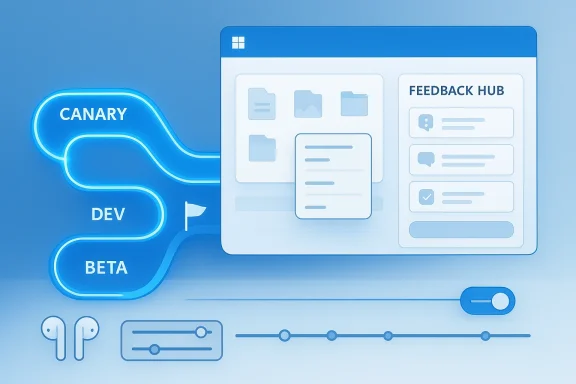
Microsoft’s Windows Insider Program is entering a more deliberate phase, and the significance goes well beyond one headline build or one redesigned app. In the latest Insider coverage, Microsoft is simultaneously tightening how it stages preview features and simplifying how testers move through the program, a combination that could make Windows 11 previews feel both more coherent and more useful. The result is less about flashy novelty and more about the mechanics of how Windows evolves, how feedback is collected, and how features reach people in the first place. That shift is already visible in recent Canary, Dev, and Beta flights, where Microsoft has emphasized controlled rollout, small workflow refinements, and clearer experimentation paths
Microsoft has spent years balancing two competing goals in the Windows Insider Program: give enthusiasts early access to new ideas, but also keep enough structure in the preview pipeline that those ideas can be tested responsibly. The old model often felt like a maze of rings, builds, and feature flags, where the same build number could produce different experiences depending on rollout timing. That approach delivered flexibility, but it also created confusion for testers who wanted to know whether they were seeing a real change, a staged experiment, or a temporarily disabled feature.
That tension is central to the current moment. In recent Insider flights, Microsoft has leaned harder into Controlled Feature Rollout, using build channels and gradual delivery to shape what users see and when they see it. Build 26220.8079 in the Beta Channel is a good example: Microsoft explicitly framed the branch as part of Windows 11 version 25H2 and tied user-visible change timing to the “Get the latest updates as soon as they’re available” toggle in Windows Update
At the same time, the company has been iterating on the actual experience of using Windows 11. Canary builds have focused on details that matter every day: shared audio controls, File Explorer reliability, context-menu consistency, and a redesigned Feedback Hub. Build 28020.1743 is especially revealing because it doesn’t try to impress with a huge feature list; it focuses on making preview features more practical and the reporting loop more structured
What makes the current moment feel different is that Microsoft is no longer just testing features. It is testing the operating model of Windows itself. The feedback pipeline, the rollout pipeline, and the channel structure are all being adjusted at once. That means the Insider Program is increasingly acting like a live laboratory for how Microsoft ships Windows, not simply what Windows contains.
This matters for both consumers and enterprises. Consumers want previews that feel interesting but not chaotic. Enterprises want predictability, actionable telemetry, and a reliable path from experiment to deployment. Microsoft’s new direction appears aimed at satisfying both, though not without tradeoffs. The more carefully Windows is staged, the more the company must prove that gradual delivery still produces visible progress.
That distinction matters because each channel now serves a more specific role. Canary is where Microsoft validates its earliest, most unstable ideas. Dev is where it pushes broader platform and feature changes. Beta is increasingly where those changes become more disciplined and closer to the shape of a release candidate. The recent builds reinforce that the channels are no longer interchangeable, even if they remain connected by a common Windows 11 foundation
The tradeoff is that users can start to feel like they are living inside a permanent preview. That is the risk of a high-cadence Insider strategy: more motion can look like momentum, but it can also feel unfinished if each change is too small or too isolated.
Key implications include:
If Microsoft is indeed moving toward a cleaner channel structure, the benefits could be substantial. A simpler Insider model makes it easier for newcomers to join, easier for existing testers to know where they belong, and easier for Microsoft to explain the purpose of each ring. In other words, simplification is not just a user-experience win; it is a governance win.
A simpler Insider structure could also improve feedback quality. When testers know what they are looking at, their reports become more precise. That matters because Microsoft is clearly investing in the feedback layer itself, as seen in the redesigned Feedback Hub and the renewed focus on report categorization.
The likely outcomes are:
That makes Canary less like a showcase and more like a stress test. The company has repeatedly described these builds as experimental and unstable, and it expects some features to be rolled out gradually or not at all. That instability is not a bug in the channel design; it is the point of the channel design.
This is a very different role from what preview channels once played. Historically, preview rings were often seen as “early access” lanes. Now they are operational labs, where Microsoft experiments with behavior, rollout strategy, and support friction as much as with code.
What Canary is testing now:
With Build 28020.1743, Microsoft is adding individual volume controls for each listener, which is exactly the kind of detail that turns a novelty into a usable feature. Without per-listener control, shared audio would be awkward; with it, the experience becomes much more practical for real-world use.
That said, hardware support remains the key limiter. If accessory compatibility remains narrow, the feature will have strong demo value but uneven everyday value. Microsoft’s job now is to expand support without compromising reliability, because a feature like this only becomes meaningful when it works smoothly across enough devices to matter.
The user-facing significance is clear:
File handling is especially important because it sits at the center of everyday work. When users download a file, unblock it, rename it, or right-click it, they are interacting with the OS at a point where trust matters. Small inconsistencies in those workflows become cumulative annoyances very quickly.
Recent Insider work suggests Microsoft is treating the shell as a strategic surface rather than an afterthought. That is a healthy sign. It means the company is focusing on repeat-use actions instead of only visible flourishes.
Important effects include:
The redesigned app reportedly includes a more unified submission flow, improved category search, clearer separation between personal feedback and community feedback, and cleaner navigation. Those changes sound like UX polish, but they are really about increasing signal quality.
That becomes even more important in a staged-rollout world. If some features are visible to only part of the Insider population, then Microsoft needs a feedback system that can handle partial exposure intelligently. A better Feedback Hub can help bridge that gap.
The likely gains are:
Build 26220.8079 is especially instructive because it emphasizes the toggle-driven rollout model. Microsoft’s “Get the latest updates as soon as they’re available” option now determines whether users receive staged features earlier or later, and the same build can behave differently depending on that setting
Microsoft seems comfortable with that complexity because it gives the company more control. It can test features with a smaller blast radius, gather feedback earlier, and avoid forcing every Insider into the same instability at the same time.
The channel split now suggests:
Consumers will notice the convenience first. They are the ones who benefit from simpler onboarding, clearer feedback flows, and feature experiments that feel less mysterious. If Microsoft can make the Insider experience less opaque, it lowers the barrier for casual testers who may otherwise avoid preview builds entirely.
Enterprises, meanwhile, care about predictability. They need to know how features are rolled out, how much variability to expect, and whether a given channel is suitable for validation. The current model, with its staged exposure and channel-specific purpose, gives them more control but also more complexity to manage.
That means enterprises need to think in terms of rollout state, not just build number. The practical result is a more modern preview process, but one that demands better documentation and internal communication.
Key distinctions:
Just as important, Microsoft is treating the feedback loop itself as part of the product. That creates a cleaner path from experiment to validation to wider release, which is exactly what a mature platform needs.
There is also the danger that Windows starts to feel like an endless series of almost-finished ideas. Preview users will tolerate rough edges, but they will not tolerate perpetual ambiguity. Microsoft has to keep proving that gradual progress still leads somewhere visible.
The other big question is whether the company can sustain this style of incremental progress without making Windows feel stalled. The answer will depend on whether Microsoft keeps landing changes that users immediately recognize as useful, even if those changes are small.
Microsoft’s latest Insider activity suggests a company trying to turn preview chaos into a more legible system, and that may be the most consequential change of all. The features themselves matter, but the bigger shift is structural: clearer channels, more disciplined rollouts, and a feedback process that is becoming part of the product rather than a footnote to it. If Windows 11 is going to feel like a stronger platform in the long run, it will be because Microsoft learns how to make progress look less like a surprise and more like a plan.
Source: Thurrott.com Microsoft Issues Four Insider Builds Across Canary, Dev, and Beta Channels
Source: MakeUseOf Windows Insider testing just got dramatically simpler — here's what's changing
 Background
Microsoft has spent years balancing two competing goals in the Windows Insider Program: give enthusiasts early access to new ideas, but also keep enough structure in the preview pipeline that those ideas can be tested responsibly. The old model often felt like a maze of rings, builds, and feature flags, where the same build number could produce different experiences depending on rollout timing. That approach delivered flexibility, but it also created confusion for testers who wanted to know whether they were seeing a real change, a staged experiment, or a temporarily disabled feature.That tension is central to the current moment. In recent Insider flights, Microsoft has leaned harder into Controlled Feature Rollout, using build channels and gradual delivery to shape what users see and when they see it. Build 26220.8079 in the Beta Channel is a good example: Microsoft explicitly framed the branch as part of Windows 11 version 25H2 and tied user-visible change timing to the “Get the latest updates as soon as they’re available” toggle in Windows Update
At the same time, the company has been iterating on the actual experience of using Windows 11. Canary builds have focused on details that matter every day: shared audio controls, File Explorer reliability, context-menu consistency, and a redesigned Feedback Hub. Build 28020.1743 is especially revealing because it doesn’t try to impress with a huge feature list; it focuses on making preview features more practical and the reporting loop more structured
What makes the current moment feel different is that Microsoft is no longer just testing features. It is testing the operating model of Windows itself. The feedback pipeline, the rollout pipeline, and the channel structure are all being adjusted at once. That means the Insider Program is increasingly acting like a live laboratory for how Microsoft ships Windows, not simply what Windows contains.
This matters for both consumers and enterprises. Consumers want previews that feel interesting but not chaotic. Enterprises want predictability, actionable telemetry, and a reliable path from experiment to deployment. Microsoft’s new direction appears aimed at satisfying both, though not without tradeoffs. The more carefully Windows is staged, the more the company must prove that gradual delivery still produces visible progress.
The Four-Build Week and What It Signals
The headline from Thurrott’s coverage is straightforward: Microsoft issued four Insider builds across Canary, Dev, and Beta channels, a pace that says as much about the company’s engineering cadence as about the features themselves. In practical terms, that volume means Microsoft is now advancing multiple Windows 11 tracks in parallel rather than treating Insider testing as a single funnel. The program is becoming more like a portfolio of experiments than one shared preview lane.That distinction matters because each channel now serves a more specific role. Canary is where Microsoft validates its earliest, most unstable ideas. Dev is where it pushes broader platform and feature changes. Beta is increasingly where those changes become more disciplined and closer to the shape of a release candidate. The recent builds reinforce that the channels are no longer interchangeable, even if they remain connected by a common Windows 11 foundation
Why build frequency matters
Frequent builds are not just a sign of activity; they are a sign of confidence in the staging model. If Microsoft can ship small, targeted updates quickly, it can learn faster and back out missteps sooner. That is especially valuable when the same release train contains features that may be shown to some testers and hidden from others.The tradeoff is that users can start to feel like they are living inside a permanent preview. That is the risk of a high-cadence Insider strategy: more motion can look like momentum, but it can also feel unfinished if each change is too small or too isolated.
Key implications include:
- More build cadence means more granular validation.
- Smaller flights reduce the blast radius of regressions.
- Channel-specific changes let Microsoft target different audiences.
- Rapid iteration can improve bug detection and telemetry quality.
- Excessive fragmentation can make the program harder to follow.
Simplifying the Insider Experience
MakeUseOf’s reporting on Windows Insider testing becoming “dramatically simpler” points to a broader goal: Microsoft wants fewer moving parts for testers and a less opaque preview process overall. That is not a minor cosmetic adjustment. It is a recognition that preview programs only work well when participants understand what they are testing and why they are seeing it.If Microsoft is indeed moving toward a cleaner channel structure, the benefits could be substantial. A simpler Insider model makes it easier for newcomers to join, easier for existing testers to know where they belong, and easier for Microsoft to explain the purpose of each ring. In other words, simplification is not just a user-experience win; it is a governance win.
What simplification can solve
A more legible program can reduce some long-running frustrations. Testers often complain that the Windows Insider ecosystem can feel inconsistent, with features appearing in one place but not another, or with channel boundaries that shift over time. A more direct model would make it easier to understand which track is intended for early experimentation and which is meant for safer validation.A simpler Insider structure could also improve feedback quality. When testers know what they are looking at, their reports become more precise. That matters because Microsoft is clearly investing in the feedback layer itself, as seen in the redesigned Feedback Hub and the renewed focus on report categorization.
The likely outcomes are:
- Easier onboarding for first-time testers.
- Less confusion about build purpose.
- More consistent expectations across channels.
- Cleaner feedback and bug reports.
- Better separation between experimental and near-stable work.
Canary as Microsoft’s Earliest Laboratory
Canary remains the most revealing channel because it shows where Windows 11 is headed before Microsoft has fully committed to a direction. Build 28020.1743 is a strong example of this pattern. It adds shared audio refinements, File Explorer tweaks, and a new Feedback Hub experience, but the real story is that Microsoft is validating how everyday Windows behavior should feel at the seam level.That makes Canary less like a showcase and more like a stress test. The company has repeatedly described these builds as experimental and unstable, and it expects some features to be rolled out gradually or not at all. That instability is not a bug in the channel design; it is the point of the channel design.
The strategic purpose of Canary
Canary lets Microsoft test ideas that are not yet ready for broader scrutiny. It also gives the company room to observe how users respond to changes in control surfaces, feedback paths, and hardware-dependent features. In Build 28020.1743, that means testing whether shared audio feels genuinely useful, whether the feedback UI encourages better reports, and whether file-handling polish actually improves trust in the shellThis is a very different role from what preview channels once played. Historically, preview rings were often seen as “early access” lanes. Now they are operational labs, where Microsoft experiments with behavior, rollout strategy, and support friction as much as with code.
What Canary is testing now:
- Whether users can tolerate staged exposure.
- Whether hardware-dependent features can feel dependable.
- Whether feedback submissions can be made more actionable.
- Whether shell trust can be improved in small increments.
- Whether Windows can evolve without dramatic visual disruption.
Shared Audio and the LE Audio Push
One of the most interesting features in the recent Canary builds is shared audio, which Microsoft introduced as a Bluetooth LE Audio-based experience. The idea is simple on the surface: one Windows audio stream can be shared to two capable accessories at once. But the engineering and product implications are much bigger than a simple “listen together” scenario.With Build 28020.1743, Microsoft is adding individual volume controls for each listener, which is exactly the kind of detail that turns a novelty into a usable feature. Without per-listener control, shared audio would be awkward; with it, the experience becomes much more practical for real-world use.
Why Bluetooth LE Audio matters
Bluetooth LE Audio is more than a transport upgrade. It is part of a broader shift toward lower-power, more flexible, and more efficient wireless audio scenarios. By using it as the foundation for shared audio, Microsoft is aligning Windows with an emerging hardware and accessory ecosystem rather than inventing a one-off feature that only works in narrow conditionsThat said, hardware support remains the key limiter. If accessory compatibility remains narrow, the feature will have strong demo value but uneven everyday value. Microsoft’s job now is to expand support without compromising reliability, because a feature like this only becomes meaningful when it works smoothly across enough devices to matter.
The user-facing significance is clear:
- Two people can share a stream without hacks.
- Each listener can tune their own volume.
- The feature is built for modern wireless accessories.
- It reinforces LE Audio as a platform direction.
- It turns Bluetooth from a transport detail into a user scenario.
File Explorer, Shell Trust, and Everyday Polish
The File Explorer and context-menu changes in the latest builds may not sound exciting, but they are the kinds of refinements that define whether a desktop feels trustworthy. Microsoft has been careful to improve reliability around download unblocking, shell consistency, and executable-file context menus. Those sound like modest adjustments, but they target some of the most frequently touched surfaces in Windows.File handling is especially important because it sits at the center of everyday work. When users download a file, unblock it, rename it, or right-click it, they are interacting with the OS at a point where trust matters. Small inconsistencies in those workflows become cumulative annoyances very quickly.
Why the shell still defines perception
Windows 11 can add all the modern visuals it wants, but if File Explorer and related shell interactions feel flaky, users still judge the platform as unfinished. That is why Microsoft’s steady attention to these areas is so important. It reflects an understanding that the “boring” parts of Windows are often the parts that determine reputation.Recent Insider work suggests Microsoft is treating the shell as a strategic surface rather than an afterthought. That is a healthy sign. It means the company is focusing on repeat-use actions instead of only visible flourishes.
Important effects include:
- Faster trust in common file operations.
- Fewer edge-case frustrations with downloads.
- Better visual consistency in context menus.
- Reduced friction for executable-file workflows.
- More confidence in desktop reliability.
Feedback Hub as a Product, Not a Side App
One of the clearest themes across recent Insider builds is that Microsoft is redesigning Feedback Hub to be a more structured and more useful part of the Windows ecosystem. That is a significant move. It means Microsoft no longer sees feedback collection as a passive inbox; it sees it as a product surface that can shape the quality of the entire preview program.The redesigned app reportedly includes a more unified submission flow, improved category search, clearer separation between personal feedback and community feedback, and cleaner navigation. Those changes sound like UX polish, but they are really about increasing signal quality.
Why feedback quality matters more than volume
A huge number of reports is not automatically useful if they are poorly categorized, incomplete, or difficult to triage. Microsoft needs structured, actionable input. Better tooling can help users describe issues more accurately and can help the company identify patterns faster.That becomes even more important in a staged-rollout world. If some features are visible to only part of the Insider population, then Microsoft needs a feedback system that can handle partial exposure intelligently. A better Feedback Hub can help bridge that gap.
The likely gains are:
- More accurate bug categorization.
- Better screenshots and repro steps.
- Easier navigation for frequent contributors.
- A cleaner separation of public and private reporting.
- Stronger Insider engagement over time.
Dev and Beta: Two Different Jobs
The Dev and Beta channels increasingly feel like separate instruments with different jobs. Dev is where Microsoft can move faster and explore broader changes. Beta is where the company can shape a more stable preview of the next release family, especially with Windows 11 version 25H2 now central to the channel story.Build 26220.8079 is especially instructive because it emphasizes the toggle-driven rollout model. Microsoft’s “Get the latest updates as soon as they’re available” option now determines whether users receive staged features earlier or later, and the same build can behave differently depending on that setting
The meaning of staged exposure
This is a sophisticated delivery strategy, but it also creates a more fluid user experience. In older preview models, the build number told you much more about what you would see. Now, the build number is only part of the picture. Feature flags, rollout waves, and user toggles all shape the experience.Microsoft seems comfortable with that complexity because it gives the company more control. It can test features with a smaller blast radius, gather feedback earlier, and avoid forcing every Insider into the same instability at the same time.
The channel split now suggests:
- Dev is the faster, messier track.
- Beta is the more measured validation track.
- Feature availability is increasingly non-uniform.
- The toggle influences update timing and visibility.
- Windows 11 is moving toward more continuous delivery.
Enterprise Versus Consumer Impact
The consumer story and the enterprise story overlap, but they are not identical. For consumers, the attraction of these changes is immediate: easier testing, better feedback tools, more polished everyday interactions, and features like shared audio that feel useful in ordinary life. For enterprises, the value is more subtle but potentially more important: a preview pipeline that is easier to govern, less chaotic, and more representative of how Windows will actually ship.Consumers will notice the convenience first. They are the ones who benefit from simpler onboarding, clearer feedback flows, and feature experiments that feel less mysterious. If Microsoft can make the Insider experience less opaque, it lowers the barrier for casual testers who may otherwise avoid preview builds entirely.
Enterprises, meanwhile, care about predictability. They need to know how features are rolled out, how much variability to expect, and whether a given channel is suitable for validation. The current model, with its staged exposure and channel-specific purpose, gives them more control but also more complexity to manage.
Why enterprises should pay attention
For IT departments, the shift toward more controlled rollout is actually helpful, because it reduces the chance that all test devices see identical problems at once. It also gives admins a more deliberate way to evaluate features in waves. But it introduces a new challenge: validation results may differ even on the same build if feature exposure is not uniform.That means enterprises need to think in terms of rollout state, not just build number. The practical result is a more modern preview process, but one that demands better documentation and internal communication.
Key distinctions:
- Consumers want usefulness and simplicity.
- Enterprises want stability and reproducibility.
- Consumers benefit from novelty; enterprises benefit from predictability.
- Enterprises need clearer testing scopes.
- Both groups benefit from better feedback tooling.
Strengths and Opportunities
The most obvious strength of Microsoft’s current Insider direction is that it is purposeful. The company is not scattering experiments everywhere; it is choosing specific surfaces where improvements are likely to matter in real-world use. That gives the Insider Program a stronger identity and makes each build easier to interpret.Just as important, Microsoft is treating the feedback loop itself as part of the product. That creates a cleaner path from experiment to validation to wider release, which is exactly what a mature platform needs.
- More disciplined channel roles make the program easier to understand.
- Controlled Feature Rollout lowers the risk of large-scale surprises.
- Shared audio refinements add genuine everyday value.
- File Explorer improvements strengthen shell trust.
- Feedback Hub redesigns can improve signal quality.
- 25H2 staging gives Microsoft a more stable annual-release path.
- Better preview structure can attract more serious testers.
Risks and Concerns
The biggest risk in this new model is fragmentation of experience. If the same build number produces too many different outcomes, testers can lose confidence in what they are actually evaluating. That makes reporting more difficult and can blur the line between feature quality and rollout timing.There is also the danger that Windows starts to feel like an endless series of almost-finished ideas. Preview users will tolerate rough edges, but they will not tolerate perpetual ambiguity. Microsoft has to keep proving that gradual progress still leads somewhere visible.
- Uneven feature exposure can confuse testers.
- Hardware limits may constrain shared audio value.
- Preview instability can distort feature perception.
- Feedback redesigns may require habit changes.
- Shell changes can surface regressions in common workflows.
- Excessive gradualism can make progress feel slow.
- Channel complexity may discourage some users from participating.
What to Watch Next
The next few Insider flights will tell us whether Microsoft is moving toward a genuinely simpler preview structure or merely refining the edges of the existing one. Watch especially for how much shared audio expands, how the Feedback Hub evolves, and whether the Beta Channel continues to behave more like a stable staging track than a conventional preview ring.The other big question is whether the company can sustain this style of incremental progress without making Windows feel stalled. The answer will depend on whether Microsoft keeps landing changes that users immediately recognize as useful, even if those changes are small.
- Wider shared audio hardware support.
- Further Feedback Hub navigation changes.
- More File Explorer reliability work.
- Additional context-menu consistency updates.
- Continued clarification of channel roles.
- Broader rollout of simplified Insider testing.
- More visible separation between Dev and Beta purposes.
Microsoft’s latest Insider activity suggests a company trying to turn preview chaos into a more legible system, and that may be the most consequential change of all. The features themselves matter, but the bigger shift is structural: clearer channels, more disciplined rollouts, and a feedback process that is becoming part of the product rather than a footnote to it. If Windows 11 is going to feel like a stronger platform in the long run, it will be because Microsoft learns how to make progress look less like a surprise and more like a plan.
Source: Thurrott.com Microsoft Issues Four Insider Builds Across Canary, Dev, and Beta Channels
Source: MakeUseOf Windows Insider testing just got dramatically simpler — here's what's changing
