

Microsoft has pushed KB5027303 — a Release Preview‑channel cumulative for Windows 11 version 22H2 that bundles the packaged “Moment 3” feature payload alongside a slate of usability refinements, accessibility improvements, developer tools and targeted reliability fixes, and the roll‑out has already surfaced a mix of welcome improvements and some regressions reported by users.
KB5027303 arrived in late June 2023 to Release Preview Insiders and is labeled as a non‑security cumulative update that enables several features Microsoft had been staging for gradual rollout. The update’s public notes highlight improvements across input and accessibility (voice access expansion), international fonts and IME support (GB18030‑2022 enhancements), developer diagnostics (live kernel memory dumper from Task Manager), and a handful of small but practical UI changes such as a VPN status icon and the option to display seconds in the system tray clock. These feature binaries are present in the KB and are being enabled progressively through Microsoft’s staged rollout process. That staged enablement model — shipping binaries broadly but flipping features on server‑side for selected devices — is the same pattern Microsoft used across recent Moment updates. It enables faster distribution of code while giving Microsoft control over exposure, but it also increases variability in what different devices experience after the same KB is installed.
Source: Leaders.com.tn FCKeditor - Resources Browser
 Background / Overview
KB5027303 arrived in late June 2023 to Release Preview Insiders and is labeled as a non‑security cumulative update that enables several features Microsoft had been staging for gradual rollout. The update’s public notes highlight improvements across input and accessibility (voice access expansion), international fonts and IME support (GB18030‑2022 enhancements), developer diagnostics (live kernel memory dumper from Task Manager), and a handful of small but practical UI changes such as a VPN status icon and the option to display seconds in the system tray clock. These feature binaries are present in the KB and are being enabled progressively through Microsoft’s staged rollout process. That staged enablement model — shipping binaries broadly but flipping features on server‑side for selected devices — is the same pattern Microsoft used across recent Moment updates. It enables faster distribution of code while giving Microsoft control over exposure, but it also increases variability in what different devices experience after the same KB is installed. What KB5027303 actually installs
Major visible changes (user‑facing)
- Voice Access improvements — redesigned in‑app help and expanded dialect support for English (UK, India, New Zealand, Canada, Australia) plus new text selection and editing commands for voice control. These improvements aim to make hands‑free control and dictation more precise and discoverable.
- Task Manager: live kernel memory dumps (LKD) — Task Manager gains the ability to create a live kernel memory dump for diagnosis while the OS remains working. This is a meaningful diagnostic advance for engineers and IT pros who need richer telemetry without forcing a full system crash or restart.
- Input and fonts — expanded Simplified Chinese font coverage and improvements to Microsoft Pinyin IME to support GB18030‑2022 and Unicode Extension ranges; support added to Microsoft Yahei, Simsun, and Dengxian variants. This enables better display and entry of a broader set of Chinese characters.
- Bluetooth / audio groundwork (Moment 3 context) — Moment‑style updates in this servicing cycle prepare the platform for Bluetooth LE Audio and new audio codecs where supported; Moment updates in 2023 also carried other audio and low‑latency improvements for compatible devices. (Moment payloads are often feature‑gated by hardware and drivers.
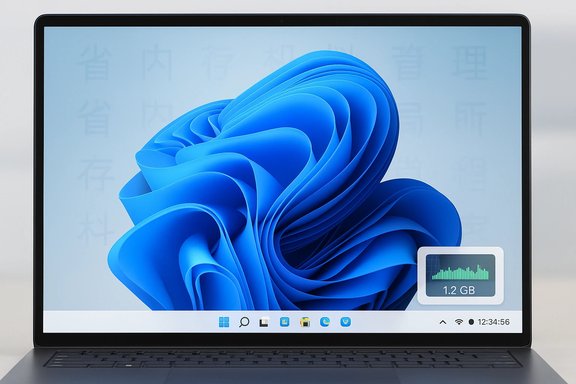
- Convenience features — copy button for two‑factor authentication codes in toasts, a VPN status overlay icon in the system tray, and an option to show seconds in the clock. File Explorer context menus gained keyboard access keys to improve keyboard navigation.
Enterprise and management additions
- Multi‑app kiosk mode — administrators can configure a multi‑app lockdown mode (via PowerShell/WMI for now) which is useful for shared frontline and classroom devices; Intune and MDM support were promised to follow.
- Improved kernel dump content — the OS now adds virtual memory ranges to kernel‑generated minidumps to make crash triage more informative for complex scenarios.
Validation and cross‑checks
The feature set announced in the Windows Insider blog closely matches the official Microsoft Support KB page for the June 27, 2023 preview release, which lists the same items (voice access enhancements, font/IME updates, Task Manager LKD, new icons and small UI adjustments). That consistency shows the Release Preview channel notes and the Microsoft KB are aligned for KB5027303. Independent coverage of Moment‑style updates (the packaged feature set often referred to as “Moment 3”) confirms the presence of platform groundwork for Bluetooth LE Audio and other media/audio improvements; reporting that covers the Moment 3 cycle documents that LE Audio and LC3 codec support were part of the broader platform work in this timeframe, although actual device enablement depends on hardware and updated drivers. Use cases such as reduced power draw for earbuds and improved audio quality via LC3 are consistent across reporting.What users are reporting — regressions and known issues
While many users saw functional gains, community threads and the Microsoft Q&A forum captured a number of reproducible problems after installing KB5027303. Two patterns deserve attention:- Visual/font regression — multiple users reported that fonts appeared thin or that ClearType settings were altered after installing the KB; re‑running ClearType tuning or rolling back the update fixed the symptom for some. These reports appear across user forums and community threads and should be considered a real, user‑experienced regression until fully resolved.
- Taskbar/start issues — there are reports on Microsoft Q&A and forums where some devices experienced taskbar instability — in one case a user reported the taskbar disappearing until the update was removed. Microsoft often lists similar symptoms as items to watch and provides guidance to uninstall the KB if the issue is blocking.
Strengths: what this update gets right
- Meaningful accessibility and input improvements. Voice Access enhancements expand multi‑dialect support and add granular text editing commands; for users relying on speech control this is a significant quality‑of‑life upgrade. The redesigned help page also makes discovery easier.
- Better diagnostics for developers and IT. Live kernel dumps from Task Manager let engineers capture richer evidence with minimal disruption, accelerating triage for high‑impact incidents without forcing reboots. This is especially useful for remote support and complex field debugging.
- Globalization and font fidelity. The GB18030‑2022 and Unicode extension font support fills a real gap for enterprise and government customers who need full coverage of Chinese character sets. That's a concrete win for localization fidelity.
- Small but smart user affordances. Features like copyable 2FA code buttons and seconds in the tray clock are tiny wins that reduce friction in common workflows. These are the kinds of incremental improvements that compound into better day‑to‑day usability.
Risks and caveats — what to watch before deploying
- Staged enablement means inconsistent exposure. Installing KB5027303 will deploy binaries but does not guarantee feature activation on all devices; features may remain gated by server flags or hardware entitlements. That makes it harder for IT to test and validate a predictable, uniform experience across a fleet. Expect variability.
- Driver and OEM compatibility hazards. Features that touch audio stacks, NPUs, or camera drivers (Windows Studio Effects and LE Audio groundwork) require updated OEM drivers. Without vendor driver support, users can see broken camera previews, audio failures, or other peripheral regressions. IT teams should coordinate with OEMs before mass rollout.
- Visible regressions already reported. The font/ClearType and taskbar incidents show that even preview cumulatives can trigger disruptive regressions on some hardware/software mixes. If you run a production device you depend on, treat Release Preview and optional previews conservatively and test them thoroughly first.
- Potential for misleading third‑party coverage and links. Community posts and mirrored articles sometimes include recycled or compromised links (the suspicious leaders.com.tn / FCKeditor filemanager pattern surfaced in discussion around update coverage). Avoid untrusted downloads and always use Microsoft’s official support pages or the Microsoft Update Catalog to fetch MSU packages. Treat unfamiliar filemanager/Connector URLs as potentially malicious.
Practical guidance — recommended steps for users and IT
- Test before broad deployment. Use a small ring of test devices or virtual machines that mirror your most common hardware/driver combinations and exercise interactive workflows like audio, webcams, games, and accessibility features.
- Back up and snapshot. Create system restore points or VM snapshots before applying the preview. If the KB causes a blocking regression, rollback will be faster and safer.
- Install from official channels. Use Settings > Windows Update for general installs or the Microsoft Update Catalog for manual MSU downloads. Avoid third‑party mirrors or direct links found on forum posts.
- Validate drivers and firmware. For camera, audio, and Bluetooth features, make sure your vendors provide updated drivers. If a feature depends on an NPU or Copilot+ entitlement, check OEM driver pages and release notes before enabling at scale.
- For accessibility users: exercise Voice Access workflows after updating — test text selection, formatting commands, and model downloads. If a required speech model is missing, check Settings > Language on the voice access bar.
- If you encounter a blocking issue: collect diagnostic info (reliability monitor, event logs, and Task Manager LKD), report via Feedback Hub, and consider uninstalling the update via Settings > Update history > Uninstall updates until a fix is available.
Deep dive: Bluetooth LE Audio and Moment 3 — context and limits
The Moment cycle that Microsoft uses to package smaller feature sets across the servicing branch often includes platform work that enables modern capabilities (for example, Bluetooth LE Audio and LC3 codec readiness). That groundwork is necessary but not sufficient: full end‑user functionality requires matching updates to Bluetooth radios/drivers and compatible headsets/earbuds that implement LE Audio and LC3. Independent reporting covering Moment‑era changes corroborates this staged approach and the practical benefits (lower power, improved codec efficiency), but it also emphasizes that real adoption depends on driver and device vendor support. In short: KB5027303 helped prepare the platform for LE Audio in the Moment 3 timeframe, but expecting immediate universal LE Audio availability after installing the KB is unrealistic without driver and device updates.Security and trust considerations for links and mirrored pages
The user‑submitted link pattern included a leaders.com.tn FCKeditor filemanager URL with a Connector parameter pointing to trustgo.top — that combination is a frequent red flag. Community moderation threads earlier in the update conversation highlighted this exact pattern as suspicious and potentially hosting manipulated content or facilitating drive‑by downloads. Do not follow or execute queries from such filemanager URLs; rely on Microsoft’s official KB and the Microsoft Update Catalog for update downloads. If you find third‑party pages offering direct MSU files or “one‑click” installers, verify the file hash against Microsoft’s catalog before executing.Final analysis — who should install now and who should wait
- Recommended to wait (general users and production machines): If you rely on the machine daily for work or have unusual peripherals (specialized audio, bespoke drivers, or enterprise imaging), delay installing Release Preview or optional Moment preview KBs until Microsoft marks them as broadly released or until your OEMs confirm driver compatibility. The reported font and taskbar regressions, while not universal, are sufficient cause for caution on primary devices.
- Safe to try (enthusiasts, testers, developers): If you enjoy testing new features, are prepared to rollback, and can use a VM or secondary device, install KB5027303 to evaluate voice access improvements, Task Manager LKD, font/IME changes, and to validate how Moment payloads interact with your hardware. Report discovered issues through Feedback Hub or Microsoft Q&A to help the engineering teams triage problems.
- Enterprises and IT admins: Stage the KB in a controlled pilot first, validate with your most common hardware and drivers, and coordinate with OEMs for driver firmware updates before broad deployment. If you manage large fleets, consider deferring until the KB’s features are unlocked predictably or until vendor validation is complete.
Conclusion
KB5027303 bundles a practical set of incremental improvements — significant accessibility gains, richer diagnostics, improved font/IME coverage, and a handful of user‑centric polish items — while continuing Microsoft’s Moment‑style servicing model of packaging feature binaries and enabling them gradually. The update demonstrates deliberate, user‑focused progress in accessibility and diagnostics, but it also reminds us that staged enablement and the long tail of hardware/driver diversity create real deployment risks. Users should treat this Release Preview cumulative as a test candidate and exercise the usual precautions: test, snapshot, validate drivers, and avoid untrusted download links. If you belong to the cautious majority or run production hardware, wait until the rollout matures or vendor drivers are certified; if you’re comfortable testing and reporting issues, KB5027303 is a useful preview of what Moment 3 adds to Windows 11.Source: Leaders.com.tn FCKeditor - Resources Browser
