

Microsoft’s optional preview update for Windows 11 — KB5077239 (OS Build 28000.1643), published February 24, 2026 — reads like a compact blueprint of Microsoft’s current priorities: tighter cross‑device continuity, deeper accessibility refinements, a meaningful overhaul for creators (notably MIDI support), and a steady stream of UI and reliability polish that hints at how Microsoft is delivering continuous innovation between major feature releases. The package is not a headline-grabbing feature drop; instead, it’s a pragmatic accumulation of small but consequential improvements that matter to musicians, accessibility users, IT managers, and anyone who expects Windows to behave predictably across devices.
Microsoft published KB5077239 as a non‑security cumulative preview for Windows 11 (visible as OS Build 28000.1643) aimed at devices running the 26H1 platform branch. That build number sits inside the Canary/preview lineage that has been used to experiment with device-targeted platform changes while keeping the mainstream feature track separate, a strategy Microsoft has followed as it gears Windows for new silicon and AI‑centric capabilities. Discuscommunity have framed the 28000-series as a platform‑first stream distinct from the broader consumer feature channel.
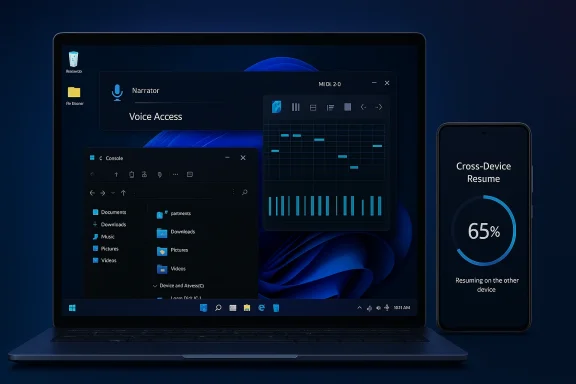
This update combines day‑to‑day reliability fixes (lock screen responsiveness, Explorer startup hangs, activation license migration) with net‑new features that are being staged for broader rollout — Virtual Workspaces, expanded Cross‑Device Resume, an upgraded Windows MIDI Services, and a raft of accessibility improvements (Narrator, Voice Access, Voice Typing). Treat KB5077239 as a micro‑release that demonstrates Microsoft’s current engineering emphasis: connecting phones and PCs more tightly, investing in creators and accessibility, and delivering steady visual and UX consistency across the shell.
Why this matters:
Why this matters:
Operational impact:
Implications for security posture:
In short, this preview is less about one dramatic feature and more about the cumulative effect of many small improvements that, when added together, make Windows 11 more capable, more accessible, and more flexible across modern device scenarios. For users and administrators who care about continuity, creation, and control, KB5077239 is worth a careful test and measured adoption.
Source: Microsoft Support February 24, 2026—KB5077239 (OS Build 28000.1643) Preview - Microsoft Support
 Background
Microsoft published KB5077239 as a non‑security cumulative preview for Windows 11 (visible as OS Build 28000.1643) aimed at devices running the 26H1 platform branch. That build number sits inside the Canary/preview lineage that has been used to experiment with device-targeted platform changes while keeping the mainstream feature track separate, a strategy Microsoft has followed as it gears Windows for new silicon and AI‑centric capabilities. Discuscommunity have framed the 28000-series as a platform‑first stream distinct from the broader consumer feature channel.This update combines day‑to‑day reliability fixes (lock screen responsiveness, Explorer startup hangs, activation license migration) with net‑new features that are being staged for broader rollout — Virtual Workspaces, expanded Cross‑Device Resume, an upgraded Windows MIDI Services, and a raft of accessibility improvements (Narrator, Voice Access, Voice Typing). Treat KB5077239 as a micro‑release that demonstrates Microsoft’s current engineering emphasis: connecting phones and PCs more tightly, investing in creators and accessibility, and delivering steady visual and UX consistency across the shell.
What’s new — headline features and platform changes
Cross‑Device Resume: more apps, more phones, more practical handoff
One of the most immediately visible consumer-facing changes in this preview is the expansion of Cross‑Device Resume. Microsoft has extended the scenarios where you can pick up an activity from your Android phone on your Windows PC — examples called out in the KB include continuing Spotify playback, resuming work in Word, Excel, or PowerPoint, and continuing browsing sessions from certain OEM browsers (explicitly including Vivo’s browser). If the corresponding Microsoft 365 app is present on the PC, resume opens the file in that app; otherwise the file opens in the default browser. Offline-only files on the phone are not supported.Why this matters:
- For everyday productivity, this reduces friction between phone and PC workflows and leans on app-level context rather than crude screen mirroring.
- The OEM-specific mentions (HONOR, OPPO, Samsung, vivo, Xiaomi) reflect Microsoft’s continued device partnerships; support is both partner- and app-dependent, so rollout will be staggered.
- Cross‑Device Resume still relies on app and phone integration; many popular apps (Spotify, Office) already offer cloud sync or their own resume features, so the incremental user benefit will vary by app and by how Microsoft and OEM partners implement the handoff on the phone side. Independent coverage has noted the feature’s practical limitations despite being visible progress.
Windows MIDI Services: the biggest upgrade for musicians in decades
Perhaps the most technically significant addition is Windows MIDI Services — a major modernization of Windows’ MIDI stack that delivers explicit support for both MIDI 1.0 and MIDI 2.0, full WinMM and WinRT MIDI 1.0 compatibility, built‑in translation, shared MIDI ports across apps, custom port naming, loopback and app‑to‑app MIDI, and performance and bug fixes. Microsoft ships an App SDK and Tools package as a separate download that unlocks inbox MIDI 2.0 features and includes utilities such as MIDI Console and a MIDI Settings app. Releases are being published on Microsoft’s landing page and GitHub; the tooling is currently unsigned, which can trigger security warnings when downloaded or installed.Why this matters:
- For musicians and audio developers, native MIDI 2.0 support on Windows reduces the need for third‑party middleware and opens the door to higher-resolution controls, improved timing, and better interoperability with modern hardware.
- Shared ports and loopback simplify routing between software instruments and hosts, a long-standing pain point for multi-app workflows.
- The SDK/tools being unsigned during preview means IT organizations and cautious single‑user pros should treat early packages with care. The unsigned status likely reflects preview-phase tooling, but it raises real questions about how vendors and studios will adopt the platform before full signing and packaging are delivered. Independent reporting has highlighted the scale of the MIDI change and encouraged testing before production use.
Accessibility refinements: Narrator, Voice Access, Voice Typing
KB5077239 doubles down on accessibility with measurable refinements:- Narrator gives users more control over which on‑screen control details are announced and the order in which they’re spoken, helping users tune verbosity to their navigation style.
- Voice Access receives a streamlined setup flow that simplifies model download and microphone selection, lowering the bar for first‑time configuration.
- Voice Typing adds a Wait time before acting setting so voice commands can better accommodate varied speech patterns.
Virtual Workspaces: a new toggle for virtualization features
A small but useful addition is Virtual Workspaces in Advanced Settings, a control hub to enable or disable virtual environments like Hyper‑V and Windows Sandbox. The new setting lives in Settings > System > Advanced and is a clear usability improvement for admins and power users who flip virtualization features on specific devices.Operational impact:
- Easier control of virtualization can help laptop users who need Hyper‑V for development but want to minimize its footprint on devices used primarily for productivity or gaming.
- For managed fleets, Virtual Workspaces centralizes a capability many IT pros previously found buried in disparate UI locations.
File Explorer and shell polish
The update brings a steady stream of UX and accessibility refinements to File Explorer:- Dark mode consistency across dialogs (copy/move/delete), progress bars, and chart views.
- A simplified context menu surfaced to a small group of devices that consolidates common actions (Share, Copy, Move) into a single menu to reduce clutter.
- A Recommended section on the File Explorer homepage to surface frequently used or recently downloaded files (available to all users, including personal Microsoft accounts when enabled).
- Fixes for thumbnails, unexpected toolbars, and app icon display in file context menus.
- These are the types of refinements that improve perceived quality of the OS rather than introduce new functionality, but they reduce daily friction and improve accessibility for users who depend on consistent contrast and predictable dialogs.
Windows Hello ESS: peripheral fingerprint sensor support
Windows Hello Enhanced Sign‑in Security (ESS) now supports peripheral fingerprint readers, extending the more secure sign-in option beyond devices with built‑in biometrics to desktops and external sensors. Setting up a supported ESS fingerprint reader is done via Settings > Accounts > Sign in options. This is an important step toward broader adoption of FIDO‑like, hardware‑backed sign-in methods across mixed desktop fleets.Implications for security posture:
- Allowing ESS on external sensors helps organizations adopt stronger, phishing-resistant sign-in across desktops, but it also means admins must vet peripheral reader hardware and drivers in managed deployments.
Gaming and input improvements
Gaming and input see targeted improvements:- Full Screen Experience (FSE) expands beyond the ASUS ROG Ally devices to more handheld devices, offering a console‑style interface that minimizes background tasks and improves performance for gaming.
- Pens with haptic feedback now provide tactile responses when interacting with UI elements (e.g., hovering close buttons, snapping windows).
- Keyboard backlight behavior is improved on supported HID‑compliant keyboards, and the AltGr layer was added to the Arabic 101 layout (with the Saudi Riyal symbol mapped to AltGr+S).
Reliability and security fixes — the practical under‑the‑hood work
Beyond visible features, KB5077239 packs a long list of fixes that reduce churn in everyday use:- Reliability improvements for Explorer.exe on first sign-in when specific startup apps are configured (resolving taskbar not appearing).
- Better license migration during upgrades to reduce scenarios where Activation troubleshooter was required.
- Fixes for the lock screen becoming unresponsive and a Windows Sandbox startup hang (error 0x800705b4).
- Settings improvements: the Settings search bar layout, responsiveness navigating Network & Internet, and relocated keyboard and cursor rate controls from Control Panel into Settings for better discoverability.
Deployment considerations for IT and power users
- Staging and testing: Because KB5077239 is a preview cumulative update tied to the 26H1 platform build, organizations should test it in a controlled ring before broad deployment. Some features (MIDI tools unsigned, OEM-specific Cross‑Device Resume support) are preview-stage and may not be suitable for production endpoints.
- Driver and peripheral validation: New support for peripheral ESS fingerprint sensors and HID backlight improvements mean device driver validation remains important; test external biometric readers and keyboard drivers before rollouts.
- App compatibility: The simplified File Explorer context menu will be initially available only on a subset of devices as Microsoft evaluates impact. Some third‑party utilities that hook into Explorer’s context menu may need verification.
- Privacy and governance: Copilot Vision’s ability to analyze a shared app window (Share with Copilot from the taskbar) is powerful for productivity but raises data governance questions for regulated environments; administrators should revisit Copilot sharing settings and training materials.
Critical analysis: strengths, weak points, and strategic signal
Strengths
- Practical feature selection: KB5077239 prioritizes useful improvements — cross‑device continuity, accessibility, and MIDI support — over flashy headline features, suggesting Microsoft is listening to specific user cohorts (creators, accessibility users, and mobile‑PC users).
- Quality and UX polish: Systematic dark mode fixes, File Explorer consistency, and stability improvements are the kind of under‑the‑hood work that improves overall user experience and reduces support burden.
- Device and partner sensitivity: OEM partnerships and device‑specific features (Vivo browser resume, FSE on handhelds) show Microsoft continuing to leverage relationships to deliver differentiated experiences across heterogeneous Android ecosystems and new hardware forms.
Weak points and risks
- Staged, fragmented rollouts: The KB repeatedly notes features being rolled out to subsets of devices or requiring OEM partners’ phone-side changes. That creates potential confusion and inconsistent user experience across similar hardware.
- Unsigned MIDI tooling: While the MIDI overhaul is exciting, unsigned tools on GitHub are a legitimate friction point for studios and organizations that require signed binaries and rigorous supply‑chain assurances. Early adopters must accept a preview‑phase trust tradeoff.
- Redundant functionality: Cross‑Device Resume overlaps with many apps’ existing cloud synchronisation. Until the feature demonstrates clear, unique advantages over native app sync (for example in deep state handoff beyond file opening), adoption may lag user expectations. Independent reporting has been measured in enthusiasm, noting practical limits to the experience.
- Privacy and governance concerns: New taskbar-level sharing with Copilot (including Copilot Vision analysis of shared windows) is convenient but must be governed carefully within enterprises. The ease of sharing app windows directly from the taskbar reduces friction — and therefore increases the chance of inadvertent data exposure — in regulated environments. Admin controls and DLP policies must be reviewed.
Strategic reading: what Microsoft is signaling
KB5077239 reads like a status report on Microsoft’s mid‑term OS strategy:- Microsoft is balancing device-specific platform engineering (28000-series / 26H1 testing for new silicon and handhelds) with incremental feature rollouts to mainstream users.
- Accessibility and creator workflows are getting sustained engineering attention — not just token tweaks but functional improvements that make assistive tools and pro audio workflows materially better.
- Cross‑device continuity and Copilot integration show Microsoft doubling down on AI and connected‑device scenarios as differentiators for t
Taken together, the update signals a steady, pragmatic course: refine the base, improve critical workflows for creators and people with disabilities, and let device partnerships continue to surface experiments before broad rollouts.
Practical recommendations for administrators, creators, and enthusiasts
- Administrators (enterprise / IT):
- Pilot KB5077239 in a controlled ring for at least two weeks before company‑wide deployment.
- Verify ESS fingerprint reader models and biometric driver compatibility on devices that will adopt peripheral ESS.
- Review Copilot and sharing policies; apply data‑loss prevention (DLP) safeguards for Copilot Vision where needed.
- Musicians and audio pros:
- Test the new Windows MIDI Services on non‑production systems first; avoid relying on unsigned tooling in mission‑critical sessions.
- If you rely on hardware that uses BLE MIDI or unique vendor drivers, confirm vendor support for the new stack and timing behaviors.
- Power users and enthusiasts:
- Expect the simplified File Explorer context menu and Recommended Home section to roll out gradually; don’t be surprised if you see changes appear or disappear during the preview cycle.
- Use the Virtual Workspaces toggle to control Hyper‑V and Windows Sandbox behavior on mixed‑use devices.
- Developers:
- Try the MIDI App SDK and tools to understand new routing and port naming APIs; start planning to support MIDI 2.0 where appropriate.
- Validate any shell integrations that depend on Explorer context menus.
What to watch next
- MIDI Services signing and distribution: Will Microsoft sign the SDK/tools and ship them via the Microsoft Store or a signed MSI? The current unsigned status is likely temporary, but it’s a gating issue for adoption in studios and enterprises.
- Copilot sharing governance: Expect Microsoft to refine admin controls and disclosure prompts around Copilot Vision window sharing; enterprises will need granular policy controls to manage risk.
- Cross‑Device Resume ecosystem: Watch which OEMs and app vendors expand support beyond the initial partners and whether the feature starts to hand off richer UI/state context beyond simple file or playback resumption.
- Rollout behavior: Because many features are limited to small device subsets during evaluation, monitor the telemetry and Insider discussion to see how Microsoft adjusts rollout criteria and addresses early regressions. Forum conversation and Canary notes indicate Microsoft is carefully staging these changes while preserving the broader feature track.
Final take: a practical, incremental step in a platform‑first roadmap
KB5077239 is a textbook example of modern OS servicing: focused, iterative, and pragmatic. It does not reinvent Windows, but it makes several forward‑leaning moves — most notably the MIDI overhaul and expanded phone‑to‑PC resume scenarios — while also attacking the small but persistent irritants that degrade daily use. For IT professionals, the key takeaway is simple: test the preview, validate hardware and tooling (especially for MIDI and ESS peripherals), and update governance for Copilot and cross‑device sharing. For creators and accessibility users, the update contains welcome improvements that merit hands‑on evaluation.In short, this preview is less about one dramatic feature and more about the cumulative effect of many small improvements that, when added together, make Windows 11 more capable, more accessible, and more flexible across modern device scenarios. For users and administrators who care about continuity, creation, and control, KB5077239 is worth a careful test and measured adoption.
Source: Microsoft Support February 24, 2026—KB5077239 (OS Build 28000.1643) Preview - Microsoft Support
