

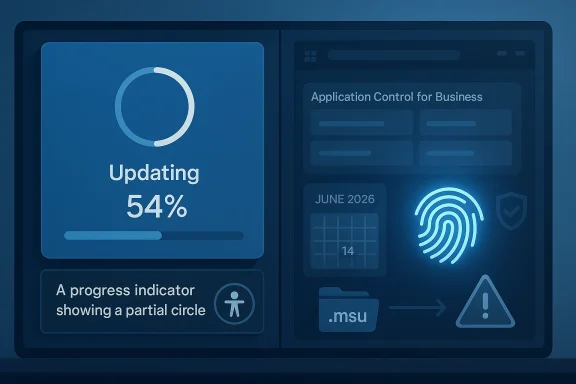
Microsoft’s March 26, 2026 preview update for Windows 11, KB5079391, is more than a routine quality patch. It lands for both Windows 11 version 24H2 and 25H2 as build 26100.8116 and 26200.8116, and it blends feature rollout work with practical fixes that matter to enterprises, IT admins, and everyday users alike. The most notable themes are Narrator improvements, Windows Hello reliability, Application Control for Business refinements, and an important fix for WUSA-based deployments that had been tripping over ERROR_BAD_PATHNAME in some scenarios. Microsoft also flags the looming Secure Boot certificate expiration issue due to start in June 2026, making this update feel like part patch, part preparation exercise. (support.microsoft.com)
Microsoft’s monthly Windows servicing cadence has settled into a familiar rhythm: a security update earlier in the month, followed by a non-security preview release near the end of the month. That cadence matters because it gives administrators a controlled way to test changes before they become broadly distributed in the next security cycle. KB5079391 follows that model, and Microsoft says it is delivered through gradual rollout and normal rollout channels, which means not every device will see the same experience on day one. (support.microsoft.com)
The build numbers show this is part of the Windows 11 24H2/25H2 servicing line, not a separate experimental branch. That is important because Microsoft increasingly uses the same underlying codebase to ship improvements across multiple release labels. For enterprises, that consolidation is convenient, but it also means testing can’t be limited to a single “version” in name only; the practical servicing behavior is shared more broadly than many change logs make obvious. (support.microsoft.com)
This preview arrives after February’s KB5077241, which already introduced a mix of usability and platform refinements. Microsoft’s own release history shows a fast-moving sequence of updates in 2026, including an out-of-band release on March 21, underscoring that Windows servicing is increasingly reactive as well as scheduled. In other words, the monthly preview is no longer just a nice-to-have for enthusiasts; it is part of the operating system’s operational safety net. (support.microsoft.com)
What makes KB5079391 especially notable is that the release touches both the front-end experience and the plumbing underneath. Users get improvements in Narrator and Windows Hello, while admins get a more reliable Application Control for Business story and a fix for a deployment bug that could disrupt .msu installation workflows. That combination is typical of Microsoft’s current Windows strategy: keep polishing the interface, but also quietly harden the servicing path that enterprises depend on. (support.microsoft.com)
There is also a reliability pass on Narrator Natural Voices, which is one of those updates that sounds small but can be felt immediately by users who rely on it daily. Microsoft says the experience is improved and setup is more reliable, which suggests the company is chasing real-world friction in onboarding and voice selection rather than adding a shiny new feature. For accessibility software, setup reliability often matters more than headline capability because the first failure can permanently drive a user away from the tool. (support.microsoft.com)
On the security-management side, Application Control for Business gets an improvement to Application ID tagging. Microsoft says the system now identifies which apps should receive tags more accurately and behaves more reliably. That might sound like a niche admin change, but it is exactly the kind of refinement that reduces policy drift in larger fleets, especially where allowlists and trust boundaries are built around application identity. (support.microsoft.com)
The emphasis on Copilot integration also tells us something about Microsoft’s hardware segmentation strategy. The richer image description workflow is positioned for Copilot+ PCs, but the interaction now reaches all Windows 11 devices through Copilot. That is classic Microsoft: let the newest hardware show off the most advanced mode, then extend enough of the experience across the base platform to keep the ecosystem cohesive. (support.microsoft.com)
The benefit is obvious for users who depend on assistive technologies. Being able to describe a focused image or the full screen with a shortcut can reduce cognitive load and speed up navigation in a way that keyboard-only or screen-reader users will appreciate. Still, availability will vary by device and market, which means Microsoft is keeping some parts of the rollout guarded behind hardware, region, or staged deployment constraints. (support.microsoft.com)
Microsoft’s decision to call out Application Control for Business separately is also telling. Application control is one of the hardest areas to get right because a tiny tagging error can create either a policy hole or a false block. By improving tagging accuracy, Microsoft is effectively reducing the chance that admins have to choose between security and usability, which is exactly the kind of trade-off modern endpoint governance tries to avoid. (support.microsoft.com)
The servicing stack update (KB5079387) bundled with the release matters as well. SSUs are rarely glamorous, but they are foundational because they harden the mechanism that installs Windows updates in the first place. In enterprise environments, a reliable update pipeline is often more important than the content of any one optional feature, since failed servicing cascades into patch debt, support calls, and compliance risk. (support.microsoft.com)
This matters because recovery environments are exactly where users and administrators need software to be least fragile. If a system is already in trouble, a crashy recovery app or sluggish interface can turn a repair into a rebuild. By addressing ARM64 behavior in Windows RE, Microsoft is acknowledging that the architecture transition is no longer hypothetical; it is a practical support issue. (support.microsoft.com)
It is also a quiet reminder that Windows on ARM is no longer just about battery life and app compatibility. As more vendors ship ARM hardware, reliability in abnormal conditions becomes a differentiator. A platform earns trust not when it works in the showcase demo, but when it behaves predictably during recovery, imaging, or troubleshooting. (support.microsoft.com)
The release also removes an extraneous error message some users might see when running
Together, these changes reinforce a broader pattern in Microsoft’s servicing strategy: the company is not only chasing new features but also trying to make foundational system behaviors feel less fragile. That is especially important in a world where Windows has to serve casual consumers, managed enterprise fleets, and increasingly hybrid AI PCs at the same time. (support.microsoft.com)
The instructions also highlight support for both running PCs and mounted installation media. That matters for deployment teams building offline images, repair media, or fleet provisioning packages. Microsoft’s note about matching Dynamic Update packages to the same month, or otherwise using the most recently published version, shows how much update staging has become a moving target. (support.microsoft.com)
There is a practical reason Microsoft still exposes these low-level paths. Windows remains embedded in environments that need repeatable image servicing and offline deployment. Cloud-first marketing may dominate the conversation, but on the ground, enterprises still depend on tools like DISM and WUSA because they offer control, auditability, and automation. (support.microsoft.com)
Microsoft says the expiration might affect the ability of certain personal and business devices to boot securely if they are not updated in time. The company recommends that users and admins review the guidance and take action in advance. That advice should be read as a real deadline, not a theoretical suggestion, because boot trust is foundational to both security posture and device availability. (support.microsoft.com)
The inclusion of new PowerShell features in the servicing line, including
For IT administrators, the real work now is planning. The Secure Boot certificate deadline in June 2026 deserves attention well before it becomes urgent, and the WUSA fix makes this a good moment to reassess update distribution procedures, especially for organizations that still rely on file shares or manual package execution. Microsoft has made the warning clear enough; the burden now shifts to customers to translate that warning into action. (support.microsoft.com)
Source: Microsoft Support March 26, 2026—KB5079391 (OS Builds 26200.8116 and 26100.8116) Preview - Microsoft Support
 Overview
Microsoft’s monthly Windows servicing cadence has settled into a familiar rhythm: a security update earlier in the month, followed by a non-security preview release near the end of the month. That cadence matters because it gives administrators a controlled way to test changes before they become broadly distributed in the next security cycle. KB5079391 follows that model, and Microsoft says it is delivered through gradual rollout and normal rollout channels, which means not every device will see the same experience on day one. (support.microsoft.com)The build numbers show this is part of the Windows 11 24H2/25H2 servicing line, not a separate experimental branch. That is important because Microsoft increasingly uses the same underlying codebase to ship improvements across multiple release labels. For enterprises, that consolidation is convenient, but it also means testing can’t be limited to a single “version” in name only; the practical servicing behavior is shared more broadly than many change logs make obvious. (support.microsoft.com)
This preview arrives after February’s KB5077241, which already introduced a mix of usability and platform refinements. Microsoft’s own release history shows a fast-moving sequence of updates in 2026, including an out-of-band release on March 21, underscoring that Windows servicing is increasingly reactive as well as scheduled. In other words, the monthly preview is no longer just a nice-to-have for enthusiasts; it is part of the operating system’s operational safety net. (support.microsoft.com)
What makes KB5079391 especially notable is that the release touches both the front-end experience and the plumbing underneath. Users get improvements in Narrator and Windows Hello, while admins get a more reliable Application Control for Business story and a fix for a deployment bug that could disrupt .msu installation workflows. That combination is typical of Microsoft’s current Windows strategy: keep polishing the interface, but also quietly harden the servicing path that enterprises depend on. (support.microsoft.com)
What’s Actually New
The headline consumer-facing feature in this preview is Narrator. Microsoft says Narrator now provides richer image descriptions on Copilot+ PCs, and it also works with Copilot on all Windows 11 devices, using shortcuts such as Narrator key + Ctrl + D for the focused image and Narrator key + Ctrl + S for the full screen. That is a meaningful accessibility move because it broadens AI-assisted description beyond the premium Copilot+ subset, while still reserving the richest image workflow for the newer hardware tier. (support.microsoft.com)There is also a reliability pass on Narrator Natural Voices, which is one of those updates that sounds small but can be felt immediately by users who rely on it daily. Microsoft says the experience is improved and setup is more reliable, which suggests the company is chasing real-world friction in onboarding and voice selection rather than adding a shiny new feature. For accessibility software, setup reliability often matters more than headline capability because the first failure can permanently drive a user away from the tool. (support.microsoft.com)
On the security-management side, Application Control for Business gets an improvement to Application ID tagging. Microsoft says the system now identifies which apps should receive tags more accurately and behaves more reliably. That might sound like a niche admin change, but it is exactly the kind of refinement that reduces policy drift in larger fleets, especially where allowlists and trust boundaries are built around application identity. (support.microsoft.com)
Why this matters
For consumers, the visible effect is likely to be subtle unless they use accessibility tools or have a Copilot+ PC. For enterprises, however, the combination of better tagging and improved reliability is the kind of update that lowers support volume and shrinks the number of edge cases in policy enforcement. The bigger story is not the feature count; it is the reduction of operational variability. (support.microsoft.com)- Narrator image descriptions now extend more broadly across Windows 11.
- Copilot+ PCs get richer image-description workflows.
- Natural Voices setup is more reliable.
- Application Control for Business tagging is more accurate.
- AI component versions are updated in the package. (support.microsoft.com)
Accessibility and AI
Microsoft’s most visible AI-adjacent change in KB5079391 is the expansion of Narrator’s image description capabilities. That is significant because accessibility and AI are increasingly overlapping in Windows, not just as branding but as a product design philosophy. The OS is gradually turning visual context into accessible context, which is a more substantial shift than it may appear at first glance. (support.microsoft.com)The emphasis on Copilot integration also tells us something about Microsoft’s hardware segmentation strategy. The richer image description workflow is positioned for Copilot+ PCs, but the interaction now reaches all Windows 11 devices through Copilot. That is classic Microsoft: let the newest hardware show off the most advanced mode, then extend enough of the experience across the base platform to keep the ecosystem cohesive. (support.microsoft.com)
The benefit is obvious for users who depend on assistive technologies. Being able to describe a focused image or the full screen with a shortcut can reduce cognitive load and speed up navigation in a way that keyboard-only or screen-reader users will appreciate. Still, availability will vary by device and market, which means Microsoft is keeping some parts of the rollout guarded behind hardware, region, or staged deployment constraints. (support.microsoft.com)
The strategic angle
This is not merely an accessibility update; it is a proof point for Microsoft’s broader AI-in-the-OS thesis. If the company can make image understanding useful in Narrator, it strengthens the argument that AI should be embedded into core workflows rather than living only inside a separate app. That matters competitively because Windows is trying to differentiate itself from rivals not just with compatibility, but with native intelligence. (support.microsoft.com)- Accessibility remains one of the strongest real-world uses of AI in Windows.
- Copilot integration gives Microsoft a controlled way to expand AI features.
- Shortcut-driven workflows are easier to adopt than menu-heavy tools.
- Hardware gating keeps the premium Copilot+ story intact. (support.microsoft.com)
Enterprise Impact
The most consequential enterprise fix in KB5079391 is probably the one many consumers will never notice: the Windows Update Deployment issue affecting WUSA. Microsoft says some updates installed through the Windows Update Standalone Installer could fail with ERROR_BAD_PATHNAME, including cases where users double-click a .msu file or run WUSA from a network share containing multiple .msu files. For IT teams that still rely on scripted or semi-manual package deployment, that is not a cosmetic bug; it is a workflow breaker. (support.microsoft.com)Microsoft’s decision to call out Application Control for Business separately is also telling. Application control is one of the hardest areas to get right because a tiny tagging error can create either a policy hole or a false block. By improving tagging accuracy, Microsoft is effectively reducing the chance that admins have to choose between security and usability, which is exactly the kind of trade-off modern endpoint governance tries to avoid. (support.microsoft.com)
The servicing stack update (KB5079387) bundled with the release matters as well. SSUs are rarely glamorous, but they are foundational because they harden the mechanism that installs Windows updates in the first place. In enterprise environments, a reliable update pipeline is often more important than the content of any one optional feature, since failed servicing cascades into patch debt, support calls, and compliance risk. (support.microsoft.com)
What admins should take from this
KB5079391 is a reminder that preview updates are not just for enthusiasts chasing new UI behavior. They are also a chance for enterprise IT to detect compatibility issues before the same code rolls into the next security update. In a large environment, that preview window is often the difference between a planned change and a painful surprise. (support.microsoft.com)- WUSA reliability is crucial for network-based package workflows.
- Application Control for Business becomes easier to trust.
- SSU inclusion helps keep the servicing pipeline healthy.
- Preview timing gives IT teams a testing window before broader rollout.
- AI component updates are included but still targeted by device class. (support.microsoft.com)
Windows RE and ARM64
One of the more technical improvements in the update concerns Windows Recovery Environment (Windows RE) on ARM64 devices. Microsoft says the update improves stability when running x64 apps on ARM64 devices, making those apps respond more smoothly in recovery scenarios. That is a subtle but important signal that Microsoft is still smoothing the rough edges of ARM-based Windows in edge-case operational states, not just in everyday desktop use. (support.microsoft.com)This matters because recovery environments are exactly where users and administrators need software to be least fragile. If a system is already in trouble, a crashy recovery app or sluggish interface can turn a repair into a rebuild. By addressing ARM64 behavior in Windows RE, Microsoft is acknowledging that the architecture transition is no longer hypothetical; it is a practical support issue. (support.microsoft.com)
It is also a quiet reminder that Windows on ARM is no longer just about battery life and app compatibility. As more vendors ship ARM hardware, reliability in abnormal conditions becomes a differentiator. A platform earns trust not when it works in the showcase demo, but when it behaves predictably during recovery, imaging, or troubleshooting. (support.microsoft.com)
Why this is bigger than one bug fix
The Windows ecosystem has historically judged new architectures by the last mile of compatibility, not the first. ARM64 can look excellent on paper, but if recovery tools and deployment flows are brittle, enterprise adoption slows down. That makes this patch less about one bug and more about shoring up confidence in the architecture itself. (support.microsoft.com)- Windows RE stability is critical during failure recovery.
- ARM64 support now extends deeper into operational reliability.
- x64 app behavior on ARM gets better in a sensitive environment.
- Troubleshooting confidence improves when recovery tools are predictable. (support.microsoft.com)
Windows Hello and System Reliability
Microsoft says Windows Hello Fingerprint reliability improves for certain devices in KB5079391. That may sound modest, but biometric sign-in remains one of the most visible trust signals in Windows because users encounter it every day. A fingerprint sensor that intermittently fails is enough to make people abandon the feature, so incremental reliability improvements can have outsized adoption effects. (support.microsoft.com)The release also removes an extraneous error message some users might see when running
sfc /scannow. That is the kind of polish that rarely makes headlines but does matter to support teams and power users. When a system repair tool throws misleading noise, it creates uncertainty about whether the scan actually found a problem or simply hit a UI glitch. (support.microsoft.com)Together, these changes reinforce a broader pattern in Microsoft’s servicing strategy: the company is not only chasing new features but also trying to make foundational system behaviors feel less fragile. That is especially important in a world where Windows has to serve casual consumers, managed enterprise fleets, and increasingly hybrid AI PCs at the same time. (support.microsoft.com)
The user experience lens
From a user standpoint, this is exactly the kind of update that can feel invisible when it works and infuriating when it does not. Hello reliability affects sign-in momentum, while SFC output affects confidence in troubleshooting. Both are small pieces of the operating system, yet both contribute disproportionately to whether Windows feels dependable. (support.microsoft.com)- Fingerprint sign-in must feel consistent or users will stop trusting it.
- SFC output should be accurate and calm, not noisy.
- Reliability work often matters more than new UI polish.
- System trust is built through thousands of tiny interactions. (support.microsoft.com)
Servicing, Installation, and Deployment
KB5079391 is also a reminder that Windows updates are no longer simple single-file affairs. Microsoft says this KB contains one or more MSU files that require installation in a specific order, and it provides two installation methods: install all MSUs together with DISM, or install them individually in the correct sequence. That complexity is routine now, but it can still trip up administrators who expect a single cumulative package. (support.microsoft.com)The instructions also highlight support for both running PCs and mounted installation media. That matters for deployment teams building offline images, repair media, or fleet provisioning packages. Microsoft’s note about matching Dynamic Update packages to the same month, or otherwise using the most recently published version, shows how much update staging has become a moving target. (support.microsoft.com)
There is a practical reason Microsoft still exposes these low-level paths. Windows remains embedded in environments that need repeatable image servicing and offline deployment. Cloud-first marketing may dominate the conversation, but on the ground, enterprises still depend on tools like DISM and WUSA because they offer control, auditability, and automation. (support.microsoft.com)
Admin deployment checklist
For organizations planning to test KB5079391, the order and packaging details matter just as much as the functionality itself. Misreading the package sequence could create a support incident that looks like a broken update when it is really a deployment mistake. That is a familiar Windows lesson, but one that never stops being relevant. (support.microsoft.com)- Download the correct arm64 or x64 packages.
- Keep all required MSUs in the same folder if using Method 1.
- Use DISM or Add-WindowsPackage with the right path syntax.
- Test on a representative machine before broad rollout.
- Verify Dynamic Update package alignment for installation media. (support.microsoft.com)
Secure Boot and the June 2026 Deadline
Perhaps the most strategic message in the KB is Microsoft’s warning that Secure Boot certificates used by most Windows devices are set to expire starting in June 2026. That turns KB5079391 into part of a much bigger operational story, because certificate expiration is the kind of event that can start as a background advisory and end as a fleet-wide crisis if organizations ignore it. (support.microsoft.com)Microsoft says the expiration might affect the ability of certain personal and business devices to boot securely if they are not updated in time. The company recommends that users and admins review the guidance and take action in advance. That advice should be read as a real deadline, not a theoretical suggestion, because boot trust is foundational to both security posture and device availability. (support.microsoft.com)
The inclusion of new PowerShell features in the servicing line, including
Get-SecureBootUEFI -Decoded and Get-SecureBootSVN, is especially interesting. Microsoft is not just warning about the certificate lifecycle; it is shipping better tools to inspect and verify the rollout. That suggests the company expects a meaningful amount of administrative work ahead and wants to reduce the friction of checking device readiness. (support.microsoft.com)Why this warning matters now
This is one of those moments where Microsoft’s monthly patching discipline overlaps with long-term platform maintenance. A preview update is not the same thing as a secure boot migration plan, but the fact that Microsoft is surfacing the issue in the update notes tells you it wants admins to start paying attention now, not after the first devices begin to fail validation. (support.microsoft.com)- June 2026 is the important date to remember.
- Secure Boot certificates are central to boot trust.
- PowerShell inspection tools make readiness checks easier.
- Enterprise fleets should treat this as a project, not a memo. (support.microsoft.com)
Strengths and Opportunities
KB5079391 is a strong preview release because it does what the best Windows updates should do: improve the things people notice every day while also fixing the awkward, obscure corners that support teams fear. The result is a release that feels balanced rather than flashy, and that balance is exactly what Windows needs as it continues straddling consumer AI features, enterprise control, and architecture transitions. (support.microsoft.com)- Accessibility gains through Narrator image descriptions are genuinely useful.
- Copilot+ differentiation remains intact without isolating all users.
- Application Control for Business is more dependable for policy enforcement.
- WUSA fixes reduce deployment friction in enterprise environments.
- Windows Hello reliability improves the daily sign-in experience.
- ARM64 recovery stability strengthens confidence in non-x86 hardware.
- Secure Boot tooling helps organizations prepare for a major deadline. (support.microsoft.com)
Risks and Concerns
The main concern with KB5079391 is not that it introduces drama, but that it reflects how much complexity now lives inside Windows servicing. The more Microsoft layers AI features, staged rollouts, architecture-specific behavior, and update packaging rules into a single monthly release, the more room there is for confusion in enterprise environments. (support.microsoft.com)- Gradual rollout means feature availability will be uneven.
- MSU ordering requirements can still confuse deployment teams.
- Hardware- and market-specific behavior complicates support.
- AI component updates may not matter on non-Copilot+ systems.
- Secure Boot expiration introduces a separate operational project.
- Preview updates can expose incompatibilities before security rollout.
- Architecture-specific fixes suggest Windows remains uneven across device classes. (support.microsoft.com)
Looking Ahead
The next few weeks will tell us whether KB5079391 remains a quiet quality update or becomes a useful precursor to broader servicing changes. The biggest practical question is how quickly the Narrator, Start menu, and battery icon improvements move from gradual rollout into a more consistent baseline across devices. Microsoft’s pattern suggests more of these cross-device experience updates are coming, especially as the company tries to unify the Windows 11 story around AI and reliability. (support.microsoft.com)For IT administrators, the real work now is planning. The Secure Boot certificate deadline in June 2026 deserves attention well before it becomes urgent, and the WUSA fix makes this a good moment to reassess update distribution procedures, especially for organizations that still rely on file shares or manual package execution. Microsoft has made the warning clear enough; the burden now shifts to customers to translate that warning into action. (support.microsoft.com)
- Monitor rollout status for Narrator and Start menu changes.
- Test WUSA-based deployment paths with the new fix in place.
- Audit devices for Secure Boot readiness before June 2026.
- Validate Windows Hello and accessibility workflows on target hardware.
- Confirm ARM64 recovery behavior in any mixed-architecture fleet. (support.microsoft.com)
Source: Microsoft Support March 26, 2026—KB5079391 (OS Builds 26200.8116 and 26100.8116) Preview - Microsoft Support
