

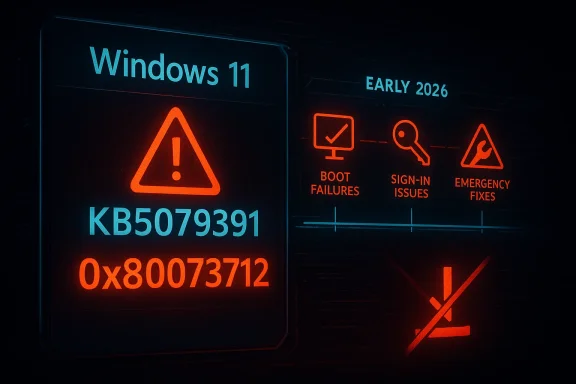
Windows 11’s latest update drama is less a one-off glitch than another data point in a year that already looks unusually rough for Microsoft’s servicing pipeline. The company briefly pushed out KB5079391 as an optional preview for Windows 11 24H2 and 25H2, then pulled it after reports of installation failures tied to 0x80073712, a classic component-store error that prevents setup from completing. That alone would be notable; what makes it more concerning is the pattern: in the first three months of 2026, Microsoft has already had to intervene repeatedly on Windows 11 update problems, including boot failures, sign-in breakage, and emergency fixes.
Microsoft’s monthly update rhythm has always depended on a delicate bargain with users and administrators: ship improvements on a predictable cadence, then catch regressions quickly if something slips through. Optional preview updates are supposed to be the safer part of that bargain, a staging ground where non-security changes can be validated before Patch Tuesday folds them into the broader release. When an optional build is pulled after roughly an hour or two on offer, it signals that the guardrail itself has bent under pressure.
The immediate incident centers on KB5079391, released on March 26, 2026, for Windows 11 versions 24H2 and 25H2. Microsoft’s support page later recorded that rollout had been temporarily suspended because of installation error 0x80073712, and Windows Latest reported that the update was only briefly available before Microsoft halted distribution. Windows Central likewise described the issue as a failed install rather than a device-breaking event, which matters: the update did not brick systems, but it did strand users in a repeat-fail loop that prevented installation entirely.
That distinction is important because modern Windows update failures can be hard to classify. A failed install may sound mild compared with a blue screen or a boot loop, but for enterprises managing fleets, a patch that cannot deploy is still an operational failure. It delays security rollout, adds help-desk load, and forces administrators to spend time validating whether the defect is limited, systemic, or tied to specific device states.
The broader story is not just the March preview. Throughout early 2026, Microsoft has already had to ship emergency responses to a chain of Windows 11 issues, including the January KB5074109 boot failures affecting some commercial PCs and the March KB5079473 sign-in problem that required an out-of-band correction. Microsoft acknowledged in its support materials that KB5079473’s aftermath could affect Microsoft account sign-ins in apps, then issued KB5085516 to fix it. In other words, the current preview-patch withdrawal lands in the middle of a visible reliability problem, not in isolation.
The support page also shows the release was built around a substantial set of improvements, not a tiny maintenance patch. Windows Latest said the package contained 29 changes, and Microsoft’s release structure for preview updates typically uses this phase to surface new fixes before they become part of the next cumulative update. That makes the failure more embarrassing, because preview builds are where the company expects to discover edge cases before they are scaled up.
This is an especially awkward error because it often suggests a mismatch between the current operating-system state and the files the update expects. That can be caused by prior servicing problems, corruption, or an update payload that interacts badly with specific device conditions. We do not yet know which of those applied to KB5079391, and Microsoft has not publicly detailed the root cause.
In practical terms, the failure mode is frustrating but contained. Users lose time, not hardware, and Microsoft’s own reporting through Windows Central indicated no machines were rendered unusable. Still, for an optional update that is supposed to inspire confidence, a failed install is enough to damage trust.
That speed can be read two ways. On one hand, it shows Microsoft can still react quickly when something goes wrong. On the other, it suggests that the pre-release quality gate was not strong enough to catch the issue before public exposure. For consumers, the difference may seem academic; for IT departments, it is the difference between a small annoyance and a weekend maintenance event.
This also changes how enterprises think about the “Get the latest updates as soon as they’re available” toggle. Enthusiasts and power users often enable it to stay ahead of changes, but incidents like this teach a different lesson: being first can now mean being the first to discover a showstopper. That is not a compelling bargain unless users are willing to tolerate periodic rollback drama.
Microsoft’s response strategy has also become more visible. The company has been leaning on out-of-band fixes when problems are serious enough to warrant them. That approach is sensible in crisis mode, but it also means the normal monthly rhythm is being interrupted more often than Windows users would like. When emergency patching becomes common, it can start to feel like the calendar itself is unstable.
Enterprise administrators have a different calculus. A boot failure is a desk-side emergency; a sign-in regression can break productivity apps; and an update that fails to install creates auditing and compliance friction. Even if only a small subset of devices are affected, the support cost scales quickly. That makes 2026’s pattern especially damaging for Microsoft’s reputation in managed environments.
This complexity is also why a single failure message can mask many different underlying problems. The same error code may appear on machines with subtly different histories, which makes diagnosis harder for Microsoft and administrators alike. The support model becomes reactive: collect reports, identify commonality, then decide whether the safest move is to pause the rollout.
From a user’s point of view, however, the nuance does not matter. They see repeated failure, a stalled update page, and in some cases the fear that the system is damaged when it is actually healthy. That gap between engineering intent and user perception is one reason update quality is now a core reputational issue for Microsoft, not a back-office maintenance issue.
Still, repeated defects raise the question of whether the balance has shifted too far toward post-release discovery. If too many meaningful bugs are being found by users rather than pre-release testing, then the service model begins to resemble live debugging. That may be efficient in theory, but it is not reassuring in practice.
Perception matters because update trust is cumulative. A single visible failure can be forgiven; several in a row create a narrative. Once users begin to believe that Windows quality is slipping, every future issue is read through that lens, even when the technical root cause is different. That is a costly place for Microsoft to be.
This is where Microsoft’s messaging becomes difficult. It wants users to install updates promptly for security and stability, yet repeated misfires encourage caution. The company is therefore fighting two problems at once: the technical bug and the confidence deficit that the bug creates.
The irony is that this community is also the one Microsoft needs most for feedback. If enthusiasts lose patience with the preview process, the company loses a critical layer of real-world validation. That would make future releases even more dependent on post-launch corrections.
That uncertainty has downstream effects. Security teams may leave some devices on an older build longer than planned, while help desks field more questions from users who saw the update appear and then disappear. If the issue touches a required compliance baseline, the delay becomes more than an inconvenience; it becomes a governance problem.
For large organizations, the lesson is straightforward: stay conservative with preview adoption unless there is a specific business reason to test. Optional patches are useful for validation, but they are no longer the low-drama sandbox they once seemed to be. In 2026, they are just as likely to be a preview of trouble as a preview of features.
For users, the best near-term strategy is practical skepticism. Optional preview updates are worth monitoring, but they no longer deserve automatic trust simply because they arrive before Patch Tuesday. For enterprises, the smarter play is to keep preview adoption limited, document rollback paths, and treat every short-lived update as a signal to verify the broader release health story before expanding deployment.
Source: razomua.media Windows 11 pulled an update within an hour — and it's not the first time in 2026
 Overview
Microsoft’s monthly update rhythm has always depended on a delicate bargain with users and administrators: ship improvements on a predictable cadence, then catch regressions quickly if something slips through. Optional preview updates are supposed to be the safer part of that bargain, a staging ground where non-security changes can be validated before Patch Tuesday folds them into the broader release. When an optional build is pulled after roughly an hour or two on offer, it signals that the guardrail itself has bent under pressure.The immediate incident centers on KB5079391, released on March 26, 2026, for Windows 11 versions 24H2 and 25H2. Microsoft’s support page later recorded that rollout had been temporarily suspended because of installation error 0x80073712, and Windows Latest reported that the update was only briefly available before Microsoft halted distribution. Windows Central likewise described the issue as a failed install rather than a device-breaking event, which matters: the update did not brick systems, but it did strand users in a repeat-fail loop that prevented installation entirely.
That distinction is important because modern Windows update failures can be hard to classify. A failed install may sound mild compared with a blue screen or a boot loop, but for enterprises managing fleets, a patch that cannot deploy is still an operational failure. It delays security rollout, adds help-desk load, and forces administrators to spend time validating whether the defect is limited, systemic, or tied to specific device states.
The broader story is not just the March preview. Throughout early 2026, Microsoft has already had to ship emergency responses to a chain of Windows 11 issues, including the January KB5074109 boot failures affecting some commercial PCs and the March KB5079473 sign-in problem that required an out-of-band correction. Microsoft acknowledged in its support materials that KB5079473’s aftermath could affect Microsoft account sign-ins in apps, then issued KB5085516 to fix it. In other words, the current preview-patch withdrawal lands in the middle of a visible reliability problem, not in isolation.
What KB5079391 Was Supposed to Do
On paper, KB5079391 was an ordinary preview release: a non-security update offering quality fixes and feature refinements for Windows 11’s current branches. Microsoft’s own release notes describe it as a March preview for 24H2 and 25H2, and Windows Latest reported it included changes touching Smart App Control, display behavior, and Windows Hello reliability. That is the kind of update Microsoft wants enthusiasts and early adopters to test before the same changes are rolled into the next Patch Tuesday cycle.A preview update is not supposed to be the risky one
In theory, optional previews are a safe corridor. They let Microsoft test fixes against real hardware and real software combinations without forcing the changes onto the entire installed base. That model only works if the preview itself is stable enough to install. Once the preview starts failing before broader deployment even begins, the whole feedback loop loses value.The support page also shows the release was built around a substantial set of improvements, not a tiny maintenance patch. Windows Latest said the package contained 29 changes, and Microsoft’s release structure for preview updates typically uses this phase to surface new fixes before they become part of the next cumulative update. That makes the failure more embarrassing, because preview builds are where the company expects to discover edge cases before they are scaled up.
- Optional preview updates are designed for early validation.
- Non-security fixes are meant to be refined before Patch Tuesday.
- Component-store failures undermine the whole deployment pipeline.
- Early withdrawal suggests Microsoft found a broad enough issue to pause rollout quickly.
Error 0x80073712 is a familiar Windows problem
The code 0x80073712 points to missing or unverified component-store files. Windows itself is telling the updater that it cannot find what it needs in the servicing stack or WinSxS store, so the process begins, fails validation, and rolls back. That is why many users see what feels like an endless update loop: the machine is functioning, but the patch engine cannot complete the install.This is an especially awkward error because it often suggests a mismatch between the current operating-system state and the files the update expects. That can be caused by prior servicing problems, corruption, or an update payload that interacts badly with specific device conditions. We do not yet know which of those applied to KB5079391, and Microsoft has not publicly detailed the root cause.
In practical terms, the failure mode is frustrating but contained. Users lose time, not hardware, and Microsoft’s own reporting through Windows Central indicated no machines were rendered unusable. Still, for an optional update that is supposed to inspire confidence, a failed install is enough to damage trust.
Why the Rollback Matters More Than the Error Code
Microsoft rarely pulls an update within hours unless the failure signal is significant. A patch can have a few bad reports and remain in circulation while the company investigates, but a rapid removal implies either a widespread defect or a failure pattern serious enough that continued distribution is riskier than the inconvenience of pause-and-fix. In this case, Microsoft told Windows Latest that it had temporarily limited availability while investigating the issue.Speed is the clue
The unusual part is not merely that the update broke. It is the timeline. Windows Latest reported KB5079391 was available for only about one to two hours before problems started surfacing and Microsoft responded by pausing rollout. That is a short enough window to suggest the bug escaped final validation and was detected almost immediately by early adopters.That speed can be read two ways. On one hand, it shows Microsoft can still react quickly when something goes wrong. On the other, it suggests that the pre-release quality gate was not strong enough to catch the issue before public exposure. For consumers, the difference may seem academic; for IT departments, it is the difference between a small annoyance and a weekend maintenance event.
- Rapid pull means Microsoft saw enough evidence to stop distribution fast.
- Optional release still reached enough users to generate meaningful failure reports.
- Public trust erodes when even preview updates are unreliable.
- Admins may begin delaying previews entirely, weakening Microsoft’s feedback loop.
Preview no longer means “safe enough to ignore”
For years, Microsoft has pushed the idea that optional previews help improve Windows quality because they expose changes to a smaller, willing audience. That works only if the preview behaves like a preview should: low-risk enough to test, high-value enough to matter. When the preview itself becomes a headline, it starts to feel like an additional product tier for troubleshooting rather than a controlled experimentation channel.This also changes how enterprises think about the “Get the latest updates as soon as they’re available” toggle. Enthusiasts and power users often enable it to stay ahead of changes, but incidents like this teach a different lesson: being first can now mean being the first to discover a showstopper. That is not a compelling bargain unless users are willing to tolerate periodic rollback drama.
The 2026 Pattern: Windows 11’s Reliability Problem
The strongest case that KB5079391 is part of a broader pattern comes from the sequence of problems already seen this year. Microsoft’s March security update KB5079473 triggered Microsoft account sign-in failures in some apps, prompting KB5085516. Earlier in the year, January’s KB5074109 was linked to UNMOUNTABLE_BOOT_VOLUME boot failures on some commercial systems, a particularly serious incident because affected machines could no longer start normally.January, February, March — and now another rollback
Taken together, the cadence is uncomfortable. January brought boot failures, March brought sign-in trouble, and then the late-March preview had to be withdrawn for install failures. That is not a single bad patch but a run of separate incidents across different layers of the operating system: boot, authentication, and servicing. The fact that they are technically distinct does not make the user experience feel any better.Microsoft’s response strategy has also become more visible. The company has been leaning on out-of-band fixes when problems are serious enough to warrant them. That approach is sensible in crisis mode, but it also means the normal monthly rhythm is being interrupted more often than Windows users would like. When emergency patching becomes common, it can start to feel like the calendar itself is unstable.
- Boot issues are the most severe because they block access entirely.
- Sign-in bugs affect identity and cloud-connected workflows.
- Install failures block rollout and complicate fleet management.
- Emergency fixes increase maintenance burden and distrust.
Consumer pain and enterprise pain are not identical
Consumers usually experience these incidents as inconvenience, confusion, or delayed updates. Most can simply wait for Microsoft to correct the issue, and many never manually install preview builds in the first place. That is why Windows Central emphasized that KB5079391 did not render PCs unusable.Enterprise administrators have a different calculus. A boot failure is a desk-side emergency; a sign-in regression can break productivity apps; and an update that fails to install creates auditing and compliance friction. Even if only a small subset of devices are affected, the support cost scales quickly. That makes 2026’s pattern especially damaging for Microsoft’s reputation in managed environments.
What Error 0x80073712 Tells Us About Windows Servicing
The component-store model is one of Windows’ greatest strengths and, at times, one of its most fragile systems. It lets Microsoft maintain a massive OS through incremental servicing, but it also creates a dependency chain where missing or inconsistent files can stop an update dead. When a modern Windows update fails at this stage, the root cause may be local corruption, a packaging defect, or an interaction with an earlier patch.Servicing stack complexity is both a feature and a risk
Windows updates do not simply replace a few files anymore. They rely on the servicing stack, component manifests, dependency checks, and an installation process that has to preserve system integrity across billions of device combinations. That is part of why patches can be reliable for months and then suddenly fall apart when one dependency shifts.This complexity is also why a single failure message can mask many different underlying problems. The same error code may appear on machines with subtly different histories, which makes diagnosis harder for Microsoft and administrators alike. The support model becomes reactive: collect reports, identify commonality, then decide whether the safest move is to pause the rollout.
Why users get stuck in loops
The “loop” behavior happens because Windows Update keeps attempting the install path it believes should work. If the required files are unavailable or cannot be verified, the process aborts, re-queues, and tries again later. That repeated failure is annoying, but it also reflects Windows’ attempt to self-heal rather than force a bad state onto the machine.From a user’s point of view, however, the nuance does not matter. They see repeated failure, a stalled update page, and in some cases the fear that the system is damaged when it is actually healthy. That gap between engineering intent and user perception is one reason update quality is now a core reputational issue for Microsoft, not a back-office maintenance issue.
Microsoft’s Testing Model Is Under Pressure
Microsoft’s release model depends on controlled feature rollout, preview validation, and telemetry feedback. Windows 11’s modern servicing strategy is supposed to catch edge-case bugs before they reach every device. But if preview releases are unstable and emergency fixes keep following Patch Tuesday, then the model is doing less preventative work and more cleanup work.QA has to cover too much ground
Windows has to support a huge range of hardware, drivers, firmware versions, OEM customizations, and third-party software interactions. Even a well-funded quality-assurance effort cannot reproduce every possible combination in lab conditions. That is why Microsoft depends on staged rollout and telemetry: the real world is part of the testing process.Still, repeated defects raise the question of whether the balance has shifted too far toward post-release discovery. If too many meaningful bugs are being found by users rather than pre-release testing, then the service model begins to resemble live debugging. That may be efficient in theory, but it is not reassuring in practice.
Cost cutting and engineering capacity are part of the conversation
One reason this issue has gained traction is that observers are now linking reliability concerns to staffing and engineering constraints. That is not proof of causation, and Microsoft has not publicly connected recent failures to any specific organizational change. But the perception that Windows is being asked to do more with tighter budgets is shaping how people interpret each new incident.Perception matters because update trust is cumulative. A single visible failure can be forgiven; several in a row create a narrative. Once users begin to believe that Windows quality is slipping, every future issue is read through that lens, even when the technical root cause is different. That is a costly place for Microsoft to be.
- Telemetry-driven QA helps, but it cannot prevent every regression.
- Hardware diversity makes Windows uniquely hard to test.
- Repeated incidents create the impression of systemic weakness.
- Public trust is harder to regain than it is to lose.
Consumer Impact: Annoyance Today, Confidence Tomorrow
For most home users, the practical impact of KB5079391’s withdrawal is modest. If they did not manually seek the preview build, they may never notice anything beyond a delayed optional update. If they did try to install it, the failure is more likely to create frustration than damage. That is why coverage has emphasized that machines remained usable.The hidden cost is habit formation
The bigger consumer issue is behavioral. The more often Windows users hear about broken updates, the more likely they are to delay patches, disable features like “get the latest updates,” or treat Windows Update as something to avoid rather than embrace. That may reduce exposure to bad previews, but it can also slow security adoption and increase the risk of running older builds longer than necessary.This is where Microsoft’s messaging becomes difficult. It wants users to install updates promptly for security and stability, yet repeated misfires encourage caution. The company is therefore fighting two problems at once: the technical bug and the confidence deficit that the bug creates.
Enthusiasts will notice first
Power users and Windows enthusiasts are the most exposed to preview chaos because they often install updates as soon as they appear. They also amplify problems fastest through forums, social media, and tech press coverage. That means early adopters act as both quality testers and public-relations accelerants, which is useful when things go right and painful when they do not.The irony is that this community is also the one Microsoft needs most for feedback. If enthusiasts lose patience with the preview process, the company loses a critical layer of real-world validation. That would make future releases even more dependent on post-launch corrections.
Enterprise Impact: Compliance, Rollout Planning, and the Cost of Caution
In enterprise environments, the effect of a withdrawn update is broader than a failed install dialog. IT teams need to know whether to pause deployment rings, adjust maintenance windows, or hold back related rollouts entirely. Even a temporary pause can force teams to rewrite schedules and update internal advisories.The servicing calendar becomes a risk-management exercise
Administrators typically stage updates in waves: pilot groups first, then broader deployment. When Microsoft pulls an optional preview, it validates the cautious approach, but it also increases the burden on the people managing those rings. They must decide whether to continue testing, wait for Microsoft to restore the package, or skip directly to the next monthly release.That uncertainty has downstream effects. Security teams may leave some devices on an older build longer than planned, while help desks field more questions from users who saw the update appear and then disappear. If the issue touches a required compliance baseline, the delay becomes more than an inconvenience; it becomes a governance problem.
Out-of-band fixes complicate documentation
Microsoft has already shown in 2026 that it is willing to issue out-of-band updates when the situation warrants it. That is often the right move, but it also means enterprises must track not just Patch Tuesday but the patch-after-the-patch. The administrative overhead grows as the number of exceptions grows.For large organizations, the lesson is straightforward: stay conservative with preview adoption unless there is a specific business reason to test. Optional patches are useful for validation, but they are no longer the low-drama sandbox they once seemed to be. In 2026, they are just as likely to be a preview of trouble as a preview of features.
Strengths and Opportunities
Even with this setback, Microsoft still has assets it can lean on, and the situation gives it a chance to reset expectations. A fast rollback is evidence that telemetry and release controls are still functioning, and a transparent fix would help restore some confidence. The company can also use this moment to clarify how optional previews are validated and how quickly it will respond when distribution problems appear.- Rapid response shows Microsoft can stop a bad rollout quickly.
- No bricking event means the problem stayed in the install layer, not the boot layer.
- Preview channel transparency could improve if Microsoft documents the root cause.
- Telemetry feedback remains a powerful advantage if used well.
- Patch sequencing gives Microsoft a chance to correct the issue before the next broad release.
- Enterprise communication can reduce confusion if advisory updates are timely.
- Reliability fixes could become a marketing point if Microsoft demonstrates progress over the next few months.
Risks and Concerns
The risk is not just that one preview failed, but that several unrelated Windows 11 issues have now arrived in close succession. That creates a narrative of systemic fragility, especially when users are already seeing security updates, sign-in fixes, and emergency patches overlapping in a short window. Confidence is hard to rebuild once users conclude that every monthly cycle may contain a surprise.- Trust erosion may push users to delay updates longer.
- Support burden rises when installations fail repeatedly.
- Enterprise pause cycles can slow security compliance.
- Preview fatigue may reduce the usefulness of optional testing.
- Reputation damage compounds with each incident, even if the issues differ.
- Systemic suspicion will grow if April’s Patch Tuesday is not clean.
- Communication gaps from Microsoft can intensify speculation about QA and engineering capacity.
Looking Ahead
The next test is whether Microsoft can get through the April servicing cycle without another emergency withdrawal or out-of-band correction. If it does, KB5079391 may end up looking like a narrow but noisy preview failure in an otherwise recoverable run. If it does not, then the question stops being whether Microsoft had a bad week and becomes whether Windows 11’s servicing process is facing a deeper structural problem.For users, the best near-term strategy is practical skepticism. Optional preview updates are worth monitoring, but they no longer deserve automatic trust simply because they arrive before Patch Tuesday. For enterprises, the smarter play is to keep preview adoption limited, document rollback paths, and treat every short-lived update as a signal to verify the broader release health story before expanding deployment.
- Watch whether Microsoft restores KB5079391 or replaces it with a revised build.
- Monitor the next Patch Tuesday for signs that the March issues have been absorbed cleanly.
- Track whether additional out-of-band patches appear for Windows 11.
- Pay attention to whether Microsoft provides a public root-cause explanation.
- Note whether enterprise admins begin delaying preview adoption even more aggressively.
Source: razomua.media Windows 11 pulled an update within an hour — and it's not the first time in 2026
Last edited:
