

Windows 11’s March 2026 update cycle has become more interesting than a routine Patch Tuesday usually allows. The core cumulative update, KB5079473, ships security fixes plus non-security improvements for Windows 11 24H2 and 25H2, and it pulls in a notable mix of usability refinements, reliability fixes, and enterprise-facing controls. The most eye-catching additions are the native Sysmon integration, a built-in network speed test reachable from the taskbar, and a set of targeted fixes for File Explorer, WDAC, Secure Boot readiness, and the taskbar itself. (support.microsoft.com)
What makes this release noteworthy is not just the list of features, but the direction they reveal. Microsoft is continuing to blur the line between “operating system” and “managed platform,” embedding more diagnostics, recovery, and security primitives directly into Windows rather than leaving them to standalone tools. At the same time, the company is trying to smooth over everyday friction points that users notice immediately, such as search reliability, taskbar overflow behavior, and the lack of quick connectivity diagnostics. (support.microsoft.com)
In practical terms, KB5079473 feels like a bridge update: security first, but with enough operational improvements to matter to IT admins and enthusiasts alike. It arrives after an optional preview in February, and just ahead of the March 26 preview and the March 31 out-of-band follow-up, which suggests Microsoft is using the usual monthly cadence to harden features before pushing them more broadly. (support.microsoft.com)
Microsoft’s Windows servicing model has been moving toward continuous innovation for several years, but the March 2026 cycle shows that the company is now using that model to seed features into mainstream releases faster than before. KB5079473 is the second major monthly cumulative update in a chain that includes the February preview and later March fixes, and that sequencing matters because it shows how Microsoft increasingly stages features in one release, refines them in another, and then patches any rough edges in an emergency follow-up if necessary. (support.microsoft.com)
For Windows 11 users, this update lands in a period when Microsoft has been leaning more heavily on built-in tooling for troubleshooting and security telemetry. The inclusion of Sysmon functionality inside Windows is emblematic of that shift: instead of asking admins to deploy a separate utility, Microsoft is making system-event capture part of the OS’s own fabric. That is a meaningful architectural change, even if the feature remains off by default. (support.microsoft.com)
The timing also reflects a broader change in Windows servicing priorities. The March 2026 update does not read like a classic “one headline feature, a bunch of fixes” release. Instead, it bundles a security-relevant platform enhancement, a consumer convenience feature, a handful of enterprise controls, and reliability work across core shell components. That combination suggests Microsoft is trying to satisfy both audiences at once: the home user who wants the taskbar to feel smarter, and the IT pro who wants better observability and safer rollout behavior. (support.microsoft.com)
It is also important to separate the monthly cumulative update from the preview releases around it. Microsoft’s March 26 preview for Windows 11 version 26H1 includes the same broad themes—network speed test, native Sysmon, taskbar refinements, and other convenience additions—but KB5079473 is the release that brings the month’s non-security changes into the supported 24H2 and 25H2 branches. In other words, the March 10 update is the more consequential one for the installed base, while the later preview helps explain where the platform is headed next. (support.microsoft.com)
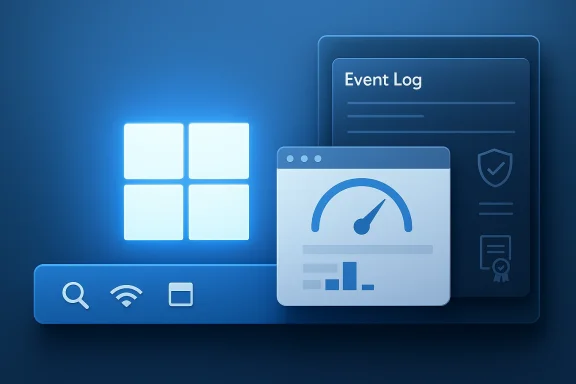
The update’s most important platform-level change is native Sysmon support. Sysmon is designed to capture detailed system events for threat detection, and Microsoft says Windows can now write those events into the Windows Event Log, allowing security tools and other applications to consume them. That is a big deal because it lowers the deployment friction for one of the most widely used endpoint telemetry tools in the Windows ecosystem. (support.microsoft.com)
The second headline feature is the built-in network speed test in the taskbar’s Wi‑Fi or Cellular quick settings and the system tray network icon. The feature opens in the default browser and measures Ethernet, Wi‑Fi, and cellular connections. That seems small, but it is one of those quality-of-life additions that immediately reduces the number of external tools users need to diagnose a problem. (support.microsoft.com)
The release also contains a more subtle but important improvement to the taskbar overflow experience when the taskbar is set to uncombined. Previously, multiple windows from the same app could all spill into overflow together, leaving awkward unused space. Microsoft says only the windows that do not fit now move, which is a small fix with outsized impact on perceived polish. (support.microsoft.com)
From an enterprise standpoint, native support changes the economics of adoption. A separate Sysmon deployment can be trivial in a small environment, but at scale it still means packaging, policy, verification, version drift, and support overhead. Baking the capability into Windows lowers the barrier to entry and should help improve consistency across mixed fleets, particularly where security teams have long wanted better endpoint visibility but struggled with uneven rollout hygiene. (support.microsoft.com)
There is, however, a caveat worth emphasizing: Microsoft says built-in Sysmon is off by default and must be enabled before use. That means the feature is additive, not intrusive. It also means organizations will still need policy discipline, because the existence of a native capability does not automatically create a usable monitoring posture. That distinction matters a lot. (support.microsoft.com)
This feature is a good example of Windows turning a common support workflow into a one-click action. In the past, many users had to decide whether a slowdown was caused by the router, the ISP, the local network card, or something deeper in the stack. Now Microsoft is offering a low-friction first pass that can quickly separate a local issue from a broader connectivity problem. (support.microsoft.com)
For IT teams, the real benefit is standardization. If support desks can ask users to run the same built-in test from the same UI path, troubleshooting becomes easier to document and easier to repeat. That consistency may not sound exciting, but support organizations live and die by reproducibility. (support.microsoft.com)
There is also a broader pattern here: Microsoft keeps trimming shell behavior in places where users feel friction most acutely. The taskbar, the overflow menu, and quick settings are all high-frequency interaction points. When Microsoft smooths those edges, it can improve overall sentiment even if the update’s headline features are elsewhere. (support.microsoft.com)
The February Windows news summary also hinted at related user-facing changes, including taskbar search preview behavior and better surfacing of search results. Taken together, the March and February releases show that Microsoft is still actively iterating on the shell, rather than treating Windows 11’s interface as finished. That is reassuring, but it also underlines how much of Windows’ perceived quality depends on small details. (techcommunity.microsoft.com)
There is also a competitive dimension. macOS and ChromeOS often win praise for coherence, while Windows sometimes gets criticized for inconsistency. Small UI corrections like this do not erase that reputation overnight, but they do chip away at it. Microsoft appears to understand that credibility in the desktop market is built on hundreds of these invisible fixes. (support.microsoft.com)
Another notable fix lands in Windows Defender Application Control (WDAC). Microsoft says the update improves how WDAC handles COM object allowlisting policies, resolving a problem where COM objects were blocked when the endpoint security policy was set higher than the allowlisting policy. In simpler terms, the policy hierarchy is now behaving as expected, which should reduce friction for environments using strict application control. (support.microsoft.com)
The Windows System Image Manager improvement is similarly niche but useful. Microsoft says it now improves the reliability of choosing trusted catalog files and adds a warning dialog to help confirm that the selected file comes from a trusted source. That is a textbook example of an admin-tool improvement that reduces the chance of human error in deployment workflows. (support.microsoft.com)
This matters because Secure Boot certificates have lifecycle implications that extend beyond Windows 11 itself. Microsoft’s February Windows news for IT pros noted that original Secure Boot certificates introduced in 2011 are nearing the end of their planned lifecycle, with expirations beginning in late June 2026. That timeline means the March update is not just routine maintenance; it is part of a larger platform transition that administrators need to take seriously. (techcommunity.microsoft.com)
The good news is that Microsoft appears to be staging the transition carefully rather than forcing a disruptive cliff-edge. The less comfortable truth is that the work still needs hands-on oversight in some environments, particularly where firmware management, older hardware, or mixed provisioning states make automatic certificate handling unreliable. This is exactly the kind of issue that looks boring until it breaks a fleet. (support.microsoft.com)
For enterprises, the implication is clear: do not treat this as background noise. Certificate transition planning, validation across device classes, and policy alignment will matter more as 2026 progresses. The organizations that are already inventorying firmware behavior will be in a much better position than those assuming Windows will invisibly handle everything. (techcommunity.microsoft.com)
For enterprises, the update is more strategic. Native Sysmon, WDAC corrections, Secure Boot readiness signals, and trust-related deployment tooling all point to a platform that is trying to reduce friction in managed environments. That matters because Windows remains the backbone of countless corporate endpoint fleets, and even small changes can ripple into help desk volume, security posture, and compliance work. (support.microsoft.com)
The risk, of course, is that the platform becomes more complex behind the scenes even as the front end becomes simpler. Every native feature must still be documented, supported, and secured. If Microsoft gets that balance wrong, the result could be a Windows shell that feels cleaner but a management layer that becomes harder to reason about. That would be the wrong kind of progress. (support.microsoft.com)
The other big question is whether Microsoft can keep improving the shell without making Windows feel unpredictable. The taskbar speed test and overflow fixes are welcome, but users will judge the platform by whether these changes feel natural after weeks of daily use, not just on patch day. That is especially true as Microsoft continues to push more platform logic into Windows itself.
Source: Fathom Journal Fathom - For a deeper understanding of Israel, the region, and global antisemitism
What makes this release noteworthy is not just the list of features, but the direction they reveal. Microsoft is continuing to blur the line between “operating system” and “managed platform,” embedding more diagnostics, recovery, and security primitives directly into Windows rather than leaving them to standalone tools. At the same time, the company is trying to smooth over everyday friction points that users notice immediately, such as search reliability, taskbar overflow behavior, and the lack of quick connectivity diagnostics. (support.microsoft.com)
In practical terms, KB5079473 feels like a bridge update: security first, but with enough operational improvements to matter to IT admins and enthusiasts alike. It arrives after an optional preview in February, and just ahead of the March 26 preview and the March 31 out-of-band follow-up, which suggests Microsoft is using the usual monthly cadence to harden features before pushing them more broadly. (support.microsoft.com)
 Background
Microsoft’s Windows servicing model has been moving toward continuous innovation for several years, but the March 2026 cycle shows that the company is now using that model to seed features into mainstream releases faster than before. KB5079473 is the second major monthly cumulative update in a chain that includes the February preview and later March fixes, and that sequencing matters because it shows how Microsoft increasingly stages features in one release, refines them in another, and then patches any rough edges in an emergency follow-up if necessary. (support.microsoft.com)For Windows 11 users, this update lands in a period when Microsoft has been leaning more heavily on built-in tooling for troubleshooting and security telemetry. The inclusion of Sysmon functionality inside Windows is emblematic of that shift: instead of asking admins to deploy a separate utility, Microsoft is making system-event capture part of the OS’s own fabric. That is a meaningful architectural change, even if the feature remains off by default. (support.microsoft.com)
The timing also reflects a broader change in Windows servicing priorities. The March 2026 update does not read like a classic “one headline feature, a bunch of fixes” release. Instead, it bundles a security-relevant platform enhancement, a consumer convenience feature, a handful of enterprise controls, and reliability work across core shell components. That combination suggests Microsoft is trying to satisfy both audiences at once: the home user who wants the taskbar to feel smarter, and the IT pro who wants better observability and safer rollout behavior. (support.microsoft.com)
It is also important to separate the monthly cumulative update from the preview releases around it. Microsoft’s March 26 preview for Windows 11 version 26H1 includes the same broad themes—network speed test, native Sysmon, taskbar refinements, and other convenience additions—but KB5079473 is the release that brings the month’s non-security changes into the supported 24H2 and 25H2 branches. In other words, the March 10 update is the more consequential one for the installed base, while the later preview helps explain where the platform is headed next. (support.microsoft.com)
What KB5079473 Actually Changes
KB5079473 is, first and foremost, a cumulative security update. Microsoft says it includes the latest security fixes and improvements, along with non-security updates carried forward from the prior month’s optional preview release. That phrasing is standard for modern Windows servicing, but the practical result is that administrators get a package that is both a protection update and a feature transport mechanism. (support.microsoft.com)The update’s most important platform-level change is native Sysmon support. Sysmon is designed to capture detailed system events for threat detection, and Microsoft says Windows can now write those events into the Windows Event Log, allowing security tools and other applications to consume them. That is a big deal because it lowers the deployment friction for one of the most widely used endpoint telemetry tools in the Windows ecosystem. (support.microsoft.com)
The second headline feature is the built-in network speed test in the taskbar’s Wi‑Fi or Cellular quick settings and the system tray network icon. The feature opens in the default browser and measures Ethernet, Wi‑Fi, and cellular connections. That seems small, but it is one of those quality-of-life additions that immediately reduces the number of external tools users need to diagnose a problem. (support.microsoft.com)
Why this matters
The combination of native Sysmon and the speed test shows Microsoft is trying to make Windows more self-contained. Instead of forcing users and admins to hunt for third-party utilities, the platform is slowly absorbing common diagnostic tasks into first-party UI and first-party logging. That is convenient, but it is also strategic: a richer native toolbox makes Windows more sticky in enterprise environments where standardization is everything. (support.microsoft.com)The release also contains a more subtle but important improvement to the taskbar overflow experience when the taskbar is set to uncombined. Previously, multiple windows from the same app could all spill into overflow together, leaving awkward unused space. Microsoft says only the windows that do not fit now move, which is a small fix with outsized impact on perceived polish. (support.microsoft.com)
- Native Sysmon reduces the need for separate deployment packages.
- Taskbar speed test cuts the time needed to verify connectivity.
- Taskbar overflow fix improves visual efficiency.
- WDAC COM allowlisting behavior is now corrected.
- File Explorer search is more reliable across multiple drives. (support.microsoft.com)
Native Sysmon and the Security Stack
The biggest security story in KB5079473 is the native availability of System Monitor (Sysmon) functionality. Microsoft says this gives Windows the ability to capture system events for threat detection while still allowing custom configuration files to filter what gets monitored. That is a crucial detail because Sysmon is useful precisely because it can be tuned to a security team’s detection strategy rather than dumping every event indiscriminately. (support.microsoft.com)From an enterprise standpoint, native support changes the economics of adoption. A separate Sysmon deployment can be trivial in a small environment, but at scale it still means packaging, policy, verification, version drift, and support overhead. Baking the capability into Windows lowers the barrier to entry and should help improve consistency across mixed fleets, particularly where security teams have long wanted better endpoint visibility but struggled with uneven rollout hygiene. (support.microsoft.com)
Enterprise impact
The strongest case for native Sysmon is not that it adds brand-new visibility, but that it removes operational excuses. If the telemetry is already present in the OS, then endpoint detection and response teams can focus on rules, alerts, and triage instead of basic agent distribution. That makes Windows look more mature as a security platform, especially when compared with ecosystems that still depend heavily on bolt-on observability layers. (support.microsoft.com)There is, however, a caveat worth emphasizing: Microsoft says built-in Sysmon is off by default and must be enabled before use. That means the feature is additive, not intrusive. It also means organizations will still need policy discipline, because the existence of a native capability does not automatically create a usable monitoring posture. That distinction matters a lot. (support.microsoft.com)
- Native Sysmon should simplify baseline endpoint telemetry.
- It may improve alignment across security teams and IT operations.
- Off-by-default behavior reduces surprise for privacy-conscious users.
- Custom configuration support preserves Sysmon’s traditional flexibility.
- Event Log output should improve interoperability with security tools. (support.microsoft.com)
Taskbar Speed Tests and Everyday Troubleshooting
The built-in network speed test is the kind of feature that sounds trivial until you actually need it. Microsoft says it can be launched from Wi‑Fi or Cellular Quick Settings, or by right-clicking the network icon in the system tray, and that it measures Ethernet, Wi‑Fi, and cellular links in the default browser. That makes it accessible enough for casual users while still being useful to IT support staff walking someone through a connectivity issue. (support.microsoft.com)This feature is a good example of Windows turning a common support workflow into a one-click action. In the past, many users had to decide whether a slowdown was caused by the router, the ISP, the local network card, or something deeper in the stack. Now Microsoft is offering a low-friction first pass that can quickly separate a local issue from a broader connectivity problem. (support.microsoft.com)
Consumer value versus IT value
For consumers, the value is simplicity. A speed test inside the OS reduces the need to install yet another app or remember a website, and that convenience is especially welcome when a user suspects Wi‑Fi is underperforming but does not know where to begin. The feature is not revolutionary, but it is the sort of polish that makes Windows feel more cohesive. (support.microsoft.com)For IT teams, the real benefit is standardization. If support desks can ask users to run the same built-in test from the same UI path, troubleshooting becomes easier to document and easier to repeat. That consistency may not sound exciting, but support organizations live and die by reproducibility. (support.microsoft.com)
- Accessible from the taskbar, where users already look for network status.
- Runs in the default browser, keeping the implementation lightweight.
- Supports Ethernet, Wi‑Fi, and cellular measurements.
- Reduces reliance on third-party diagnostic sites.
- Helps IT support normalize troubleshooting steps. (support.microsoft.com)
Taskbar, Search, and Shell Polish
One of the less glamorous but more important improvements in KB5079473 is the fix for uncombined taskbar behavior. Microsoft says apps with multiple open windows no longer all move together to the overflow area when space runs out; only the windows that do not fit move. That sounds minor, yet it addresses a real interface inefficiency that can make the taskbar feel oddly clumsy on busy desktops. (support.microsoft.com)There is also a broader pattern here: Microsoft keeps trimming shell behavior in places where users feel friction most acutely. The taskbar, the overflow menu, and quick settings are all high-frequency interaction points. When Microsoft smooths those edges, it can improve overall sentiment even if the update’s headline features are elsewhere. (support.microsoft.com)
The February Windows news summary also hinted at related user-facing changes, including taskbar search preview behavior and better surfacing of search results. Taken together, the March and February releases show that Microsoft is still actively iterating on the shell, rather than treating Windows 11’s interface as finished. That is reassuring, but it also underlines how much of Windows’ perceived quality depends on small details. (techcommunity.microsoft.com)
Why shell fixes matter more than they seem
Shell polish is easy to dismiss because it rarely reads like “innovation.” Yet for the average user, the shell is Windows. A faster-feeling taskbar, cleaner overflow behavior, and more predictable search interactions all shape whether the operating system feels dependable or annoying. That emotional layer matters because it influences how users judge the broader platform. (support.microsoft.com)There is also a competitive dimension. macOS and ChromeOS often win praise for coherence, while Windows sometimes gets criticized for inconsistency. Small UI corrections like this do not erase that reputation overnight, but they do chip away at it. Microsoft appears to understand that credibility in the desktop market is built on hundreds of these invisible fixes. (support.microsoft.com)
- Fewer wasted taskbar interactions.
- Better behavior under dense multi-window workloads.
- More predictable overflow menus.
- Incremental improvement to Windows 11’s “feel.”
- A signal that shell work remains a priority. (support.microsoft.com)
File Explorer, WDAC, and the Admin Edge
KB5079473 also includes a handful of fixes aimed squarely at enterprise reliability. Microsoft says File Explorer search is now more reliable when searching across multiple drives or “This PC,” which should matter to anyone working with large local datasets or mixed storage environments. That is the sort of bug fix that rarely gets splashy headlines but can waste hours when search results go missing or arrive inconsistently. (support.microsoft.com)Another notable fix lands in Windows Defender Application Control (WDAC). Microsoft says the update improves how WDAC handles COM object allowlisting policies, resolving a problem where COM objects were blocked when the endpoint security policy was set higher than the allowlisting policy. In simpler terms, the policy hierarchy is now behaving as expected, which should reduce friction for environments using strict application control. (support.microsoft.com)
What administrators should notice
The WDAC fix is especially important because policy mismatches can create support nightmares. If a device behaves differently than the intended rule set, security teams are left trying to distinguish real enforcement from accidental collateral damage. Correct behavior is not just a nicety; it is the basis of trust in the security model itself. (support.microsoft.com)The Windows System Image Manager improvement is similarly niche but useful. Microsoft says it now improves the reliability of choosing trusted catalog files and adds a warning dialog to help confirm that the selected file comes from a trusted source. That is a textbook example of an admin-tool improvement that reduces the chance of human error in deployment workflows. (support.microsoft.com)
- Better File Explorer search across multiple volumes.
- WDAC policy behavior is now more consistent.
- COM objects should no longer be blocked incorrectly.
- System Image Manager adds a trust warning for catalog files.
- Deployment workflows should become a little safer. (support.microsoft.com)
Secure Boot and the Long Tail of Platform Readiness
One of the more consequential security items in the March 2026 servicing wave is Microsoft’s continued work on Secure Boot certificate readiness. The company says quality updates now include additional high-confidence device-targeting data to increase coverage for devices eligible to automatically receive new Secure Boot certificates, with devices only receiving the new certificates after enough successful update signals have been observed. That is a cautious rollout model, and a sensible one. (support.microsoft.com)This matters because Secure Boot certificates have lifecycle implications that extend beyond Windows 11 itself. Microsoft’s February Windows news for IT pros noted that original Secure Boot certificates introduced in 2011 are nearing the end of their planned lifecycle, with expirations beginning in late June 2026. That timeline means the March update is not just routine maintenance; it is part of a larger platform transition that administrators need to take seriously. (techcommunity.microsoft.com)
The good news is that Microsoft appears to be staging the transition carefully rather than forcing a disruptive cliff-edge. The less comfortable truth is that the work still needs hands-on oversight in some environments, particularly where firmware management, older hardware, or mixed provisioning states make automatic certificate handling unreliable. This is exactly the kind of issue that looks boring until it breaks a fleet. (support.microsoft.com)
Why this is bigger than a patch note
Secure Boot readiness is not a consumer-visible feature in the way a taskbar speed test is. It is a foundational trust issue, and trust infrastructure always ages more slowly than the user interface on top of it. Updates like KB5079473 are therefore reminders that modern Windows maintenance is as much about future-proofing as it is about present-day convenience. (support.microsoft.com)For enterprises, the implication is clear: do not treat this as background noise. Certificate transition planning, validation across device classes, and policy alignment will matter more as 2026 progresses. The organizations that are already inventorying firmware behavior will be in a much better position than those assuming Windows will invisibly handle everything. (techcommunity.microsoft.com)
- Secure Boot certificate migration is a 2026 planning issue.
- Rollout is controlled and signal-based, not abrupt.
- Older or unmanaged hardware may need extra attention.
- Firmware readiness will matter as much as Windows update health.
- This is part of the broader Windows trust chain. (techcommunity.microsoft.com)
Consumer and Enterprise Impact
For consumers, KB5079473’s value is mostly experiential. The built-in speed test, the improved taskbar behavior, and the File Explorer search fix all make Windows feel more responsive and less fussy. Native Sysmon is less likely to matter to a home user directly, but its mere presence is a sign that Windows is becoming a more capable, more integrated platform overall. (support.microsoft.com)For enterprises, the update is more strategic. Native Sysmon, WDAC corrections, Secure Boot readiness signals, and trust-related deployment tooling all point to a platform that is trying to reduce friction in managed environments. That matters because Windows remains the backbone of countless corporate endpoint fleets, and even small changes can ripple into help desk volume, security posture, and compliance work. (support.microsoft.com)
A split but connected story
The consumer and enterprise stories are not separate tracks so much as two faces of the same modernization effort. Microsoft is making Windows friendlier for ordinary troubleshooting while simultaneously making it more instrumented for professional administration. That dual approach is smart, because desktop operating systems now have to win on usability and manageability at the same time. (support.microsoft.com)The risk, of course, is that the platform becomes more complex behind the scenes even as the front end becomes simpler. Every native feature must still be documented, supported, and secured. If Microsoft gets that balance wrong, the result could be a Windows shell that feels cleaner but a management layer that becomes harder to reason about. That would be the wrong kind of progress. (support.microsoft.com)
- Consumers get faster troubleshooting and smoother shell behavior.
- Enterprises gain better telemetry and policy consistency.
- Native features reduce dependence on external tools.
- Support desks may spend less time on basic diagnostics.
- Documentation and governance become more important as native capabilities expand. (support.microsoft.com)
Strengths and Opportunities
KB5079473 is strongest where it aligns platform convenience with operational value. It improves an everyday interaction point like the taskbar while also strengthening the security and admin substrate underneath. That is a useful combination because it helps Microsoft justify the update to both enthusiasts and IT departments.- Native Sysmon can standardize endpoint telemetry.
- The taskbar speed test gives users a built-in diagnostic tool.
- Taskbar overflow behavior is cleaner and more efficient.
- WDAC handling is more predictable, reducing policy confusion.
- File Explorer search is more reliable across storage locations.
- Secure Boot rollout signals help prepare for certificate transitions.
- The update reinforces Windows as a platform, not just an interface.
Risks and Concerns
The same breadth that makes KB5079473 appealing also introduces risk. More native features mean more surface area to maintain, more settings to document, and more chances for assumptions to break in edge cases. In enterprise environments especially, even a small change in policy behavior can have outsized consequences if it is not tested carefully.- Native features may be misunderstood as “enabled by default” when they are not.
- Sysmon’s off-by-default design may limit real-world impact without policy work.
- Taskbar and shell changes can have inconsistent results across device configurations.
- Secure Boot certificate planning could expose older hardware weaknesses.
- Built-in diagnostics may not replace deeper network troubleshooting tools.
- Preview-to-cumulative-update timing can create confusion about what is shipping when.
- Administrators may need to revalidate baselines after installing the update.
Looking Ahead
The next phase to watch is how Microsoft follows through on the native Sysmon story. If the company pairs the feature with clear management guidance, sensible defaults, and good documentation, it could become a genuinely useful foundation for Windows endpoint observability. If not, it risks becoming one more underused built-in capability that sounds bigger than it is.The other big question is whether Microsoft can keep improving the shell without making Windows feel unpredictable. The taskbar speed test and overflow fixes are welcome, but users will judge the platform by whether these changes feel natural after weeks of daily use, not just on patch day. That is especially true as Microsoft continues to push more platform logic into Windows itself.
- How quickly enterprises adopt native Sysmon.
- Whether the taskbar speed test becomes a common support workflow.
- How smoothly Secure Boot certificate changes land through 2026.
- Whether Microsoft continues refining File Explorer and shell polish.
- If future updates add more built-in diagnostics and recovery tools.
Source: Fathom Journal Fathom - For a deeper understanding of Israel, the region, and global antisemitism