

Microsoft is testing a Windows 11 feature called Low Latency Profile that reportedly raises CPU frequency for one-to-three-second bursts during app launches, Start menu opens, context-menu calls, and other interface actions in current Insider preview builds. The idea is simple enough to sound almost crude: when Windows knows the user is waiting, it briefly spends more silicon to buy back responsiveness. But the significance is larger than a hidden boost mode. It is Microsoft admitting that Windows 11’s problem is not just benchmark performance, but the felt delay between intent and response.
For years, Windows performance arguments have been weirdly bifurcated. On one side are the synthetic benchmarks, gaming frame rates, compile times, and storage throughput numbers that can make a modern Windows 11 PC look extraordinarily fast. On the other side is the daily irritation of clicking Start, opening File Explorer, invoking a right-click menu, or launching a built-in app and feeling the machine hesitate like it is asking permission from three committees.
Low Latency Profile appears aimed squarely at that second category. According to reporting from Windows Central and amplified by TechSpot, Microsoft’s engineers are experimenting with a mechanism that pushes the CPU to maximum frequency for a few seconds when the operating system recognizes high-priority foreground actions. In early internal or Insider-adjacent testing, the reported gains are dramatic: up to 40 percent faster launches for apps such as Edge and Outlook, and up to 70 percent faster response for surfaces such as Start and context menus.
Those figures deserve caution. “Up to” numbers are the native language of product optimism, and Microsoft has not yet published a formal engineering paper laying out test hardware, power plans, thermal states, background load, or methodology. But even if the final improvement lands well below those headline figures, the feature says something important about where Microsoft believes the bottleneck now lives.
Windows does not merely need to run fast. It needs to feel fast at the exact moment the user is paying attention.
What is notable here is not that the processor can accelerate. It is that Windows may become more explicit about when it wants that acceleration tied to user-interface latency. A right-click menu is not a heavy compute workload. The Start menu is not a Cinebench run. Opening a mail client is not a stress test. Yet those are exactly the moments when delay is most visible.
That makes Low Latency Profile less like a traditional “high performance” power plan and more like a scheduler-level expression of human impatience. The operating system is not saying, “This workload is large.” It is saying, “The user is waiting now.”
That distinction matters. A PC can be technically underutilized and still feel sluggish if the work needed to present the next UI frame is stuck behind framework overhead, cold-start costs, process initialization, disk or memory contention, background services, or the layered reality of modern Windows shell components. Throwing a short boost at those moments is not elegant in the academic sense, but it may be effective in the way users actually measure computers: did the thing appear when I clicked?
That list reads like a confession. Windows 11 has not failed because it is unusable; hundreds of millions of people use it every day. It has failed, in enthusiast circles and in many IT departments, because the OS too often feels as though it has misplaced its priorities. Features arrived. Copilot entry points multiplied. Widgets, web surfaces, account nudges, Store prompts, and design refreshes kept moving. Meanwhile, the core tactile experience of Windows — the thing users encounter thousands of times per week — did not always feel as immediate as the hardware underneath it should allow.
K2, if the reporting is accurate, is Microsoft’s attempt to rebalance the ledger. The company can still pursue AI features, cloud integration, developer platforms, and cross-device ambitions. But it also has to make the Start menu open without drama, File Explorer navigate without flicker, and context menus appear before the user’s annoyance has time to form.
That is why LLP is politically interesting inside the product, not just technically interesting. It suggests Windows leadership understands that quality cannot be measured only by crash rates, security posture, and enterprise manageability. It also lives in the half-second pauses that make a $1,500 laptop feel oddly cheaper than it is.
That is why a feature that briefly maxes out the CPU can be read in two ways. The generous reading is that Microsoft is using every available layer of the stack to reduce latency, which is exactly what an operating-system vendor should do. The cynical reading is that Windows has become so encumbered that it now needs a turbo button to make menus feel normal.
Both readings can be true. Operating systems are complex, and latency is death by a thousand cuts. Some cuts are architectural, some are policy choices, some are third-party drivers, some are security mitigations, some are framework transitions, and some are simply the cost of supporting decades of compatibility. A short CPU burst will not fix all of that, but it may paper over enough of it to change the user’s impression.
The danger for Microsoft is that users do not grade operating systems with profiler traces. They grade them emotionally. If Windows 11 feels laggy, then Windows 11 is laggy for that user, even if Task Manager says the CPU is mostly idle and the SSD is barely sweating.
Low Latency Profile is therefore a trust repair mechanism. It is Microsoft trying to make the interaction contract feel reliable again: when I click, Windows responds.
That may be true on many modern systems. Short boosts are exactly what today’s mobile processors are designed to do, and a fast finish can sometimes be more efficient than a slow crawl. If a CPU races briefly and returns to idle sooner, the net energy cost is not always worse. In some cases, it can be better.
But the Windows ecosystem is not a clean lab. There are ultraportables with aggressive thermal limits, gaming laptops already living near fan-curve absurdity, budget machines with marginal cooling, corporate fleets with conservative power policies, handheld PCs with tiny thermal envelopes, and desktops where nobody cares about a few extra watts. LLP will have to behave differently across all of them, or at least behave well enough that OEMs and administrators are not forced to clean up after it.
The tricky cases will be the machines that already feel bad. A low-end laptop with a weak processor, limited memory, slow storage, and vendor bloat may benefit most from the perception of snappiness. It may also have the least thermal headroom. A handheld gaming PC may welcome faster shell response, but not if the boost steals power budget or changes fan behavior between game sessions. A managed enterprise laptop may be tuned for battery predictability, not consumer-style responsiveness.
If LLP ships as a background mechanism with no consumer-facing toggle, Microsoft will need conservative heuristics and excellent telemetry. Users tend to forgive invisible optimization only when it remains invisible.
That early visibility is useful, but it also distorts expectations. A feature flag is not a product promise. It may be incomplete, hardware-limited, flighted to a subset of users, altered before release, or removed entirely. Windows Insiders know this dance, but mainstream coverage often compresses “present in a build” into “coming soon to everyone.”
Still, the lack of a planned user toggle is revealing. If sources are correct, LLP is meant to operate beneath the surface. That is probably the right call for normal users, because asking people to decide whether they want their CPU briefly boosted for UI responsiveness is absurd. It is an implementation detail, not a lifestyle preference.
For IT administrators, however, hidden behavior is never merely hidden behavior. It is policy. Enterprises may want documentation, control, and observability, especially in fleets where thermal behavior, battery life, acoustic profiles, or power consumption are part of device qualification. Microsoft does not need to expose LLP as a big Settings switch, but it should be prepared to explain how it works, how it interacts with power modes, and whether it can be managed.
The history of Windows is littered with features that were technically sensible and operationally under-explained. LLP should not become another one.
That is a remarkable shift. In the past, users tolerated shell delays because hardware was slower and expectations were lower. Today, phones animate fluidly, tablets wake instantly, and even low-cost machines can ship with fast NVMe storage and efficient multicore CPUs. Against that backdrop, a desktop operating system that hesitates when opening its own menu feels not just slow but unserious.
Windows 11 has always had a complicated relationship with its shell. Microsoft modernized the look, centered the taskbar, rebuilt pieces of the experience, changed context menus, and pushed a more simplified design language. Some of those choices were defensible. Some were unpopular. But the deeper problem was that newness did not consistently come with speed.
A redesigned context menu that requires an extra click for legacy options is already asking users to adapt. If it also appears slowly, the design decision feels punitive. A Start menu that deemphasizes power-user density might be acceptable if it is instant and predictable. If it stalls, it becomes a symbol of misplaced priorities.
That is why LLP’s focus on UI-triggered boosts makes sense. The shell is not just decoration. It is the control surface of the operating system. Every hesitation there becomes a referendum on the whole platform.
If LLP makes these apps open 40 percent faster, users will be happy. They should be. Waiting less is better than waiting more. But the optimization should not become permission for heavier software.
There is a real risk that performance boosts become a subsidy for bloat. If the operating system can mask app startup costs with a CPU sprint, developers may feel less pressure to reduce those costs at the source. Windows has been down this road before, where faster hardware allowed software complexity to expand until the user experience landed back where it started.
The better interpretation is that LLP should be one tool among many. Microsoft still needs to reduce baseline memory footprint, improve framework performance, cut unnecessary background activity, streamline startup paths, and make its own apps models of restraint. A burst profile can sharpen the edge of responsiveness, but it cannot replace disciplined engineering.
This is especially true for businesses. Enterprise users do not merely launch Outlook once in a clean test environment. They run endpoint protection, device management agents, VPN clients, Teams, browser tabs, line-of-business apps, storage sync, accessibility tools, and sometimes years of accumulated corporate standardization. A launch optimization that looks spectacular on a reference machine may be more modest in a real managed image.
That does not make LLP unimportant. It means Microsoft should resist the temptation to market it as magic.
Windows, by contrast, has traditionally had to be more general-purpose and less paternalistic. It runs everything from CAD workstations to point-of-sale terminals, gaming rigs, lab instruments, school laptops, developer boxes, and weird industrial systems nobody at Microsoft has ever seen. That breadth makes aggressive interaction tuning harder.
But Windows can still borrow the principle. Foreground user intent should matter. If the OS can distinguish between a background maintenance task and a user opening the Start menu, it should bias toward the user. If it can briefly lift CPU frequency to complete a visible action sooner, it should consider doing so. If it can keep shell interactions responsive under load, it should treat that as a core quality metric rather than a cosmetic nicety.
This does not mean Windows should become iOS with a Start button. It means Microsoft is recognizing that responsiveness is a feature, not a side effect. On modern hardware, users often judge quality less by peak throughput than by consistency. The machine that never stutters feels faster than the machine that wins a benchmark and then pauses at random.
K2 seems to be built around that realization. LLP is only one expression of it.
Both camps have a point. Enthusiasts are unusually sensitive to responsiveness, and many have been saying for years that Windows 11 does not feel as light as it should. They are also unusually sensitive to opaque system behavior, especially when it involves power management. A hidden profile that changes boost behavior is exactly the sort of thing that invites suspicion.
The gaming community will be particularly watchful. LLP is reportedly aimed at app launches and system UI, not sustained gaming workloads. But gamers have long memories of Windows changes that affected scheduling, overlays, input latency, GPU behavior, or background activity in unexpected ways. If a CPU boost fires at the wrong time, or if it changes thermals before a game launches, people will notice.
Developers will ask a different question: can the same responsiveness improvements be applied to toolchains, terminals, WSL workflows, and window management? Microsoft has already said WSL performance and reliability are part of the broader quality push. If K2 is serious, the goal should not be limited to consumer-visible shell polish. The platform should feel faster to the people who live in terminals, IDEs, package managers, and file trees all day.
Sysadmins will be the least sentimental audience. They will want to know whether LLP reduces help-desk complaints or creates new variables. If the answer is the former, it will be welcomed. If the answer is inconsistent battery reports, fan noise tickets, or unexplained behavior across hardware models, it will be cursed in deployment notes.
That is where Windows 11 has too often felt less polished than its ambitions. The issue is not that every machine is slow all the time. It is that latency appears unpredictably, and unpredictable latency is what makes users distrust a system. A menu that opens in 80 milliseconds nine times and 800 milliseconds the tenth time feels worse than one that is merely average but consistent.
Low Latency Profile could help with those bad moments if it is tied to the right signals. A short boost may punch through background noise and let the foreground action complete before the user perceives a stall. That is valuable.
But consistency also requires fixing the causes of those stalls. If File Explorer hangs because of network paths, shell extensions, cloud placeholders, thumbnail generation, or legacy integration points, CPU frequency is only part of the story. If context menus are slow because third-party handlers are misbehaving, Microsoft can mitigate but not fully control the experience. If Start is delayed by search indexing, account services, or web-backed content, a boost may hide symptoms while the architecture remains fragile.
The best version of K2 would treat LLP as a bridge, not a destination. Make the system feel better now, then keep removing the reasons it needed help.
That transparency would also help distinguish LLP from old-fashioned performance theater. Windows users have seen plenty of toggles, optimizers, registry myths, and vendor utilities promising speed. Microsoft’s advantage is that it can implement this at the OS level with real context. But if the feature remains a rumor-powered black box, it will be judged by screenshots of frequency graphs and anecdotal fan noise.
There is another reason to communicate clearly: Microsoft is trying to rebuild credibility with Windows Insiders. The company’s recent quality messaging has emphasized listening, transparency, and shipping improvements in preview. A hidden performance feature can fit that story, but only if Microsoft eventually owns it.
If the company believes this is good engineering, it should say so. If it is experimental and may change, it should say that too. Windows users can handle nuance when they are treated like adults.
Source: TechSpot https://www.techspot.com/news/112336-microsoft-adding-feature-briefly-maxes-out-cpu-make.html
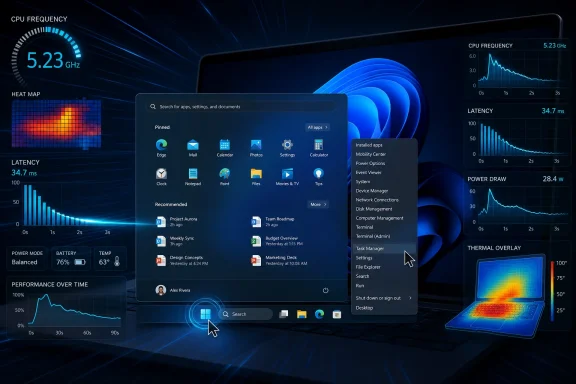 Microsoft Finally Targets the Millisecond Tax
For years, Windows performance arguments have been weirdly bifurcated. On one side are the synthetic benchmarks, gaming frame rates, compile times, and storage throughput numbers that can make a modern Windows 11 PC look extraordinarily fast. On the other side is the daily irritation of clicking Start, opening File Explorer, invoking a right-click menu, or launching a built-in app and feeling the machine hesitate like it is asking permission from three committees.Low Latency Profile appears aimed squarely at that second category. According to reporting from Windows Central and amplified by TechSpot, Microsoft’s engineers are experimenting with a mechanism that pushes the CPU to maximum frequency for a few seconds when the operating system recognizes high-priority foreground actions. In early internal or Insider-adjacent testing, the reported gains are dramatic: up to 40 percent faster launches for apps such as Edge and Outlook, and up to 70 percent faster response for surfaces such as Start and context menus.
Those figures deserve caution. “Up to” numbers are the native language of product optimism, and Microsoft has not yet published a formal engineering paper laying out test hardware, power plans, thermal states, background load, or methodology. But even if the final improvement lands well below those headline figures, the feature says something important about where Microsoft believes the bottleneck now lives.
Windows does not merely need to run fast. It needs to feel fast at the exact moment the user is paying attention.
The Trick Is Old, but the Target Is New
At a hardware level, there is nothing exotic about briefly boosting a CPU. Modern processors already sprint and coast constantly, negotiating among firmware, operating-system schedulers, silicon telemetry, power limits, thermal headroom, and workload demands. Intel and AMD chips have spent years becoming better at short opportunistic bursts, because the modern PC is rarely pegged at full load for hours outside games, rendering, compilation, or scientific workloads.What is notable here is not that the processor can accelerate. It is that Windows may become more explicit about when it wants that acceleration tied to user-interface latency. A right-click menu is not a heavy compute workload. The Start menu is not a Cinebench run. Opening a mail client is not a stress test. Yet those are exactly the moments when delay is most visible.
That makes Low Latency Profile less like a traditional “high performance” power plan and more like a scheduler-level expression of human impatience. The operating system is not saying, “This workload is large.” It is saying, “The user is waiting now.”
That distinction matters. A PC can be technically underutilized and still feel sluggish if the work needed to present the next UI frame is stuck behind framework overhead, cold-start costs, process initialization, disk or memory contention, background services, or the layered reality of modern Windows shell components. Throwing a short boost at those moments is not elegant in the academic sense, but it may be effective in the way users actually measure computers: did the thing appear when I clicked?
K2 Is Microsoft’s Apology in Engineering Form
Low Latency Profile is reportedly part of a broader effort known as Windows K2, a quality push that has become the umbrella for Microsoft’s attempt to repair Windows 11’s reputation. Microsoft has publicly committed to improving performance, reliability, and craft in Windows 11 this year, including lower resource usage, more responsive app interactions, faster File Explorer behavior, and smoother core experiences.That list reads like a confession. Windows 11 has not failed because it is unusable; hundreds of millions of people use it every day. It has failed, in enthusiast circles and in many IT departments, because the OS too often feels as though it has misplaced its priorities. Features arrived. Copilot entry points multiplied. Widgets, web surfaces, account nudges, Store prompts, and design refreshes kept moving. Meanwhile, the core tactile experience of Windows — the thing users encounter thousands of times per week — did not always feel as immediate as the hardware underneath it should allow.
K2, if the reporting is accurate, is Microsoft’s attempt to rebalance the ledger. The company can still pursue AI features, cloud integration, developer platforms, and cross-device ambitions. But it also has to make the Start menu open without drama, File Explorer navigate without flicker, and context menus appear before the user’s annoyance has time to form.
That is why LLP is politically interesting inside the product, not just technically interesting. It suggests Windows leadership understands that quality cannot be measured only by crash rates, security posture, and enterprise manageability. It also lives in the half-second pauses that make a $1,500 laptop feel oddly cheaper than it is.
Windows 11 Has a Trust Problem, Not Just a Speed Problem
The uncomfortable part for Microsoft is that many users already believe Windows 11 is heavier than it should be. Whether every complaint is fair is almost beside the point. The perception exists because enough people have seen enough rough edges: delayed menus, inconsistent shell behavior, File Explorer regressions, gaming oddities, update anxiety, background resource use, and the occasional feeling that web-based or modern UI layers have been bolted onto an older operating system rather than fully integrated into it.That is why a feature that briefly maxes out the CPU can be read in two ways. The generous reading is that Microsoft is using every available layer of the stack to reduce latency, which is exactly what an operating-system vendor should do. The cynical reading is that Windows has become so encumbered that it now needs a turbo button to make menus feel normal.
Both readings can be true. Operating systems are complex, and latency is death by a thousand cuts. Some cuts are architectural, some are policy choices, some are third-party drivers, some are security mitigations, some are framework transitions, and some are simply the cost of supporting decades of compatibility. A short CPU burst will not fix all of that, but it may paper over enough of it to change the user’s impression.
The danger for Microsoft is that users do not grade operating systems with profiler traces. They grade them emotionally. If Windows 11 feels laggy, then Windows 11 is laggy for that user, even if Task Manager says the CPU is mostly idle and the SSD is barely sweating.
Low Latency Profile is therefore a trust repair mechanism. It is Microsoft trying to make the interaction contract feel reliable again: when I click, Windows responds.
The Battery and Heat Question Will Decide Whether This Ships Quietly
The obvious objection is power. If Windows is going to spike the CPU to maximum frequency whenever the user opens apps or invokes common shell surfaces, laptop users will reasonably ask what happens to battery life, fan noise, skin temperature, and standby behavior. Microsoft’s reported position is that the bursts are so short — one to three seconds — that they should not meaningfully affect thermals or battery life.That may be true on many modern systems. Short boosts are exactly what today’s mobile processors are designed to do, and a fast finish can sometimes be more efficient than a slow crawl. If a CPU races briefly and returns to idle sooner, the net energy cost is not always worse. In some cases, it can be better.
But the Windows ecosystem is not a clean lab. There are ultraportables with aggressive thermal limits, gaming laptops already living near fan-curve absurdity, budget machines with marginal cooling, corporate fleets with conservative power policies, handheld PCs with tiny thermal envelopes, and desktops where nobody cares about a few extra watts. LLP will have to behave differently across all of them, or at least behave well enough that OEMs and administrators are not forced to clean up after it.
The tricky cases will be the machines that already feel bad. A low-end laptop with a weak processor, limited memory, slow storage, and vendor bloat may benefit most from the perception of snappiness. It may also have the least thermal headroom. A handheld gaming PC may welcome faster shell response, but not if the boost steals power budget or changes fan behavior between game sessions. A managed enterprise laptop may be tuned for battery predictability, not consumer-style responsiveness.
If LLP ships as a background mechanism with no consumer-facing toggle, Microsoft will need conservative heuristics and excellent telemetry. Users tend to forgive invisible optimization only when it remains invisible.
A Hidden Feature Is Still a Policy Choice
The feature IDs reportedly spotted by Windows watcher PhantomOfEarth — LowLatencyProfile and LowLatencyProfileForApplicationLaunch — can apparently be enabled in preview builds with ViVeTool. That is typical of Windows development now: enthusiasts discover flags before Microsoft is ready to talk about them, then the community tests, speculates, and occasionally overfits conclusions based on unfinished code.That early visibility is useful, but it also distorts expectations. A feature flag is not a product promise. It may be incomplete, hardware-limited, flighted to a subset of users, altered before release, or removed entirely. Windows Insiders know this dance, but mainstream coverage often compresses “present in a build” into “coming soon to everyone.”
Still, the lack of a planned user toggle is revealing. If sources are correct, LLP is meant to operate beneath the surface. That is probably the right call for normal users, because asking people to decide whether they want their CPU briefly boosted for UI responsiveness is absurd. It is an implementation detail, not a lifestyle preference.
For IT administrators, however, hidden behavior is never merely hidden behavior. It is policy. Enterprises may want documentation, control, and observability, especially in fleets where thermal behavior, battery life, acoustic profiles, or power consumption are part of device qualification. Microsoft does not need to expose LLP as a big Settings switch, but it should be prepared to explain how it works, how it interacts with power modes, and whether it can be managed.
The history of Windows is littered with features that were technically sensible and operationally under-explained. LLP should not become another one.
The Start Menu Is Now a Performance Benchmark
The reported 70 percent improvement for Start, context menus, and other shell surfaces is more than a nice number. It identifies the battlefield. Microsoft knows that the modern Windows shell itself has become a benchmark in the minds of users.That is a remarkable shift. In the past, users tolerated shell delays because hardware was slower and expectations were lower. Today, phones animate fluidly, tablets wake instantly, and even low-cost machines can ship with fast NVMe storage and efficient multicore CPUs. Against that backdrop, a desktop operating system that hesitates when opening its own menu feels not just slow but unserious.
Windows 11 has always had a complicated relationship with its shell. Microsoft modernized the look, centered the taskbar, rebuilt pieces of the experience, changed context menus, and pushed a more simplified design language. Some of those choices were defensible. Some were unpopular. But the deeper problem was that newness did not consistently come with speed.
A redesigned context menu that requires an extra click for legacy options is already asking users to adapt. If it also appears slowly, the design decision feels punitive. A Start menu that deemphasizes power-user density might be acceptable if it is instant and predictable. If it stalls, it becomes a symbol of misplaced priorities.
That is why LLP’s focus on UI-triggered boosts makes sense. The shell is not just decoration. It is the control surface of the operating system. Every hesitation there becomes a referendum on the whole platform.
Faster Launches Cannot Excuse Heavy Apps
The reported app-launch gains for Edge and Outlook are also worth unpacking. Both are Microsoft applications, both are central to the company’s productivity strategy, and both have become examples of a broader trend: modern apps often bring large frameworks, background services, web components, account integrations, and sync layers to tasks that users still expect to feel immediate.If LLP makes these apps open 40 percent faster, users will be happy. They should be. Waiting less is better than waiting more. But the optimization should not become permission for heavier software.
There is a real risk that performance boosts become a subsidy for bloat. If the operating system can mask app startup costs with a CPU sprint, developers may feel less pressure to reduce those costs at the source. Windows has been down this road before, where faster hardware allowed software complexity to expand until the user experience landed back where it started.
The better interpretation is that LLP should be one tool among many. Microsoft still needs to reduce baseline memory footprint, improve framework performance, cut unnecessary background activity, streamline startup paths, and make its own apps models of restraint. A burst profile can sharpen the edge of responsiveness, but it cannot replace disciplined engineering.
This is especially true for businesses. Enterprise users do not merely launch Outlook once in a clean test environment. They run endpoint protection, device management agents, VPN clients, Teams, browser tabs, line-of-business apps, storage sync, accessibility tools, and sometimes years of accumulated corporate standardization. A launch optimization that looks spectacular on a reference machine may be more modest in a real managed image.
That does not make LLP unimportant. It means Microsoft should resist the temptation to market it as magic.
Windows Is Learning From Phones Without Becoming One
There is an obvious mobile analogy here. Smartphones have long been engineered around perceived responsiveness: touch input gets priority, animations hide latency, processors boost for interaction, and frameworks are judged by whether they maintain fluidity under ordinary use. The user’s finger is treated as an interrupt with political power.Windows, by contrast, has traditionally had to be more general-purpose and less paternalistic. It runs everything from CAD workstations to point-of-sale terminals, gaming rigs, lab instruments, school laptops, developer boxes, and weird industrial systems nobody at Microsoft has ever seen. That breadth makes aggressive interaction tuning harder.
But Windows can still borrow the principle. Foreground user intent should matter. If the OS can distinguish between a background maintenance task and a user opening the Start menu, it should bias toward the user. If it can briefly lift CPU frequency to complete a visible action sooner, it should consider doing so. If it can keep shell interactions responsive under load, it should treat that as a core quality metric rather than a cosmetic nicety.
This does not mean Windows should become iOS with a Start button. It means Microsoft is recognizing that responsiveness is a feature, not a side effect. On modern hardware, users often judge quality less by peak throughput than by consistency. The machine that never stutters feels faster than the machine that wins a benchmark and then pauses at random.
K2 seems to be built around that realization. LLP is only one expression of it.
The Enthusiast Reaction Will Be Split for Good Reasons
Among Windows enthusiasts, LLP will produce two predictable responses. One camp will enable it immediately, run before-and-after tests, and celebrate anything that makes Windows feel less sticky. The other will see “briefly maxes out your CPU” and recoil, especially if they have spent years tuning power plans, undervolts, fan curves, latency settings, and background services.Both camps have a point. Enthusiasts are unusually sensitive to responsiveness, and many have been saying for years that Windows 11 does not feel as light as it should. They are also unusually sensitive to opaque system behavior, especially when it involves power management. A hidden profile that changes boost behavior is exactly the sort of thing that invites suspicion.
The gaming community will be particularly watchful. LLP is reportedly aimed at app launches and system UI, not sustained gaming workloads. But gamers have long memories of Windows changes that affected scheduling, overlays, input latency, GPU behavior, or background activity in unexpected ways. If a CPU boost fires at the wrong time, or if it changes thermals before a game launches, people will notice.
Developers will ask a different question: can the same responsiveness improvements be applied to toolchains, terminals, WSL workflows, and window management? Microsoft has already said WSL performance and reliability are part of the broader quality push. If K2 is serious, the goal should not be limited to consumer-visible shell polish. The platform should feel faster to the people who live in terminals, IDEs, package managers, and file trees all day.
Sysadmins will be the least sentimental audience. They will want to know whether LLP reduces help-desk complaints or creates new variables. If the answer is the former, it will be welcomed. If the answer is inconsistent battery reports, fan noise tickets, or unexplained behavior across hardware models, it will be cursed in deployment notes.
The Real Test Is Consistency Across Bad Days
A clean demo is easy. The hard problem is what Windows feels like at 3 p.m. on a Tuesday after six hours of uptime, twelve browser tabs, a Teams call, a half-synced OneDrive folder, an endpoint scan, a pending update, a sleeping-and-waking dock, and a user who just wants to open File Explorer.That is where Windows 11 has too often felt less polished than its ambitions. The issue is not that every machine is slow all the time. It is that latency appears unpredictably, and unpredictable latency is what makes users distrust a system. A menu that opens in 80 milliseconds nine times and 800 milliseconds the tenth time feels worse than one that is merely average but consistent.
Low Latency Profile could help with those bad moments if it is tied to the right signals. A short boost may punch through background noise and let the foreground action complete before the user perceives a stall. That is valuable.
But consistency also requires fixing the causes of those stalls. If File Explorer hangs because of network paths, shell extensions, cloud placeholders, thumbnail generation, or legacy integration points, CPU frequency is only part of the story. If context menus are slow because third-party handlers are misbehaving, Microsoft can mitigate but not fully control the experience. If Start is delayed by search indexing, account services, or web-backed content, a boost may hide symptoms while the architecture remains fragile.
The best version of K2 would treat LLP as a bridge, not a destination. Make the system feel better now, then keep removing the reasons it needed help.
Microsoft Should Talk About This Before It Ships
Because LLP is both technically plausible and easy to caricature, Microsoft would be wise to explain it in plain language before broad rollout. The company does not need to publish every scheduler detail or internal heuristic. But it should tell users what class of actions trigger the profile, how long boosts last, how the feature respects power mode and battery saver settings, and what telemetry suggests about thermals and battery impact.That transparency would also help distinguish LLP from old-fashioned performance theater. Windows users have seen plenty of toggles, optimizers, registry myths, and vendor utilities promising speed. Microsoft’s advantage is that it can implement this at the OS level with real context. But if the feature remains a rumor-powered black box, it will be judged by screenshots of frequency graphs and anecdotal fan noise.
There is another reason to communicate clearly: Microsoft is trying to rebuild credibility with Windows Insiders. The company’s recent quality messaging has emphasized listening, transparency, and shipping improvements in preview. A hidden performance feature can fit that story, but only if Microsoft eventually owns it.
If the company believes this is good engineering, it should say so. If it is experimental and may change, it should say that too. Windows users can handle nuance when they are treated like adults.
The CPU Burst Is the Small Part of the Bigger Bet
The most concrete lesson from Low Latency Profile is not that Windows needs more clock speed. It is that Microsoft is beginning to optimize around the user’s perception of time, which is where desktop satisfaction actually lives.- Low Latency Profile reportedly boosts CPU frequency for one-to-three-second windows during foreground actions such as app launches, Start menu opens, system flyouts, and context-menu interactions.
- Early reporting claims improvements of up to 40 percent for some Microsoft app launches and up to 70 percent for certain shell surfaces, though Microsoft has not yet published full public methodology.
- The feature appears to be part of the broader Windows K2 quality effort, which is focused on performance, reliability, lower latency, and better-crafted Windows 11 experiences.
- The biggest practical risk is not raw CPU usage but inconsistent behavior across laptops, handhelds, desktops, OEM thermal designs, and enterprise-managed power policies.
- Microsoft should document how the profile interacts with battery saver, power modes, and administrative controls before it becomes a mainstream Windows behavior.
- The feature will be most successful if it complements deeper work on memory use, File Explorer latency, app startup paths, shell reliability, and framework overhead rather than disguising those problems.
Source: TechSpot https://www.techspot.com/news/112336-microsoft-adding-feature-briefly-maxes-out-cpu-make.html
