

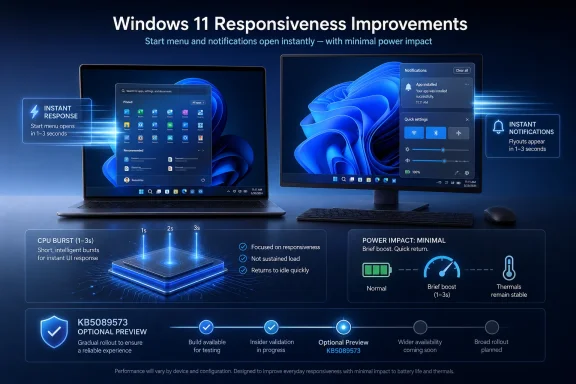
Microsoft began rolling out Windows 11’s Low Latency Profile in the May 26, 2026 optional preview update KB5089573 for Windows 11 version 24H2 and 25H2, using short CPU boost bursts to make Start, flyouts, and other shell interactions feel faster. The change is small in code-path terms but large in symbolism: Microsoft is admitting that Windows’ problem is not only benchmark throughput, but the tiny moments where the operating system hesitates. For users on slower laptops, older desktops, and thermally constrained mini-PCs, those moments are the difference between “modern” and “muddy.” For administrators, the more important question is whether this is a durable performance fix or another Windows feature arriving through a staggered rollout with uneven visibility.
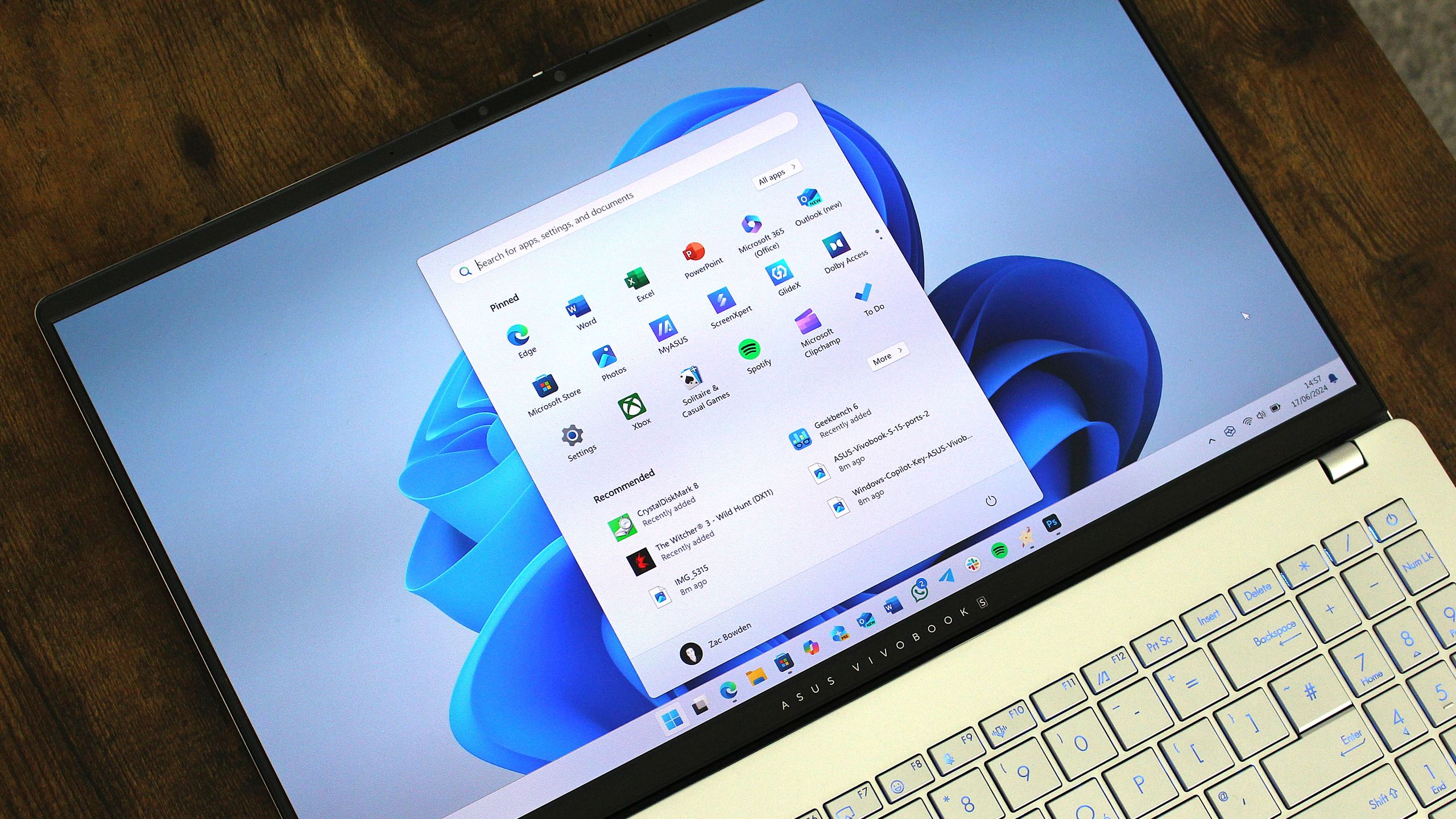
Windows performance complaints rarely begin with Cinebench scores. They begin when the Start menu pauses, when a notification flyout feels late, when Settings takes half a beat too long to appear, or when a right-click menu behaves as if it is asking permission from three committees before drawing itself on screen.
That is why Low Latency Profile matters. It is not primarily a feature for people exporting video, compiling code, or gaming at high frame rates. It is aimed at perceived responsiveness, the discipline of making an operating system feel awake at the exact moment the user asks it to do something.
The reported mechanism is blunt but familiar: when Windows detects certain high-priority interactions, it briefly pushes the CPU into a higher performance state. The burst reportedly lasts only around one to three seconds, long enough to accelerate a shell animation or app launch path but short enough that it should not behave like a permanent high-performance power plan.
That distinction is important because Windows has spent years accumulating performance arguments that miss each other. Microsoft can point to scheduler work, efficiency improvements, and hardware acceleration; users can still point to a Start menu that feels slower than it should on hardware that is objectively powerful. Low Latency Profile is Microsoft conceding that the second complaint is real.
That caveat is not bureaucratic trivia. It is now central to understanding Windows updates. Microsoft increasingly ships code in cumulative updates and then controls feature exposure separately through enablement flags, controlled feature rollouts, and server-side staging.
For enthusiasts, this creates a familiar ritual: install the preview build, reboot, look for the new behavior, then wonder whether the machine is actually receiving it. Tools such as ViveTool exist because Microsoft’s rollout model leaves a gap between “the bits are present” and “the feature is enabled.” That gap is useful for Microsoft’s risk management and maddening for anyone trying to test or explain the update cleanly.
The practical answer for most users is simple: if the feature is not visible or measurable immediately, that does not necessarily mean the update failed. It may mean the rollout flag has not reached the device yet. For IT departments, the answer is less comforting, because staggered feature enablement complicates validation and change control.
Modern operating systems already manipulate performance states aggressively. Phones ramp processors for touch input. Laptops move between idle and boost constantly. Desktop operating systems have long used scheduler hints, power policies, timer behavior, and foreground prioritization to shape how fast the system feels. The idea that an OS should stay neutral and let the CPU calmly decide everything on its own is not how contemporary computing works.
The real question is not whether boosting is cheating. The real question is whether the boost is targeted, brief, and justified by the user interaction it accelerates. A one-to-three-second burst when opening Start is a very different tradeoff from running a laptop in a sustained high-performance mode all afternoon.
That does not make the criticism irrelevant. If Microsoft uses Low Latency Profile as an excuse to avoid reducing UI overhead, users will be right to call it a workaround. But if the boost sits alongside deeper shell cleanup, faster WinUI paths, and fewer heavyweight interface components, it becomes part of a broader modernization effort rather than a cosmetic patch.
Low Latency Profile should be judged differently from those workloads. A short foreground boost is intermittent by design. It fires when the user performs a visible action, then lets the processor fall back. If implemented properly, it trades a tiny amount of extra energy for a disproportionately noticeable improvement in responsiveness.
That kind of trade is often worthwhile. A system that completes an interaction faster can return to idle sooner. The danger is not the burst itself; it is misclassification. If Windows begins treating too many events as latency-sensitive, or if third-party apps gain access to similar behavior without guardrails, the power story could change quickly.
Thermals matter too. On a well-cooled desktop, a brief boost is barely news. On a fanless tablet, thin ultrabook, or aging business laptop with dried thermal paste, even short boosts can contribute to warmth and fan noise if they happen frequently. Microsoft’s challenge is not proving that one burst is harmless, but ensuring that thousands of ordinary daily interactions do not create a new texture of irritation.
That is where perceived latency becomes punishing. The Start menu is not a luxury feature. Notifications are not an advanced workflow. Quick Settings, context menus, File Explorer, and Settings are the plumbing of the operating system. When those areas feel sluggish, the whole PC feels cheap, even if the underlying hardware is technically adequate.
This is also where Microsoft’s hardware story gets awkward. Windows 11 raised the floor with TPM, Secure Boot, and CPU generation requirements, yet many supported machines still deliver a UI experience that feels heavier than users expect. The company cannot indefinitely argue that Windows 11 is a modern OS while its most common interactions feel less immediate than a midrange phone.
Low Latency Profile is therefore a defensive move as much as a performance feature. Microsoft needs Windows to feel good on mainstream hardware, not just on showcase Copilot+ PCs and premium ultrabooks. If the company wants users to accept AI features, new app frameworks, and ongoing interface churn, the shell itself must stop feeling like the slowest app on the machine.
Windows 11 has often felt like a product caught between eras. It carries Win32, UWP, XAML, WebView, WinUI, legacy Control Panel surfaces, modern Settings pages, and cloud-connected shell experiences. Some of that compatibility is Windows’ greatest strength. Some of it is the reason a simple interaction can feel surprisingly expensive.
The reported K2 direction suggests Microsoft understands that responsiveness is a systems problem. Moving more UI to WinUI 3, reducing bloat, improving app launch paths, and tuning foreground interactions are related efforts. Low Latency Profile is the part users can feel immediately, but the long-term win depends on reducing the need for rescue boosts in the first place.
That is the tension at the heart of this update. Microsoft is doing something users may appreciate while also exposing why they were frustrated. If a brief CPU shove can make the Start menu feel dramatically better, the natural follow-up is uncomfortable: why did it need that shove?
Windows 11’s reputation has suffered because too many of those taxes arrived in places users considered solved. The centered taskbar was debatable. The simplified context menu was controversial. The Settings migration was incomplete. But sluggishness is harder to defend because it feels like regression without compensation.
Low Latency Profile attacks the problem at the moment of perception. If the shell appears when expected, the user forgives more. If menus draw immediately, the system feels more coherent. If app launches begin with less hesitation, even unchanged total load times can feel better because the machine acknowledges the command sooner.
That last point is critical. Responsiveness is not only about finishing faster. It is about showing the user that the system has heard them. A delay before any visible response is psychologically worse than a longer operation with immediate feedback. Microsoft’s boost mechanism is aimed squarely at that first moment.
The official update notes include more than Low Latency Profile-adjacent performance work. They also cover features such as Shared Audio, Task Manager improvements for NPU visibility, Camera policy changes, Magnifier behavior, and fixes across Windows components. They also document an installation issue that can hit some systems during restart, with rollback behavior and error code 0x800f0922 tied to insufficient free space on the EFI System Partition.
That makes this update a classic Windows servicing decision. The headline says “faster,” but the package is a cumulative bundle with many moving parts. An IT shop cannot deploy only the appealing responsiveness change while ignoring the rest of the payload.
The gradual rollout model adds another layer. If Microsoft enables features over time, two machines on the same build may not behave identically on the same day. That is acceptable for consumer experimentation. It is less comfortable in fleets where help desks, documentation, and baseline testing depend on consistent behavior.
There is nothing inherently wrong with experimentation on a personal machine. If a user understands the risk, has backups, and wants to test a hidden feature, Windows has always had a culture of registry edits, Insider builds, and unsupported toggles. Low Latency Profile is exactly the sort of feature that invites hands-on comparison.
But the advice changes in managed environments. Force-enabling staged features can put a machine outside the behavior Microsoft is currently willing to support broadly. It may also make troubleshooting harder if a later update changes the flag, removes it, or enables a different implementation.
The better enterprise posture is boring: test KB5089573 on representative hardware, monitor install behavior, watch for thermal or battery complaints, and wait for the normal security release if the preview does not solve a pressing problem. Enthusiasts can chase immediacy. Administrators have to defend repeatability.
That strategy only works if the base operating system feels light enough to carry it. Users will tolerate ambition when the fundamentals are fast. They become hostile when the fundamentals feel neglected.
This is why the LLP debate became emotional so quickly. The concern was not merely that Microsoft would burn battery for a faster Start menu. It was that Microsoft would optimize around the symptom while continuing to add complexity elsewhere. A boost mode can make Windows feel better, but it cannot by itself answer whether Windows is becoming simpler or just better at hiding its weight.
Microsoft’s defenders have a point too. Users often demand faster interfaces while rejecting the techniques that make interfaces faster. There is no pure, morally superior path where every interaction is instant, every component is abstracted, every app framework is modern, every battery lasts forever, and no CPU ever boosts. Engineering is tradeoffs all the way down.
If the answers are mostly yes, users should welcome it. Windows has needed this kind of attention for years. A faster Start menu is not a punchline when millions of people touch it every day.
If the answers are mixed, Microsoft should be transparent about the limits. It should document where the profile applies, how it interacts with power modes, whether OEMs can tune it, and how enterprises can control or audit it. Performance features that operate below the visible UI should not feel like folklore.
The worst outcome would be a half-hidden optimization that enthusiasts can feel, reviewers can benchmark, administrators cannot configure, and Microsoft barely explains. Windows has already spent too much time in that state, with important behavior scattered across release notes, Insider posts, support pages, registry keys, and community discoveries.
Shared Audio, for example, is a consumer-friendly addition built around Bluetooth LE Audio broadcast technology. Task Manager’s improved NPU visibility reflects the growing importance of local AI hardware. Camera policy controls matter for enterprises and troubleshooting. The EFI System Partition installation issue matters for anyone maintaining machines with OEM-customized boot partitions.
These are not small details. They show Windows being pulled in several directions at once: consumer convenience, AI-era telemetry and hardware visibility, enterprise manageability, accessibility, and old-fashioned servicing reliability. Low Latency Profile is the most emotionally resonant change because speed is universal, but it is packaged inside a much larger modernization churn.
That churn is now Windows’ default condition. The operating system no longer changes mainly at major version boundaries. It changes monthly, sometimes visibly, sometimes invisibly, and often gradually. The new Windows skill is not only knowing which version you run, but knowing which features Microsoft has actually lit up on your machine.
 Microsoft Finally Targets the Lag Users Actually Notice
Windows performance complaints rarely begin with Cinebench scores. They begin when the Start menu pauses, when a notification flyout feels late, when Settings takes half a beat too long to appear, or when a right-click menu behaves as if it is asking permission from three committees before drawing itself on screen.That is why Low Latency Profile matters. It is not primarily a feature for people exporting video, compiling code, or gaming at high frame rates. It is aimed at perceived responsiveness, the discipline of making an operating system feel awake at the exact moment the user asks it to do something.
The reported mechanism is blunt but familiar: when Windows detects certain high-priority interactions, it briefly pushes the CPU into a higher performance state. The burst reportedly lasts only around one to three seconds, long enough to accelerate a shell animation or app launch path but short enough that it should not behave like a permanent high-performance power plan.
That distinction is important because Windows has spent years accumulating performance arguments that miss each other. Microsoft can point to scheduler work, efficiency improvements, and hardware acceleration; users can still point to a Start menu that feels slower than it should on hardware that is objectively powerful. Low Latency Profile is Microsoft conceding that the second complaint is real.
The Optional Preview Update Is the Delivery Vehicle, Not the Guarantee
KB5089573 is an optional cumulative update preview, not a Patch Tuesday security release. It applies to Windows 11 24H2 and 25H2, bringing OS builds 26100.8524 and 26200.8524 respectively. Microsoft’s own release notes describe the update as a mix of gradual-rollout features, normal-rollout changes, and fixes, which means installation alone does not guarantee that every advertised behavior appears immediately on every machine.That caveat is not bureaucratic trivia. It is now central to understanding Windows updates. Microsoft increasingly ships code in cumulative updates and then controls feature exposure separately through enablement flags, controlled feature rollouts, and server-side staging.
For enthusiasts, this creates a familiar ritual: install the preview build, reboot, look for the new behavior, then wonder whether the machine is actually receiving it. Tools such as ViveTool exist because Microsoft’s rollout model leaves a gap between “the bits are present” and “the feature is enabled.” That gap is useful for Microsoft’s risk management and maddening for anyone trying to test or explain the update cleanly.
The practical answer for most users is simple: if the feature is not visible or measurable immediately, that does not necessarily mean the update failed. It may mean the rollout flag has not reached the device yet. For IT departments, the answer is less comforting, because staggered feature enablement complicates validation and change control.
The CPU Boost Is Less Scandalous Than It Sounds
The backlash to Low Latency Profile was predictable because “CPU boost mode” sounds like a trick. It invites the suspicion that Microsoft is papering over bloated UI code by telling processors to work harder. That suspicion is not entirely unfair, but it is incomplete.Modern operating systems already manipulate performance states aggressively. Phones ramp processors for touch input. Laptops move between idle and boost constantly. Desktop operating systems have long used scheduler hints, power policies, timer behavior, and foreground prioritization to shape how fast the system feels. The idea that an OS should stay neutral and let the CPU calmly decide everything on its own is not how contemporary computing works.
The real question is not whether boosting is cheating. The real question is whether the boost is targeted, brief, and justified by the user interaction it accelerates. A one-to-three-second burst when opening Start is a very different tradeoff from running a laptop in a sustained high-performance mode all afternoon.
That does not make the criticism irrelevant. If Microsoft uses Low Latency Profile as an excuse to avoid reducing UI overhead, users will be right to call it a workaround. But if the boost sits alongside deeper shell cleanup, faster WinUI paths, and fewer heavyweight interface components, it becomes part of a broader modernization effort rather than a cosmetic patch.
Battery Anxiety Is Real, but the Math Favors Short Bursts
Laptop users are right to be suspicious of anything that raises CPU frequency. Windows power behavior has not always inspired trust, and many people have watched battery estimates collapse under background indexing, sync clients, browsers, or mystery system processes.Low Latency Profile should be judged differently from those workloads. A short foreground boost is intermittent by design. It fires when the user performs a visible action, then lets the processor fall back. If implemented properly, it trades a tiny amount of extra energy for a disproportionately noticeable improvement in responsiveness.
That kind of trade is often worthwhile. A system that completes an interaction faster can return to idle sooner. The danger is not the burst itself; it is misclassification. If Windows begins treating too many events as latency-sensitive, or if third-party apps gain access to similar behavior without guardrails, the power story could change quickly.
Thermals matter too. On a well-cooled desktop, a brief boost is barely news. On a fanless tablet, thin ultrabook, or aging business laptop with dried thermal paste, even short boosts can contribute to warmth and fan noise if they happen frequently. Microsoft’s challenge is not proving that one burst is harmless, but ensuring that thousands of ordinary daily interactions do not create a new texture of irritation.
Low-End PCs Stand to Gain the Most Because Windows Has Hurt Them the Most
The most interesting part of Low Latency Profile is that its benefits may be most visible on machines that Windows 11 has treated least kindly. A high-end desktop with a modern Ryzen or Core processor already has enough headroom to mask much of the shell’s inefficiency. A budget laptop with low-power cores, modest cooling, and limited memory does not.That is where perceived latency becomes punishing. The Start menu is not a luxury feature. Notifications are not an advanced workflow. Quick Settings, context menus, File Explorer, and Settings are the plumbing of the operating system. When those areas feel sluggish, the whole PC feels cheap, even if the underlying hardware is technically adequate.
This is also where Microsoft’s hardware story gets awkward. Windows 11 raised the floor with TPM, Secure Boot, and CPU generation requirements, yet many supported machines still deliver a UI experience that feels heavier than users expect. The company cannot indefinitely argue that Windows 11 is a modern OS while its most common interactions feel less immediate than a midrange phone.
Low Latency Profile is therefore a defensive move as much as a performance feature. Microsoft needs Windows to feel good on mainstream hardware, not just on showcase Copilot+ PCs and premium ultrabooks. If the company wants users to accept AI features, new app frameworks, and ongoing interface churn, the shell itself must stop feeling like the slowest app on the machine.
Windows K2 Is the Bigger Story Behind the Toggle
Low Latency Profile appears to be part of Microsoft’s broader Windows “K2” effort, a reported internal push to address persistent complaints about Windows 11 performance, reliability, and interface weight. That context matters because a CPU boost alone cannot rescue an operating system from architectural sprawl.Windows 11 has often felt like a product caught between eras. It carries Win32, UWP, XAML, WebView, WinUI, legacy Control Panel surfaces, modern Settings pages, and cloud-connected shell experiences. Some of that compatibility is Windows’ greatest strength. Some of it is the reason a simple interaction can feel surprisingly expensive.
The reported K2 direction suggests Microsoft understands that responsiveness is a systems problem. Moving more UI to WinUI 3, reducing bloat, improving app launch paths, and tuning foreground interactions are related efforts. Low Latency Profile is the part users can feel immediately, but the long-term win depends on reducing the need for rescue boosts in the first place.
That is the tension at the heart of this update. Microsoft is doing something users may appreciate while also exposing why they were frustrated. If a brief CPU shove can make the Start menu feel dramatically better, the natural follow-up is uncomfortable: why did it need that shove?
The Shell Is Where Trust Is Won or Lost
Windows enthusiasts tend to focus on big features, but ordinary trust in an OS is built through repetition. The Start menu opens hundreds of times. Notifications are checked without thinking. A user right-clicks, searches, launches, drags, snaps, and switches all day long. Every delay becomes a tiny tax.Windows 11’s reputation has suffered because too many of those taxes arrived in places users considered solved. The centered taskbar was debatable. The simplified context menu was controversial. The Settings migration was incomplete. But sluggishness is harder to defend because it feels like regression without compensation.
Low Latency Profile attacks the problem at the moment of perception. If the shell appears when expected, the user forgives more. If menus draw immediately, the system feels more coherent. If app launches begin with less hesitation, even unchanged total load times can feel better because the machine acknowledges the command sooner.
That last point is critical. Responsiveness is not only about finishing faster. It is about showing the user that the system has heard them. A delay before any visible response is psychologically worse than a longer operation with immediate feedback. Microsoft’s boost mechanism is aimed squarely at that first moment.
Admins Will Care Less About Snappiness Than Predictability
For home users, KB5089573 is a tempting optional update because the promised payoff is easy to understand. For administrators, optional preview updates are rarely that simple. Preview releases are useful for early validation, but they are also a place where Microsoft exposes changes before they become part of the next security update cycle.The official update notes include more than Low Latency Profile-adjacent performance work. They also cover features such as Shared Audio, Task Manager improvements for NPU visibility, Camera policy changes, Magnifier behavior, and fixes across Windows components. They also document an installation issue that can hit some systems during restart, with rollback behavior and error code 0x800f0922 tied to insufficient free space on the EFI System Partition.
That makes this update a classic Windows servicing decision. The headline says “faster,” but the package is a cumulative bundle with many moving parts. An IT shop cannot deploy only the appealing responsiveness change while ignoring the rest of the payload.
The gradual rollout model adds another layer. If Microsoft enables features over time, two machines on the same build may not behave identically on the same day. That is acceptable for consumer experimentation. It is less comfortable in fleets where help desks, documentation, and baseline testing depend on consistent behavior.
The ViveTool Temptation Is Understandable and Risky
Enthusiasts will force-enable Low Latency Profile because enthusiasts force-enable everything. That is part of the Windows community’s charm and part of its problem. ViveTool has become the unofficial switchboard for features Microsoft ships but does not yet fully expose.There is nothing inherently wrong with experimentation on a personal machine. If a user understands the risk, has backups, and wants to test a hidden feature, Windows has always had a culture of registry edits, Insider builds, and unsupported toggles. Low Latency Profile is exactly the sort of feature that invites hands-on comparison.
But the advice changes in managed environments. Force-enabling staged features can put a machine outside the behavior Microsoft is currently willing to support broadly. It may also make troubleshooting harder if a later update changes the flag, removes it, or enables a different implementation.
The better enterprise posture is boring: test KB5089573 on representative hardware, monitor install behavior, watch for thermal or battery complaints, and wait for the normal security release if the preview does not solve a pressing problem. Enthusiasts can chase immediacy. Administrators have to defend repeatability.
The Performance Debate Is Really About Windows’ Direction
Low Latency Profile has landed at a moment when Microsoft is asking users to accept more intelligence, more cloud connection, and more background activity inside Windows. Copilot, Recall-class experiences on supported hardware, AI components, NPU reporting, widgets, search integration, and account-driven services all expand the sense that Windows is becoming more ambient and more opinionated.That strategy only works if the base operating system feels light enough to carry it. Users will tolerate ambition when the fundamentals are fast. They become hostile when the fundamentals feel neglected.
This is why the LLP debate became emotional so quickly. The concern was not merely that Microsoft would burn battery for a faster Start menu. It was that Microsoft would optimize around the symptom while continuing to add complexity elsewhere. A boost mode can make Windows feel better, but it cannot by itself answer whether Windows is becoming simpler or just better at hiding its weight.
Microsoft’s defenders have a point too. Users often demand faster interfaces while rejecting the techniques that make interfaces faster. There is no pure, morally superior path where every interaction is instant, every component is abstracted, every app framework is modern, every battery lasts forever, and no CPU ever boosts. Engineering is tradeoffs all the way down.
The Right Standard Is Not Purity, but Honesty
The fair test for Low Latency Profile is practical. Does the machine feel more responsive? Does battery life remain within normal variance? Does fan behavior stay reasonable? Does the feature avoid privileging Microsoft’s own shell and apps while leaving third-party software behind? Does it coexist with deeper work to reduce overhead?If the answers are mostly yes, users should welcome it. Windows has needed this kind of attention for years. A faster Start menu is not a punchline when millions of people touch it every day.
If the answers are mixed, Microsoft should be transparent about the limits. It should document where the profile applies, how it interacts with power modes, whether OEMs can tune it, and how enterprises can control or audit it. Performance features that operate below the visible UI should not feel like folklore.
The worst outcome would be a half-hidden optimization that enthusiasts can feel, reviewers can benchmark, administrators cannot configure, and Microsoft barely explains. Windows has already spent too much time in that state, with important behavior scattered across release notes, Insider posts, support pages, registry keys, and community discoveries.
The Patch Notes Hide a Broader Windows Moment
KB5089573 is not just the “LLP update.” It is also another example of Windows becoming a rolling platform where features, fixes, AI components, hardware capability reporting, and policy changes arrive in one stream. That is efficient for Microsoft and often useful for users, but it raises the cost of understanding what changed.Shared Audio, for example, is a consumer-friendly addition built around Bluetooth LE Audio broadcast technology. Task Manager’s improved NPU visibility reflects the growing importance of local AI hardware. Camera policy controls matter for enterprises and troubleshooting. The EFI System Partition installation issue matters for anyone maintaining machines with OEM-customized boot partitions.
These are not small details. They show Windows being pulled in several directions at once: consumer convenience, AI-era telemetry and hardware visibility, enterprise manageability, accessibility, and old-fashioned servicing reliability. Low Latency Profile is the most emotionally resonant change because speed is universal, but it is packaged inside a much larger modernization churn.
That churn is now Windows’ default condition. The operating system no longer changes mainly at major version boundaries. It changes monthly, sometimes visibly, sometimes invisibly, and often gradually. The new Windows skill is not only knowing which version you run, but knowing which features Microsoft has actually lit up on your machine.
The Snappier Start Menu Comes With Strings Attached
The lesson from KB5089573 is not that every Windows user should rush to install an optional preview update. It is that Microsoft is finally attacking one of Windows 11’s most damaging everyday weaknesses with a technique that is both technically ordinary and politically revealing.- Windows 11’s Low Latency Profile is rolling out through KB5089573, the May 26, 2026 optional preview update for versions 24H2 and 25H2.
- The feature uses short CPU performance bursts to improve responsiveness in latency-sensitive actions such as opening Start, notifications, and other shell surfaces.
- The rollout is staged, so installing the update does not guarantee that every device will receive the behavior immediately.
- The battery-life risk appears limited if the boosts remain brief and targeted, but thermally constrained laptops deserve real-world testing.
- Administrators should treat KB5089573 as a cumulative preview package with broader servicing implications, not as a single-purpose performance hotfix.
- The long-term importance of LLP depends on whether Microsoft pairs it with deeper Windows K2 work to reduce shell overhead rather than merely masking it.
References
- Primary source: OC3D
Published: Thu, 28 May 2026 10:43:26 GMT
Loading…
overclock3d.net - Related coverage: windowslatest.com

Windows 11 KB5089573 just made PCs more responsive, direct download links (.msu)
Windows 11 KB5089573 is a major update that bumps the OS to Build 26200.8524 and adds multiple new features. www.windowslatest.com
- Related coverage: windowscentral.com
Windows 11's latest OS update is packing serious performance gains
Windows 11 update KB5089573 is now generally available as Microsoft's non-security preview update for May, and is packing genuinely notable performance improvements. www.windowscentral.com
- Related coverage: xenospectrum.com
Windows 11の最新アップデートKB5089573で最大70%高速化されるCPUブースト機能が導入 | XenoSpectrum
MicrosoftはWindows 11のプレビューアップデート(KB5089573)にて、UI操作時にCPUクロックを瞬間的に最大化する新機能「Low Latency Profile」を導入した。「Race to Sleep」の設計思想のもと、OSの体感速度を劇的に向上させるこの技術のメカニズムから、一部ゲーム環境への影響、そしてネイティブUI化に向けた今後の展望までを詳しく解説。 xenospectrum.com
- Official source: support.microsoft.com
May 26, 2026—KB5089573 (OS Builds 26200.8524 and 26100.8524) Preview - Microsoft Support
 support.microsoft.com
- Related coverage: notebookcheck.net

Windows 11 update KB5089573: Shared audio & partition fix
Microsoft's KB5089573 preview adds Shared Audio and NPU tracking to Windows 11, while flagging an EFI partition install failure on older OEM hardware. www.notebookcheck.net
- Related coverage: notebookcheck.com

Windows 11 KB5089573 erscheint mit Fehlerbehebungen für Audio-Sharing und Systempartition
Die KB5089573-Vorschau von Microsoft erweitert Windows 11 um Shared Audio sowie NPU-Tracking und weist gleichzeitig auf einen Installationsfehler im Zusammenhang mit der EFI-Systempartition auf älterer OEM-Hardware hin. www.notebookcheck.com
- Related coverage: computerbase.de
Optionales Mai-Update: Windows 11 lässt Apps mit CPU-Boost schneller starten
Mit dem optionalen Mai-Update erhält Windows 11 Neuerungen wie den CPU-Boost für schnellere App-Starts sowie Multi-Kamera-Unterstützung.www.computerbase.de
- Related coverage: tomshardware.com
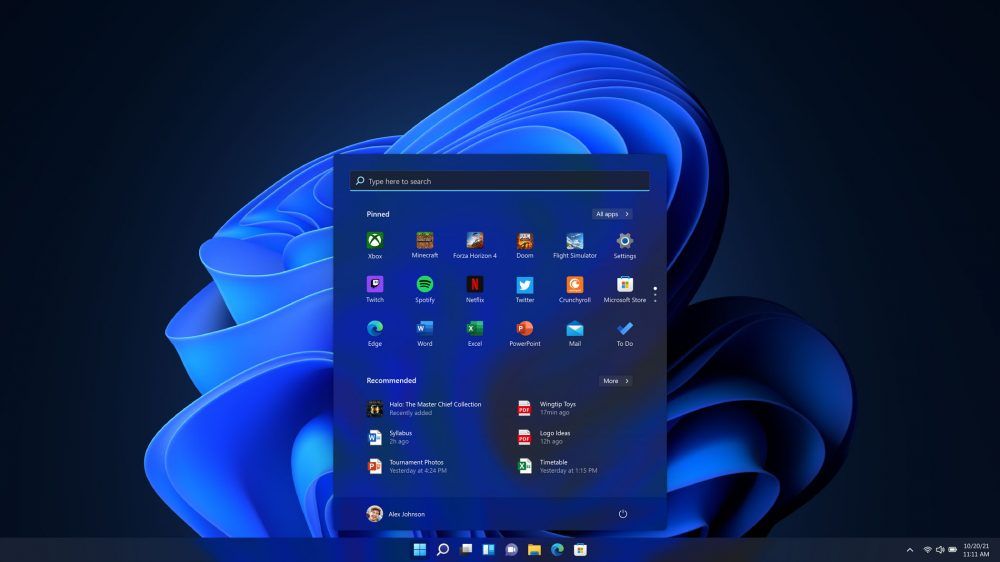
Microsoft staunchly defends its new 'Low Latency Profile' for Windows 11 after community backlash — says every other OS already boosts CPU speeds for quicker load times
The quest to fix Windows 11 is a bumpy one.www.tomshardware.com
- Related coverage: fdaytalk.com

How to Enable Low Latency Profile (CPU Boost) on Windows 11
Windows 11 Low Latency Profile boosts your CPU for 1 to 3 seconds during app launches and Start menu interactions. Here is how to enable it now using ViveTool. www.fdaytalk.com
- Related coverage: ad-hoc-news.de
Loading…
www.ad-hoc-news.de - Related coverage: techradar.com
- Official source: cdn-dynmedia-1.microsoft.com
Loading…
cdn-dynmedia-1.microsoft.com - Official source: download.microsoft.com
Loading…
download.microsoft.com - Related coverage: fullcirclecomputing.com
Loading…
www.fullcirclecomputing.com