

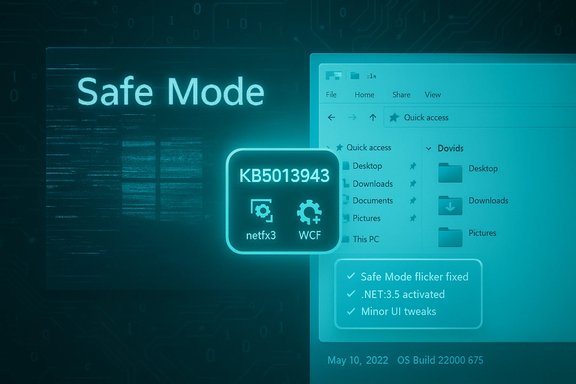
Microsoft’s May cumulative for Windows 11 — KB5013943 (OS Build 22000.675) — arrived as a corrective patch and a reassurance: it rolls back and repairs a handful of regressions introduced by earlier April updates, most notably the Safe Mode screen-flicker and certain .NET Framework app failures that left users and administrators scrambling for workarounds.
Windows cumulative updates increasingly carry dual responsibilities: they must close security gaps while also maintaining compatibility across a sprawling hardware and software ecosystem. In late April 2022 Microsoft shipped a preview-level package, KB5012643 (OS Build 22000.652), that introduced a set of subtle but disruptive problems for some users — most conspicuously a screen-flicker/Explorer crash behavior when booting into Safe Mode and breakages in some .NET Framework 3.5 apps that rely on optional components such as Windows Communication Foundation (WCF) and Windows Workflow Foundation (WWF). Those regressions were widely reported across support forums and social channels, prompting Microsoft to both document the issues and move rapidly to remediate them in the May cumulative update, KB5013943, released on May 10, 2022. The May LCU not only contains standard security fixes but explicitly includes the fixes that had been part of KB5012643 and that address the Safe Mode flicker and certain .NET runtime problems.
At the same time, the model’s flexibility introduces operational complexity. Administrators now track not only KBs but also KIR states and SSU versions. For organizations operating at scale, those nuances can have real-world cost and downtime implications.
The KB5012643 → KB5013943 episode reinforces three enduring truths for Windows operations:
Source: BetaNews Microsoft releases KB5013943 update to fix screen flicker and app problems in Windows 11
 Background
Windows cumulative updates increasingly carry dual responsibilities: they must close security gaps while also maintaining compatibility across a sprawling hardware and software ecosystem. In late April 2022 Microsoft shipped a preview-level package, KB5012643 (OS Build 22000.652), that introduced a set of subtle but disruptive problems for some users — most conspicuously a screen-flicker/Explorer crash behavior when booting into Safe Mode and breakages in some .NET Framework 3.5 apps that rely on optional components such as Windows Communication Foundation (WCF) and Windows Workflow Foundation (WWF). Those regressions were widely reported across support forums and social channels, prompting Microsoft to both document the issues and move rapidly to remediate them in the May cumulative update, KB5013943, released on May 10, 2022. The May LCU not only contains standard security fixes but explicitly includes the fixes that had been part of KB5012643 and that address the Safe Mode flicker and certain .NET runtime problems. What KB5013943 fixes — the headline items
Microsoft numbered approximately 27 improvements and bug fixes in this cumulative update, but it highlighted several items as especially important for users and IT staff:- Safe Mode screen flicker and Explorer instability: Devices that boot into Safe Mode and observe repeated flicker, Explorer crash loops, or unstable taskbar/Start menu behavior are the primary focus. Microsoft’s release notes state that components relying on explorer.exe could be affected and that this issue is resolved in KB5013943.
- .NET Framework 3.5 application failures: Some applications that depend on optional .NET Framework 3.5 components — notably WCF and WF — may fail to open after earlier updates. Microsoft’s guidance points to re-enabling .NET Framework 3.5 and the WCF features or applying an automated troubleshooter where available.
- Minor UI and media fixes: Other fixes included corrected subtitle alignment in videos, fixes to minimize/maximize/close behavior for certain app windows, and a cosmetic change to display temperature above the taskbar weather glyph when the taskbar is left-aligned. These are lower impact but indicative of the broad scope of cumulative updates.
- Security hardening: As with every monthly LCU, KB5013943 bundles security updates that Microsoft classifies in its Security Update Guide; those patches are not optional for users concerned with security posture.
Technical verification: dates, builds, and mitigation commands
Microsoft’s official documentation lists the release date as May 10, 2022 and the OS build as 22000.675 for KB5013943. The April preview that introduced the Safe Mode problem is documented as KB5012643 (OS Build 22000.652) and was released April 25, 2022. Those exact numbers are important for administrators matching telemetry and event log entries against known builds. For systems whose .NET Framework 3.5 components were disrupted, Microsoft provided command-line mitigation steps that administrators can run from an elevated command prompt:- dism /online /enable-feature /featurename:netfx3 /all
- dism /online /enable-feature /featurename:WCF-HTTP-Activation
- dism /online /enable-feature /featurename:WCF-NonHTTP-Activation
How Microsoft handled the rollout and remediation
Microsoft’s response to these regressions demonstrates the multiple levers it now uses to control problem exposure across Windows devices:- Known Issue Rollback (KIR): In several places Microsoft employed Known Issue Rollback to mitigate issues for consumer and non-managed business devices; KIR can propagate a fix without forcing a full re-release of a cumulative update. For the Safe Mode/Explorer instability the guidance included KIR propagation notes and a recommendation that affected users restart their devices to accelerate application of the rollback where available.
- Out-of-band updates and KB layering: Where a deeper fault required it (for example, GPU/Direct3D 9 interactions that caused app crashes with a faulting module d3d9on12.dll), Microsoft released subsequent KBs (for instance KB5014019) and documented group policy mitigations for enterprise-managed devices. This layered approach — a combination of LCUs, SSUs, KIRs, and out-of-band patches — is now standard operating procedure.
- Guidance for IT administrators: Microsoft’s KB articles and support Q&A pages provided specific workarounds and instructions for administrators, such as rolling back updates, deploying group policy-based KIRs, or re-enabling components, to address enterprise-specific constraints where the automatic troubleshooter might not apply.
Real-world impact and user reports
The visible fallout from the earlier April update varied in scale and severity:- Some users reported flickering screens and explorer.exe crash loops specifically when booting into Safe Mode; this behavior did not always present in normal boot sessions, complicating diagnosis. Multiple support threads and community reports documented these symptoms and correlated them with KB5012643.
- There were anecdotal reports of more severe side effects — including BSODs and app crashes — on a subset of machines, often tied to graphics drivers, third-party security software, or specific hardware drivers. These reports appeared on forums and social media; they are valuable as early-warning signals but are anecdotal and not necessarily representative of the entire user base.
- Enterprise environments reported domain-controller-specific regressions related to certificate mapping that required unique mitigation steps and out-of-band fixes; these are distinct from consumer-grade Safe Mode flicker but underscore that cumulative updates can expose edge cases in enterprise configurations.
Critical analysis: strengths of Microsoft’s approach
- Rapid documentation and remediation: Microsoft cataloged the issues publicly, published workarounds, and rolled fixes into the May cumulative patch. That transparency is useful for administrators who need deterministic guidance. The use of KIRs and targeted KBs reduces the blast radius by fixing behavior without forcing full re-installs.
- Granular mitigation options: By offering both automated troubleshooter flows for consumers and manual DISM/feature re-enablement commands and group policy artifacts for enterprises, Microsoft acknowledged that one-size-fits-all fixes are insufficient in complex environments. This dual-path mitigation strategy is a pragmatic recognition of the differences between unmanaged consumer devices and managed fleets.
- Combination of security and reliability: The update did not simply address functionality; it bundled necessary security patches too. For most organizations this is preferable to a purely functional fix that leaves security gaps. The May LCU therefore preserves the monthly cadence for security while repairing functional regressions.
Risks, trade-offs, and ongoing concerns
- Patches that introduce regressions are still a reality: The KB5012643 → KB5013943 cycle is a recent reminder that even with larger-scale testing pipelines, regressions can still reach production channels. The complexity of modern drivers, antivirus hooks, and third-party integrations increases the testing surface exponentially. Community reports and Microsoft Q&A threads illustrate that regressions often manifest at the intersection of multiple components.
- Operational overhead for IT: The proliferation of KB numbers, KIR policies, and staged rollouts increases administrative burden. IT teams must track not only which updates are applied but whether KIRs have propagated and whether additional out-of-band fixes (e.g., KB5014019) are required for specific hardware scenarios. This complexity can slow response times in high-pressure incidents.
- Troubleshooting frictions and diagnostic blind spots: Because some regressions only appear in special modes (Safe Mode, domain controllers, Reset flows, or with specific GPU drivers), they are harder to reproduce and test in a lab. This gives rise to an unpleasant dynamic: many customer-impacting cases are discovered post-deployment through telemetry and public forums rather than in internal test matrices.
- Anecdotal reports vs. verifiable telemetry: Public forums and social posts are useful for early diagnosis, but they must be treated as anecdotal. Microsoft’s official KB articles remain the definitive guide for supported mitigations; however, community posts can reveal scope and severity and often point to third-party interactions (drivers, vendor apps) that deserve separate attention. When assessing impact, correlate forum reports with centralized logs and telemetry.
Practical recommendations for users and administrators
The following guidance is grounded in Microsoft’s published mitigation steps and common best practices for patch management.- Determine scope before action. Check whether machines in your environment are on OS Build 22000.652 or 22000.675, and whether they show Safe Mode or .NET 3.5-related symptoms. Use event logs (Winlogon/Explorer) to confirm symptoms before rolling back updates.
- If you see .NET Framework 3.5 app failures, try the supported mitigation:
- Run an elevated command prompt and execute:
- dism /online /enable-feature /featurename:netfx3 /all
- dism /online /enable-feature /featurename:WCF-HTTP-Activation
- dism /online /enable-feature /featurename:WCF-NonHTTP-Activation
- Alternatively, direct affected devices to the automated troubleshooter where available.
- For Safe Mode flicker / explorer crash loops:
- Confirm whether the device is affected only in Safe Mode or also during normal boot.
- If encountering a Safe Mode-only issue and you have enterprise management, consult Microsoft’s group policy guidance for KIR application; for consumer devices, verify KIR propagation and reboot to accelerate the rollback application.
- If devices show Direct3D 9-related app closures (d3d9on12.dll), apply the later KB (e.g., KB5014019) and follow Microsoft’s instructions for KIR or group policy deployment for enterprise-managed systems. If you cannot install the KB, follow Microsoft’s documented workarounds.
- Maintain a test ring. Always validate monthly LCUs in a pilot group that mirrors production as closely as possible. Include hardware vendor drivers, antivirus/endpoint protection products, and custom apps in those validation passes. This remains the single most effective defense against regression-triggered outages.
- When in doubt, collect evidence. Capture event logs, minidumps, and reproducible steps. Community reports are helpful, but verified diagnostics accelerate remediation and make vendor support interactions far more productive.
Why this matters: the evolving Windows servicing model
Microsoft’s servicing model has matured to include a mix of cumulative updates, servicing stack updates (SSUs), Known Issue Rollbacks, and selective out-of-band patches. That agility makes it possible to ship security updates monthly while minimizing the need for emergency ‘big-bang’ re-releases.At the same time, the model’s flexibility introduces operational complexity. Administrators now track not only KBs but also KIR states and SSU versions. For organizations operating at scale, those nuances can have real-world cost and downtime implications.
The KB5012643 → KB5013943 episode reinforces three enduring truths for Windows operations:
- Patch testing must be comprehensive and include real-world third-party stacks.
- Rapid, clearly documented mitigations (and automated troubleshooters) materially reduce user disruption.
- Transparent communication—about affected builds, symptoms, and mitigation commands—is essential for minimizing panic and costly missteps.
Caveats and unverifiable claims
Community reports on public forums and social platforms were useful early signals of impact, but they are inherently anecdotal. Not every post reporting a BSOD or app failure will reflect a generalizable bug; some issues stem from vendor-specific drivers or misconfigurations that are not addressed by Microsoft updates. Where community reporting is cited, it should be used as a pointer for investigation rather than definitive proof of widespread failure. Where Microsoft’s KBs provide explicit commands and documented mitigations, those are verifiable and supported. Any third-party guidance or user-supplied scripts encountered on forums should be validated in a controlled environment before wide deployment.Conclusion
KB5013943 exemplifies the modern trade-offs of large-scale platform maintenance: monthly security commitments must be balanced against the risk of subtle functional regressions across diverse hardware and software ecosystems. Microsoft’s May 10, 2022 cumulative update addressed two of the more visible regressions from the April preview — Safe Mode flicker and .NET Framework 3.5 app failures — and provided administrators with documented mitigation steps and remediation pathways. For Windows users and IT professionals the immediate takeaway is pragmatic: keep devices patched (security matters), but validate monthly releases in a test ring, monitor vendor driver advisories closely, and be prepared to apply Microsoft’s documented mitigations — including DISM re-enablement of .NET features, group policy KIRs, or selective KB installs — when regressions surface. The servicing model is responsive, but it requires active operational discipline to ensure stability and security across an ever-more-complex endpoint landscape.Source: BetaNews Microsoft releases KB5013943 update to fix screen flicker and app problems in Windows 11
