Windows MIDI Services: Native MIDI 2.0 and 1.0 Upgrade in Windows 11

  • Thread Author
Microsoft has shipped the most substantive MIDI upgrade in a generation: Windows 11 now includes a native, in‑box MIDI stack called Windows MIDI Services that supports both MIDI 1.0 modernizations and the new MIDI 2.0 standard — a change that promises to reshape music production workflows on Windows machines. ([blogs.windows.com]s.com/windowsexperience/2026/02/17/making-music-with-midi-just-got-a-real-boost-in-windows-11/)

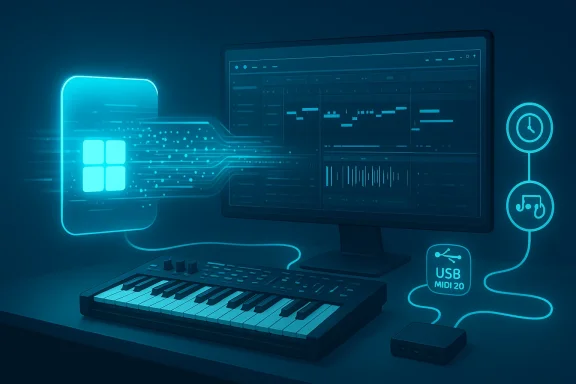
Neon-lit music production setup with MIDI keyboard and DAW on screen.Background / Overview​

MIDI (Musical Instrument Digital Interface) has been the lingua franca of electronic music since the early 1980s. Its original 1983 design made it possible for keyboards, drum machines, sequencers, and computers to exchange performance data in a compact, interpretable form. Over four decades later, MIDI 2.0 — formally specified and maintained by the MIDI Manufacturers Association — introduces a new transport and protocol layer called the Universal MIDI Packet (UMP), higher resolution control values, per‑note articulation, bi‑directional device negotiation, and richer device metadata. These changes address limitations that musicians and developers have worked around for years.
On Windows historically, MIDI support has been fragmented. Classic MIDI 1.0 APIs and vendor drivers have worked well enough for many setups, but missing system features — like allowing multiple applications to share a single device port (multi‑client), modern loopback an and robust timestamped scheduling — forced users to rely on third‑party drivers and utilities. Microsoft’s Windows MIDI Services aims to address those platform gaps with a unified, modern, production‑grade implementation.

What Microsoft shipped: the essentials​

Windows MIDI Services bundles several key capabilities that directly affect musicians, producers, and audio developers. These are the load‑bearing claims that matter most to daily workflows:
  • Native MIDI 2.0 support — Windows now supports MIDI 2.0 endpoints and the UMP protocol natively, enabling higher‑resolution control data, per‑note ae discovery/negotiation at the OS level.
  • Modernized MIDI 1.0 stack — rather than abandoning legacy, Microsoft rewrote the MIDI 1.0 plumbing so classic apps benefit from improved port naming, metadata, and lower‑jitter transport. Existing DAWs and instruments should work with fewer surprises.
  • Multi‑client support — every MIDI) is now multi‑client, so multiple applications can open the same physical device port simultaneously without vendor drivers. This directly eliminates a long‑standing Windows pain point. ([blogs.windows.com](Announcing Windows 11 Insider Preview Build 27788 (Canary Channel) Built‑in loopback and app‑to‑app routing — the OS provides loopback endpoints and routing facilities so apps and even WebMIDI pages can exchange MIDI data without external drivers. A MIDI Settings app will expose loopback configuration and per‑endpoint metadata.
  • USB MIDI 2.0 class driver — Microsoft added a USB class driver that understands both MIDI 1.0 and MIDI 2.0 devices, simplifying plug‑and‑play for modern hardware that implements the new USB descriptors.
  • Timing, timestamps and scheduled messages — Windows MIDI Services includes tighter message timing through timestamps and scheduling semantics, lowering jitter and improving sync between controllers, instruments, and DAWs.
Each of these items is corroborated by Microsoft’s own announcement and by independent coverage in the press and community discussion, indicating both technical intent and community anticipation.

Why this matters to musicians and producers​

The headline here is simple:several systemic workarounds that have hampered complex rigs for years. The practical wins include:
  • Cleaner live setups. Multi‑client ports and the built‑in loopback reduce the need for MIDI patchbays, virtual cable software, or vendor driver tricks during live performances. You can run a host DAW, a hardware controller utility, and a monitoring tool concurrently without contention.
  • Better control resolution. MIDI 2.0’s higher resolution and per‑note control make expressive controller gestures and articulations more accurate when the instrument and DAW both support 2.0. Think smoother pitch bends, more precise CC handling, and more nuanced MPE‑style control mapped directly to instrument voices.
  • Reliable timing. Timestamps and scheduled messages at the OS level reduce jitter between hardware input and plugin processing, a critical improvement for tight quantization, sample‑accurate automation, and live sync.
  • Simpler device management. The MIDI Settings app and improved endpoint metadata make it easier to identify devices, adjust friendly names for DAW recall, and maintain consistent routing across projects and machines.
These improvements remove friction in everyday studio and stage workflows and lower the barrier for musicians who previously found macOS more appealing due to perceived better platform support for creators. Multiple outlets and early preview notes emphasize that Microsoft intends Windows MIDI Services to be a foundation for future audio features on Windows.

Technical deep dive: how Windows handles MIDI 2.0​

Universal MIDI Packet (UMP) and translation​

MIDI 2.0 introduces the Universal MIDI Packet (UMP) format, which can encapsulate both MIDI 1.0 and MIDI 2.0 messages. Windows MIDI Services implements UMP handling and automatic translation rules that let MIDI 2.0 endpoints interoperate with MIDI 1.0 applications by down‑scaling or mapping higher‑resolution values into legacy formats where necessary. This is a key compatibility mechanism: it ensures older DAWs and plugins continue to function even as hardware adopts 2.0.
Microsoft’s implementation also exposes protocol negotiation and device discovery so self‑describing devices (a MIDI 2.0 feature) can advertise capabilities and profiles to the OS and host applications. Where full 2.0 support exists end‑to‑end, Windows can surface richer control and articulation features; where only 1.0 support exists, it performs sensible translations.

USB class driver and transports​

To simplify hardware integration, Microsoft added a USB MIDI 2.0 class driver that understands UMP over USB. This reduces the need for device manufacturers to ship custom drivers for Windows in many cases: compliant hardware should enumerate as a standard class device and be usable immediately. That said, manufacturers can still provide kernel drivers where specialized low‑latency or vendor‑specific features are required.

Timing, scheduling and multi‑client con Services introduces system‑level timestamping and scheduled message semantics. These features let applications schedule messages with sample‑accurate timing, improving synchronization across apps and with audio engine timelines. Crucially, every endpoint is multi‑client, which means the OS arbitrates access to hardware ports and virtual endpoints so multiple apps can read and write concurrently without stepping on each other’s state. This eliminates a historic limitation where opening a MIDI port exclusively prevented other applications from using it.​


Developer and vendor implications​

This is more than a user‑facing change: Microsoft is shipping an SDK and tools so developers and hardware vendors can adopt the new model:
  • Windows MIDI Services SDK and tooling — developers get APIs that expose MIDI 2.0 primitives, device capability queries, and loopback/routing controls. Microsoft packaged optional Tools (including the MIDI Settings app) so test rigs and debug utilities can be used without third‑partyndows.com]
  • Backward compatibility strategies — the OS’s translation layer reduces the need for application updates to gain many benefits, but software that wants to use per‑note articulation, extended controllers, or UMP packets will need explicit MIDI 2.0‑aware code paths. Microsoft’s SDK documentation and sample code aim to accelerate that.
  • Hardware vendor choices — device manufacturers can implement the USB MIDI 2.0 class and rely on in‑box drivers, or continue offering custom drivers for specialized features. Early adopter devices that advertise full MIDI 2.0 feature sets will unlock the most expressive possibilities when paired with 2.0‑aware software.
From a platform perspective, this creates a clearer upgrade path for studios: operating system updates plus targeted app and firmware updates yield incremental benefits without wholesale migration simultaneously across all components.

Compatibility and migration: what to expect in the near term​

Microsoft’s rollout strategy is layered. Windows MIDI Services shipped into the Insider channels earlier, with public previews appearing in Canary and Release Preview streams, and the company describes a phased enablement to in‑support retail releases of Windows 11. In practice this means users in Insider rings saw features earlier (for example, reports documenting Canary build 27788 and subsequent preview builds), while broader retail machines receive the stack via staged updates and oes.
Practical migration notes:
  • If you rely on vendor drivers for special feature sets, confirm whether the vendor recommends replacing them with the built‑in class driver or maintaining the vendor driver for low‑latency concerns. Many manufacturers will provide guidance and firmware updates.
  • DAW vendors and plugin developers should publish compatibility notes: legacy apps will continue to function, but only MIDI 2.0‑aware software will exploit the new expressive features. If you depend on per‑note controls or profiles, check for explicit MIDI 2.0 support in major DAWs and instruments.
  • For live rigs, test multi‑client behavior and loopback endpoints in a staging environment before a show: the OS‑level routing is powerful, but it changes how your setup allocates ports and resolves exclusive access.
Community feedback from early previews shows excitement but also caution — Insiders report that while the core features are promising, some edge‑case vendor drivers and older hardware require careful testing. Windows forum threads and insider reports have been active with hands‑on observations from the field.

Strengths: what Microsoft got right​

  • Platform‑level approach. By shipping MIDI 2.0 at the OS level, Microsoft removes fragmentation, reduces the need for third‑party utilities, and creates a single place for cross‑app routing and timing guarantees. This is the correct, long‑term architecture for a feature that must span hosts, drivers, and devices.
  • Compatibility first. The translation between UMP and MIDI 1.0, combined with the modernized legacy stack, lets users incrementally adopt 2.0 capabilities without breaking existing sessions or projects. That pragmatic engineering avoids the “big bang” migration pain.
  • Developer and vendor tooling. The inclusion of an SDK and optional tond reduces friction for hardware makers and app developers to test 2.0 behaviors on Windows.

Risks, unknowns, and caveats​

No large platform change is risk‑free. Here are the practical caveats studios and IT administrators should weigh:
  • Driver and vendor variance. Not every manufacturer will immediately support the USB MIDI 2.0 class driver or newest firmware. Some vendors may continue to require proprietary drivers for advanced features, creating mixed environments where behavior varies by device. Test thoroughly.
  • Edge cases in legacy software. While the OS translates 2.0 to 1.0 where possible, subtle differences in channel grouping, controller mapping, or timing semantics could surface in complex projects that rely on undocumented behaviors. If you have mission‑critical templates, validate them after updating.
  • Insider vs retail timelines. Features first appeared in Insider builds (for example, Canary build 27788) and then in preview KB packages; production availability is staged. Users should not assume universal immediate availability on all Windows 11 machines. If you need guaranteed behavior for a tour or release, coordinate Slack/IT changes with the update rollout schedule.
  • Performance and low‑latency demand. OS‑level drivers and translation layers add abstraction. For extreme low‑latency performance (very small buffer sizes, high channel counts, specialized routing), some professionals may still prefer vendor or kernel streaming drivers until performance profiles are fully equivalent. Vendors may continue offering specialized drivers for those cases.
When claims about timing, USB speed, or jitter reduction are made, we cross‑checked Microsoft’s technical blog posts and the MIDI specification to confirm the architecture and translation mechanisms. Those claims are supported by the documentation, but measuring real‑world latency and jitter requires independent testing in each user’s setup; treat OS promises as strong indicators rather than absolute guarantees across all hardware.

Practical workflow examples​

Studio: running a DAW, controller editor, and monitioring tool simultaneously​

  • Before: controller editor requires you to close the DAW or use a vendor multi‑client driver.
  • After: open your DAW, editor, and a monitoring utility; all three can receive and send through the same hardware endpoint thanks to multi‑client ports and loopback endpoints offered by Windows MIDI Services.

Live: hot‑swapping devices between songs​

  • The Windows MIDI Services device discovery and friendly endpoint naming simplify switching controllers on stage without renaming ports mid‑set. Use the MIDI Settings app to predefine loopback pairs and friendly names to avoid confusion under pressure.

Developer: adding MIDI 2.0 support to a synth plugin​

  • Update the plugin to expose UMP parsing and device capability queries via the Windows MIDI Services SDK.
  • Implement fallbacks that map per‑note controls to MIDI 1.0 messages when 2.0 endpoints aren’t present.
  • Test on both class‑driver enumerated devices and vendor drivers to ensure behavior is consistent.

How to get started (brief checklist)​

  • Join the Windows Insider program if you want early access to previews; otherwise, wait for the staged retail rollout and optional preview KB packages.
  • Install the Windows MIDI Services Tools (MIDI Settings app) when available to configure loopbacks and endpoint names.
  • Update firmware for MIDI 2.0‑capable hardware and confirm vendor guidance about using the built‑in USB class driver or vendor driver.
  • Test critical projects and live setups in a controlled environment before committing to an update on your production machine.

Conclusion​

Microsoft’s Windows MIDI Services is a strategic, pragmatic modernization of a protocol that powers much of today’s electronic music ecosystem. By implementing native MIDI 2.0 support, modernizing MIDI 1.0 behavior, adding multi‑client ports, built‑in loopback/app‑to‑app routing, USB MIDI 2.0 class drivers, and improved timestamping and scheduling, Windows 11 finally gives musicians a coherent, platform‑level foundation to build expressive workflows on. These changes lower friction across studio and live environments and create a clear path for developers and hardware vendors to implement the expressive features MIDI 2.0 promises.
That said, the transition is not instantaneous. Mixed driver ecosystems, vendor update cadences, and the need for app‑level support for advanced features mean real‑world benefits will materialize over time. If you’re planning a tour, a live show, or a critical release, validate your setup now using the preview tooling and vendor guidance; for the broader music community, this is an unequivocal step forward — and the clearest sign yet that Windows wants to be a first‑class platform for musical creativity.


Source: TechloMedia Windows 11 Finally Gets Native MIDI 2.0 Support for Musicians
 

Windows 11’s MIDI support leap is the biggest music-creation upgrade the platform has seen in decades: Microsoft has shipped a new, in-box Windows MIDI Services stack that brings full MIDI 2.0 support to Windows while simultaneously modernizing and repairing long-standing pain points in MIDI 1.0 on the platform.

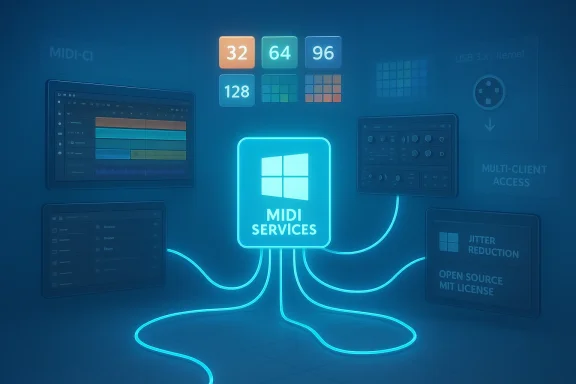
A neon-blue MIDI SERVICES hub with cables branching to panels and color swatches.Background / Overview​

MIDI has powered electronic music for over forty years. The original MIDI 1.0 specification, released in 1983, defined a compact byte-stream protocol and a simple addressing model that enabled keyboards, sequencers, drum machines, and synths to exchange note and control data. Over time the ecosystem has grown enormously, but the underlying protocols and the way operating systems expose MIDI to applications remained constrained by assumptions made long before modern USB, multicore CPUs, and high-resolution expressive instruments.
MIDI 2.0 — an industry-wide update ratified in the early 2020s — introduces a new packet format (the Universal MIDI Packet, or UMP), higher-resolution control and per-note parameters, automatic device discovery and capability negotiation (MIDI-CI and Property Exchange), and modern timestamping for jitter reduction. Microsoft’s new Windows MIDI Services is Windows’ first native implementation of those advances. It also rewrites the Windows MIDI stack so that both old and new devices work better together.
This article explains what Microsoft released, what MIDI 2.0 actually brings to the table, how Windows implements it, what musicians and developers should expect, and the practical trade-offs and risks as the ecosystem adopts the new stack.

What Microsoft shipped in Windows 11​

The new architecture: Windows MIDI Services​

Microsoft replaced the old, per-app direct-driver model with a central service that mediates all MIDI activity. The service (midisrv.exe) sits between hardware endpoints and applications, exposing a modern Windows MIDI Services App SDK for apps that want the full capability set. Key design choices include:
  • A dedicated Windows Service that owns device interactions and provides translation, scheduling, and routing.
  • Support for multiple transports and modular plugins, easing the addition of new transports (for example, network transports) without adding kernel drivers.
  • An out-of-band App SDK and runtime (downloadable) that apps can consume to access advanced features and timestamps.
  • Backwards compatibility layers so legacy WinMM and WinRT MIDI 1.0 apps continue to work.
This architectural change is far from cosmetic: it enables multi-client access to physical devices, built‑in app-to-app MIDI, transparent format translation, and centralized timestamping — features that legacy Windows MIDI drivers and APIs struggled to provide.

MIDI 2.0: native support and device negotiation​

Windows now natively understands the MIDI 2.0 spec and UMP as a first-class data format. That means:
  • Native handling of Universal MIDI Packet (UMP) format for high-resolution and larger payload messages.
  • Support for MIDI Capability Inquiry (MIDI-CI) including Property Exchange and Profile negotiation so devices and hosts can negotiate capabilities automatically.
  • In-service translation between MIDI 2.0 and MIDI 1.0 where required, allowing older apps and devices to continue to function even when a MIDI 2.0 device is present.
Rather than forcing developers to manually translate messages, the Windows MIDI Service performs the necessary conversions and presents UMP to applications using the new SDK.

Practical platform features that matter​

Microsoft bundled a slew of practical features that musicians and live performers will notice right away:
  • Multi-client access: Multiple applications can open the same endpoint simultaneously. You can run a DAW, a controller-librarian, and a monitoring tool concurrently without custom drivers.
  • Built-in loopback/app-to-app virtual endpoints: Fast, local inter-app routing is now provided by the OS without third‑party virtual MIDI drivers.
  • Improved USB driver: A new USB MIDI 2.0 class driver — donated by AMEI and implemented by AmoNote in partnership with Microsoft — supports both MIDI 2.0 UMP devices and many class-compliant MIDI 1.0 devices with improved speed and reduced jitter.
  • Timestamps: Incoming messages are timestamped when received by the service and outgoing messages can be scheduled with high precision, lowering jitter and making timing more deterministic.
  • Richer device metadata and improved device notifications: Applications receive better endpoint information (device identity, function blocks, group/port naming), and apps are notified cleanly when devices are added, removed, or updated.
  • Tools for power users and developers: A console tool (midi.exe), diagnostic utilities, a MIDI Settings app, PowerShell cmdlets for scripting, and a developer SDK make it easier to test and automate setups.
  • Open source and MIT‑licensed: The service, drivers, SDK, tools, and most transports are published openly, enabling community inspection and contributions.
Microsoft rolled the new stack into Insider channels earlier and has been performing a Controlled Feature Rollout to retail Windows 11 users — not everyone will get the feature at once. The SDK and tools are shipped out-of-band to allow Microsoft to iterate faster than the OS release cadence.

What MIDI 2.0 actually delivers (technical primer)​

To evaluate the impact, it helps to break down the technical advances of MIDI 2.0 that Windows now exposes.

Universal MIDI Packet (UMP)​

  • UMP is a 32-bit aligned, packet-based container that can hold MIDI 1.0 and MIDI 2.0 messages.
  • Packets can be 32, 64, 96, or 128 bits depending on message type and payload needs.
  • UMP supports 16 groups of 16 channels each: effectively expanding addressing from 16 channels to 256 logical channels.
  • UMP includes optional jitter-reduction timestamps and supports precise timing metadata.
Why this matters: UMP is better suited to modern CPUs and transports (USB, Ethernet) than the original byte-stream format of MIDI 1.0. It reduces packet fragmentation and enables higher throughput with predictable timing.

Per-note expressivity and higher resolution​

  • MIDI 2.0 introduces higher-resolution values for controller data, per-note pitch and expression controls, and more precise velocity and pitch values.
  • These improvements let instruments expose microtonal and continuous expressive inputs (think aftertouch and pitch per individual note rather than a single channel-wide pitch bend).
Why this matters: Modern physical controllers and synth engines can finally express performance nuances that were impossible or clumsy under MIDI 1.0’s 7-bit/14-bit limits.

MIDI-CI, Property Exchange, and Profiles​

  • MIDI-CI (Capability Inquiry) defines how devices discover each other and negotiate a common operating spot, including selecting a standard Profile (a defined behavior for a class of devices).
  • Property Exchange lets systems query and set device properties, allowing richer device configuration and automation.
  • Profiles allow a predictable, standardized behavior for classes of devices (for instance, a piano profile, a drum profile) so controllers and instruments can interoperate more intelligently.
Why this matters: Plug-and-play becomes more meaningful. Hosts and devices can automatically agree on how they’ll behave, what controller ranges to use, and which features both sides support.

Translation and backward compatibility​

  • Translation rules are defined to map MIDI 2.0 messages to MIDI 1.0 when necessary.
  • The objective is seamless interoperability: older equipment keeps working, but newer equipment can operate with more precision when both ends support it.
Why this matters: Musicians have large investments in legacy gear; a successful transition must not break that hardware.

How Windows’ implementation stacks up​

Microsoft’s implementation covers the major bases that matter to musicians and developers, but there are important subtleties.

Strengths​

  • End-to-end approach: Microsoft didn’t only implement the UMP parser; it rebuilt the driver, service, SDK, tools, and UI to make the platform actually usable for musicians.
  • Multi-client by default: This single change alone eliminates many historical Windows headaches where only one app could claim exclusive access to a device.
  • Better timing: Timestamping and scheduling at the service level reduce jitter and make timestamp-based scheduling realistic on commodity PCs.
  • Open source: Publishing the code under MIT invites community review, increases transparency, and lets hardware and software vendors test and contribute patches.
  • Practical tools: The midi.exe console, diagnostics, and the MIDI Settings app will lower the barrier for both hobbyists and tech support people troubleshooting MIDI setups.
  • Automatic translation: Applications that still operate at MIDI 1.0 semantics should see minimal disruption thanks to on-the-fly translation.

Limitations and caveats​

  • Transport dependency: UMP is ideal for high-speed transports like USB 3.x and Ethernet, but legacy 5-pin DIN connections cannot carry native UMP. Translation is possible, but not all capabilities (like full high-resolution per-note control) can be transported across DIN without additional conventions.
  • Rollout and compatibility fragmentation: Microsoft is using a Controlled Feature Rollout. Not every Windows 11 installation will immediately receive the in-box driver or service. The SDK is out-of-band, and early SDK/preview releases may require specific Insider builds. This creates a period where some users have the new stack and others do not, complicating testing and deployment.
  • Third-party drivers and vendor kernels: Some vendor-supplied kernel streaming drivers or custom USB drivers may interact poorly with the new in-box driver model, at least until vendors update drivers or users reassign class drivers. Microsoft recommends avoiding third-party drivers unless necessary.
  • App adoption required for the full experience: Legacy apps using WinMM or WinRT will benefit from improved stability and multi-client behavior, but to get true MIDI 2.0 features (high-res control, UMP-native streams, full property exchange), application developers must update to the new SDK.
  • Hardware support is variable: For full MIDI 2.0, hardware makers must implement the new USB MIDI 2.0 class or otherwise support UMP and MIDI-CI. Many existing devices will work in MIDI 1.0-compatible mode, and Microsoft’s driver can be manually assigned to some 1.0 devices, but full expressive benefit depends on hardware firmware.

Practical guide: how musicians and studios should approach this upgrade​

If you’re a musician, producer, or live engineer, the Windows MIDI Services rollout is exciting — but treat it like any major system change: test first, don’t upgrade critical production rigs without checks, and plan for staged adoption.

Quick checklist before trying MIDI 2.0 on Windows 11​

  • Confirm your Windows build: MIDI Services was rolled into Insider preview channels first and is being rolled out to supported retail Windows 11 releases via Windows Update in a controlled fashion. If you want early access, use an Insider Canary or Dev build on a non‑production machine.
  • Back up important projects and settings: As with any OS-level change, preserve your DAW projects, plugin presets, and device firmware utilities.
  • Update your audio/MIDI drivers where applicable: If your device vendor has updated firmware or drivers to support USB MIDI 2.0 or to avoid conflicts with the Windows class driver, install those updates on a test machine first.
  • Consider leaving critical live machines on their current configuration until you’ve verified device behavior on a separate system.
  • Install the Windows MIDI Services SDK and tools on a test machine to evaluate tools (midi.exe, Diagnostics, MIDI Settings app) and to experiment with loopback endpoints and scheduling.

How to validate a MIDI setup with Windows MIDI Services​

  • Use the MIDI Settings app to enumerate endpoints, rename ports for clarity, and create loopback endpoints for routing between apps.
  • Use the console tool (midi.exe) to monitor UMP messages and to check device identity and supported Function Blocks.
  • Test translation behavior by connecting a MIDI 2.0-capable controller and observing how legacy MIDI 1.0 apps consume events; confirm velocity, pitch, and controller behaviors remain sensible.
  • Evaluate jitter and timestamping by sending simultaneous notes and monitoring latency distribution; compare results with prior setups.

Advice for developers​

Application developers and plugin authors should prioritize two things: compatibility and exposure of new expressive options.

Short-term priorities (what to do now)​

  • Continue supporting MIDI 1.0 semantics for broad compatibility, but adopt the Windows MIDI Services SDK to access timestamps, multi-client endpoints, and UMP parsing.
  • Validate that your input code can parse UMP and can fall back to MIDI 1.0 byte streams or rely on the service’s translation if the app runs on systems where the service is installed.
  • Test with both the Windows MIDI Service translation mode and with native UMP devices; translation is robust but you should confirm musical intent (controller scaling, per-note messages).

Medium-term plans (what to plan for)​

  • Offer UI affordances and APIs inside your app to surface high-resolution parameters (fine-grain CC, per-note pitch/expression). Don’t assume controller ranges are 0–127 anymore.
  • Embrace timestamp-based scheduling for playback engines and remote synchronization features.
  • Implement device metadata handling: read device Function Block data, expose device-specific features, and support Property Exchange for automations and presets.

Developer tooling and resources​

  • Use the service’s console and diagnostic tools to create robust integration tests.
  • Take advantage of the open-source codebase for insight into translation rules and transports.
  • Maintain clear compatibility modes in apps: a “MIDI 1.0 compatibility” mode users can force if they run into vendor driver issues.

Who benefits most — and who should be cautious​

Big winners​

  • Hardware manufacturers who adopt USB MIDI 2.0 class drivers can ship devices with better timing and expressive output on Windows.
  • DAW and softsynth developers that update to the new SDK will be able to offer deeper expressive controls and tighter timing.
  • Live rigs and educational setups benefit from multi-client access and virtual loopback endpoints, making it simpler to run monitoring, notation, and playback tools simultaneously.
  • Community developers and hobbyists benefit from the open-source nature of the stack: easier testing, driver inspection, and community-driven fixes.

Those who should be cautious​

  • Live performers and touring rigs: don’t flip production machines to new Insider builds or enable a new system service mid-tour without exhaustive testing.
  • Owners of legacy hardware with vendor-supplied kernel drivers: there may be conflicts, and some devices will never get full MIDI 2.0 expressivity because of transport limits (DIN, legacy USB implementations).
  • Entrenched plugin ecosystems that assume 7-bit CC ranges and channel-wide pitch could require careful design changes to handle per-note and higher-resolution data without breaking preset compatibility.

Security, stability, and the open-source angle​

Shipping a kernel-mode driver and a system service for an input device class is inherently sensitive. Open sourcing components under a permissive license is a pragmatic decision that raises transparency and trust, but it doesn’t automatically remove operational risk.
  • Open source allows third parties to audit behavior, find bugs, and contribute fixes. That tends to increase overall security and reliability over time.
  • The presence of a system MIDI service raises the bar for careful API and process isolation. A bug in the service could impact many applications simultaneously, which is why Microsoft’s controlled rollout and staging across Insider channels is prudent.
  • Users should be mindful when manually assigning the new USB driver to older devices; doing so can improve performance but may also expose edge-case driver interactions.
Flag: Any claims about "all devices will gain X benefit" should be taken cautiously — actual behavior depends on device firmware, vendor drivers, and whether the device supports UMP natively or relies on translation.

The ecosystem question: will MIDI 2.0 take off?​

Adoption of new standards depends on three things: hardware vendors, software vendors, and end-user demand. Microsoft’s Windows MIDI Services materially lowers software friction and provides reference drivers and tools that make it easier for developers to adopt UMP and MIDI-CI. That is a major accelerator for adoption on the Windows side.
However:
  • Hardware vendors still need to ship devices that fully support USB MIDI 2.0 UMP and MIDI‑CI to unlock the most expressive features.
  • Cross-platform alignment matters. Fortunately, desktop OS vendors and the MIDI Association have been coordinating, and there are reference implementations on macOS, Linux, and mobile platforms that increasingly converge.
  • Users will drive adoption only when clear benefits reach them: improved timing, reliable multi-app workflows, and visible expressive improvements in instruments and plugins.
The short answer: this Microsoft release removes a big bottleneck on Windows, and that will accelerate adoption — but the full benefit is realized only as an ecosystem effect where vendors and apps update firmware and software.

Final analysis and practical recommendation​

Microsoft’s Windows MIDI Services is a meaningful, well-architected platform upgrade that accomplishes three critical objectives simultaneously: it brings MIDI 2.0 primitives to the Windows platform, modernizes legacy MIDI 1.0 handling, and exposes practical tools and developer-facing APIs that make adoption realistic.
From a musician’s perspective, the changes most likely to be noticed are:
  • Easier device sharing among apps (multi-client),
  • Built-in virtual routing (loopback),
  • Better timing and reduced jitter for precise playback and live synchronization,
  • The potential for far richer expression from modern controllers once hardware vendors and DAW/plugin developers embrace MIDI 2.0 fully.
From a systems and IT perspective:
  • Treat this upgrade like any significant OS-level change: validate on non-production machines, confirm vendor driver compatibility, and stage rollouts carefully.
  • Encourage developers in your environment to test with the new SDK and to implement graceful backward compatibility.
From a developer perspective:
  • Prioritize incremental updates: support UMP parsing and timestamps while maintaining solid MIDI 1.0 compatibility, then expand your UI/automation to surface high-resolution parameters and per-note expressivity.
Cautionary note: This is not an overnight revolution that frees you from legacy concerns. Many older transports (notably DIN) cannot natively carry UMP and will depend on translation. The rollout is staged and depends on device-side and software-side updates to realize the full promise of MIDI 2.0.
For Windows users who dabble in music creation, the message is simple: this is a welcome modernization and the right move for the platform. If you rely on your rig for performances or studio work, wait to migrate critical systems until you have confirmed vendor compatibility and have thoroughly tested the new stack. If you’re a developer or an adventurous musician with a spare machine, try the SDK and tools: the future expressivity and timing improvements are real, and the Windows MIDI Services project gives you the tools to experiment and help shape the ecosystem as it moves forward.

Conclusion
Microsoft’s introduction of Windows MIDI Services and first-class MIDI 2.0 support in Windows 11 is a long-awaited infrastructural upgrade that finally brings the platform into alignment with modern musical hardware and workflows. It solves real pain points — multi-client access, jitter, translation, and driver fragmentation — while opening the door to richer musical expression through UMP and MIDI-CI. Adoption will be incremental and requires hardware and software vendors to update, but with an open-source reference implementation, official drivers, and built-in tools, Windows just removed one of the biggest obstacles to a smooth transition to MIDI 2.0. Musicians, developers, and audio engineers should prepare, test, and plan — because the MIDI landscape on Windows just got a lot more interesting.

Source: Windows Central Windows 11 gets MIDI 2.0 support as a major upgrade for musicians
 

Back
Top