

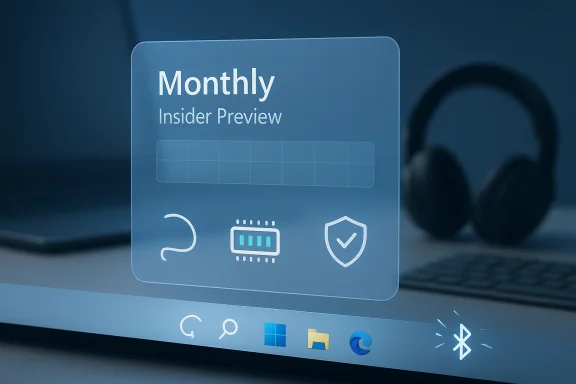
Microsoft’s decision to move Windows 11 improvements from a once-a-year cleanup cycle to monthly refinements is more than a scheduling tweak. It is an admission that the operating system’s rough edges have become too visible to leave alone until the next annual feature release. That matters because the complaints have been remarkably consistent: the taskbar, memory efficiency, Windows Update reliability, and flaky Bluetooth behavior have all been recurring pain points for users since launch.
The change also signals a broader shift in how Microsoft wants Windows to evolve. Instead of bundling fixes into a single large release and hoping the experience lands well, the company now appears to be favoring smaller, iterative adjustments that can be measured, revised, and expanded in public preview channels. In practice, that means Windows 11 users should expect a more continuous stream of polish, but also a longer period of uncertainty as Microsoft proves that this new model can actually deliver.
Windows 11 was introduced with a clear message: a cleaner interface, tighter security, and a future where the PC would feel more modern than Windows 10. Yet from the first wave of feedback, it became apparent that the vision and the lived experience were not always aligned. Users praised the visual refresh, but many quickly ran into friction around discoverability, customization limits, and performance quirks that made the system feel less finished than its predecessor.
That tension is important because Windows is not judged like a consumer app that can be replaced in seconds. It sits at the center of business fleets, home PCs, gaming rigs, and creator machines, which means even small usability regressions can become major trust issues. When people complain about the taskbar, they are not just asking for visual tweaks; they are asking for the basic ergonomics of the desktop to stop getting in the way.
Microsoft has spent the years since Windows 11’s debut trying to balance two competing goals. On one side is the company’s desire to push the platform toward a more controlled, consistent, and serviceable design language. On the other is the stubborn reality that Windows users expect depth, flexibility, and familiarity. That is why each feature change can feel like a compromise between modern simplicity and the configurability that long-time users take for granted.
The update strategy itself has also changed over time. Windows no longer lives entirely in the old rhythm of giant, disruptive service packs. Microsoft now ships monthly security updates, periodic “moment” releases, and larger annual feature updates, with many improvements first surfacing in Windows Insider builds before they hit mainstream users. The new monthly push for Windows 11 “fixes” is really an extension of that service model, but with a stronger emphasis on visible quality-of-life changes rather than just maintenance.
This matters because Windows has entered a phase where perception is almost as important as capability. Microsoft has been investing heavily in AI features, device-specific experiences, and Copilot-related ambitions, yet a lot of everyday users still judge the OS by the basics: does the taskbar behave properly, does Bluetooth connect reliably, and does Windows Update create less anxiety than before? If those fundamentals remain shaky, even ambitious platform work can feel secondary.
This is not a radical reinvention of Windows servicing, but it is a meaningful reorientation. A monthly cadence can reduce the gap between user complaints and visible action, which is particularly valuable when frustration is tied to everyday tasks. If a user is annoyed by taskbar behavior or a flaky pairing flow, a fix six months later is often too late to rebuild confidence.
The downside is obvious: monthly promises raise expectations. Each release becomes a test of whether Microsoft is improving Windows 11 in tangible, visible ways or merely rotating through a stream of incremental changes that users may barely feel. Trust is built through repetition, but it can also be damaged if those monthly drops do not meaningfully reduce friction.
Microsoft’s own wording suggests the company understands this. By leaning on preview builds and Insider channels first, it can adjust the experience before changes are locked in for the broader audience. That gives Windows a live-feedback loop, but it also means the company is effectively asking users to be patient while it tunes the machine in motion.
That history helps explain why taskbar changes matter so much now. For many users, this is not about aesthetics at all; it is about reclaiming control over a core productivity surface. A taskbar that behaves predictably and offers more flexibility would do more for Windows 11’s reputation than a dozen cosmetic improvements.
If the company really follows through on more flexible taskbar behavior, it could address one of the platform’s most persistent pain points. That would not just help enthusiasts; it would also reduce the number of support questions and workarounds enterprise IT teams deal with every day.
Still, taskbar improvements are politically sensitive inside Windows because they touch the very identity of the OS. Changing the taskbar too aggressively risks alienating users who have already adapted to Windows 11, while changing it too cautiously risks looking like Microsoft is afraid to restore basic functionality.
Improving memory usage is not just about lower resource consumption. It affects battery life, system responsiveness, multitasking stability, and how much headroom a PC has for browser tabs, creative apps, or background workflows. On modern machines with plenty of memory, the gains may feel subtle; on midrange systems, the difference can be much more obvious.
That is why memory optimization is a strategic issue, not just a technical one. If Microsoft can prove that Windows 11 runs more lightly in everyday use, it supports the company’s broader pitch that the platform is being modernized rather than merely decorated with new features.
There is also a competitive angle here. Apple has long marketed macOS as tightly optimized for its own hardware, while ChromeOS sells the idea of simplicity and speed on modest machines. Windows has to remain the flexible, open platform, but it cannot afford to feel indifferent to resource usage. Efficiency is part of brand trust now.
Reliability is especially important because Windows Update is now doing more than ever. It delivers security patches, feature rollouts, driver-related changes, and servicing improvements in a schedule that is already complex. Any instability in that pipeline can quickly become a trust issue that spills beyond one machine into entire organizations.
For Microsoft, improving this area is partly about engineering and partly about psychology. The company has to make Windows Update feel boring again, in the best possible sense. If updates become predictable and uneventful, users stop associating patch day with potential disruption.
That would have direct enterprise implications. IT departments care less about headline features than about whether update rings can be managed without surprises. A more reliable update system means less time spent on mitigation, rollback planning, and post-deployment support.
Bluetooth has long been one of those subsystems users notice only when it fails. When it works, nobody thinks about it. When it does not, the problem becomes immediately personal because it interferes with the way people actually use their PCs every day.
There is also a broader strategic link to Microsoft’s hardware ecosystem. Windows 11 is increasingly tied to connected accessories, AI-enabled workflows, and devices that expect seamless wireless behavior. If Bluetooth remains inconsistent, it undermines the experience layer Microsoft is trying to build on top of the OS.
For businesses, this is not merely a consumer quality-of-life issue. Conference rooms, assistive devices, shared peripherals, and mobile work setups all depend on dependable wireless behavior. A small improvement in Bluetooth stability can translate into a noticeable reduction in daily irritation.
That matters because it changes the rhythm of trust-building. Instead of dropping a finished package and asking users to accept it, Microsoft is inviting observers to watch the OS being refined in public. Done well, that can make Windows feel more responsive; done badly, it can make the platform look unfinished for longer.
The Insider process also gives Microsoft a chance to separate genuine progress from marketing language. If monthly builds actually reduce taskbar friction or improve Bluetooth pairing, the evidence will show up quickly in community feedback. If they do not, skepticism will deepen just as fast.
That is why these preview phases are so important to the story. They are not just a staging area; they are the credibility test for the whole monthly-update approach.
The significance is that monthly refinements are becoming the layer where many user-facing improvements happen first. That reduces dependence on a single milestone and allows Microsoft to make Windows feel like a living service rather than a product that only visibly changes once a year.
Big-bang releases still have value because they provide a coherent narrative. They let Microsoft bundle improvements into a clear generational upgrade, which is helpful for marketing, press coverage, and enterprise planning. Monthly refinements are more operationally elegant, but they can feel less memorable.
In reality, Windows now lives in a hybrid model. Annual releases establish the framework, servicing patches maintain the system, and smaller feature rollouts fill in the user experience. The question is whether Microsoft can make that blend feel intentional instead of fragmented.
For consumers, a better taskbar or more reliable Bluetooth can shape everyday satisfaction almost immediately. For enterprises, the value lies in reduced help desk volume, fewer update exceptions, and less time spent firefighting issues that should never have reached production in the first place.
Microsoft has to thread that needle carefully because the same change can be viewed as liberation by one group and as policy drift by another. A more flexible taskbar might delight users but complicate standard images, training documentation, or remote support workflows in managed environments.
That is why monthly delivery can be both useful and risky. It allows Microsoft to tune behavior more gradually, but it also creates more moments where business customers need to decide whether to adopt, defer, or ignore the latest improvements.
That competitive pressure is not just about market share. It shapes what users think a modern operating system should feel like. If Windows 11 remains associated with friction and inconsistency, Microsoft risks making users more receptive to alternatives, whether they are Macs, Chromebooks, cloud PCs, or device-specific ecosystems.
At the same time, Windows still has strengths its rivals cannot easily replicate. It supports a vast hardware ecosystem, deep software compatibility, and a range of enterprise tools that remain hard to replace. The challenge is not capability; it is confidence. Users need to believe that Microsoft is serious about making the core experience better.
Monthly updates are therefore both an engineering tactic and a market signal. They say Microsoft is aware that the OS cannot coast on inertia alone.
If not, the company risks reinforcing the idea that Windows 11 is a platform that keeps promising polish but rarely delivers enough of it. That would be especially damaging because this new cadence is not just a tactical experiment; it is a statement about how Microsoft believes Windows should evolve from here.
Source: Trusted Reviews Microsoft is doubling down with monthly updates to ‘fix’ Windows 11
The change also signals a broader shift in how Microsoft wants Windows to evolve. Instead of bundling fixes into a single large release and hoping the experience lands well, the company now appears to be favoring smaller, iterative adjustments that can be measured, revised, and expanded in public preview channels. In practice, that means Windows 11 users should expect a more continuous stream of polish, but also a longer period of uncertainty as Microsoft proves that this new model can actually deliver.
 Background
Windows 11 was introduced with a clear message: a cleaner interface, tighter security, and a future where the PC would feel more modern than Windows 10. Yet from the first wave of feedback, it became apparent that the vision and the lived experience were not always aligned. Users praised the visual refresh, but many quickly ran into friction around discoverability, customization limits, and performance quirks that made the system feel less finished than its predecessor.That tension is important because Windows is not judged like a consumer app that can be replaced in seconds. It sits at the center of business fleets, home PCs, gaming rigs, and creator machines, which means even small usability regressions can become major trust issues. When people complain about the taskbar, they are not just asking for visual tweaks; they are asking for the basic ergonomics of the desktop to stop getting in the way.
Microsoft has spent the years since Windows 11’s debut trying to balance two competing goals. On one side is the company’s desire to push the platform toward a more controlled, consistent, and serviceable design language. On the other is the stubborn reality that Windows users expect depth, flexibility, and familiarity. That is why each feature change can feel like a compromise between modern simplicity and the configurability that long-time users take for granted.
The update strategy itself has also changed over time. Windows no longer lives entirely in the old rhythm of giant, disruptive service packs. Microsoft now ships monthly security updates, periodic “moment” releases, and larger annual feature updates, with many improvements first surfacing in Windows Insider builds before they hit mainstream users. The new monthly push for Windows 11 “fixes” is really an extension of that service model, but with a stronger emphasis on visible quality-of-life changes rather than just maintenance.
This matters because Windows has entered a phase where perception is almost as important as capability. Microsoft has been investing heavily in AI features, device-specific experiences, and Copilot-related ambitions, yet a lot of everyday users still judge the OS by the basics: does the taskbar behave properly, does Bluetooth connect reliably, and does Windows Update create less anxiety than before? If those fundamentals remain shaky, even ambitious platform work can feel secondary.
What Microsoft Is Actually Changing
The headline shift is the cadence. Microsoft is now saying that new Windows 11 improvements will arrive this month and every month this year, rather than waiting for a single annual moment to deliver a broad set of user-facing changes. That suggests an operating model where fixes are deployed, tested, and adjusted in smaller chunks, with feedback shaping what survives into the public release stream.This is not a radical reinvention of Windows servicing, but it is a meaningful reorientation. A monthly cadence can reduce the gap between user complaints and visible action, which is particularly valuable when frustration is tied to everyday tasks. If a user is annoyed by taskbar behavior or a flaky pairing flow, a fix six months later is often too late to rebuild confidence.
Why Monthly Matters
Monthly updates can create momentum. They give Microsoft more opportunities to show progress, and they make it harder for the company to disappear behind the long shadow of an annual feature update. If the changes are real, users will notice them in a way they often do not with background servicing patches.The downside is obvious: monthly promises raise expectations. Each release becomes a test of whether Microsoft is improving Windows 11 in tangible, visible ways or merely rotating through a stream of incremental changes that users may barely feel. Trust is built through repetition, but it can also be damaged if those monthly drops do not meaningfully reduce friction.
Microsoft’s own wording suggests the company understands this. By leaning on preview builds and Insider channels first, it can adjust the experience before changes are locked in for the broader audience. That gives Windows a live-feedback loop, but it also means the company is effectively asking users to be patient while it tunes the machine in motion.
- Faster visibility for long-standing complaints
- More chances to react to user feedback
- Less dependence on one massive annual release
- Higher risk of fragmented expectations
- Greater need for clear communication
- Better fit for iterative platform polish
The Taskbar Problem
If there is one interface element that symbolizes Windows 11 frustration, it is the taskbar. It is the most visible part of the desktop, the anchor point for app launching, multitasking, and system status, and yet it has also been a source of unusually intense criticism from power users. Microsoft removed or limited several customization behaviors in the name of modernity, then spent years backfilling some of those omissions through incremental updates.That history helps explain why taskbar changes matter so much now. For many users, this is not about aesthetics at all; it is about reclaiming control over a core productivity surface. A taskbar that behaves predictably and offers more flexibility would do more for Windows 11’s reputation than a dozen cosmetic improvements.
Flexibility Versus Consistency
Microsoft has repeatedly tried to make the desktop more uniform, but Windows’ biggest strength has always been adaptability. Enterprises want stable standards, while enthusiasts want control, and Microsoft has struggled to satisfy both without creating a feature maze. The taskbar is where that conflict shows up most clearly.If the company really follows through on more flexible taskbar behavior, it could address one of the platform’s most persistent pain points. That would not just help enthusiasts; it would also reduce the number of support questions and workarounds enterprise IT teams deal with every day.
Still, taskbar improvements are politically sensitive inside Windows because they touch the very identity of the OS. Changing the taskbar too aggressively risks alienating users who have already adapted to Windows 11, while changing it too cautiously risks looking like Microsoft is afraid to restore basic functionality.
- Core desktop visibility
- Productivity and app switching
- Power-user customization expectations
- Enterprise standardization concerns
- Symbolic importance well beyond the feature itself
Memory Efficiency and Performance
Microsoft is also reportedly prioritizing RAM efficiency, which is a useful reminder that performance complaints often outlast launch cycles. Windows 11 is not universally slow, but many users still judge it against the simpler, leaner systems they remember from earlier eras. That comparison is not always fair, yet it has real influence on how people perceive the OS.Improving memory usage is not just about lower resource consumption. It affects battery life, system responsiveness, multitasking stability, and how much headroom a PC has for browser tabs, creative apps, or background workflows. On modern machines with plenty of memory, the gains may feel subtle; on midrange systems, the difference can be much more obvious.
Why Efficiency Still Matters
A lot of Windows criticism comes down to the feeling that the OS is doing too much behind the scenes. Background services, search integration, telemetry, and interface processes can create the impression of bloat even when raw performance numbers look fine. Users do not experience “efficiency” as a benchmark; they experience it as whether their PC feels calm or cluttered.That is why memory optimization is a strategic issue, not just a technical one. If Microsoft can prove that Windows 11 runs more lightly in everyday use, it supports the company’s broader pitch that the platform is being modernized rather than merely decorated with new features.
There is also a competitive angle here. Apple has long marketed macOS as tightly optimized for its own hardware, while ChromeOS sells the idea of simplicity and speed on modest machines. Windows has to remain the flexible, open platform, but it cannot afford to feel indifferent to resource usage. Efficiency is part of brand trust now.
- Better multitasking behavior
- Lower background overhead
- Potential battery-life improvements
- More headroom for productivity apps
- Reduced perception of system bloat
- Stronger value on lower-spec hardware
Windows Update Reliability
Another area Microsoft has singled out is Windows Update reliability, and that may be the most consequential fix of all. Update problems do not just annoy users; they affect confidence in the platform’s maintenance model. If people expect updates to be disruptive, they delay installing them, which weakens security and complicates enterprise management.Reliability is especially important because Windows Update is now doing more than ever. It delivers security patches, feature rollouts, driver-related changes, and servicing improvements in a schedule that is already complex. Any instability in that pipeline can quickly become a trust issue that spills beyond one machine into entire organizations.
The Cost of Update Anxiety
Users remember failed installs, reboot loops, strange post-update bugs, and the feeling that their PC has become a test bed. Even when those incidents are rare relative to total installs, they leave a lasting impression. A platform can be technically robust and still feel unreliable if its update story is uneven.For Microsoft, improving this area is partly about engineering and partly about psychology. The company has to make Windows Update feel boring again, in the best possible sense. If updates become predictable and uneventful, users stop associating patch day with potential disruption.
That would have direct enterprise implications. IT departments care less about headline features than about whether update rings can be managed without surprises. A more reliable update system means less time spent on mitigation, rollback planning, and post-deployment support.
- Fewer failed installations
- Better user confidence in patching
- Lower support burden for IT teams
- More predictable servicing cycles
- Reduced rollback risk
- Improved security compliance
Bluetooth and Wireless Connectivity
Microsoft is also leaning into a quieter but important area: Bluetooth. According to the reporting, the company is prioritizing a redesigned Bluetooth experience aimed at faster pairing and more reliable connections. That may not sound as glamorous as a redesigned Start menu, but wireless reliability affects everything from headsets and keyboards to hearing devices and controllers.Bluetooth has long been one of those subsystems users notice only when it fails. When it works, nobody thinks about it. When it does not, the problem becomes immediately personal because it interferes with the way people actually use their PCs every day.
Why Small Connectivity Fixes Have Big Impact
Improving pairing speed is not just a convenience feature. It reduces friction in the setup process, which matters for first-time users and for people who regularly switch between accessories. Faster recognition and fewer disconnects also make Windows feel more polished, even if the underlying change is technically modest.There is also a broader strategic link to Microsoft’s hardware ecosystem. Windows 11 is increasingly tied to connected accessories, AI-enabled workflows, and devices that expect seamless wireless behavior. If Bluetooth remains inconsistent, it undermines the experience layer Microsoft is trying to build on top of the OS.
For businesses, this is not merely a consumer quality-of-life issue. Conference rooms, assistive devices, shared peripherals, and mobile work setups all depend on dependable wireless behavior. A small improvement in Bluetooth stability can translate into a noticeable reduction in daily irritation.
- Faster device pairing
- More stable peripheral connections
- Better support for accessories
- Reduced frustration in meetings and mobile workflows
- Improved accessibility outcomes
- Stronger first-impression setup experience
Insider Preview as the New Test Bed
Microsoft says these changes will be tested through Windows Insider preview builds across March and April, which is consistent with the company’s long-standing habit of using the Insider program as an early proving ground. The difference now is that the preview loop appears to be more central to the actual product strategy, not just a side channel for enthusiasts.That matters because it changes the rhythm of trust-building. Instead of dropping a finished package and asking users to accept it, Microsoft is inviting observers to watch the OS being refined in public. Done well, that can make Windows feel more responsive; done badly, it can make the platform look unfinished for longer.
Feedback Loops and Reality Checks
Preview channels are useful because they expose weak assumptions early. A feature that sounds great in a roadmap can still fail in practice if it conflicts with existing workflows, enterprise policies, or hardware diversity. Windows is too heterogeneous for elegant ideas alone to carry the day.The Insider process also gives Microsoft a chance to separate genuine progress from marketing language. If monthly builds actually reduce taskbar friction or improve Bluetooth pairing, the evidence will show up quickly in community feedback. If they do not, skepticism will deepen just as fast.
That is why these preview phases are so important to the story. They are not just a staging area; they are the credibility test for the whole monthly-update approach.
- Early validation of features
- Rapid correction of regressions
- Better visibility into real-world usage
- Public proof of progress
- Faster identification of failures
- Stronger alignment with user feedback
Annual Releases Are Not Dead
Even with this monthly push, Microsoft has not abandoned the annual feature update model entirely. The reporting suggests this is a shift away from waiting for a single major cleanup release, which would have been the more traditional Windows 11 version pathway. But the larger feature cadence still exists, and it will continue to shape how the platform evolves in the long run.The significance is that monthly refinements are becoming the layer where many user-facing improvements happen first. That reduces dependence on a single milestone and allows Microsoft to make Windows feel like a living service rather than a product that only visibly changes once a year.
Continuous Service Versus Big-Bang Releases
Continuous servicing is attractive because it lowers the drama of each change. Users can absorb smaller improvements gradually, and Microsoft can avoid some of the reputational risk associated with a massive release that introduces several things at once. The tradeoff is that the storyline becomes harder for users to follow.Big-bang releases still have value because they provide a coherent narrative. They let Microsoft bundle improvements into a clear generational upgrade, which is helpful for marketing, press coverage, and enterprise planning. Monthly refinements are more operationally elegant, but they can feel less memorable.
In reality, Windows now lives in a hybrid model. Annual releases establish the framework, servicing patches maintain the system, and smaller feature rollouts fill in the user experience. The question is whether Microsoft can make that blend feel intentional instead of fragmented.
- Annual releases still matter
- Monthly updates improve cadence
- Feature delivery becomes more incremental
- Marketing and user perception may diverge
- Enterprises need predictability
- Consumers want visible improvement
Enterprise Versus Consumer Impact
The monthly-update strategy will be judged differently depending on the audience. Consumers mostly care about whether Windows 11 feels easier to use, less annoying, and less likely to interrupt them. Enterprises, on the other hand, care about deployment stability, supportability, and whether the changes create more management complexity than they solve.For consumers, a better taskbar or more reliable Bluetooth can shape everyday satisfaction almost immediately. For enterprises, the value lies in reduced help desk volume, fewer update exceptions, and less time spent firefighting issues that should never have reached production in the first place.
Two Very Different Definitions of “Better”
Consumers evaluate Windows through lived experience. If the PC is smoother, more intuitive, and less prone to weird edge cases, the OS is better. Enterprises evaluate Windows through scale, and that means consistency matters more than novelty.Microsoft has to thread that needle carefully because the same change can be viewed as liberation by one group and as policy drift by another. A more flexible taskbar might delight users but complicate standard images, training documentation, or remote support workflows in managed environments.
That is why monthly delivery can be both useful and risky. It allows Microsoft to tune behavior more gradually, but it also creates more moments where business customers need to decide whether to adopt, defer, or ignore the latest improvements.
- Consumers want visible comfort gains
- Enterprises want predictable rollout behavior
- Help desk costs can fall if reliability improves
- IT teams may resist interface churn
- Policy controls matter more in managed environments
- Documentation and training may need updates
The Competitive Stakes
Microsoft is not making these changes in a vacuum. The PC market is more competitive than it was when Windows had an almost unchallenged hold on desktop computing. Apple continues to set expectations for integration and polish, while Google has helped normalize the idea of lighter, more maintainable operating systems for certain classes of users.That competitive pressure is not just about market share. It shapes what users think a modern operating system should feel like. If Windows 11 remains associated with friction and inconsistency, Microsoft risks making users more receptive to alternatives, whether they are Macs, Chromebooks, cloud PCs, or device-specific ecosystems.
Why Perception Matters in Platform Wars
A platform does not need to fail spectacularly to lose ground. It only needs to be less pleasant than the alternatives often enough that buyers start factoring that into refresh cycles and device selection. Microsoft knows this, which is why it keeps returning to the promise of polishing everyday workflows.At the same time, Windows still has strengths its rivals cannot easily replicate. It supports a vast hardware ecosystem, deep software compatibility, and a range of enterprise tools that remain hard to replace. The challenge is not capability; it is confidence. Users need to believe that Microsoft is serious about making the core experience better.
Monthly updates are therefore both an engineering tactic and a market signal. They say Microsoft is aware that the OS cannot coast on inertia alone.
- Stronger user confidence can reduce churn
- Better polish narrows the experience gap
- Hardware diversity remains a Windows advantage
- Compatibility still anchors enterprise demand
- Platform reputation affects upgrade decisions
- Rivals benefit when Windows feels stagnant
Strengths and Opportunities
The monthly update model gives Microsoft a chance to turn longstanding criticism into a visible improvement story. If executed well, it can rebuild confidence without forcing users to wait for a single dramatic overhaul.- Faster response to user complaints
- More visible progress on everyday pain points
- Better use of Insider feedback
- Smaller risk per release
- Stronger pacing for feature refinement
- Potential to improve brand trust
- A chance to make Windows feel more alive
Risks and Concerns
The biggest danger is not that Microsoft will move too slowly, but that it will move often without making enough real difference. A cadence change alone does not solve usability problems if the underlying fixes are shallow or inconsistent.- Monthly promises can raise expectations too high
- Small updates may feel underwhelming
- Preview fatigue could set in
- Too many partial fixes can create confusion
- Enterprise admins may resist frequent changes
- Reliability improvements are hard to prove quickly
- User skepticism is already deeply rooted
Looking Ahead
The real test for Microsoft will be whether these monthly changes produce a measurable shift in how people talk about Windows 11 by the end of the year. If the taskbar feels more flexible, Bluetooth less temperamental, and updates more dependable, the OS could finally start shedding some of the baggage that has followed it since launch.If not, the company risks reinforcing the idea that Windows 11 is a platform that keeps promising polish but rarely delivers enough of it. That would be especially damaging because this new cadence is not just a tactical experiment; it is a statement about how Microsoft believes Windows should evolve from here.
- March and April Insider builds will be an early credibility check
- Taskbar changes will be watched closely by power users
- Bluetooth improvements could have outsized everyday impact
- Update reliability may matter most to enterprises
- Sustained monthly delivery will be more convincing than one-off fixes
Source: Trusted Reviews Microsoft is doubling down with monthly updates to ‘fix’ Windows 11
