

Microsoft has patched a surprisingly dangerous hole in the modern Windows 11 Notepad app that allowed clickable Markdown links to invoke non‑web protocols and launch files without the usual Windows confirmation, tracked as CVE‑2026‑20841 and fixed in the February 2026 Patch Tuesday updates.
Notepad has long been Windows’ simplest text editor, trusted precisely because it did very little: open, edit, and save plain text files. That design assumption changed when Microsoft modernized Notepad for Windows 11 — moving distribution to the Microsoft Store and adding features such as Markdown rendering, clickable links, tabs, and richer formatting. Those user‑facing conveniences are useful for developers and documenters, but they also extended Notepad’s trust boundary into areas typically handled by web browsers and document viewers.
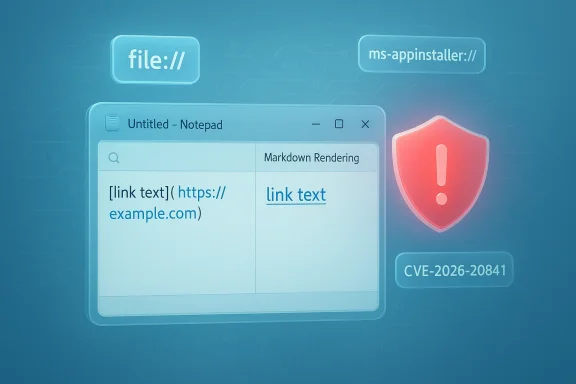
The flaw, publicly disclosed and patched in February 2026, allowed specially crafted Markdown (.md) files to contain links that invoked non‑HTTP(S) protocol handlers — for example, file://, SMB paths, or platform‑specific URIs like ms‑appinstaller:// — and in vulnerable Notepad builds these links could be followed with a single user click (Ctrl+click) without showing the normal Windows warning that would otherwise mediate such protocol launches. The issue was assigned a high severity rating (CVSS v3.1 ≈ 8.8) and has been cataloged as CVE‑2026‑20841.
Multiple independent reporters and vulnerability trackers confirmed the same core facts: the vulnerability resides in the Store‑distributed Notepad app’s Markdown link handler, the patched Notepad build is 11.2510 (and later), Microsoft pushed the remediation as part of the February Patch Tuesday set, and Microsoft reported no known active exploitation in the wild at the time of the advisory.
Microsoft’s advisory language mapped the underlying weakness to “improper neutralization of special elements used in a command,” and public vulnerability databases reflect the same CWE classification. At the time of the advisory, Microsoft said there were no confirmed active exploitations in the wild. That statement is important but not a reason for complacency — the attack mechanics are straightforward and sample code or proof‑of‑concepts could allow rapid weaponization if released.
Security is layered: user prompts are an important guardrail, but defenses should also include policy enforcement, least‑privilege operation, and improved application design to minimize the surface area that requires user decisions in the first place.
Administrators and users should treat Markdown files with the same caution they use for attachments, prioritize the February 2026 Notepad/Windows updates (patched Notepad build 11.2510+), and apply layered defenses — policy restrictions on protocol handlers, application control, least privilege, and user education — to mitigate remaining social‑engineering risks. The incident is a reminder that even the simplest utilities deserve security design scrutiny when they begin to act beyond plain text parsing.
Source: Gridinsoft Notepad Markdown link flaw fixed in Windows 11 patch
 Background
Notepad has long been Windows’ simplest text editor, trusted precisely because it did very little: open, edit, and save plain text files. That design assumption changed when Microsoft modernized Notepad for Windows 11 — moving distribution to the Microsoft Store and adding features such as Markdown rendering, clickable links, tabs, and richer formatting. Those user‑facing conveniences are useful for developers and documenters, but they also extended Notepad’s trust boundary into areas typically handled by web browsers and document viewers.The flaw, publicly disclosed and patched in February 2026, allowed specially crafted Markdown (.md) files to contain links that invoked non‑HTTP(S) protocol handlers — for example, file://, SMB paths, or platform‑specific URIs like ms‑appinstaller:// — and in vulnerable Notepad builds these links could be followed with a single user click (Ctrl+click) without showing the normal Windows warning that would otherwise mediate such protocol launches. The issue was assigned a high severity rating (CVSS v3.1 ≈ 8.8) and has been cataloged as CVE‑2026‑20841.
Multiple independent reporters and vulnerability trackers confirmed the same core facts: the vulnerability resides in the Store‑distributed Notepad app’s Markdown link handler, the patched Notepad build is 11.2510 (and later), Microsoft pushed the remediation as part of the February Patch Tuesday set, and Microsoft reported no known active exploitation in the wild at the time of the advisory.
What went wrong: technical explanation
The vulnerability class and root cause
At a high level, CVE‑2026‑20841 maps to CWE‑77 — Improper Neutralization of Special Elements used in a Command (commonly described as command‑injection). Notepad’s Markdown renderer converts Markdown link syntax into clickable UI elements. In affected versions, Notepad failed to sufficiently validate or gate the URI schemes behind those links and forwarded them to the operating system or registered protocol handlers without adequate mediation. That allowed an attacker to craft a link that would cause the OS to perform powerful actions — including downloading and executing content — under the signed‑in user’s privileges.The practical exploit chain
The chain is unusually short and user‑interaction driven:- Attacker crafts a Markdown (.md) file with a malicious link that uses a non‑HTTP(S) URI (file://, smb://, ms‑appinstaller://, custom app scheme, etc.).
- Attacker delivers the file via email attachment, a file share, a support ticket, or bundled with software artifacts — channels where .md files are commonly exchanged.
- Victim opens the .md file in Notepad’s Markdown view (the default behavior in modern Notepad builds).
- Victim clicks the embedded link (Ctrl+click). Notepad hands the URI to the OS/protocol handler.
- The invoked handler fetches or launches content, which executes with the same privileges as the user account.
Which protocols were cited as risky
Public reporting and researcher analysis highlighted several protocol vectors that amplify risk:- file:// — direct references to local file system paths.
- smb:// or UNC paths — remote network shares that can host executables or payloads.
- ms‑appinstaller:// and other Microsoft/OS handlers — can trigger installer flows or app actions.
- custom application schemes — any application that registers a URI handler can be invoked.
Microsoft’s remediation: what changed
Microsoft addressed CVE‑2026‑20841 in the February 2026 cumulative updates and through an updated Notepad Store package. The practical, observable change is that Notepad now requires explicit user confirmation before launching non‑HTTP(S) or otherwise unverified protocol URIs from Markdown content — restoring a decision point that prevents silent hand‑offs to protocol handlers. The update is distributed via Patch Tuesday and through the Microsoft Store for the modern Notepad package; the patched Notepad build is reported as 11.2510 or later.Microsoft’s advisory language mapped the underlying weakness to “improper neutralization of special elements used in a command,” and public vulnerability databases reflect the same CWE classification. At the time of the advisory, Microsoft said there were no confirmed active exploitations in the wild. That statement is important but not a reason for complacency — the attack mechanics are straightforward and sample code or proof‑of‑concepts could allow rapid weaponization if released.
Why this matters — threat model and real‑world risk
A trusted app became an action point
Notepad’s modernization made it more likely that users will open .md files in Notepad by default. Unlike email attachments or documents opened in unfamiliar software, people trust built‑in Windows apps. That trust lowers the cognitive friction for social engineering: a README, a release note, or a support document looks innocuous and can contain an instruction such as “Click the link below to install the latest add‑on,” which is all an attacker needs. The result is an easily exploitable human factor.Low complexity, high impact
- Low complexity: exploitation requires only a crafted Markdown file and a single click by the victim.
- Wide reach: modern Notepad is widely distributed via the Microsoft Store on Windows 11.
- High impact: code executes with the privileges of the logged‑in user; for administrative accounts the compromise can escalate to full system control.
Not a “browser bug” — but close
This is not a web‑engine remote memory corruption or a kernel privilege escalation; it’s a failure of input handling and policy gating in a client application that suddenly behaves like a document viewer or a light browser. That blurred boundary — a formerly inert tool becoming an actionable component— is the core security lesson. When an app begins handing URIs to the operating system, it must treat those URIs as potential commands and apply the same mediation and validation as a browser would.Practical guidance: what users and administrators should do now
Immediate actions for home users and power users
- Update Notepad: Install the February 2026 Patch Tuesday updates and update Notepad via the Microsoft Store to ensure you have Notepad build 11.2510 or later. Automatic Store updates should deliver the fix; manually verify if your device does not auto‑update.
- Treat .md files like attachments: Do not open .md files from unknown or untrusted senders, and do not click links inside them unless you can verify the target.
- Preview before clicking: If you must open a Markdown file of unknown provenance, open it in a plain text viewer (the classic notepad.exe or any editor that does not render links) and inspect the raw link target. This neutralizes click‑to‑execute behavior.
Enterprise and security team checklist
- Patch urgently: Prioritize deployment of the Notepad update across endpoints, especially for users with administrative privileges.
- Restrict protocol handlers: Use policy (AppLocker, Windows Defender Application Control) to restrict which applications or protocol handlers can be invoked automatically or by user processes.
- Change file associations temporarily: If updating Notepad cannot be done immediately, consider changing the .md file association to a viewer that does not render links or to open files in read‑only mode.
- Inspect telemetry: Monitor endpoint telemetry for suspicious Notepad process trees that spawn protocol handler invocations or unexpected network activity following Notepad use.
- User education: Brief staff to treat Markdown attachments like other potentially dangerous file types and to avoid clicking unknown links embedded in documentation.
Mitigations that reduce the attack surface
- Use application control policies to block or limit ms‑appinstaller:// and other high‑risk URIs where possible.
- Enforce least privilege: ensure users do not operate daily under administrative accounts.
- Harden email gateways and file upload paths to strip or quarantine unexpected Markdown files, especially in public‑facing support channels.
Why the fix is necessary but not sufficient
Microsoft’s patch restores a crucial confirmation step for non‑HTTP URIs, which closes the immediate pathway for silent execution. That is an appropriate first‑order mitigation. However, the fix still depends on a user declining or accepting a prompt, which means social engineering remains a viable avenue: attackers can craft convincing instructions that coax a user to accept the confirmation. In other words, the patch raises the bar but does not remove the bar entirely.Security is layered: user prompts are an important guardrail, but defenses should also include policy enforcement, least‑privilege operation, and improved application design to minimize the surface area that requires user decisions in the first place.
Broader implications: feature creep and the attack surface tradeoff
This incident is symptomatic of a larger trend: when previously inert utilities gain network‑aware features, they inherit the responsibilities and risks of network‑facing software. There are three lessons here for designers and product owners:- Design for least‑privilege interactions: When adding features that cross trust boundaries (e.g., executing protocol handlers), default to conservative behavior such as whitelisting safe protocols and requiring explicit opt‑in for risky functionality.
- Treat editors as document viewers when they render markup: Rendering structured content like Markdown turns an editor into a document viewer; that role requires hardened input validation, sandboxing of rendering components, and strict mediation of protocol invocations.
- Consider telemetry and feature flags for rapid rollback: For widely distributed Store apps, the ability to quickly push mitigations and to toggle or limit new features can reduce window of exposure when a defect is discovered.
For developers: technical hardening recommendations
Developers building editors and lightweight document viewers should consider these concrete steps:- Whitelist safe URI schemes: Only treat HTTP and HTTPS as safe for auto‑navigation from content viewers; require explicit logic for any other scheme.
- Normalize and canonicalize URIs before handing them to system components to avoid obfuscated or ambiguous link representations (for example, percent‑encoding tricks).
- Isolate protocol handling by invoking protocol handlers from a sandboxed broker process that can impose policy, log the invocation, and show consistent user prompts.
- Audit parsing paths for command injection patterns: Any code that constructs system calls or invokes handlers based on user content should be audited against CWE patterns like CWE‑77.
- Use telemetry and vetting in pre‑release channels: Canary, beta, and enterprise preview channels can detect risky interactions before broad deployment.
A note on attribution and verification
Multiple independent outlets and the U.S.‑based NVD/NIST entry corroborate the high‑level claims: the vulnerability is tracked as CVE‑2026‑20841, classified under CWE‑77, and historically was fixed with Notepad build 11.2510 in the February 2026 Patch Tuesday cycle. Public reporting names researchers and security teams involved in discovery, and vendors reported no known exploitation at disclosure time. Those specifics are reflected in Microsoft’s advisory and in aggregated vendor coverage. Where precise exploit strings and proof‑of‑concept code were not published publicly at the time of disclosure, those details remain unverifiable and should be treated cautiously.Conclusion
The Notepad Markdown link flaw is a concise case study in how feature expansion can unexpectedly increase attack surface: a single convenience — clickable links in rendered Markdown — converted a trusted, minimal editor into an entry point for protocol‑based execution. Microsoft’s fix reintroduces an important confirmation step for non‑HTTP(S) URIs and removes the silent hand‑off that made click‑to‑execute possible, but the underlying lesson persists.Administrators and users should treat Markdown files with the same caution they use for attachments, prioritize the February 2026 Notepad/Windows updates (patched Notepad build 11.2510+), and apply layered defenses — policy restrictions on protocol handlers, application control, least privilege, and user education — to mitigate remaining social‑engineering risks. The incident is a reminder that even the simplest utilities deserve security design scrutiny when they begin to act beyond plain text parsing.
Source: Gridinsoft Notepad Markdown link flaw fixed in Windows 11 patch
