

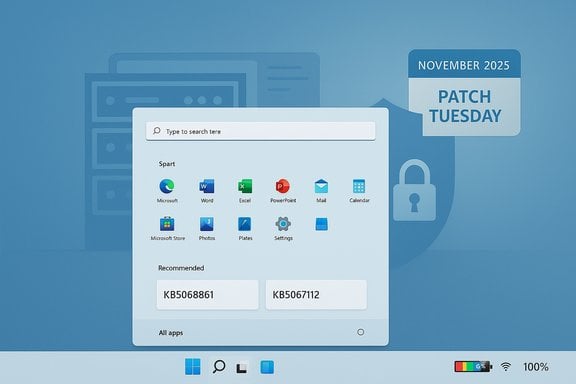
Microsoft has shipped November’s Patch Tuesday for Windows 11: the combined monthly cumulative for the current servicing baselines arrives as KB5068861 for Windows 11 versions 25H2 and 24H2, and Microsoft’s Release Preview channel received the focused preview package KB5067112 for 23H2 — together they deliver a mix of security fixes, reliability patches, and small but visible user‑facing polish such as the refreshed Start surface, a new colorful battery icon (with optional percentage), and a long‑awaited Task Manager/shutdown reliability fix.
Microsoft’s November 11, 2025 Patch Tuesday follows the familiar servicing rhythm used throughout 2025: monthly Latest Cumulative Updates (LCUs) carry security fixes and hardening, while optional non‑security preview updates (delivered to Release Preview and Insiders) test targeted reliability fixes and enablement flags ahead of mainstream rollout. That staged approach lets Microsoft validate fixes at scale while using server‑side gating to flip features progressively for subsets of devices. The November cumulative (KB5068861) folds in fixes that previously appeared in October preview packages, and the separate KB5067112 package represents a Release Preview preview for the older 23H2 baseline.
Why this matters now: although the November LCU is primarily a security/quality package, several items in this release address high‑impact user pain points — sign‑in failures on touch devices, Hyper‑V networking regressions, and an “Update and shut down” behavior that historically left machines powering back on instead of shutting down. These fixes reduce real‑world operational friction for consumers and organizations alike.
For power users, IT, and imaging teams: follow a staged plan.
Source: Neowin Windows 11 (KB5068861, KB5067112) November 2025 Patch Tuesday out
 Background / Overview
Microsoft’s November 11, 2025 Patch Tuesday follows the familiar servicing rhythm used throughout 2025: monthly Latest Cumulative Updates (LCUs) carry security fixes and hardening, while optional non‑security preview updates (delivered to Release Preview and Insiders) test targeted reliability fixes and enablement flags ahead of mainstream rollout. That staged approach lets Microsoft validate fixes at scale while using server‑side gating to flip features progressively for subsets of devices. The November cumulative (KB5068861) folds in fixes that previously appeared in October preview packages, and the separate KB5067112 package represents a Release Preview preview for the older 23H2 baseline.Why this matters now: although the November LCU is primarily a security/quality package, several items in this release address high‑impact user pain points — sign‑in failures on touch devices, Hyper‑V networking regressions, and an “Update and shut down” behavior that historically left machines powering back on instead of shutting down. These fixes reduce real‑world operational friction for consumers and organizations alike.
What’s included: headline changes and fixes
Major packaging and build numbers
- KB5068861 — Cumulative update for Windows 11 versions 25H2 and 24H2. This release advances builds to 26200.7171 (25H2) and 26100.7171 (24H2) on affected devices. The package contains the LCU plus the latest servicing stack where applicable.
- KB5067112 — Optional Release Preview preview for Windows 11 23H2 (Build 22631.6132 in Release Preview). This is a targeted, non‑security preview containing specific reliability fixes and an enablement for a Personalized Offers surface in OOBE.
Key user‑facing highlights
- Refreshed Start menu surface: a unified, scrollable Start is now being rolled out more widely behind server‑side feature flags; the binaries in KB5068861 make the change available to more devices even if Microsoft gates final visibility per device.
- Battery icon improvements: the taskbar battery icon gains color and an optional percentage display, a small but widely noticed UX polish for laptop and handheld users.
- Task Manager and shutdown reliability fixes: an issue where closing Task Manager didn’t always terminate background instances and a long‑running “Update and shut down” bug were addressed in the preview cycle and promoted into the November cumulative. These fixes improve system stability and battery/boot predictability.
- Touch keyboard input fix (KB5067112, 23H2 preview): corrects a regression where the touch keyboard displayed normally after resume but did not deliver characters to text fields (including at sign‑in). This was a blocking issue on tablets and convertibles.
- Hyper‑V external virtual switch NIC binding (KB5067112): fixes a regression where external switches could lose the physical NIC binding and become internal after a host restart, isolating VMs from external networks.
- Storage/cluster reliability: addresses disk communication/connectivity errors that affected Azure Stack Hub/Azure Local cluster upgrades, important for on‑prem cluster upgrade scenarios.
Verification: cross‑checking the claims
The most load‑bearing claims — build numbers, the fact of release, and the specific fixes listed above — are verifiable from Microsoft’s official release documentation and independent technology press coverage.- Microsoft’s KB article for the November 11, 2025 cumulative explicitly lists the OS builds (26200.7171 and 26100.7171) and the major quality items and known‑issue status.
- Independent outlets that performed hands‑on checks and tracked rollout behavior report the same headlines — Start menu refinements, battery icon improvements, and the Task Manager/shutdown reliability fix — and confirm that the update is arriving through Windows Update and the Microsoft Update Catalog with offline MSU installers.
- The Release Preview announcement and Insider blog post that document KB5067112’s changelog confirm the touch keyboard, Hyper‑V, and storage fixes and explicitly state the enablement of Personalized Offers during OOBE for eligible devices in that channel.
Strengths: what this update delivers well
- Tangible reliability wins — Several fixes address regressions that caused outright device usability problems (e.g., touch‑keyboard sign‑in failure, Hyper‑V external switch isolation, and Update-and-shut-down not powering off). These are practical, high‑value fixes that reduce helpdesk volume for affected device classes.
- Conservative staging and previewing — Microsoft followed a deliberate path: fixes appeared in Insider flights and optional preview packages (like KB5067036 in October), then were folded into the monthly cumulative only after telemetry‑driven validation. That reduces the odds of widespread regressions.
- Multiple deployment channels — The LCU is available via Windows Update, Windows Update for Business, WSUS/Intune, and as offline MSU packages from the Microsoft Update Catalog, so IT teams have flexibility for different operational models. Offline installers are particularly important for imaging and air‑gapped scenarios.
- Small, focused scope for preview package — KB5067112 is narrowly scoped and suitable for validation in Release Preview; it fixes issues that, if present in production, justify rapid testing. That makes the preview useful for targeted pilots without being an invasive platform change.
Risks and practical caveats
- Server‑side gating creates heterogeneity. Installing KB5068861 is a prerequisite for some of the UI changes, but the actual appearance of the redesigned Start or Copilot‑related features may still depend on Microsoft’s server‑side flags, hardware entitlements (e.g., Copilot+), or regional gating. That produces variability across otherwise identical devices and complicates helpdesk triage.
- Rollback complexity when SSU is included. Microsoft combines Servicing Stack Updates (SSUs) with LCUs in combined installers. Once an SSU is applied, it generally cannot be removed. That means offline MSU installations that include SSUs complicate rollback plans — enterprises should rely on image‑level rollbacks or tested DISM workflows rather than expect a simple uninstall.
- Preview updates are not a long‑term fix for out‑of‑support baselines. Windows 11 23H2 consumer SKUs reach the end of servicing on November 11, 2025; relying on optional previews for a version nearing end of support is a stopgap, not a strategy. Organizations should plan upgrades to 24H2/25H2 (or migrate to Enterprise servicing options) rather than treating previews as a permanent mitigation path.
- Potential interaction with third‑party drivers and management agents. Fixes that touch storage, virtualization, or input subsystems can interact poorly with outdated NIC/RAID/firmware drivers or endpoint agents (EDR). Broad rollouts should include driver validation and monitoring for regressions.
- Feature visibility vs. policy and privacy concerns. The enablement of a Personalized Offers surface in OOBE and Settings (observed in the 23H2 Release Preview) may be unwelcome in privacy‑sensitive or tightly provisioned environments; Autopilot/MDM flows should be tested to suppress or handle this UI element.
Deployment guidance — recommended workflow
For most consumers: install via Windows Update when the cumulative appears. That path uses Microsoft’s express/differential payloads and is the least risky.For power users, IT, and imaging teams: follow a staged plan.
- Prepare pilot devices
- Select representative hardware groups: touch‑first tablets, Hyper‑V hosts, Azure Stack cluster nodes, and standard desktops.
- Confirm pre‑update measurements (winver output, Update history, critical app versions). Use winver to capture the current build string before patching.
- Apply update in controlled ring
- Consumer/power‑user: use Windows Update.
- IT/enterprise: use Windows Update for Business/WSUS/Intune for phased rings, or download MSU from the Microsoft Update Catalog for offline or DISM‑driven installs. Verify SHA‑256 hashes from the catalog before use.
- Validate functionality (72‑hour minimum)
- Touch devices: resume → sign‑in. Confirm touch keyboard inserts characters and animations are correct.
- Hyper‑V hosts: reboot hosts and verify external switch → physical NIC bindings persist.
- Cluster nodes: run an in‑place upgrade simulation or verify disk I/O and cluster health checks during maintenance windows.
- General: monitor Event Viewer, Windows Update logs, and vendor management agents for regressions.
- Roll out in phases
- Expand from pilot to a small ring (5–10%), then a broader ring with telemetry gates to detect regressions early.
- Maintain a tested rollback image or snapshot strategy; do not rely on WUSA uninstall to remove combined SSU+LCU packages. Use DISM /Remove‑Package for LCU removal in offline scenarios if needed and feasible.
- Post‑deployment checks
- Confirm final build with winver and Update history.
- Validate third‑party agent connectivity (EDR, management).
- Confirm Autopilot/OOBE behavior and that Personalized Offers are suppressed or accepted per policy if provisioning devices.
Practical commands and checks
- Verify the installed build:
- Run winver and confirm build string (e.g., 26200.7171 for 25H2 after KB5068861).
- Inspect Windows Update history:
- Settings → Windows Update → Update history — confirm the KB number is present.
- Remove an LCU (if absolutely required and SSU was not included):
- Use DISM to list packages: DISM /online /get-packages
- Remove by package name: DISM /online /Remove‑Package /PackageName:<package name>
- Note: combined SSU+LCU packages may prevent full uninstall of the SSU portion. Plan image‑based rollbacks instead where practical.
- Download offline MSU:
- Use Microsoft Update Catalog and verify SHA‑256 hash; direct msu files are available for different architectures. Expect the offline package to range from ~1GB to several GB depending on architecture and whether SSU is bundled.
What to watch for after deployment
- Unexpected input regressions on localized IMEs or languages — validate non‑Latin input methods in the pilot ring.
- Driver‑level regressions after the LCU; old NIC or storage drivers may need updates.
- OOBE and Autopilot provisioning surprises if Personalized Offers appear; ensure Autopilot profiles and provisioning scripts handle the UI change.
Final assessment — who should act and when
- Casual consumers and unmanaged devices: install via Windows Update when offered. The cumulative is security‑forward and safe for typical home use.
- Touch‑first device owners experiencing the touch keyboard issue: consider enrolling a test device in Release Preview or installing the 23H2 preview (KB5067112) if you are on 23H2 and need the immediate fix; otherwise, KB5068861 is the mainstream path if you are on 24H2/25H2. Be mindful that 23H2 consumer servicing ends on November 11, 2025 — prioritise upgrading to a supported baseline.
- IT administrators and imaging teams: pilot immediately on representative hardware, verify critical subsystems (touch, Hyper‑V, storage), and roll out in phased rings only after successful validation. Prepare image‑level rollbacks and treat preview packages as test payloads rather than production releases.
Conclusion
November’s Windows 11 updates are a textbook example of modern Windows servicing: targeted fixes, modest UX polish, and staged delivery. KB5068861 bundles the month’s security content and several reliability changes into the mainstream cumulative for 25H2/24H2, while KB5067112 delivers focused preview fixes for the 23H2 baseline through the Release Preview channel. For most users, the safest path is the automatic Windows Update pipeline; for administrators and power users the prudent approach is a short, well‑instrumented pilot followed by phased rollout. Keep in mind the operational caveats — particularly around SSU/LCU combinations, server‑side gating that creates device variability, and 23H2’s end‑of‑servicing deadline — and plan deployments accordingly.Source: Neowin Windows 11 (KB5068861, KB5067112) November 2025 Patch Tuesday out
