

Apple’s tiny iPhone chip has quietly proved capable of something many assumed it wouldn’t: running a full desktop-class operating system inside a virtual machine — but the experience is explicitly meant to be occasional, constrained, and carefully managed, according to the developers doing the testing.
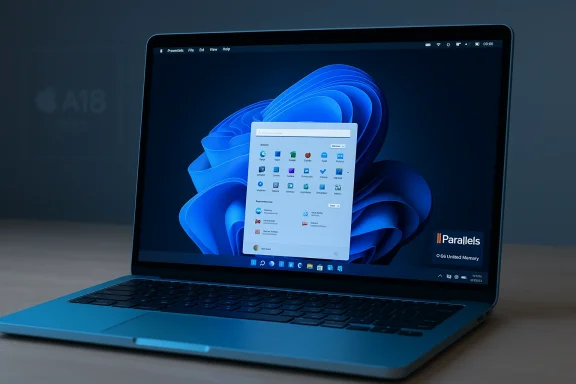
Parallels — the company behind one of macOS’s most widely used virtualization products — published a compatibility update after initial engineering tests showed that Parallels Desktop installs and virtual machines operate stably on Apple’s new MacBook Neo, which uses the A18 Pro system-on-chip originally introduced in the iPhone 16 Pro. The headline takeaway from Parallels’ note is straightforward: Windows 11 on Arm can run on the MacBook Neo, but this is not a plug-and-play replacement for a real Windows laptop. Parallels explicitly warns that the Neo’s hardware choices — notably the baseline 8 GB of unified memory and a passive (fanless) thermal design — impose hard limits on sustained CPU- and GPU-heavy Windows workloads, and recommend machines with 16 GB or more unified memory for demanding virtualization use cases.
That simple compatibility confirmation has outsized implications. It forces a re-evaluation of where Apple silicon — particularly mobile-targeted SoCs like the A18 Pro — sits relative to traditional laptop CPUs, and it raises practical questions for buyers who may be tempted by the Neo’s aggressive price point and Apple’s performance claims. It also highlights the growing maturity of Windows 11 on Arm and the virtualization stack on macOS, and the nuanced trade-offs that appear when mobile-first silicon is shoehorned into a laptop chassis.
Why that matters:
In a laptop, the difference is how those thermal characteristics interact with user expectations:
Practical implications:
For the majority of buyers, the Neo will deliver excellent value as a low-cost Mac for macOS-focused tasks, and its ability to run occasional Windows apps is a welcome bonus. For power users, developers, or anyone who depends on sustained Windows performance, the Neo’s fanless design and 8 GB baseline memory make it an unsuitable primary virtualization workstation.
Apple’s design choices are clearly deliberate: by matching a low-cost, efficient SoC with a no-fan chassis, Apple created a competitive entry-level Mac with strong burst performance while keeping manufacturing and sales costs down. Parallels’ cautious confirmation and recommendations are aligned with how the hardware is architected: technically capable, but practically constrained.
If you need occasional Windows access — a legacy app, a one-off test, or a single Windows-only utility — the MacBook Neo can be a neat, economical choice. If your intent is daily, heavy Windows work in a VM, save for a Mac with active cooling and 16 GB+ unified memory or use a dedicated x86 Windows machine. Expect incremental improvements from Parallels and Apple over time, but don’t buy the Neo today under the assumption it will match the continuous Windows performance of full-fledged, actively-cooled laptops.
The MacBook Neo marks a fascinating new point on the spectrum between phones and laptops: it demonstrates how far mobile silicon has come, but also reminds us that system design is about more than raw chip benchmarks. Memory architecture, thermal solutions, and intended use-cases ultimately determine the real-world experience — and in the Neo’s case, that experience is deliberately aimed at value-minded users who are willing to accept the occasional trade-offs in exchange for price, portability, and silent operation.
Source: Wccftech iPhone 16 Pro’s Chip Can Theoretically Run Windows, But The Company Says That Only Occasional Use ‘May Provide An Acceptable Experience’
 Background / Overview
Parallels — the company behind one of macOS’s most widely used virtualization products — published a compatibility update after initial engineering tests showed that Parallels Desktop installs and virtual machines operate stably on Apple’s new MacBook Neo, which uses the A18 Pro system-on-chip originally introduced in the iPhone 16 Pro. The headline takeaway from Parallels’ note is straightforward: Windows 11 on Arm can run on the MacBook Neo, but this is not a plug-and-play replacement for a real Windows laptop. Parallels explicitly warns that the Neo’s hardware choices — notably the baseline 8 GB of unified memory and a passive (fanless) thermal design — impose hard limits on sustained CPU- and GPU-heavy Windows workloads, and recommend machines with 16 GB or more unified memory for demanding virtualization use cases.That simple compatibility confirmation has outsized implications. It forces a re-evaluation of where Apple silicon — particularly mobile-targeted SoCs like the A18 Pro — sits relative to traditional laptop CPUs, and it raises practical questions for buyers who may be tempted by the Neo’s aggressive price point and Apple’s performance claims. It also highlights the growing maturity of Windows 11 on Arm and the virtualization stack on macOS, and the nuanced trade-offs that appear when mobile-first silicon is shoehorned into a laptop chassis.
Why this matters: a concise summary
- The MacBook Neo is Apple’s new low-cost MacBook using the A18 Pro, the same family of silicon used in the iPhone 16 Pro models, paired with 8 GB of unified memory in its base configuration.
- Parallels’ engineering team ran initial tests and confirmed Parallels Desktop installs and virtual machines operate stably on the device, and Windows 11 on Arm can be run inside a VM.
- Parallels cautions that the Neo’s fanless, passive cooling design causes the A18 Pro to throttle under sustained CPU/GPU loads, and that 8 GB of unified memory leaves very little headroom when macOS and a Windows VM are both active.
- The company recommends the MacBook Neo only for light or occasional Windows tasks, such as legacy business utilities or single, infrequently used Windows-only apps — not continuous heavy workloads.
- Early public demos and user reports show it is possible to boot Windows 11 on the Neo and run common Windows apps, but benchmarks and long-running workloads expose the hardware limits.
The hardware at the center: what the A18 Pro and MacBook Neo bring to the table
A mobile SoC in a laptop chassis
Apple’s A18 Pro is a smartphone-class SoC designed for peak power efficiency and strong single-threaded performance. In the Neo it appears largely unchanged in architecture: a multi-core CPU cluster, a multi-core GPU, and a neural engine optimized for Apple Intelligence workloads. What makes the MacBook Neo noteworthy is that Apple shipped a laptop whose compute heart is not an M-series CPU (which are designed specifically for Macs) but an iPhone-class A-series chip.Why that matters:
- A-series chips are engineered for mobile thermal envelopes and battery efficiency in thin, ventilated phone bodies. They are extremely power-efficient and can deliver strong single-threaded performance bursts.
- M-series chips used in other Macs include architectural and firmware choices optimized for sustained performance in actively-cooled laptop bodies, including different thermal headroom and sometimes expanded virtualization features or memory bandwidth configurations.
- Putting a mobile SoC into a fanless laptop reduces cost and energy usage, but also constrains how long the platform can sustain high clock speeds under continuous load.
Key Neo hardware facts buyers should know (baseline configuration)
- SoC: Apple A18 Pro (same lineage as iPhone 16 Pro)
- Unified memory: 8 GB (non-upgradeable in base SKU)
- Storage: 256 GB base (512 GB option with Touch ID on the higher-tier SKU)
- Thermal design: passive, fanless aluminum enclosure
- Starting price: aggressively placed in the entry-level segment
Virtualization reality: what Parallels found and why it matters
Parallels’ engineering update makes three essential technical observations that directly shape the user experience:- The A18 Pro exposes the hardware virtualization support that Parallels needs to run Arm-based virtual machines on macOS, so — technically — Windows 11 on Arm can be virtualized on the Neo.
- The MacBook Neo’s 8 GB unified memory configuration is the minimum practical setup for a Windows 11 VM: Windows 11 itself expects at least 4 GB, which leaves very little RAM for macOS and background apps.
- Passive thermal management means the A18 Pro will aggressively reduce clock speeds under sustained CPU/GPU load to remain within thermal limits; the chip can handle bursts but not prolonged heavy workloads without throttling.
Thermal throttling explained: why a fanless chassis will slow you down
Thermal throttling is a physical consequence of temperature limits. When the SoC temperature reaches a pre-set threshold, power and clock rates are reduced to prevent overheating. On smartphones this is an accepted trade-off — devices are optimized for intermittent bursts of high performance (e.g., camera processing, game level loads) rather than full-day sustained CPU usage.In a laptop, the difference is how those thermal characteristics interact with user expectations:
- With a fanless aluminum shell, the MacBook Neo dissipates heat passively. That’s clean and quiet, and it reduces mechanical complexity and cost.
- Under sustained multi-core CPU or GPU stress (compiling a large codebase, running continuous emulation, video encoding, long gaming sessions), the A18 Pro’s sustained clocks will fall to keep temperatures safe.
- Short tasks benefit from the SoC’s strong burst profile; long tasks will see a fall-off in throughput.
Memory bottleneck: the 8 GB unified memory constraint
Memory is one of the least forgivable constraints when running a VM on a laptop. Unified memory architecture is efficient for single-OS use, but a Windows VM running inside macOS creates real contention.Practical implications:
- If a Windows 11 VM is allocated the minimum 4 GB, macOS is left with about 4 GB for the host and other macOS-native apps. That’s enough for lightweight macOS tasks, but not for multitasking or memory-heavy macOS apps.
- Swapping (using disk as memory) will fill in but causes severe performance penalties, especially on slow storage.
- Parallels and many reviewers recommend 16 GB or more unified memory for fluid virtualization experiences; the Neo’s base 8 GB SKU is intentionally positioned below that threshold.
Real-world tests and user reports: what early demos show
Shortly after Parallels’ update, enthusiasts and reviewers began posting hands-on impressions and demos. Early public demonstrations show that:- It’s technically possible to install and boot Windows 11 on Arm inside Parallels on the MacBook Neo.
- Light Windows apps and legacy enterprise utilities run and appear responsive during short sessions.
- Benchmarks and longer, continuous loads reveal that performance degrades as the chip thermally throttles or as memory pressure forces swapping.
What this means for different types of users
Students and casual users
- The Neo is compelling for students who primarily use macOS but occasionally need Windows-only applications (university web portals, single legacy lab apps). A VM with minimal resource allocation can work well for infrequent tasks.
- The low price and portability make it an attractive first Mac, provided the user understands the limitations.
Professionals and developers
- Developers relying on heavy-weight Windows workloads, continuous integration builds, containerized Windows dev environments, or GPU-accelerated tasks should avoid the Neo as their primary virtualization machine.
- A developer who needs occasional Windows access for testing small apps may be okay, but they should budget for a Mac with 16 GB+ unified memory and active cooling for heavier workflows.
Enterprise and business users
- Organizations that require long-lived Windows VMs or multi-app workflows should not consider the Neo a replacement for workstations or confidently supported thin clients.
- For lightweight remote desktop or web-based Windows tooling, the Neo could be acceptable in constrained scenarios, but IT departments should be alert to the memory and thermal limitations.
Gamers
- Playing native Windows games inside a VM on the Neo is a non-starter for anything beyond older or lightweight titles. Throttling and limited GPU power, plus drivers and compatibility, will hinder modern PC game performance.
Security, licensing, and support considerations
- Windows licensing: Running Windows 11 on Arm in Parallels requires a valid Windows license (or using Microsoft’s evaluation channels where permitted). Organizations and individuals must ensure compliance with Microsoft’s licensing terms for virtualized Windows on Arm.
- Driver and app compatibility: Although many x86 apps can run in Windows 11 on Arm via emulation, not every legacy kernel driver or low-level x86-only software will behave properly. Users relying on very specific hardware drivers or copy-protected legacy apps should test thoroughly before committing.
- Support: Because Parallels’ initial statement frames the MacBook Neo as "not yet officially validated" in a full compatibility sense, users should expect that Parallels’ formal support guidance and optimizations may be limited initially. Patch cadence and driver optimizations for the A18 Pro on macOS could evolve over time.
Strengths and opportunities
- Price-to-performance: Apple’s decision to ship an iPhone-class SoC in an affordable laptop yields remarkable short-term performance for everyday tasks and many AI-accelerated features, especially considering the Neo’s entry-level price point.
- Burst performance and efficiency: For single-threaded bursts and Apple Intelligence tasks, the A18 Pro demonstrates strong throughput per watt, making it fine for common productivity and content consumption.
- Expands the Mac ecosystem: The Neo lowers the barrier to entry for new Mac users, expanding the potential user base who may need occasional Windows access.
- Virtualization maturity: The fact Parallels can run stable VMs on non-M-series Apple silicon is a technical milestone that broadens compatibility across Apple’s silicon portfolio.
Risks and limitations
- Sustained workload performance: The passive cooling design means the A18 Pro will throttle under load; performance is not sustained for long-term heavy computation.
- Memory limitations: 8 GB unified memory is the critical bottleneck for virtualization; it’s the single biggest deterrent to using the Neo as a dual-OS workstation.
- Support and validation timeline: Parallels’ message is cautious and rightly so — full validation and performance testing are ongoing. Early adopters may encounter bugs or unoptimized paths that require updates from Parallels or Apple.
- Expectations mismatch: Buyers seduced by compatibility headlines may be disappointed if they expect laptop-grade continuous Windows performance comparable to actively-cooled M-series Macs or similarly priced x86 laptops.
- App compatibility variance: Some x86 apps may still run poorly under Windows 11 on Arm emulation; hardware-accelerated features tied to specific GPUs or drivers may not be available or performant.
Practical recommendations: how to approach Windows on the MacBook Neo
If you’re considering using Parallels Desktop to run Windows 11 on the MacBook Neo, follow these pragmatic steps and best practices:- Identify your use cases. Reserve the Neo for single-app or light Windows utilities, web-based Windows services, or occasional admin tasks.
- Allocate minimal VM resources. For responsiveness, start with 4 GB RAM for Windows 11 and a modest vCPU allocation — but expect host macOS responsiveness to decline if you push allocations higher.
- Use cloud/offload options. For heavier Windows workloads, prefer remote desktop or cloud-hosted Windows machines to run demanding tasks, keeping the Neo as local access hardware.
- Avoid continuous heavy loads. Don’t rely on the Neo for sustained compilation, rendering, or gaming in a VM; performance will drop as thermal throttling kicks in.
- Monitor memory and swap. Keep an eye on unified memory use and avoid opening many macOS apps while a Windows VM is running.
- Plan for backups and fallback. Test mission-critical Windows apps in advance and have an alternate platform available for heavy-duty tasks.
What to watch for next
Several developments will determine whether the Neo becomes a genuine hybrid device for casual Windows users or remains a niche curiosity:- Parallels’ full validation and performance guidance: More detailed compatibility notes, optimizations, or product updates could improve the Neo experience over time.
- macOS framework exposure: If Apple continues to provide robust hypervisor and virtualization APIs across its silicon families, third-party tools will be better positioned to support more hardware variants.
- Firmware and power management updates: Apple could refine thermal and power profiles via firmware or macOS-level updates that slightly improve sustained performance without changing the core fanless design.
- Market reaction and third-party tools: If enough users test and push the limits, virtualization vendors and app makers may prioritize compatibility tweaks or recommend configuration best practices for the Neo.
Final analysis: practical headline and long-term perspective
The MacBook Neo running Windows inside Parallels is an important technical data point: it confirms that mobile-class Arm silicon can host desktop-class guest operating systems in virtualization scenarios. But that confirmation is not the same as an endorsement for heavy Windows usage on the Neo.For the majority of buyers, the Neo will deliver excellent value as a low-cost Mac for macOS-focused tasks, and its ability to run occasional Windows apps is a welcome bonus. For power users, developers, or anyone who depends on sustained Windows performance, the Neo’s fanless design and 8 GB baseline memory make it an unsuitable primary virtualization workstation.
Apple’s design choices are clearly deliberate: by matching a low-cost, efficient SoC with a no-fan chassis, Apple created a competitive entry-level Mac with strong burst performance while keeping manufacturing and sales costs down. Parallels’ cautious confirmation and recommendations are aligned with how the hardware is architected: technically capable, but practically constrained.
If you need occasional Windows access — a legacy app, a one-off test, or a single Windows-only utility — the MacBook Neo can be a neat, economical choice. If your intent is daily, heavy Windows work in a VM, save for a Mac with active cooling and 16 GB+ unified memory or use a dedicated x86 Windows machine. Expect incremental improvements from Parallels and Apple over time, but don’t buy the Neo today under the assumption it will match the continuous Windows performance of full-fledged, actively-cooled laptops.
Quick checklist for buyers considering Windows on MacBook Neo
- Confirm your actual workload: short utilities vs sustained builds or rendering.
- Accept the trade-offs: quiet operation and low price in exchange for memory and thermal limits.
- Prefer cloud or remote Windows for heavy work; keep the Neo for light, occasional tasks.
- Consider spending up to the higher-tier model or choosing a Mac with 16 GB unified memory if you need more virtualization headroom.
- Follow Parallels and Apple firmware/compatibility updates for evolving support guidance.
The MacBook Neo marks a fascinating new point on the spectrum between phones and laptops: it demonstrates how far mobile silicon has come, but also reminds us that system design is about more than raw chip benchmarks. Memory architecture, thermal solutions, and intended use-cases ultimately determine the real-world experience — and in the Neo’s case, that experience is deliberately aimed at value-minded users who are willing to accept the occasional trade-offs in exchange for price, portability, and silent operation.
Source: Wccftech iPhone 16 Pro’s Chip Can Theoretically Run Windows, But The Company Says That Only Occasional Use ‘May Provide An Acceptable Experience’