
Microsoft’s latest Windows 11 security action looks urgent because it is, but the real story is a little more nuanced than the alarmist framing suggests. Microsoft did ship an out-of-band update for Windows 11 version 25H2 and 24H2 in recent weeks, and the company’s own update history shows a pattern of multiple emergency releases when reliability or security problems warrant it, including OOB packages in January 2026 and March 2026 servicing updates. The takeaway is not that every Windows 11 user is under immediate active attack, but that Microsoft’s servicing model has become more agile — and more unforgiving if you delay updates. (support.microsoft.com)
The Windows update calendar used to be easier to read: Patch Tuesday arrived, admins tested, and then organizations deployed on a predictable schedule. That world still exists in a broad sense, but Windows 11 version 24H2 and 25H2 now live in a faster-moving servicing environment where Microsoft can push out-of-band (OOB) fixes when a flaw or regression demands immediate attention. Microsoft’s own documentation explicitly distinguishes security updates, optional preview updates, and OOB releases, which underscores how much more granular the release cadence has become. (support.microsoft.com)
In practice, that means “emergency update” can refer to different things. Sometimes it is a genuine security response to a vulnerability. Sometimes it is a corrective release for a broken feature, like the January 2026 OOB patch that fixed Remote Desktop sign-in failures after the regular January security update. In other cases, Microsoft uses OOB releases to clean up a narrow but disruptive problem, while the monthly cumulative update continues to deliver routine security servicing. (support.microsoft.com)
The article circulating through the Windows blog ecosystem frames this as a serious, urgent warning, but the evidence in Microsoft’s own release notes does not support every dramatic claim in that framing. The official update pages available now show normal cumulative releases, preview releases, and out-of-band fixes for Windows 11 24H2 and 25H2, but they do not by themselves prove that every affected device is “in the risk zone” in the way some headlines suggest. The safer interpretation is that Microsoft has recently used OOB servicing more often, and that users should update promptly, not panic. (support.microsoft.com)
There is also an important distinction between consumer Windows 11 and enterprise-managed devices. Microsoft’s March 2026 hotpatch note for Windows 11 Enterprise LTSC 2024 shows how much of today’s update story is shaped by managed environments, licensing, and update policies rather than a simple home-user warning dialog. Enterprises get different tooling, different baselines, and in some cases hotpatch delivery that changes the reboot equation entirely. Consumers, by contrast, mostly see the familiar Windows Update UI and a “check for updates” prompt. (support.microsoft.com)
Microsoft also published a March 10, 2026 cumulative security update, KB5079473, for the same Windows 11 branches. That update includes the latest security fixes and prior preview content, while the March 10 hotpatch package KB5079420 serves the enterprise LTSC track. The presence of those releases strongly suggests a steady servicing rhythm, not a single dramatic one-off emergency.
That distinction is crucial for readers who equate “emergency” with “catastrophic.” In the Windows ecosystem, an OOB release might fix a regression, restore a broken capability, or address a serious vulnerability. It can be urgent without being apocalyptic. Still, because the update is cumulative and often applies to two or more adjacent Windows 11 branches, the blast radius can be broad even when the actual defect is narrow. (support.microsoft.com)
A healthy response is to treat these patches as high priority, not to assume your PC is already compromised. Microsoft is signaling that the update deserves attention, and modern Windows servicing is designed so that a delay can mean exposing yourself to a chain of already-fixed issues. That is why “check for updates” is still the right first action for most users. (support.microsoft.com)
That means we should be careful not to overstate the threat. Without a named vulnerability, an exploit description, or a Microsoft security advisory tying the update to active exploitation, it is not responsible to declare that “your PC could be exposed right now” in the strongest possible sense. What we can say is that Microsoft considered the issue important enough to ship outside the routine cadence, and that alone justifies prompt installation. (support.microsoft.com)
There is a big difference between an update that “includes the latest security fixes” and one that is tied to a known in-the-wild campaign. The former tells you to install it soon. The latter tells you to install it immediately, isolate affected systems, and potentially audit your environment for compromise. The official documentation we have here supports the first category more clearly than the second.
That nuance matters for home users and IT departments alike. Security fatigue sets in when every patch is framed as a five-alarm fire, and the long-term result is that users stop listening. A better message is more disciplined: patch promptly, verify installation, and keep an eye on Microsoft’s release health pages for post-release issues. (support.microsoft.com)
That shared servicing model has real advantages. It lowers fragmentation, simplifies Microsoft’s engineering, and lets the company move fixes across branches more efficiently. But it also means a problem in one branch can very quickly become a problem in the other, especially when the underlying OS codebase is closely aligned.
For users, this means Windows 11 is less like a static operating system and more like a continuously serviced platform. The old idea of “my version is stable until next month” is no longer a safe assumption. Microsoft’s current update history shows a layered cadence of preview builds, cumulative patches, hotpatches, and OOB corrections all operating in the same month. (support.microsoft.com)
That complexity is not necessarily bad, but it is demanding. Users now need better patch hygiene, and enterprises need stronger deployment control, because a single missed update can leave a machine on the wrong baseline long enough for follow-on patches to behave unpredictably. (support.microsoft.com)
Enterprise environments are much more complicated. They may be using hotpatch enrollment, delayed rings, deferred deployment, or Intune policies that sequence updates according to risk tolerance and change windows. Microsoft’s March 10 hotpatch page shows that Windows 11 Enterprise LTSC 2024 follows a different path than regular consumer devices, and that path may even avoid a reboot in certain scenarios. (support.microsoft.com)
For enterprises, the upside is control. The downside is that control takes time, and time increases exposure. When Microsoft drops an OOB update, IT teams must decide whether to accelerate deployment, test quickly, or let the issue ride until the next maintenance window. In a world of rising security urgency, that decision has become a daily operational tradeoff rather than an occasional one. (support.microsoft.com)
The best-managed organizations now treat emergency patches as a separate operational class. They verify the bulletin, assess business impact, and then push to pilot rings first. That process may sound cautious, but it is exactly what prevents a security fix from becoming a production outage. (support.microsoft.com)
Microsoft has also been explicit that it wants to simplify update delivery and reduce disruption. The company’s support pages repeatedly point users to Windows update terminology and update-history dashboards, which suggests an effort to make servicing more transparent even as the cadence becomes denser. Transparency does not eliminate complexity, but it helps users and admins understand why the patch arrived when it did. (support.microsoft.com)
That has implications beyond Windows. If users expect software to be continuously serviced, then product teams must design for safer updates, better rollback, and clearer diagnostics. The more often Microsoft ships urgent fixes, the more important it becomes for the platform to recover cleanly when something goes wrong. (support.microsoft.com)
It also changes the public conversation around Windows quality. A patch is no longer merely a bundle of fixes; it is a trust signal. Each emergency update either reassures users that Microsoft is watching the system closely, or reinforces the fear that the platform is becoming too complex to manage without surprises. (support.microsoft.com)
The difference in 2026 is pace and visibility. Because Windows 11 24H2 and 25H2 are closely aligned, because hotpatching is now real in some enterprise editions, and because Microsoft publishes more granular servicing notes, the update stream feels more relentless than it did even a few years ago. The same platform that used to get a monthly nudge can now receive several service touches in a single month. (support.microsoft.com)
Historically, Microsoft has used emergency updates to address problems that directly affect trust in the platform: broken remote connectivity, recovery-environment regressions, and security issues that need immediate attention. That context matters because it shows the company is not using OOB releases casually; it is using them to stabilize the platform when the normal monthly cycle is too slow. (support.microsoft.com)
The lesson for readers is simple: treat emergency updates as operationally important, but not automatically as evidence of a live mass attack. The first responsibility is to update. The second is to understand what the patch actually fixes. (support.microsoft.com)
The real risk is procrastination. Users often assume Windows Update is “background noise” and postpone reboots because they are busy. That habit is exactly what emergency servicing is designed to overcome. Even if the issue is not as catastrophic as some headlines imply, the safest choice is to bring the device up to the latest supported baseline. (support.microsoft.com)
If you manage multiple PCs, this also means checking whether the devices are truly on 24H2 or 25H2, because Microsoft’s support pages tie the OOB and cumulative updates to those exact branches. Version awareness is now part of patch awareness. (support.microsoft.com)
The more interesting question is whether Microsoft can make the experience feel calmer even as the cadence stays aggressive. Better update health dashboards, clearer release notes, and more reliable rollback paths would go a long way toward reducing user anxiety. In other words, the goal should not be fewer emergency patches at any cost; it should be a Windows ecosystem that absorbs them without drama. (support.microsoft.com)
Source: thewincentral.com Windows 11 Emergency Update Just Dropped
 Overview
The Windows update calendar used to be easier to read: Patch Tuesday arrived, admins tested, and then organizations deployed on a predictable schedule. That world still exists in a broad sense, but Windows 11 version 24H2 and 25H2 now live in a faster-moving servicing environment where Microsoft can push out-of-band (OOB) fixes when a flaw or regression demands immediate attention. Microsoft’s own documentation explicitly distinguishes security updates, optional preview updates, and OOB releases, which underscores how much more granular the release cadence has become. (support.microsoft.com)In practice, that means “emergency update” can refer to different things. Sometimes it is a genuine security response to a vulnerability. Sometimes it is a corrective release for a broken feature, like the January 2026 OOB patch that fixed Remote Desktop sign-in failures after the regular January security update. In other cases, Microsoft uses OOB releases to clean up a narrow but disruptive problem, while the monthly cumulative update continues to deliver routine security servicing. (support.microsoft.com)
The article circulating through the Windows blog ecosystem frames this as a serious, urgent warning, but the evidence in Microsoft’s own release notes does not support every dramatic claim in that framing. The official update pages available now show normal cumulative releases, preview releases, and out-of-band fixes for Windows 11 24H2 and 25H2, but they do not by themselves prove that every affected device is “in the risk zone” in the way some headlines suggest. The safer interpretation is that Microsoft has recently used OOB servicing more often, and that users should update promptly, not panic. (support.microsoft.com)
There is also an important distinction between consumer Windows 11 and enterprise-managed devices. Microsoft’s March 2026 hotpatch note for Windows 11 Enterprise LTSC 2024 shows how much of today’s update story is shaped by managed environments, licensing, and update policies rather than a simple home-user warning dialog. Enterprises get different tooling, different baselines, and in some cases hotpatch delivery that changes the reboot equation entirely. Consumers, by contrast, mostly see the familiar Windows Update UI and a “check for updates” prompt. (support.microsoft.com)
What Microsoft Actually Shipped
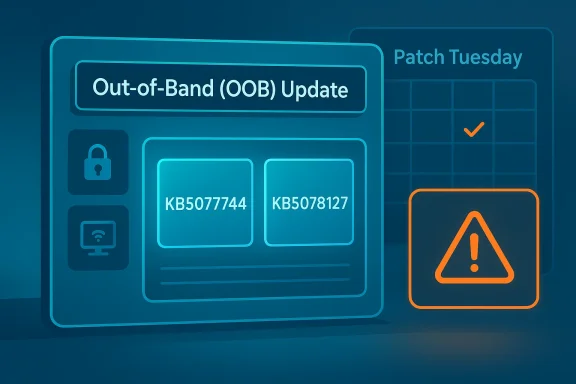
The most concrete evidence is Microsoft’s own support pages. For Windows 11 version 24H2 and 25H2, the company published an OOB update in January 2026, KB5077744, and another OOB update on January 24, 2026, KB5078127. Both are described as cumulative, meaning they include previous security and non-security fixes, not just one isolated change. That cumulative design matters because it reduces patch fragmentation, but it also means users who skip updates can fall behind quickly. (support.microsoft.com)Microsoft also published a March 10, 2026 cumulative security update, KB5079473, for the same Windows 11 branches. That update includes the latest security fixes and prior preview content, while the March 10 hotpatch package KB5079420 serves the enterprise LTSC track. The presence of those releases strongly suggests a steady servicing rhythm, not a single dramatic one-off emergency.
Why “Out-of-Band” Matters
An OOB update is unusual because it breaks the normal cadence. Microsoft uses it when waiting for the next scheduled patch day would be a bad idea. That does not automatically mean a zero-day is being exploited in the wild, but it does imply the company believes the issue deserves attention sooner rather than later. Microsoft’s own release notes and servicing guidance describe OOB updates as a separate class from standard security and preview releases. (support.microsoft.com)That distinction is crucial for readers who equate “emergency” with “catastrophic.” In the Windows ecosystem, an OOB release might fix a regression, restore a broken capability, or address a serious vulnerability. It can be urgent without being apocalyptic. Still, because the update is cumulative and often applies to two or more adjacent Windows 11 branches, the blast radius can be broad even when the actual defect is narrow. (support.microsoft.com)
A healthy response is to treat these patches as high priority, not to assume your PC is already compromised. Microsoft is signaling that the update deserves attention, and modern Windows servicing is designed so that a delay can mean exposing yourself to a chain of already-fixed issues. That is why “check for updates” is still the right first action for most users. (support.microsoft.com)
The Security Angle
The strongest claim in the viral write-up is that serious vulnerabilities were found and that hackers could exploit systems if users do not update. That is a plausible generalization, but the official pages available here do not identify a single disclosed CVE in the way a dedicated Microsoft Security Response Center advisory would. Instead, Microsoft’s release notes describe cumulative security fixes and improvements, which is a broader and less sensational category. (support.microsoft.com)That means we should be careful not to overstate the threat. Without a named vulnerability, an exploit description, or a Microsoft security advisory tying the update to active exploitation, it is not responsible to declare that “your PC could be exposed right now” in the strongest possible sense. What we can say is that Microsoft considered the issue important enough to ship outside the routine cadence, and that alone justifies prompt installation. (support.microsoft.com)
Threat Model vs. Marketing Language
The language used in many third-party articles is intentionally dramatic. Phrases like “stop what you’re doing” and “the threat is real, active, and urgent” drive clicks, but they often blur the line between a precautionary security posture and a confirmed active exploitation event. Microsoft’s own notes are much more restrained, and that restraint is itself informative. (support.microsoft.com)There is a big difference between an update that “includes the latest security fixes” and one that is tied to a known in-the-wild campaign. The former tells you to install it soon. The latter tells you to install it immediately, isolate affected systems, and potentially audit your environment for compromise. The official documentation we have here supports the first category more clearly than the second.
That nuance matters for home users and IT departments alike. Security fatigue sets in when every patch is framed as a five-alarm fire, and the long-term result is that users stop listening. A better message is more disciplined: patch promptly, verify installation, and keep an eye on Microsoft’s release health pages for post-release issues. (support.microsoft.com)
Why Windows 11 24H2 and 25H2 Keep Appearing Together
One detail that stands out in Microsoft’s servicing pages is how often Windows 11 24H2 and 25H2 are treated as a shared update pair. The support pages for January 2026, March 2026, and the hotpatch release all apply to both versions, and Microsoft’s own terminology shows them side by side throughout the update history. This is not an accident; it reflects the modern Windows shared-servicing model. (support.microsoft.com)That shared servicing model has real advantages. It lowers fragmentation, simplifies Microsoft’s engineering, and lets the company move fixes across branches more efficiently. But it also means a problem in one branch can very quickly become a problem in the other, especially when the underlying OS codebase is closely aligned.
Shared Servicing, Shared Risk
The tradeoff is that a faster shared branch can magnify the impact of a bad patch. If a regression slips into one channel, it can spread to the adjacent one unless Microsoft intervenes quickly. That is one reason OOB updates exist: they are the pressure-release valve for a servicing model that values speed and uniformity. (support.microsoft.com)For users, this means Windows 11 is less like a static operating system and more like a continuously serviced platform. The old idea of “my version is stable until next month” is no longer a safe assumption. Microsoft’s current update history shows a layered cadence of preview builds, cumulative patches, hotpatches, and OOB corrections all operating in the same month. (support.microsoft.com)
That complexity is not necessarily bad, but it is demanding. Users now need better patch hygiene, and enterprises need stronger deployment control, because a single missed update can leave a machine on the wrong baseline long enough for follow-on patches to behave unpredictably. (support.microsoft.com)
Enterprise vs. Consumer Impact
The consumer story is simple: open Windows Update, check for updates, install, reboot. Microsoft’s support pages for the OOB and cumulative releases are written to support that straightforward workflow, and the benefits are immediate because the updates are cumulative. A consumer typically only needs the latest package rather than a chain of prior patches. (support.microsoft.com)Enterprise environments are much more complicated. They may be using hotpatch enrollment, delayed rings, deferred deployment, or Intune policies that sequence updates according to risk tolerance and change windows. Microsoft’s March 10 hotpatch page shows that Windows 11 Enterprise LTSC 2024 follows a different path than regular consumer devices, and that path may even avoid a reboot in certain scenarios. (support.microsoft.com)
Consumer Convenience vs. Enterprise Control
For home users, the upside of Microsoft’s modern servicing model is convenience. You do not need a patch management team to remain protected; the operating system will offer the update, and the package is designed to roll in prior fixes. The downside is that many users still delay updates far longer than they should. (support.microsoft.com)For enterprises, the upside is control. The downside is that control takes time, and time increases exposure. When Microsoft drops an OOB update, IT teams must decide whether to accelerate deployment, test quickly, or let the issue ride until the next maintenance window. In a world of rising security urgency, that decision has become a daily operational tradeoff rather than an occasional one. (support.microsoft.com)
The best-managed organizations now treat emergency patches as a separate operational class. They verify the bulletin, assess business impact, and then push to pilot rings first. That process may sound cautious, but it is exactly what prevents a security fix from becoming a production outage. (support.microsoft.com)
The Bigger Pattern: Why Microsoft Is Releasing More Emergency Patches
It would be a mistake to view the March 2026 Windows 11 servicing cadence in isolation. The January 2026 OOB releases and the March 2026 security and hotpatch updates collectively show a Microsoft operating in a much more reactive posture than the old Patch Tuesday era. That is partly a response to modern threat cycles and partly a response to the complexity of Windows itself. (support.microsoft.com)Microsoft has also been explicit that it wants to simplify update delivery and reduce disruption. The company’s support pages repeatedly point users to Windows update terminology and update-history dashboards, which suggests an effort to make servicing more transparent even as the cadence becomes denser. Transparency does not eliminate complexity, but it helps users and admins understand why the patch arrived when it did. (support.microsoft.com)
Security Culture Is Becoming Update Culture
This is the real shift hiding beneath the headline. In 2026, security is less about occasional “big fixes” and more about an ongoing discipline of rapid patch consumption. Updates are now part of routine risk management, not just maintenance. (support.microsoft.com)That has implications beyond Windows. If users expect software to be continuously serviced, then product teams must design for safer updates, better rollback, and clearer diagnostics. The more often Microsoft ships urgent fixes, the more important it becomes for the platform to recover cleanly when something goes wrong. (support.microsoft.com)
It also changes the public conversation around Windows quality. A patch is no longer merely a bundle of fixes; it is a trust signal. Each emergency update either reassures users that Microsoft is watching the system closely, or reinforces the fear that the platform is becoming too complex to manage without surprises. (support.microsoft.com)
Historical Context: This Is Not New, But It Is Faster Now
Microsoft has been issuing OOB fixes for years, and the company’s support history shows that this is not some brand-new emergency-only behavior. Looking back through the Windows 11 release history, OOB updates appear whenever a serious enough issue emerges outside the monthly cycle. That includes fixes for Remote Desktop sign-in failures, USB recovery problems, and other regressions that could not wait. (support.microsoft.com)The difference in 2026 is pace and visibility. Because Windows 11 24H2 and 25H2 are closely aligned, because hotpatching is now real in some enterprise editions, and because Microsoft publishes more granular servicing notes, the update stream feels more relentless than it did even a few years ago. The same platform that used to get a monthly nudge can now receive several service touches in a single month. (support.microsoft.com)
From Rare Exception to Operational Norm
Once upon a time, an out-of-band update was a headline because it was unusual. Today, it is still notable, but not shocking. That shift should not make users complacent; instead, it should encourage a more mature expectation that urgent servicing is simply part of how Windows now operates. (support.microsoft.com)Historically, Microsoft has used emergency updates to address problems that directly affect trust in the platform: broken remote connectivity, recovery-environment regressions, and security issues that need immediate attention. That context matters because it shows the company is not using OOB releases casually; it is using them to stabilize the platform when the normal monthly cycle is too slow. (support.microsoft.com)
The lesson for readers is simple: treat emergency updates as operationally important, but not automatically as evidence of a live mass attack. The first responsibility is to update. The second is to understand what the patch actually fixes. (support.microsoft.com)
How This Affects Everyday Users
For most people, the practical steps are uncomplicated. Open Settings, go to Windows Update, check for updates, install the latest cumulative package, and restart if needed. Because Microsoft’s updates are cumulative, the newest package should include previous fixes rather than requiring a long manual sequence. (support.microsoft.com)The real risk is procrastination. Users often assume Windows Update is “background noise” and postpone reboots because they are busy. That habit is exactly what emergency servicing is designed to overcome. Even if the issue is not as catastrophic as some headlines imply, the safest choice is to bring the device up to the latest supported baseline. (support.microsoft.com)
What to Do Right Now
- Open Settings.
- Select Windows Update.
- Click Check for updates.
- Install any offered security or cumulative update.
- Restart the PC if prompted. (support.microsoft.com)
If you manage multiple PCs, this also means checking whether the devices are truly on 24H2 or 25H2, because Microsoft’s support pages tie the OOB and cumulative updates to those exact branches. Version awareness is now part of patch awareness. (support.microsoft.com)
Strengths and Opportunities
The upside of Microsoft’s approach is that it is fast, cumulative, and increasingly structured. Even when the company has to move outside the normal cadence, it still tends to deliver updates in a way that minimizes duplicate work for users and admins. That is a meaningful improvement over older servicing eras, especially in mixed consumer and enterprise environments. (support.microsoft.com)- Rapid response when a fix cannot wait for Patch Tuesday.
- Cumulative packaging that reduces patch-chain complexity.
- Shared servicing across 24H2 and 25H2 for simpler support.
- Hotpatch support for selected enterprise scenarios, lowering reboot pain. (support.microsoft.com)
- Clearer documentation through update-history pages and release-health dashboards.
- Better operational options for IT departments using Intune or managed rings.
- Faster remediation of regressions that could otherwise linger for weeks. (support.microsoft.com)
Risks and Concerns
The biggest risk is alarm fatigue. If every out-of-band or cumulative update is packaged like a crisis, users will eventually stop distinguishing between routine servicing and truly urgent security events. That weakens the impact of the messages that actually matter. (support.microsoft.com)- Confusing marketing language can exaggerate the real threat.
- Delayed reboots leave devices on stale baselines longer than needed.
- Enterprise testing windows can slow deployment of genuinely urgent fixes.
- Cumulative updates can combine useful fixes with unwanted regressions. (support.microsoft.com)
- Shared servicing means one branch problem can spill into another.
- Poor visibility into the actual vulnerability details can frustrate admins.
- Frequent emergency servicing can make Windows feel less predictable, even when it is improving overall. (support.microsoft.com)
Looking Ahead
The next few months will tell us whether the March 2026 servicing pattern is an anomaly or the new normal. Microsoft has already shown that it will continue to ship cumulative security updates, preview releases, OOB patches, and in some cases hotpatch packages for Windows 11 24H2 and 25H2. That means users should expect the update stream to remain active and, at times, messy.The more interesting question is whether Microsoft can make the experience feel calmer even as the cadence stays aggressive. Better update health dashboards, clearer release notes, and more reliable rollback paths would go a long way toward reducing user anxiety. In other words, the goal should not be fewer emergency patches at any cost; it should be a Windows ecosystem that absorbs them without drama. (support.microsoft.com)
What to Watch
- The next Windows 11 24H2/25H2 cumulative release and whether it adds any new fixes.
- Whether Microsoft issues another out-of-band package before the next Patch Tuesday.
- How enterprise admins handle hotpatch versus standard cumulative deployment.
- Whether Microsoft’s release notes become more explicit about security vs. regression fixes.
- Whether users respond by updating faster or by becoming more skeptical of alert-style headlines. (support.microsoft.com)
Source: thewincentral.com Windows 11 Emergency Update Just Dropped
