
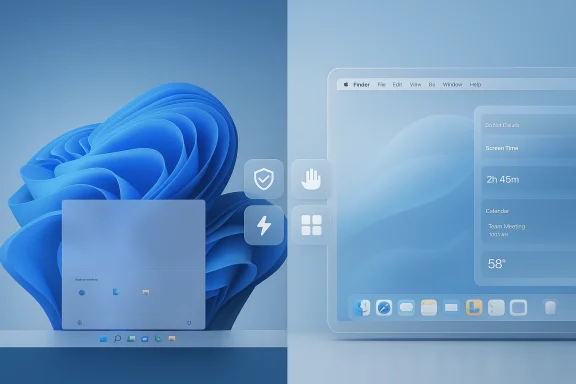
Microsoft’s latest attempt to reassure users about Windows 11 arrives at an awkward moment for the platform and, by extension, a flattering one for Apple’s Mac lineup. The company is now publicly talking about a quality-first reset: fewer ads, lighter background behavior, faster performance, tighter update control, and more user choice, including a movable taskbar. That alone is enough to make macOS Tahoe look unusually polished by comparison, even if Apple’s own new Liquid Glass redesign has drawn criticism for contrast and visual clarity.
For years, Microsoft has treated Windows as both a product and a platform ecosystem, which is one reason the operating system often feels like a compromise between consumer convenience, enterprise stability, and developer compatibility. That balancing act has delivered enormous reach, but it has also produced a user experience that can feel cluttered, inconsistent, and occasionally self-contradictory. The latest “commitment to quality” message is notable because it suggests Microsoft recognizes that the problem is not just individual bugs, but a broader trust deficit in how Windows behaves.
Apple, meanwhile, has spent the past year taking a very different kind of criticism. macOS Tahoe 26 introduced the Liquid Glass visual language, a major aesthetic reset that Apple described as a new design direction for the Mac, with translucent surfaces extending across the Dock, menus, toolbars, widgets, and more. Apple’s own documentation and launch materials emphasize personalization and visual continuity, but the redesign has also drawn complaints about legibility and contrast in some contexts.
The irony is that both companies are being judged on polish, but in opposite ways. Apple is being asked whether its new style has gone too far into visual flair at the expense of clarity, while Microsoft is being asked whether Windows has gone too far into monetization and feature sprawl at the expense of dignity. That creates a curious competitive moment: even if macOS Tahoe is not universally loved, Windows 11 can still look worse simply because it has accumulated more visible friction.
Microsoft’s recent Windows blog posts reinforce that this is not an isolated public-relations gesture. In February 2026, the company outlined a new trust-and-consent direction for Windows, including clearer app behavior, reversible decisions, and more transparent permissions. That is the kind of language you use when you want users and admins to believe the platform is becoming less adversarial and more predictable.
The timing also matters. Windows 10 reached end of servicing on October 14, 2025, and Microsoft has been spending much of 2025 and early 2026 pushing customers toward Windows 11, cloud-connected services, and newer hardware. In that context, quality messaging is not just about pride; it is about retention, migration, and keeping the platform attractive in a market where Apple’s Mac has gained momentum and Linux has quietly improved its desktop credibility.
This is where user trust becomes a product feature. If an OS constantly asks for attention, it starts to feel like it belongs to the vendor first and the customer second. Microsoft’s willingness to publicly frame ad reduction as a quality initiative suggests the company has finally accepted that visible restraint is part of what enterprise and consumer users interpret as professionalism.
There is also an architectural point here. Modern desktops are expected to manage sync clients, AI features, cloud services, and app notifications without becoming sluggish. If Microsoft can reduce idle overhead and still keep the platform rich, it strengthens the case for Windows 11 as a serious productivity OS rather than an accumulation of feature debt.
That distinction matters. A platform can be visually controversial and still feel premium. A platform can also be visually stable and still feel frustrating if it repeatedly intrudes, confuses, or promotes things users did not ask for. In that sense, Windows 11’s problem is more existential, because it is not just about the design language; it is about the relationship between user and OS.
By contrast, Microsoft’s changes sound more like a cleanup campaign than a design doctrine. A cleanup campaign can be necessary, but it rarely inspires admiration. This is why Apple can be criticized and still appear ahead: it is at least being judged for ambition.
That makes the blog-post language significant. Words like trust, consent, reliability, and control are not accidental. They are the vocabulary of a vendor trying to move from reactive patching to proactive stewardship.
A moveable taskbar is a small but symbolic consumer win. Reduced ad load and better background performance help everyone. More update control and transparency matter even more for IT departments trying to minimize downtime and compliance risk.
This is where Apple gains an indirect advantage. Apple monetizes hardware and services, but the operating system itself generally feels less promotional. Users may dislike Apple’s control, but they rarely feel like the desktop is trying to upsell them every few minutes. That difference is psychological leverage, and Microsoft has to close it.
In practical terms, the OS quality debate is about whether Windows feels calm. A calm OS is a valuable OS. Calmness makes people more patient with bugs, more tolerant of change, and more willing to standardize on the platform. Right now, Microsoft is trying to buy back calm.
Windows has a particular obligation here because it runs on a vast range of hardware, from budget laptops to high-end workstations. Optimizing idle behavior helps close the perception gap between cheap and premium devices. It also helps Microsoft counter the argument that macOS still has an advantage in system-level efficiency.
That is why quality work matters more than feature expansion at this stage. Microsoft has already shown it can add capabilities. The harder task is making sure those capabilities feel invisible when not needed and instantaneous when called upon. That is the real benchmark of a mature desktop OS.
That is strategically important because Microsoft has spent years asking businesses to move to Windows 11, especially after Windows 10 servicing ended. The more predictable the update story becomes, the easier it is to justify that migration to skeptical customers. Reliability is not just a technical metric; it is a sales argument.
The broader point is that a desktop interface should be learnable and bendable. Windows has traditionally been strongest when it allowed both. If Microsoft is now leaning back toward flexibility, it will win goodwill that no marketing campaign can manufacture.
The competitive angle is obvious. If Apple is winning praise for design coherence and Microsoft is promising user control, the companies are reasserting their historic personalities. The question is which personality modern users value more: curated elegance or configurable practicality. Right now, both matter, but Microsoft has more work to do to prove the latter still defines Windows.
Apple, for its part, may continue to hear criticism about macOS Tahoe’s look and legibility, but it is still benefiting from a narrative of intentional design evolution. That contrast is what makes Microsoft’s messaging so revealing. The company is not just trying to improve Windows; it is trying to make users believe that Windows can once again be something they want rather than something they merely accept.
Source: 9to5Mac Microsoft's 7-point plan to fix Windows 11 makes macOS Tahoe look golden - 9to5Mac
 Background
For years, Microsoft has treated Windows as both a product and a platform ecosystem, which is one reason the operating system often feels like a compromise between consumer convenience, enterprise stability, and developer compatibility. That balancing act has delivered enormous reach, but it has also produced a user experience that can feel cluttered, inconsistent, and occasionally self-contradictory. The latest “commitment to quality” message is notable because it suggests Microsoft recognizes that the problem is not just individual bugs, but a broader trust deficit in how Windows behaves.Apple, meanwhile, has spent the past year taking a very different kind of criticism. macOS Tahoe 26 introduced the Liquid Glass visual language, a major aesthetic reset that Apple described as a new design direction for the Mac, with translucent surfaces extending across the Dock, menus, toolbars, widgets, and more. Apple’s own documentation and launch materials emphasize personalization and visual continuity, but the redesign has also drawn complaints about legibility and contrast in some contexts.
The irony is that both companies are being judged on polish, but in opposite ways. Apple is being asked whether its new style has gone too far into visual flair at the expense of clarity, while Microsoft is being asked whether Windows has gone too far into monetization and feature sprawl at the expense of dignity. That creates a curious competitive moment: even if macOS Tahoe is not universally loved, Windows 11 can still look worse simply because it has accumulated more visible friction.
Microsoft’s recent Windows blog posts reinforce that this is not an isolated public-relations gesture. In February 2026, the company outlined a new trust-and-consent direction for Windows, including clearer app behavior, reversible decisions, and more transparent permissions. That is the kind of language you use when you want users and admins to believe the platform is becoming less adversarial and more predictable.
The timing also matters. Windows 10 reached end of servicing on October 14, 2025, and Microsoft has been spending much of 2025 and early 2026 pushing customers toward Windows 11, cloud-connected services, and newer hardware. In that context, quality messaging is not just about pride; it is about retention, migration, and keeping the platform attractive in a market where Apple’s Mac has gained momentum and Linux has quietly improved its desktop credibility.
What Microsoft is Actually Trying to Fix
The heart of Microsoft’s plan is not one dramatic redesign, but a bundle of small corrections that together suggest a broader strategy shift. Reducing in-OS advertising, lowering background resource use, speeding up performance, giving users more control over updates, and making the taskbar more flexible all point to the same conclusion: Microsoft is trying to make Windows feel less like a service that happens to run apps and more like a dependable desktop. That is a subtle but important change.Fewer ads, less clutter
The mention of ads is especially revealing because it acknowledges a long-running complaint that Windows has become too eager to promote Microsoft services, app recommendations, or upsells in places that should feel neutral. Even when those promotions are modest, they can make the OS feel less premium and more commercialized. Users do not usually object to a well-placed suggestion; they object when the suggestion appears to be a default attitude.This is where user trust becomes a product feature. If an OS constantly asks for attention, it starts to feel like it belongs to the vendor first and the customer second. Microsoft’s willingness to publicly frame ad reduction as a quality initiative suggests the company has finally accepted that visible restraint is part of what enterprise and consumer users interpret as professionalism.
Better idle behavior and performance
Microsoft is also promising that Windows will run lighter when it is doing nothing. That sounds boring, but it matters a lot on battery-powered notebooks, lower-cost PCs, and machines that spend much of the day in background multitasking. A desktop operating system should disappear into the background when not needed; when it does not, users feel it in fan noise, heat, and battery drain.There is also an architectural point here. Modern desktops are expected to manage sync clients, AI features, cloud services, and app notifications without becoming sluggish. If Microsoft can reduce idle overhead and still keep the platform rich, it strengthens the case for Windows 11 as a serious productivity OS rather than an accumulation of feature debt.
More control over updates
Update control is another major signal, especially for enterprise administrators who have long wanted Windows to be more predictable about timing and less invasive during work hours. Microsoft has made progress on servicing and release channels over the years, but the perception of unpredictability still lingers. Better control is not just about convenience; it is about operational confidence.Taskbar flexibility matters more than it sounds
The taskbar may seem like a cosmetic issue, but it is one of the most emotionally charged parts of the Windows interface. Users interact with it constantly, and even small constraints can create a sense that the platform is less customizable than it should be. If Microsoft truly broadens taskbar positioning or behavior, it will be read as a rare victory for power users.- Ads make the OS feel less neutral.
- Idle optimization improves battery life and thermals.
- Update control reduces workday disruption.
- Taskbar flexibility restores a sense of user ownership.
- Performance gains matter more than marketing slogans.
Why macOS Tahoe Still Looks Better on the Surface
Apple’s macOS Tahoe is not free from criticism, but it benefits from a very different kind of narrative. Apple launched Tahoe as a major visual and functional evolution, built around Liquid Glass and a more unified design language across its platforms. That gives the Mac a sense of coherence, even when individual design choices are debated. Microsoft, by contrast, is still explaining why basic things need to improve.The contrast problem cuts both ways
Apple has faced real pushback over contrast and legibility in Tahoe, and some of that criticism is fair. A translucent design system can look modern while still making interface elements harder to read in certain lighting or on certain backgrounds. But the key difference is that Apple’s complaint is about the aesthetics of refinement, not the fundamentals of trust.That distinction matters. A platform can be visually controversial and still feel premium. A platform can also be visually stable and still feel frustrating if it repeatedly intrudes, confuses, or promotes things users did not ask for. In that sense, Windows 11’s problem is more existential, because it is not just about the design language; it is about the relationship between user and OS.
Apple’s redesign is controversial, but coherent
Apple’s own materials describe Tahoe as an update designed to make the Mac more capable, productive, and intelligent, with a new visual identity built around Liquid Glass. Whether you like the look or not, the message is clear: the company is making a deliberate design bet and iterating on it across versions. That kind of consistency gives users a framework for adjustment.By contrast, Microsoft’s changes sound more like a cleanup campaign than a design doctrine. A cleanup campaign can be necessary, but it rarely inspires admiration. This is why Apple can be criticized and still appear ahead: it is at least being judged for ambition.
Mac momentum changes the optics
Apple’s desktop position is also stronger than it was a few years ago. With the Mac line performing well and Apple continuing to refine its software ecosystem, even criticism of Tahoe tends to sound like a luxury problem. Users can complain about contrast because they are already buying into the system’s strengths. Windows users often complain because they are still fighting through friction to get to those strengths.- Liquid Glass may divide opinion, but it is a coherent idea.
- Windows 11 quality reads like damage control.
- Apple’s updates feel iterative and planned.
- Microsoft’s updates feel corrective and overdue.
- Perception matters almost as much as technical merit.
The 7-Point Quality Message as a Strategic Reset
Microsoft’s seven-point framing is more than a checklist; it is a branding move. When a company says it is recommitting to quality, it is implicitly admitting that the market has begun to associate it with inconsistency. The challenge is that quality cannot be restored by announcement alone. It has to show up in daily use, in the places people notice most: boot-up, search, updates, notifications, taskbar behavior, and battery life.Quality as a reputational project
The strongest reading of this initiative is that Microsoft is trying to rebuild the emotional contract around Windows. The company knows that people can forgive an occasional bug if they believe the platform is basically on their side. They are less forgiving when they feel like every new version adds another layer of friction, promotion, or unpredictability.That makes the blog-post language significant. Words like trust, consent, reliability, and control are not accidental. They are the vocabulary of a vendor trying to move from reactive patching to proactive stewardship.
Enterprise and consumer goals are different
For consumers, quality means fewer distractions, fewer odd visual artifacts, and fewer moments when Windows feels like it is selling something back to them. For enterprises, the definition is stricter: stable updates, predictable rollout behavior, reduced support burden, and better control over devices at scale. Microsoft has to satisfy both groups with the same platform, which is why Windows often feels as if it is speaking in two voices.A moveable taskbar is a small but symbolic consumer win. Reduced ad load and better background performance help everyone. More update control and transparency matter even more for IT departments trying to minimize downtime and compliance risk.
The taskbar is a symbol, not just a feature
Windows users have long treated the taskbar as a kind of public square, not just a launcher. Any restriction there feels deeply personal because it signals how much agency Microsoft is willing to grant. By contrast, Apple’s Dock has always been more opinionated, but it also feels more stable as part of a curated experience. That makes the taskbar debate a useful proxy for the larger philosophical gap between the two platforms.- Trust is becoming the real product.
- Transparency is now part of the UI.
- Consent is a UX principle, not just a policy word.
- Control matters differently for home users and admins.
- Symbolic features can shape platform reputation.
Ads, Monetization, and the Cost of Attention
If there is one issue that can make a desktop OS feel cheap, it is the feeling that the operating system is trying to monetize the user’s attention at every turn. Windows has repeatedly flirted with that perception through suggestions, prompts, and ecosystem nudges. Even when these elements are harmless in isolation, they become damaging when they accumulate.The premium software test
A premium desktop platform should make the user feel supported, not auctioned. That is why ad reduction is more than a cleanup item; it is a statement about what kind of relationship Microsoft wants with customers. If the company wants Windows 11 to be seen as an elegant foundation for work and play, it needs to stop making users notice the business model so often.This is where Apple gains an indirect advantage. Apple monetizes hardware and services, but the operating system itself generally feels less promotional. Users may dislike Apple’s control, but they rarely feel like the desktop is trying to upsell them every few minutes. That difference is psychological leverage, and Microsoft has to close it.
Why small annoyances become big ones
People rarely abandon a platform because of a single ad, one notification, or one poorly placed prompt. They leave because those moments create a general sense that the platform is not respecting them. That’s why Microsoft’s change list should be read as a response to cumulative annoyance, not isolated complaints.In practical terms, the OS quality debate is about whether Windows feels calm. A calm OS is a valuable OS. Calmness makes people more patient with bugs, more tolerant of change, and more willing to standardize on the platform. Right now, Microsoft is trying to buy back calm.
The business case for restraint
There is a commercial argument for being less aggressive, too. Users who trust Windows more are more likely to stay in the ecosystem, buy Microsoft services, and recommend the platform. Aggressive monetization can generate short-term attention but long-term resentment. If Microsoft wants to keep Windows central in an AI-heavy PC era, it has to balance the urge to surface services with the need to preserve the desktop’s dignity.- Too many prompts undermine trust.
- Visible upsells make the OS feel less premium.
- Restraint can improve ecosystem loyalty.
- Calm interfaces reduce friction.
- Perception of respect can be commercially powerful.
Performance, Background Load, and the “Idle Tax”
Microsoft’s promise to make Windows lighter when it is idle may sound like a technical footnote, but it addresses one of the biggest hidden taxes of modern computing: background overhead. Every operating system today juggles sync engines, security tools, telemetry, notification subsystems, AI features, and cloud integrations. Users may not see those processes, but they experience the consequences whenever the fan spins up or battery life falls short.Why idle performance matters now
In the era of thin-and-light notebooks, idle efficiency is not a luxury. It directly affects whether a machine feels modern, quiet, and trustworthy. A PC that drains battery while seemingly doing nothing is a PC that feels poorly engineered, no matter how advanced the feature list looks on paper.Windows has a particular obligation here because it runs on a vast range of hardware, from budget laptops to high-end workstations. Optimizing idle behavior helps close the perception gap between cheap and premium devices. It also helps Microsoft counter the argument that macOS still has an advantage in system-level efficiency.
AI features make optimization harder
Windows is now trying to layer AI-related capabilities on top of everything else, which raises the stakes for background management. The more the OS wants to be context-aware, assistive, and proactive, the more careful it has to be about how much it consumes in return. A helpful feature becomes a liability if it constantly drains resources in the background.That is why quality work matters more than feature expansion at this stage. Microsoft has already shown it can add capabilities. The harder task is making sure those capabilities feel invisible when not needed and instantaneous when called upon. That is the real benchmark of a mature desktop OS.
Enterprise deployment implications
For IT teams, better background efficiency is not just about battery life. It can also translate into fewer performance tickets, more consistent device behavior, and less need to overprovision hardware just to mask OS inefficiency. In a large fleet, small gains add up. A few extra minutes of battery and a few fewer interruptions can produce measurable productivity benefits.- Idle overhead hurts battery and thermals.
- AI layers must not become invisible bloat.
- Efficiency scales across enterprise fleets.
- Optimization is now a competitive feature.
- Background behavior shapes user trust as much as speed tests do.
Update Control, Rollouts, and the Enterprise Reality
Microsoft’s promise of greater update control is probably the most meaningful point for organizations, even if it sounds less glamorous to consumers. Windows has long been powerful in business because it is manageable, supportable, and compatible with huge software estates. But if updates feel too unpredictable, that value proposition weakens.Why IT cares more than casual users
A home user can tolerate a disruptive update now and then. An IT administrator managing hundreds or thousands of devices cannot. For enterprise environments, even a modest improvement in scheduling, deferral, or rollback can reduce downtime and support escalations. Microsoft’s own messaging around trust and consent points toward a platform that wants to be more deliberate about change.That is strategically important because Microsoft has spent years asking businesses to move to Windows 11, especially after Windows 10 servicing ended. The more predictable the update story becomes, the easier it is to justify that migration to skeptical customers. Reliability is not just a technical metric; it is a sales argument.
Consumer freedom still matters
Consumers benefit too, though in a different way. More control means fewer surprise restarts, less disruption during work or entertainment, and a greater sense that Windows is being managed on the user’s terms. That matters especially on personal devices, where people are more likely to blame the OS when something interrupts a task at the wrong moment.Rollout discipline is the hidden prize
Microsoft’s public emphasis on phased rollout and thoughtful transition is a good sign. The company appears to understand that change is tolerated more readily when it is predictable, explainable, and reversible. That approach may sound conservative, but in operating systems conservatism can be the feature users value most.- Admins want scheduling, not surprises.
- Rollback matters when deployments go wrong.
- Phased rollouts reduce support pain.
- Consumer devices still need fewer interruptions.
- Predictability is a major adoption incentive.
The Taskbar Debate: Small Feature, Big Meaning
The taskbar is one of those interface elements that reveals a company’s philosophy almost immediately. Apple’s Dock is part launcher, part showcase, and part identity statement. Windows’ taskbar is more utilitarian, but it has historically been a symbol of flexibility and direct control. Any change to it will be read as a signal about how much Microsoft trusts users.Why customization still matters
Customization is not just decoration. It gives people ownership over the environment they spend all day in. When users can position or shape core interface elements, they feel the OS is adapting to them rather than the other way around. That is especially valuable for power users and professionals who work across multi-monitor setups, laptops, and tablets.The broader point is that a desktop interface should be learnable and bendable. Windows has traditionally been strongest when it allowed both. If Microsoft is now leaning back toward flexibility, it will win goodwill that no marketing campaign can manufacture.
Comparing Windows and macOS philosophy
Apple tends to favor consistency over broad customization, which is why macOS often feels cleaner but less configurable. Microsoft historically offered more user choice, but Windows 11 has sometimes felt like it narrowed that promise in the name of simplification. A more flexible taskbar would be a symbolic return to that older Windows identity.The competitive angle is obvious. If Apple is winning praise for design coherence and Microsoft is promising user control, the companies are reasserting their historic personalities. The question is which personality modern users value more: curated elegance or configurable practicality. Right now, both matter, but Microsoft has more work to do to prove the latter still defines Windows.
What users will actually notice
Most users will not think in abstract philosophy terms. They will notice whether the taskbar is where they want it, whether it gets in the way, and whether it behaves predictably. That is the entire game. If Microsoft can make a small number of such interactions feel smoother, the broader quality message will start to ring true.- Ownership is a real UX advantage.
- Multi-monitor users care deeply about placement.
- Consistency and customization are not opposites.
- Taskbar changes can reshape perception fast.
- Practical convenience beats visual rhetoric.
Strengths and Opportunities
Microsoft’s plan has real upside if it is executed with discipline rather than fanfare. The company is targeting the parts of Windows 11 that users actually complain about, which is a better strategy than piling on headline features nobody asked for. If the work lands, Windows could become less noisy, more efficient, and more credible as a premium desktop platform.- Restoring trust could improve user loyalty.
- Reduced ads may make Windows feel more professional.
- Idle efficiency can improve battery life and responsiveness.
- Better update control benefits both homes and enterprises.
- Taskbar flexibility would resonate with power users.
- Security and consent messaging aligns with broader industry concerns.
- A quality-first story can help reset the Windows narrative.
Risks and Concerns
The problem with quality campaigns is that they are easy to announce and hard to sustain. Users will judge Microsoft by the next few cumulative updates, not by a blog post. If the company keeps layering on new prompts, services, or AI surfaces while talking about simplicity, the contradiction will be obvious.- Promises can outpace delivery if improvements arrive slowly.
- Ads may shrink but not disappear enough to change perception.
- Taskbar changes could be limited or delayed.
- Performance gains may vary widely across hardware.
- Enterprise rollout could still be complicated by legacy compatibility.
- AI integration may introduce new overhead and new annoyances.
- User skepticism is already high, so goodwill is fragile.
Looking Ahead
Microsoft’s best-case scenario is not a flashy reinvention, but a steady restoration of confidence. If the company can make Windows 11 feel cleaner, lighter, more predictable, and less self-promotional, the platform could regain some of the esteem it has lost. That would not only help Windows compete more effectively with macOS; it would also make the case that the PC can still be the most flexible mainstream computing platform.Apple, for its part, may continue to hear criticism about macOS Tahoe’s look and legibility, but it is still benefiting from a narrative of intentional design evolution. That contrast is what makes Microsoft’s messaging so revealing. The company is not just trying to improve Windows; it is trying to make users believe that Windows can once again be something they want rather than something they merely accept.
- Watch whether ads actually decline in daily use.
- Watch for measurable idle-performance improvements on common laptops.
- Watch update controls in both consumer and managed environments.
- Watch the taskbar roadmap for real flexibility, not just hints.
- Watch whether Microsoft sustains the quality message through 2026.
- Watch Apple’s next macOS iteration for contrast fixes and design refinements.
Source: 9to5Mac Microsoft's 7-point plan to fix Windows 11 makes macOS Tahoe look golden - 9to5Mac
