

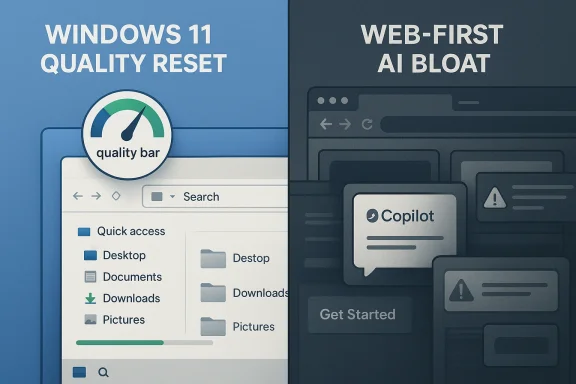
Microsoft’s Windows 11 problem is no longer just about bugs, sluggish menus, or unpopular interface choices. It is increasingly about organizational drift: one part of the company says Windows must become more reliable, more native, and more respectful of users, while other teams keep shipping experiences that feel web-first, ad-adjacent, and friction-heavy. That contradiction is now impossible to ignore, and it helps explain why Windows 11 improvement feels real in one moment and undermined the next.
The tension is particularly visible in the past few weeks. Microsoft has publicly promised to raise the quality bar for Windows, expand testing, improve update behavior, and speed up everyday interactions like File Explorer and context menus. At the same time, the company continues to push more Copilot surfaces, more Edge-tied behavior, and more cross-product AI integration that many Windows users see as bloat rather than progress.
Windows has always been more than an operating system. It is the foundation of Microsoft’s consumer PC business, the anchor for enterprise device management, and the platform that makes the rest of the company’s software stack feel inevitable. When Windows gets better, Microsoft’s whole ecosystem gains credibility. When it gets worse, the damage spreads far beyond the Start menu.
That is why the current Windows 11 debate matters so much. Windows 11 launched with a visual refresh and a strong design narrative, but over time it accumulated a reputation for inconsistency, friction, and unfinished ideas. Users complained about settings split across multiple panes, slower-feeling shell elements, too much commercial surface area, and an update model that often seemed more disruptive than reassuring.
Microsoft clearly heard the criticism. The company has recently begun talking in more direct language about Windows quality, reliability, validation, and confidence. In March 2026, Microsoft said it was “evolving how Windows is built behind the scenes to raise the quality bar,” and outlined changes intended to improve update behavior, search consistency, and the broader user experience. That is not the language of a company shrugging off complaints; it is the language of a company trying to reset expectations. (blogs.windows.com)
Yet a reset only works if the whole company aligns behind it. That is the harder part. Windows is no longer a single monolith guided by one internal philosophy. It is a platform surrounded by product teams with their own roadmaps, incentives, and metrics, many of which prioritize engagement, service growth, and AI adoption over the day-to-day ergonomics of the desktop itself. That is how you end up with promising Windows work on one side and trust-eroding behavior on the other.
Historically, this pattern is not new. Microsoft has often improved one layer of the stack while another layer caused backlash. The difference now is visibility. In the Windows 11 era, every experiment lands in front of a highly engaged audience that can compare official messaging against the actual product. If the company says it wants native experiences, users notice when the Copilot app still leans on web tech. If it says it wants to reduce friction, users notice when new prompts and overlays add friction elsewhere. (windowscentral.com)
The company’s March 20 Windows Insider post was unusually explicit. Microsoft said it would deepen validation, broaden testing across real-world hardware, improve update experiences, and make build quality more intentional before features reach broader audiences. It also said Windows would become more secure with each release while changing how updates are handled behind the scenes. That is a serious statement of intent, not a cosmetic tweak. (blogs.windows.com)
The practical changes Microsoft has previewed are also revealing. The company has talked about faster, more reliable update experiences, clearer progress during updates, built-in recovery, and fewer surprise restarts. It has also outlined improvements that should make search more coherent across the taskbar, Start, File Explorer, and Settings. Those are the exact surfaces where Windows users form their strongest opinions. (blogs.windows.com)
That is why the quality reset must be judged by behavior, not slogans. If Windows feels better because the company made it more coherent, users will notice. If Windows feels “improved” only because one layer was polished while another layer became more intrusive, the company will have achieved the opposite of its goal.
Windows Central’s reporting this week raised eyebrows because it suggested the new Copilot app can effectively become Microsoft Edge under the hood. That fits a broader pattern: Microsoft has spent the last year normalizing Copilot surfaces across Windows, Edge, and other products, while the underlying technology stack remains heavily web-based in many cases. The result is not necessarily bad engineering, but it is bad optics for users who were told they were getting something more native and more integrated. (windowscentral.com)
The Copilot app story is not just about one app. It is about a broader product philosophy. Microsoft has shown a willingness to put web technologies in places where users expect traditional desktop behavior, from assistant surfaces to search-adjacent panels to hybrid shell elements. Sometimes that choice makes sense. Sometimes it is the right way to ship quickly across platforms. But sometimes it reads as a cost-saving shortcut disguised as innovation. (windowscentral.com)
This is where Microsoft risks cannibalizing its own Windows quality message. If one team is trying to make Windows feel cleaner while another is filling it with assistant surfaces that blur into the web, the company ends up arguing with itself in public. The user sees one thing: a system that keeps changing the rules.
At the same time, the company remains careful not to weaken the security argument. That is understandable. Updates are essential, and Windows 11 must stay protected in a world of fast-moving threats. But Microsoft’s challenge is to make security feel like a service rather than an interruption. When it fails, users stop seeing updates as maintenance and start seeing them as punishment.
Microsoft’s support pages still make clear that updates cannot be skipped forever. The company says Windows 11 users can pause updates temporarily, but eventually must install the latest updates. That policy is unlikely to change, and in security terms it should not. The question is whether Microsoft can make the pause/restart rhythm more humane without weakening the underlying protection model. (support.microsoft.com)
That distinction is crucial. Microsoft can make progress by tuning enterprise tooling, but consumer perception will not improve unless the home experience also becomes calmer. Windows 11 will only feel “fixed” when the people least interested in policy details can use it without feeling managed.
Microsoft has already been investing in app development tooling and modernization efforts. In January 2026, it introduced the winapp CLI for Windows app development, signaling continued support for easier scaffolding, packaging, debugging, and integration across different developer stacks. That kind of tooling matters because native app quality does not happen by accident; it requires a healthier ecosystem. (blogs.windows.com)
This is not nostalgia. It is UX economics. Native experiences are often faster to launch, more responsive to input, and less visually ambiguous than hybrid equivalents. They can also better support system-level integration without relying on browser runtime behavior. That is why users notice when Microsoft says one thing but ships another. (blogs.windows.com)
This creates a credibility loop. Better native apps improve Windows, which attracts better developers, which in turn improves the platform further. But if Microsoft keeps launching first-party products that feel thin or browser-adjacent, it weakens the incentive for the rest of the ecosystem to invest in deeper Windows work.
That is not a trivial concern. When Edge becomes the conduit for Copilot, shopping tools, browser-integrated AI, and other “helpful” additions, users start to wonder whether Microsoft sees the browser as a product or as a funnel. The answer, of course, is both. And that dual role is exactly what makes it controversial.
The problem is not that these features exist. It is that Microsoft often ships them into a broader ecosystem already burdened by suspicion. If users believe Windows itself is being overloaded with product prompts, any new browser feature is more likely to be interpreted as an unwanted nudge rather than a helpful enhancement.
This is where the phrase “Microsoft is its own worst enemy” starts to feel fair. The company does not need external sabotage to create friction. It can do that on its own by shipping one message in Windows and another message in Edge, Copilot, and adjacent products. That friction is a strategic liability, not just a user-experience annoyance.
That is why Microsoft’s recent quality push matters so much. It is trying to reverse not just bad reviews, but a default assumption that Windows now serves Microsoft’s business priorities before it serves the user. Reversing that assumption requires more than bug fixes. It requires restraint.
This is where tone becomes product strategy. A company can technically justify almost any prompt, but if the user experience feels like a series of monetization opportunities, the product loses authority. Windows should feel like an operating system, not a merchandising channel.
That autonomy theme matters across consumer and enthusiast communities. People do not merely want functionality; they want the sense that they control their machines. If Microsoft wants to rebuild trust, it has to understand that control is not a niche preference. It is part of the emotional contract of owning a PC.
Windows 11 sits in the middle of that tension. Microsoft wants it to be a modern, secure, cloud-connected platform for businesses while also being a friendly, AI-infused, services-rich operating system for home users. Those goals can coexist, but only if the company keeps a sharp line between what is necessary and what is merely profitable. (blogs.windows.com)
In the home-PC market, some of the same technologies can be useful, but only if they are restrained. Consumer users may appreciate AI assistance, but they do not want to feel that the OS is relentlessly steering them into Microsoft services. The product has to earn its presence every time it appears.
That is why Windows 11 must be judged on whether it becomes less exhausting to use. The enterprise side will always have spreadsheets and policy wins. The consumer side only has the lived experience of the desktop. And right now, that experience still feels too often like a compromise.
What to watch is not just whether Windows gets faster or more stable, but whether the company’s product teams start acting as if they are building for the same user. If the Windows group, Copilot group, browser group, and services teams can align around a shared principle of restraint, Windows 11 could become substantially better. If not, the company’s own internal momentum will keep undercutting its best intentions.
Source: windowscentral.com Microsoft is its own worst enemy when it comes to Windows 11
The tension is particularly visible in the past few weeks. Microsoft has publicly promised to raise the quality bar for Windows, expand testing, improve update behavior, and speed up everyday interactions like File Explorer and context menus. At the same time, the company continues to push more Copilot surfaces, more Edge-tied behavior, and more cross-product AI integration that many Windows users see as bloat rather than progress.
 Background
Windows has always been more than an operating system. It is the foundation of Microsoft’s consumer PC business, the anchor for enterprise device management, and the platform that makes the rest of the company’s software stack feel inevitable. When Windows gets better, Microsoft’s whole ecosystem gains credibility. When it gets worse, the damage spreads far beyond the Start menu.That is why the current Windows 11 debate matters so much. Windows 11 launched with a visual refresh and a strong design narrative, but over time it accumulated a reputation for inconsistency, friction, and unfinished ideas. Users complained about settings split across multiple panes, slower-feeling shell elements, too much commercial surface area, and an update model that often seemed more disruptive than reassuring.
Microsoft clearly heard the criticism. The company has recently begun talking in more direct language about Windows quality, reliability, validation, and confidence. In March 2026, Microsoft said it was “evolving how Windows is built behind the scenes to raise the quality bar,” and outlined changes intended to improve update behavior, search consistency, and the broader user experience. That is not the language of a company shrugging off complaints; it is the language of a company trying to reset expectations. (blogs.windows.com)
Yet a reset only works if the whole company aligns behind it. That is the harder part. Windows is no longer a single monolith guided by one internal philosophy. It is a platform surrounded by product teams with their own roadmaps, incentives, and metrics, many of which prioritize engagement, service growth, and AI adoption over the day-to-day ergonomics of the desktop itself. That is how you end up with promising Windows work on one side and trust-eroding behavior on the other.
Historically, this pattern is not new. Microsoft has often improved one layer of the stack while another layer caused backlash. The difference now is visibility. In the Windows 11 era, every experiment lands in front of a highly engaged audience that can compare official messaging against the actual product. If the company says it wants native experiences, users notice when the Copilot app still leans on web tech. If it says it wants to reduce friction, users notice when new prompts and overlays add friction elsewhere. (windowscentral.com)
Windows 11’s Quality Reset
Microsoft’s recent quality messaging is important because it suggests the company understands the core complaint. The problem is not simply that Windows 11 has rough edges. The problem is that those rough edges are concentrated in the places users touch most often: boot behavior, updates, Explorer, search, and the basic click-paths that define whether the OS feels polished or tiresome. In that sense, Microsoft is not just promising fixes; it is trying to reclaim everyday credibility.The company’s March 20 Windows Insider post was unusually explicit. Microsoft said it would deepen validation, broaden testing across real-world hardware, improve update experiences, and make build quality more intentional before features reach broader audiences. It also said Windows would become more secure with each release while changing how updates are handled behind the scenes. That is a serious statement of intent, not a cosmetic tweak. (blogs.windows.com)
Why this matters
Windows lives or dies on trust. Most users do not care about the elegance of a roadmap if the machine feels slower after an update or if a system dialog takes too many clicks. Microsoft’s shift toward “quality bar” language is meaningful because it acknowledges that perception is now part of the product itself.The practical changes Microsoft has previewed are also revealing. The company has talked about faster, more reliable update experiences, clearer progress during updates, built-in recovery, and fewer surprise restarts. It has also outlined improvements that should make search more coherent across the taskbar, Start, File Explorer, and Settings. Those are the exact surfaces where Windows users form their strongest opinions. (blogs.windows.com)
- Updates are being reframed as a reliability problem, not just a security requirement.
- Search is being treated as a system-wide experience, not a collection of disconnected features.
- Validation is being expanded to catch real-world regressions earlier.
- Recovery is being emphasized because failures still happen.
- User trust is now effectively a product metric, whether Microsoft says so or not.
The hidden cost of inconsistency
Microsoft’s challenge is not that it lacks technical skill. It is that the user experience is fragmented across teams that may not share the same definition of “better.” One group may be focused on modernization, another on revenue, another on AI integration, and another on shell performance. Those goals are not always incompatible, but they often collide in the places users actually feel them.That is why the quality reset must be judged by behavior, not slogans. If Windows feels better because the company made it more coherent, users will notice. If Windows feels “improved” only because one layer was polished while another layer became more intrusive, the company will have achieved the opposite of its goal.
Copilot, Edge, and the Web-App Problem
Nothing illustrates Microsoft’s internal contradiction more clearly than the way Copilot shows up on Windows 11. Microsoft has repeatedly marketed Copilot as an AI assistant, then a native app, then a deeper part of the Windows experience. But the implementation often still feels like a web product wrapped in different packaging, and users are increasingly skeptical of the distinction.Windows Central’s reporting this week raised eyebrows because it suggested the new Copilot app can effectively become Microsoft Edge under the hood. That fits a broader pattern: Microsoft has spent the last year normalizing Copilot surfaces across Windows, Edge, and other products, while the underlying technology stack remains heavily web-based in many cases. The result is not necessarily bad engineering, but it is bad optics for users who were told they were getting something more native and more integrated. (windowscentral.com)
Native in name, web-first in practice
Microsoft likes “native” as a word because it signals speed, integration, and legitimacy. But if the user experience still depends on web content, browser components, or shells that behave like web apps, then the promise becomes harder to believe. That is especially true on a desktop OS where users expect instant response and clear separation between system tools and cloud services.The Copilot app story is not just about one app. It is about a broader product philosophy. Microsoft has shown a willingness to put web technologies in places where users expect traditional desktop behavior, from assistant surfaces to search-adjacent panels to hybrid shell elements. Sometimes that choice makes sense. Sometimes it is the right way to ship quickly across platforms. But sometimes it reads as a cost-saving shortcut disguised as innovation. (windowscentral.com)
- WebView-based experiences can ship fast and update quickly.
- Native apps often feel more predictable and responsive.
- Users care less about architecture than about perceived seriousness and polish.
- AI branding raises expectations, which makes shortcuts more visible.
- Windows suffers most when the packaging oversells what the feature really is.
The branding problem
The bigger issue is that users do not just react to code; they react to intent. A product that looks like it is trying to simplify their life but instead leads them through a chain of browser-like panes, settings, and toggles can feel manipulative even if the engineering is sound. That is why so many Windows users treat Copilot as a symbol of everything they dislike about the current Microsoft culture.This is where Microsoft risks cannibalizing its own Windows quality message. If one team is trying to make Windows feel cleaner while another is filling it with assistant surfaces that blur into the web, the company ends up arguing with itself in public. The user sees one thing: a system that keeps changing the rules.
Windows Updates: Progress and Friction
Windows Update is one of the clearest examples of Microsoft moving in the right direction while still leaving room for resentment. Microsoft now says users cannot stop updates entirely, but it has also expanded the ability to pause them and has discussed longer pauses, less update noise, and more graceful restart handling. That is an admission that the current model has been too disruptive for too many people. (support.microsoft.com)At the same time, the company remains careful not to weaken the security argument. That is understandable. Updates are essential, and Windows 11 must stay protected in a world of fast-moving threats. But Microsoft’s challenge is to make security feel like a service rather than an interruption. When it fails, users stop seeing updates as maintenance and start seeing them as punishment.
What Microsoft has changed
In its March 2026 Windows Insider update, Microsoft said it would allow skipping updates during device setup to get to the desktop faster, restarting or shutting down without installing updates, and pausing updates for longer when needed. Those are small mechanics, but they matter because they reduce the feeling that the OS owns the user’s time. (blogs.windows.com)Microsoft’s support pages still make clear that updates cannot be skipped forever. The company says Windows 11 users can pause updates temporarily, but eventually must install the latest updates. That policy is unlikely to change, and in security terms it should not. The question is whether Microsoft can make the pause/restart rhythm more humane without weakening the underlying protection model. (support.microsoft.com)
- Skipping at setup helps reduce first-boot frustration.
- Longer pauses give users more control during busy periods.
- Fewer surprise restarts improve trust.
- Clearer progress reduces uncertainty during installations.
- Recovery tools matter when an update fails.
Enterprise versus consumer reality
For enterprises, update control is a management issue. For consumers, it is a dignity issue. IT departments can enforce policies, schedule maintenance windows, and use managed deployment rings. The average home user just wants their PC to stop asking for permission at the worst possible time.That distinction is crucial. Microsoft can make progress by tuning enterprise tooling, but consumer perception will not improve unless the home experience also becomes calmer. Windows 11 will only feel “fixed” when the people least interested in policy details can use it without feeling managed.
The Push for Native Windows Apps
One of the most promising strands in Microsoft’s current Windows story is the renewed emphasis on native apps and experiences. The company appears to know that a desktop platform cannot thrive if everything feels like a browser tab in a trench coat. That is why the idea of building “100% native” Windows apps has resonated so strongly with power users and developers alike.Microsoft has already been investing in app development tooling and modernization efforts. In January 2026, it introduced the winapp CLI for Windows app development, signaling continued support for easier scaffolding, packaging, debugging, and integration across different developer stacks. That kind of tooling matters because native app quality does not happen by accident; it requires a healthier ecosystem. (blogs.windows.com)
Why native still matters
Native apps matter because they communicate intent. A native app suggests that Microsoft is willing to do the hard work of respecting Windows conventions, performance expectations, and platform consistency. It also signals that the company is not treating the desktop as a thin wrapper around cloud services.This is not nostalgia. It is UX economics. Native experiences are often faster to launch, more responsive to input, and less visually ambiguous than hybrid equivalents. They can also better support system-level integration without relying on browser runtime behavior. That is why users notice when Microsoft says one thing but ships another. (blogs.windows.com)
The developer angle
For developers, the return to native thinking is partly about productivity and partly about confidence. If Microsoft wants app makers to build great Windows software, it has to show that Windows itself is worth building for. That means better APIs, clearer tooling, and fewer examples of Microsoft shipping suboptimal first-party experiences that undermine the whole platform.This creates a credibility loop. Better native apps improve Windows, which attracts better developers, which in turn improves the platform further. But if Microsoft keeps launching first-party products that feel thin or browser-adjacent, it weakens the incentive for the rest of the ecosystem to invest in deeper Windows work.
- Native tools help developers ship better software faster.
- Platform consistency encourages long-term investment.
- First-party quality sets the bar for everyone else.
- Windows credibility depends on Microsoft’s own app discipline.
- Ecosystem health follows user confidence.
Edge as the Company’s Double-Edged Sword
Microsoft Edge is one of the company’s strongest products, but it is also one of the clearest examples of Microsoft’s strategic ambiguity. Edge is a capable browser, a serious enterprise tool, and a growing AI platform. It is also a recurring source of user suspicion because it sits at the center of Microsoft’s web strategy and increasingly acts like the delivery vehicle for many of the company’s most aggressive consumer features. (blogs.windows.com)That is not a trivial concern. When Edge becomes the conduit for Copilot, shopping tools, browser-integrated AI, and other “helpful” additions, users start to wonder whether Microsoft sees the browser as a product or as a funnel. The answer, of course, is both. And that dual role is exactly what makes it controversial.
Helpful or intrusive?
Microsoft has leaned hard into Edge-based AI features. Copilot Mode, shopping tools, browser context integration, and enterprise AI protections all point to the same strategy: make Edge indispensable by layering it with value-added services. In enterprise settings, this can be genuinely useful. In consumer settings, it can feel like a push too far. (blogs.windows.com)The problem is not that these features exist. It is that Microsoft often ships them into a broader ecosystem already burdened by suspicion. If users believe Windows itself is being overloaded with product prompts, any new browser feature is more likely to be interpreted as an unwanted nudge rather than a helpful enhancement.
The ecosystem collision
Edge is also important because it exposes Microsoft’s internal segmentation problem. The browser team may be optimizing for competitive differentiation, AI leadership, and engagement. The Windows team may be optimizing for stability, clarity, and user goodwill. Those are all valid goals, but if they are not coordinated, they create a confusing overall experience.This is where the phrase “Microsoft is its own worst enemy” starts to feel fair. The company does not need external sabotage to create friction. It can do that on its own by shipping one message in Windows and another message in Edge, Copilot, and adjacent products. That friction is a strategic liability, not just a user-experience annoyance.
- Edge is powerful, but power comes with scrutiny.
- AI integration can be useful without being welcome.
- Consumer trust is fragile when features feel opportunistic.
- Enterprise value does not automatically translate to home-PC appeal.
- Consistency matters more than feature density.
The Consumer Trust Problem
The deepest issue facing Windows 11 is not technical. It is psychological. Users have learned to expect that every improvement may arrive bundled with something else they did not ask for. That expectation changes how they interpret every new release, every “helpful” prompt, and every redesign. Once trust erodes, even legitimate fixes can be received as part of a larger manipulation pattern.That is why Microsoft’s recent quality push matters so much. It is trying to reverse not just bad reviews, but a default assumption that Windows now serves Microsoft’s business priorities before it serves the user. Reversing that assumption requires more than bug fixes. It requires restraint.
Ads, prompts, and AI drift
The tension around “tips” and suggestions is especially important because users are hypersensitive to anything that looks like advertising in a system tool. Even if Microsoft argues that a suggestion is contextual, the emotional response can still be negative if it appears in a place users believe should be neutral. That applies to Windows itself, to Copilot surfaces, and to browser-integrated shopping or discovery features. (blogs.windows.com)This is where tone becomes product strategy. A company can technically justify almost any prompt, but if the user experience feels like a series of monetization opportunities, the product loses authority. Windows should feel like an operating system, not a merchandising channel.
The Microsoft Account question
One unresolved issue that keeps surfacing in the Windows conversation is the Microsoft Account requirement. It remains one of the most visible symbols of Microsoft’s cloud-first posture, and it continues to frustrate users who want a more local, less interconnected setup. Even if Microsoft has not yet changed its stance, the issue persists because it cuts to the heart of autonomy.That autonomy theme matters across consumer and enthusiast communities. People do not merely want functionality; they want the sense that they control their machines. If Microsoft wants to rebuild trust, it has to understand that control is not a niche preference. It is part of the emotional contract of owning a PC.
Enterprise Reality Versus Home-PC Expectations
Microsoft often behaves as if enterprise needs and consumer needs can be satisfied by the same feature set. Sometimes that works. Often it does not. Enterprises care about deployment control, identity, compliance, and manageability. Consumers care about simplicity, predictability, and the feeling that the machine belongs to them.Windows 11 sits in the middle of that tension. Microsoft wants it to be a modern, secure, cloud-connected platform for businesses while also being a friendly, AI-infused, services-rich operating system for home users. Those goals can coexist, but only if the company keeps a sharp line between what is necessary and what is merely profitable. (blogs.windows.com)
Where the goals align
In the enterprise, Microsoft’s emphasis on reliability, recovery, and secure-by-default behavior is a win. Better update handling, broader validation, and clearer rollout mechanics reduce support costs and improve deployment confidence. Edge for Business and Copilot in enterprise contexts can also offer real productivity benefits when paired with strong controls. (blogs.windows.com)In the home-PC market, some of the same technologies can be useful, but only if they are restrained. Consumer users may appreciate AI assistance, but they do not want to feel that the OS is relentlessly steering them into Microsoft services. The product has to earn its presence every time it appears.
The mismatch
The mismatch is that enterprise success can mask consumer dissatisfaction for a long time. Microsoft can point to adoption, manageability, and security features, while enthusiasts point to clutter, inconsistency, and recurring annoyance. Both can be true at once, which makes the debate harder to resolve.That is why Windows 11 must be judged on whether it becomes less exhausting to use. The enterprise side will always have spreadsheets and policy wins. The consumer side only has the lived experience of the desktop. And right now, that experience still feels too often like a compromise.
- Enterprises reward control and consistency.
- Consumers reward calm and clarity.
- Security features are not enough if the UX feels busy.
- Productivity claims must survive first-contact testing.
- Trust is harder to rebuild at home than in IT.
Strengths and Opportunities
Microsoft still has a real chance to turn Windows 11 into something better, and the recent quality push gives the company a roadmap it has lacked for years. The good news is that the fixes being discussed are aimed at the parts of Windows that matter most, not just at splashy feature demos.- Quality focus gives Microsoft a credible response to years of criticism.
- Update improvements can immediately improve user satisfaction.
- Native app investment could restore confidence in Windows development.
- Better validation should reduce high-profile regressions.
- Cleaner search and Explorer behavior would improve daily usability.
- Enterprise security gains can strengthen Microsoft’s business case.
- AI integration still has upside if it becomes less intrusive and more useful.
The strategic upside
The strategic upside is enormous because Windows remains foundational. If users feel better about their PCs, they feel better about Microsoft’s software stack as a whole. That positive spillover is worth far more than a single feature launch or marketing campaign.Risks and Concerns
The risk is that Microsoft keeps solving one problem while creating another. A better update experience means little if the next round of AI or browser integration irritates users in a different way. A more native-looking app strategy means little if the underlying behavior still feels web-first and opportunistic.- Mixed messaging between teams will continue to undermine trust.
- Web-first app strategies can make “native” promises look hollow.
- Aggressive AI integration may deepen user resistance.
- Prompts and suggestions risk being interpreted as ads.
- Update improvements could be overshadowed by unrelated regressions.
- Consumer skepticism may harden if Microsoft appears self-interested.
- Internal competition may keep the product narrative fragmented.
The reputational risk
If the company keeps shipping contradictory signals, even genuine progress will be discounted. That is perhaps the most dangerous outcome: not outright failure, but a slowly shrinking willingness to believe Microsoft when it says the next change is for the user’s benefit.Looking Ahead
The next phase of the Windows 11 story will be less about announcements and more about execution. Microsoft has already said the right things about quality, validation, and reliability, and it has previewed some meaningful changes in Insider channels. Now the company has to prove that those priorities survive contact with the rest of Microsoft’s product machine. (blogs.windows.com)What to watch is not just whether Windows gets faster or more stable, but whether the company’s product teams start acting as if they are building for the same user. If the Windows group, Copilot group, browser group, and services teams can align around a shared principle of restraint, Windows 11 could become substantially better. If not, the company’s own internal momentum will keep undercutting its best intentions.
- Whether update controls continue to become less disruptive
- Whether native Windows apps become the default expectation
- Whether Copilot surfaces feel useful rather than forced
- Whether Edge keeps expanding into more Windows-adjacent roles
- Whether Windows quality improvements show up in everyday use
- Whether Microsoft reduces the perception of commercial clutter
Source: windowscentral.com Microsoft is its own worst enemy when it comes to Windows 11
